
Producten
-
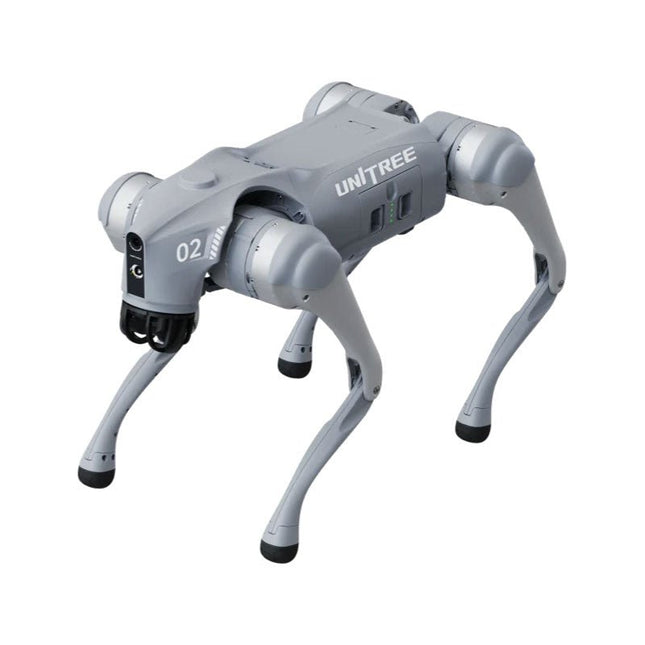
Unitree Unitree Go2 Edu Viervoetige Robot
Tijdelijke vertraging in de levering van Unitree-robots Op dit moment ervaren wij, net als andere leveranciers, vertragingen in de levering van Unitree-robots. Een zending van onze leverancier staat vast bij de douane, waardoor we eerder geplaatste bestellingen later kunnen uitleveren dan gepland. We werken hier actief aan samen met onze leverancier en verwachten op korte termijn meer duidelijkheid, maar kunnen helaas geen garanties geven. Ook een nieuwe zending is onderweg, maar deze zal nog enige tijd op zich laten wachten. Omdat andere leveranciers met dezelfde uitdagingen te maken hebben, is overstappen naar een andere partij momenteel geen snellere oplossing. Onze prioriteit ligt bij het uitleveren van bestaande bestellingen. Mocht je vragen hebben of je bestelling willen aanpassen, neem dan gerust contact op met onze customer service. We houden je op de hoogte van verdere ontwikkelingen. Bedankt voor je geduld en vertrouwen! De Unitree Go2-serie bestaat uit viervoetige robots voor onderzoek en ontwikkeling van autonome systemen op het gebied van mens-robotinteractie (HRI), SLAM en transport. Dankzij de vier poten en de 12DOF kan deze robot op verschillende terreinen uit de voeten. De Go2 is uitgerust met een geperfectioneerd aandrijf- en energiebeheersysteem, dat een snelheid (afhankelijk van de uitvoering) tot 3,7 m/s of 11,88 km/u mogelijk maakt met een gebruiksduur tot 4 uur. Bovendien hebben de motoren een koppel van 45 Nm op het lichaam/dijen en de knieën, wat ook sprongen of backflips mogelijk maakt. Kenmerken Superherkenningssysteem: 4D LIDAR L1 Maximale loopsnelheid: ca. 5 m/s Maximale gewrichtskracht: ca. 45 Nm Draadloze module: WiFi 6/Bluetooth/4G Ultralange batterijduur: ca. 2-4 uur (lange batterijduur gemeten in de praktijk) Intelligent zijvolgsysteem: ISS 2.0 Specificaties Trackingmodule: Op afstand bestuurbaar of automatisch volgen Frontcamera: Beeldoverdrachtsresolutie 1280x720, gezichtsveld 120°, ultragroothoeklens voor rijke helderheid Frontlamp: Verlicht de weg voor u helder 4D LiDAR L1: 360° x 90° omnidirectionele ultragroothoekscanning maakt automatisch vermijden mogelijk met een kleine dode hoek en stabiele werking 12 kniegewrichtmotoren: Sterk en krachtig, mooi en eenvoudig, gloednieuwe visuele ervaring Intercommicrofoon: Effectieve communicatie zonder scenariobeperkingen Zelfoprollende riem: Gemakkelijk te dragen en te laden Stabieler, krachtiger met geavanceerde apparaten: 3D LiDAR, 4G ESIM-kaart, wifi 6 met dualband, Bluetooth 5.2 voor stabiele verbinding en bediening op afstand. Krachtige rekenkern: Bewegingscontroller, krachtige ARM-processor, verbeterde AI-algoritmeprocessor, externe ORIN NX/NANO. Slimme batterij: Standaard 8000 mAh-batterij, duurzame 15000 mAh-batterij, bescherming tegen oververhitting, overladen en kortsluiting. Luidspreker voor het afspelen van muziek: Luister naar muziek wanneer u dat wilt. Unitree Go2 varianten De Go2 overtuigt niet alleen met zijn technische mogelijkheden, maar ook met een modern en slank design dat hem een futuristische uitstraling geeft en een echte blikvanger maakt. De Go2 Air is speciaal ontworpen voor demo's en presentaties. Met zijn basisfuncties biedt hij een solide basis voor het demonstreren van de bewegingsmogelijkheden en functionaliteit van een viervoetige robot. Belangrijk: De Go2 Air wordt geleverd zonder controller. Deze is optioneel verkrijgbaar. Met een krachtige 8-core high-performance CPU bieden de Pro en Edu de indrukwekkende rekenkracht die nodig is voor complexe taken en veeleisende berekeningen. Dit maakt snellere en efficiëntere gegevensverwerking mogelijk en maakt de Pro en Edu een betrouwbare partner voor uw projecten. Vanaf de Edu-versie is de Go2 programmeerbaar en biedt hij eindeloze mogelijkheden voor het ontwikkelen en onderzoeken van uw eigen roboticatoepassingen. De Go2 kan ook een staphoogte tot 14 cm aan. Dit maakt het een ideaal hulpmiddel voor onderzoek, onderwijs en de instap in de wereld van robotica. De Go2 Edu wordt geleverd met een afstandsbediening die eenvoudige en intuïtieve bediening biedt. Je krijgt er ook een dockingstation bij met een indrukwekkende rekenkracht van 100 TOPS, dat is uitgerust met krachtige AI-algoritmen en technische ondersteuning biedt. De Go2 Edu is uitgerust met een krachtige accu van 15.000 mAh, goed voor een indrukwekkende gebruiksduur tot wel 4 uur. Deze lange gebruiksduur stelt de robot in staat om langere verkenningsmissies uit te voeren en veeleisende taken te voltooien. Modelvergelijking Air Pro Edu/Edu Plus Afmetingen (staand) 70 x 31 x 40 cm 70 x 31 x 40 cm 70 x 31 x 40 cm Afmetingen (hurkend) 76 x 31 x 20 cm 76 x 31 x 20 cm Materiaal Aluminiumlegering + zeer sterke technische kunststof Aluminiumlegering + zeer sterke technische kunststof Aluminiumlegering + zeer sterke technische kunststof kunststof Gewicht (met accu) ongeveer 15 kg ongeveer 15 kg ongeveer 15 kg Spanning 28~33,6 V 28~33,6 V Piekvermogen ongeveer 3000 W ongeveer 3000 W ongeveer 3000 W Laadvermogen ≈7 kg (MAX ~ 10 kg) ≈8 kg (MAX ~ 10 kg) ≈8 kg (MAX ~ 12 kg) Snelheid 0~2,5 m/s 0~3,5 m/s 0~3,7 m/s (MAX ~ 5 m/s) Maximale klim- en valhoogte ongeveer 15 cm ongeveer 16 cm ongeveer 16 cm Maximale klimhoek 30° 40° 40° Basisrekenkracht N.v.t. 8-core High-performance CPU 8-core high-performance CPU Aluminium kniegewrichtsmotor 12 stuks 12 stuks 12 stuks Intra-gewrichtscircuit (knie) ✓ ✓ ✓ Heatpipe-koeler ✓ ✓ ✓ Bewegingsbereik Behuizing: -48~48° Lichaam: -48~48° Lichaam: -48~48° Dij: -200°~90° Dij: -200°~90° Dij: -200°~90° Schacht: -156°~-48° Schacht: -156°~-48° Schacht: -156°~-48° Maximaal koppel N.v.t. ongeveer 45 N.m ongeveer 45 N.m Supergroothoek 3D LiDAR ✓ ✓ Draadloze vectorpositionering Module N.v.t. ✓ ✓ HD-groothoekcamera ✓ ✓ Voeteinde-krachtsensor N.v.t. N.v.t. ✓ Basisactie ✓ ✓ ✓ Automatisch schalen band N.v.t. ✓ N.v.t. Verbeterde Intelligent OTA ✓ ✓ ✓ RTT 2.0 Beeldoverdracht ✓ ✓ ✓ App Basis Afstandsbediening ✓ ✓ ✓ App Gegevensweergave ✓ ✓ ✓ App Grafisch Programma ✓ ✓ ✓ Koplamp (3 W) ✓ ✓ ✓ Wifi 6 met dualband ✓ ✓ ✓ Bluetooth 5.2/4.2/2.1 ✓ ✓ ✓ 4G-module N.v.t. CN/GB CN/GB Spraakfunctie N.v.t. ✓ ✓ Muziek afspelen N.v.t. ✓ ✓ ISS 2.0 Intelligent zijvolgsysteem N.v.t. ✓ ✓ Intelligente detectie en vermijding ✓ ✓ ✓ Secundaire ontwikkeling N/A N/A ✓ Handmatige controller Optioneel Optioneel ✓ Module met hoge rekenkracht N.v.t. N.v.t. Edu: TOP 40 rekenkracht Edu Plus: TOP 100 rekenkracht NVIDIA Jetson Orin (optioneel) Slimme batterij Standaard (8000 mAh) Standaard (8000 mAh) Lange batterijduur (15000 mAh) Batterijduur 1-2 uur 1-2 uur 2-4 uur Oplader Standaard (33,6 V, 3,5 A) Standaard (33,6 V, 3,5 A) Snelladen (33,6 V, 9 A) Inbegrepen 1x Unitree Go2 Edu 1x Unitree Go2 afstandsbediening 1x Unitree Go2 batterij (15000 mAh) 1x Unitree Dockingstation met 40 TOPS rekenkracht Downloads Documentation iOS/Android apps GitHub
€ 12.499,00
Beste prijs
-
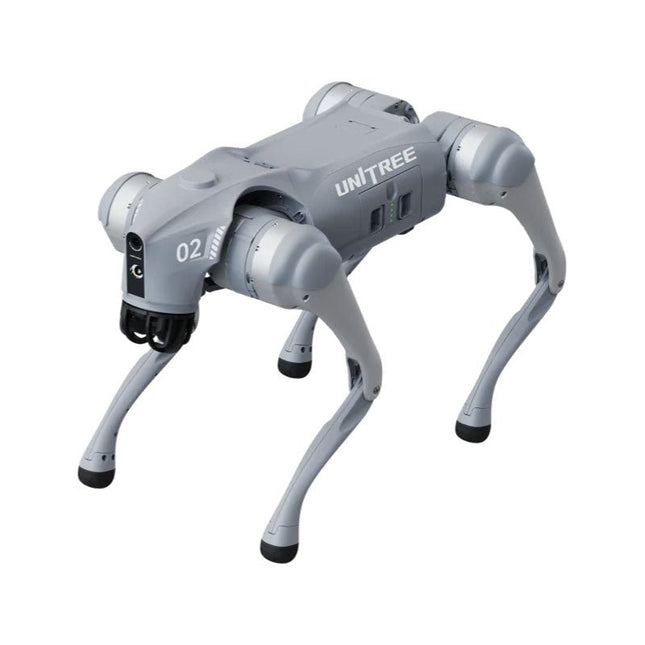
Unitree Unitree Go2 Pro Viervoetige Robot
Tijdelijke vertraging in de levering van Unitree-robots Op dit moment ervaren wij, net als andere leveranciers, vertragingen in de levering van Unitree-robots. Een zending van onze leverancier staat vast bij de douane, waardoor we eerder geplaatste bestellingen later kunnen uitleveren dan gepland. We werken hier actief aan samen met onze leverancier en verwachten op korte termijn meer duidelijkheid, maar kunnen helaas geen garanties geven. Ook een nieuwe zending is onderweg, maar deze zal nog enige tijd op zich laten wachten. Omdat andere leveranciers met dezelfde uitdagingen te maken hebben, is overstappen naar een andere partij momenteel geen snellere oplossing. Onze prioriteit ligt bij het uitleveren van bestaande bestellingen. Mocht je vragen hebben of je bestelling willen aanpassen, neem dan gerust contact op met onze customer service. We houden je op de hoogte van verdere ontwikkelingen. Bedankt voor je geduld en vertrouwen! De Unitree Go2-serie bestaat uit viervoetige robots voor onderzoek en ontwikkeling van autonome systemen op het gebied van mens-robotinteractie (HRI), SLAM en transport. Dankzij de vier poten en de 12DOF kan deze robot op verschillende terreinen uit de voeten. De Go2 is uitgerust met een geperfectioneerd aandrijf- en energiebeheersysteem, dat een snelheid (afhankelijk van de uitvoering) tot 3,7 m/s of 11,88 km/u mogelijk maakt met een gebruiksduur tot 4 uur. Bovendien hebben de motoren een koppel van 45 Nm op het lichaam/dijen en de knieën, wat ook sprongen of backflips mogelijk maakt. Kenmerken Superherkenningssysteem: 4D LIDAR L1 Maximale loopsnelheid: ca. 5 m/s Maximale gewrichtskracht: ca. 45 Nm Draadloze module: WiFi 6/Bluetooth/4G Ultralange batterijduur: ca. 2-4 uur (lange batterijduur gemeten in de praktijk) Intelligent zijvolgsysteem: ISS 2.0 Specificaties Trackingmodule: Op afstand bestuurbaar of automatisch volgen Frontcamera: Beeldoverdrachtsresolutie 1280x720, gezichtsveld 120°, ultragroothoeklens voor rijke helderheid Frontlamp: Verlicht de weg voor u helder 4D LiDAR L1: 360° x 90° omnidirectionele ultragroothoekscanning maakt automatisch vermijden mogelijk met een kleine dode hoek en stabiele werking 12 kniegewrichtmotoren: Sterk en krachtig, mooi en eenvoudig, gloednieuwe visuele ervaring Intercommicrofoon: Effectieve communicatie zonder scenariobeperkingen Zelfoprollende riem: Gemakkelijk te dragen en te laden Stabieler, krachtiger met geavanceerde apparaten: 3D LiDAR, 4G ESIM-kaart, wifi 6 met dualband, Bluetooth 5.2 voor stabiele verbinding en bediening op afstand. Krachtige rekenkern: Bewegingscontroller, krachtige ARM-processor, verbeterde AI-algoritmeprocessor, externe ORIN NX/NANO. Slimme batterij: Standaard 8000 mAh-batterij, duurzame 15000 mAh-batterij, bescherming tegen oververhitting, overladen en kortsluiting. Luidspreker voor het afspelen van muziek: Luister naar muziek wanneer u dat wilt. Unitree Go2 varianten De Go2 overtuigt niet alleen met zijn technische mogelijkheden, maar ook met een modern en slank design dat hem een futuristische uitstraling geeft en een echte blikvanger maakt. De Go2 Air is speciaal ontworpen voor demo's en presentaties. Met zijn basisfuncties biedt hij een solide basis voor het demonstreren van de bewegingsmogelijkheden en functionaliteit van een viervoetige robot. Belangrijk: De Go2 Air wordt geleverd zonder controller. Deze is optioneel verkrijgbaar. Met een krachtige 8-core high-performance CPU bieden de Pro en Edu de indrukwekkende rekenkracht die nodig is voor complexe taken en veeleisende berekeningen. Dit maakt snellere en efficiëntere gegevensverwerking mogelijk en maakt de Pro en Edu een betrouwbare partner voor uw projecten. Vanaf de Edu-versie is de Go2 programmeerbaar en biedt hij eindeloze mogelijkheden voor het ontwikkelen en onderzoeken van uw eigen roboticatoepassingen. De Go2 kan ook een staphoogte tot 14 cm aan. Dit maakt het een ideaal hulpmiddel voor onderzoek, onderwijs en de instap in de wereld van robotica. De Go2 Edu wordt geleverd met een afstandsbediening die eenvoudige en intuïtieve bediening biedt. Je krijgt er ook een dockingstation bij met een indrukwekkende rekenkracht van 100 TOPS, dat is uitgerust met krachtige AI-algoritmen en technische ondersteuning biedt. De Go2 Edu is uitgerust met een krachtige accu van 15.000 mAh, goed voor een indrukwekkende gebruiksduur tot wel 4 uur. Deze lange gebruiksduur stelt de robot in staat om langere verkenningsmissies uit te voeren en veeleisende taken te voltooien. Modelvergelijking Air Pro Edu/Edu Plus Afmetingen (staand) 70 x 31 x 40 cm 70 x 31 x 40 cm 70 x 31 x 40 cm Afmetingen (hurkend) 76 x 31 x 20 cm 76 x 31 x 20 cm Materiaal Aluminiumlegering + zeer sterke technische kunststof Aluminiumlegering + zeer sterke technische kunststof Aluminiumlegering + zeer sterke technische kunststof kunststof Gewicht (met accu) ongeveer 15 kg ongeveer 15 kg ongeveer 15 kg Spanning 28~33,6 V 28~33,6 V Piekvermogen ongeveer 3000 W ongeveer 3000 W ongeveer 3000 W Laadvermogen ≈7 kg (MAX ~ 10 kg) ≈8 kg (MAX ~ 10 kg) ≈8 kg (MAX ~ 12 kg) Snelheid 0~2,5 m/s 0~3,5 m/s 0~3,7 m/s (MAX ~ 5 m/s) Maximale klim- en valhoogte ongeveer 15 cm ongeveer 16 cm ongeveer 16 cm Maximale klimhoek 30° 40° 40° Basisrekenkracht N.v.t. 8-core High-performance CPU 8-core high-performance CPU Aluminium kniegewrichtsmotor 12 stuks 12 stuks 12 stuks Intra-gewrichtscircuit (knie) ✓ ✓ ✓ Heatpipe-koeler ✓ ✓ ✓ Bewegingsbereik Behuizing: -48~48° Lichaam: -48~48° Lichaam: -48~48° Dij: -200°~90° Dij: -200°~90° Dij: -200°~90° Schacht: -156°~-48° Schacht: -156°~-48° Schacht: -156°~-48° Maximaal koppel N.v.t. ongeveer 45 N.m ongeveer 45 N.m Supergroothoek 3D LiDAR ✓ ✓ Draadloze vectorpositionering Module N.v.t. ✓ ✓ HD-groothoekcamera ✓ ✓ Voeteinde-krachtsensor N.v.t. N.v.t. ✓ Basisactie ✓ ✓ ✓ Automatisch schalen band N.v.t. ✓ N.v.t. Verbeterde Intelligent OTA ✓ ✓ ✓ RTT 2.0 Beeldoverdracht ✓ ✓ ✓ App Basis Afstandsbediening ✓ ✓ ✓ App Gegevensweergave ✓ ✓ ✓ App Grafisch Programma ✓ ✓ ✓ Koplamp (3 W) ✓ ✓ ✓ Wifi 6 met dualband ✓ ✓ ✓ Bluetooth 5.2/4.2/2.1 ✓ ✓ ✓ 4G-module N.v.t. CN/GB CN/GB Spraakfunctie N.v.t. ✓ ✓ Muziek afspelen N.v.t. ✓ ✓ ISS 2.0 Intelligent zijvolgsysteem N.v.t. ✓ ✓ Intelligente detectie en vermijding ✓ ✓ ✓ Secundaire ontwikkeling N/A N/A ✓ Handmatige controller Optioneel Optioneel ✓ Module met hoge rekenkracht N.v.t. N.v.t. Edu: TOP 40 rekenkracht Edu Plus: TOP 100 rekenkracht NVIDIA Jetson Orin (optioneel) Slimme batterij Standaard (8000 mAh) Standaard (8000 mAh) Lange batterijduur (15000 mAh) Batterijduur 1-2 uur 1-2 uur 2-4 uur Oplader Standaard (33,6 V, 3,5 A) Standaard (33,6 V, 3,5 A) Snelladen (33,6 V, 9 A) Inbegrepen 1x Unitree Go2 Pro 1x Unitree Go2 batterij (8000 mAh) Downloads Documentation iOS/Android apps GitHub
€ 3.599,00
Beste prijs
-
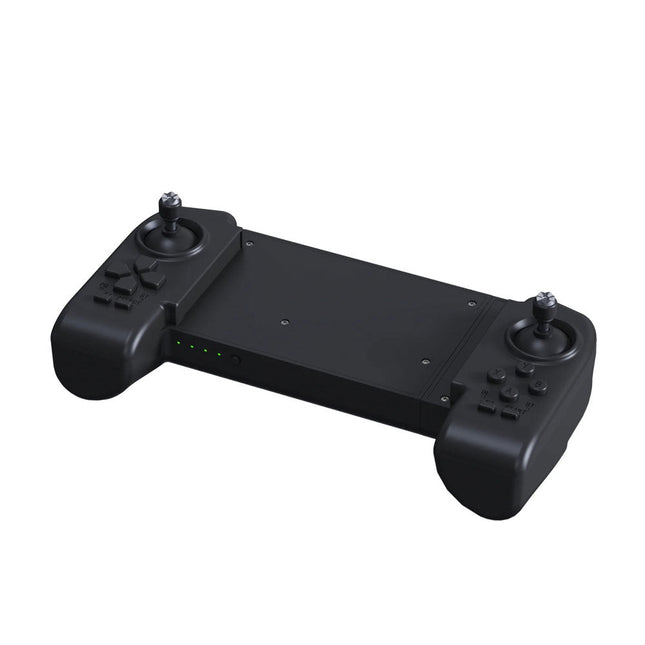
Unitree Unitree Go2 Remote Controller
De Unitree Go2 Controller is een speciaal afstandsbedieningsapparaat dat is ontworpen voor een naadloze en nauwkeurige bediening van de Unitree Go2 Quadruped Robot. Deze bimanuele afstandsbediening beschikt over ingebouwde gegevensoverdracht en Bluetooth-modules, wat betrouwbare draadloze communicatie met de robot mogelijk maakt. Het biedt een ultralange besturingsafstand van meer dan 100 meter in open omgevingen, wat flexibiliteit in verschillende operationele scenario's garandeert. Specificaties Laadspanning 5 V Laadstroom 2 A Frequentie 2,4 GHz Communicatiemodi Datatransmissiemodule en Bluetooth Batterijcapaciteit 2500 mAh Bedrijfstijd ca. 4,5 uur Bedieningsafstand Meer dan 100 meter in open omgevingen
€ 299,00
Beste prijs
-
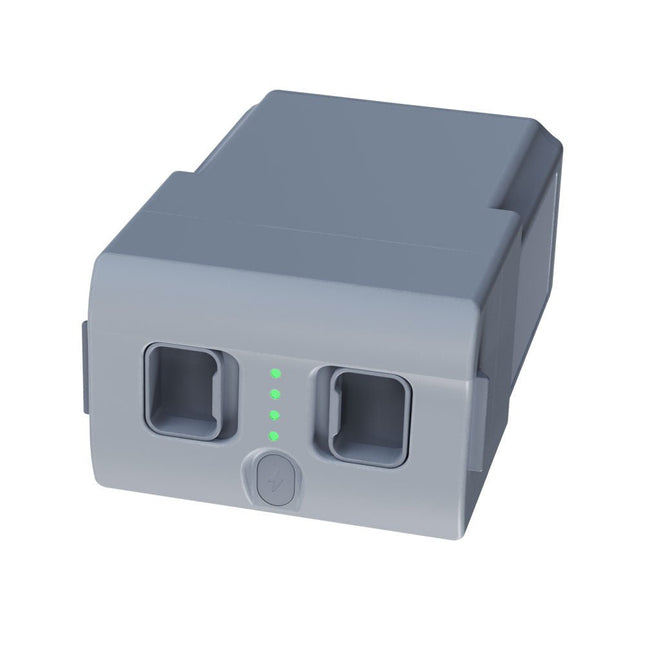
Unitree Unitree Go2 reservebatterij (15.000 mAh)
Met een capaciteit van 15.000 mAh biedt de Unitree Go2-batterij een robuuste stroombron waarmee uw robot taken met gemak kan uitvoeren. Of het nu gaat om complexe verkenningen, onderzoeksprojecten of leuke excursies, deze krachtige batterij levert de energie die uw robot nodig heeft. De looptijd van de Unitree Go2-batterij varieert afhankelijk van de toepassing en het gebruik. Op basis van de gebruikte functies en activiteiten kan de batterij tussen de 2 en 4 uur werken. Dankzij deze flexibiliteit kunt u de robot naar wens aanpassen, waardoor langere verkenningsmissies of uitgebreidere projecten mogelijk zijn. De Unitree Go2-batterij is een betrouwbare metgezel voor uw robotica-avonturen. Met zijn indrukwekkende capaciteit en aanpasbare looptijd zorgt hij ervoor dat uw robot krachtig en uithoudingsvermogen presteert, zonder regelmatig op te laden. Of u de Unitree Go2-batterij nu nodig heeft als vervanging of als upgrade voor uw robot, deze krachtige oplossing voor energieopslag biedt de perfecte balans tussen prestaties en betrouwbaarheid. Specificaties Nominale spanning: DC 28,8 V Beperkte laadspanning: DC 33,6 V Laadstroom: 9 A Nominale capaciteit: 15.000 mAh, 432 Wh Standaard: IS 16046 (deel 2) / IEC 62133-2 Zelf ontwikkeld batterijbeheersysteem (BMS) Afmetingen: 120 x 80 x 182 mm Kenmerken: Aan/uit-indicator Zelfontladingsbeveiliging van batterijopslag Evenwichtsladingsbescherming Bescherming tegen overbelasting Ontladingsbeveiliging Kortsluitbeveiliging Bescherming voor detectie van batterijlading
€ 795,00
Beste prijs
-

Elektor Digital Universal Display Book for PIC Microcontrollers (E-book)
The newcomer to Microchip’s PIC microcontrollers invariably gets an LED to flash as their first attempt to master this technology. You can use just a simple LED indicator in order to show that your initial attempt is working, which will give you confidence to move forward. This is how the book begins — simple programs to flash LEDs, and eventually by stages to use other display indicators such as the 7-segment display, alphanumeric liquid crystal displays and eventually a colour graphic LCD. As the reader progresses through the book, bigger and upgraded PIC chips are introduced, with full circuit diagrams and source code, both in assembler and C. In addition, a small tutorial is included using the MPLAB programming environment, together with the EAGLE schematic and PCB design package to enable readers to create their own designs using the book’s many case studies as working examples to work from.
€ 19,95
Leden: € 17,96
-
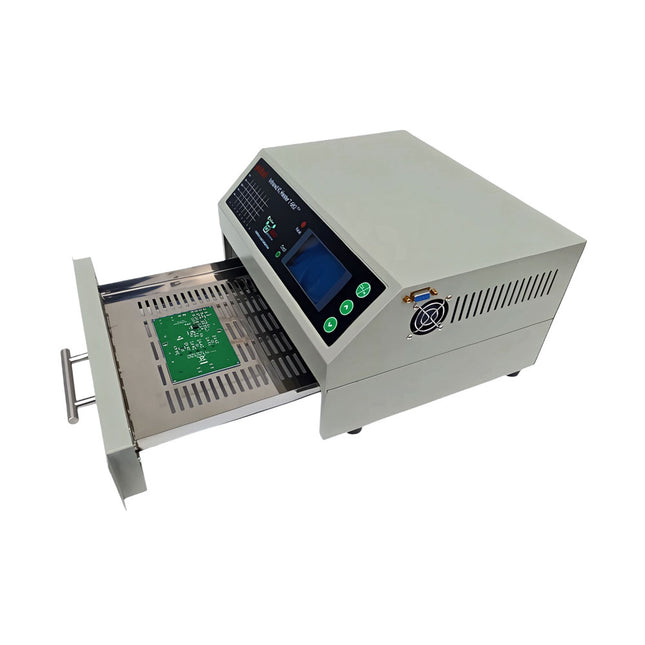
puhui Verbeterde T-962 v2.0 Reflow Soldeeroven (Elektor versie)
Deze verbetere versie 2.0 (exclusief verkrijgbaar bij Elektor) bevat de volgende verbeteringen: Verbeterde aarding (PE) van het ovenchassis Extra thermische isolatielaag rond de oven om geuren te verminderen Aansluiting op een computer, waardoor curvebewerking op een PC mogelijk is Functies zoals constante temperatuurregeling en timingfuncties De infrarood IC oven T-962 v2.0 is een microprocessorgestuurde reflow oven die je kunt gebruiken voor het gemakkelijk solderen van diverse SMD en BGA componenten. Het hele soldeerproces kan automatisch worden voltooid en het is heel gemakkelijk in het gebruik. Dit apparaat maakt gebruik van een krachtige infrarood straling en circulatie van de hete luchtstroom, zodat de temperatuur zeer nauwkeurig wordt gehouden en gelijkmatig verdeeld wordt. Een lade met vensters is ontworpen om het werkstuk vast te houden, en maakt een veilige soldeertechniek mogelijk en het manipuleren van SMD & BGA en andere kleine elektronische onderdelen die op een printplaat gemonteerd zijn. De T-962 v2.0 kan gebruikt worden om soldeer automatisch na te verwarmen om slechte soldeerverbindingen te corrigeren, slechte componenten te verwijderen/vervangen en kleine technische modellen of prototypes te maken. Kenmerken Groot infrarood soldeeroppervlak Effectief soldeergebied: 180 x 235 mm; dit vergroot het gebruik van deze machine drastisch en is daardoor een goede aanschaf. Keuze uit verschillende soldeercycli De parameters van acht soldeercycli zijn vooraf ingesteld en het hele soldeerproces kan automatisch verlopen van voorverwarmen, op temperatuur vloeibaar houden tot afkoelen.. Speciale opwarming en temperatuur egalisatie bij alle versies Gebruikt een energiezuinige infrarood verwarming tot 800 Watt en luchtcirculatie om het soldeer vloeibaar te houden. Ergonomisch ontwerp, praktisch en gemakkelijk te bedienen Door de goede bouwkwaliteit, lichte gewicht en de kleine afmetingen kan de T-962 v2.0 gemakkelijk op een werkbank worden geplaatst, of worden vervoerd of opgeborgen. Groot aantal functies beschikbaar De T-962 v2.0 kan de meeste kleine componenten van printplaten solderen, bijvoorbeeld CHIP, SOP, PLCC, QFP, BGA enz. Het is de ideale oplossing voor rework, van eenmalige productie tot kleinschalige productie op bestelling. Specificaties Soldeeroppervlak (max.) 180 x 235 mm Vermogen (max.) 800 W Temperatuurbereik 0-280°C Verwarmingsmethode Infrarood Verwerkingstijd 1-8 minuten Voeding 220 V AC/50 Hz Display LCD met achtergrondverlichting Bedieningsmodus 8 intelligente temperatuurcurven Afmetingen 310 x 290 x 170 mm Gewicht 6,2 kg Inbegrepen 1x T-962 v2.0 Reflow Soldeeroven (Elektor versie) 2x Zekeringen 1x Netsnoer (EU) Downloads Manual
€ 299,00€ 269,00
Beste prijs
-
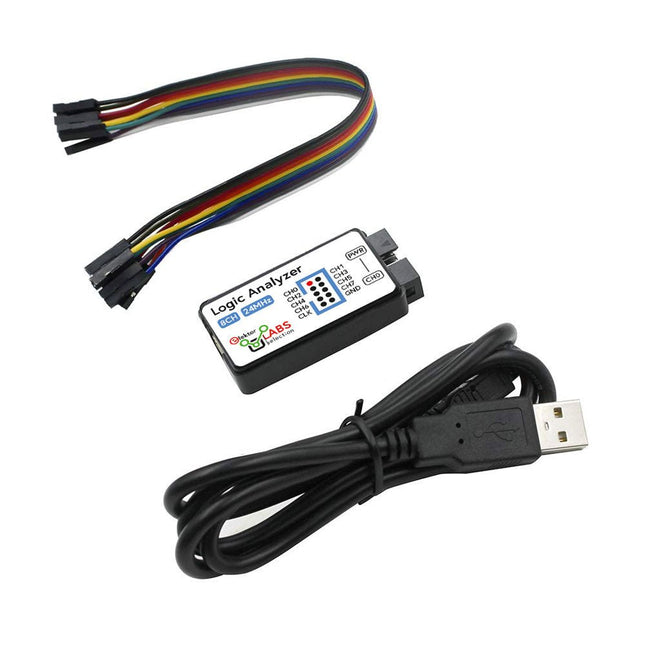
Elektor Labs USB Logic Analyzer (8-ch, 24 MHz)
Deze USB Logic Analyzer is een 8-kanaals logic analyzer met elke ingang bedoeld voor het op twee manieren opnemen van analoge data. Hij is perfect voor het debuggen en analyseren van signalen zoals I²C, UART, SPI, CAN en 1-Wire. De analyzer bemonstert een digitale ingang die is aangesloten op een te testen apparaat (DUT) met een hoge bemonsteringssnelheid. De aansluiting op de PC gaat via USB.Specificaties Kanalen 8 digitale kanalen Maximale bemonsteringssnelheid 24 MHz Maximale ingangsspanning 0 V ~ 5 V Bedrijfstemperatuur 0°C ~ 70°C Ingangsimpedantie 1 MΩ || 10 pF Ondersteunde protocollen I²C, SPI, UART, CAN, 1-wire, enz. PC-aansluiting USB Afmetingen 55 x 28 x 14 mm Inbegrepen USB Logic Analyzer (8-kanaals, 24 MHz) USB-kabel Jumper Draad Lintkabel DownloadsSoftware
€ 14,95
Leden: € 13,46
-

Elektor Digital Using Displays in Raspberry Pi Projects (E-book)
Learn to program displays and GUIs with Python This book is about Raspberry Pi 4 display projects. The book starts by explaining how to install the latest Raspbian operating system on an SD card, and how to configure and use the GPIO ports. The core of the book explains the following topics in simple terms with fully tested and working example projects: Simple LED projects Bar graph LED projects Matrix LED projects Bitmap LED projects LED strips LCDs OLED displays E-paper displays TFT displays 7-inch touch screen GUI Programming with Tkinder One unique feature of this book is that it covers almost all types of display that readers will need to use in their Raspberry Pi based projects. The operation of each project is fully given, including block diagrams, circuit diagrams, and commented full program listings. It is therefore an easy task to convert the given projects to run on other popular platforms, such as Arduino or PIC microcontrollers. Python program listings of all Raspberry Pi projects developed in this book are available for download at Elektor.com. Readers can use these programs in their projects. Alternatively, they can modify the programs to suit their applications.
€ 32,95
Leden: € 29,66
-

Elektor Digital Van 0 en 1 tot processor (E-book)
Het boek beschrijft de werking van digitale circuits vanaf schakelingen met poorten tot aan de werking van een processor. Van elke schakeling of systeem kan de werking worden gesimuleerd. Hierbij wordt het gedrag van componenten en het verloop van signalen in de tijd op ingangen, uitgangen en relevante verbindingslijnen zichtbaar gemaakt. Zo wordt in detail gevisualiseerd wat het gedrag is van de hardware als er een instructie wordt uitgevoerd.Het boek is opgebouwd uit drie modules die de volgende onderwerpen behandelen:Basismodule Poorten en combinatorische schakelingen. Hoe rekent een computer? Hoe werkt een rekenmachine? Module Digitale Techniek Hoe ontwerp je combinatorische schakelingen m.b.v. Boole-algebra? Sequentiële schakelingen en het ontwerpen van ‘Finite State Systems’. Complexe schakelingen als decoders, multiplexers, asynchrone en synchrone tellers. Module Computerarchitectuur Hoe werkt een ‘loopje’ precies? If-then-else, while en for loops. De Harvard-architectuur. Hoe verloopt de communicatie tussen de aanroeper en de aangeroepene bij aanroep van een procedure? Bij de module Computerarchitectuur worden programma’s in de taal assembler geschreven. Hierbij wordt gebruik gemaakt van een instructieset van slechts 15 instructies.WebsiteHet boek wordt ondersteund door de website: www.science.uva.nl/amstel/SIM-PL. De SIM-PL software en de componenten die nodig zijn voor de simulaties kunnen hiervandaan worden gedownload. Ook staan hier antwoorden op vragen en vraagstukken. Verder zijn op deze site collegesheets voor docenten en voorbeelden van tentamens beschikbaar.DoelgroepenVAN 0 EN 1 TOT PROCESSOR is geschreven voor iedereen die geïnteresseerd is in de basisprincipes waarop de werking van computers berust. Het boek is zeer geschikt voor studenten Informatica, Technische Informatica en E-technology in het hoger onderwijs en het MBO. Het boek kan worden ingezet bij vakken als Digitale Techniek, Embedded Systems en Architectuur & Computerorganisatie. Delen van de eerste drie hoofdstukken zijn opgenomen in modules voor de vakken Informatica, NLT en Wiskunde D in het voortgezet onderwijs.Ben Bruidegom is werkzaam bij het AMSTEL-Instituut van de Universiteit van Amsterdam als ontwikkelaar van educatieve hard- en software en docent aan het College of Science van deze universiteit. Hij heeft tientallen jaren ervaring op het gebied van de technische automatisering en het ontwikkelen van onderwijs hiervoor.
€ 19,95
Leden: € 17,96
-

Elektor Digital Vanderveen Trans Tube Amplifiers (E-book)
Menno van der Veen is well known for his research publications on tube amplifiers used in audio systems. In this book he describes one of his research projects which focuses on the question of whether full compensation for distortion in tubes and output transformers is possible. In the past, a variety of techniques have been developed. One of them has largely been forgotten: trans-conductance, which means converting current into voltage or voltage into current. Menno van der Veen has breathed new life into this technique with his research project titled “Trans”. This book discusses all aspects of this method and discusses its pitfalls. These pitfalls are addressed one by one. The end result is a set of stringent requirements for Trans amplifiers. Armed with these requirements, Menno then develops new Trans amplifiers, starting with Transie 1 and Transie 2. These DC-coupled, single-ended tube amplifiers have unusually good characteristics and are suitable for hobbyist construction. Next the Trans principle is applied to amplifiers with higher output power. A trial-and-error process ultimately leads to the Vanderveen Trans 30 amplifier, which optimizes the features of Trans. The characteristics of this amplifier are so special and unique that Menno believes he has struck gold. To ensure that variations in tube characteristics cannot interfere with optimal Trans behavior, Menno makes use of simulations and comparison with other amplifier types. This book reads like an adventure story, but it is much more – it is an account of solid research into new ways to achieve optimal audio reproduction.
€ 29,95
Leden: € 26,96
-

Elektor Publishing Vintage Radio Equipment
Resonances From Aether Days A Pictorial and Technical Analysis from WWII to the Internet Age From the birth of radio to the late 1980s, much of real life unfolded through shortwave communication. World War II demonstrated—beyond a shadow of a doubt—that effective communications equipment was a vital prerequisite for military success. In the postwar years, shortwave became the backbone on which many of the world's most critical services depended every day. All the radio equipment—through whose cathodes, grids, plates, and transistors so much of human history has flowed—is an exceptional subject of study and enjoyment for those of us who are passionate about vintage electronics. In this book, which begins in the aftermath of World War II, you’ll find a rich collection of information: descriptions, tips, technical notes, photos, and schematics that will be valuable for anyone interested in restoring—or simply learning about—these extraordinary witnesses to one of the most remarkable eras in technological history. My hope is that these pages will help preserve this vast treasure of knowledge, innovation, and history—a heritage that far transcends the purely technical.
€ 79,95
Leden: € 71,96
-
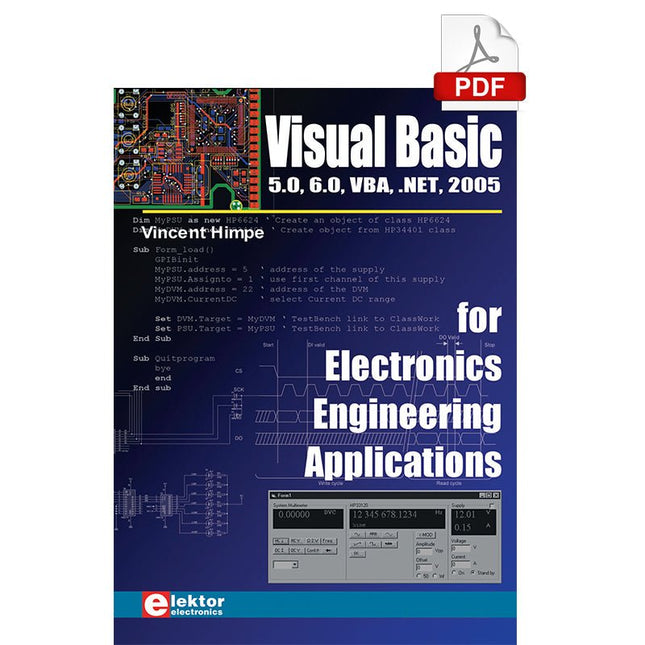
Elektor Digital Visual Basic for Electronics Engineering Applications (E-book)
The PC has long-time outgrown its function as a pure computer and has become an all-purpose machine. This book is targeted towards those people that want to control existing or self-built hardware from their computer. Using Visual Basic as Rapid Application Development tool we will take you on a journey to unlock the world beyond the connectors of the PC. After familiarising yourself with Visual Basic, its development environment and the toolset it offers, items such as serial communications, printer ports, bit-banging, protocol emulation, ISA, USB and Ethernet interfacing and the remote control of test-equipment over the GPIB bus, are covered in extent. Each topic is accompanied by clear, ready to run code, and where necessary, schematics are provided that will get your projects up to speed in no time. This book will show you advanced things like: using tools like Debug to find hardware addresses, setting up remote communication using TCP/IP and UDP sockets and even writing your own internet servers. Or how about connecting your own block of hardware over USB or Ethernet and controlling it from Visual Basic. Other things like internet-program communication, DDE and the new graphics interface of Windows XP are covered as well. All examples are ready to compile using Visual Basic 5.0, 6.0, NET or 2005. Extensive coverage is given on the differences between what could be called Visual Basic Classic and Visual basic .NET / 2005.
€ 39,95
Leden: € 35,96
-

Weller Weller WE1010 Digitaal Soldeerstation (70 W)
High-quality soldering station with the most important tools and consumables, ideal for universal soldering applications. Features 1-Channel Power Unit, digital, 70 W Power unit, 1 channel with soldering iron WEP 70 and safety rest PH 70 70W solder iron with ergonomic handle and providing toolless tip change ESD safe station, iron and heat-resistant silicon cable for safe handling Using ET soldering tips Standby mode and auto setback conserves energy, protects equipment Password-protected to preserve settings Specifications Dimensions: 150 x 120 x 98 mm Weight: 1.4 kg Display: Digital LC Display Temperature range: Adjustable from 100°C - 450°C (200°F - 850°F) Voltage: 230 V Channels: 1 Temperature range (depends on tool) °C: 100-450 Temperature range (depends on tool) °F: 200-850 Temperature accuracy °C: Average tip temperature can be „offset“ to +/- 5°C at idle with no load Temperature accuracy °F: Average tip temperature can be „offset“ to +/- 9°F at idle with no load Temperature stability °C: ±6 Temperature stability °F: ±10 Heat-up time (ca) in seconds (50-350°C / 120-660°F): 28 sec. Heating output: 85 W
€ 157,60
-

Weller Weller WT 1010 Digitaal Soldeerstation (90 W)
High-quality soldering with the most important tools and consumables, ideal for universal soldering applications. Features Power unit, 1 channel 1-channel Soldering Station digital 90 W (95 W) WTP 90: The soldering iron for universal use with power response tips. Tip family XNT & THM (high mass tips) Lock function Specifications Dimensions W x D x H (mm): 149 x 138 x 101 Dimensions W x D x H (inch): 5.87 x 5.43 x 3.98 Weight (ca) in kg: 1.9 Channels: 1 Voltage: 230 V, 50/60 Hz Heating output: 90 W (95 W) Temperature accuracy °C: ±9 Display: Backlit LCD Temperature range: Adjustable from 50°C - 450°C (150°F - 850°C)Adjustable temperature range varies among tools Temperature stability °C: ±2 Temperature accuracy °F: ±17 Temperature stability °F: ±4 Temperature range (depends on tool) °C: 100-450 Temperature range (depends on tool) °F: 150-850 Equipotential balance: yes Fuse: 0,5 A WT compatible: yes ESD-safe: yes Power cord: EMEA
€ 538,45
-

Weller Weller WT1013 Digitaal Soldeerstation (95 W)
The Weller WT 1013 soldering station set includes the WT 1 supply unit, the WP 80 soldering iron and the WSR 201 safety rest. It is stackable and thus creates more space in the workplace. With an integrated usage sensor, the soldering tool switches off automatically. Specifications Channels 1 Voltage 230 V Power 95 W Display Backlit LCD Temperature range 50 °C - 450 °C Temperature stability ±2 °C Temperature accuracy ±9 °C Fuse 0.5 A Equipotential bonding on WT compatible on ESD-safe on Power cable EMEA Dimensions 149 x 138 x 101 mm Weight (approx.) 1.9 kg
€ 441,65
-

Velleman Whadda 3D Kerstboom Kit
De Whadda 3D Kerstboom Kit is bedoeld voor hobbyisten en beginners die geïnteresseerd zijn in solderen en elektronica. Met dit bouwpakket bouw u een feestelijke LED-kerstboom. Kenmerken 16 knipperende rode LED's Er zijn extra groene en gele LED's meegeleverd om uw boom aan te passen Kan worden opgehangen en door draden worden gevoerd Werkt op 12 V DC (bijvoorbeeld in auto's) Specificaties Laag stroomverbruik 8 mA Voeding 9 V-batterij (niet meegeleverd) Afmetingen 102 x 88 x 80 mm Gewicht 65 g Downloads Manual
€ 10,95
-
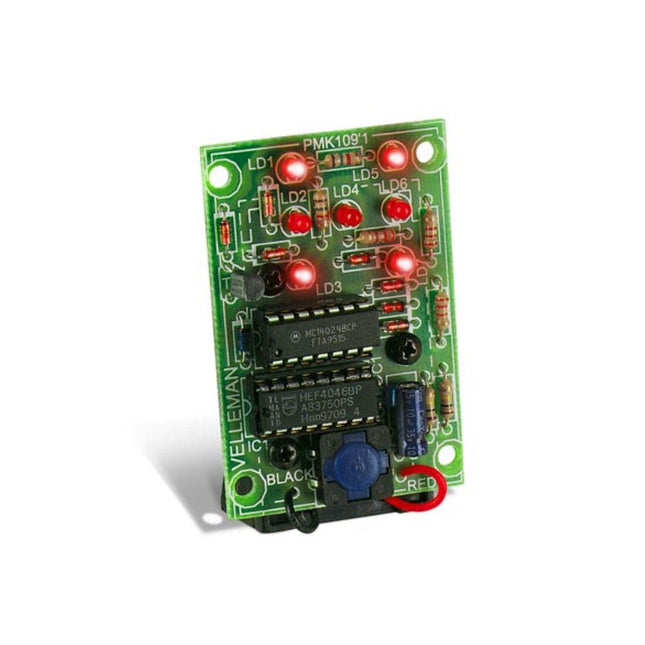
Velleman Whadda Elektronische Dobbelstenen
This electronic dice with 7 red LEDs rolls when the push button is released and works with a 9 V battery (not included). Downloads Manual
€ 6,50
-
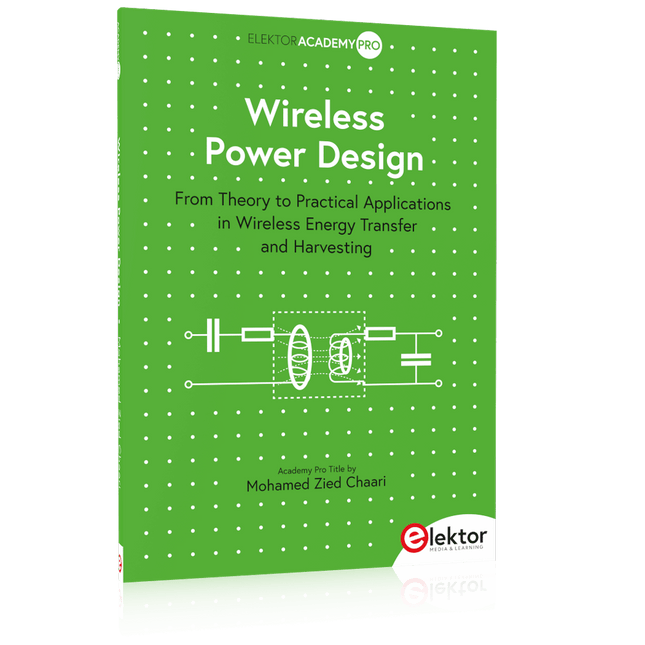
Elektor Publishing Wireless Power Design
From Theory to Practical Applications in Wireless Energy Transfer and Harvesting Wireless power transmission has gained significant global interest, particularly with the rise of electric vehicles and the Internet of Things (IoT). It’s a technology that allows the transfer of electricity without physical connections, offering solutions for everything from powering small devices over short distances to long-range energy transmission for more complex systems. Wireless Power Design provides a balanced mix of theoretical knowledge and practical insights, helping you explore the potential of wireless energy transfer and harvesting technologies. The book presents a series of hands-on projects that cover various aspects of wireless power systems, each accompanied by detailed explanations and parameter listings. The following five projects guide you through key areas of wireless power: Project 1: Wireless Powering of Advanced IoT Devices Project 2: Wireless Powered Devices on the Frontline – The Future and Challenges Project 3: Wireless Powering of Devices Using Inductive Technology Project 4: Wireless Power Transmission for IoT Devices Project 5: Charging Robot Crawler Inside the Pipeline These projects explore different aspects of wireless power, from inductive charging to wireless energy transmission, offering practical solutions for real-world applications. The book includes projects that use simulation tools like CST Microwave Studio and Keysight ADS for design and analysis, with a focus on practical design considerations and real-world implementation techniques.
€ 39,95
Leden: € 35,96
-

Elektor Digital Wireless Power Design (E-book)
From Theory to Practical Applications in Wireless Energy Transfer and Harvesting Wireless power transmission has gained significant global interest, particularly with the rise of electric vehicles and the Internet of Things (IoT). It’s a technology that allows the transfer of electricity without physical connections, offering solutions for everything from powering small devices over short distances to long-range energy transmission for more complex systems. Wireless Power Design provides a balanced mix of theoretical knowledge and practical insights, helping you explore the potential of wireless energy transfer and harvesting technologies. The book presents a series of hands-on projects that cover various aspects of wireless power systems, each accompanied by detailed explanations and parameter listings. The following five projects guide you through key areas of wireless power: Project 1: Wireless Powering of Advanced IoT Devices Project 2: Wireless Powered Devices on the Frontline – The Future and Challenges Project 3: Wireless Powering of Devices Using Inductive Technology Project 4: Wireless Power Transmission for IoT Devices Project 5: Charging Robot Crawler Inside the Pipeline These projects explore different aspects of wireless power, from inductive charging to wireless energy transmission, offering practical solutions for real-world applications. The book includes projects that use simulation tools like CST Microwave Studio and Keysight ADS for design and analysis, with a focus on practical design considerations and real-world implementation techniques.
€ 32,95
Leden: € 29,66
-
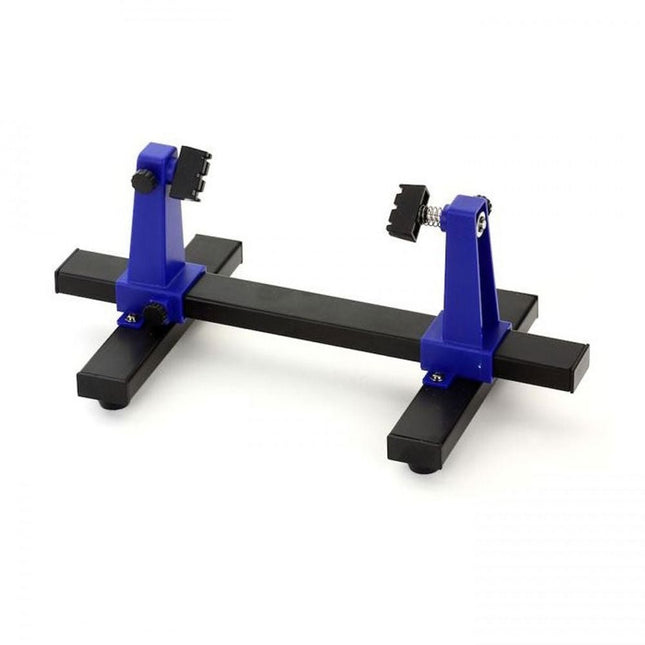
Zhongdi ZD-11E PCB Holder
This adjustable circuit board holder is ideal for clamping PCB for soldering, desoldering or rework. Kenmerken 2 adjustable grips on a retractable stand to accommodate various board sizes. The adjustable clamps allow the PCB to rotate 360 degrees and stay set in any position. The base of this rigid metal stand features four rubber feet to ensure stability. Specificaties Product size 30 x 16.5 x 12.5 cm Max. holding size 20 x 14 cm Weight 450 g
€ 7,95
-

Zhongdi ZD-129A Magnifying LED Desk Lamp
Deze bureaulamp is ideaal voor op uw werkplek. Met de 5-inch 5D-lens kunnen de subtielste klusjes worden gedaan. De lamp heeft 80 geïntegreerde leds. Kenmerken Lens grootte: 5 inch Lens materiaal: glas Dioptrie: 5D Lichtbron: T5 22 W fluorescentielamp (80 stuks leds) Spanning: 220-240 V Vermogen: 22 W
€ 50,00
-

Zhongdi ZD-153A Soldeerdampafzuiger
De dampen die vrijkomen tijdens het solderen zijn mogelijk schadelijk voor de gezondheid. Deze soldeerdampafzuiger wordt stevig met een beugel aan de werktafel bevestigd. Dankzij de 3 assen kan de soldeerdampafzuiger perfect op de juiste plek worden gepositioneerd, d.w.z. direct boven de opstijgende soldeerdampen. De schadelijke soldeerdampen worden afgezogen door een krachtige maar stille ventilator, en gefilterd door een actief koolstoffilter. Kenmerken Zuigt soldeerdampen weg Absorbeert giftige gassen en dampen van soldeerwerkzaamheden Vermindert de kans op hoofdpijn, oogirritatie en misselijkheid Instelbare absorptiehoek voor nauwkeurige plaatsing Eenvoudig vervangbaar actief koolstoffilter Krachtige ventilator Laag geluidsniveau en lange levensduur Specificaties Absorptiecapaciteit: 1 m³/min (max.) Stroomverbruik: 23 W Voeding: 220-240 VAC Hoeveelheid actief koolstoffilter: 7 g Maximaal absorptiegewicht: 2 g Afmetingen: 220 x 270 x 168 mm (B x H x D) Gewicht: 1,4 kg
€ 52,95
-

Zhongdi ZD-8962B ESD-soldeerstation (70 W)
Het ZD-8962B soldeerstation heeft een instelbaar temperatuurbereik van 160°C tot 480°C met een uitgangsvermogen van 70 W. Dankzij het geïntegreerde verwarmingselement in de soldeerpunt bereikt het station de gewenste bedrijfstemperatuur in slechts 8 seconden. Een groot digitaal display biedt real-time monitoring en toont zowel de ingestelde doeltemperatuur als de actuele temperatuur van de soldeerbout voor nauwkeurige controle. Bovendien is het station ESD-veilig, waardoor gevoelige elektronische componenten volledig beschermd zijn tegen elektrostatische ontlading tijdens gebruik. Specificaties Vermogen 70 W Ingangsspanning 220-240 V AC/50 Hz Uitgangsspanning 20 V Temperatuurbereik 160°C – 480°C Opwarmtijd ~8 s Display Groot LED-display met twee regels voor weergave van de gewenste en actuele temperatuur Speciale functies ESD-bescherming, Slaapstand/energiebesparende functie, Schakelen tussen °C en °F Inbegrepen ZD-8962B Soldeerstation Soldeerbout Soldeerpunt N12-1 Soldeerbouthouder met koperborstel en spons Soldeerdraadhouder met loodvrije soldeerdraad (10 g) Stroomkabel (EU) Manual
€ 69,95€ 59,95
Beste prijs
-
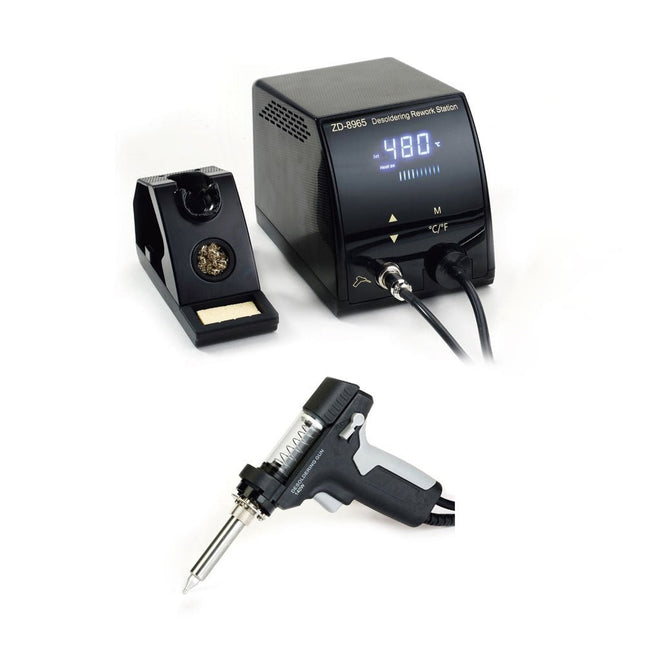
Zhongdi ZD-8965 Desoldeerstation
De ZD-8965 is een digitaal temperatuurgecontroleerd desoldeerstation uitgerust met aardingsbeveiliging en een LCD-display voor temperatuurweergave. Ondanks het compacte en robuuste ontwerp is dit krachtige desoldeerstation eenvoudig met één hand te bedienen. De ZD-8965 is voorzien van een soldeerpistool met een geïntegreerd filter dat al het geëxtraheerde materiaal opvangt, waardoor continu gebruik mogelijk is door simpelweg de filters te vervangen. Bovendien is er een temperatuursensor in de punt ingebed, waardoor een snelle reactie op temperatuurschommelingen mogelijk is, voor consistente prestaties. Kenmerken Pas de temperatuur moeiteloos aan tussen 160°C en 480°C met de handige omhoog/omlaag-knoppen op het voorpaneel. LED-display om de temperatuur in °C/°F aan te geven Beschikt over een ergonomische pistoolgreep met een trekker voor snelle en efficiënte verwijdering van soldeerafval. Het verbeterde soldeerpistool is voorzien van een trigger aan de achterkant, waardoor het uitzonderlijk handig is om componenten te vervangen en te reinigen. Wordt geleverd met een hoogwaardig soldeerpistool en een stevige houder. Uitgerust met een krachtige verwarming die keer op keer zorgt voor optimale desoldeerprestaties. Specificaties Station Spanningsvoorziening 220-240 V Stroomverbrui 140 W Vakumdruk 600 mm HG Desoldeerpistool Stroomverbruik 140 W (18 V DC)Opwarmvermogen: 140 W Temperatuur 160-480°C Verwarmingselement Keramische verwarming Inbegrepen 1x ZD-8965 Desoldeerstation 2x Reserve soldeerpunten 3x Reinigingsnaalden voor desoldeertips 3x Reservefilter voor desoldeerpistool 1x Reservefilter voor desoldeerstation 1x Manual
€ 99,00


