
Producten
-

FNIRSI FNIRSI GC-03 Multifunctionele Stralingsdetector
De FNIRSI GC-03 is een multifunctionele stralingsdetector, ontworpen voor professionele metingen van nucleaire straling in alledaagse omgevingen zoals thuis, op kantoor, in de auto en buitenshuis. Het apparaat is voorzien van een 2,4-inch high-definition kleurendisplay en maakt real-time monitoring mogelijk van zowel nucleaire straling als de sterkte van elektrische en magnetische velden. Voor extra veiligheid beschikt het toestel over drie alarmmodi: een geluidssignaal, trillingen en een visuele lichtwaarschuwing. Kenmerken 3-in-1 detectie: Meet elektrische, magnetische en nucleaire straling met één enkel apparaat. Uiterst nauwkeurige GM-buis: Detecteert nauwkeurig gamma-, röntgen- en harde bètastraling bij een laag energieverbruik. Realtime grafiek + 50 alarmmeldingen: Volgt stralingstrends en slaat de alarmgeschiedenis op voor eenvoudige controle. Aanpasbare drievoudige alarmen: Ondersteunt visuele, akoestische en trilwaarschuwingen met instelbare drempelwaarden. Lange batterijduur: 1500 mAh-accu voor langdurig en betrouwbaar gebruik in het veld. Specificaties Kernstraling Bereik: 0,01 μSv/u - 999,99 μSv/u Nauwkeurigheid: 0,01 μSv/u Elektrisch veld Bereik: 1 V/m - 1999 V/m Nauwkeurigheid: 1 V/m Magnetisch veld Bereik: 0,01 μT - 99,99 μT Nauwkeurigheid: 0,01 μT Stralingsvermogen 0,2 - 1000 mW/m² Type gedetecteerde straling Ioniserende straling (gammastraling, enz.) Detector GM-buis met energiecompensatie (Geigertellerbuis) Dosisdebiet 0,00 - 10000 μSv/u (10 mSv/u) Cumulatief dosis-equivalent 0,00 μSv - 500,0 mSv Energiebereik 48 keV - 1,5 MeV ≤ ±30% (voor 137Cs) Gevoeligheid 80 CPM/μSv Dosis-eenheid μSv/u, μGy/u, mR/u, CPS, CPM Alarmmodus Licht, trilling, geluid Display 2,4-inch kleurenscherm Achtergrondverlichting Helderheid instelbaar Voeding USB-C (5 V/1 A) Batterij 1500 mAh Talen Engels, Chinees Afmetingen 138 x 63 x 32 mm Gewicht 141 g Inbegrepen 1x FNIRSI GC-03 stralingsdetector 1x USB-kabel 1x Manual Downloads Manual Firmware v1.0.4
€ 99,95€ 84,95
Beste prijs
-
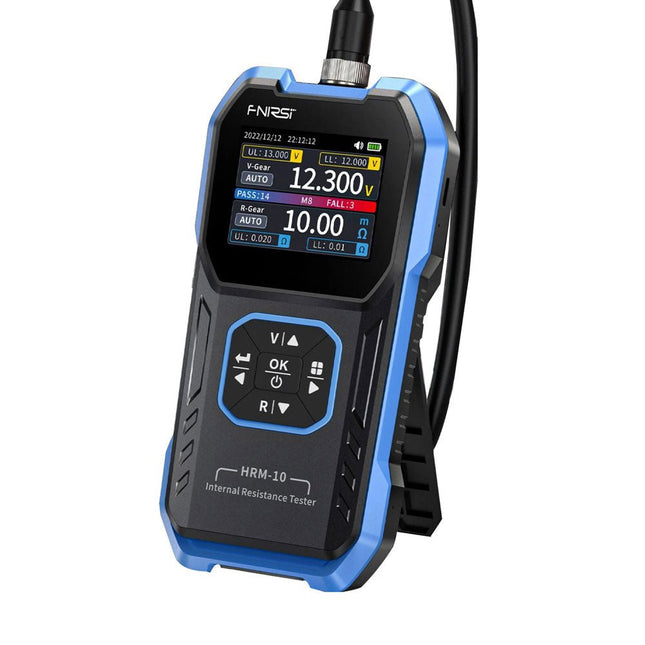
FNIRSI FNIRSI HRM-10 Interne weerstands- en spanningstester voor batterijen
De FNIRSI HRM-10 is een draagbare, zeer nauwkeurige interne weerstands- en spanningstester voor batterijen. Dit apparaat biedt echte vierdraadsmetingen en is ontworpen voor zowel nauwkeurigheid als gebruiksgemak. Het meet automatisch tegelijkertijd de interne weerstands- en spanningswaarden en geeft de resultaten op het HD-kleurenscherm weer. Gebruikers hebben de mogelijkheid om het spannings- en weerstandsbereik handmatig aan te passen aan hun behoeften. Het apparaat bevat ook een sorteermodus die automatisch de goede en slechte batterijen filtert op basis van door de gebruiker ingestelde drempels. Bovendien ondersteunt het de opslag van historische gegevens en is het mogelijk meetgegevens in tabelformaat te exporteren. Kenmerken Hoge meetnauwkeurigheid Tabelgegevens exporteren Meetresultaten automatisch evalueren 8 drempelinstellingen HD-kleurenscherm Opvouwbare standaard 1000 mAh lithiumbatterij Specificaties Spanning Weerstand Meetbereik 0-100 V (DC) 0-200 Ω Nauwkeurigheid ±0,5% ±0,5% Uitrusting Automatisch, 1 V, 10 V, 100 V Automatisch, 20 mΩ, 200 mΩ, 2 Ω, 20 Ω, 200 Ω Instrumenttestsignaalfrequentie 1 Khz (AC) Oplaadbaar USB-C (5 V/1 A) Ingebouwde batterij 1000 mAh lithiumbatterij Gebruikerskalibratie Ja Sorteermodus Ja Geschiedenisrecord Ja Export van opgenomen gegevens Ja Werkomgeving –10°C tot +45°C, relatieve vochtigheid <80% Opslagomgeving –20°C tot +80°C, relatieve vochtigheid <80% Afmetingen 158,7 x 80,5 x 28,4 mm Gewicht 225 g Inbegrepen 1x FNIRSI HRM-10 interne weerstandstester 1x Clip-testlijn 1x USB-C datakabel 1x Manual Downloads Manual Firmware V0.3
€ 49,95
-
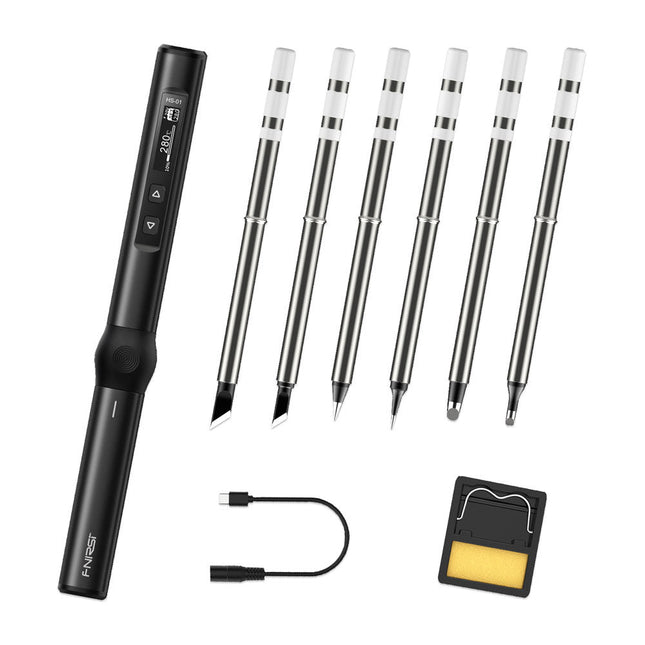
FNIRSI FNIRSI HS-01 Slimme Soldeerbout (incl. 6 soldeertips)
Het perfecte gereedschap voor de snelle reparaties De HS-01 is een krachtige, verstelbare slimme soldeerbout met een ingebouwd 0,87' OLED-display, die snel temperaturen tussen 80-420°C kan bereiken. Het display toont alle belangrijke informatie, waaronder de hoogte van de temperatuur, de ingestelde temperatuur, de voedingsspanning en het gebruikte vermogen. U kunt de werkspanning direct in het menu naar wens instellen tussen 9-20 V. De geïntegreerde sleeptimer schakelt de bout automatisch na 30 minuten uit. Kenmerken 96 W ingang (DC) 65 W PD vermogen OLED-display Constante temperatuur & snelle opwarming CNC-metaal integraal gegoten Slimme beveiliging tegen verbranding Mini zakformaat Ergonomisch ontwerp Aluminium materiaal Links/rechts schakelaar Efficiënte warmte afgifte inductieve slaap mode Kleur: zwart Specificaties Verbruik 65 W Scherm 0,87 inch OLED Werkspanning 9-20 V DC Voeding USB-C Temperatuurbereik 80-420°C Snellaad protocol PD trigger Afmetingen 184 x 20 x 20 mm (7,24 x 0,79 x 0,79 inch) Gewicht 56 g Vermogensselectie Werkspanning 20 V 15 V 12 V 9 V Bedrijfsstroom ≥ 3,25 A ≥ 2,5 A ≥ 2 A ≥ 1,5 A Vermogen 65 W 37,5 W 24 W 13,5 W Tin smelttijd 8 s 12 s 17 s 30 s Inbegrepen 1x FNRISI HS-01 slimme soldeerbout 6x Soldeerbout tips (HS01-BC2, HS01-KR, HS01-K65, HS01-B2, HS01-ILS, HS01-BC3) 1x DC naar USB-C voedingskabel 1x Standaard voor mini soldeerbout 1x Handleiding Vereist Voedingsadapter USB-C kabel Downloads Manual Firmware V0.3.s19
€ 82,00
-
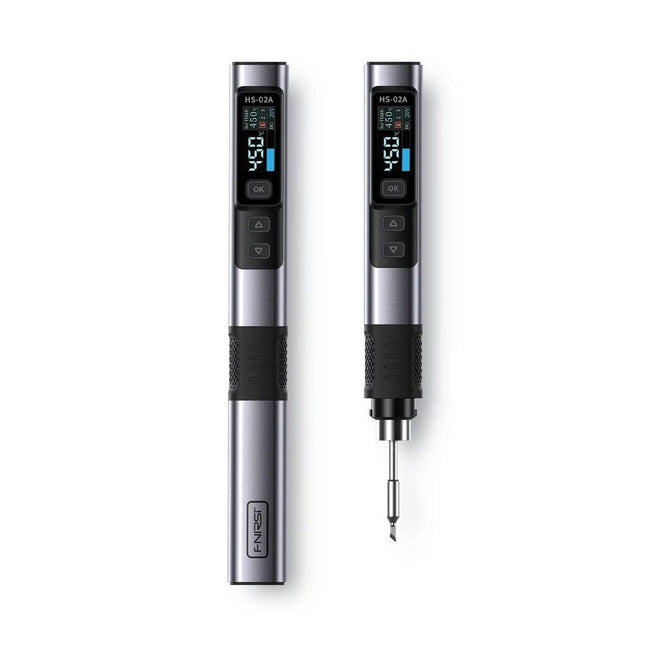
FNIRSI FNIRSI HS-02A Slimme Soldeerbout (incl. 6 soldeertips)
De FNIRSI HS-02A is een verbeterde versie van de HS-01 soldeerbout met een betere grip en een kortere punt voor meer comfort en precisie tijdens gebruik. Het beschikt over een groter 0,96-inch IPS HD-kleurendisplay dat een betere zichtbaarheid van instellingen en status mogelijk maakt. Met een uitgangsvermogen van 100 W warmt de HS-02A snel op en bereikt hij de bedrijfstemperatuur in ongeveer 2 seconden. De temperatuur is instelbaar binnen een bereik van 100-450°C om aan verschillende soldeervereisten te voldoen. Kenmerken Temperatuur: 100-450°C Nauwkeurige aanpassing en controle van de temperatuur Snelle verwarming CNC metalen omhulsel Adaptieve kracht 100 W hoog vermogen Protocollen: PD, QC Specificaties Temperatuurbereik 100-450°C Werkspanning 9-20 V Display 0,96" IPS HD-kleurenscherm Voeding USB-C Snellaadprotocollen PD / QC Vermogen 100 W (max.) Afmetingen 180 x 20 mm Gewicht 61 g Inbegrepen 1x FNRISI HS-02A slimme soldeerbout 6x Soldeerboutpunten (HS02A-KU, HS02A-K, HS02A-JS, HS02A-I, HS02A-C2, HS02A-B) 1x Mini-soldeerboutstandaard 1x Manual Downloads Manual Firmware V1.7
€ 61,95
-

FNIRSI FNIRSI LC1020E Hoogprecisie LCR-meter
De FNIRSI LC1020E uiterst nauwkeurige LCR-meter met ESR-tester is een draagbare en intelligente oplossing voor het testen van elektronische componenten, met een basisnauwkeurigheid tot 0,3%. Het apparaat is ideaal voor ingenieurs, technici en makers. Het ondersteunt L/Q-, C/D- en R/D-metingen met behulp van zowel serie- als parallelle equivalente schakelingsmodellen, en is voorzien van een 2,8-inch TFT-kleurenscherm. Met vooraf ingestelde drempelwaarden en audiovisuele waarschuwingen maakt het een snelle goed/fout-evaluatie mogelijk, waardoor het perfect is voor batchtests en kwaliteitscontrole. Het ondersteunt testfrequenties tot 100 kHz en is zeer geschikt voor hoogfrequente analyse van inductoren, condensatoren en weerstanden. Kenmerken Nauwkeurigheid van ±0,05% met een resolutie van 4,5 cijfers Automatische R/L/C-herkenning voor snelle metingen 5 testfrequenties (100 Hz–100 kHz) en 3 spanningsniveaus (0,1–0,6 V) Dubbel display: L/C/R/Z + X/D/Q/θ/ESR Sorteermodus & bias-spanning voor batchtesten Dubbele poorten (3-/5-polig) met ondersteuning voor 4-draads Kelvin Gegevensvasthouden & loggen voor een efficiënte workflow Compact, oplaadbaar (3000 mAh) – ideaal voor gebruik in het lab en in het veld Specificaties Algemeen Testfrequentie 100 Hz, 120 Hz, 1 kHz, 10 kHz, 100 kHz Basisnauwkeurigheid 0,3% Display 2,8-inch TFT LCD-display Weergavecijfers Hoofdparameter: 4,5 cijfers Secundaire parameter: 4,5 cijfers Meetparameters Hoofdparameters: AUTO/R/C/L/Z Secundaire parameters: X/D/Q/θ/ESR Meetbereik L: 0-100H C: 0-100mF R: 0-10M Interne bias 0,0 V, 0,5 V Testniveau 0,1 V, 0,3 V, 0,6 V Kalibratiefuncties Open-circuitkalibratie, kortsluitkalibratie Vergelijkingsfunctie Wordt gebruikt om de relatieve fout tussen de meetwaarde van de component en de nominale waarde te berekenen, weergegeven als een percentage, en biedt filterresultaten. Nominale waarden en tolerantie kunnen worden ingesteld, waarbij het tolerantiebereik instelbaar is van 0,1% tot 99,9% Functieverslag Controleert of de gemeten componentgegevens voldoen aan de ingestelde nominale waarde en tolerantie, waarbij het aantal geslaagde en mislukte metingen wordt geregistreerd Configuratie testklemmen Drie-aansluiting, Vijf-aansluiting Uitgangsimpedantie 100 Ω Interface USB-C (virtuele seriële poort) Overige Taalinstellingen, schermhelderheid, geluidsinstellingen, automatische uitschakeling, kalibratie-instellingen, systeeminformatie Batterij 3000 mAh lithiumbatterij Afmetingen 18,5 x 8,5 x 3,5 cm Gewicht 680 g Capaciteit (C) Bereik: 1mF-100mF 100 Hz: 5% ±5 digits 1 kHz: 3% ±5 digits 10 kHz: / 100 kHz: / Bereik: 1uF-1mF 100 Hz: 1% ±4 digits 1 kHz: 0,5% ±5 digits 10 kHz: 2% ±5 digits 100 kHz: 3% ±4 digits Bereik: 1nF-1uF 100 Hz: / 1 kHz: 0,3% ±2 digits 10 kHz: 0,4% ±2 digits 100 kHz: 1% ±4 digits Bereik: 1pF-1nF 100 Hz: / 1 kHz: 2% ±2 digits 10 kHz: 1,5% ±2 digits 100 kHz: 2% ±4 digits Inductie (L) Bereik: 1H-100H 100 Hz: 2% ±5 digits 1 kHz: 2% ±5 digits 10 kHz: / 100 kHz: / Bereik: 1mH-1H 100 Hz: 0,4% ±5 digits 1 kHz: 0,3% ±2 digits 10 kHz: 0,4% ±3 digits 100 kHz: 2,5% ±5 digits Bereik: 10uH-1mH 100 Hz: 3% ±5 digits 1 kHz: 0,5% ±4 digits 10 kHz: 0,5% ±3 digits 100 kHz: 1,5% ±5 digits Bereik: 1uH-10uH 100 Hz: / 1 kHz: 2% ±5 digits 10 kHz: 2% ±5 digits 100 kHz: 4% ±5 digits Weerstand (R) Bereik: 1MΩ-10MΩ 100 Hz: 5% ±4 digits 1 kHz: 3% ±3 digits 10 kHz: / 100 kHz: / Bereik: 1KΩ-1MΩ 100 Hz: 0,4% ±4 digits 1 kHz: 0,2% ±2 digits 10 kHz: 0,3% ±3 digits 100 kHz: 0,6% ±5 digits Bereik: 1Ω-1KΩ 100 Hz: 1,5% ±4 digits 1 kHz: 0,3% ±2 digits 10 kHz: 0,3% ±3 digits 100 kHz: 0,6% ±5 digits Bereik: 10mΩ-1Ω 100 Hz: 4% ±4 digits 1 kHz: 2% ±5 digits 10 kHz: 2% ±5 digits 100 kHz: 5% ±5 digits Inbegrepen 1x FNIRSI LC1020E LCR-meter 1x Kelvin-meetklem 2x Meetsnoeren (1x zwart, 1x rood) 1x Kortsluitplaat 1x USB-C kabel 1x Manual Downloads Manual Firmware V1.1
€ 84,95€ 69,95
Beste prijs
-
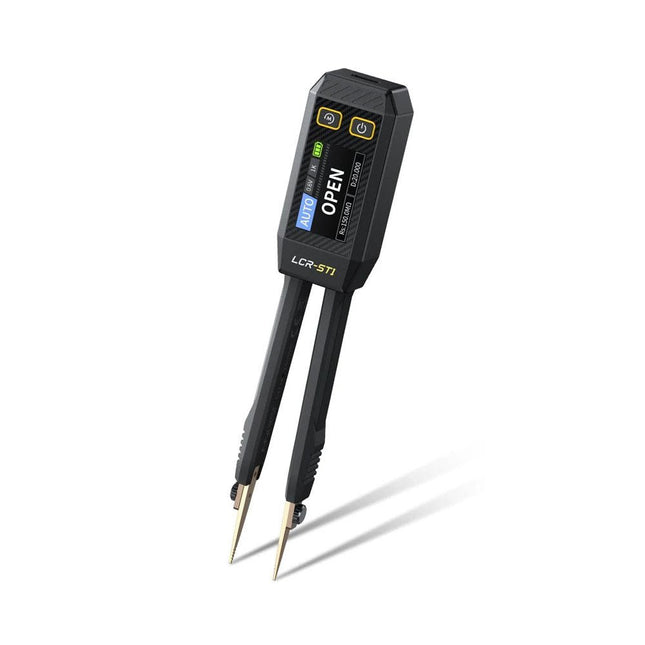
FNIRSI FNIRSI LCR-ST1 Smart SMD-pincet (LCR/ESR-tester)
De FNIRSI LCR-ST1 is een compacte, multifunctionele en intelligente LCR-tester die automatische metingen van weerstand, capaciteit, inductantie, diodetests en continuïteit ondersteunt. Het 1,14-inch kleurendisplay in combinatie met een handige magnetische adsorptiefunctie verbetert het gebruiksgemak, terwijl de ingebouwde lithiumbatterij van 250 mAh langdurige prestaties garandeert. Het apparaat ondersteunt drie frequentiebereiken (100 Hz, 1 kHz en 10 kHz) en biedt 0,3 V en 0,6 V RMS-testniveaus voor veelzijdige testtoepassingen. Het unieke pincetvormige ontwerp van de LCR-ST1 is ideaal voor delicate taken in kleine ruimtes en maakt het snel en nauwkeurig testen van elektronische componenten mogelijk. Het lichte gewicht en het draagbare ontwerp maken het tot een hulpmiddel van onschatbare waarde voor zowel veld- als laboratoriumgebruik. Of u nu een ervaren ingenieur bent of net begint in de elektronica, de LCR-ST1 levert betrouwbare en nauwkeurige meetresultaten, waardoor u uw taken efficiënter en nauwkeuriger kunt uitvoeren. Kenmerken Biedt 3 testfrequenties (100 Hz, 1 kHz, 10 kHz) en 2 testspanningsniveaus. Beschikt over automatische componentidentificatie voor snellere en betrouwbaardere metingen. 1,14-inch kleurendisplay met hoge resolutie voor duidelijke aflezingen. Ondersteunt automatische gegevensregistratie en -opslag. De pincetpunten zijn gemaakt van verguld messing voor verbeterde duurzaamheid en geleiding. Specificaties Weerstandsbereik 10 mΩ – 10 MΩ Capaciteitsbereik 1 pF – 22 mF Inductiebereik 1 μu – 10 H Diode Aanspanning 0,7 V Frequentietest 100 Hz, 1 kHz, 10 kHz Niveautest 0,3 V, 0,6 V RMS Parameterweergave ESR, D-waarde, Q-waarde, Z-waarde, X-waarde Display 1,14" HD-kleurenscherm Oplaadinterface USB-C, 5 V/1 A Voeding Ingebouwde lithiumbatterij van 250 mAh Automatische herkenningsmeting Ja Vervangbare pincetkop Ja Automatische uitschakeling Ja Gegevensopslag Ja Geschiedenisrecord Verbinden met pc om te bekijken en exporteren Afmetingen 28 x 19 x 150 mm Gewicht 41 g Inbegrepen 1x LCR-ST1 SMD-pincet 2x Haakpunten 1x Magnetische patch 1x USB-kabel 1x Opbergtas 1x Manual Downloads Manual Firmware V1.6
€ 34,95
-
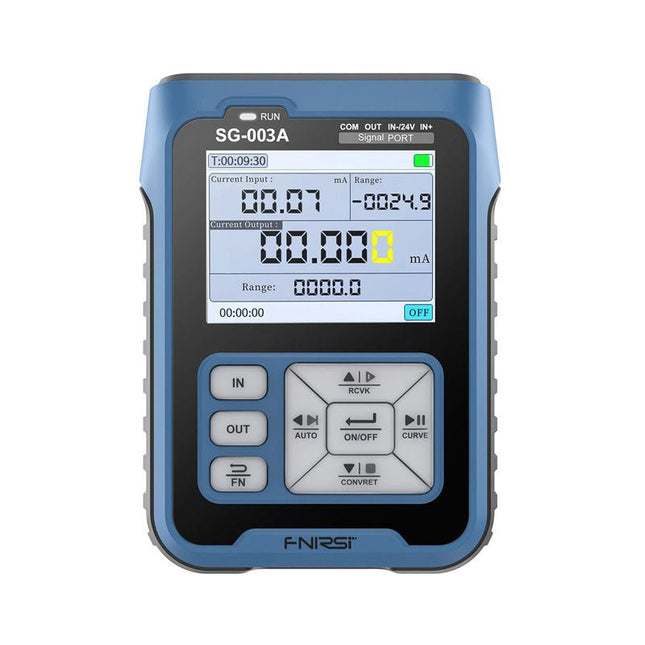
FNIRSI FNIRSI SG-003A Signaalgenerator
De FNIRSI SG-003A multifunctionele signaalgenerator, ook bekend als procesmeter/kalibrator, is een zeer nauwkeurige spanning-/stroomgenerator en -meter. De SG-003A levert zeer nauwkeurige referentiespanningen of -stromen voor het testen en kalibreren van andere meetinstrumenten, zoals multimeters en oscilloscopen. Naast spanningen en stromen genereert de SG-003A ook rechthoekige puls signalen met nauwkeurig programmeerbare frequenties en inschakelduur. De convertor modus verandert de SG-003A in een nauwkeurige spanning gestuurde stroombron, of stroom gestuurde spanningsbron, en zelfs in een spanning- of stroom gestuurde frequentiegenerator. De SG-003A is een zeer handig hulpmiddel voor het controleren van de nauwkeurigheid en precisie van uw multimeter, en voor het testen van bijvoorbeeld LED's. Kenmerken Nauwkeurigheid (spanning/stroom) 0,1% ± 0,005 Resolutie (huidig) 0,01 mA Frequentie 0-10 kHz Resolutie 5 cijfers Uitgangsspanning 24 V Scherm 2,4" TFT LCD-scherm (320 x 240) Afmetingen 92 x 72 x 30 mm Gewicht 165 g Specificaties Signaal Bereik Precisie Resolutie Max belasting Externe voeding Actieve stroomuitgang 0~24 mA ±(0,1% + 0,005) 0,01 mA 750 Ω Passieve stroomuitgang (XMT) 0~24 mA ±(0,1% + 0,005) 0,01 mA 0~30 V Uitgangsspanning 0~24 V ±(0,1% + 0,005) 0,01 V 24 V loop 0~24 mA ±(0,1% + 0,005) 0,01 mA Frequentie uitgang 0~9999 Hz ±2% 5 cijfers Stroom ingang 0~24 mA ±(0,1% + 0,005) 0,01 mA Spanning ingang 0~3 0V ±(0,1% + 0,005) 0,01 V Inbegrepen 1x FNIRSI SG-003A signaalgenerator 4x Testclips 1x USB oplader 1x USB-C kabel 1x Handleiding Downloads Manual Firmware V4.3
€ 69,95
-

FNIRSI FNIRSI SWM-20 Dubbelpuls-puntlasapparaat
De FNIRSI SWM-20 handlasmachine is een zeer efficiënt, gebruiksvriendelijk en gemakkelijk mee te nemen lasapparaat. Hij is voorzien van dual-pulse puntlastechnologie, wat zorgt voor stabielere en betrouwbaardere lassen, en beschikt bovendien over een handige powerbankfunctie. Uitgerust met een 2,4-inch HD-display biedt de SWM-20 een duidelijke en intuïtieve bediening. Met de draaiknop kunnen gebruikers parameters snel en nauwkeurig aanpassen, waardoor het eenvoudig is om de gewenste lasinstellingen te kiezen en de algehele gebruikerservaring te verbeteren. Kenmerken 2-in-1: Puntlasapparaat en 5000 mAh powerbank 1200 A hoog vermogen voor sterke, betrouwbare lassen Dual-Pulse technologie voor schoner en stabieler lassen Twee A-klasse accu's met 8 veiligheidsfuncties Lasmogelijkheid voor meerdere materialen van 0,1–0,5 mm Meer dan 10.000 precisie-instelniveaus voor professionele controle 2,4-inch TFT-display met realtime gegevensbewaking Specificaties Maximale lasstroom 1200 A Batterijcapaciteit 5000 mAh Opladen 5 V/2,1 A Ontladen 5 V/2,1 A Lasmaterialen Nikkel, ijzer, roestvrij staal Lasdikte 0,1-0,5 mm Niveau 4 vooraf ingestelde combinaties Niveaus Inbegrepen 1x FNIRSI SWM-20 puntlasapparaat 2x Laspennen 2x Vervangingstips 1x Nikkelstrip 1x USB-C kabel 1x Manual Downloads Manual
€ 79,95€ 67,95
Beste prijs
-

FNIRSI FNIRSI TDM-120P Warmtebeeld-multimeter
The FNIRSI TDM-120P is a thermal imaging multimeter that combines thermal imaging technology with traditional multimeter functions, delivering more comprehensive and intuitive test results for electrical testing and related applications. It is widely used in fields such as electrical engineering, industrial manufacturing, construction, and security monitoring. The TDM-120P provides reliable technical support for equipment testing, fault diagnosis, and maintenance management, helping to improve production efficiency, product quality, and overall safety. Features 2-in-1: Thermal Imager + True RMS Multimeter (19,999 Counts) 120 x 90 HD Imaging | <60 mK High Thermal Sensitivity -20°C to 400°C (-4°F to 752°F) Temperature Range | 0.01–1.00 Adjustable Emissivity 2.8" LCD Touch Screen | 7 Color Palettes | One-Click Save & USB Export Full Multimeter Functions: AC/DC Voltage, Resistance, and Capacitance Wide Application: HVAC, Leak Detection, Electrical & Automotive Repair Specifications 7 Color Palettes Arctic / Hot Iron / Iron Red / Rainbow / Lava / Black Hot / White Hot Detector Type Vanadium oxide Field of View 50° Screen 2.8-inch LCD touchscreen Frame Rate ≤25 Hz Infrared Resolution 120 x 90 Temperature Measurement Display Center point, automatic high/low temperature tracking Temperature Range -20°C ~ 400°C (-4°F ~ 752°F) Temperature Unit °C / °F Accuracy ±2°C or ±2% (maximum value measured) High/Low Temperature Alarm Yes Emissivity 0.01-1 adjustable Languages English, Chinese Multimeter DC Voltage Range: 1.9999V / 19.999V / 199.99V / 1000V Accuracy: ±(0.5% +3) AC Voltage Range: 1.9999V / 19.999V / 199.99V / 750.0V Accuracy: ±(1% +3) Resistance Range: 19.999MΩ / 1.9999MΩ / 199.99KΩ / 19.999KΩ Accuracy: ±(0.5% +3) Range: 1.9999KΩ / 199.99Ω Accuracy: ±(2.0% +3) Capacitance Range: 999.9μF / 99.99μF / 9.999μF / 999.9nF / 99.99nF / 9.999nF Accuracy: ±(2.0% +5) Range: 9.999mF / 99.99mF Accuracy: ±(5.0% +20) Diode Yes Continuity Yes Included 1x FNIRSI TDM-120P Thermal Imaging Multimeter 2x Multimeter Test Leads 1x Storage bag 1x USB cable 1x Manual Downloads Manual Firmware v1.2.6
€ 199,95€ 179,95
Beste prijs
-

Elektor Digital Formula Flowcode Robot (E-Book)
De Formula Flowcode Robot is een combinatie van analoge en digitale elektronica. De robot zit boordevol sensoren en actuatoren, en is grafisch programmeerbaar met Flowcode-software. Hierdoor vormt het een leuk en motiverend platform om kennis te maken met moderne elektronica en technologie. Via de robot en deze handleiding kun je op uitdagende manier kennis maken met basiselektronica. Onderwerpen die aan bod komen zijn analoog en digitaal, logische poorten, diode, LCD, microcontrollers, frequentie, sensoren, actuatoren, infrarood, meet- en regeltechniek, servomotoren, gelijkrichting, programmeren en nog veel meer.
€ 12,95
Leden: € 11,66
-

Raspberry Pi Foundation FPC Camera Cable for Raspberry Pi 5 (300 mm)
Raspberry Pi 5 provides two four-lane MIPI connectors, each of which can support either a camera or a display. These connectors use the same 22-way, 0.5 mm-pitch “mini” FPC format as the Compute Module Development Kit, and require adapter cables to connect to the 15-way, 1 mm-pitch “standard” format connectors on current Raspbery Pi camera and display products.These mini-to-standard adapter cables for cameras and displays (note that a camera cable should not be used with a display, and vice versa) are available in 200 mm, 300 mm and 500 mm lengths.
€ 2,95€ 1,18
Beste prijs
-

Raspberry Pi Foundation FPC Camera Cable for Raspberry Pi 5 (500 mm)
Raspberry Pi 5 provides two four-lane MIPI connectors, each of which can support either a camera or a display. These connectors use the same 22-way, 0.5 mm-pitch “mini” FPC format as the Compute Module Development Kit, and require adapter cables to connect to the 15-way, 1 mm-pitch “standard” format connectors on current Raspbery Pi camera and display products.These mini-to-standard adapter cables for cameras and displays (note that a camera cable should not be used with a display, and vice versa) are available in 200 mm, 300 mm and 500 mm lengths.
€ 3,95€ 1,58
Beste prijs
-

Raspberry Pi Foundation FPC Display Cable for Raspberry Pi 5 (300 mm)
Raspberry Pi 5 provides two four-lane MIPI connectors, each of which can support either a camera or a display. These connectors use the same 22-way, 0.5 mm-pitch “mini” FPC format as the Compute Module Development Kit, and require adapter cables to connect to the 15-way, 1 mm-pitch “standard” format connectors on current Raspbery Pi camera and display products.These mini-to-standard adapter cables for cameras and displays (note that a camera cable should not be used with a display, and vice versa) are available in 200 mm, 300 mm and 500 mm lengths.
€ 2,95€ 1,18
Beste prijs
-

Raspberry Pi Foundation FPC Display Cable for Raspberry Pi 5 (500 mm)
Raspberry Pi 5 provides two four-lane MIPI connectors, each of which can support either a camera or a display. These connectors use the same 22-way, 0.5 mm-pitch “mini” FPC format as the Compute Module Development Kit, and require adapter cables to connect to the 15-way, 1 mm-pitch “standard” format connectors on current Raspbery Pi camera and display products.These mini-to-standard adapter cables for cameras and displays (note that a camera cable should not be used with a display, and vice versa) are available in 200 mm, 300 mm and 500 mm lengths.
€ 3,95€ 1,58
Beste prijs
-
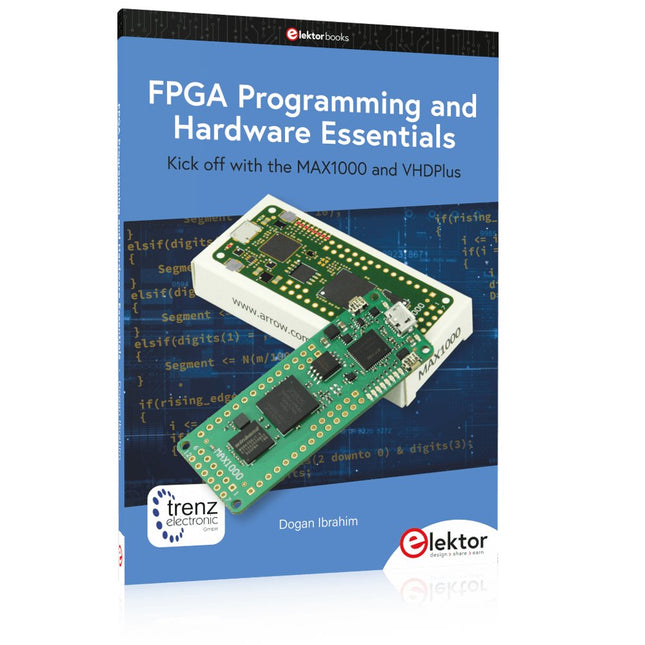
Elektor Publishing FPGA Programming and Hardware Essentials
Kick off with the MAX1000 and VHDPlus Ready to Master FPGA Programming? In this guide, we’re diving into the world of Field Programmable Gate Arrays (FPGAs) – a configurable integrated circuit that can be programmed after manufacturing. Imagine bringing your ideas to life, from simple projects to complete microcontroller systems! Meet the MAX1000: a compact and budget-friendly FPGA development board packed with features like memory, user LEDs, push-buttons, and flexible I/O ports. It’s the ideal starting point for anyone wanting to learn about FPGAs and Hardware Description Languages (HDLs). In this book, you’ll get hands-on with the VHDPlus programming language – a simpler version of VHDL. We’ll work on practical projects using the MAX1000, helping you gain the skills and confidence to unleash your creativity. Get ready for an exciting journey! You’ll explore a variety of projects that highlight the true power of FPGAs. Let’s turn your ideas into reality and embark on your FPGA adventure – your journey starts now! Exciting Projects You’ll Find in This Book Arduino-Driven BCD to 7-Segment Display Decoder Use an Arduino Uno R4 to supply BCD data to the decoder, counting from 0 to 9 with a one-second delay Multiplexed 4-Digit Event Counter Create an event counter that displays the total count on a 4-digit display, incrementing with each button press PWM Waveform with Fixed Duty Cycle Generate a PWM waveform at 1 kHz with a fixed duty cycle of 50% Ultrasonic Distance Measurement Measure distances using an ultrasonic sensor, displaying the results on a 4-digit 7-segment LED Electronic Lock Build a simple electronic lock using combinational logic gates with push buttons and an LED output Temperature Sensor Monitor ambient temperature with a TMP36 sensor and display the readings on a 7-segment LED Downloads Software
€ 39,95
Leden: € 35,96
-

Elektor Digital FPGA Programming and Hardware Essentials (E-book)
Kick off with the MAX1000 and VHDPlus Ready to Master FPGA Programming? In this guide, we’re diving into the world of Field Programmable Gate Arrays (FPGAs) – a configurable integrated circuit that can be programmed after manufacturing. Imagine bringing your ideas to life, from simple projects to complete microcontroller systems! Meet the MAX1000: a compact and budget-friendly FPGA development board packed with features like memory, user LEDs, push-buttons, and flexible I/O ports. It’s the ideal starting point for anyone wanting to learn about FPGAs and Hardware Description Languages (HDLs). In this book, you’ll get hands-on with the VHDPlus programming language – a simpler version of VHDL. We’ll work on practical projects using the MAX1000, helping you gain the skills and confidence to unleash your creativity. Get ready for an exciting journey! You’ll explore a variety of projects that highlight the true power of FPGAs. Let’s turn your ideas into reality and embark on your FPGA adventure – your journey starts now! Exciting Projects You’ll Find in This Book Arduino-Driven BCD to 7-Segment Display Decoder Use an Arduino Uno R4 to supply BCD data to the decoder, counting from 0 to 9 with a one-second delay Multiplexed 4-Digit Event Counter Create an event counter that displays the total count on a 4-digit display, incrementing with each button press PWM Waveform with Fixed Duty Cycle Generate a PWM waveform at 1 kHz with a fixed duty cycle of 50% Ultrasonic Distance Measurement Measure distances using an ultrasonic sensor, displaying the results on a 4-digit 7-segment LED Electronic Lock Build a simple electronic lock using combinational logic gates with push buttons and an LED output Temperature Sensor Monitor ambient temperature with a TMP36 sensor and display the readings on a 7-segment LED Downloads Software
€ 32,95
Leden: € 29,66
-

Elektor Digital FreeCAD for Electronic Applications (E-book)
Practical Introduction to 3D Modeling from Enclosure to Front Panel Embedding a vintage component, creating a professional looking home for a circuit board, or even designing a complex apparatus complete with a chassis – these and many other challenges turn into a stimulating pleasure with FreeCAD. Once you have internalized the basic processes, there are virtually no limits to your imagination. Starting to use a new software is never straightforward – especially with a tool as versatile as FreeCAD. Manageable, but at the same time easily usable individual components provide the starting point in this book. Putting these components together later results in assemblies. In the FreeCAD universe, a workable trajectory is demonstrated. The described procedure is illustrative so the examples are easily applied to custom tasks. The devices were made by the author and illustrated with photos. Creating a 3D design is requiring some effort but the initial investment pays off soon. Besides the impressive spatial representation of the projects, the extracted drawings yield a solid base for documentation and production. Extended FreeCAD capabilities like the unfolding of sheet metal parts enormously add to efficiency and pushes models forward into practical assembly. Soon you will definitely not want to do without FreeCAD!
€ 34,95
Leden: € 31,46
-
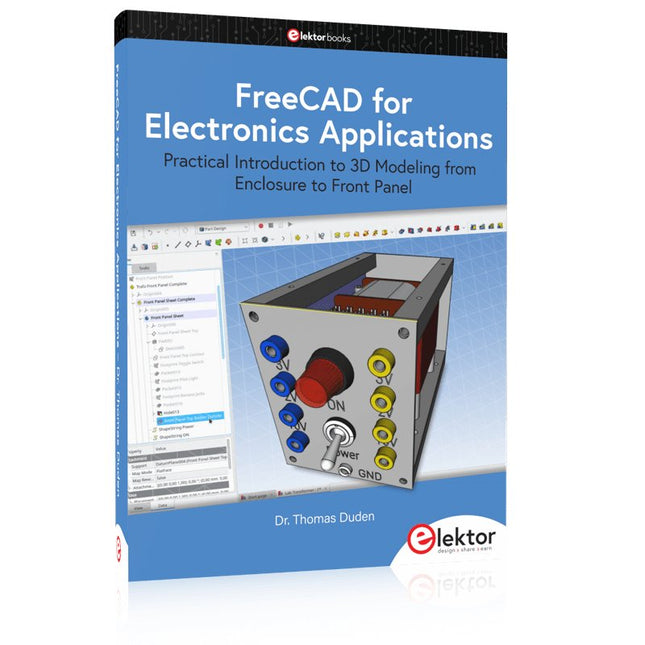
Elektor Publishing FreeCAD for Electronics Applications
Practical Introduction to 3D Modeling from Enclosure to Front Panel Embedding a vintage component, creating a professional looking home for a circuit board, or even designing a complex apparatus complete with a chassis – these and many other challenges turn into a stimulating pleasure with FreeCAD. Once you have internalized the basic processes, there are virtually no limits to your imagination. Starting to use a new software is never straightforward – especially with a tool as versatile as FreeCAD. Manageable, but at the same time easily usable individual components provide the starting point in this book. Putting these components together later results in assemblies. In the FreeCAD universe, a workable trajectory is demonstrated. The described procedure is illustrative so the examples are easily applied to custom tasks. The devices were made by the author and illustrated with photos. Creating a 3D design is requiring some effort but the initial investment pays off soon. Besides the impressive spatial representation of the projects, the extracted drawings yield a solid base for documentation and production. Extended FreeCAD capabilities like the unfolding of sheet metal parts enormously add to efficiency and pushes models forward into practical assembly. Soon you will definitely not want to do without FreeCAD!
€ 44,95
Leden: € 40,46
-
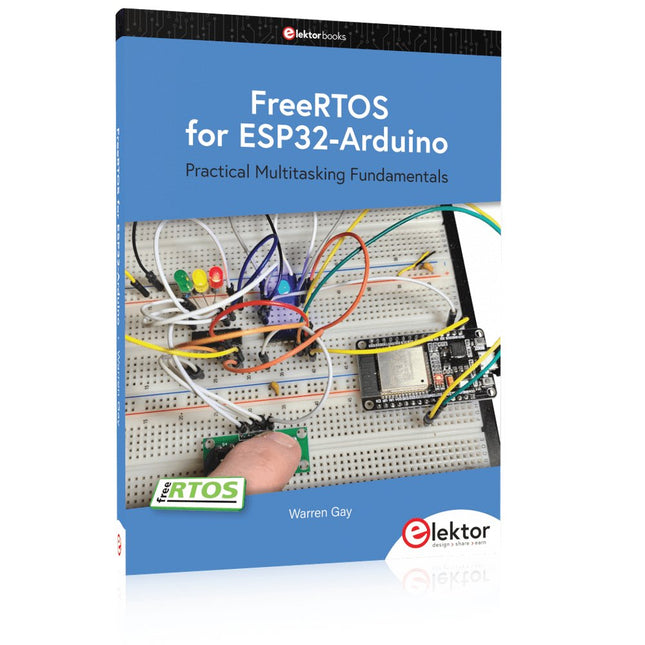
Elektor Publishing FreeRTOS for ESP32-Arduino
Practical Multitasking Fundamentals Programming embedded systems is difficult because of resource constraints and limited debugging facilities. Why develop your own Real-Time Operating System (RTOS) as well as your application when the proven FreeRTOS software is freely available? Why not start with a validated foundation? Every software developer knows that you must divide a difficult problem into smaller ones to conquer it. Using separate preemptive tasks and FreeRTOS communication mechanisms, a clean separation of functions is achieved within the entire application. This results in safe and maintainable designs. Practicing engineers and students alike can use this book and the ESP32 Arduino environment to wade into FreeRTOS concepts at a comfortable pace. The well-organized text enables you to master each concept before starting the next chapter. Practical breadboard experiments and schematics are included to bring the lessons home. Experience is the best teacher. Each chapter includes exercises to test your knowledge. The coverage of the FreeRTOS Application Programming Interface (API) is complete for the ESP32 Arduino environment. You can apply what you learn to other FreeRTOS environments, including Espressif’s ESP-IDF. The source code is available from GitHub. All of these resources put you in the driver’s seat when it is time to develop your next uber-cool ESP32 project. What you will learn: How preemptive scheduling works within FreeRTOS The Arduino startup “loopTask” Message queues FreeRTOS timers and the IDLE task The semaphore, mutex, and their differences The mailbox and its application Real-time task priorities and its effect Interrupt interaction and use with FreeRTOS Queue sets Notifying tasks with events Event groups Critical sections Task local storage The gatekeeper task
€ 44,95
Leden: € 40,46
-

Elektor Digital FreeRTOS for ESP32-Arduino (E-book)
Practical Multitasking Fundamentals Programming embedded systems is difficult because of resource constraints and limited debugging facilities. Why develop your own Real-Time Operating System (RTOS) as well as your application when the proven FreeRTOS software is freely available? Why not start with a validated foundation? Every software developer knows that you must divide a difficult problem into smaller ones to conquer it. Using separate preemptive tasks and FreeRTOS communication mechanisms, a clean separation of functions is achieved within the entire application. This results in safe and maintainable designs. Practicing engineers and students alike can use this book and the ESP32 Arduino environment to wade into FreeRTOS concepts at a comfortable pace. The well-organized text enables you to master each concept before starting the next chapter. Practical breadboard experiments and schematics are included to bring the lessons home. Experience is the best teacher. Each chapter includes exercises to test your knowledge. The coverage of the FreeRTOS Application Programming Interface (API) is complete for the ESP32 Arduino environment. You can apply what you learn to other FreeRTOS environments, including Espressif’s ESP-IDF. The source code is available from GitHub. All of these resources put you in the driver’s seat when it is time to develop your next uber-cool ESP32 project. What you will learn: How preemptive scheduling works within FreeRTOS The Arduino startup “loopTask” Message queues FreeRTOS timers and the IDLE task The semaphore, mutex, and their differences The mailbox and its application Real-time task priorities and its effect Interrupt interaction and use with FreeRTOS Queue sets Notifying tasks with events Event groups Critical sections Task local storage The gatekeeper task
€ 34,95
Leden: € 31,46
-
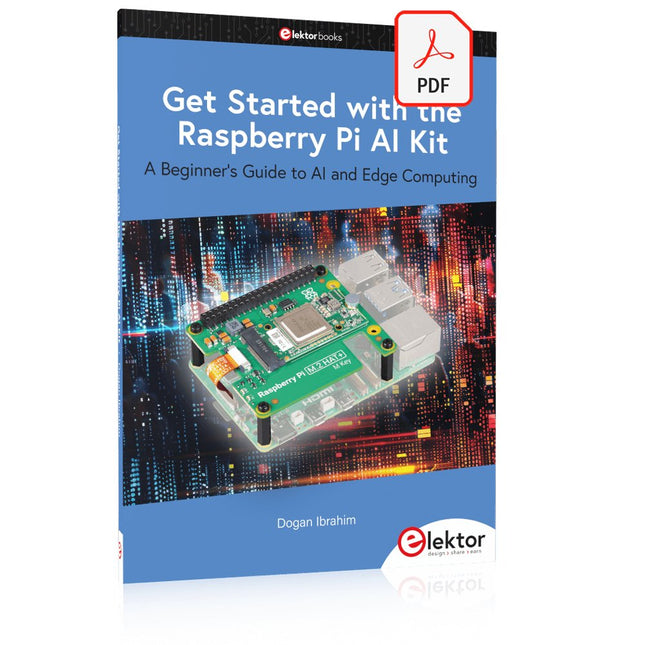
Elektor Digital Get Started with the Raspberry Pi AI Kit (E-book)
A Beginner's Guide to AI and Edge Computing Artificial Intelligence (AI) is now part of our daily lives. With companies developing low-cost AI-powered hardware into their products, it is now becoming a reality to purchase AI accelerator hardware at comparatively very low costs. One such hardware accelerator is the Hailo module which is fully compatible with the Raspberry Pi 5. The Raspberry Pi AI Kit is a cleverly designed hardware as it bundles an M.2-based Hailo-8L accelerator with the Raspberry Pi M.2 HAT+ to offer high speed inferencing on the Raspberry Pi 5. Using the Raspberry Pi AI Kit, you can build complex AI-based vision applications, running in real-time, such as object detection, pose estimation, instance segmentation, home automation, security, robotics, and many more neural network-based applications. This book is an introduction to the Raspberry Pi AI Kit, and it is aimed to provide some help to readers who are new to the kit and wanting to run some simple AI-based visual models on their Raspberry Pi 5 computers. The book is not meant to cover the detailed process of model creation and compilation, which is done on an Ubuntu computer with massive disk space and 32 GB memory. Examples of pre-trained and custom object detection are given in the book. Two fully tested and working projects are given in the book. The first project explains how a person can be detected and how an LED can be activated after the detection, and how the detection can be acknowledged by pressing an external button. The second project illustrates how a person can be detected, and how this information can be passed to a smart phone over a Wi-Fi link, as well as how the detection can be acknowledged by sending a message from the smartphone to your Raspberry Pi 5.
€ 29,95
Leden: € 26,96
-

Elektor Digital Getting Started with ESPHome (E-book)
Develop your own custom home automation devices Espressif's ESP8266 and ESP32 microcontrollers have brought DIY home automation to the masses. However, not everyone is fluent in programming these microcontrollers with Espressif's C/C++ SDK, the Arduino core, or MicroPython. This is where ESPHome comes into its own: with this project, you don’t program your microcontroller but configure it. This book demonstrates how to create your own home automation devices with ESPHome on an ESP32 microcontroller board. You’ll learn how to combine all kinds of electronic components and automate complex behaviours. Your devices can work completely autonomously, and connect over Wi-Fi to your home automation gateways such as Home Assistant or MQTT broker. By the end of this book, you will be able to create your own custom home automation devices the way you want. Thanks to ESPHome and the ESP32, this is within everyone’s grasp. Set up an ESPHome development environment and create maintainable configurations Use buttons and LEDs Sound a buzzer and play melodies Read measurements from various types of sensors Communicate over a short distance with NFC, infrared light, and Bluetooth Low Energy Show information on various types of displays Downloads Software
€ 29,95
Leden: € 26,96
-
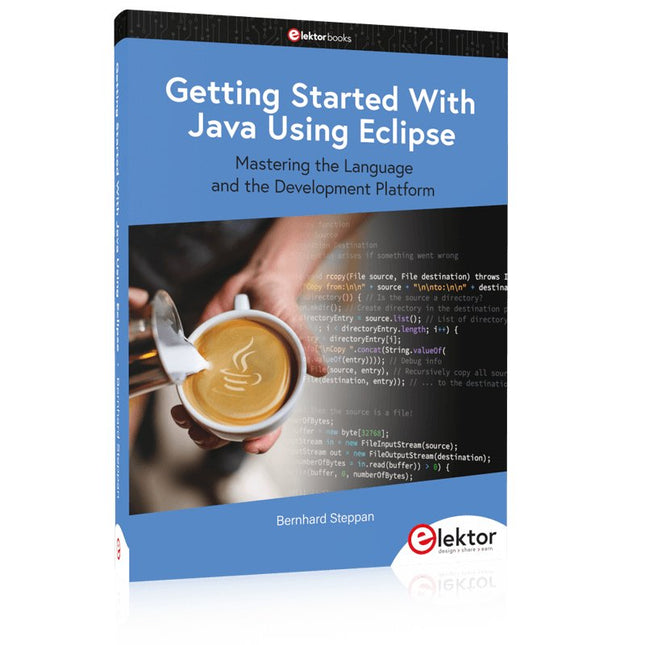
Elektor Publishing Getting Started With Java Using Eclipse
Mastering the Language and the Development Platform Many people would like to learn Java but getting started is not easy since programming with Java requires at least two things: mastering the programming language and the development environment. With the help of many examples, this book shows how the language is structured. In addition, it employs the Eclipse development environment as an example of a powerful tool to teach developing Java programs. In Basics, the first part of the book, you acquire your Java and Eclipse basic knowledge. This part lays the programming foundations, gives you an overview of Java technology, and shows you what is special about object-oriented programming. In the second part called Java Language, everything revolves around the subtleties of the Java language and this is where the first small Java applications are created, aided by a fine blend of the knowledge part and practical exercises. Java Technology is both the name and the focus of the third part which also introduces you to the rules to observe when programming, what class libraries are and what advantages they have. In addition, you will learn how to test programs, what algorithms are, and how to program them. The fourth part, Java Projects, enables you to apply all the previous elements in an application with a graphical user interface. The project shows how to develop a larger application piece by piece with the Eclipse development environment. The Appendix concludes with a section on frequent errors that can occur when working with Eclipse, and a Glossary.
€ 44,95
Leden: € 40,46
-

Elektor Digital Getting Started With Java Using Eclipse (E-book)
Mastering the Language and the Development Platform Many people would like to learn Java but getting started is not easy since programming with Java requires at least two things: mastering the programming language and the development environment. With the help of many examples, this book shows how the language is structured. In addition, it employs the Eclipse development environment as an example of a powerful tool to teach developing Java programs. In Basics, the first part of the book, you acquire your Java and Eclipse basic knowledge. This part lays the programming foundations, gives you an overview of Java technology, and shows you what is special about object-oriented programming. In the second part called Java Language, everything revolves around the subtleties of the Java language and this is where the first small Java applications are created, aided by a fine blend of the knowledge part and practical exercises. Java Technology is both the name and the focus of the third part which also introduces you to the rules to observe when programming, what class libraries are and what advantages they have. In addition, you will learn how to test programs, what algorithms are, and how to program them. The fourth part, Java Projects, enables you to apply all the previous elements in an application with a graphical user interface. The project shows how to develop a larger application piece by piece with the Eclipse development environment. The Appendix concludes with a section on frequent errors that can occur when working with Eclipse, and a Glossary.
€ 34,95
Leden: € 31,46


