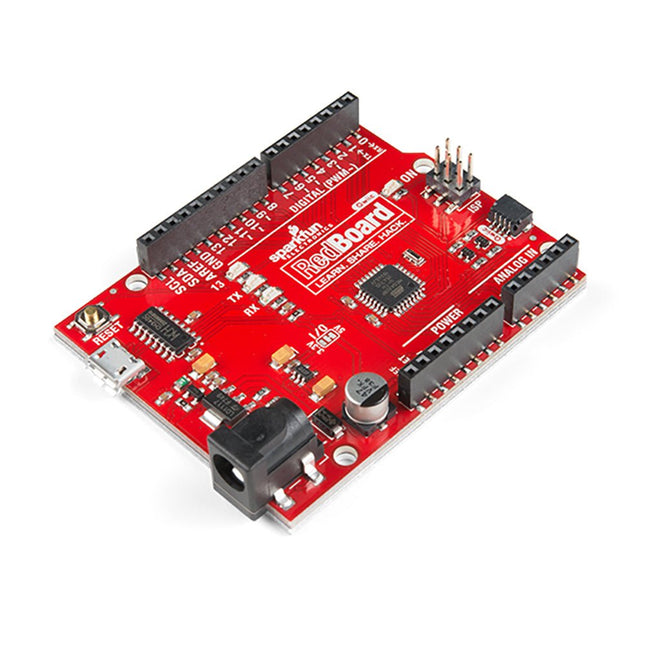
Features ATmega328 microcontroller met Optiboot Bootloader R3 Shield Compatible CH340C serieel-USB-converter 3.3 V tot 5 V Spanningsniveau Jumper A4 / A5 jumpers AP2112 spanningsregelaar ISP-kopje Ingangsspanning: 7 V - 15 V 1 Qwiic aansluiting 16 MHz kloksnelheid 32 k Flash-geheugen Alle SMD constructie verbeterde resetknop
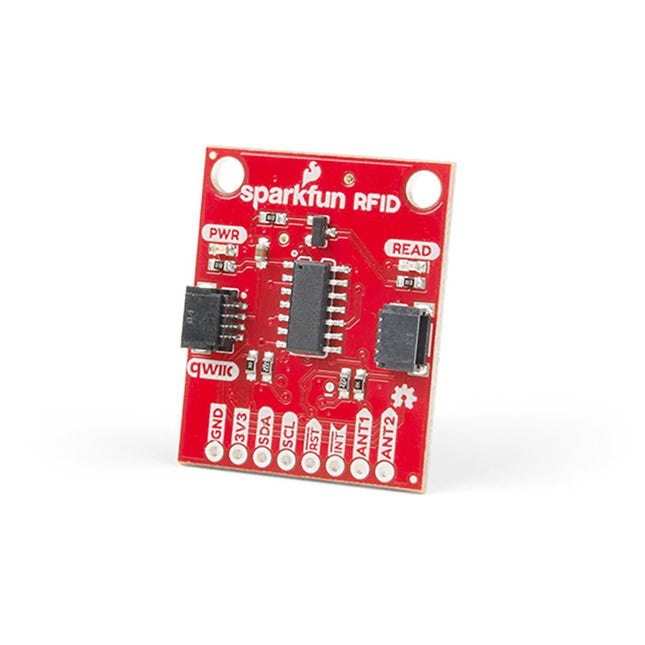
Steek een lezer in de headers, gebruik een Qwiic kabel, scan je 125kHz ID tag, en het unieke 32-bit ID wordt op het scherm getoond. De unit wordt geleverd met een lees LED en buzzer, maar maak je geen zorgen, er is een jumper die je kunt doorknippen om de buzzer uit te schakelen als je dat wilt. Door gebruik te maken van SparkFun's handige Qwiic systeem, is er geen soldeerwerk nodig om het aan te sluiten op de rest van je systeem. We hebben echter nog steeds 0.1'-spaced pinnen als u liever een breadboard gebruikt. Met behulp van de ATtiny84A aan boord, neemt de Qwiic RFID de zes bytes ID tag van je 125kHz RFID kaart, koppelt er een tijdstempel aan, en zet het op een stapel die tot 20 unieke RFID scans per keer kan bevatten. Deze informatie is gemakkelijk te verkrijgen met enkele eenvoudige I²C commando's.
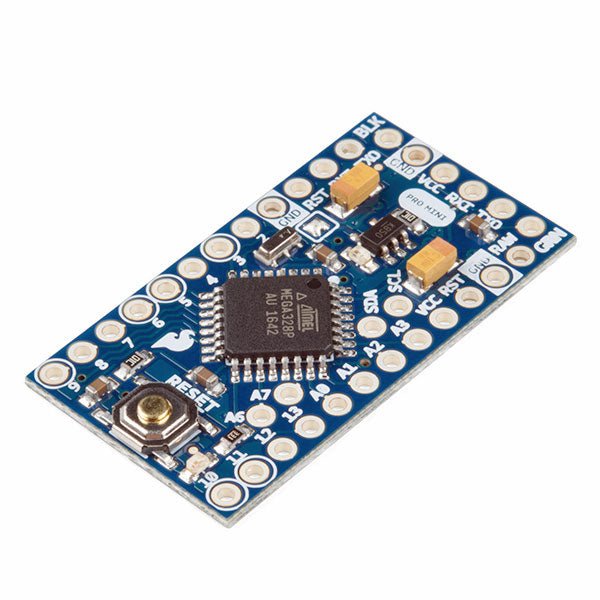
De Arduino Pro Mini is een microcontroller board gebaseerd op de ATmega328P.
Het heeft 14 digitale in-/uitgangspinnen (waarvan er 6 kunnen worden gebruikt als PWM-uitgangen), 6 analoge ingangen, een on-board resonator, een reset-knop, en gaten voor het monteren van pin headers. Een six-pin header kan worden aangesloten op een FTDI-kabel of Sparkfun breakout board om USB-voeding en communicatie te bieden aan de board.
De Arduino Pro Mini is bedoeld voor semi-permanente installatie in voorwerpen of tentoonstellingen. Het board komt zonder pre-gemonteerde headers, waardoor het gebruik van diverse types van schakelaars of het directe solderen van draden is toegestaan. De pin lay-out is compatibel met Arduino Mini.
Specificaties
Microcontroller
ATmega328P
Boord Stroomvoorziening
5-12 V
Circuit Werkspanning
5 V
Digitale I/O Pinnen
14
PWM Pennen
6
UART
1
SPI
1
I²C
1
Analoge ingangspinnen
6
Externe Onderbrekingen
2
DC stroom per I/O Pin
40 mA
Flash Geheugen
32 KB waarvan 2 KB gebruikt door bootloader
SRAM
2 KB
EEPROM
1 KB
Kloksnelheid
16 MHz
Afmetingen
18 x 33,3 mm
Downloads
Eagle files
Schematics
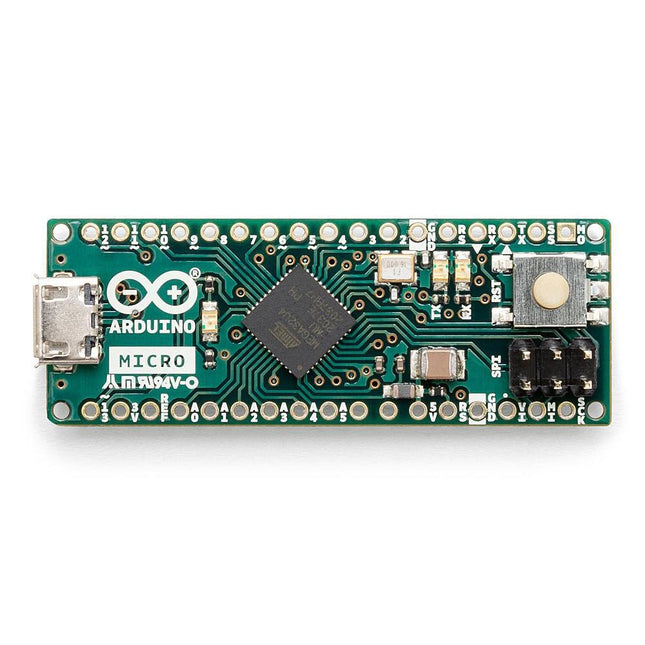
De Micro bevat alles wat nodig is om de microcontroller te ondersteunen; sluit hem eenvoudig aan op een computer met een micro USB-kabel om aan de slag te gaan. Het heeft een vormfactor die het mogelijk maakt om gemakkelijk op een breadboard te worden geplaatst. Het Micro-bord is vergelijkbaar met de Arduino Leonardo in die zin dat de ATmega32U4 ingebouwde USB-communicatie heeft, waardoor er geen secundaire processor nodig is. Hierdoor kan de Micro verschijnen aan een aangesloten computer als een muis en toetsenbord, in aanvulling op een virtuele (CDC) seriële / COM-poort. Microcontroller ATmega32U4 Bedrijfsspanning 5 V Inputspanning 7 V - 12 V Analoge ingangspinnen 12 PWM Pennen 7 DC I/O Pen 20 DC stroom per I/O Pin 20 mA DC stroom voor 3,3 V pin 50 mA Flash Geheugen 32 KB waarvan 4 KB gebruikt door de bootloader SRAM 2,5 KB EEPROM 1 KB Kloksnelheid 16 MHz LED_Builtin 13 Lengte 45 mm Breedte 18 mm Gewicht 13 g
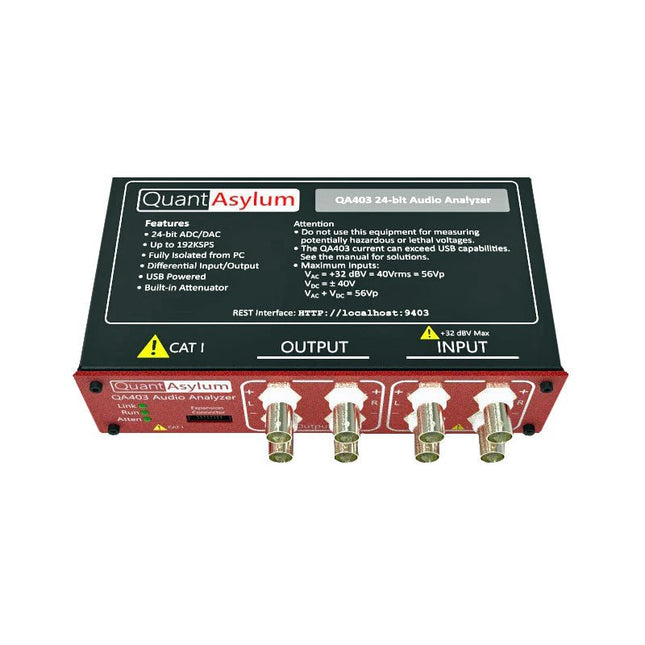
De QA403 is de vierde generatie audio analyzer van QuantAsylum. Deze QA403 verhoogt de functionaliteit van de QA402 met verbeterde ruis- en vervormingsprestaties, en ook een vlakkere respons aan de randen van de band. Het compacte formaat van de QA403 zorgt ervoor dat u hem vrijwel overal mee naartoe kunt nemen.
Kenmerken
24-bits ADC/DAC
Tot 192 kS/s
Volledig geïsoleerd van de PC
Differentiële input/output
USB gevoed
Ingebouwde demping
Snel opstarten en geen stuurprogramma
De QA403 is een USB-apparaat zonder stuurprogramma's, wat betekent dat hij meteen operationeel is zodra u hem aansluit. De software is gratis, en u kunt snel en gemakkelijk de hardware van de ene machine naar de andere verplaatsen. Dus als u naar een vestiging moet om een probleem op te lossen, of de QA403 mee naar huis dient te nemen op een thuiswerkdag, dan kunt u dit zonder veel gedoe doen.
No-Cal ontwerp
De QA403 wordt geleverd met een fabriekskalibratie in het flashgeheugen, waardoor consistente prestaties bij gebruik van meerdere analyzers kan worden gegarandeerd. Op uw productielijn kunt u een andere QA403 installeren en erop vertrouwen dat wat u op de ene analyzer leest overeenkomt met de andere. Er hoeft dus niet geregeld herkalibratie plaats te vinden.
Metingen
Het uitvoeren van basismetingen kan snel en eenvoudig. In een paar klikken krijgt u inzicht in de frequentierespons, de THD (+ N), de versterking, de SNR, en andere gegevens van uw geteste apparaat.
Dynamisch bereik
De QA403 biedt 8 gradaties aan versterking op de ingang (0 tot +42 dBV in 6 stappen) en 4 stappen versterking op de uitgang (-12 tot +18 dBV in stappen van 10 dB). Dit zorgt voor consistente prestaties over zeer brede in- en uitgangsniveaus. De maximale AC ingangsspanning op de QA403 is +32 dBV = 40 Vrms. De maximale DC is ±40 V en de maximale ACPEAK + DC = ±56 V.
Eenvoudig te programmeren
De QA403 ondersteunt een REST-interface, waardoor het eenvoudig is om metingen te automatiseren in vrijwel elke taal. Van Python tot C++ tot Visual Basic: als u weet hoe u een webpagina in uw favoriete taal moet laden dan kunt u al de QA403 op afstand bedienen. Metingen zijn snel en responsief, doorgaans met het verwerken van tientallen opdrachten per seconde.
Geïsoleerd, en gevoed via USB
De QA403 werkt geïsoleerd van de pc, wat betekent dat u echt uw te testen apparaat meet, en niet met een fantoom aardlus te doen heeft. De QA403 wordt gevoed via USB, zoals bijna alle QuantAsylum instrumenten. Indien u op afstand moet configureren, neem dan een hub met voeding mee in uw tas en uw hele testopstelling kan dan functioneren met een minimum aan kabels.
Vaarwel geluidskaart, hallo QA403
Moe van het proberen om een geluidskaart aan de praat te krijgen? Nachtmerries van het kalibreren? Gemis van de juiste versterking? Of te weinig aansturing? Bent u het zat om met vaste ingangsranges om te gaan? Of bang dat u zaken kapot maakt met te veel DC of AC? Moe van de aardlussen? Dáarom heeft QuantAsylum de QA403 ontworpen.
Specificaties
Afmetingen
177 x 44 x 97 mm (B x H x D)
Gewicht
435 g
Case Materiaal
Aluminium met poedercoating (2 mm dik voorpaneel, 1.6 mm dikke boven/onderkant)
Downloads
Datasheet
Manual
GitHub
Hands-on in more than 50 projects
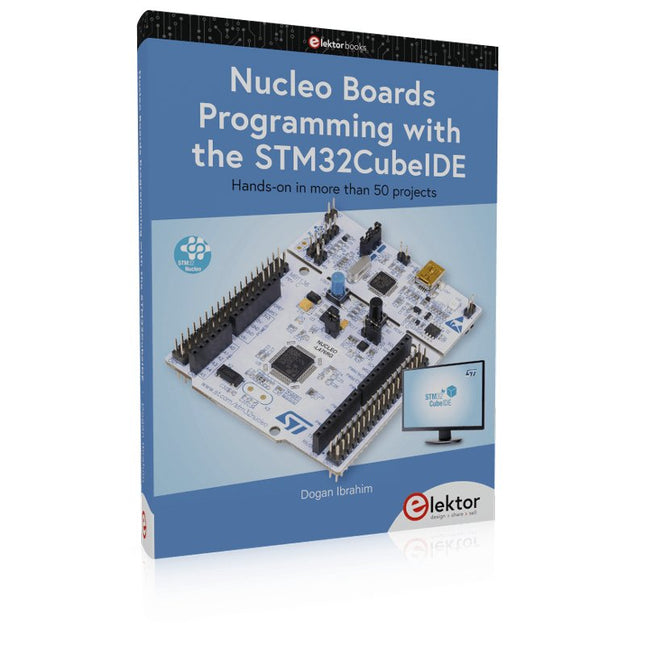
STM32 Nucleo family of processors are manufactured by STMicroelectronics. These are low-cost ARM microcontroller development boards. This book is about developing projects using the popular STM32CubeIDE software with the Nucleo-L476RG development board. In the early Chapters of the book the architecture of the Nucleo family is briefly described.
The book covers many projects using most features of the Nucleo-L476RG development board where the full software listings for the STM32CubeIDE are given for each project together with extensive descriptions. The projects range from simple flashing LEDs to more complex projects using modules, devices, and libraries such as GPIO, ADC, DAC, I²C, SPI, LCD, DMA, analogue inputs, power management, X-CUBE-MEMS1 library, DEBUGGING, and others. In addition, several projects are given using the popular Nucleo Expansion Boards. These Expansion Boards plug on top of the Nucleo development boards and provide sensors, relays, accelerometers, gyroscopes, Wi-Fi, and many others. Using an expansion board together with the X-CUBE-MEMS1 library simplifies the task of project development considerably.
All the projects in the book have been tested and are working. The following sub-headings are given for each project: Project Title, Description, Aim, Block Diagram, Circuit Diagram, and Program Listing for the STM32CubeIDE.
In this book you will learn about
STM32 microcontroller architecture;
the Nucleo-L476RG development board in projects using the STM32CubeIDE integrated software development tool;
external and internal interrupts and DMA;
DEBUG, a program developed using the STM32CubeIDE;
the MCU in Sleep, Stop, and in Standby modes;
Nucleo Expansion Boards with the Nucleo development boards.
What you need
a PC with Internet connection and a USB port;
STM32CubeIDE software (available at STMicroelectronics website free of charge)
the project source files, available from the book’s webpage hosted by Elektor;
Nucleo-L476RG development board;
simple electronic devices such as LEDs, temperature sensor, I²C and SPI chips, and a few more;
Nucleo Expansion Boards (optional).
Arduinonext is an initiative powered by an electronics and microcontrollers specialist team aiming to help all those who are entering in the technology world, using the well-known Arduino platform to take the next step in electronics.
We strive to bring you the necessary knowledge and experience for developing your own electronics applications; interacting with environment; measuring physical parameters; processing them and performing the necessary control actions.
This is the first title in the 'Hands-On' series in which Arduino platform co-founder, David Cuartielles, introduces board programming, and demonstrates the making of an 8-bit Sound Generator.
The FRDM-MCXN947 is a compact and versatile development board designed for rapid prototyping with MCX N94 and N54 microcontrollers. It features industry-standard headers for easy access to the MCU's I/Os, integrated open-standard serial interfaces, external flash memory, and an onboard MCU-Link debugger.
Specificaties
Microcontroller
MCX-N947 Dual Arm Cortex-M33 cores @ 150 MHz each with optimized performance efficiency, up to 2 MB dual-bank flash with optional full ECC RAM, External flash
Accelerators: Neural Processing Unit, PowerQuad, Smart DMA, etc.
Memory Expansion
*DNP Micro SD card socket
Connectivity
Ethernet Phy and connector
HS USB-C connectors
SPI/I²C/UART connector (PMOD/mikroBUS, DNP)
WiFi connector (PMOD/mikroBUS, DNP)
CAN-FD transceiver
Debug
On-board MCU-Link debugger with CMSIS-DAP
JTAG/SWD connector
Sensor
P3T1755 I³C/I²C Temp Sensor, Touch Pad
Expansion Options
Arduino Header (with FRDM expansion rows)
FRDM Header
FlexIO/LCD Header
SmartDMA/Camera Header
Pmod *DNP
mikroBUS
User Interface
RGB user LED, plus Reset, ISP, Wakeup buttons
Inbegrepen
1x FRDM-MCXN947 Development Board
1x USB-C Cable
1x Quick Start Guide
Downloads
Datasheet
Block diagram
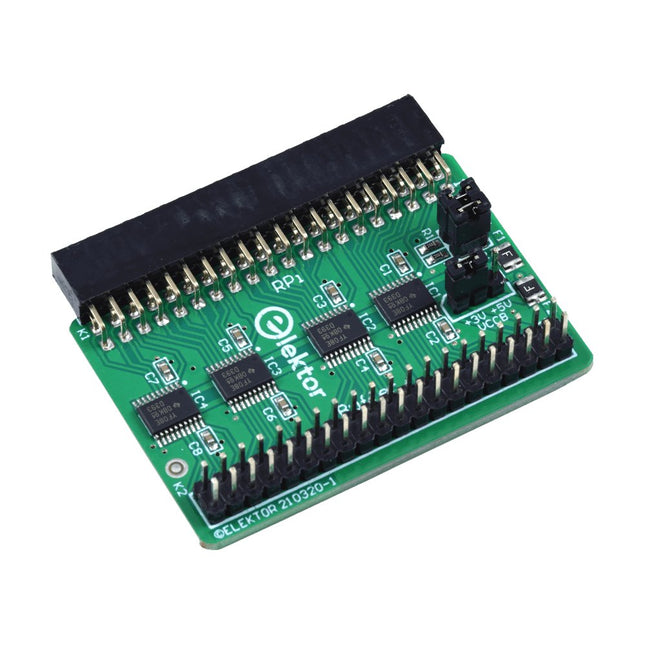
Wanneer u regelmatig experimenteert met de Raspberry Pi en verschillende externe hardware aansluit op de GPIO-poort via de header, heeft u mogelijk in het verleden schade veroorzaakt. Het Elektor Raspberry Pi Buffer Board is er om dit te voorkomen! Het board is compatibel met de Raspberry Pi Zero, Zero 2 (W), 3, 4, 5, 400 en 500.
Alle 26 GPIO's zijn gebufferd met bidirectionele spanningsomzetters om de Raspberry Pi te beschermen tijdens het experimenteren met nieuwe circuits. De printplaat is bedoeld om aan de achterkant van de Raspberry Pi 400/500 te worden geplaatst. De connector voor aansluiting op de Raspberry Pi is een haakse 40-polige connector (2x20). De printplaat is slechts iets breder. Een 40-polige flatcable met bijpassende 2x20 headers kan worden aangesloten op de buffer-uitgangsheader om bijvoorbeeld te experimenteren met een circuit op een breadboard of een printplaat.
Het circuit maakt gebruik van 4x TXS0108E IC's van Texas Instruments. De printplaat kan ook rechtop op een Raspberry Pi worden geplaatst.
Downloads
Schematics
Layout
De SDRplay RSP1B is een verbeterde versie van de populaire RSP1A – een krachtige, breedbandige, complete 14-bits SDR die het RF-spectrum van 1 kHz tot 2 GHz bestrijkt. De RSP1B is uitgevoerd in een robuuste, zwartgelakte stalen behuizing en biedt aanzienlijk verbeterde ruisprestaties.
Het enige wat nodig is, is een computer en een antenne voor uitstekende communicatie- en ontvangstfunctionaliteit. Het wordt geleverd met SDRuno voor Windows en de multi-platform SDRconnect-software voor Windows, macOS en Linux (gratis geleverd door SDRplay). U kunt tot 10 MHz spectrum tegelijk monitoren.
Een gedocumenteerde API stelt ontwikkelaars in staat om nieuwe demodulatoren of applicaties voor het platform te creëren.
Kenmerken
Covers all frequencies from 1 kHz through VLF, LF, MW, HF, VHF, UHF and L-band to 2 GHz, with no gaps
Receive, monitor and record up to 10 MHz of spectrum at a time
Free use of windows-based SDRuno software which provides an ever-increasing feature-set
Strong and growing software support network
Calibrated S meter/ RF power and SNR measurement with SDRuno (including datalogging to .CSV file capability)
Documented API provided to allow demodulator or application development on multiple platforms
Excellent dynamic range for challenging reception conditions
Works with popular 3rd party SDR software (including HDSDR, SDR Console and Cubic SDR)
ExtIO based plugin available
Software upgradeable for future standards
Strong and growing software support network
API provided to allow demodulator or application development
Multiplatform driver and API support including Windows, Linux, Mac, Android and Raspberry Pi
Up to 16 individual receivers in any 10 MHz slice of spectrum using SDRuno
Calibrated S meter and power measurements with SDRuno
Stand-alone windows-based spectrum analyser software available (with sweep, sample and hold features)
Ideal for monitoring of ISM/IoT/Telemetry bands <2 GHz
Ideal for portable operation
Specificaties
Frequency Range
1 kHz – 2 GHz
Antenna Connector
SMA
Antenna Impedance
50 Ohms
Current Consumption (Typical)
185 mA (excl. Bias-T)
USB Connector
USB Type B
Maximum Input Power
+0 dBm Continuous+10 dBm Short Duration
ADC Sample Rates
2-10.66 MSPS
ADC Number of Bits
14 bit 2-6.048 MSPS12 bit 6.048-8.064 MSPS10 bit 8.064-9.216 MSPS8 bit >9.216 MSPS
Bias-T
4.7 V100 mA guaranteed
Reference
0.5ppm 24 MHz TCXO.Frequency error trimmable to 0.01ppm in field.
Operating Temperature Range
-10✓C to +60✓C
Dimensions
98 x 88 x 34 mm
Weight
110 g
Downloads
Datasheet
Software
RSP1B vs RSPdx vs RSPduo
RSP1B
RSPdx
RSPduo
Continuous coverage from 1 kHz to 2 GHz
✓
✓
✓
Up to 10 Mhz visible bandwidth
✓
✓
✓
14-bit ADC silicon technology plus multiple high-performance input filters
✓
✓
✓
Software selectable AM/FM & DAB broadcast band notch filters
✓
✓
✓
4.7 V Bias-T for powering external remote antenna amplifier
✓
✓
✓
Powers over the USB cable with a simple type B socket
✓
✓
✓
50✓ SMA antenna input(s) for 1 kHz to 2 GHz operation (software selectable)
1
2
2
Additional software selectable Hi-Z input for up to 30 Mhz operation
✓
Additional software selectable 50✓ BNC input for up to 200 MHz operation
✓
Additional LF/VLF filter for below 500 kHz
✓
24 MHz reference clock input (+ output on RSPduo)
✓
✓
Dual tuners enabling reception on 2 totally independent 2 MHz ranges
✓
Dual tuners enabling diversity reception using SDRuno
✓
Robust and strong plastic case (with internal RF shielding layer)
✓
Rugged black painted steel case
✓
✓
Overall performance below 2 MHz for MW and LF
+
++
+
Multiple simultaneous applications
+
+
++
Performance in challenging fading conditions (*using diversity tuning)
+
+
*++
STM32 Nucleo family of processors are manufactured by STMicroelectronics. These are low-cost ARM microcontroller development boards. This book is about developing projects using the popular Nucleo development board. In the early chapters of the book, the architecture of the Nucleo family is briefly described.
Software development tools that can be used with the Nucleo boards such as the Mbed, Keil MDK, TrueSTUDIO, and the System Workbench are described briefly in later Chapters.
The book covers many projects using most features of the STM32 Nucleo development boards where the full software listings for Mbed and System Workbench are given for every project. The projects range from simple flashing LEDs to more complex projects using modules and devices such as GPIO, ADC, DAC, I²C, LCD, analog inputs and others.
In addition, several projects are given using the Nucleo Expansion Boards, including popular expansion boards such as solid-state relay, MEMS and environmental sensors, DC motor driver, Wi-Fi, and stepper motor driver.
These Expansion Boards plug on top of the Nucleo development boards and simplify the task of project development considerably.
Features of this book
Learn the architecture of the STM32 microcontrollers
Learn how to use the Nucleo development board in projects using Mbed and System Workbench Toolchains
Learn how to use the Nucleo Expansion Boards with the Nucleo development boards
Update
The Mbed compiler has been replaced with two software packages: The Mbed Studio and Keil Studio Cloud. Both of these software packages are free of charge and are available on the Internet. If you need assistance using the Keil Studio Cloud, please download the Guide below.
,
van Saad Imtiaz
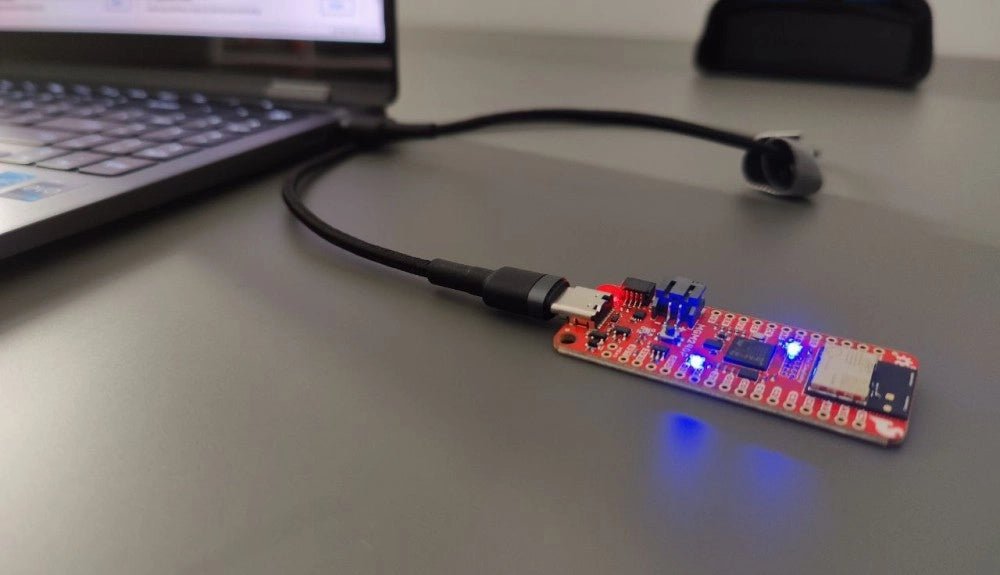
SparkFun Thing Plus Matter (MGM240P): Een veelzijdig Matter gebaseerd IoT Ontwikkelboard (Review)
De SparkFun Thing Plus Matter - MGM240P is a veelzijdig ontwikkelboard dat rijk is aan features en ontworpen is voor het ontwikkelen van Matter-gebaseerde IoT...