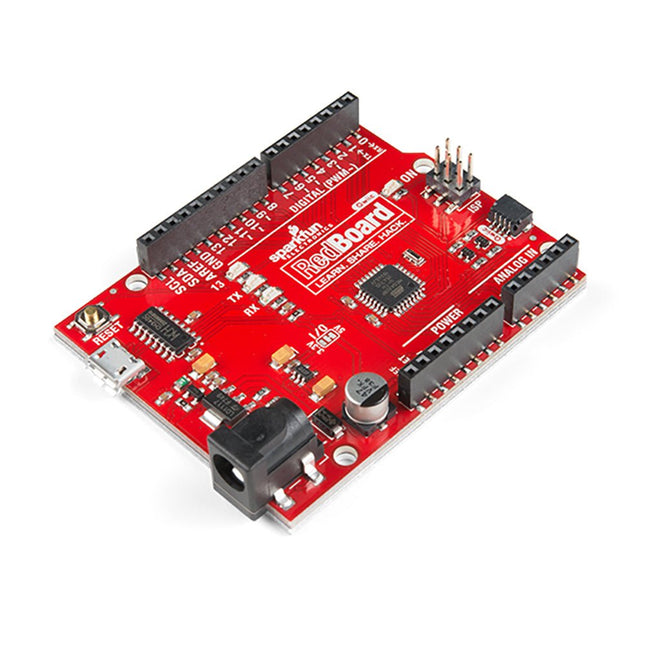
Features ATmega328 microcontroller met Optiboot Bootloader R3 Shield Compatible CH340C serieel-USB-converter 3.3 V tot 5 V Spanningsniveau Jumper A4 / A5 jumpers AP2112 spanningsregelaar ISP-kopje Ingangsspanning: 7 V - 15 V 1 Qwiic aansluiting 16 MHz kloksnelheid 32 k Flash-geheugen Alle SMD constructie verbeterde resetknop
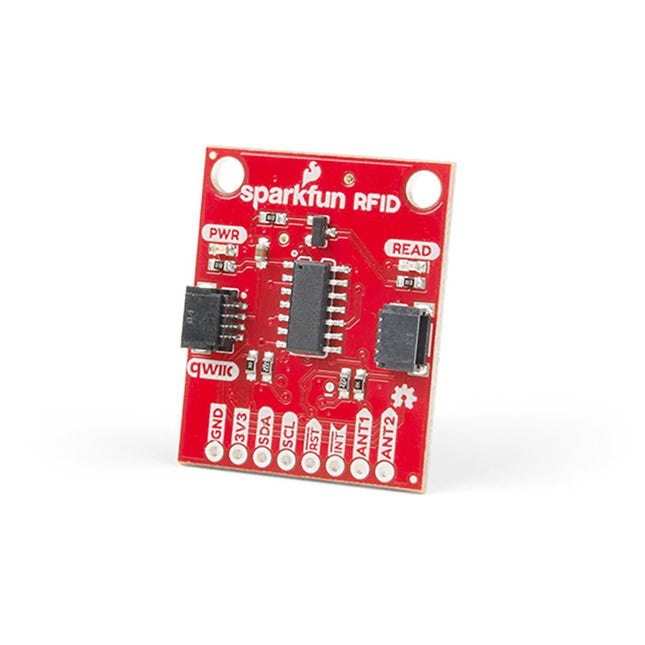
Steek een lezer in de headers, gebruik een Qwiic kabel, scan je 125kHz ID tag, en het unieke 32-bit ID wordt op het scherm getoond. De unit wordt geleverd met een lees LED en buzzer, maar maak je geen zorgen, er is een jumper die je kunt doorknippen om de buzzer uit te schakelen als je dat wilt. Door gebruik te maken van SparkFun's handige Qwiic systeem, is er geen soldeerwerk nodig om het aan te sluiten op de rest van je systeem. We hebben echter nog steeds 0.1'-spaced pinnen als u liever een breadboard gebruikt. Met behulp van de ATtiny84A aan boord, neemt de Qwiic RFID de zes bytes ID tag van je 125kHz RFID kaart, koppelt er een tijdstempel aan, en zet het op een stapel die tot 20 unieke RFID scans per keer kan bevatten. Deze informatie is gemakkelijk te verkrijgen met enkele eenvoudige I²C commando's.
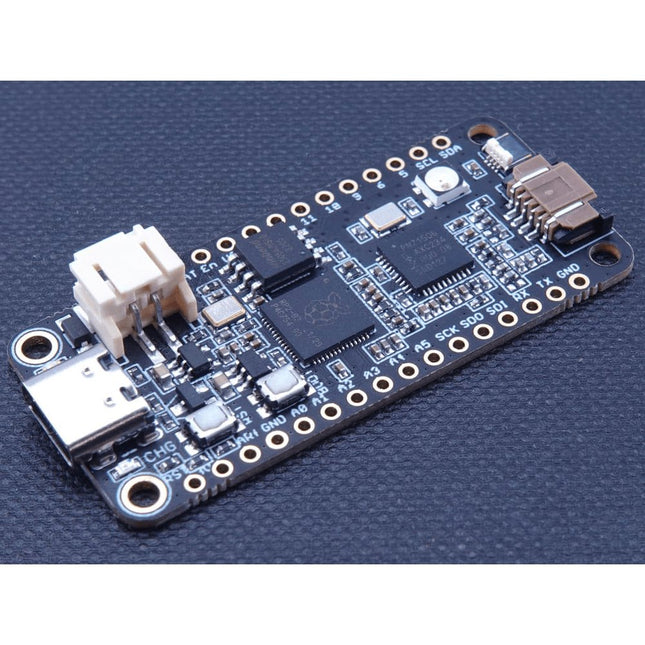
The Challenger RP2040 NFC is a small embedded computer, equipped with an advanced on-board NFC controller (NXP PN7150), in the popular Adafruit Feather form factor. It is based on an RP2040 microcontroller chip from the Raspberry Pi Foundation which is a dual-core Cortex-M0 that can run on a clock up to 133 MHz. NFC The PN7150 is a full featured NFC controller solution with integrated firmware and NCI interface designed for contactless communication at 13.56 MHz. It is fully compatible with NFC forum requirements and is greatly designed based on learnings from previous NXP NFC device generation. It is the ideal solution for rapidly integrating NFC technology in any application, especially small embedded systems reducing Bill of Material (BOM). The integrated design with full NFC forum compliancy gives the user all the following features: Embedded NFC firmware providing all NFC protocols as pre-integrated feature. Direct connection to the main host or microcontroller, by I²C-bus physical and NCI protocol. Ultra-low power consumption in polling loop mode. Highly efficient integrated power management unit (PMU) allowing direct supply from a battery. Specifications Microcontroller RP2040 from Raspberry Pi (133 MHz dual-core Cortex-M0) SPI One SPI channels configured I²C Two I²C channel configured (dedicated I²C for the PN7150) UART One UART channel configured Analog inputs 4 analog input channels NFC module PN7150 from NXP Flash memory 8 MB, 133 MHz SRAM memory 264 KB (divided into 6 banks) USB 2.0 controller Up to 12 MBit/s full speed (integrated USB 1.1 PHY) JST Battery connector 2.0 mm pitch On board LiPo charger 450 mA standard charge current Dimensions 51 x 23 x 3,2 mm Weight 9 g Note: Antenna is not included. Downloads Datasheet Quick start example
Specificaties
Dubbele ARM Cortex-M0+ @ 133 MHz
264 kB on-chip SRAM in zes onafhankelijke banken
Ondersteuning tot 16 MB off-chip Flash memory via speciale QSPI bus
DMA-controller
Volledig aangesloten AHB crossbar
Interpolator en integer divider peripherals
On-chip programmeerbare LDO om spanning voor de core te genereren
2x on-chip PLL's om USB en core kloksignalen te genereren
30x GPIO pins, waarvan er 4 als analoge ingangen kunnen worden gebruikt
Randapparatuur
2x UARTs
2x SPI controllers
2x I²C controllers
16x PWM kanalen
USB 1.1 controller en PHY, met host en device support
8x PIO state machines
Wat je krijgt
10x RP2040 ICs
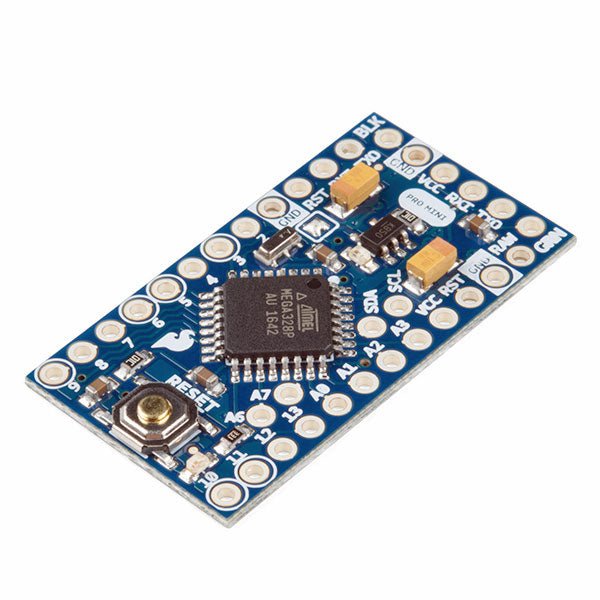
De Arduino Pro Mini is een microcontroller board gebaseerd op de ATmega328P.
Het heeft 14 digitale in-/uitgangspinnen (waarvan er 6 kunnen worden gebruikt als PWM-uitgangen), 6 analoge ingangen, een on-board resonator, een reset-knop, en gaten voor het monteren van pin headers. Een six-pin header kan worden aangesloten op een FTDI-kabel of Sparkfun breakout board om USB-voeding en communicatie te bieden aan de board.
De Arduino Pro Mini is bedoeld voor semi-permanente installatie in voorwerpen of tentoonstellingen. Het board komt zonder pre-gemonteerde headers, waardoor het gebruik van diverse types van schakelaars of het directe solderen van draden is toegestaan. De pin lay-out is compatibel met Arduino Mini.
Specificaties
Microcontroller
ATmega328P
Boord Stroomvoorziening
5-12 V
Circuit Werkspanning
5 V
Digitale I/O Pinnen
14
PWM Pennen
6
UART
1
SPI
1
I²C
1
Analoge ingangspinnen
6
Externe Onderbrekingen
2
DC stroom per I/O Pin
40 mA
Flash Geheugen
32 KB waarvan 2 KB gebruikt door bootloader
SRAM
2 KB
EEPROM
1 KB
Kloksnelheid
16 MHz
Afmetingen
18 x 33,3 mm
Downloads
Eagle files
Schematics
BEAUCOUP D'AMOUR D'INGÉNIERIE DE L'UE ET DES ÉTATS-UNIS
SPARKFUN : LA VISION D'UN INGÉNIEUR
DÉMARRER AVEC MICROMOD
UNE MISE À NIVEAU POUR VOTRE JETBOT SPARKFUN comment j'ai étendu les fonctionnalités de mon JetBot (avec le Jetson Nano de NVIDIA).
PROGRAMMER UN FPGA
CONSTRUISEZ VOTRE PROPRE STATION DE RÉFÉRENCE GNSS
LE PROJET HORLOGE
SOUS LE CAPOT : KIT DE L'INVENTEUR SPARKFUN
GLENN SAMALA DE SPARKFUN SUR LE DÉVELOPPEMENT DE PRODUITS ET LES NOUVEAUX MARCHÉS
IMPRIMEZ LE VÔTRE AVEC SPARKFUN À LA CARTE
CONCEVOIR AVEC LE SPARKFUN ARTEMIS
PROTOTYPAGE RAPIDE AVEC L'ÉCOSYSTÈME QWIIC
AFFICHE - QWIIC
SOUS LE CAPOT : LE KIT SUPERCHARGEUR LIPO GREATSCOTT!/ELEKTOR DIY
UNE ÉLECTRONIQUE REMARQUABLE du passé de SparkFun
PARKING PARFAIT AVEC LIDAR
RÉPARATION D'UN 'COUSSIN ENTERRÉ'
DE LA CONCEPTION AU PRODUIT : LE SPARKFUN RTK SURVEYOR
BONJOUR LE MONDE DU RASPBERRY PI PICO ET RP2040 le premier microcontrôleur et puce Raspberry Pi
ROBOTS À QUATRE PATTES POUR AUTO-CONSTRUCTION
AFFICHE - MICROMOD
DÉVELOPPEMENT RISC-V IOT DANS AWS AVEC LES BIBLIOTHÈQUES FREERTOS
OUI, ÉLECTRONIQUE = FUN ! passionnés d'électronique entre eux
CATALOGUE DE PRODUITS SPARKFUN
HEXADOKU Le Sudoku électorisé original
Elektor GREEN en GOLD leden kunnen deze uitgave hier downloaden.Nog geen lid? Klik hier om een lidmaatschap af te sluiten.
Cloc 2.0de wekker die je altijd al wilde hebben
PIO in de praktijkexperimenten met de programmeerbare I/O van de RP2040
Armeluis chiptweakerwe krijgen je wel (goedkoop) aan de praat...
Echte USB-toevalsgeneratortwee PIC’s voor de prijs van één AVR
Pimp my mike...opvoeren doe je zelf
FFT met Maixduinofrequentiespectra vastleggen
Uit het leven gegrepenontwerp(on)logica
UCN5804 stappenmotordrivervreemde onderdelen
Simuleren met Micro-Capeerste stappen in een complexe wereld
PAUL Award 2022jonge technische talenten en hun creatieve ontwerpen
Mijn eerste Software Defined Radioin minder dan 15 minuten klaar
Microcontroller-documentatie verklaarddeel 1: de opzet van een datasheet
Hoe verder met AI en embedded systems?tools, platforms – en worden schrijvers obsoleet?
Digitalisering van verticale landbouw
Elektor Infographicsembedded en AI vandaag – en morgen
Een introductie tot TinyML
Casestudy KwickPOS
High-performance in elke klassecomputer-on-module standaarden
Alle begin......wordt eindelijk actief!
I²C-communicatie met Node.js en een Raspberry Pibekijk sensordata in een browser
Video-output met microcontrollers (2)VGA en DVI
Het Metronom real-time besturingssysteemeen RTOS voor AVR-processoren
DVI op de RP2040vraaggesprek met Luke Wren, chipontwikkelaar bij Raspberry Pi
Display-HAT Minitoont het weer op de Raspberry Pi
De WEEF 2022 Awardshet goede vieren
Hexadoku
BEELDVERWERKING MET DE NVIDIA JETSON NANO (DEEL 2)Beeldherkenning met Edge Impulse
NIEUWS VAN ELEKTOR JUMPSTARTERNieuwe campagnes
EEN OPEN SOURCE-PLATFORM VOOR GPS-TRACKINGMet Traccar voertuigen volgen zonder gebruik te maken van een cloudserver
JOY-IT LCR-T7 MULTIFUNCTIONELE TESTERVoor passieve componenten, discrete halfgeleiders en IR
RUISSYNTHESIZERVan ruis naar muziek met de PRBSynth1
ALLE BEGIN......speelt verder met de spoel
KENNISMAKING MET NEURONEN IN NEURALE NETWERKEN (DEEL 2)Logische Neuronen
BEVEILIGINGSPROBLEMEN? BESTRIJD VUUR MET VUUR!Met flitslampje beveiligde analoge geheugenuitbreiding voor de verzendbox met manipulatie-indicatie
LCR METER POSTER
BLUETOOTH-BAKENS IN DE PRAKTIJKindoor-plaatsbepaling
PROGRAMMEREN IN C OP DE RASPBERRY PICommunicatie via WiFi (een hoofdstuk als voorbeeld)
EMC PRE-COMPLIANCE TEST VOOR UW DC-GEVOED PROJECT (DEEL 2)De hardware en het gebruik ervan
KENNISMAKING MET DE PARALLAX PROPELLER 2 (DEEL 5)Smart Pin-Functie
MODBUS VIA WLAN (DEEL 1)Hardware en programmering
OOST WEST LAB BEST... waar de Junior Computer weer tot leven is gewekt
BOUW ZELF EEN NAUWKEURIGE KALIBRATOR-10 V tot +10 V, 0 tot 40 mA, 0,001%
REVIEW: ARDUINO NANO RP2040 CONNECTRaspberry Pi RP2040 + WiFi + Bluetooth
DE FYSIEKE KANT VAN KUNSTMATIGE INTELLIGENTIE
PROJECT 2.0Correcties, Updates en Brieven van lezers
MAAK GUI'S MET PYTHONIntroductie in guizero
CO2-METER-BOUWKIT VOOR IN DE KLASEen ESP8266-project van de University of Applied Sciences Aachen
NOSTALGISCHE MK484 MW/LW-RADIO...Altijd leuk om te bouwen!
ELEKTOR @ 60Laat er licht zijn!
HEXADOKUThe Original Elektorized Sudoku
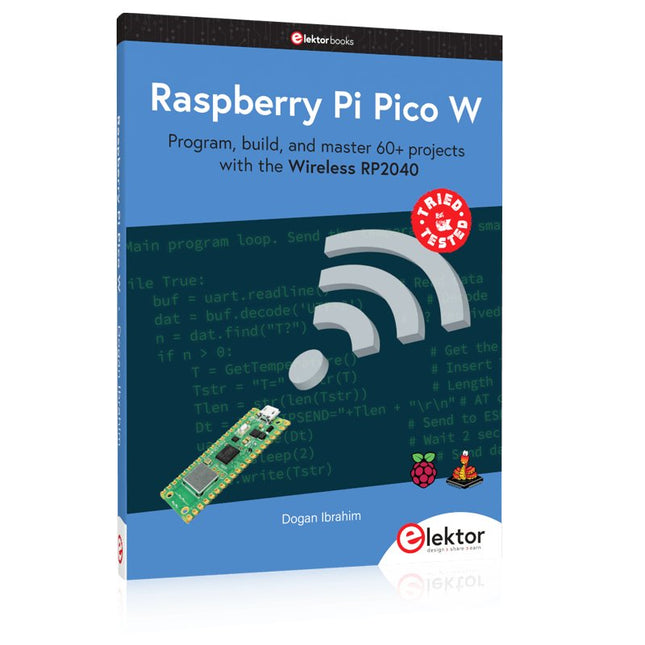
Program, build, and master 60+ projects with the Wireless RP2040
The Raspberry Pi Pico and Pico W are based on the fast, efficient, and low-cost dual-core ARM Cortex M0+ RP2040 microcontroller chip running at up to 133 MHz and sporting 264 KB of SRAM and 2 MB of Flash memory. Besides spacious memory, the Pico and Pico W offer many GPIO pins, and popular peripheral interface modules like ADC, SPI, I²C, UART, PWM, timing modules, a hardware debug interface, and an internal temperature sensor.
The Raspberry Pi Pico W additionally includes an on-board Infineon CYW43439 Bluetooth and Wi-Fi chipset. At the time of writing this book, the Bluetooth firmware was not yet available. Wi-Fi is however fully supported at 2.4 GHz using the 802.11b/g/n protocols.
This book is an introduction to using the Raspberry Pi Pico W in conjunction with the MicroPython programming language. The Thonny development environment (IDE) is used in all of the 60+ working and tested projects covering the following topics:
Installing the MicroPython on Raspberry Pi Pico using a Raspberry Pi or a PC
Timer interrupts and external interrupts
Analogue-to-digital converter (ADC) projects
Using the internal temperature sensor and external sensor chips
Using the internal temperature sensor and external temperature sensor chips
Datalogging projects
PWM, UART, I²C, and SPI projects
Using Bluetooth, WiFi, and apps to communicate with smartphones
Digital-to-analogue converter (DAC) projects
All projects are tried & tested. They can be implemented on both the Raspberry Pi Pico and Raspberry Pi Pico W, although the Wi-Fi-based subjects will run on the Pico W only. Basic programming and electronics experience are required to follow the projects. Brief descriptions, block diagrams, detailed circuit diagrams, and full MicroPython program listings are given for all projects.
Program, build, and master 60+ projects with the Wireless RP2040
The Raspberry Pi Pico and Pico W are based on the fast, efficient, and low-cost dual-core ARM Cortex M0+ RP2040 microcontroller chip running at up to 133 MHz and sporting 264 KB of SRAM and 2 MB of Flash memory. Besides spacious memory, the Pico and Pico W offer many GPIO pins, and popular peripheral interface modules like ADC, SPI, I²C, UART, PWM, timing modules, a hardware debug interface, and an internal temperature sensor.
The Raspberry Pi Pico W additionally includes an on-board Infineon CYW43439 Bluetooth and Wi-Fi chipset. At the time of writing this book, the Bluetooth firmware was not yet available. Wi-Fi is however fully supported at 2.4 GHz using the 802.11b/g/n protocols.
This book is an introduction to using the Raspberry Pi Pico W in conjunction with the MicroPython programming language. The Thonny development environment (IDE) is used in all of the 60+ working and tested projects covering the following topics:
Installing the MicroPython on Raspberry Pi Pico using a Raspberry Pi or a PC
Timer interrupts and external interrupts
Analogue-to-digital converter (ADC) projects
Using the internal temperature sensor and external sensor chips
Using the internal temperature sensor and external temperature sensor chips
Datalogging projects
PWM, UART, I²C, and SPI projects
Using Bluetooth, WiFi, and apps to communicate with smartphones
Digital-to-analogue converter (DAC) projects
All projects are tried & tested. They can be implemented on both the Raspberry Pi Pico and Raspberry Pi Pico W, although the Wi-Fi-based subjects will run on the Pico W only. Basic programming and electronics experience are required to follow the projects. Brief descriptions, block diagrams, detailed circuit diagrams, and full MicroPython program listings are given for all projects.
,
van Saad Imtiaz
SparkFun Thing Plus Matter (MGM240P): Een veelzijdig Matter gebaseerd IoT Ontwikkelboard (Review)
De SparkFun Thing Plus Matter - MGM240P is a veelzijdig ontwikkelboard dat rijk is aan features en ontworpen is voor het ontwikkelen van Matter-gebaseerde IoT...
,
van Lobna Belarbi
Onmisbare Arduino-Boards, Kits & Tools van Elektor voor jouw Arduino-avontuur
Of je nu een beginner bent die de wereld van microcontrollers wil verkennen of een ervaren maker die zijn gereedschapskist wil uitbreiden — Elektor biedt...