De Dragino LPS8 is een open source meerkanaals LoRaWAN gateway. Hiermee kan een LoRa-radionetwerk worden verbonden met een IP-netwerk via WiFi of Ethernet. Met het LoRa-radionetwerk kunnen gegevens over extreem grote afstanden met lage datasnelheden worden verzonden.De LPS8 maakt gebruik van Semtech Packet Forwarder en is volledig compatibel met het LoRaWAN protocol. Het omvat een SX1308 LoRa-concentrator die 10 programmeerbare parallelle demodulatiepaden biedt.LPS8 heeft voorgeconfigureerde standaard LoRaWAN-frequentiebanden voor gebruik in verschillende landen. De gebruiker kan de frequentiebanden ook aanpassen voor gebruik in zijn eigen LoRa-netwerk.Features
Linux-gebaseerd OpenWrt systeem
Beheer via intuïtieve Web GUI, SSH via LAN of WiFi
Toegang op afstand met Reverse-SSH
Emuleert 49x LoRa-demodulatoren
LoRaWAN Gateway
10 programmeerbare parallelle demodulatiepaden
Applicaties
Logistiek en toeleveringsketenbeheer
Slimme gebouwen en huisautomatisering
Slimme steden
Slimme landbouw
Slimme fabriek
Slimme meters
Specificaties
Stroomvoorziening via USB-C (5 V, 2 A)
1x USB-hostpoort
1x RJ45 (10/100 Mbit/s)
1x 2,4 GHz WiFi (802.11 b/g/n)
LoRa Specs:
1x SX1308 Lora-concentrator
2x 1257 LoRa-transceiver
Downloads
Datasheet
User Manual
Source Code on GitHub
Dragino LoRa Gateway Selection Guide
Dragino LPS8 als Helium Data-Only Hotspot
Dragino LoRaWAN Gateway Setup
Dragino Gateways/Hotspots with Helium
Tutorial
Firmware
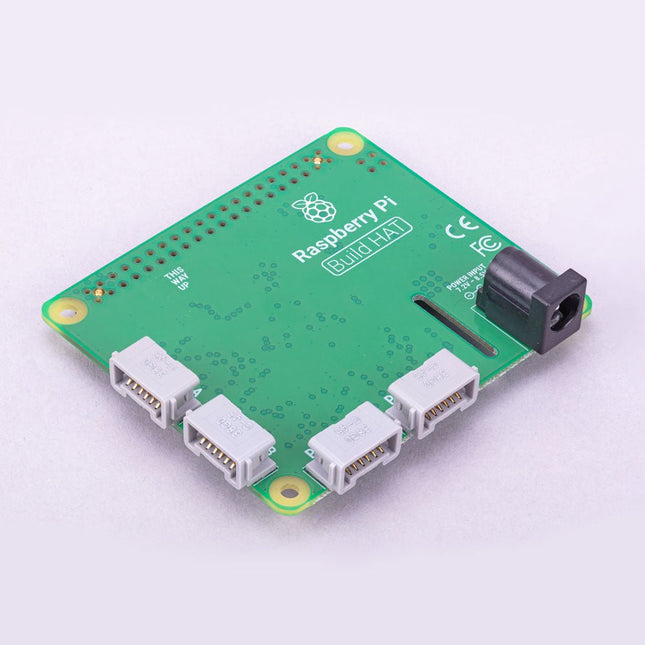
Build robust, intelligent machines that combine Raspberry Pi computing power with LEGO components.The Raspberry Pi Build HAT provides four connectors for LEGO Technic motors and sensors from the SPIKE Portfolio. The available sensors include a distance sensor, a colour sensor, and a versatile force sensor. The angular motors come in a range of sizes and include integrated encoders that can be queried to find their position.The Build HAT fits all Raspberry Pi computers with a 40-pin GPIO header, including?–?with the addition of a ribbon cable or other extension device?—?Raspberry Pi 400. Connected LEGO Technic devices can easily be controlled in Python, alongside standard Raspberry Pi accessories such as a camera module.Features
Controls up to 4 motors and sensors
Powers the Raspberry Pi (when used with a suitable external PSU)
Easy to use from Python on the Raspberry Pi
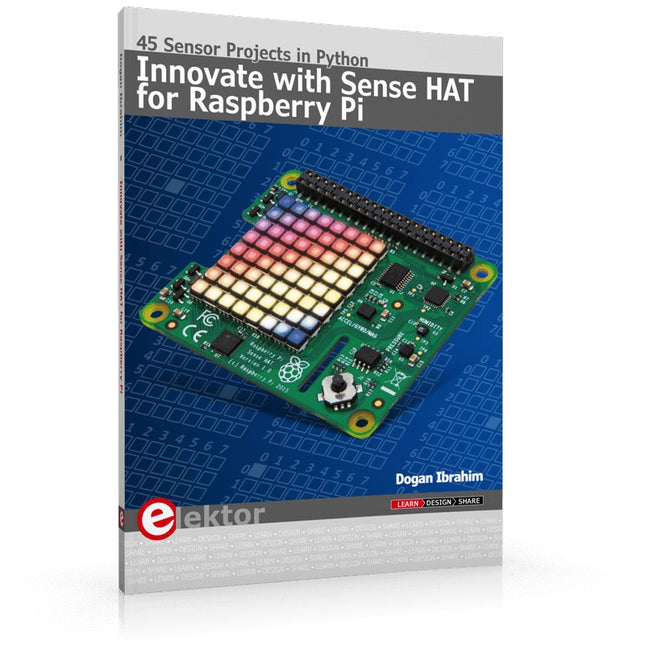
Ready to explore the world around you? By attaching the Sense HAT to your Raspberry Pi, you can quickly and easily develop a variety of creative applications, useful experiments, and exciting games.
The Sense HAT contains several helpful environmental sensors: temperature, humidity, pressure, accelerometer, magnetometer, and gyroscope. Additionally, an 8x8 LED matrix is provided with RGB LEDs, which can be used to display multi-color scrolling or fixed information, such as the sensor data. Use the small onboard joystick for games or applications that require user input. In Innovate with Sense HAT for Raspberry Pi, Dr. Dogan Ibrahim explains how to use the Sense HAT in Raspberry Pi Zero W-based projects. Using simple terms, he details how to incorporate the Sense HAT board in interesting visual and sensor-based projects. You can complete all the projects with other Raspberry Pi models without any modifications.
Exploring with Sense HAT for Raspberry Pi includes projects featuring external hardware components in addition to the Sense HAT board. You will learn to connect the Sense HAT board to the Raspberry Pi using jumper wires so that some of the GPIO ports are free to be interfaced to external components, such as to buzzers, relays, LEDs, LCDs, motors, and other sensors.
The book includes full program listings and detailed project descriptions. Complete circuit diagrams of the projects using external components are given where necessary. All the projects were developed using the latest version of the Python 3 programming language. You can easily download projects from the book’s web page. Let’s start exploring with Sense HAT.
Ready to explore the world around you? By attaching the Sense HAT to your Raspberry Pi, you can quickly and easily develop a variety of creative applications, useful experiments, and exciting games.
The Sense HAT contains several helpful environmental sensors: temperature, humidity, pressure, accelerometer, magnetometer, and gyroscope. Additionally, an 8x8 LED matrix is provided with RGB LEDs, which can be used to display multi-color scrolling or fixed information, such as the sensor data. Use the small onboard joystick for games or applications that require user input. In Innovate with Sense HAT for Raspberry Pi, Dr. Dogan Ibrahim explains how to use the Sense HAT in Raspberry Pi Zero W-based projects. Using simple terms, he details how to incorporate the Sense HAT board in interesting visual and sensor-based projects. You can complete all the projects with other Raspberry Pi models without any modifications.
Exploring with Sense HAT for Raspberry Pi includes projects featuring external hardware components in addition to the Sense HAT board. You will learn to connect the Sense HAT board to the Raspberry Pi using jumper wires so that some of the GPIO ports are free to be interfaced to external components, such as to buzzers, relays, LEDs, LCDs, motors, and other sensors.
The book includes full program listings and detailed project descriptions. Complete circuit diagrams of the projects using external components are given where necessary. All the projects were developed using the latest version of the Python 3 programming language. You can easily download projects from the book’s web page. Let’s start exploring with Sense HAT.
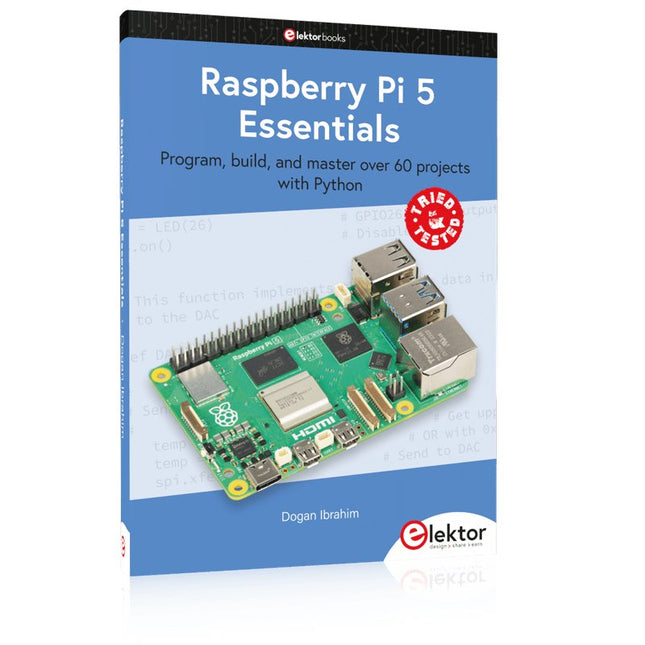
Program, build, and master over 60 projects with Python
The Raspberry Pi 5 is the latest single-board computer from the Raspberry Pi Foundation. It can be used in many applications, such as in audio and video media centers, as a desktop computer, in industrial controllers, robotics, and in many domestic and commercial applications. In addition to the well-established features found in other Raspberry Pi computers, the Raspberry Pi 5 offers Wi-Fi and Bluetooth (classic and BLE), which makes it a perfect match for IoT as well as in remote and Internet-based control and monitoring applications. It is now possible to develop many real-time projects such as audio digital signal processing, real-time digital filtering, real-time digital control and monitoring, and many other real-time operations using this tiny powerhouse.
The book starts with an introduction to the Raspberry Pi 5 computer and covers the important topics of accessing the computer locally and remotely. Use of the console language commands as well as accessing and using the desktop GUI are described with working examples. The remaining parts of the book cover many Raspberry Pi 5-based hardware projects using components and devices such as
LEDs and buzzers
LCDs
Ultrasonic sensors
Temperature and atmospheric pressure sensors
The Sense HAT
Camera modules
Example projects are given using Wi-Fi and Bluetooth modules to send and receive data from smartphones and PCs, and sending real-time temperature and atmospheric pressure data to the cloud.
All projects given in the book have been fully tested for correct operation. Only basic programming and electronics experience are required to follow the projects. Brief descriptions, block diagrams, detailed circuit diagrams, and full Python program listings are given for all projects described.
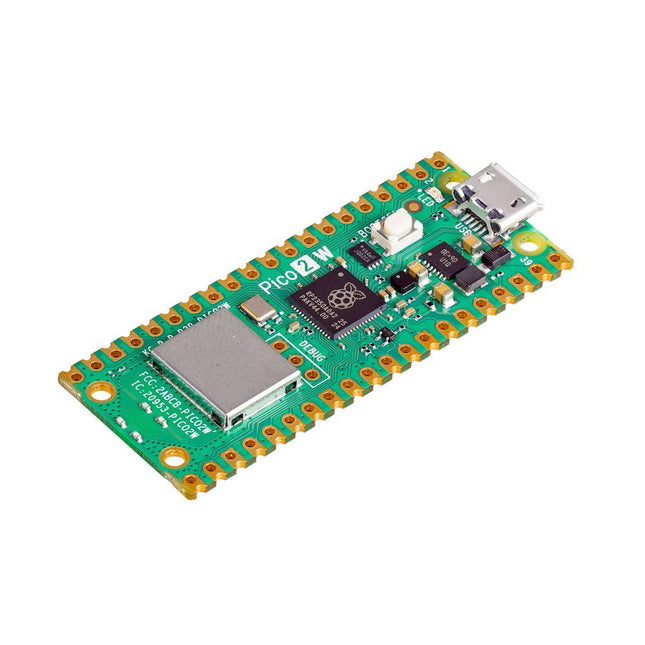
De Raspberry Pi Pico 2 W is een microcontrollerbord gebaseerd op de RP2350 met 2,4 GHz 802.11n wireless LAN en Bluetooth 5.2. Het geeft u nog meer flexibiliteit in uw IoT- of slimme productontwerpen en breidt de mogelijkheden voor uw projecten uit.
De RP2350 biedt een uitgebreide beveiligingsarchitectuur gebouwd rond Arm TrustZone voor Cortex-M. Het bevat ondertekend opstarten, 8 KB antifuse OTP voor sleutelopslag, SHA-256-versnelling, een hardware TRNG en snelle glitch-detectoren.
Dankzij de unieke dual-core en dual-architectuurmogelijkheden van de RP2350 kunnen gebruikers kiezen tussen een paar industriestandaard Arm Cortex-M33-kernen en een paar open-hardware Hazard3 RISC-V-kernen. Programmeerbaar in C/C++ en Python, en ondersteund door gedetailleerde documentatie, is de Raspberry Pi Pico 2 W het ideale microcontrollerbord voor zowel liefhebbers als professionele ontwikkelaars.
Specificaties
CPU
Dual Arm Cortex-M33 of dubbele RISC-V Hazard3-processors @ 150 MHz
Wireless
Geïntegreerde Infineon CYW43439 single-band 2,4 GHz 802.11n wireless LAN en Bluetooth 5.2
Geheugen
520 KB SRAM op de chip; 4 MB ingebouwde QSPI-flitser
Interfaces
26 multifunctionele GPIO-pinnen, waaronder 4 die kunnen worden gebruikt voor AD
Randapparatuur
2x UART
2x SPI-controllers
2x I²C-controllers
24x PWM-kanalen
1x USB 1.1-controller en PHY, met host- en apparaatondersteuning
12x PIO-statusmachines
Ingangsvermogen
1,8-5,5 V DC
Afmetingen
21 x 51 mm
Downloads
Datasheet
Pinout
Schematic
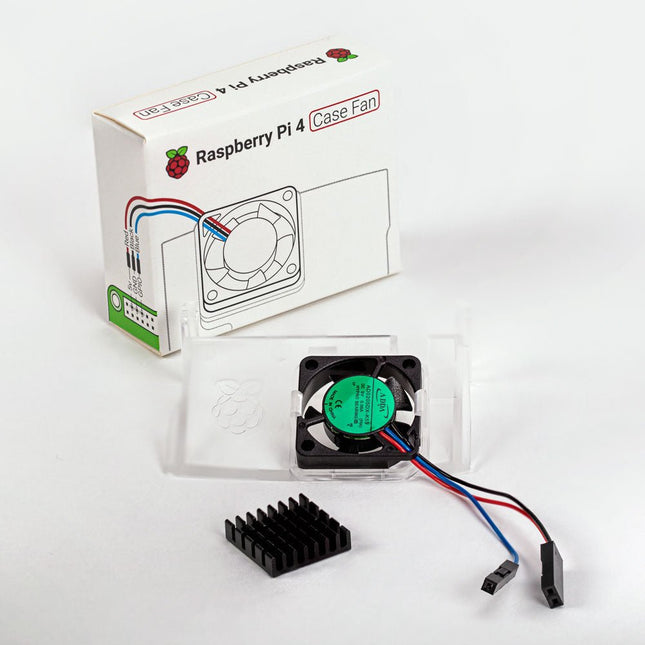
Designed for overclockers and other power users, this fan keeps your Raspberry Pi 4 at a comfortable operating temperature even under heavy load. The temperature-controlled fan delivers up to 1.4 CFM of airflow over the processor, memory, and power management IC. The bundled heatsink (18 x 8 x 10 mm) with self-adhesive pad improves heat transfer from the processor. The Raspberry Pi 4 Case Fan works with Raspberry Pi 4 and the official Raspberry Pi 4 case.
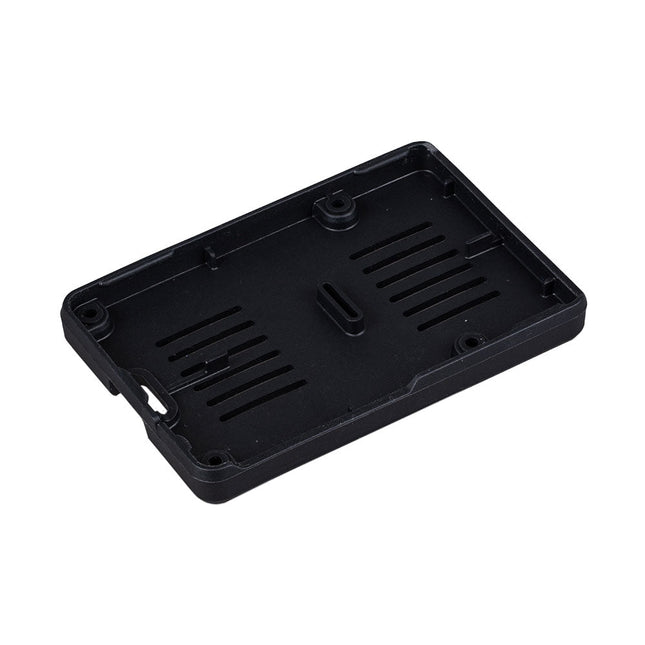
De Raspberry Pi Bumper is een opklikbare siliconen hoes die de onderkant en randen van de Raspberry Pi 5 beschermt.
Kenmerken
Flexibele siliconenrubberen bumper uit één stuk
Maakt gemakkelijke toegang tot de aan/uit-knop mogelijk
Bevestigingsgaten blijven toegankelijk onder de bumper
Downloads
Datasheet
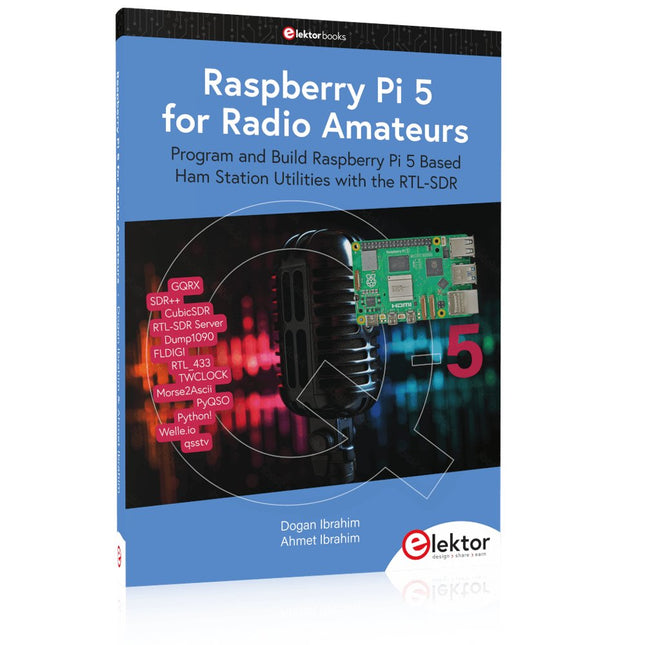
Program and Build Raspberry Pi 5 Based Ham Station Utilities with the RTL-SDR
The RTL-SDR devices (V3 and V4) have gained popularity among radio amateurs because of their very low cost and rich features. A basic system may consist of a USB based RTL-SDR device (dongle) with a suitable antenna, a Raspberry Pi 5 computer, a USB based external audio input-output adapter, and software installed on the Raspberry Pi 5 computer. With such a modest setup, it is possible to receive signals from around 24 MHz to over 1.7 GHz.
This book is aimed at amateur radio enthusiasts and electronic engineering students, as well as at anyone interested in learning to use the Raspberry Pi 5 to build electronic projects. The book is suitable for both beginners through experienced readers. Some knowledge of the Python programming language is required to understand and eventually modify the projects given in the book. A block diagram, a circuit diagram, and a complete Python program listing is given for each project, alongside a comprehensive description.
The following popular RTL-SDR programs are discussed in detail, aided by step-by-step installation guides for practical use on a Raspberry Pi 5:
SimpleFM
GQRX
SDR++
CubicSDR
RTL-SDR Server
Dump1090
FLDIGI
Quick
RTL_433
aldo
xcwcp
GPredict
TWCLOCK
CQRLOG
klog
Morse2Ascii
PyQSO
Welle.io
Ham Clock
CHIRP
xastir
qsstv
flrig
XyGrib
FreeDV
Qtel (EchoLink)
XDX (DX-Cluster)
WSJT-X
The application of the Python programming language on the latest Raspberry Pi 5 platform precludes the use of the programs in the book from working on older versions of Raspberry Pi computers.
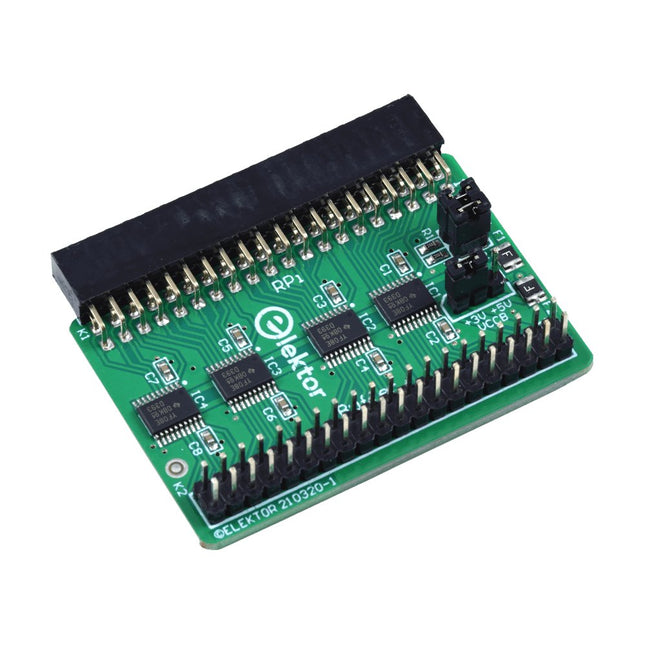
Wanneer u regelmatig experimenteert met de Raspberry Pi en verschillende externe hardware aansluit op de GPIO-poort via de header, heeft u mogelijk in het verleden schade veroorzaakt. Het Elektor Raspberry Pi Buffer Board is er om dit te voorkomen! Het board is compatibel met de Raspberry Pi Zero, Zero 2 (W), 3, 4, 5, 400 en 500.
Alle 26 GPIO's zijn gebufferd met bidirectionele spanningsomzetters om de Raspberry Pi te beschermen tijdens het experimenteren met nieuwe circuits. De printplaat is bedoeld om aan de achterkant van de Raspberry Pi 400/500 te worden geplaatst. De connector voor aansluiting op de Raspberry Pi is een haakse 40-polige connector (2x20). De printplaat is slechts iets breder. Een 40-polige flatcable met bijpassende 2x20 headers kan worden aangesloten op de buffer-uitgangsheader om bijvoorbeeld te experimenteren met een circuit op een breadboard of een printplaat.
Het circuit maakt gebruik van 4x TXS0108E IC's van Texas Instruments. De printplaat kan ook rechtop op een Raspberry Pi worden geplaatst.
Downloads
Schematics
Layout
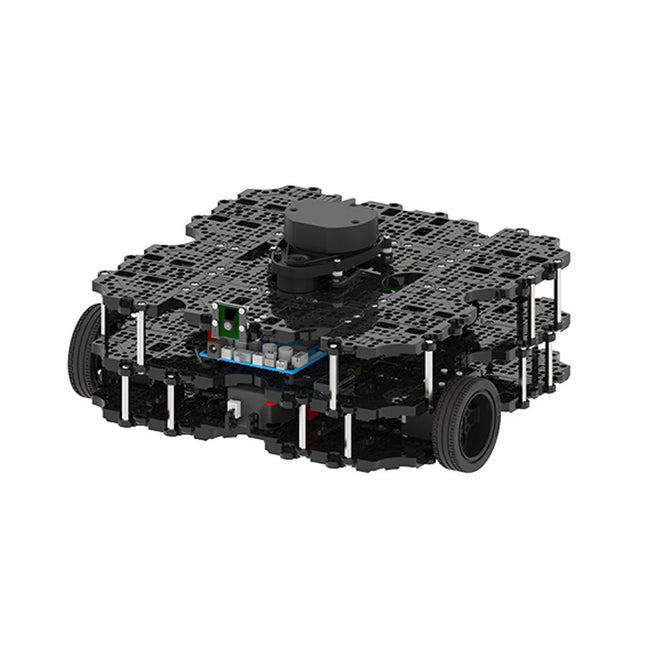
World’s Most Popular ROS PlatformTurtleBot is the most popular open source robot for education and research. The new generation TurtleBot3 is a small, low cost, fully programmable, ROS based mobile robot. It is intended to be used for education, research, hobby and product prototyping.Affordable CostTurtleBot was developed to meet the cost-conscious needs of schools, laboratories and companies. TurtleBot3 is the most affordable robot among the SLAM-able mobile robots equipped with a 360° Laser Distance Sensor LDS-01.ROS StandardThe TurtleBot brand is managed by Open Robotics, which develops and maintains ROS. Nowadays, ROS has become the go-to platform for all the roboticists around the world. TurtleBot can be integrated with existing ROS-based robot components, but TurtleBot3 can be an affordable platform for whom want to get started learning ROS.ExtensibilityTurtleBot3 encourages users to customize its mechanical structure with some alternative options: open source embedded board (as a control board), computer and sensors. TurtleBot3 Waffle Pi is a two-wheeled differential drive type platform but it is able to be structurally and mechanically customized in many ways: Cars, Bikes, Trailers and so on. Extend your ideas beyond imagination with various SBC, sensors and motors on a scalable structure.Modular Actuator for Mobile RobotTurtleBot3 is able to get a precise spatial data by using 2 DYNAMIXEL’s in the wheel joints. DYNAMIXEL XM series can be operated by one of 6 operating modes (XL series: 4 operating modes): Velocity control mode for wheels, Torque control mode or Position control mode for joint, etc. DYNAMIXEL can be used even to make a mobile manipulator which is light but can be precisely controlled with velocity, torque and position control. DYNAMIXEL is a core component that makes TurtleBot3 perfect. It is easy to assemble, maintain, replace and reconfigure.Open Control Board for ROSThe control board is open-sourced in hardware wise and in software wise for ROS communication. The open source control board OpenCR1.0 is powerful enough to control not only DYNAMIXEL’s but also ROBOTIS sensors that are frequently being used for basic recognition tasks in cost effective way. Various sensors such as Touch sensor, Infrared sensor, Color sensor and a handful more are available. The OpenCR1.0 has an IMU sensor inside the board so that it can enhance precise control for countless applications. The board has 3.3 V, 5 V, 12 V power supplies to reinforce the available computer device lineups.Open SourceThe hardware, firmware and software of TurtleBot3 are open source which means that users are welcomed to download, modify and share source codes. All components of TurtleBot3 are manufactured with injection molded plastic to achieve low cost, however, the 3D CAD data is also available for 3D printing.Specifications
Maximum translational velocity
0.26 m/s
Maximum rotational velocity
1.82 rad/s (104.27 deg/s)
Maximum payload
30 kg
Size (L x W x H)
281 x 306 x 141 mm
Weight (+ SBC + Battery + Sensors)
1.8 kg
Threshold of climbing
10 mm or lower
Expected operating time
2h
Expected charging time
2h 30m
SBC (Single Board Computers)
Raspberry Pi 4 (2 GB RAM)
MCU
32-bit ARM Cortex-M7 with FPU (216 MHz, 462 DMIPS)
Remote Controller
RC-100B + BT-410 Set (Bluetooth 4, BLE)
Actuator
XL430-W210
LDS (Laser Distance Sensor)
360 Laser Distance Sensor LDS-01 or LDS-02
Camera
Raspberry Pi Camera Module v2.1
IMU
Gyroscope 3 AxisAccelerometer 3 Axis
Power connectors
3.3 V/800 mA5 V/4 A12 V/1 A
Expansion pins
GPIO 18 pinsArduino 32 pin
Peripheral
3x UART, 1x CAN, 1x SPI, 1x I²C, 5x ADC, 4x 5-pin OLLO
DYNAMIXEL ports
3x RS485, 3x TTL
Audio
Several programmable beep sequences
Programmable LEDs
4x User LED
Status LEDs
1x Board status LED1x Arduino LED1x Power LED
Buttons and Switches
2x Push buttons, 1x Reset button, 2x Dip switch
Battery
Lithium polymer 11.1 V 1800 mAh / 19.98 Wh 5C
PC connection
USB
Firmware upgrade
via USB / via JTAG
Power adapter (SMPS)
Input: 100-240 VAC 50/60 Hz, 1.5 A @maxOutput: 12 VDC, 5 A
Downloads
ROS Robot Programming
GitHub
E-Manual
Community
The Raspberry Pi is a $35 credit-card sized computer with many applications, such as in desktop computing, audio and video playback, and as a controller in many industrial, commercial and domestic applications.
This book is about the Raspberry Pi computer and its use in control applications. The book explains in simple terms, with examples, how to configure the RPi, how to install and use the Linux operating system, how to write programs using the Python programming language and how to develop hardware based projects.
The book starts with an introduction to the Raspberry Pi computer and covers the topics of purchasing all the necessary equipment and installing/using the Linux operating system in command mode. Use of the user-friendly graphical desktop operating environment is explained using example applications. The RPi network interface is explained in simple steps and demonstrates how the computer can be accessed remotely from a desktop or a laptop computer.
The remaining parts of the book cover the Python programming language, hardware development tools, hardware interface details, and RPi based hardware projects. All the 23 projects given in the book have been tested and are working.
The following headings are given for each project:
Project title
Project description
Project block diagram
Project circuit diagram
Project program description using the Program Description Language (PDL)
Complete program listing
Description of the program
The book is ideal for self-study, and is intended for electronic/electrical engineering students, practising engineers, research students, and hobbyists.