
Products
-

Elektor Digital Wireless Power Design (E-book)
From Theory to Practical Applications in Wireless Energy Transfer and Harvesting Wireless power transmission has gained significant global interest, particularly with the rise of electric vehicles and the Internet of Things (IoT). It’s a technology that allows the transfer of electricity without physical connections, offering solutions for everything from powering small devices over short distances to long-range energy transmission for more complex systems. Wireless Power Design provides a balanced mix of theoretical knowledge and practical insights, helping you explore the potential of wireless energy transfer and harvesting technologies. The book presents a series of hands-on projects that cover various aspects of wireless power systems, each accompanied by detailed explanations and parameter listings. The following five projects guide you through key areas of wireless power: Project 1: Wireless Powering of Advanced IoT Devices Project 2: Wireless Powered Devices on the Frontline – The Future and Challenges Project 3: Wireless Powering of Devices Using Inductive Technology Project 4: Wireless Power Transmission for IoT Devices Project 5: Charging Robot Crawler Inside the Pipeline These projects explore different aspects of wireless power, from inductive charging to wireless energy transmission, offering practical solutions for real-world applications. The book includes projects that use simulation tools like CST Microwave Studio and Keysight ADS for design and analysis, with a focus on practical design considerations and real-world implementation techniques.
€ 32,95
Leden: € 29,66
-
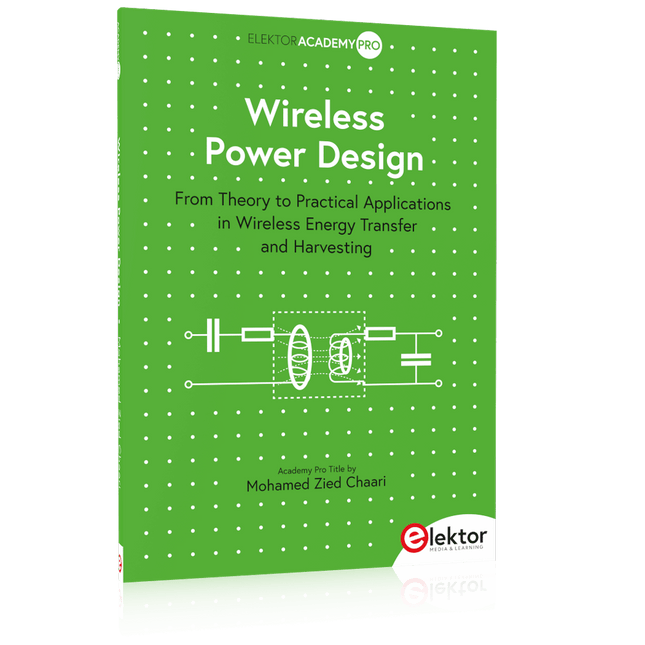
Elektor Publishing Wireless Power Design
From Theory to Practical Applications in Wireless Energy Transfer and Harvesting Wireless power transmission has gained significant global interest, particularly with the rise of electric vehicles and the Internet of Things (IoT). It’s a technology that allows the transfer of electricity without physical connections, offering solutions for everything from powering small devices over short distances to long-range energy transmission for more complex systems. Wireless Power Design provides a balanced mix of theoretical knowledge and practical insights, helping you explore the potential of wireless energy transfer and harvesting technologies. The book presents a series of hands-on projects that cover various aspects of wireless power systems, each accompanied by detailed explanations and parameter listings. The following five projects guide you through key areas of wireless power: Project 1: Wireless Powering of Advanced IoT Devices Project 2: Wireless Powered Devices on the Frontline – The Future and Challenges Project 3: Wireless Powering of Devices Using Inductive Technology Project 4: Wireless Power Transmission for IoT Devices Project 5: Charging Robot Crawler Inside the Pipeline These projects explore different aspects of wireless power, from inductive charging to wireless energy transmission, offering practical solutions for real-world applications. The book includes projects that use simulation tools like CST Microwave Studio and Keysight ADS for design and analysis, with a focus on practical design considerations and real-world implementation techniques.
€ 39,95
Leden: € 35,96
-
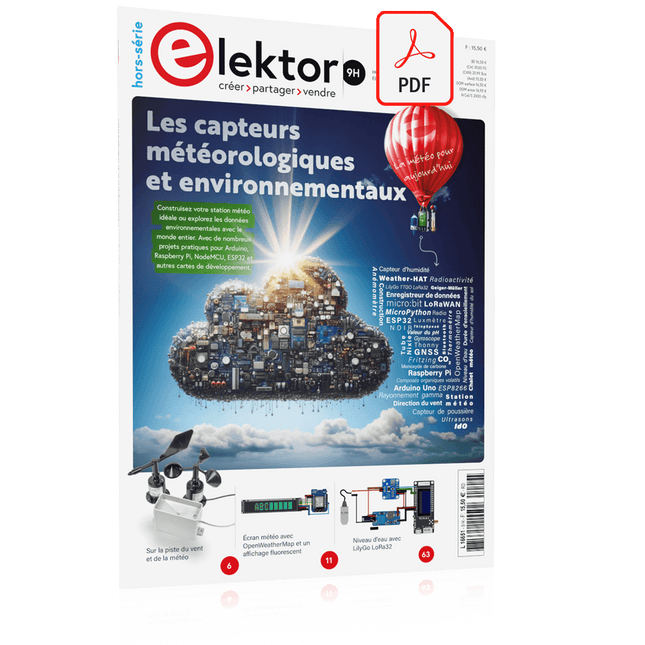
Elektor Digital Édition spéciale : Les capteurs météorologiques et environnementaux (PDF)
Construisez votre station météo idéale ou explorez les données environnementales avec le monde entier. Avec de nombreux projets pratiques pour Arduino, Raspberry Pi, NodeMCU, ESP32 et autres cartes de développement. Les stations météo jouissent d’une grande popularité depuis des décennies. Tous les magazines d’électronique, qu’ils soient récents ou non, ont publié et publient régulièrement des articles sur la construction d’une station météo. Au fil des années, elles sont devenues de plus en plus sophistiquées et peuvent aujourd’hui être entièrement intégrées dans la maison intelligente. Ceci implique toutefois souvent une fidélité à un fabricant de produits de marque (coûteux) pour tous les composants. Cependant, avec votre propre station météo, vous pouvez facilement suivre le rythme et même capturer des relevés que les appareils commerciaux ne peuvent pas réaliser. Le plaisir ne manque pas : vous développerez de manière ludique vos connaissances en électronique, en cartes de développement de microcontrôleurs modernes et en langages de programmation. Pour moins de dix euros, vous pouvez collecter des données environnementales initiales et étendre votre système au fur et à mesure que votre intérêt grandit. Dans ce numéro Sur la route du vent et de la météo Écran météo OpenWeatherMap à affichage fluorescent Les composés organiques volatils dans l‘air que nous respirons Travailler avec les capteurs MQ : mesurer le monoxyde de carbone Détecteur de CO2 avec connexion IdO vers ThingSpeak Un arrosage automatique pour vos plantes Un climat intérieur sain : la température et l‘humidité de l‘air sont importants Thermomètre avec tubes Nixie Une maison météo rétro pour toute la famille Mesurez la pression atmosphérique et la température avec précision Un détecteur de coups de soleil Capteur maison pour la durée d‘ensoleillement Le smartphone l‘indique : brouillard ou bonne visibilité ? Détecter les tremblements de terre Les niveaux des cours d‘eau et des réservoirs Évaluer la valeur du pH de l’eau Détecter les rayonnements radioactifs Avec le GPS, vous savez où se trouve votre capteur Enregistrer les fichiers journaux avec horodatage sur des cartes SD LoRaWAN, The Things Network et ThingSpeak Exploiter la passerelle LoRaWAN pour le TTN Affichage géant à led avec prévisions météo
€ 10,95
Leden: € 9,86
-

Édition spéciale : Les capteurs météorologiques et environnementaux
Construisez votre station météo idéale ou explorez les données environnementales avec le monde entier. Avec de nombreux projets pratiques pour Arduino, Raspberry Pi, NodeMCU, ESP32 et autres cartes de développement. Les stations météo jouissent d’une grande popularité depuis des décennies. Tous les magazines d’électronique, qu’ils soient récents ou non, ont publié et publient régulièrement des articles sur la construction d’une station météo. Au fil des années, elles sont devenues de plus en plus sophistiquées et peuvent aujourd’hui être entièrement intégrées dans la maison intelligente. Ceci implique toutefois souvent une fidélité à un fabricant de produits de marque (coûteux) pour tous les composants. Cependant, avec votre propre station météo, vous pouvez facilement suivre le rythme et même capturer des relevés que les appareils commerciaux ne peuvent pas réaliser. Le plaisir ne manque pas : vous développerez de manière ludique vos connaissances en électronique, en cartes de développement de microcontrôleurs modernes et en langages de programmation. Pour moins de dix euros, vous pouvez collecter des données environnementales initiales et étendre votre système au fur et à mesure que votre intérêt grandit. Dans ce numéro Sur la route du vent et de la météo Écran météo OpenWeatherMap à affichage fluorescent Les composés organiques volatils dans l‘air que nous respirons Travailler avec les capteurs MQ : mesurer le monoxyde de carbone Détecteur de CO2 avec connexion IdO vers ThingSpeak Un arrosage automatique pour vos plantes Un climat intérieur sain : la température et l‘humidité de l‘air sont importants Thermomètre avec tubes Nixie Une maison météo rétro pour toute la famille Mesurez la pression atmosphérique et la température avec précision Un détecteur de coups de soleil Capteur maison pour la durée d‘ensoleillement Le smartphone l‘indique : brouillard ou bonne visibilité ? Détecter les tremblements de terre Les niveaux des cours d‘eau et des réservoirs Évaluer la valeur du pH de l’eau Détecter les rayonnements radioactifs Avec le GPS, vous savez où se trouve votre capteur Enregistrer les fichiers journaux avec horodatage sur des cartes SD LoRaWAN, The Things Network et ThingSpeak Exploiter la passerelle LoRaWAN pour le TTN Affichage géant à led avec prévisions météo
€ 15,50
Leden: € 13,95
-

Elektor Bundles Universal Maker Sensor Bundel
Meer dan 180 projecten met Raspberry Pi, Pico W Arduino en ESP32 Deze bundel bevat de Universal Maker Sensor Kit, die bestaat uit veel sensoren, actuatoren, displays en motoren. Het is perfect voor omgevingsbewaking, smart home-projecten, robotica en gamecontrollers. Het nieuwe Elektor-boek beschrijft het ontwerp van veel projecten met behulp van de kit samen met de populaire Raspberry Pi, Raspberry Pi Pico W, Arduino Uno en de ESP32-familie van ontwikkelborden. U kunt elk van deze ontwikkelborden voor uw projecten kiezen en de meegeleverde programma's gebruiken zoals ze zijn, of deze programma's aanpassen aan uw toepassingen. Deze bundel bevat: Boek: Universal Maker Sensor Kit (normale prijs: € 45) Universal Maker Sensor Kit voor Raspberry Pi, Pico W, Arduino, ESP32 (normale prijs: € 70) Boek: Universal Maker Sensor Kit Leer meer dan 35 sensoren en actuatoren te gebruiken met C++, Python en MicroPython Dit boek bevat meer dan 180 projecten voor alle vier de grote ontwikkelborden (Raspberry Pi, Pico W Arduino en ESP32). Afhankelijk van het ontwikkelbord zijn projecten beschikbaar in de programmeertalen C, Python of MicroPython. De projecttitels, korte beschrijvingen, bedradingsschema's en volledige programmalijsten, samen met de gedetailleerde beschrijvingen, zijn in het boek opgenomen. Universal Maker Sensor Kit (Raspberry Pi, Pico W, Arduino, ESP32) Ontdek eindeloze creativiteit met de Universal Maker Sensor Kit, ontworpen voor gebruik met Raspberry Pi, Pico W, Arduino en ESP32. Deze veelzijdige kit biedt compatibiliteit met populaire ontwikkelingsplatforms, waaronder Arduino Uno R4 Minima/WiFi, Uno R3, Mega 2560, Raspberry Pi 5, 4, 3B+, 3B, Zero, Pico W en ESP32. Met meer dan 35 sensoren, actuatoren en displays is het perfect voor projecten variërend van omgevingsmonitoring en slimme huisautomatisering tot robotica en interactief gamen. Stapsgewijze tutorials in C/C++, Python en MicroPython begeleiden zowel beginners als ervaren makers door 169 spannende projecten. Kenmerken Brede compatibiliteit: Ondersteunt volledig Arduino (Uno R3, Uno R4 Minima/WiFi, Mega 2560), Raspberry Pi (5, 4, 3B+, 3B, Zero, Pico W) en ESP32, wat uitgebreide flexibiliteit op verschillende ontwikkelingsplatforms mogelijk maakt. Bevat instructies voor het bouwen van 169 projecten. Uitgebreide componenten: Bevat meer dan 35 sensoren, actuatoren en displaymodules die geschikt zijn voor uiteenlopende projecten zoals omgevingsbewaking, slimme huisautomatisering, robotica en interactieve gamecontrollers. Gedetailleerde tutorials: Biedt duidelijke, stapsgewijze tutorials over Arduino, Raspberry Pi, Pico W, ESP32 en elk inbegrepen component. Tutorials zijn beschikbaar in C/C++, Python en MicroPython, en zijn effectief afgestemd op zowel beginners als ervaren makers. Geschikt voor alle vaardigheidsniveaus: Biedt gestructureerde projecten die zijn ontworpen om gebruikers naadloos te begeleiden van beginners tot gevorderden in elektronica en programmeren, wat de creativiteit en technische expertise vergroot. Kit bevat Breadboard Knopmodule Capacitieve bodemvochtigheidsmodule Vlamsensormodule Gas-/rooksensormodule (MQ2) Gyroscoop & Accelerometermodule (MPU6050) Hall-sensormodule Infraroodsnelheidssensormodule IR-obstakelvermijdingssensormodule Joystickmodule PCF8591 ADC DAC-convertermodule Fotoweerstandsmodule PIR-bewegingsmodule (HC-SR501) Potentiometermodule Pulsoximeter- en hartslagsensormodule (MAX30102) Regendruppeldetectiemodule Realtimeklokmodule (DS1302) Rotary Encoder-module Temperatuursensormodule (DS18B20) Temperatuur- en vochtigheidssensormodule (DHT11) Temperatuur, vochtigheid en Druksensor (BMP280) Time of Flight Micro-LIDAR afstandssensor (VL53L0X) Touch Sensor Module Ultrasone sensormodule (HC-SR04) Trillingssensormodule (SW-420) Waterniveausensormodule I²C LCD 1602 OLED-displaymodule (SSD1306) RGB LED-module Verkeerslichtmodule 5 V relaismodule Centrifugaalpomp L9110 motordrivermodule Passieve zoemermodule Servomotor (SG90) TT Motor ESP8266-module JDY-31 Bluetooth-module Voedingsmodule Documentatie Online Tutorial
€ 114,95€ 94,95Beste prijs
-
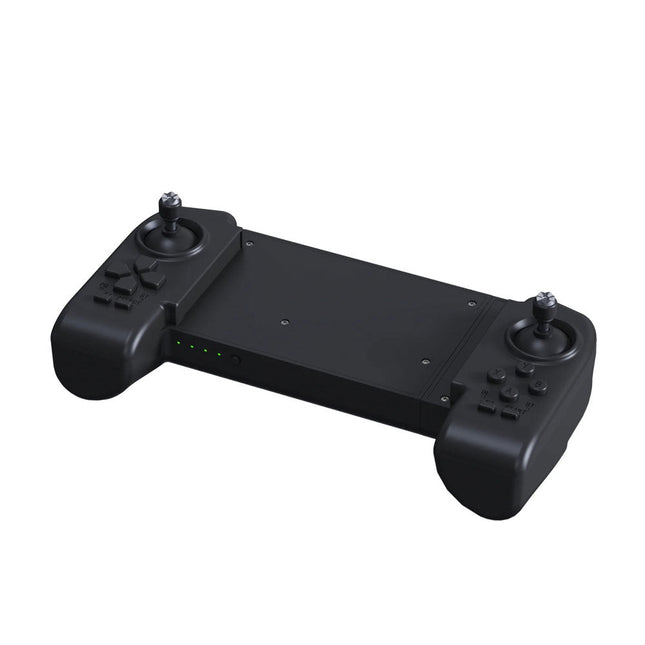
Unitree Unitree Go2 Remote Controller
De Unitree Go2 Controller is een speciaal afstandsbedieningsapparaat dat is ontworpen voor een naadloze en nauwkeurige bediening van de Unitree Go2 Quadruped Robot. Deze bimanuele afstandsbediening beschikt over ingebouwde gegevensoverdracht en Bluetooth-modules, wat betrouwbare draadloze communicatie met de robot mogelijk maakt. Het biedt een ultralange besturingsafstand van meer dan 100 meter in open omgevingen, wat flexibiliteit in verschillende operationele scenario's garandeert. Specificaties Laadspanning 5 V Laadstroom 2 A Frequentie 2,4 GHz Communicatiemodi Datatransmissiemodule en Bluetooth Batterijcapaciteit 2500 mAh Bedrijfstijd ca. 4,5 uur Bedieningsafstand Meer dan 100 meter in open omgevingen
€ 299,00
Beste prijs
-

Elektor Labs Elektor Zandklok voor Raspberry Pi Pico (incl. Laserkop Upgrade)
Dit bundel bevat de populaire Elektor zandklok voor Raspberry Pi Pico en de nieuwe Elektor laserkop upgrade, en biedt daarmee nog meer mogelijkheden om de tijd weer te geven. U kunt de actuele tijd nu niet alleen in zand "graveren", maar ook op een lichtgevende folie schrijven of groene tekeningen maken. Inhoud van de bundel Elektor Zandklok voor Raspberry Pi Pico (normale prijs: € 50) Elektor Laserkop Upgrade voor Zandklok (normale prijs: € 35) Zandklok voor Raspberry Pi (een op de Raspberry Pi Pico gebaseerde Eye Catcher) Een standaard zandklok laat meestal slechts zien hoe de tijd verstrijkt. Deze door een Raspberry Pi Pico aangestuurde zandklok toont daarentegen de exacte tijd door de vier cijfers voor uren en minuten in een zandlaag te "graveren". Na een vooraf ingestelde periode wordt het zand door twee trilmotoren vlak getrild en begint alles weer van voren af aan. Het hart van de zandklok wordt gevormd door twee servomotoren, die via een pantograafmechanisme een schrijfpen aandrijven. Een derde servomotor tilt deze pen op en neer. Het zandbakje is voorzien van twee trilmotoren om het zand weer vlak te trillen. Het elektronische deel van de zandklok bestaat uit een Raspberry Pi Pico en een RTC/driverbord met een real-time klok, plus drivercircuits voor de servomotoren. Een gedetailleerde bouwhandleiding is beschikbaar via download. Kenmerken Afmetingen: 135 x 110 x 80 mm Bouwtijd: ca. 1,5 tot 2 uur Inbegrepen 3x Voorgesneden acrylaatplaten met alle mechanische onderdelen 3x Mini servomotoren 2x Trilmotoren 1x Raspberry Pi Pico 1x RTC/driverkaart met geassembleerde onderdelen Moeren, boutjes, afstandhouders en draden voor de montage Fijnkorrelig wit zand Elektor Laserkop Upgrade voor Zandklok De nieuwe Elektor Laserkop transformeert de Elektor Zandklok in een klok die de tijd op glow-in-the-dark-film schrijft in plaats van op zand. Naast het weergeven van de tijd kan het ook worden gebruikt om kortstondige tekeningen te maken. De 5 mW laserpointer, met een golflengte van 405 nm, produceert heldergroene tekeningen op de glow-in-the-dark-film. Voor het beste resultaat gebruikt u de kit in een slecht verlichte kamer. Waarschuwing: Kijk nooit rechtstreeks in de laserstraal! De kit bevat alle benodigde componenten, maar het solderen van drie draden is vereist. Opmerking: Deze kit is ook compatibel met de originele Arduino-gebaseerde Zandklok uit 2017. Voor meer details, zie Elektor 1-2/2017 en Elektor 1-2/2018.
-
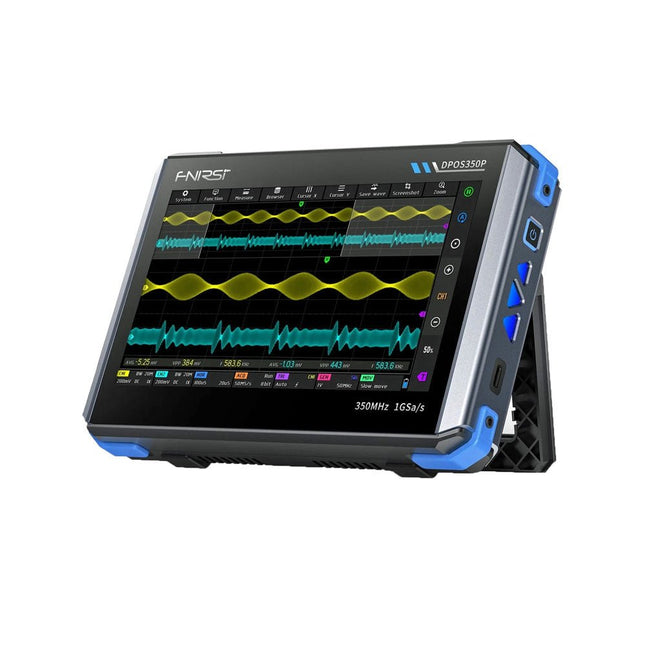
FNIRSI FNIRSI DPOS350P (4-in-1) 2-kanaals Tablet-oscilloscoop (350 MHz) + Signaalgenerator + Frequentieresponsanalyzer + Spectrumanalyzer
2 kanalen • 350 MHz • 1 GSa/s • 50.000 wfm/s • 7 inch Touchscreen De FNIRSI DPOS350P is een gestroomlijnde 4-in-1 krachtpatser in tabletvorm! Dit compacte en draagbare apparaat biedt serieuze functionaliteit: het combineert een 2-kanaals oscilloscoop (350 MHz), een signaalgenerator (50 MHz), een frequentieresponsanalyzer (50 MHz) en een spectrumanalyzer (200 kHz–350 MHz) – alles in één apparaat. Of u nu bezig bent met R&D, probleemoplossing of veldtesten, de DPOS350P biedt de tools die u nodig hebt om elektronische signalen nauwkeurig en helder te meten, genereren, analyseren en visualiseren. Het responsieve touchscreen met hoge resolutie en de intuïtieve bediening maken signaalanalyse snel, flexibel en efficiënt. Kenmerken Krachtige multifunctionele integratie 350 MHz 2-kanaals oscilloscoop met 1 GSa/s realtime sampling 50 MHz signaalgenerator met 14 standaard + aangepaste golfvormen Spectrum analyzer (200 kHz–350 MHz): Perfect voor EMI, RF en HF-testen Frequentieresponsanalyzer (FRA) tot 50 MHz Hoogwaardige golfvormregistratie Vernieuwingsfrequentie van 50.000 wfm/s voor realtime signaalhelderheid Bandbreedte van 350 MHz (enkelkanaalsmodus) Detecteert zeldzame en onwaarschijnlijke afwijkingen Scherp display & Soepele werking 7" IPS-touchscreen (resolutie 1024 x 600) Schakelen tussen grijstinten- en kleurtemperatuurweergave Eenvoudig te bedienen in verschillende testomgevingen Betrouwbaar, beveiligd en snel opladen Hoogspanningsbeveiliging tot 400 V Snel opladen met QC 18 W (volledig opladen in 2 uur) Gebouwd voor stabiele, langdurige werking Gegevensopslag en -export Sla tot 500 golfvormrecords + 90 screenshots op USB-export voor eenvoudige rapportage en offline analyse Specificaties Algemeen Scherm 7 inch (IPS, volledige kijkhoek) Resolutie 1024 x 600 pixels Interactiemodus Capacitief touchscreen Totaal stroomverbruik 10 W Inschakelconfiguratie 5 voorinstellingen Opladen QC 18 W, 12 V/1,5 A (USB-C) Accu 3,7 V, 8000 mAh lithiumbatterij Accuduur ca. 3 uur in gebruik, 5 uur stand-by Warmteafvoer Luchtkoeling Uitbreidingsinterface USB-poort Automatische uitschakeling 15 tot 60 minuten / uit Firmware-upgrade Ondersteunt .iso-image-upgrade Talen Engels / Portugees / Russisch / Chinees Afmetingen 190 x 128 x 37 mm Oscilloscoop Analoge kanalen 2 Analoge bandbreedte 350 MHz Stijgtijd 1 ns Real-time bemonsteringsfrequentie 1 GSa/s Geheugendiepte 60 Kpts Ingangsimpedantie 1 MΩ / 14PF Tijdbasisbereik 5 ns ~ 50 s Roltijdbasis 50 ms ~ 50 s Verticale gevoeligheid 2 mV ~ 20 V (1X) Verticaal bereik 16 mV ~ 160 V (1X) DC-nauwkeurigheid ±2% Tijd nauwkeurigheid ±0,01% Ingangskoppeling DC / AC Probe-verzwakking 1X / 10X / 100X Hardwarebandbreedtelimiet 150M / 20M Hoge-resolutiemodus 8 bit ~ 16 bit Parametermetingen 12 typen Cursormeting Tijd, periode, frequentie, niveau, spanning Triggerdetectie Digitale trigger Triggerkanaal CH1 / CH2 Triggermodus Auto / Single / Normal Triggerflank Rising edge / Falling edge Triggeronderdrukking L1 ~ L3 Triggerniveau Handmatig / automatisch 10% ~ 90% Screenshot-opslag 90 afbeeldingen Golfvormopslag 500 groepen Achtergrondraster Weergeven/verbergen Golfvormbeweging Grof/fijn afstellen Overspanningsbeveiliging Bestandsspanning 400 V Helderheid golfvorm Instelbaar Eenvoudig FFT-display Ja Digitale fluorescentie Ja Kleurtemperatuurweergave Ja X-Y-modus Ja ZOOM-tijdbasis Ja Automatische aanpassing met één druk op de knop Ja Terug naar nul met één druk op de knop Ja Gegevensbrowser Ja Signaalgenerator Golfvormtypen 14 standaardfuncties + vastgelegde golfvorm Frequentie 0~50 MHz (alleen sinusgolf, andere golfvormen tot 10M/5M/3M) Amplitude 0~5 VPP Offset -2,5 V ~ +2,5 V Bedrijfstype cyclus 0,1~99,9% Frequentieresolutie 1 Hz Amplituderesolutie 1 mV Offsetresolutie 1 mV Inschakelduurresolutie 0,1% Aanpasbare vastgelegde golfvorm 500 groepen Frequentieresponsanalyzer (FRA) Frequentie van het excitatiesignaal 100 Hz ~ 50 MHz Ampitude van het excitatiesignaal 0~5 VPP Offset van het excitatiesignaal -2,5 V ~ +2,5 V Aantal excitatiefrequenties 20~500 Cursormeting Frequentie / versterking / fase Bedrijfsmodus Enkelvoudig / cyclisch Systeemkalibratie Ja Spectrumanalyzer Conversiemethode FFT FFT-lengte 4K ~ 32K Frequentiebereik 200 kHz ~ 350 MHz Niveaubereik -60 dBmV ~ +260 dBmV Cursormeting Frequentie / amplitude Markeringsparameter Maximale energieharmonischen Watervalgrafiek Ja 3D-watervalgrafiek Ja Automatische afstelling Ja Systeemkalibratie Ja Inbegrepen 1x FNIRSI DPOS350P (4-in-1) 2x 350 MHz-sondes 1x QC 18 W snellader (EU) 1x USB-datakabel 1x Krokodillenklem 1x Opbergtas 1x Manual Downloads Manual Firmware
€ 309,00€ 259,00Beste prijs
-

SEQURE SEQURE HT140 (2-in-1) SMD Soldeer- & Desoldeerpincet
De SEQURE HT140 is een zeer veelzijdige 2-in-1 soldeerbout die de functionaliteit van een hete pincet en een soldeerbout combineert. Hij is speciaal ontworpen voor nauwkeurig SMD-soldeer- en desoldeerwerk. Met onafhankelijke regeling voor enkelzijdige verhitting werkt hij als een traditionele soldeerbout wanneer hij is uitgerust met een standaardpunt. Wanneer hij is geconfigureerd voor dubbelzijdige verhitting, transformeert hij in een hete pincet – perfect voor het efficiënt en nauwkeurig verwijderen van SMD-componenten. Kenmerken Werktemperatuur: 50-500°C Ondersteunt meerdere voedingsingangen: PD 3.1/3.0/2.0, QC 3.0/2.0, (5-28 V DC), LiPo-batterijen en stroomadapters. De HT140 combineert een soldeerpincet met een soldeerbout, met onafhankelijke enkel- of dubbelzijdige verwarming. Gebruik hem als soldeerbout met een punt, of als soldeerpincet voor eenvoudig desolderen van SMD. Spanning en stroomsterkte kunnen worden aangepast op basis van de stroombron. Beschikt over dubbele temperatuurregeling, voorinstellingen, snelle temperatuurverhoging en fijnafstelling. 128 x 32 OLED-scherm met instelbare helderheid en oriëntatie. Hoognauwkeurig verwarmingselement met een nauwkeurigheid van ±1%. Smelt soldeer in slechts 2 seconden. Slimme stand-by-, slaap- en wekfuncties verlengen de levensduur van de punt en verhogen de efficiëntie. Ondersteunt temperatuurkalibratie en -compensatie voor nauwkeurig werk. Inclusief een hittebestendige PD 150 W siliconenkabel van 1,5 m en een stevig, volledig metalen HT-station. Verwisselbare punten en verstelbare hoeken voor diverse SMD-soldeertaken. Specificaties Werkspanning 5-28 V DC Maximaal vermogen 140 W Werktemperatuur 50-500°C Smelttijd tin 2 s Interfacetype USB-C, DC5525 Voeding PD 3.1/3.0/2.0, QC 3.0/2.0, 28 V DC max Display 128 x 32 OLED Firmware-upgrade Ja Menutalen Engels, Russisch, Chinees Afmetingen 160 x 27 x 17,5 mm Gewicht 50 g Inbegrepen 1x SEQURE HT140 Host 2x HT140-IS Conisch gebogen desoldeerstiften 1x HT Station 1x Accessoirepakket 1x Opbergtas 1x 65 W PD Voeding (EU, VK & VS) 1x 24 W PD Siliconen Draad (1,5 m) 1x GND Draad Accessoire Kit (1,8 m) Downloads Manual Firmware V1.04
€ 119,95€ 99,95Beste prijs
-
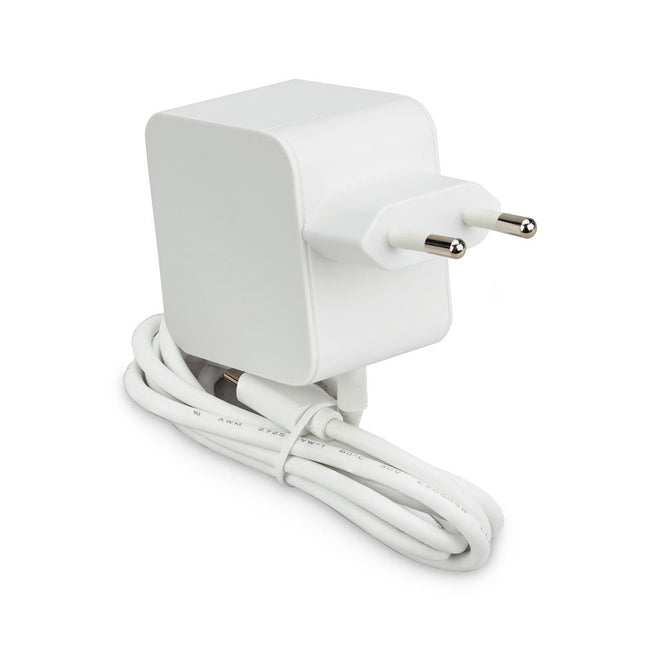
Raspberry Pi Foundation Raspberry Pi 45 W USB-C Voeding
De Raspberry Pi 45 W USB-C Voeding is een ideale keuze voor het voeden van USB-C-compatibele Raspberry Pi-producten. Het is met name geschikt voor Raspberry Pi 5-gebruikers die randapparatuur met een hoog vermogen willen gebruiken, zoals harde schijven en SSD's. Het levert tot 5,1 V/5 A en ondersteunt USB PD (Power Delivery)-onderhandeling, waardoor de Raspberry Pi 5 automatisch het optimale vermogensprofiel kan selecteren. Deze mogelijkheid stelt de Raspberry Pi 5 in staat om de USB-stroomlimiet te verhogen van de standaard 600 mA naar 1,6 A, wat extra vermogen levert voor randapparatuur die is aangesloten via de vier USB-A-poorten. Dankzij het uitgebreide assortiment ingebouwde vermogensprofielen is de Raspberry Pi 45 W USB-C-voeding ook een uitstekende optie voor het voeden van PD-compatibele apparaten van derden, zoals smartphones, tablets en laptops. Beschikbare profielen zijn onder meer 9,0 V/5,0 A, 12,0 V/3,75 A, 15,0 V/3,0 A en 20,0 V/2,25 A, die allemaal maximaal 45 W leveren. Specificaties Ingang 100-240 V AC Uitgang 5,1 V/5,0 A, 9,0 V/5,0 A, 12,0 V/3,75 A, 15,0 V/3,0 A, 20,0 V/2,25 A (Power Delivery) Connector USB-C Kabel 1,5 m, 17AWG (wit) Regio EU Downloads Datasheet
-
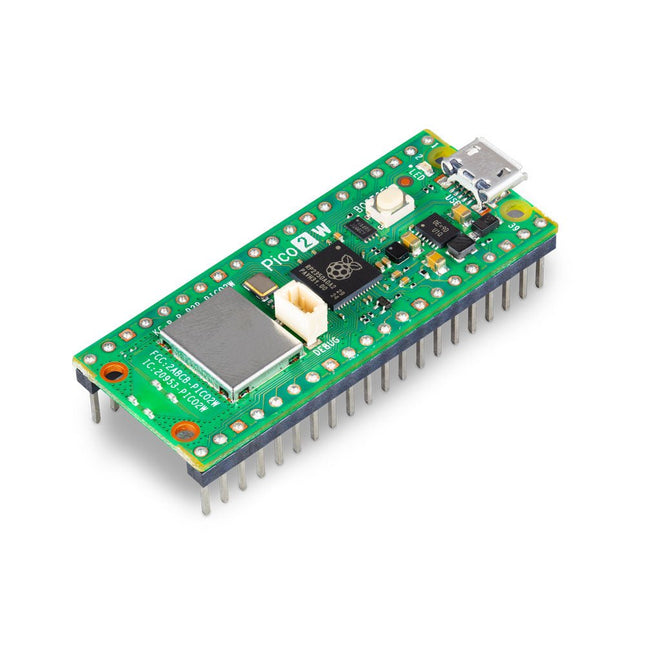
Raspberry Pi Foundation Raspberry Pi Pico 2 WH
De Raspberry Pi Pico 2 WH (met headers) is een microcontrollerbord gebaseerd op de RP2350 met 2,4 GHz 802.11n wireless LAN en Bluetooth 5.2. Het geeft u nog meer flexibiliteit in uw IoT- of slimme productontwerpen en breidt de mogelijkheden voor uw projecten uit. De RP2350 biedt een uitgebreide beveiligingsarchitectuur gebouwd rond Arm TrustZone voor Cortex-M. Het bevat ondertekend opstarten, 8 KB antifuse OTP voor sleutelopslag, SHA-256-versnelling, een hardware TRNG en snelle glitch-detectoren. Dankzij de unieke dual-core en dual-architectuurmogelijkheden van de RP2350 kunnen gebruikers kiezen tussen een paar industriestandaard Arm Cortex-M33-kernen en een paar open-hardware Hazard3 RISC-V-kernen. Programmeerbaar in C/C++ en Python, en ondersteund door gedetailleerde documentatie, is de Raspberry Pi Pico 2 WH het ideale microcontrollerbord voor zowel liefhebbers als professionele ontwikkelaars. Specificaties CPU Dual Arm Cortex-M33 of dubbele RISC-V Hazard3-processors @ 150 MHz Wireless Geïntegreerde Infineon CYW43439 single-band 2,4 GHz 802.11n wireless LAN en Bluetooth 5.2 Geheugen 520 KB SRAM op de chip; 4 MB ingebouwde QSPI-flitser Interfaces 26 multifunctionele GPIO-pinnen, waaronder 4 die kunnen worden gebruikt voor AD Randapparatuur 2x UART 2x SPI-controllers 2x I²C-controllers 24x PWM-kanalen 1x USB 1.1-controller en PHY, met host- en apparaatondersteuning 12x PIO-statusmachines Ingangsvermogen 1,8-5,5 V DC Afmetingen 21 x 51 mm Downloads Datasheet Pinout Schematic
-

Raspberry Pi Foundation Raspberry Pi Pico 2 H
De Raspberry Pi Pico 2 H (met headers) is een nieuw microcontrollerbord van de Raspberry Pi Foundation, gebaseerd op de RP2350. Het beschikt over een hogere kloksnelheid, het dubbele van de on-chip SRAM, het dubbele van het ingebouwde flashgeheugen, krachtigere Arm-cores, optionele RISC-V-cores, nieuwe beveiligingsfuncties en verbeterde interfacemogelijkheden. De Raspberry Pi Pico 2 H biedt een aanzienlijke verbetering in prestaties en functies, terwijl de hardware- en softwarecompatibiliteit met eerdere leden van de Raspberry Pi Pico-serie behouden blijft. De RP2350 biedt een uitgebreide beveiligingsarchitectuur gebouwd rond Arm TrustZone voor Cortex-M. Het bevat ondertekend opstarten, 8 KB antifuse OTP voor sleutelopslag, SHA-256-versnelling, een hardware TRNG en snelle glitch-detectoren. Dankzij de unieke dual-core en dual-architectuurmogelijkheden van de RP2350 kunnen gebruikers kiezen tussen een paar industriestandaard Arm Cortex-M33-kernen en een paar open-hardware Hazard3 RISC-V-kernen. Programmeerbaar in C/C++ en Python, en ondersteund door gedetailleerde documentatie, is de Raspberry Pi Pico 2 het ideale microcontrollerbord voor zowel liefhebbers als professionele ontwikkelaars. Specificaties CPU Dual Arm Cortex-M33 of dubbele RISC-V Hazard3-processors @ 150 MHz Geheugen 520 KB SRAM op de chip; 4 MB ingebouwde QSPI-flitser Interfaces 26 multifunctionele GPIO-pinnen, waaronder 4 die kunnen worden gebruikt voor AD Randapparatuur 2x UART 2x SPI-controllers 2x I²C-controllers 24x PWM-kanalen 1x USB 1.1-controller en PHY, met host- en apparaatondersteuning 12x PIO-statusmachines Ingangsvermogen 1,8-5,5 V DC Afmetingen 21 x 51 mm Downloads Datasheet (Pico 2) Datasheet (RP2350)
-
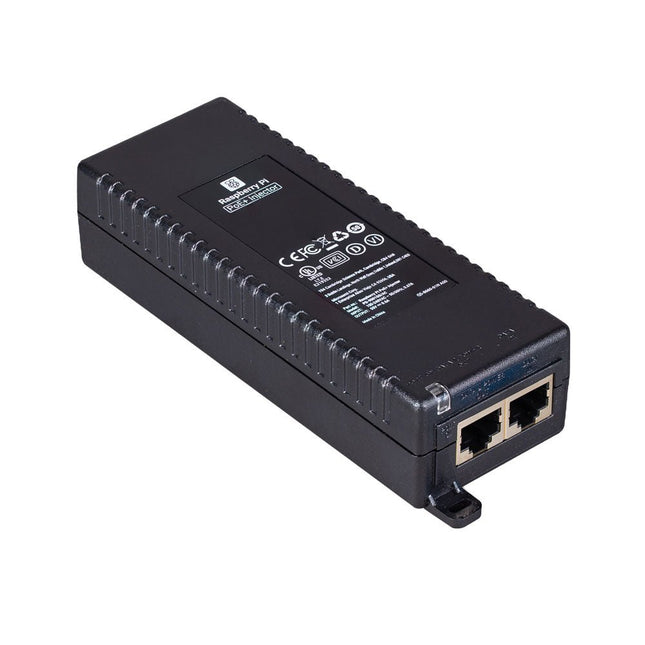
Raspberry Pi Foundation Raspberry Pi PoE+ Injector
De Raspberry Pi PoE+ Injector voegt Power-over-Ethernet (PoE) functionaliteit toe aan een enkele poort van een niet-PoE Ethernet switch, en levert zowel stroom als data via één Ethernet-kabel. Het biedt een plug-and-play, kosteneffectieve oplossing voor het stapsgewijs introduceren van PoE capaciteit in bestaande Ethernet netwerken. De PoE+ Injector is een single-port, 30 W apparaat geschikt voor het voeden van apparatuur die voldoet aan de IEEE 802.3af en 802.3at standaarden, inclusief alle generaties Raspberry Pi PoE HAT's. Het ondersteunt netwerk pass-through snelheden van 10/100/1000 Mbps. Opmerking: Een aparte IEC netsnoer is vereist voor gebruik (niet meegeleverd). Specificaties Gegevenssnelheid 10/100/1000 Mbps Ingangsspanning 100 tot 240 V AC Uitgangsvermogen 30 W Uitgangsvermogen op pinnen 4/5 (+), 7/8 (–) Nominale uitgangsspanning 55 V DC Gegevensconnectoren Afgeschermde RJ-45, EIA 568A en 568B Stroomaansluiting IEC c13 netvoeding (niet meegeleverd) Opslagvochtigheid Maximaal 95%, niet-condenserend Werkingshoogte –300 m tot 3000 m Werkingsomgevingstemperatuur 10°C tot +50°C Afmetingen 159 x 51,8 x 33,5 mm Downloads Datasheet
-

Raspberry Pi Foundation The Official Raspberry Pi Handbook 2025
Dive into the world of Raspberry Pi with this huge book of tutorials, project showcases, guides, product reviews, and much more from the writers of The MagPi, the official Raspberry Pi magazine. Raspberry Pi Pico 2 joins Raspberry Pi 5 in this, The Official Raspberry Pi Handbook 2025. Pico 2 comes with a faster processor than the original Pico, and uses less power – while still maintaining the same form factor and pinout. With both Pico 2 and Raspberry Pi 5 you can power any project you can imagine. With 200 pages packed full of maker goodness, you’ll also find inspiration for your Raspberry Pi Zero 2 W, Raspberry Pi 4, or any other Raspberry Pi model you have – there’s something for everyone. In this handbook you’ll find: A get started guide that covers every Raspberry Pi Everything you need to know about the brand-new Raspberry Pi Pico 2 Inspiring projects to spark your next build idea Tutorials for makers of all skill levels Guides for media centres, game emulators, and more! Raspberry Pi Pico 2 Microcontroller not included This bumper book is your definitive guide to everything Raspberry Pi. It’s essential for any maker with big dreams and a thirst for knowledge.
-

Raspberry Pi Foundation Get Started with MicroPython on Raspberry Pi Pico (2nd Edition)
Fully updated for Raspberry Pi Pico W, this book gets you started with Raspberry Pi Pico – whether you’re using Raspberry Pi Pico for a home project, industrial automation, or learning (or teaching!) electronics and programming. Microcontrollers, like the RP2040 chip at the heart of Raspberry Pi Pico, are computers stripped back to their bare essentials. You don’t use monitors or keyboards with them – instead, you program them over USB to take their input from (and send their output to) on-board input/output pins. Using these programmable connections, you can light LEDs, make noises, send text to screens, and much more. In this book, you will learn how to use the beginner-friendly MicroPython language to write programs, and you’ll connect up hardware to make your Raspberry Pi Pico interact with the world around it. Using these skills, you can create your own electromechanical projects, whether for fun or to make your life easier. Fully updated for Raspberry Pi Pico W and the latest version of MicroPython, this book shows you how to: Get started with Raspberry Pi Pico and Pico W Work with various electronic components Create your own programmable electronic contraptions Turn Raspberry Pi Pico W into a network-connected node for the Internet of Things Link your Pico W to your smartphone, tablet, or another Pico W with Bluetooth Low Energy (BLE) Whether you’re using Raspberry Pi Pico for a home project, industrial automation, or learning (or teaching!) electronics and programming, this book will show you how.
-
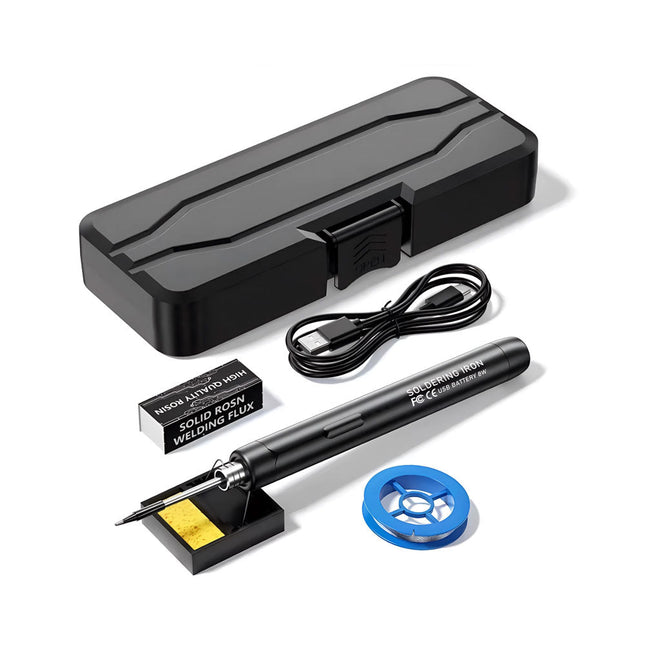
Generic Smart USB Soldeerbout Kit
De Smart USB Soldeerbout Kit is een compacte, draadloze oplossing, ontworpen voor precisie en draagbaarheid. Met intelligente temperatuurregeling met drie snelheden (300-450°C) en een gemakkelijk afleesbaar LED-display, warmt hij op in slechts 10 seconden en smelt het soldeer in slechts 6 seconden. De oplaadbare batterij van 1000 mAh biedt tot 30 minuten continu gebruik, waardoor hij ideaal is voor snelle reparaties, elektronicaprojecten en doe-het-zelfklussen. Met een plug-and-play, vervangbare punt en een hittebestendige, geïsoleerde behuizing is hij veilig, gebruiksvriendelijk en perfect voor zowel beginners als professionals onderweg. Kenmerken Intelligente temperatuurregeling met drie snelheden: Voorzien van een led-display met instelbare temperaturen tussen 300 en 450°C. Schakel eenvoudig tussen Celsius en Fahrenheit. Geïntegreerde plug-in soldeerboutpunt: Plug-and-play ontwerp. De punt kan worden vervangen door deze eenvoudig los te draaien, voor een snelle en gemakkelijke bediening. Veilig en duurzaam ontwerp: Hittebestendige, geïsoleerde behuizing voor extra veiligheid tijdens gebruik. Batterijcapaciteit: Uitgerust met een oplaadbare batterij van 1000 mAh die tot 30 minuten continu gebruik ondersteunt op een volle lading – ideaal voor dagelijkse taken. Efficiënte prestaties: 8 W vermogen met een geïntegreerde verwarmingskern voor snelle opwarming. Smelt tin in slechts 6 seconden en biedt uitstekende thermische geleiding. Gebruiksvriendelijk: Na het inschakelen via USB stelt u de gewenste temperatuur in. De soldeerbout warmt op in 10 seconden. Zodra de soldeerbout klaar is, plaatst u de punt op de standaard – deze koelt binnen 1 minuut af. Perfect voor beginners, hobbyisten, eenvoudige klusjes in huis en het opleiden van ingenieurs. Draadloze innovatie: Deze draadloze soldeerset bevat een ingebouwde oplaadbare lithium-ionbatterij, waardoor kabels niet meer nodig zijn. Veelzijdig te gebruiken voor het solderen van printplaten, elektrische reparaties, het maken van sieraden, metaalbewerking, computeronderhoud en doe-het-zelfprojecten. Specificaties Instelbare temperatuur: 300-450°C Smelttijd tin: <15 seconden Werkspanning: 5 V Uitgangsvermogen: 8 W Batterijcapaciteit: 1000 mAh Automatische slaapfunctie: Activeert na 10 minuten inactiviteit Oplaadtijd: ca. 90 minuten Batterijduur: Tot 30 minuten continu gebruik Oplaadinterface: USB-C Materiaal: Aluminiumlegering Afmetingen: 190 x 16 mm Inbegrepen 1x USB Soldeerbout 1x Soldeerpunt 1x Soldeerhars 1x Soldeerbouthouder (met spons) 1x USB-C oplaadkabel 1x Soldeerdraad 1x Opbergdoos
€ 34,95€ 17,50Beste prijs
-

SEQURE SEQURE T55 Smart Mini Soldeer Hot Plate (55x55 mm)
De SEQURE T55 Smart Mini Temperatuur Verstelbare Soldeerplaat is een compact en efficiënt apparaat, ontworpen voor nauwkeurig voorverwarmen en desolderen. Met zijn instelbare temperatuurbereik van 50°C tot 280°C is hij geschikt voor diverse toepassingen, zoals het repareren van mobiele telefoons, het monteren van printplaten, enz. Kenmerken Instelbaar verwarmingstemperatuurbereik: 50°C tot 280°C Uitgerust met een hittebestendige keramische temperatuursensor, voor een zeer nauwkeurige gegevensmeting bij continu hoge temperaturen. Stopt automatisch met verwarmen na het bereiken van de vooraf ingestelde werktijd. Ondersteunt PD, QC en DC (max. 25 V) Intelligent temperatuurregelalgoritme voor temperatuurcompensatie en vermogensaanpassing. OLED-display met een resolutie van 128 x 32 en een ingebouwde zoemer om de bedrijfsstatus aan te geven. °C/°F-conversie Specificaties Verwarmingsoppervlak 55 x 55 mm Werktemperatuur 50-280°C Max. spanning 25 V Max. vermogen 95 W Aanbevolen spanning 19-25 V PD-voeding PD 20 V ≥3 A Voedingsmodi PD, QC, DC Interface USB-C Display 128 x 32 OLED Menutalen Engels, Russisch en Chinees Afmetingen 55 x 60 x 37 mm Gewicht 92 g Inbegrepen 1x SEQURE T55 Smart Mini Soldeerplaat 1x PD 65 W Voeding (EU) 1x Snellaadkabel (100 W/5 A)
€ 49,95
Leden: € 44,96
-

Elektor Digital Elektor Mars/Avril 2025 (PDF) FR
Le téléchargement intégral de ce numéro est disponible pour nos membres GOLD et GREEN sur le site Elektor Magazine ! Pas encore membre ? Cliquez ici. L'architecture de processeur open-source RISC-V16 cartes et MCU à connaître un lecteur audio avec égaliseur basé sur un FPGAMixage audio numérique avec un Arduino MKR Vidor 4000 tête laser pour l’horloge de sable basé sur Raspberry Pi PicoDessiner avec la lumière participez au concours STM32 Edge AI système de contrôle environnemental multi-capteurs pour les plantesMesure sans fil de l'approvisionnement en eau et de la luminosité porte automatique contrôlée par l'IA et MaixduinoReconnaissance faciale avec une caméra l’électronique embarquée en 2024L’IA va redéfinir l’industrie Calcul en mémoire basé sur la charge chez EnCharge AI des opérations d'IA avec 10 fois moins d'énergie et des coûts divisés par 20 Une carte pour le développement et l’entraînement des modèles ML d’analyse des vibrations Elektor Mini-WheelieKit robot gyropode (robot autostabilisé) MCUViewerMCUViewer outil de débogage open source multiplateforme isolateur USB 2.0Isolation éléctrique pour les périphériques USB anticipation et actionApplication pratique de la maintenance prédictive SPoE – compatibilité électromagnétiquePaire unique avec Power-over-Ethernet à travers les yeux d'EMC rétro-techCréer un monde nouveau avec la télévision couleur surveillance ECGavec des modules Hexabitz et STM32CubeMonitor la bataille pour l’IA en périphérie HaLow atteint une distance Wifi record de 16 km à 900 MHz première puce embarquée CHERI RISC-V et programme d'accès anticipé la détection des incendies de forêt de troisième génération utilise des liaisons satellites sur le vifDélices et supplices du choix démarrer en électronique......Filtrage et contrôle de la tonalité Kit d'horloge quasi-analogiqueNouvelle version d'un classique d'Elektor une approche modulaire de test des capteursCarte de test de capteurs basée sur l'ESP32-S3 2025 : une odyssée de l'IAL'essor des modèles de fondation et leur impact sur l'accessibilité de l'IA Synthétiseur MIDI autonome Raspberry Pi (1)Préparation d'une plateforme pour des expériences d’IA en périphérie projet 2.0Corrections, mises à jour et courrier des lecteurs Le RISC-V AI, un processeur à tout faire : CPU, GPU, DSP, FPGA paroles de PDG : fraîcheur, silence et finesse programmation Dual-Core avec le Raspberry Pi PicoLe monde de la programmation parallèle
€ 10,95
-

Elektor Mars/Avril 2025 (FR)
Le téléchargement intégral de ce numéro est disponible pour nos membres GOLD et GREEN sur le site Elektor Magazine ! Pas encore membre ? Cliquez ici. L'architecture de processeur open-source RISC-V16 cartes et MCU à connaître un lecteur audio avec égaliseur basé sur un FPGAMixage audio numérique avec un Arduino MKR Vidor 4000 tête laser pour l’horloge de sable basé sur Raspberry Pi PicoDessiner avec la lumière participez au concours STM32 Edge AI système de contrôle environnemental multi-capteurs pour les plantesMesure sans fil de l'approvisionnement en eau et de la luminosité porte automatique contrôlée par l'IA et MaixduinoReconnaissance faciale avec une caméra l’électronique embarquée en 2024L’IA va redéfinir l’industrie Calcul en mémoire basé sur la charge chez EnCharge AI des opérations d'IA avec 10 fois moins d'énergie et des coûts divisés par 20 Une carte pour le développement et l’entraînement des modèles ML d’analyse des vibrations Elektor Mini-WheelieKit robot gyropode (robot autostabilisé) MCUViewerMCUViewer outil de débogage open source multiplateforme isolateur USB 2.0Isolation éléctrique pour les périphériques USB anticipation et actionApplication pratique de la maintenance prédictive SPoE – compatibilité électromagnétiquePaire unique avec Power-over-Ethernet à travers les yeux d'EMC rétro-techCréer un monde nouveau avec la télévision couleur surveillance ECGavec des modules Hexabitz et STM32CubeMonitor la bataille pour l’IA en périphérie HaLow atteint une distance Wifi record de 16 km à 900 MHz première puce embarquée CHERI RISC-V et programme d'accès anticipé la détection des incendies de forêt de troisième génération utilise des liaisons satellites sur le vifDélices et supplices du choix démarrer en électronique......Filtrage et contrôle de la tonalité Kit d'horloge quasi-analogiqueNouvelle version d'un classique d'Elektor une approche modulaire de test des capteursCarte de test de capteurs basée sur l'ESP32-S3 2025 : une odyssée de l'IAL'essor des modèles de fondation et leur impact sur l'accessibilité de l'IA Synthétiseur MIDI autonome Raspberry Pi (1)Préparation d'une plateforme pour des expériences d’IA en périphérie projet 2.0Corrections, mises à jour et courrier des lecteurs Le RISC-V AI, un processeur à tout faire : CPU, GPU, DSP, FPGA paroles de PDG : fraîcheur, silence et finesse programmation Dual-Core avec le Raspberry Pi PicoLe monde de la programmation parallèle
€ 15,50
-

Elektor Digital Elektor Maart/April 2025 (PDF) NL
Elektor GREEN en GOLD leden kunnen deze uitgave hier downloaden. Nog geen lid? Klik hier om een lidmaatschap af te sluiten. De open-source processorarchitectuur RISC-V16 boards en MCU's die je moet kennen Een FPGA-gebaseerde audiospeler met equalizer (1)Digitaal audio mixen met een Arduino MKR Vidor 4000 Laserkop voor pico-gebaseerde zandklokTekenen met licht Doe mee aan de STM32 Edge AI Contest Een multi-sensor plantenmonitor-systeemdraadloze meting van watertoevoer en lichtomstandigheden Maixduino AI-gestuurde automatische portiergezichtsdetectie met een camera Embedded Electronics 2024AI gaat de industrie opnieuw vormgeven Lading-gebaseerde in-Memory computing bij EnCharge AI AI-Inferentie met 10 Keer Lager Energieverbruik en 20 Keer Lagere Kosten Click board ondersteunt het ontwikkelen en trainen van ML-modellen voor trillingsanalyse De Elektor Mini-WheelieEen kit voor een zelfbalancerende robot MCU, ik zie jeMCUViewer: open-source multiplatform debugging-tool USB 2.0-isolatorelektrisch geïsoleerde USB-aansluiting Voorkomen is betervoorspellend onderhoud in de praktijk SPoE – Elektromagnetische compatibiliteitSingle pair met Power-over-Ethernet door de ogen van EMC Retro techEen nieuwe wereld met kleurentelevisie ECG-monitorimplementatie met Hexabitz-modules en een STM32CubeMonitor De strijd om AI aan de edge Met HaLow Wi-Fi is een record afstand bereikt van 16 km op 900 MHz Eerste CHERI RISC-V Embedded Chip en Early Access programma Derde generatie bosbranddetectie maakt gebruik van satellietverbindingen Uit het leven gegrepenkeuzestress Alle begin......filtert verder en regelt tonen Quasi-analoog uurwerkwedergeboorte van een Elektor-klassieker Een modulaire sensortesterSensor-evaluatieboard met ESP32-S3 2025: Een AI-OdysseeDe opkomst van foundation modellen en hun rol in het democratiseren van AI Raspberry Pi standalone MIDI-synthesizer (1)voorbereiding van een platform voor enkele edge-AI-experimenten Err-lectronicsCorrecties, updates en brieven van lezers Universele AI RISC-V processor doet ze allemaal - CPU, GPU, DSP, FPGA Interview met de CEO: Ventiva's dunne en coole technologie Dual-core programmeren met een Raspberry Pi Picoduik in de wereld van parallel programmeren
€ 9,95
-
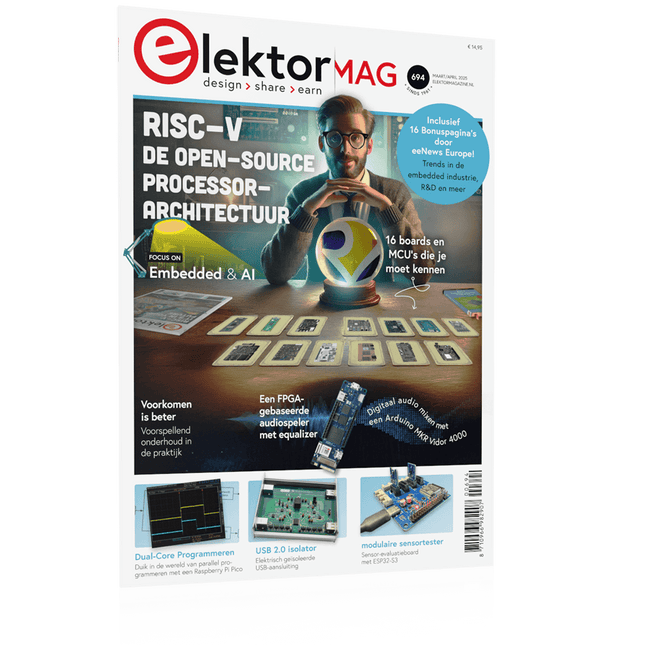
Elektor Maart/April 2025 (NL)
Elektor GREEN en GOLD leden kunnen deze uitgave hier downloaden. Nog geen lid? Klik hier om een lidmaatschap af te sluiten. De open-source processorarchitectuur RISC-V16 boards en MCU's die je moet kennen Een FPGA-gebaseerde audiospeler met equalizer (1)Digitaal audio mixen met een Arduino MKR Vidor 4000 Laserkop voor pico-gebaseerde zandklokTekenen met licht Doe mee aan de STM32 Edge AI Contest Een multi-sensor plantenmonitor-systeemdraadloze meting van watertoevoer en lichtomstandigheden Maixduino AI-gestuurde automatische portiergezichtsdetectie met een camera Embedded Electronics 2024AI gaat de industrie opnieuw vormgeven Lading-gebaseerde in-Memory computing bij EnCharge AI AI-Inferentie met 10 Keer Lager Energieverbruik en 20 Keer Lagere Kosten Click board ondersteunt het ontwikkelen en trainen van ML-modellen voor trillingsanalyse De Elektor Mini-WheelieEen kit voor een zelfbalancerende robot MCU, ik zie jeMCUViewer: open-source multiplatform debugging-tool USB 2.0-isolatorelektrisch geïsoleerde USB-aansluiting Voorkomen is betervoorspellend onderhoud in de praktijk SPoE – Elektromagnetische compatibiliteitSingle pair met Power-over-Ethernet door de ogen van EMC Retro techEen nieuwe wereld met kleurentelevisie ECG-monitorimplementatie met Hexabitz-modules en een STM32CubeMonitor De strijd om AI aan de edge Met HaLow Wi-Fi is een record afstand bereikt van 16 km op 900 MHz Eerste CHERI RISC-V Embedded Chip en Early Access programma Derde generatie bosbranddetectie maakt gebruik van satellietverbindingen Uit het leven gegrepenkeuzestress Alle begin......filtert verder en regelt tonen Quasi-analoog uurwerkwedergeboorte van een Elektor-klassieker Een modulaire sensortesterSensor-evaluatieboard met ESP32-S3 2025: Een AI-OdysseeDe opkomst van foundation modellen en hun rol in het democratiseren van AI Raspberry Pi standalone MIDI-synthesizer (1)voorbereiding van een platform voor enkele edge-AI-experimenten Err-lectronicsCorrecties, updates en brieven van lezers Universele AI RISC-V processor doet ze allemaal - CPU, GPU, DSP, FPGA Interview met de CEO: Ventiva's dunne en coole technologie Dual-core programmeren met een Raspberry Pi Picoduik in de wereld van parallel programmeren
€ 14,95
-
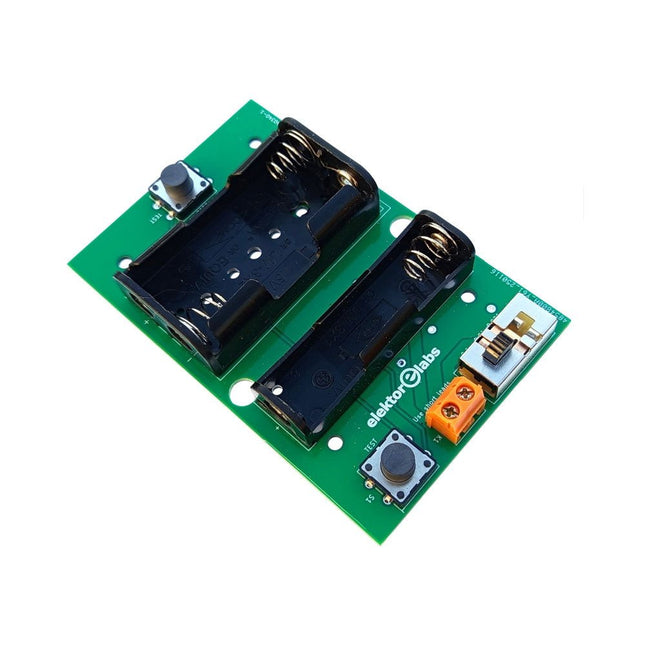
Elektor Labs Elektor Milliohmmeter Adapter
De Elektor Milliohmmeter Adapter gebruikt de precisie van een multimeter om zeer lage weerstandswaarden te meten. Het is een adapter die een weerstand omzet in een spanning die kan worden gemeten met een standaard multimeter. De Elektor Milliohmmeter Adapter kan weerstanden meten onder 1 mΩ met behulp van een 4-draads (Kelvin) methode. Het is handig voor het lokaliseren van kortsluitingen op printplaten (PCB). De adapter heeft drie meetbereiken – 1 mΩ, 10 mΩ en 100 mΩ – selecteerbaar via een schuifschakelaar. Het bevat ook ingebouwde kalibratieweerstanden. De Elektor Milliohmmeter Adapter wordt gevoed door drie 1,5 V AA batterijen (niet meegeleverd). Specificaties Meetbereiken 1 mΩ, 10 mΩ, 100 mΩ, 0,1% Voeding 3x 1,5 V AA-batterijen (niet inbegrepen) Afmetingen 103 x 66 x 18 mm (compatibel met Hammond 1593N-type behuizing, niet inbegrepen) Speciale functie Geïntegreerde kalibratieweerstanden Downloads Documentation
€ 34,95
Leden: € 31,46
-
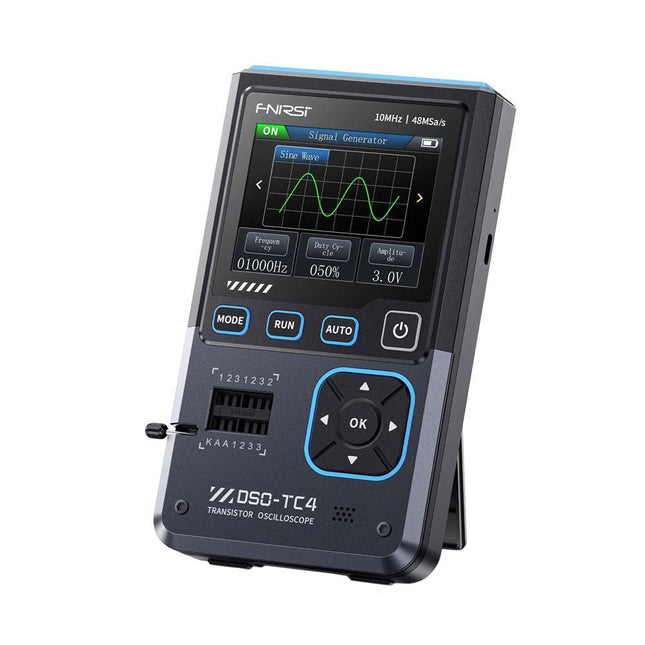
FNIRSI FNIRSI DSO-TC4 (3-in-1) Oscilloscoop (10 MHz) + Transistortester + Signaalgenerator
De FNIRDSI DSO-TC4 is een multifunctionele transistor-oscilloscoop die zowel uitgebreid als praktisch is. Het is ontworpen voor gebruik in onderhouds- en R&D-toepassingen, waarbij een oscilloscoop, transistortester en signaalgenerator in één apparaat worden geïntegreerd. Kenmerken Uitgerust met een 2,8-inch TFT-kleurenscherm voor een helder en intuïtief display Ingebouwde oplaadbare lithiumbatterij met hoge capaciteit (1500 mAh) met een stand-bytijd van maximaal 4 uur Compact en lichtgewicht, ideaal voor mobiel gebruik Specificaties Oscilloscoop Analoge bandbreedte 10 MHz Real-time bemonsteringsfrequentie 48 MSa/s Ingangsimpedantie 1 MΩ Koppelingsmodus AC/DC Testspanningsbereik 1:1-sonde: 80 Vpp (+40 V) 10:1 Sonde: 800 Vpp (+400 V) Verticale gevoeligheid 10 mV/div~10 V/div (X1-bereik) Verticale verplaatsing Instelbaar met indicatie Tijdbasisbereik 50ns~20s Triggermodus Auto/Normal/Single Triggertype Rising edge, Falling edge Triggerniveau Instelbaar met indicatie Waveform Freeze Ja (HOLD-functie) Automatische meting Max, Min, Avg, RMS, Vpp, Frequency, Cycle, Duty Cycle Transistortester Transistor Versterkingsfactor "hfe"; Basis-emitterspanning "Ube", Ic/Ie, collector-emitter omgekeerde lekstroom "Iceo", Ices, voorwaartse spanningsval van beschermingsdiode "Uf" Diode Voorwaartse spanningsval <5 V (voorwaartse spanningsval, junctiecapaciteit, omgekeerde lekstroom) Zenerdiode 0,01~32 V Omgekeerde doorslagspanning (K-A-A-testgebied) Veldeffecttransistor (FET) JFET: Gatecapaciteit "Cg", Drainstroom Id onder "Vgs", voorwaartse spanningsval van beschermingsdiode "Uf" IGBT: Drainstroom Id onder Vgs, Voorwaartse spanningsval van beschermingsdiode Uf MIOSTET: Drempelspanning "Vt", Gatecapaciteit "Cg", Drain-Sourceweerstand "Rds", Voorwaartse spanningsval van beschermingsdiode "Uf" Unidirectionele SCR Triggerspanning <5V, Gateniveau (Gatespanning) Bidirectionele SCR Triggerstroom <6mA (Gatespanning) Condensator 25pF~100mF, Capaciteitswaarde, Verliesfactor "Vloss" Weerstand 0,01Ω~50MΩ Inductor 10μH~1000μH, DC-weerstand DS18B20 Temperatuursensor, pinnen: GND, DQ, VDD DHT11 Temperatuur- en vochtigheidssensor, pinnen: VDD, DATA, GND Signaalgenerator Uitgangsgolfvorm Ondersteunt 13 golfvormuitgangen Golfvormfrequentie 0-50 KHz Vierkante golf-inschakelduur 0-100% Golfvormamplitude 0,1-3,0 V Algemeen 2,8-inch TFT-kleurenscherm Achtergrondverlichting Helderheid instelbaar Voeding USB-C (5 V/1 A) Batterij 3,7 V/1500 mAh Talen Engels, Duits, Spaans, Portugees, Russisch, Chinees, Japans, Koreaans Afmetingen 90 x 142 x 27,5 mm Gewicht 186 g Inbegrepen 1x FNIRSI DSO-TC4 (3-in-1) Oscilloscoop (10 MHz) 1x P6100-oscilloscoopsonde (10X) 1x Krokodillenklemsonde 3x Testhaken 1x Adapter 1x USB-C-oplaadkabel 1x Manual Downloads Manual Firmware V0.0.7 (+V1.0.9)
€ 89,95€ 74,95Beste prijs
-

Elektor Digital The BeagleY-AI Handbook (E-book)
A Practical Guide to AI, Python, and Hardware Projects Welcome to your BeagleY-AI journey! This compact, powerful, and affordable single-board computer is perfect for developers and hobbyists. With its dedicated 4 TOPS AI co-processor and a 1.4 GHz Quad-core Cortex-A53 CPU, the BeagleY-AI is equipped to handle both AI applications and real-time I/O tasks. Powered by the Texas Instruments AM67A processor, it offers DSPs, a 3D graphics unit, and video accelerators. Inside this handbook, you‘ll find over 50 hands-on projects that cover a wide range of topics—from basic circuits with LEDs and sensors to an AI-driven project. Each project is written in Python 3 and includes detailed explanations and full program listings to guide you. Whether you‘re a beginner or more advanced, you can follow these projects as they are or modify them to fit your own creative ideas. Here’s a glimpse of some exciting projects included in this handbook: Morse Code Exerciser with LED or BuzzerType a message and watch it come to life as an LED or buzzer translates your text into Morse code. Ultrasonic Distance MeasurementUse an ultrasonic sensor to measure distances and display the result in real time. Environmental Data Display & VisualizationCollect temperature, pressure, and humidity readings from the BME280 sensor, and display or plot them on a graphical interface. SPI – Voltmeter with ADCLearn how to measure voltage using an external ADC and display the results on your BeagleY-AI. GPS Coordinates DisplayTrack your location with a GPS module and view geographic coordinates on your screen. BeagleY-AI and Raspberry Pi 4 CommunicationDiscover how to make your BeagleY-AI and Raspberry Pi communicate over a serial link and exchange data. AI-Driven Object Detection with TensorFlow LiteSet up and run an object detection model using TensorFlow Lite on the BeagleY-AI platform, with complete hardware and software details provided.
€ 34,95
Leden: € 31,46


