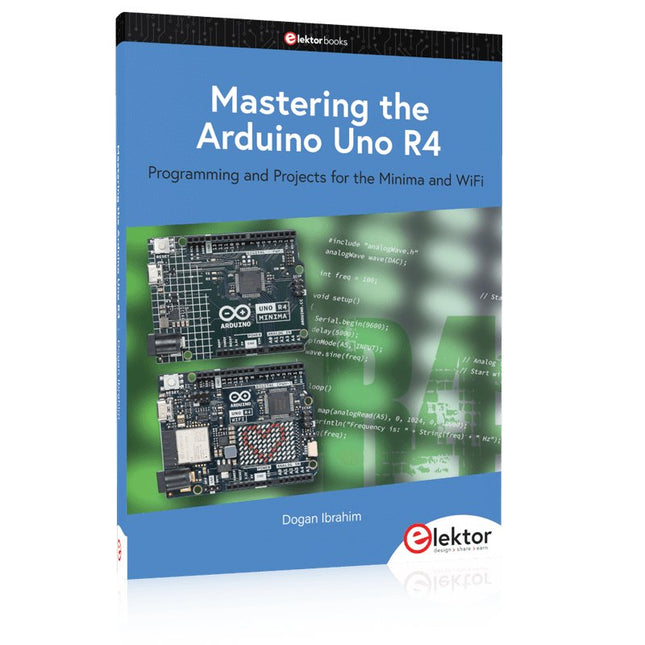
Boek: Mastering the Arduino Uno R4
Gebaseerd op de voordelige 8-bits ATmega328P-processor, is het Arduino Uno R3-bord waarschijnlijk het populairste lid van de Arduino-familie geworden, en dit werkpaard is al vele jaren bij ons. Elf jaar later werd de langverwachte opvolger, de Arduino Uno R4, uitgebracht. Deze is gebouwd rond een 48 MHz, 32-bits Arm Cortex-M4 microcontroller en biedt aanzienlijk uitgebreider SRAM- en Flash-geheugen. Daarnaast zijn een nauwkeurigere ADC en een nieuwe DAC aan het ontwerp toegevoegd. Het Uno R4-bord ondersteunt ook de CAN-bus met een interface.
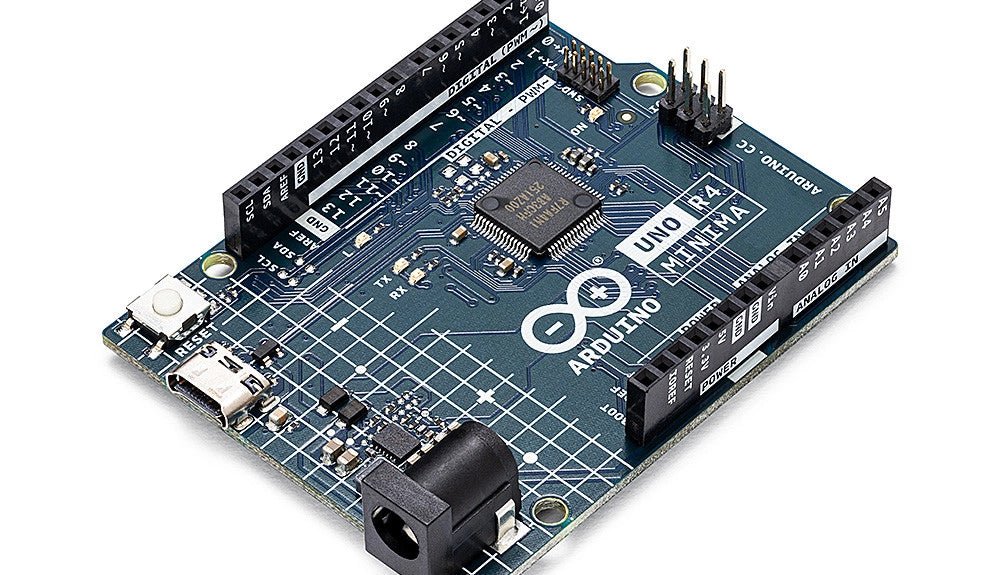
Er zijn twee versies van het bord beschikbaar: Uno R4 Minima en Uno R4 WiFi. Dit boek gaat over het gebruik van deze nieuwe borden om veel verschillende en interessante projecten te ontwikkelen met slechts een handvol onderdelen en externe modules.
Alle projecten die in het boek worden beschreven, zijn volledig getest op de Uno R4 Minima of de Uno R4 WiFi-kaart, afhankelijk van het type. De projectonderwerpen omvatten het uitlezen, besturen en aansturen van veel componenten en modules in de kit, evenals op de betreffende Uno R4-kaart, waaronder...
LED's
Weergaven met 7 segmenten (met timer-onderbrekingen)
LCD's
Sensoren
RFID-lezer
4×4 toetsenbord
Realtime klok (RTC)
Joystick
8×8 LED-matrix
Motoren
DAC (digitaal-naar-analoog-omzetter)
LED-matrix
WiFi-connectiviteit
Seriële UART
CAN-bus
Infraroodcontroller en ontvanger
Simulatoren
... dit alles op creatieve en educatieve wijze, waarbij de werking van het project en de bijbehorende software tot in detail worden uitgelegd.
Arduino Uno R4 WiFi
De Arduino Uno R4 wordt aangedreven door de Renesas RA4M1 32-bits ARM Cortex-M4-processor, wat zorgt voor een aanzienlijke verbetering in rekenkracht, geheugen en functionaliteit. De wifi-versie wordt geleverd met een ESP32-S3 wifi-module naast de RA4M1, waardoor de creatieve mogelijkheden voor makers en ingenieurs worden uitgebreid.
De Arduino Uno R4 werkt op 48 MHz, een verdrievoudiging ten opzichte van de populaire Uno R3. Daarnaast is het SRAM-geheugen geüpgraded van 2 kB naar 32 kB en het flashgeheugen van 32 kB naar 256 kB om complexere projecten te ondersteunen. Naar aanleiding van feedback van de community is de USB-poort nu een USB-C-poort en is de maximale voedingsspanning verhoogd naar 24 V met een verbeterd thermisch ontwerp. Het bord bevat een CAN-bus en een SPI-poort, waardoor gebruikers minder bedrading nodig hebben en parallelle taken kunnen uitvoeren door meerdere shields aan te sluiten. Er is ook een 12-bits analoge DAC op het bord aanwezig.
Specificaties
Microcontroller
Renesas RA4M1 (ARM Cortex-M4)
USB
USB-C
Programmeerpoort
Pinnen
Digitale I/O-pinnen
14
Pinnen
Analoge ingangspinnen
6
DAC
1
RTC
1
PWM-pinnen
6
Communicatie
UART
1x
I²C
1x
SPI
1x
Qwiic I²C-connector
1x
CAN
1x CAN-bus
Voeding
Bedrijfsspanning circuit
5 V
Ingangsspanning (VIN)
6-24 V
Gelijkstroom per I/O-pin
8 mA
Kloksnelheid
Hoofdkern
48 MHz
Geheugen
RA4M1
256 kB Flash, 32 kB RAM
LED-matrix
12 x 8 (96 rode LED's)
Afmetingen
68,9 x 53,4 mm
Downloads
Datasheet
Schematics
Deze bundel bevat:
Boek: Mastering the Arduino Uno R4 (t.w.v. € 45)
Arduino Uno R4 WiFi (t.w.v. € 30)
Programming and Projects for the Minima and WiFi
Based on the low-cost 8-bit ATmega328P processor, the Arduino Uno R3 board is likely to score as the most popular Arduino family member, and this workhorse has been with us for many years. Eleven years later, the long-overdue successor, the Arduino Uno R4, was released. It is built around a 48 MHz, 32-bit Arm Cortex-M4 microcontroller and provides significantly expanded SRAM and Flash memory. Additionally, a higher-precision ADC and a new DAC are added to the design. The Uno R4 board also supports the CAN Bus with an interface.
Two versions of the board are available: Uno R4 Minima, and Uno R4 WiFi. This book is about using these new boards to develop many different and interesting projects with just a handful of parts and external modules. All projects described in the book have been fully tested on the Uno R4 Minima or the Uno R4 WiFi board, as appropriate.
The project topics include the reading, control, and driving of many components and modules in the kit as well as on the relevant Uno R4 board, including
LEDs
7-segment displays (using timer interrupts)
LCDs
Sensors
RFID Reader
4x4 Keypad
Real-time clock (RTC)
Joystick
8×8 LED matrix
Motors
DAC (Digital-to-analog converter)
LED matrix
WiFi connectivity
Serial UART
CAN bus
Infrared controller and receiver
Simulators
… all in creative and educational ways with the project operation and associated software explained in great detail.
Programming and Projects for the Minima and WiFi
Based on the low-cost 8-bit ATmega328P processor, the Arduino Uno R3 board is likely to score as the most popular Arduino family member, and this workhorse has been with us for many years. Eleven years later, the long-overdue successor, the Arduino Uno R4, was released. It is built around a 48 MHz, 32-bit Arm Cortex-M4 microcontroller and provides significantly expanded SRAM and Flash memory. Additionally, a higher-precision ADC and a new DAC are added to the design. The Uno R4 board also supports the CAN Bus with an interface.
Two versions of the board are available: Uno R4 Minima, and Uno R4 WiFi. This book is about using these new boards to develop many different and interesting projects with just a handful of parts and external modules. All projects described in the book have been fully tested on the Uno R4 Minima or the Uno R4 WiFi board, as appropriate.
The project topics include the reading, control, and driving of many components and modules in the kit as well as on the relevant Uno R4 board, including
LEDs
7-segment displays (using timer interrupts)
LCDs
Sensors
RFID Reader
4x4 Keypad
Real-time clock (RTC)
Joystick
8×8 LED matrix
Motors
DAC (Digital-to-analog converter)
LED matrix
WiFi connectivity
Serial UART
CAN bus
Infrared controller and receiver
Simulators
… all in creative and educational ways with the project operation and associated software explained in great detail.
Deze bundel bevat de Arduino UNO Q (2 GB) en het boek "Arduino UNO Q and AI".
De Arduino UNO Q is het eerste UNO-bord met een hybride dual-brain-architectuur, waarbij een krachtige Linux-processor wordt gecombineerd met een realtime-microcontroller – zo worden geavanceerde rekenkracht en nauwkeurige besturing op één bord samengebracht.
Aangedreven door een Qualcomm Dragonwing QRB2210 MPU met Debian Linux en een STM32U585 MCU voor realtime taken, is de UNO Q gebouwd voor toepassingen van de volgende generatie. Van Edge Computing en AI tot robotica en automatisering, het levert hoge prestaties zonder in te boeten aan gebruiksgemak.
Sluit gewoon uw randapparatuur aan en ga aan de slag – er is geen extra hardware nodig.
Kenmerken
Dual-core architectuur: Linux MPU + realtime MCU
Qualcomm Dragonwing QRB2210 met ondersteuning voor Debian Linux
STM32U585-microcontroller voor deterministische besturing
Voert Arduino-schetsen uit via Zephyr OS
Ideaal voor AI, IoT, robotica en industriële projecten
Specificaties
Microprocessor (MPU)
Qualcomm Dragonwing QRB2210:Quad-core Arm Cortex-A53 @ 2,0 GHzAdreno GPU 3D-grafische accelerator2× ISP (13 MP + 13 MP of 25 MP) @ 30 fps
Microcontroller (MCU)
STM32U585Arm Cortex-M33 tot 160 MHz2 MB flashgeheugen786 KB SRAM
RAM
2 GB LPDDR4
Voeding
Via USB-C-connector 5 V max bij 3 AIngangsspanning (VIN): 7-24 V
Geheugen
16 GB eMMC
USB
1× USB-C-poort met host/device-rolschakeling, stroomrolschakeling en video-uitgang
Connectiviteit
Wi-Fi 5 (2,4/5 GHz) met ingebouwde antenneBluetooth 5.1 met ingebouwde antenne antenne
Interfaces
I²C/I³CSPIPWMCANUARTPSSIGPIOJTAGADC
Video
Ondersteuning voor video-uitvoer via USB-CMIPI DSI-pinnen op JMEDIA-header
Extra
4× RGB-LED's die door de gebruiker kunnen worden aangestuurd8×13 blauwe LED-matrix1× Qwiic-connector, spanning 3V3, I²C1× drukknop voor de gebruikerJCTL: MPU Remote Debug connector
Audio
Microfoon IN / Hoofdtelefoon UIT / Lijn UIT op JMISC
MPU-besturingssysteem
Linux Debian OS met upstream-ondersteuning
Realtime-besturingssysteem
Arduino Core op Zephyr OS
Containerisatie
Ondersteuning voor Docker en Docker Compose
Ondersteunde besturingssystemen voor Arduino App Lab
Windows: Windows 10 of later (64-bit)macOS: macOS 11 of later (64-bit)Linux: Ubuntu 22.04 of later en Debian Trixie (64-bit)
Afmetingen
68,85 × 53,34 mm (UNO-vormfactor)
Downloads
Datasheet
User Manual
Pinout
Schematics
Boek: Arduino UNO Q and AI – Learn to Build Intelligent Embedded Systems
Bouw slimmere embedded systemen met de Arduino UNO Q. Dit boek biedt u de tools, kennis en het vertrouwen om ideeën om te zetten in intelligente, werkende oplossingen met het Arduino UNO Q-platform. Ontdek hoe u intelligente embedded systemen kunt bouwen met de Arduino UNO Q en AI.
Ontgrendel het volledige potentieel van de Arduino UNO Q, een next-generation platform dat de realtime kracht van de STM32U585-microcontroller combineert met de flexibiliteit van een Qualcomm Dragonwing QRB2210-microprocessor.
Leer hoe u snel realistische toepassingen kunt prototypen met de Arduino IDE voor low-level embedded besturing en Python in Arduino App Lab voor high-level ontwikkeling.
Bouw vertrouwen op met praktische projecten die u stap voor stap begeleiden van basisfunctionaliteiten tot volledig werkende systemen.
Verken kant-en-klare, op AI gebaseerde Arduino App Lab-voorbeelden en ontdek hoe deze uw ontwikkeling kunnen versnellen en de time-to-market verkorten.
Zet uw eerste stappen in de wereld van Edge AI met een duidelijke en praktische introductie tot Edge Impulse Studio – geen eerdere AI-ervaring vereist.
Volg een volledige, realistische workflow om een Keyword Spotting AI-toepassing te ontwikkelen, inclusief dataverzameling, modeltraining, optimalisatie en on-device inferentie met behulp van Edge Impulse Studio.
Overbrug de kloof tussen embedded systemen en machine learning en leer hoe u intelligentie direct op uw hardware kunt implementeren.
Perfect voor embedded engineers, docenten, studenten en makers die voorop willen blijven lopen in AI-gedreven productontwikkeling.
Deze bundel bevat:
Arduino UNO Q (2 GB) (t.w.v. € 50)
Boek: Arduino UNO Q and AI (t.w.v. € 35)
Learn to Build Intelligent Embedded Systems
Build smarter embedded systems with Arduino UNO Q. This book gives you the tools, knowledge, and confidence to turn ideas into intelligent, working solutions using the Arduino UNO Q platform. Discover how to build intelligent embedded systems with the Arduino UNO Q and AI.
Unlock the full potential of the Arduino UNO Q, a next-generation platform that combines the real-time power of the STM32U585 microcontroller with the flexibility of a Qualcomm Dragonwing QRB2210 microprocessor.
Learn how to rapidly prototype real-world applications using the Arduino IDE for low-level embedded control and Python in Arduino App Lab for high-level development.
Build confidence through hands-on projects that guide you step by step from basic board features to complete working systems.
Explore ready-to-use, AI based Arduino App Lab examples and see how they can jump-start your development and reduce time to deployment.
Step into the world of Edge AI with a clear, practical introduction to Edge Impulse Studio—no prior AI experience required.
Follow a complete, real-world workflow to create a Keyword Spotting AI application, covering data collection, model training, optimization, and on-device inference using the Edge Impulse Studio.
Bridge the gap between embedded systems and machine learning and learn how to bring intelligence directly onto your hardware.
Perfect for embedded engineers, educators, students, and makers looking to stay ahead in AI-enabled product development.
Learn to Build Intelligent Embedded Systems
Build smarter embedded systems with Arduino UNO Q. This book gives you the tools, knowledge, and confidence to turn ideas into intelligent, working solutions using the Arduino UNO Q platform. Discover how to build intelligent embedded systems with the Arduino UNO Q and AI.
Unlock the full potential of the Arduino UNO Q, a next-generation platform that combines the real-time power of the STM32U585 microcontroller with the flexibility of a Qualcomm Dragonwing QRB2210 microprocessor.
Learn how to rapidly prototype real-world applications using the Arduino IDE for low-level embedded control and Python in Arduino App Lab for high-level development.
Build confidence through hands-on projects that guide you step by step from basic board features to complete working systems.
Explore ready-to-use, AI based Arduino App Lab examples and see how they can jump-start your development and reduce time to deployment.
Step into the world of Edge AI with a clear, practical introduction to Edge Impulse Studio—no prior AI experience required.
Follow a complete, real-world workflow to create a Keyword Spotting AI application, covering data collection, model training, optimization, and on-device inference using the Edge Impulse Studio.
Bridge the gap between embedded systems and machine learning and learn how to bring intelligence directly onto your hardware.
Perfect for embedded engineers, educators, students, and makers looking to stay ahead in AI-enabled product development.
A Reference and User Guide for the Arduino Uno Hardware and Firmware
A manual providing up-to-date hardware information for the popular Arduino Uno, the easy to use open-source electronics platform used by hobbyists, makers, hackers, experimenters, educators and professionals.
Get all the information that you need on the hardware and firmware found on Arduino Uno boards in this handy reference and user guide.
ldeal for the workbench or desktop
Contains all of the Arduino Uno hardware information in one place
Covers Arduino / Genuino Uno revision 3 and earlier boards
Easily find hardware technical specifications with explanations
Pin reference chapter with interfacing examples
Diagrams and illustrations for easy reference to alternate pin functions and hardware connections
Learn to back up and restore firmware on the board, or load new firmware
Basic fault finding and repair procedures for Arduino Uno boards
Power supply circuits simplified and explained
Mechanical dimensions split into five easy to reference diagrams
Contains circuit diagrams, parts list and board layout reference to easily locate components
This book covers a series of exciting and fun projects for the Arduino, such as a silent alarm, people sensor, light sensor, motor control, internet and wireless control (using a radio link). Contrary to many free projects on the internet all projects in this book have been extensively tested and are guaranteed to work!
You can use it as a projects book and build more than 45 projects for your own use. The clear explanations, schematics, and pictures of each project make this a fun activity. The pictures are taken of a working project, so you know for sure that they are correct.
You can combine the projects in this book to make your own projects. To facilitate this, clear explanations are provided on how the project works and why it has been designed the way it has That way you will learn a lot about the project and the parts used, knowledge that you can use in your own projects.
Apart from that, the book can be used as a reference guide. Using the index, you can easily locate projects that serve as examples for the C++ commands and Arduino functionality. Even after you’ve built all the projects in this book, it will still be a valuable reference guide to keep next to your PC.
The Arduino Uno is an open-source microcontroller development system encompassing hardware, an Integrated Development Environment (IDE), and a vast number of libraries. It is supported by an enormous community of programmers, electronic engineers, enthusiasts, and academics. The libraries in particular really smooth Arduino programming and reduce programming time. What’s more, the libraries greatly facilitate testing your programs since most come fully tested and working.
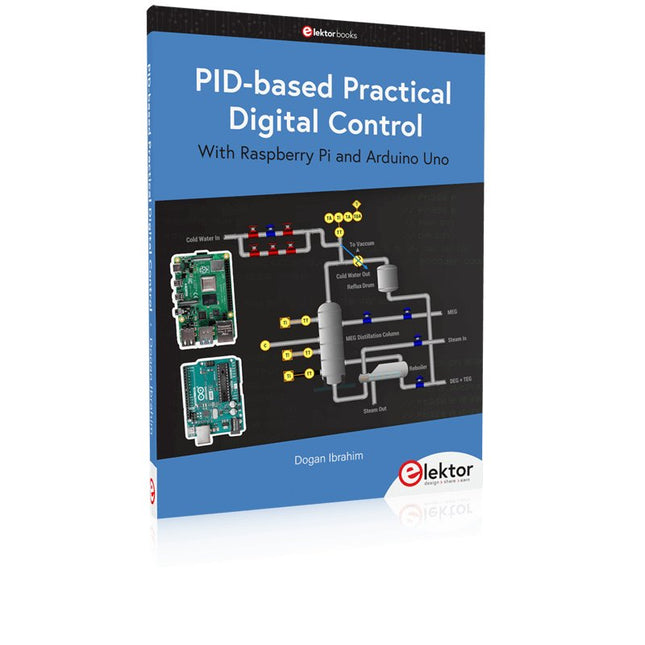
The Raspberry Pi 4 can be used in many applications such as audio and video media devices. It also works in industrial controllers, robotics, games, and in many domestic and commercial applications. The Raspberry Pi 4 also offers Wi-Fi and Bluetooth capability which makes it great for remote and Internet-based control and monitoring applications.
This book is about using both the Raspberry Pi 4 and the Arduino Uno in PID-based automatic control applications. The book starts with basic theory of the control systems and feedback control. Working and tested projects are given for controlling real-life systems using PID controllers. The open-loop step time response, tuning the PID parameters, and the closed-loop time response of the developed systems are discussed together with the block diagrams, circuit diagrams, PID controller algorithms, and the full program listings for both the Raspberry Pi and the Arduino Uno.
The projects given in the book aim to teach the theory and applications of PID controllers and can be modified easily as desired for other applications. The projects given for the Raspberry Pi 4 should work with all other models of Raspberry Pi family.
The book covers the following topics:
Open-loop and closed-loop control systems
Analog and digital sensors
Transfer functions and continuous-time systems
First-order and second-order system time responses
Discrete-time digital systems
Continuous-time PID controllers
Discrete-time PID controllers
ON-OFF temperature control with Raspberry Pi and Arduino Uno
PID-based temperature control with Raspberry Pi and Arduino Uno
PID-based DC motor control with Raspberry Pi and Arduino Uno
PID-based water level control with Raspberry Pi and Arduino Uno
PID-based LED-LDR brightness control with Raspberry Pi and Arduino Uno
The Arduino Uno is an open-source microcontroller development system encompassing hardware, an Integrated Development Environment (IDE), and a vast number of libraries. It is supported by an enormous community of programmers, electronic engineers, enthusiasts, and academics. The libraries in particular really smooth Arduino programming and reduce programming time. What’s more, the libraries greatly facilitate testing your programs since most come fully tested and working.
The Raspberry Pi 4 can be used in many applications such as audio and video media devices. It also works in industrial controllers, robotics, games, and in many domestic and commercial applications. The Raspberry Pi 4 also offers Wi-Fi and Bluetooth capability which makes it great for remote and Internet-based control and monitoring applications.
This book is about using both the Raspberry Pi 4 and the Arduino Uno in PID-based automatic control applications. The book starts with basic theory of the control systems and feedback control. Working and tested projects are given for controlling real-life systems using PID controllers. The open-loop step time response, tuning the PID parameters, and the closed-loop time response of the developed systems are discussed together with the block diagrams, circuit diagrams, PID controller algorithms, and the full program listings for both the Raspberry Pi and the Arduino Uno.
The projects given in the book aim to teach the theory and applications of PID controllers and can be modified easily as desired for other applications. The projects given for the Raspberry Pi 4 should work with all other models of Raspberry Pi family.
The book covers the following topics:
Open-loop and closed-loop control systems
Analog and digital sensors
Transfer functions and continuous-time systems
First-order and second-order system time responses
Discrete-time digital systems
Continuous-time PID controllers
Discrete-time PID controllers
ON-OFF temperature control with Raspberry Pi and Arduino Uno
PID-based temperature control with Raspberry Pi and Arduino Uno
PID-based DC motor control with Raspberry Pi and Arduino Uno
PID-based water level control with Raspberry Pi and Arduino Uno
PID-based LED-LDR brightness control with Raspberry Pi and Arduino Uno
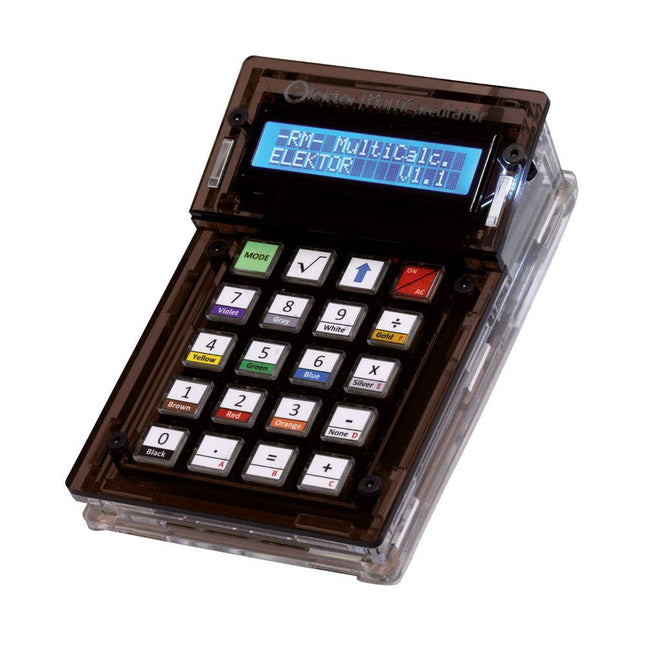
De Elektor MultiCalculator Kit is een op Arduino-gebaseerde multifunctionele rekenmachine die verder gaat dan basisberekeningen. Hij biedt 22 functies, waaronder licht- en temperatuurmeting, differentiële temperatuuranalyse en NEC IR-afstandsbedieningsdecodering. De Elektor MultiCalculator is een handig hulpmiddel voor gebruik in je projecten of voor educatieve doeleinden.
De kit heeft een Pro Mini module als rekeneenheid. De printplaat is eenvoudig te monteren met behulp van through-hole componenten. De behuizing bestaat uit 11 acrylpanelen en montagemateriaal voor eenvoudige montage. Bovendien is het apparaat uitgerust met een 16x2 alfanumeriek LCD-scherm, 20 knoppen en temperatuursensoren.
De Elektor MultiCalculator is programmeerbaar met de Arduino IDE via een 6-weg PCB-header. De beschikbare software is tweetalig (Engels en Nederlands). De calculator kan worden geprogrammeerd met een programmeeradapter en wordt gevoed via USB-C.
Bedrijfsmodi
Rekenmachine
4-ringsweerstandscode
5-ringsweerstandscode
Conversie van decimaal naar hexadecimaal en tekens (ASCII)
Conversie van hexadecimaal naar decimaal en tekens (ASCII)
Conversie van decimaal naar binair en tekens (ASCII)
Conversie van binair naar decimaal en hexadecimaal
Berekening van Hz, nF, capacitieve reactantie (XC)
Berekening van Hz, µH, inductieve reactantie (XL)
Weerstandberekening van twee parallel geschakelde weerstanden
Weerstandberekening van twee in serie geschakelde weerstanden
Berekening van onbekende parallelle weerstand
Temperatuurmeting
Verschiltemperatuurmeting T1&T2 en Delta (δ)
Lichtmeting
Stopwatch met rondetijdfunctie
Artikelteller
NEC IR-decodering van de afstandsbediening
AWG-conversie (American Wire Gauge)
Dobbelstenen gooien
Personaliseer het opstartbericht
Temperatuurkalibratie
Specificaties
Menutalen: Engels, Nederlands
Afmetingen: 92 x 138 x 40 mm
Bouwtijd: ongeveer 5 uur
Inbegrepen
PCB's en componenten met doorlopende gaten
Voorgesneden acrylplaten met alle mechanische onderdelen
Pro Mini-microcontrollermodule (ATmega328/5 V/16 MHz)
Programmeeradapter
Waterdichte temperatuursensoren
USB-C kabel
Downloads
Software