
Learning

25 producten

  •  -21% Microcontrollers Hands - on Course for Arduino Starters (Bundle) - Elektor

    Elektor Bundles Microcontrollers Hands-on Course for Arduino Starters (Bundel)

    Bouw uw eigen projecten met het Elektor Arduino Nano MCCAB Training Board De microcontroller is waarschijnlijk het meest fascinerende onderwerp van de moderne elektronica. Door de veelheid aan functies die hij op zijn chip combineert is het een universeel multi-tool voor ontwikkelaars om hun projecten mee te bouwen. Vrijwel elk dagelijks gebruikt apparaat wordt tegenwoordig bestuurd door een microcontroller. Voor een elektronica-leek is het realiseren van de eigen ideeën met een microcontroller echter tot nu toe een utopie gebleven vanwege de complexiteit ervan. Het Arduino-concept heeft het gebruik van microcontrollers sterk vereenvoudigd, zodat zelfs onervaren starters nu hun eigen elektronica ideeën kunnen realiseren met een microcontroller. Book & Hardware in de bundel: 'Leren door te doen' Het boek, dat ook in de bundel zit, leert ons hoe je zelfs zonder veel ervaring met elektronica en programmeertalen je eigen projecten met een microcontroller kunt bouwen. Het is een echte hands-on cursus microcontrollers voor starters. Want na een beschrijving van het inwendige van de microcontroller en een introductie in de programmeertaal C, ligt de focus van de cursus op praktische oefeningen. De lezer bouwt de nodige kennis op met 'leren door te doen': in het uitgebreide praktische gedeelte van het boek, met 12 projecten en 46 oefeningen, wordt het geleerde in het voorste deel van het boek met veel voorbeelden onderbouwd. Elke oefening wordt gevolgd door een uitgewerkt voorbeeld met uitleg en toelichting, wat de lezer helpt om de vraagstukken op te lossen en met de eigen oplossing te vergelijken. Arduino IDE De Arduino IDE is een software ontwikkelomgeving die gratis op de eigen pc kan worden gedownload, en die alle software bevat die nodig is voor uw eigen microcontroller-projecten. U schrijft de programma's ('apps') met de editor van de IDE in de programmeertaal C. En U vertaalt ze naar bits en bytes die de microcontroller begrijpt met behulp van de ingebouwde compiler van de Arduino IDE. En kunt ze vervolgens via een USB-kabel laden naar het geheugen van de microcontroller op het Elektor Arduino MCAB Nano Training Board. Externe sensoren, motoren of schakelingen checken of besturen Naast een Arduino Nano microcontroller module bevat het Elektor Arduino Nano MCCAB Training Board ook alle componenten die nodig zijn voor de oefeningen, zoals LED’s, schakelaars, drukknoppen, buzzer enz. Ook externe sensoren, motoren of modules kunnen worden gecheckt of bestuurd met dit microcontroller-trainingssysteem. Specificaties (Arduino Nano Training Board MCCAB) Voeding Via de USB-aansluiting van de aangesloten pc of een externe voeding (niet inbegrepen) Spanning +5 Vcc Ingangsspanning Alle ingangen 0 V tot +5 V VX1 en VX2 +8 V tot +12 V (alleen bij gebruik van een externe voeding) Hardware LCD 2x16 karakters Potentiometer P1 & P2 JP3: Selectie van de werkspanning van P1 & P2 Verdelers SV4: Verdeler voor de werkspanningenSV5, SV6: Verdelers voor de in-/uitgangen van de microcontroller Schakelaars en knoppen RESET knop op de Arduino Nano module; 6x drukknop schakelaars K1 ... K6; 6x Schuifschakelaars S1 ... S6; JP2: Jumper van de schakelaars met de ingangen van de microcontroller Buzzer Piezo buzzer ‘Buzzer1’ met jumper op JP6 Indicator LED’s 11 x LED: Status indicator voor de ingangen/uitgangen LED L op de Arduino Nano module, aangesloten op GPIO D13 JP6; Aansluiting van LED's LD10 ... LD20 met GPIO's D2 ... D12 Seriële interfacesSPI & I²C JP4: Selectie van het signaal op pin X van de SPI-connector SV12 SV9 naar SV12: SPI-interface (3,3 V/5 V) of I²C-interface Uitgangen voor externe apparaten SV1, SV7: Geschakelde uitgang (maximaal +24 V/160 mA, extern aangesloten) SV2: 2x13 pinnen voor aansluiting van externe modules 3x3 LED matrix(9 rode LED's) SV3: Kolommen van de 3x3 LED matrix (uitgangen D6 ... D8) JP1: Verbinding van de rijen met de GPIO's D3 ... D5 Software MCCABLib library Controle van hardware componenten (schakelaars, knoppen, LED's, 3x3 LED matrix, buzzer) op het MCCAB Training Board Werktemperatuur Tot +40 °C Afmetingen 100 x 100 x 20 mm Specificaties (Arduino Nano) Microcontroller ATmega328P Architectuur AVR Spanning 5 V Flash memory 32 KB, waarvan 2 KB gebruikt door de bootloader SRAM 2 KB Kloksnelheid 16 MHz Analoge IN Pinnen 8 EEPROM 1 KB DC stroom per I/O-pin 40 mA op één I/O-pin, totaal maximaal 200 mA op alle pinnen samen Ingangsspanning 7-12 V Digitale I/O-pinnen 22 (waarvan 6 PWM) PWM Uitgangen 6 Stroomverbruik 19 mA Afmetingen 18 x 45 mm Gewicht 7 g Inbegrepen 1x Elektor Arduino Nano MCCAB Training Board 1x Arduino Nano 1x Boek: Microcontrollers Hands-on Course for Arduino Starters

    € 139,95€ 109,95

    Leden identiek

  •  -20% Home Automation and Electronics for Starters (E - book) - Elektor

    Elektor Digital Home Automation and Electronics for Starters (E-book)

    Projecten met Arduino, ESPHome, Home Assistant en Raspberry Pi & Co. Dit e-book bevat verschillende voorbeeldprojecten, te beginnen met een inleiding tot elektronica. Het legt ook uit hoe je Home Assistant installeert op een Raspberry Pi, hoe je binnenklimaatsensoren gebruikt voor temperatuur en vochtigheid, hoe je het MQTT-protocol en andere interfaces implementeert, en hoe je ESPHome gebruikt om sensoren en actuatoren te integreren in Home Assistant. Talrijke video tutorials vullen het boek aan. The book begins with an introduction to electrical engineering. You will learn the basics of voltage, current, resistors, diodes and transistors. Arduino and microcontrollers A complete section is dedicated to the Arduino Uno. You will get to know the structure, write your first programs and work on practical examples. Home Assistant and automation You will learn how to set up Home Assistant on a Raspberry Pi and how to use automations, scenes and devices. In addition, Zigbee, MQTT and ESP-NOW – important technologies for home automation – will be discussed. ESP8266, ESP32 and ESP32-CAM The popular ESP microcontrollers are covered in detail. A theoretical introduction is followed by practical projects that show you how to get the most out of these devices. Sensors and actuators The book explains the functionality and application of numerous sensors such as temperature and humidity sensors, motion detectors and RFID readers. For actuators, stepper motors, e-ink displays, servo motors and much more are covered. There are practical application examples for all devices. ESPHome This chapter shows you how to integrate sensors and actuators into Home Assistant without any programming effort. You will be guided step by step through the setup with ESPHome. LEDs and lighting technology In this chapter, you will learn about different types of LEDs and how they can be used. The basics of lighting technology are also explained. Node-RED A whole chapter is dedicated to Node-RED. You will learn the basics of this powerful tool and be guided step by step through its setup and use. Integrated Circuits (ICs) In electronics, there are numerous ICs that make our lives easier. You will get to know the most important ones and apply your knowledge in practical projects. Professional programming Advanced topics such as the correct use of buttons, the use of interrupts and the use of an NTP server for time synchronisation are covered in detail in this chapter. Downloads GitHub

    € 49,95€ 39,95

    Leden identiek

  •  -19% KiCad Like A Pro (Bundle) - Elektor

    Elektor Bundles KiCad Like A Pro (Bundel)

    Deze bundel bevat beide delen van "KiCad Like a Pro" (4e editie 2024). In Fundamentals and Projects (normale prijs: € 49,95) leert u hoe u KiCad kunt gebruiken via een praktische aanpak, waardoor u snel productief wordt en uw eigen borden kunt ontwerpen. Met Advanced Projects and Recipes (normale prijs: € 44,95) kunt u uw nieuwe KiCad-vaardigheden oefenen door uzelf uit te dagen met een reeks echte projecten. De nieuwste versie van KiCad, 's werelds beste gratis te gebruiken Printed Circuit Board-tool, zit boordevol functies die normaal gesproken alleen in dure commerciële CAD-tools te vinden zijn. Deze moderne, platformonafhankelijke applicatiesuite die is opgebouwd rond schema- en ontwerpeditors, met hulpapplicaties, is een stabiele en volwassen PCB-tool. KiCad 8 is perfect voor elektronica-ingenieurs en -makers. Hier zijn de belangrijkste verbeteringen en functies in KiCad 8, zowel van boven als van onder de motorkap: Moderne gebruikersinterface, volledig opnieuw ontworpen ten opzichte van eerdere versies Verbeterde en aanpasbare elektrische en ontwerpregelcontroles Thema-editor waarmee u KiCad op uw scherm kunt aanpassen Mogelijkheid om projecten te importeren van Eagle, CADSTART en meer Python-scripting-API Verbeterde geïntegreerde SPICE-circuitsimulator Schema's met meerdere bladen Filters definiëren selecteerbare elementen Verbeterde interactieve router helpt u om afzonderlijke sporen en differentiële paren met precisie te tekenen Nieuwe of verbeterde tools om sporen te tekenen, afstanden te meten, spoorlengtes af te stemmen, enz. Geavanceerd interactieve router Ingebouwde stuklijstgenerator Realistische ray-tracing capabele 3D viewer Aanpasbare teardrops Plug-in manager voor snelle installatie van thema's, bibliotheken en functionaliteiten zoals autorouters en BOM-generatoren Het eerste boek KiCad Like A Pro – Fundamentals and Projects leert u KiCad te gebruiken via een praktische aanpak. Het helpt u snel productief te worden en uw eigen boards te ontwerpen. Voorbeeldprojecten illustreren de basisfuncties van KiCad, zelfs als u geen voorkennis hebt van PCB-ontwerp. De auteur beschrijft de volledige workflow van schema-invoer tot de complexiteit van het finaliseren van de bestanden voor PCB-productie en biedt gedegen begeleiding bij het proces. Het tweede boek KiCad Like A Pro – Advanced Projects and Recipes helpt u uw nieuwe KiCad-vaardigheden te oefenen door u uit te dagen in een reeks echte projecten. De projecten worden ondersteund door een uitgebreide set recepten met gedetailleerde instructies over hoe u een verscheidenheid aan eenvoudige en complexe taken kunt uitvoeren. Ontwerp de PCB's voor een zonne-energievoorziening, een LED-matrixarray, een Arduino-aangedreven datalogger en een aangepast ESP32-bord. Begrijp de fijnere details van de interactieve router, hoe u KiCad-projectteams met Git kunt beheren, hoe u een autorouter op 2- en 4-laags PCB's kunt gebruiken en nog veel meer.

    € 104,95€ 84,95

    Leden identiek

  •  -18% MAX1000 FPGA Programming Bundle - Elektor

    Elektor Bundles MAX1000 FPGA Programming Bundel

    Begin met FPGA-programmering met het MAX1000-bord en VHDPlus Bent u klaar om FPGA-programmeren onder de knie te krijgen? Met deze bundel duikt u in de wereld van Field-Programmable Gate Arrays (FPGA's) – een configureerbaar geïntegreerd circuit dat na productie kan worden geprogrammeerd. Breng uw ideeën nu tot leven, van eenvoudige projecten tot complete microcontrollersystemen! De MAX1000 is een compact en krachtig FPGA-ontwikkelbord boordevol functies zoals geheugen, gebruikers-LED's, drukknoppen en flexibele I/O-poorten. Het is het ideale startpunt voor iedereen die meer wil weten over FPGA's en Hardware Definition Languages (HDL's). Met het bijgevoegde boek "FPGA Programming and Hardware Essentials" gaat u aan de slag met de programmeertaal VHDPlus – een eenvoudigere versie van VHDL. Je werkt aan praktische projecten met behulp van de MAX1000, waardoor je de vaardigheden en het vertrouwen krijgt om je creativiteit de vrije loop te laten. Projecten in het boek Arduino-aangedreven BCD naar 7-segment displaydecoder Gebruik een Arduino Uno R4 om BCD-gegevens aan de decoder te leveren, tel van 0 tot 9 met een vertraging van één seconde Gemultiplexte 4-cijferige gebeurtenisteller Maak een gebeurtenissenteller die het totale aantal weergeeft op een display van vier cijfers, dat bij elke druk op de knop wordt verhoogd PWM-golfvorm met vaste werkcyclus Genereer een PWM-golfvorm op 1 kHz met een vaste werkcyclus van 50% Ultrasone afstandsmeting Meet afstanden met behulp van een ultrasone sensor en geef de resultaten weer op een 4-cijferige LED met 7 segmenten Elektronisch slot Bouw een eenvoudig elektronisch slot met behulp van logische combinatiepoorten met drukknoppen en een LED-uitgang Temperatuursensor Bewaak de omgevingstemperatuur met een TMP36-sensor en geef de meetwaarden weer op een LED met 7 segmenten MAX1000 FPGA Development Board De MAX1000 is een aanpasbaar IoT/Maker Board, klaar voor evaluatie, ontwikkeling en/of gebruik in een product. Het is gebouwd rond de Intel MAX10 FPGA, het eerste niet-vluchtige programmeerbare logische apparaat (PLD's) met één chip in de sector dat de optimale set systeemcomponenten integreert. Gebruikers kunnen nu profiteren van de kracht van enorme herconfigureerbaarheid in combinatie met een krachtig FPGA-systeem met laag vermogen. MAX10-apparaten bieden intern opgeslagen dubbele beelden met zelfconfiguratie, uitgebreide ontwerpbeschermingsfuncties, geïntegreerde ADC's en hardware om de Nios II 32-bit microcontroller IP te implementeren en zijn de ideale oplossing voor systeembeheer, protocolbridging, communicatiecontrolevlakken, industriële, automobiel- en consumententoepassingen. De MAX1000 is uitgerust met een Arrow USB Programmer2, SDRAM, flashgeheugen, accelerometersensor en PMOD/Arduino MKR-connectoren, waardoor het een volledig functionele plug-and-play-oplossing is zonder extra kosten. Specificaties MAX 10 8kLE - Flash Dubbele binnenkant -ADC 8x 12-bits - Temperatuurbereik 0~85°C - Aanbod USB/pinnen SDRAM 8 MB MEMS met 3 assen LIS3DH USB-programmer aan boord MEMS-oscillator 12 MHz Schakelaar/LED 2x / 8x Inhoud van de bundel Boek: FPGA Programming and Hardware Essentials (normale prijs: € 40) MAX1000 FPGA Development Board (normale prijs: € 45) Downloads Software

    € 84,95€ 69,95

    Leden identiek

  •  -22% Practical Electronics Crash Course (Bundle) - Elektor

    Elektor Bundles Practical Electronics Crash Course (Bundel)

    Beginnen met elektronica is niet zo moeilijk als je misschien denkt. Met deze bundel (boek + kit) kun je de belangrijkste concepten van elektrotechniek en elektronica op een leuke manier verkennen en leren door verschillende experimenten uit te voeren. Je leert elektronica op een praktische manier zonder ingewikkeld technisch jargon en lange berekeningen. Het resultaat is dat je snel je eigen projecten zult maken. Deze kit bevat de onderdelen die nodig zijn om de meeste gedetailleerde voorbeelden uit het boek op een breadboard te bouwen en in het echt uit te proberen. De kit kan natuurlijk ook zonder het boek gebruikt worden om andere schakelingen te bouwen en je eigen experimenten te doen. Inhoud van de kit 1x 39 Ω, 1 W weerstand 1x 47 Ω weerstand 1x 180 Ω weerstand 1x 330 Ω weerstand 3x 1 kΩ weerstand 1x 2,2 kΩ weerstand 1x 3,9 kΩ weerstand 1x 6,8 kΩ weerstand 1x 10 kΩ weerstand 1x 15 kΩ weerstand 1x 22 kΩ weerstand 1x 33 kΩ weerstand 1x 47 kΩ weerstand 1x 56 kΩ weerstand 1x 82 kΩ weerstand 1x 120 kΩ weerstand 1x 680 kΩ weerstand 2x 100 kΩ weerstand 1x 10 kΩ-trimmer 1x 10 kΩ lineaire potentiometer 1x 100 kΩ lineaire potentiometer 1x LDR 1x 1 nF keramische condensator 2x 10 nF keramische condensator 1x 100 nF keramische condensator 1x 1 µF, 25 V aluminium elektrolytische condensator 2x 10 µF, 25 V aluminium elektrolytische condensator 1x 100 µF, 25 V aluminium elektrolytische condensator 1x 470 µF, 25 V aluminium elektrolytische condensator 1x 1000 µF, 25 V aluminium elektrolytische condensator 1x RGB-LED, gemeenschappelijke kathode (CC) 1x 1N4148 kleine signaaldiode 1x 1N4733A 5,1 V, 1 W zenerdiode 3x LED, rood 2x BC337 NPN-transistor 1x IRFZ44N N-kanaal MOSFET 2x NE555-timer 1x LM393-vergelijker 1x 74HCT08 quad EN-poort 3x Tactiele schakelaar 2x SPDT-schakelaar 1x relais, SPDT, 9 VDC 1x Actieve zoemer 1x Passieve zoemer 50 cm massieve draad, 16 AWG, zonder mantel 2x PP3 9 V-batterijclip 1x Broodplank 20x verbindingsdraad Deze bundel bevat: Practical Electronics Crash Course Kit (t.w.v. € 45) Boek: Practical Electronics Crash Course (normale prijs: € 45)

    € 89,95€ 69,95

    Leden identiek

  •  -21% 555 Timer Projecten (Bundel)

    Elektor Bundles 555 Timer Projecten (Bundel)

    Pre-order

    Deze bundel gaat helemaal over het ontwerpen van projecten gebaseerd op de 555 timer IC. Het boek bevat meer dan 45 volledig geteste en gedocumenteerde projecten. Samen met de kit, die meer dan 130 through-hole componenten bevat, kunt u alle beschreven projecten bouwen op een breadboard. De opzet maakt het ook gemakkelijk om de projecten aan te passen en ermee te experimenteren. Meer dan 45 builds voor de legendarische 555 Chip (en de 556, 558) Enkele van de projecten in het boek zijn: Afwisselend knipperende twee LED's De knippersnelheid van de LED's wijzigen Aan/uit-schakelaar van de aanraaksensor In-/uitschakelvertraging Lichtafhankelijk geluid Donker/lichtschakelaar Tone Burst-generator Timer voor lange duur LED's achtervolgen LED-roulettespel Verkeerslichten Continuïteitstester Elektronisch slot Schakel over naar debouncen van contacten Elektronisch speelgoedorgel Alarmsysteem met meerdere sensoren Metronoom Spanningsvermenigvuldigers Elektronische dobbelstenen Weergaveteller met 7 segmenten Motorbesturing Dobbelstenen met 7 segmenten Elektronische sirene Diverse andere projecten Kit-inhoud Weerstanden 1x 15 kΩ 1x 68 kΩ 2x 47 kΩ 1x 82 kΩ 2x 820 Ω 1x 8,2 kΩ 3x 10 kΩ 1x 1,8 kΩ 1x 6,8 kΩ 14x 2,2 kΩ 10x 680 Ω 1x 27 kΩ 1x 5,6 kΩ 1x 560 kΩ 1x 4,7 kΩ 1x 3,3 kΩ 3x 33 kΩ 1x 36 kΩ 2x 100 kΩ 5x 1 kΩ 1x 3,9 kΩ 2x 56 kΩ 2x 12 kΩ 1x 10 kΩ potentiometer 1x 1 MΩ potentiometer 2x 50 kΩ potentiometer 3x 20 kΩ potentiometer 1x 10 kΩ potentiometer 1x 10 kΩ potentiometer 1x 50 kΩ potentiometer 1x 100 kΩ potentiometer 1x 50 kΩ potentiometer Condensatoren 1x 0,33 μF 1x 1 μF 1x 10 nF 1x 22 nF 1x 47 nF 1x 100 nF 1x 10 μF elektrolytisch 1x 33 μF elektrolytisch 2x 100 μF elektrolytisch LED's 10x 5 mm rode LED 10x 3 mm rode LED 3x 3 mm gele LED 3x 3 mm groene LED 1x 7-segment-LED met gemeenschappelijke kathode Semiconductors 3x 555 timer 1x CD4017 counter 1x CD4026 counter 1x CD4011 NAND-poort 4x 1N4148-diode 1x IRFZ46N MOSFET 1x Thermistor 1x Lichtafhankelijke weerstand (LDR) Diverse 1x Passieve buzzer 1x Actieve buzzer 1x SG90 servo 1x 8 Ω miniluidspreker 1x 9 V DC borstelmotor 1x 5 V relais 1x 9 V batterijclip 7x Drukknopschakelaars 1x Broodplank 1x Breadboard-jumperdraden

    Pre-order

    € 69,95€ 54,95

    Leden identiek

  • Basic Electronics for Beginners - Elektor

    Elektor Publishing Basic Electronics for Beginners

    Analogue Electronics and Microcontrollers Projects Hobbyist electronics can be a fun way to learn new skills that can be helpful to your career. Those who understand the basics of electronics can design their own circuits and projects. However, before you run, you need to learn to walk. It all starts with analogue electronics. You should be familiar with the simple components and circuits and understand their basic behaviors and the issues you may encounter. The best way to do this is through real experiments. Theory alone is not enough. This book offers a large number of practical entry-level circuits, with which everyone can gain the basic experience. Through the widespread introduction of microcontrollers, a new chapter in electronics has begun. Microcontrollers are now performing more and more tasks that were originally solved using discrete components and conventional ICs. Starting out has become easier and easier thanks to platforms including Bascom, Arduino, micro:bit. The book introduces numerous manageable microcontroller applications. It’s now a case of less soldering and more programming.

    € 39,95

    Leden € 35,96

  •  -18% KiCad Like A Pro (E - book Bundle) - Elektor

    Elektor Digital KiCad Like A Pro (E-book Bundel)

    Deze bundel bevat beide delen van "KiCad Like a Pro" (4e editie 2024). In Fundamentals and Projects (normale prijs: € 39,95) leert u hoe u KiCad kunt gebruiken via een praktische aanpak, waardoor u snel productief wordt en uw eigen borden kunt ontwerpen. Met Advanced Projects and Recipes (normale prijs: € 34,95) kunt u uw nieuwe KiCad-vaardigheden oefenen door uzelf uit te dagen met een reeks echte projecten. De nieuwste versie van KiCad, 's werelds beste gratis te gebruiken Printed Circuit Board-tool, zit boordevol functies die normaal gesproken alleen in dure commerciële CAD-tools te vinden zijn. Deze moderne, platformonafhankelijke applicatiesuite die is opgebouwd rond schema- en ontwerpeditors, met hulpapplicaties, is een stabiele en volwassen PCB-tool. KiCad 8 is perfect voor elektronica-ingenieurs en -makers. Hier zijn de belangrijkste verbeteringen en functies in KiCad 8, zowel van boven als van onder de motorkap: Moderne gebruikersinterface, volledig opnieuw ontworpen ten opzichte van eerdere versies Verbeterde en aanpasbare elektrische en ontwerpregelcontroles Thema-editor waarmee u KiCad op uw scherm kunt aanpassen Mogelijkheid om projecten te importeren van Eagle, CADSTART en meer Python-scripting-API Verbeterde geïntegreerde SPICE-circuitsimulator Schema's met meerdere bladen Filters definiëren selecteerbare elementen Verbeterde interactieve router helpt u om afzonderlijke sporen en differentiële paren met precisie te tekenen Nieuwe of verbeterde tools om sporen te tekenen, afstanden te meten, spoorlengtes af te stemmen, enz. Geavanceerd interactieve router Ingebouwde stuklijstgenerator Realistische ray-tracing capabele 3D viewer Aanpasbare teardrops Plug-in manager voor snelle installatie van thema's, bibliotheken en functionaliteiten zoals autorouters en BOM-generatoren Het eerste boek KiCad Like A Pro – Fundamentals and Projects leert u KiCad te gebruiken via een praktische aanpak. Het helpt u snel productief te worden en uw eigen boards te ontwerpen. Voorbeeldprojecten illustreren de basisfuncties van KiCad, zelfs als u geen voorkennis hebt van PCB-ontwerp. De auteur beschrijft de volledige workflow van schema-invoer tot de complexiteit van het finaliseren van de bestanden voor PCB-productie en biedt gedegen begeleiding bij het proces. Het tweede boek KiCad Like A Pro – Advanced Projects and Recipes helpt u uw nieuwe KiCad-vaardigheden te oefenen door u uit te dagen in een reeks echte projecten. De projecten worden ondersteund door een uitgebreide set recepten met gedetailleerde instructies over hoe u een verscheidenheid aan eenvoudige en complexe taken kunt uitvoeren. Ontwerp de PCB's voor een zonne-energievoorziening, een LED-matrixarray, een Arduino-aangedreven datalogger en een aangepast ESP32-bord. Begrijp de fijnere details van de interactieve router, hoe u KiCad-projectteams met Git kunt beheren, hoe u een autorouter op 2- en 4-laags PCB's kunt gebruiken en nog veel meer.

    € 84,95€ 69,95

    Leden identiek

  • Microcontroller Basics with PIC - Elektor

    Elektor Publishing Microcontroller Basics with PIC

    In this book the author presents all essential aspects of microcontroller programming, without overloading the reader with unnecessary or quasi-relevant bits of information. Having read the book, you should be able to understand as well as program, 8-bit microcontrollers. The introduction to microcontroller programming is worked out using microcontrollers from the PIC series. Not exactly state-of-the-art with just 8 bits, the PIC micro has the advantage of being easy to comprehend. It is offered in a DIP enclosure, widely available and not overly complex. The entire datasheet of the PIC micro is shorter by decades than the description of the architecture outlining the processor section of an advanced microcontroller. Simplicity has its advantages here. Having mastered the fundamental operation of a microcontroller, you can easily enter into the realms of advanced softcores later. Having placed assembly code as the executive programming language in the foreground in the first part of the book, the author reaches a deeper level with ‘C’ in the second part. Cheerfully alongside the official subject matter, the book presents tips & tricks, interesting measurement technology, practical aspects of microcontroller programming, as well as hands-on options for easier working, debugging and faultfinding.

    € 39,95

    Leden € 35,96

  •  -60%Bijna uitverkocht Get Started with the NXP FRDM - MCXN947 Development Board (Bundle) - Elektor

    Elektor Bundles Get Started with the NXP FRDM-MCXN947 Development Board (Bundel)

    Nog 2 op voorraad

    Deze bundel bevat: Boek: Get Started with the NXP FRDM-MCXN947 Development Board (normale prijs: € 40) NXP FRDM-MCXN947 Development Board (normale prijs: € 30) Boek: Get Started with the NXP FRDM-MCXN947 Development Board Projecten ontwikkelen op het gebied van connectiviteit, graphics, machine learning, motorbesturing en sensoren Dit (Engelse) boek gaat over het gebruik van de FRDM-MCXN947 Development Board, ontwikkeld door NXP Semiconductors. Het integreert de duale Arm Cortex-M33, werkend op maximaal 150 MHz. Ideaal voor industriële, IoT- en machine learning-toepassingen. Het beschikt over Hi-Speed USB, CAN 2.0, I³C en 10/100 Ethernet. Het bord bevat een ingebouwde MCU-Link debugger, FlexI/O voor LCD-besturing en dual-bank flash voor lees-terwijl-schrijftaken, met ondersteuning voor grote externe seriële geheugens. Een van de belangrijke kenmerken van het ontwikkelbord is de geïntegreerde eIQ Neutron Neural Processing Unit (NPU), wat gebruikers in staat stelt om AI-gebaseerde projecten te ontwikkelen. Het ontwikkelbord ondersteunt ook Arduino Uno header pins, waardoor het compatibel is met veel Arduino shields, een mikroBUS-connector voor MikroElektronika Click Boards en een Pmod-connector. Een van de voordelen van de FRDM-MCXN947 development board is dat het verschillende ingebouwde debug probes bevat, waarmee programmeurs hun programma's kunnen debuggen door direct met de MCU te communiceren. Met behulp van de debugger kunnen programmeurs stap voor stap door een programma gaan, breakpoints invoegen, variabelen bekijken en wijzigen, enzovoort. In het boek zijn veel werkende en geteste projecten ontwikkeld met behulp van de populaire MCUXpresso IDE en de SDK met verschillende sensoren en actuatoren. Het gebruik van de populaire CMSIS-DSP-bibliotheek wordt ook uitgelegd met verschillende veelgebruikte matrixbewerkingen. De in het boek verstrekte projecten kunnen zonder enige aanpassingen in veel toepassingen worden gebruikt. Alternatief kunnen lezers hun projecten baseren op de projecten die in het boek worden gegeven tijdens de ontwikkeling van hun eigen projecten. NXP FRDM-MCXN947 Development Board De FRDM-MCXN947 is een compact en veelzijdig ontwikkelboard ontworpen voor snelle prototyping met MCX N94 en N54 microcontrollers. Het beschikt over industriestandaard headers voor eenvoudige toegang tot de I/O's van de MCU, geïntegreerde open-standaard seriële interfaces, extern flashgeheugen en een onboard MCU-Link debugger. Specificaties Microcontroller MCX-N947 Dual Arm Cortex-M33-cores @ 150 MHz elk met geoptimaliseerde prestatie-efficiëntie, tot 2 MB dual-bank flitser met optioneel volledig ECC RAM, externe flitser Versnellers: neurale verwerkingseenheid, PowerQuad, Smart DMA, enz. Geheugenuitbreiding *DNP MicroSD-kaartsleuf Connectiviteit Ethernet Phy en connector HS USB-C-connectoren SPI/I²C/UART-connector (PMOD/mikroBUS, DNP) WiFi-connector (PMOD/mikroBUS, DNP) CAN-FD-zendontvanger Foutopsporing Ingebouwde MCU-Link-foutopsporing met CMSIS-DAP JTAG/SWD-connector Sensor P3T1755 I³C/I²C temperatuursensor, touchpad Uitbreidingsopties Arduino Header (met FRDM-uitbreidingsrijen) FRDM-koptekst FlexIO/LCD-header SmartDMA/camerakop Pmod *DNP mikroBUS Gebruikersinterface RGB-gebruikers-LED, plus reset-, ISP- en wakeup-knoppen Inbegrepen 1x FRDM-MCXN947 Development Board 1x USB-C kabel 1x Quick Start Guide Downloads Datasheet Block diagram

    Nog 2 op voorraad

    € 69,95€ 27,98

    Leden identiek

  •  -23% Universal Maker Sensor Bundel

    Elektor Bundles Universal Maker Sensor Bundel

    Meer dan 180 projecten met Raspberry Pi, Pico W Arduino en ESP32 Deze bundel bevat de Universal Maker Sensor Kit, die bestaat uit veel sensoren, actuatoren, displays en motoren. Het is perfect voor omgevingsbewaking, smart home-projecten, robotica en gamecontrollers. Het nieuwe Elektor-boek beschrijft het ontwerp van veel projecten met behulp van de kit samen met de populaire Raspberry Pi, Raspberry Pi Pico W, Arduino Uno en de ESP32-familie van ontwikkelborden. U kunt elk van deze ontwikkelborden voor uw projecten kiezen en de meegeleverde programma's gebruiken zoals ze zijn, of deze programma's aanpassen aan uw toepassingen. Deze bundel bevat: Boek: Universal Maker Sensor Kit (normale prijs: € 45) Universal Maker Sensor Kit (Raspberry Pi, Pico W, Arduino, ESP32) (normale prijs: € 70) Raspberry Pi Pico 2 W (normale prijs: € 8) Boek: Universal Maker Sensor Kit Leer meer dan 35 sensoren en actuatoren te gebruiken met C++, Python en MicroPython Dit boek bevat meer dan 180 projecten voor alle vier de grote ontwikkelborden (Raspberry Pi, Pico W Arduino en ESP32). Afhankelijk van het ontwikkelbord zijn projecten beschikbaar in de programmeertalen C, Python of MicroPython. De projecttitels, korte beschrijvingen, bedradingsschema's en volledige programmalijsten, samen met de gedetailleerde beschrijvingen, zijn in het boek opgenomen. Universal Maker Sensor Kit (Raspberry Pi, Pico W, Arduino, ESP32) Ontdek eindeloze creativiteit met de Universal Maker Sensor Kit, ontworpen voor gebruik met Raspberry Pi, Pico W, Arduino en ESP32. Deze veelzijdige kit biedt compatibiliteit met populaire ontwikkelingsplatforms, waaronder Arduino Uno R4 Minima/WiFi, Uno R3, Mega 2560, Raspberry Pi 5, 4, 3B+, 3B, Zero, Pico W en ESP32. Met meer dan 35 sensoren, actuatoren en displays is het perfect voor projecten variërend van omgevingsmonitoring en slimme huisautomatisering tot robotica en interactief gamen. Stapsgewijze tutorials in C/C++, Python en MicroPython begeleiden zowel beginners als ervaren makers door 169 spannende projecten. Kenmerken Brede compatibiliteit: Ondersteunt volledig Arduino (Uno R3, Uno R4 Minima/WiFi, Mega 2560), Raspberry Pi (5, 4, 3B+, 3B, Zero, Pico W) en ESP32, wat uitgebreide flexibiliteit op verschillende ontwikkelingsplatforms mogelijk maakt. Bevat instructies voor het bouwen van 169 projecten. Uitgebreide componenten: Bevat meer dan 35 sensoren, actuatoren en displaymodules die geschikt zijn voor uiteenlopende projecten zoals omgevingsbewaking, slimme huisautomatisering, robotica en interactieve gamecontrollers. Gedetailleerde tutorials: Biedt duidelijke, stapsgewijze tutorials over Arduino, Raspberry Pi, Pico W, ESP32 en elk inbegrepen component. Tutorials zijn beschikbaar in C/C++, Python en MicroPython, en zijn effectief afgestemd op zowel beginners als ervaren makers. Geschikt voor alle vaardigheidsniveaus: Biedt gestructureerde projecten die zijn ontworpen om gebruikers naadloos te begeleiden van beginners tot gevorderden in elektronica en programmeren, wat de creativiteit en technische expertise vergroot. Kit bevat Breadboard Knopmodule Capacitieve bodemvochtigheidsmodule Vlamsensormodule Gas-/rooksensormodule (MQ2) Gyroscoop & Accelerometermodule (MPU6050) Hall-sensormodule Infraroodsnelheidssensormodule IR-obstakelvermijdingssensormodule Joystickmodule PCF8591 ADC DAC-convertermodule Fotoweerstandsmodule PIR-bewegingsmodule (HC-SR501) Potentiometermodule Pulsoximeter- en hartslagsensormodule (MAX30102) Regendruppeldetectiemodule Realtimeklokmodule (DS1302) Rotary Encoder-module Temperatuursensormodule (DS18B20) Temperatuur- en vochtigheidssensormodule (DHT11) Temperatuur, vochtigheid en Druksensor (BMP280) Time of Flight Micro-LIDAR afstandssensor (VL53L0X) Touch Sensor Module Ultrasone sensormodule (HC-SR04) Trillingssensormodule (SW-420) Waterniveausensormodule I²C LCD 1602 OLED-displaymodule (SSD1306) RGB LED-module Verkeerslichtmodule 5 V relaismodule Centrifugaalpomp L9110 motordrivermodule Passieve zoemermodule Servomotor (SG90) TT Motor ESP8266-module JDY-31 Bluetooth-module Voedingsmodule Documentatie Online Tutorial

    € 122,95€ 94,95

    Leden identiek

  • KiCad Like A Pro – Fundamentals and Projects - Elektor

    Elektor Publishing KiCad Like A Pro – Fundamentals and Projects

    Getting started with the world’s best open-source PCB tool The latest iteration of KiCad, the world’s best free-to-use Printed Circuit Board tool, is packed with features usually found only in expensive commercial CAD tools. This modern, cross-platform application suite built around schematic and design editors, with auxiliary applications is a stable and mature PCB tool. KiCad 8 is a perfect fit for electronic engineers and makers. Here are the most significant improvements and features in KiCad 8, both over and under the hood: Modern user interface, completely redesigned from earlier versions Improved and customizable electrical and design rule checkers Theme editor allowing you to customize KiCad on your screen Ability to import projects from Eagle, CADSTART, and more Python scripting API Improved integrated SPICE circuit simulator Multi-sheet schematics Filters define selectable elements Enhanced interactive router helps you draw single tracks and differential pairs with precision New or enhanced tools to draw tracks, measure distances, tune track lengths, etc. Advanced interactive router Built-in bill of materials generator Realistic ray-tracing capable 3D viewer Customizable teardrops Plug-in manager for quick installation of themes, libraries and functionalities such as autorouters and BOM generators This book will teach you to use KiCad through a practical approach. It will help you become productive quickly and start designing your own boards. Example projects illustrate the basic features of KiCad, even if you have no prior knowledge of PCB design. The author describes the entire workflow from schematic entry to the intricacies of finalizing the files for PCB production and offers sound guidance on the process. Further full-fledged projects, of incremental difficulty, will be presented in a second book, together with a variety of advanced recipes.

    € 54,95

    Leden € 49,46

  • Elektronica Kunst & Kunde 2 - Elektor

    Elektor Publishing Elektronica Kunst & Kunde 2

    In Elektronica Kunst & Kunde worden alle onderwerpen behandeld die ook in standaard elektronica-leerboeken aan de orde komen, plus een groot aantal belangrijke maar vaak veronachtzaamde zaken. In dit tweede deel aandacht voor onder meer de volgende onderwerpen: phase-locked loop-schakelingen, opto-elektronica, busschakelingen, capacitieve belasting, bekabeling, interfacing timing, naaldpulsen, klokvertraging, monostabiele multivibratoren de IBM-PC en de Intel-fanilie, RS232-kabels, seriële poorten, ASCII, modems, SCSI, IPI, GPIB, parallele poorten, local-area-networks de 68000-microprocessorfamilie, perifere LSI-chips, geheugen, programmeerbare instrumenten prototypering, het ontwerpen van printplaten, wire-wrap-technieken, CAD/CAM technieken, de bouw van schakelingen HF-modules, vereenvoudigd ontwerp van HF-versterkers en high-speed schakelaars batterijen, accu's en zonnecellen; micropower-regelaars, -opamps en -microprocessoren methoden om de bandbreedte te beperken, middeling van signalen, lock-in versterkers, pulshoogte-analyse, 'multichannel-scaling'

    € 39,95

    Leden € 35,96

  • Mastering Surface Mount Technology (E - book) - Elektor

    Elektor Digital Mastering Surface Mount Technology (E-book)

    Mastering Surface Mount Technology takes you on a crash course in techniques, tips and know-how to successfully introduce surface mount technology in your workflow. Even if you are on a budget you too can jumpstart your designs with advanced fine pitch parts. Besides explaining methodology and equipment, attention is given to SMT parts technologies and soldering methods. In a step by step way, several projects introduce you to handling surface mount parts and the required skills to successfully build SMT assemblies. Many practical tips and tricks are disclosed that bring surface mount technology into everyone's reach without breaking the bank.

    € 34,95

    Leden € 27,96

  • KiCad Like A Pro – Advanced Projects and Recipes - Elektor

    Elektor Publishing KiCad Like A Pro – Advanced Projects and Recipes

    Mastering PCB design with real-world projects This book builts on KiCad Like a Pro – Fundamentals and Projects and aims to help you practice your new KiCad skills by challenging you in a series of real-world projects. The projects are supported by a comprehensive set of recipes with detailed instructions on how to achieve a variety of simple and complex tasks. Design the PCBs for a solar power supply, an LED matrix array, an Arduino-powered datalogger, and a custom ESP32 board. Understand the finer details of the interactive router, how to manage KiCad project teams with Git, how to use an autorouter on 2 and 4-layer PCBs, and much more. KiCad 8 is a modern, cross-platform application suite built around schematic and design editors. This stable and mature PCB tool is a perfect fit for electronic engineers and makers. With KiCad 8, you can create PCBs of any complexity and size without the constraints associated with the commercial packages. Here are the most significant improvements and features in KiCad 8, both over and under the hood: Modern user interface, completely redesigned from earlier versions Improved and customizable electrical and design rule checkers Theme editor allowing you to fully customize the look of KiCad on your screen Ability to import projects from Eagle, CADSTART, and more An improved and tightly integrated SPICE circuit simulator Autorouting with the Freerouting plugin Filters define which elements of a layout are selectable Enhanced interactive router helps you draw single tracks and differential pairs with precision New or enhanced tools to draw tracks, measure distances, tune track lengths, etc. Enhanced tool for creating filled zones A customizable coordinate system facilitates data exchange with other CAD applications Realistic ray-tracing capable 3D viewer Differential pair routing Rich repositories of symbol, footprint, and 3D shape libraries Python scripting API for programmatic customization and extensions Improved footprint wizard for fast custom footprints

    € 49,95

    Leden € 44,96

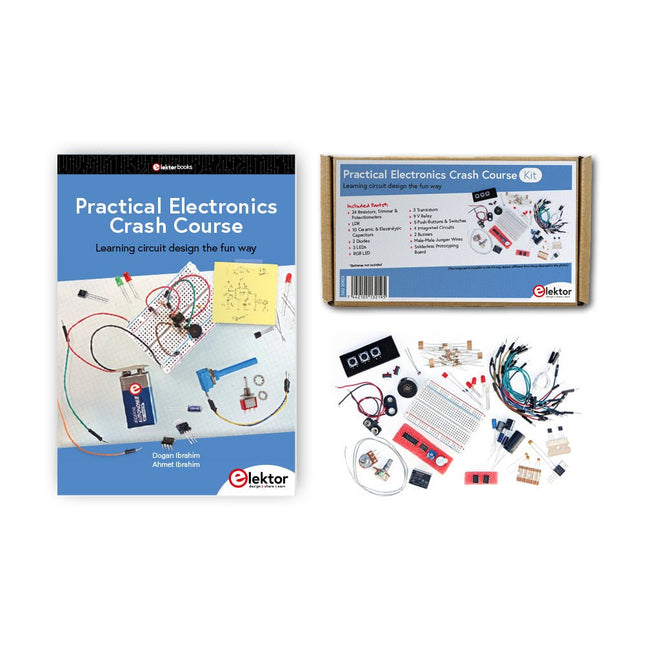
  • Practical Electronics Crash Course - Elektor

    Elektor Publishing Practical Electronics Crash Course

    Learning circuit design the fun way Welcome to the world of electronics! Getting started in electronics is not as difficult as you may think. Using this book, you will explore and learn the most important electrical and electronics engineering concepts in a fun way by doing various experiments and by simulating circuits. It will teach you electronics practically without getting into complex technical jargon and long calculations. As a result, you will be creating your own projects soon. No prior knowledge of electronics is required, only some basic algebra is used in a few simple calculations. Many tested and working projects and simulations are presented to familiarise yourself with the construction of electronic circuits. Circuit simulation is introduced at an early stage to enable you to experiment with circuits easily without breaking anything. You will learn: The concepts of voltage, current, and power AC and DC Basic lamp circuits with switches Passive components: resistors, capacitors & inductors RC & RCL circuits Electromagnetism Loudspeakers, relays, buzzers, and transformers Active components: diodes & LEDs, bipolar transistors & MOSFETs Transistor-based switching circuits Optocoupler circuits Astable & monostable multivibrators Using the 555 timer IC The operational amplifier Digital logic Advanced examples: amplifiers, oscillators, filters, and sensors Test and measurement tools Microcontrollers: Arduino UNO, ESP32, Raspberry Pi Pico, and Raspberry Pi Reading datasheets and best practices for selecting components EMC & EMI and norms & regulations

    € 39,95

    Leden € 35,96

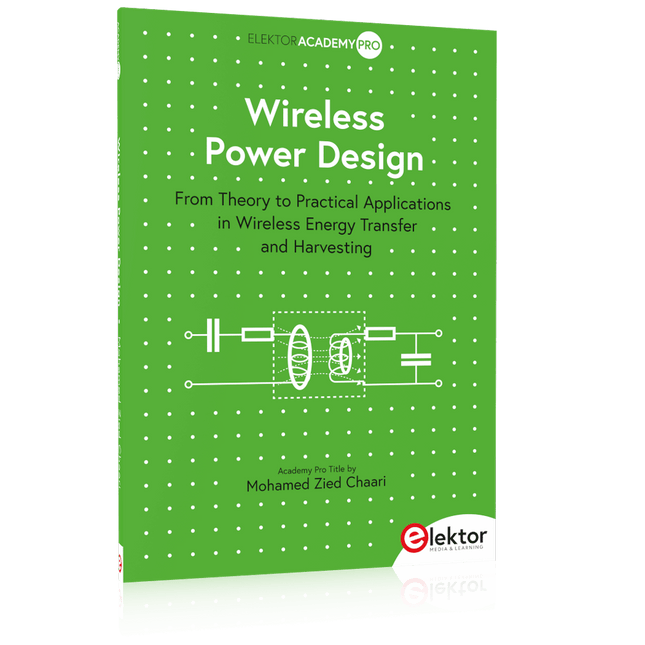
  • Wireless Power Design - Elektor

    Elektor Publishing Wireless Power Design

    From Theory to Practical Applications in Wireless Energy Transfer and Harvesting Wireless power transmission has gained significant global interest, particularly with the rise of electric vehicles and the Internet of Things (IoT). It’s a technology that allows the transfer of electricity without physical connections, offering solutions for everything from powering small devices over short distances to long-range energy transmission for more complex systems. Wireless Power Design provides a balanced mix of theoretical knowledge and practical insights, helping you explore the potential of wireless energy transfer and harvesting technologies. The book presents a series of hands-on projects that cover various aspects of wireless power systems, each accompanied by detailed explanations and parameter listings. The following five projects guide you through key areas of wireless power: Project 1: Wireless Powering of Advanced IoT Devices Project 2: Wireless Powered Devices on the Frontline – The Future and Challenges Project 3: Wireless Powering of Devices Using Inductive Technology Project 4: Wireless Power Transmission for IoT Devices Project 5: Charging Robot Crawler Inside the Pipeline These projects explore different aspects of wireless power, from inductive charging to wireless energy transmission, offering practical solutions for real-world applications. The book includes projects that use simulation tools like CST Microwave Studio and Keysight ADS for design and analysis, with a focus on practical design considerations and real-world implementation techniques.

    € 39,95

    Leden € 35,96

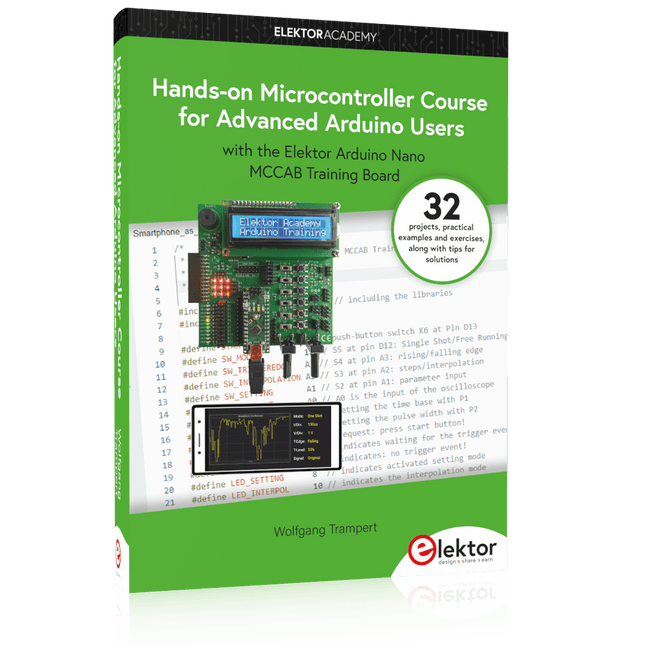
  • Hands - on Microcontroller Course for Advanced Arduino Users - Elektor

    Elektor Publishing Hands-on Microcontroller Course for Advanced Arduino Users

    32 new Projects, Practical Examples and Exercises with the Elektor Arduino Nano MCCAB Training Board Electronics and microcontroller technology offer the opportunity to be creative. This practical microcontroller course provides you with the chance to bring your own Arduino projects and experience such moments of success. Ideally, everything works as you imagined when you switch it on for the first time. In practice, however, things rarely work as expected. At that point, you need knowledge to efficiently search for and find the reason for the malfunction. In this book for advanced users, we delve deep into the world of microcontrollers and the Arduino IDE to learn new procedures and details, enabling you to successfully tackle and solve even more challenging situations. With this book, the author gives the reader the necessary tools to create projects independently and also to be able to find errors quickly. Instead of just offering ready-made solutions, he explains the background, the hardware used, and any tools required. He sets tasks in which the reader contributes their own creativity and writes the Arduino sketch themselves. If you don’t have a good idea and get stuck, there is, of course, a suggested solution for every project and every task, along with the corresponding software, which is commented on and explained in detail in the book. This practical course will teach you more about the inner workings of the Arduino Nano and its microcontroller. You will get to know hardware modules that you can use to realize new and interesting projects. You will familiarize yourself with software methods such as ‘state machines,’ which can often be used to solve problems more easily and clearly. The numerous practical projects and exercise sketches are once again realized on the Arduino Nano MCCAB Training Board, which you may already be familiar with from the course book ‘Microcontrollers Hands-on Course for Arduino Starters’, and which contains all the hardware peripherals and operating elements we need for the input/output operations of our sketches. Readers who do not yet own the Arduino Nano MCCAB Training Board can purchase the required hardware separately, or alternatively, build it on a breadboard.

    € 49,95

    Leden € 44,96

  •  -18% From Rubbing Amber to Swiping Glass - Elektor

    Elektor Publishing How Humanity Turned Electricity into Electronics

    From Rubbing Amber to Swiping Glass "The story of electricity, told one connection at a time."Why does rubbing amber attract dust? How did we go from that curious effect to a world where screens respond to a single touch? And how did we get from mysterious sparks to tiny chips packed with billions of transistors? For centuries, electricity puzzled and fascinated those who encountered its curious effects—long before it even had a name. From the earliest observations of static charge to the complex electronics that shape our lives today, this book traces the gradual, and often surprising, story of how humanity came to understand and harness this powerful force. This book offers an engaging and accessible account of the people, ideas, and inventions that transformed electricity from a scientific curiosity into the foundation of our digital age. Along the way, you’ll meet a host of inquisitive minds—some famous, others less so—whose persistence and creativity helped unravel the mysteries of the natural world and gave rise to the technologies we now take for granted. Covering everything from Leyden jars and batteries to transistors, microcontrollers and the internet, this book presents a clear and enjoyable overview of electronics and its relatively short, yet rich, history. Whether you have a technical background or simply a curiosity about how things work, From Rubbing Amber to Swiping Glass offers a thoughtful look at how far we’ve come—and a gentle nudge to wonder what might come next.

    € 39,95€ 32,95

    Leden identiek

  •  -14% Arduino Uno R4 WiFi (Bundel)

    Elektor Bundles Arduino Uno R4 WiFi (Bundel)

    Boek: Mastering the Arduino Uno R4 Gebaseerd op de voordelige 8-bits ATmega328P-processor, is het Arduino Uno R3-bord waarschijnlijk het populairste lid van de Arduino-familie geworden, en dit werkpaard is al vele jaren bij ons. Elf jaar later werd de langverwachte opvolger, de Arduino Uno R4, uitgebracht. Deze is gebouwd rond een 48 MHz, 32-bits Arm Cortex-M4 microcontroller en biedt aanzienlijk uitgebreider SRAM- en Flash-geheugen. Daarnaast zijn een nauwkeurigere ADC en een nieuwe DAC aan het ontwerp toegevoegd. Het Uno R4-bord ondersteunt ook de CAN-bus met een interface. Er zijn twee versies van het bord beschikbaar: Uno R4 Minima en Uno R4 WiFi. Dit boek gaat over het gebruik van deze nieuwe borden om veel verschillende en interessante projecten te ontwikkelen met slechts een handvol onderdelen en externe modules. Alle projecten die in het boek worden beschreven, zijn volledig getest op de Uno R4 Minima of de Uno R4 WiFi-kaart, afhankelijk van het type. De projectonderwerpen omvatten het uitlezen, besturen en aansturen van veel componenten en modules in de kit, evenals op de betreffende Uno R4-kaart, waaronder... LED's Weergaven met 7 segmenten (met timer-onderbrekingen) LCD's Sensoren RFID-lezer 4×4 toetsenbord Realtime klok (RTC) Joystick 8×8 LED-matrix Motoren DAC (digitaal-naar-analoog-omzetter) LED-matrix WiFi-connectiviteit Seriële UART CAN-bus Infraroodcontroller en ontvanger Simulatoren ... dit alles op creatieve en educatieve wijze, waarbij de werking van het project en de bijbehorende software tot in detail worden uitgelegd. Arduino Uno R4 WiFi De Arduino Uno R4 wordt aangedreven door de Renesas RA4M1 32-bits ARM Cortex-M4-processor, wat zorgt voor een aanzienlijke verbetering in rekenkracht, geheugen en functionaliteit. De wifi-versie wordt geleverd met een ESP32-S3 wifi-module naast de RA4M1, waardoor de creatieve mogelijkheden voor makers en ingenieurs worden uitgebreid. De Arduino Uno R4 werkt op 48 MHz, een verdrievoudiging ten opzichte van de populaire Uno R3. Daarnaast is het SRAM-geheugen geüpgraded van 2 kB naar 32 kB en het flashgeheugen van 32 kB naar 256 kB om complexere projecten te ondersteunen. Naar aanleiding van feedback van de community is de USB-poort nu een USB-C-poort en is de maximale voedingsspanning verhoogd naar 24 V met een verbeterd thermisch ontwerp. Het bord bevat een CAN-bus en een SPI-poort, waardoor gebruikers minder bedrading nodig hebben en parallelle taken kunnen uitvoeren door meerdere shields aan te sluiten. Er is ook een 12-bits analoge DAC op het bord aanwezig. Specificaties Microcontroller Renesas RA4M1 (ARM Cortex-M4) USB USB-C Programmeerpoort Pinnen Digitale I/O-pinnen 14 Pinnen Analoge ingangspinnen 6 DAC 1 RTC 1 PWM-pinnen 6 Communicatie UART 1x I²C 1x SPI 1x Qwiic I²C-connector 1x CAN 1x CAN-bus Voeding Bedrijfsspanning circuit 5 V Ingangsspanning (VIN) 6-24 V Gelijkstroom per I/O-pin 8 mA Kloksnelheid Hoofdkern 48 MHz Geheugen RA4M1 256 kB Flash, 32 kB RAM LED-matrix 12 x 8 (96 rode LED's) Afmetingen 68,9 x 53,4 mm Downloads Datasheet Schematics Deze bundel bevat: Boek: Mastering the Arduino Uno R4 (t.w.v. € 40) Arduino Uno R4 WiFi (t.w.v. € 30)

    € 69,95€ 59,95

    Leden identiek

  •  -19% ESP32 by Example (Leercursus)

    Elektor Academy Pro ESP32 by Example (Leercursus)

    Pre-order

    Volledige ESP32-microcontrollercursus met een speciaal ontwikkelde MCU-uitbreidingsprint, praktische projecten en een uitgebreide online gids – ideaal om hardware, programmering en connectiviteit stap voor stap te leren. Een praktische introductie tot embedded systemen met de ESP32 Deze cursus is bedoeld voor u als lezer die nieuw is in embedded systemen en op zoek bent naar een gestructureerde, voorbeeldgerichte manier om aan de slag te gaan. Als u al algemene elektronica- of Arduino-materialen hebt verkend, maar deze te breed vond of te weinig praktische begeleiding boden, dan biedt deze cursus een meer gerichte aanpak. Met behulp van de "ESP32 by Example Kit" (EEK) – een compacte en betaalbare set met led’s, sensoren, een OLED-scherm en een bewegingsprocessor – werkt u gedurende de hele cursus met een consistente hardware-opstelling. Eenmaal gemonteerd blijft de EEK grotendeels ongewijzigd, zodat u zich volledig kunt richten op leren en experimenteren zonder telkens opnieuw te hoeven configureren. Onderwerpen zijn onder andere: De ESP32-microcontroller begrijpen en programmeren Code schrijven en implementeren met de Arduino IDE Cyberfysische systemen verkennen, met als hoogtepunt basis dronebesturing Er is geen eerdere ervaring met Arduino of embedded development vereist. Elk onderdeel bevat praktische voorbeelden en miniprojecten die zijn ontworpen om belangrijke concepten te versterken en tot een diepere verkenning te inspireren. Aan het einde van de cursus bent u niet alleen in staat de voorbeelden uit het boek te reproduceren, maar er ook op voort te bouwen met uw eigen ideeën en toepassingen. Of u nu geïnteresseerd bent in embedded programmeren, interactieve systemen of inleidende dronebesturing, deze cursus biedt een duidelijke en praktische manier om aan de slag te gaan. Wat leert u? Embedded programmeren met de ESP32 met behulp van de Arduino IDE Realtime sensorinvoer en -bediening via knoppen, LED's en displays Gebarengebaseerde interactie met de MPU6050-bewegingssensor Bluetooth-gamepadintegratie en dronebesturingssimulatie Wifi- en UDP-netwerken, lokale webservers en NTP MQTT-communicatie met cloudplatforms zoals AWS en Arduino IoT Hoe u complete IoT-systemen bouwt en implementeert Perfect voor Studenten en autodidacten die embedded systemen verkennen Makers en IoT-enthousiastelingen die hun hardwarevaardigheden willen verbeteren Docenten en trainers die op zoek zijn naar lesmateriaal dat direct toepasbaar is Ontwikkelaars die verder kijken dan de basisprincipes van Raspberry Pi of Arduino Ondersteuning wanneer u die nodig hebt Toegang tot instructeurs via Elektor Academy Nuttige communityforums en essentiële documentatie Wat zit er in de doos (cursus)? Nieuw boek van 384 pagina's: "ESP32 by Example" (t.w.v. € 45) Elektor ESP32 by Example Kit (EEK): Microcontroller-uitbreidingskaart met 6 LED's en 6 knoppen + OLED-display, MPU6050 3-assige accelerometer en gyroscoopmodule (t.w.v. € 40) Adafruit HUZZAH32 – ESP32 Feather MCU Board (t.w.v. € 30) ESP32 Cheap Yellow Display Board (t.w.v. € 25) DHT11 Vochtigheid & Temperatuursensor Breadboard Jumperdraden USB-C-kabel Toegang tot de volledige cursus op het Elektor Academy Pro Learning Platform Instructievideo's Downloadbare Arduino-projectbestanden voor elke module Leermateriaal (van deze box/cursus) ▶  Klik hier om te openen Module 1 – Getting Started with the ESP32 & EEK Module 2 – Digital Output – LEDs and GPIO Module 3 – Switches and Input Handling Module 4 – EEK and PWM Module 5 – OLED and Display Output Module 6 – Motion Sensing with the MPU6050 Module 7 – Capstone Project (EEK in Action) Module 8 – WiFi and Web Control with ESP32 Module 9 – Cloud Concepts using EEK Module 10 – Hands-on: Arduino IoT Cloud and EEK Module 11 – BlueTooth and EEK GamePad Integration Module 12 – Why Drones? Module 13 – Drone Simulator Concepts Module 14 – Simple Drone Flight Control Module 15 – Real-Time Drone Flight Control Module 16 – Drone Control Mini-Projects Module 17 – Middleware and Python Scripting Module 18 – Python Applications for Drone Control Module 19 – Capstone EEK Control Project and Presentation Over de auteur Dr. Jim Solderitsch is docent, softwarearchitect, systeemontwikkelaar en cybersecurityonderzoeker met een focus op cyberfysische systemen. Hij is momenteel universitair hoofddocent computerwetenschappen aan de Villanova University in Pennsylvania. Wat is Elektor Academy Pro? Elektor Academy Pro biedt gespecialiseerde leeroplossingen voor professionals, engineeringteams en technische experts in de elektronica- en embedded systemenindustrie. Het stelt zowel individuen als organisaties in staat hun praktijkkennis te verdiepen, vaardigheden te versterken en voorop te blijven lopen met hoogwaardige content en praktische trainingstools. Van praktijkgerichte projecten en cursussen onder leiding van experts tot diepgaande technische inzichten – Elektor ondersteunt ingenieurs bij het aanpakken van de actuele uitdagingen binnen elektronica en embedded systemen. Ons educatieve aanbod bestaat uit Academy-boeken, Pro Boxes, webinars, conferenties en branchespecifieke B2B-magazines – allemaal ontwikkeld met het oog op professionele groei. Of u nu ingenieur, R&D-specialist of technisch beslisser bent: Elektor Academy Pro slaat de brug tussen theorie en praktijk, helpt u nieuwe technologieën te beheersen en stimuleert innovatie binnen uw organisatie.

    Pre-order

    € 269,00€ 219,00

    Leden identiek

  • Get Started with the MAX78000FTHR Development Board - Elektor

    Elektor Publishing H0W2: Get Started with the MAX78000FTHR Development Board

    Build your own AI microcontroller applications from scratch The MAX78000FTHR from Maxim Integrated is a small development board based on the MAX78000 MCU. The main usage of this board is in artificial intelligence applications (AI) which generally require large amounts of processing power and memory. It marries an Arm Cortex-M4 processor with a floating-point unit (FPU), convolutional neural network (CNN) accelerator, and RISC-V core into a single device. It is designed for ultra-low power consumption, making it ideal for many portable AI-based applications. This book is project-based and aims to teach the basic features of the MAX78000FTHR. It demonstrates how it can be used in various classical and AI-based projects. Each project is described in detail and complete program listings are provided. Readers should be able to use the projects as they are, or modify them to suit their applications. This book covers the following features of the MAX78000FTHR microcontroller development board: Onboard LEDs and buttons External LEDs and buttons Using analog-to-digital converters I²C projects SPI projects UART projects External interrupts and timer interrupts Using the onboard microphone Using the onboard camera Convolutional Neural Network

    € 39,95

    Leden € 35,96

  •  -18% Design PCBs Like a Pro

    Elektor Academy Pro Design PCBs Like a Pro

    Leer KiCad met Peter Dalmaris De Academy Pro Box "Design PCBs like a Pro" biedt een compleet, gestructureerd trainingsprogramma in PCB-ontwerp, dat online leren combineert met praktische toepassing. Gebaseerd op de KiCad-cursus van Peter Dalmaris, integreert het 15 weken durende programma videolessen, gedrukt materiaal (2 boeken) en praktijkgerichte projecten om ervoor te zorgen dat deelnemers niet alleen de theorie begrijpen, maar ook de vaardigheden ontwikkelen om deze in de praktijk toe te passen. In tegenstelling tot standaardcursussen biedt de Academy Pro Box een begeleid leertraject met wekelijkse mijlpalen en fysieke componenten om werkende PCB's te ontwerpen, testen en produceren. Deze aanpak ondersteunt een diepgaandere leerervaring en een betere kennisbehoud. De box is ideaal voor ingenieurs, studenten en professionals die praktische expertise in PCB-ontwerp willen ontwikkelen met behulp van open-sourcetools. Met de extra optie om hun afstudeerproject te laten produceren, ronden deelnemers het programma af met echte resultaten – klaar voor gebruik, testen of verdere ontwikkeling. Learn by doing Vaardigheden ontwikkelen. Echte printplaten ontwerpen. Gerbers genereren. Je eerste bestelling plaatsen. Dit is niet zomaar een cursus – het is een compleet projecttraject van idee tot product. Wat u leert/ontvangt Werkkennis van de tools van KiCad Vertrouwen in het ontwerpen van uw eigen printplaten (PCB’s) Een volledig produceerbare printplaat – door u zelf gemaakt Wat zit er in de doos (cursus)? Beide delen van "KiCad Like a Pro" (t.w.v. € 105) Vol 1: Fundamentals and Projects Vol 2: Advanced Projects and Recipes Couponcode voor deelname aan de bestseller KiCad 9 online cursus van Peter Dalmaris op Udemy, met meer dan 20 uur aan videotraining. U voltooit drie volledige ontwerpprojecten: Breadboard voeding Kleine zonne-energie voeding Datalogger met EEPROM en klok Voucher van Eurocircuits voor de productie van printplaten (t.w.v. € 85 excl. BTW) Leermateriaal (van deze box/cursus) 15-weken leerprogramma ▶  Klik hier om te openen Week 1: Setup, Fundamentals, and First Steps in PCB Design Week 2: Starting Your First PCB Project – Schematic Capture Week 3: PCB Layout – From Netlist to Board Design Week 4: Design Principles, Libraries, and Workflow Week 5: Your First Real-World PCB Project Week 6: Custom Libraries – Symbols, Footprints, and Workflow Week 7: Advanced Tools – Net Classes, Rules, Zones, Routing Week 8: Manufacturing Files, BOMs, and PCB Ordering Week 9: Advanced Finishing Techniques – Graphics, Refinement, and Production Quality Week 10: Tiny Solar Power Supply – From Schematic to Layout Week 11: Tiny Solar Power Supply – PCB Layout and Production Prep Week 12: ESP32 Clone Project – Schematic Design and Layout Prep Week 13: ESP32 Clone – PCB Layout and Manufacturing Prep Week 14: Final Improvements and Advanced Features Week 15: Productivity Tools, Simulation, and Automation KiCad-cursus met 18 lessen op Udemy (door Peter Dalmaris) ▶  Klik hier om te openen Introduction Getting started with PCB design Getting started with KiCad Project: A hands-on tour of KiCad (Schematic Design) Project: A hands-on tour of KiCad (Layout) Design principles and PCB terms Design workflow and considerations Fundamental KiCad how-to: Symbols and Eeschema Fundamental KiCad how-to: Footprints and Pcbnew Project: Design a simple breadboard power supply PCB Project: Tiny Solar Power Supply Project: MCU datalogger with build-in 512K EEPROM and clock Recipes KiCad 9 new features and improvements Legacy (from previous versions of KiCad) KiCad 7 update (Legacy) (Legacy) Gettings started with KiCad Bonus lecture Over de auteur Dr. Peter Dalmaris, PhD, is docent, elektrotechnisch ingenieur en maker. Hij is maker van online videocursussen over doe-het-zelf-elektronica en auteur van diverse technische boeken. Sinds 2013 is Peter Chief Tech Explorer bij Tech Explorations, het bedrijf dat hij oprichtte in Sydney (Australië). Zijn missie is om technologie te verkennen en de wereld te helpen opleiden. Wat is Elektor Academy Pro? Elektor Academy Pro biedt gespecialiseerde leeroplossingen voor professionals, engineeringteams en technische experts in de elektronica- en embedded systemenindustrie. Het stelt zowel individuen als organisaties in staat hun praktijkkennis te verdiepen, vaardigheden te versterken en voorop te blijven lopen met hoogwaardige content en praktische trainingstools. Van praktijkgerichte projecten en cursussen onder leiding van experts tot diepgaande technische inzichten – Elektor ondersteunt ingenieurs bij het aanpakken van de actuele uitdagingen binnen elektronica en embedded systemen. Ons educatieve aanbod bestaat uit Academy-boeken, Pro Boxes, webinars, conferenties en branchespecifieke B2B-magazines – allemaal ontwikkeld met het oog op professionele groei. Of u nu ingenieur, R&D-specialist of technisch beslisser bent: Elektor Academy Pro slaat de brug tussen theorie en praktijk, helpt u nieuwe technologieën te beheersen en stimuleert innovatie binnen uw organisatie.

    € 199,95€ 164,95

    Leden identiek

  • Get Started with the SensorTile.box - Elektor

    Elektor Publishing H0W2: Get Started with the SensorTile.box

    STmicroelectronics’ wireless IoT & wearable sensor development kit ‘SensorTile.box’ is a portable multi-sensor circuit board housed in a plastic box and developed by STMicroelectronics. It is equipped with a high-performance 32-bit ARM Cortex-M4 processor with DSP and FPU, and various sensor modules, such as accelerometer, gyroscope, temperature sensor, humidity sensor, atmospheric pressure sensor, microphone, and so on. SensorTile.box is ready to use with wireless IoT and Bluetooth connectivity that can easily be used with an iOS or Android compatible smartphone, regardless of the level of expertise of the users. SensorTile.box is shipped with a long-life battery and all the user has to do is connect the battery to the circuit to start using the box. The SensorTile.box can be operated in three modes: Basic mode, Expert mode, and Pro mode. Basic mode is the easiest way of using the box since it is pre-loaded with demo apps and all the user has to do is choose the required apps and display or plot the measured data on a smartphone using an app called STE BLE Sensor. In Expert mode users can develop simple apps using a graphical wizard provided with the STE BLE Sensor. Pro mode is the most complex mode allowing users to develop programs and upload them to the SensorTile.box. This book is an introduction to the SensorTile.box and includes the following: Brief specifications of the SensorTile.box; description of how to install the STE BLE Sensor app on an iOS or Android compatible smartphone required to communicate with the box. Operation of the SensorTile.box in Basic mode is described in detail by going through all of the pre-loaded demo apps, explaining how to run these apps through a smartphone. An introduction to the Expert mode with many example apps developed and explained in detail enabling users to develop their own apps in this mode. Again, the STE BLE Sensor app is used on the smartphone to communicate with the SensorTile.box and to run the developed apps. The book then describes in detail how to upload the sensor data to the cloud. This is an important topic since it allows the sensor measurements to be accessed from anywhere with an Internet connection, at any time. Finally, Pro mode is described in detail where more experienced people can use the SensorTile.box to develop, debug, and test their own apps using the STM32 open development environment (STM32 ODE). The Chapter explains how to upload the developed firmware to the SensorTile.box using several methods. Additionally, the installation and use of the Unicleo-GUI package is described with reference to the SensorTile.box. This PC software package enables all of the SensorTile.box sensor measurements to be displayed or plotted in real time on the PC.

    € 34,95

    Leden € 31,46

Login

Wachtwoord vergeten?

Heb je nog geen account?
Maak account aan