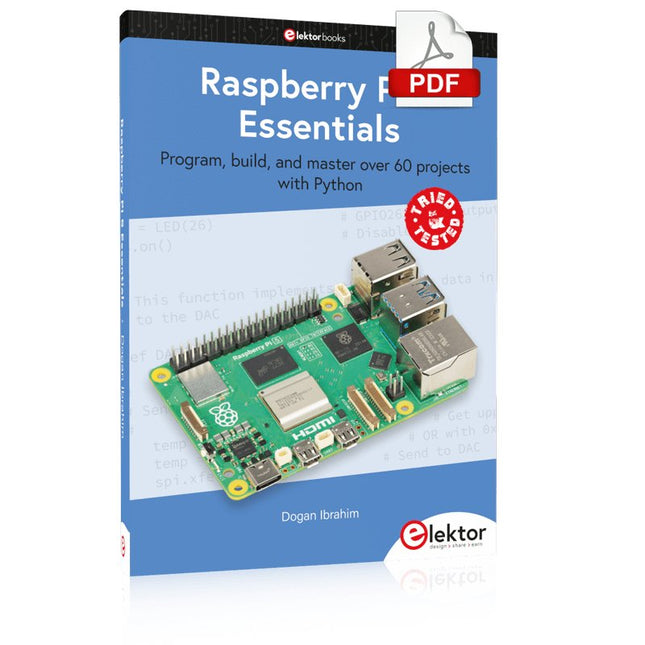
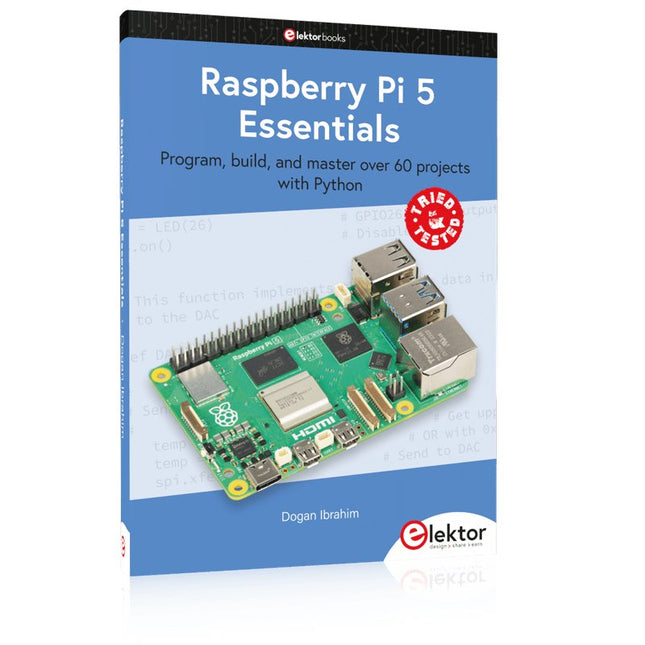
Program, build, and master over 60 projects with Python
The Raspberry Pi 5 is the latest single-board computer from the Raspberry Pi Foundation. It can be used in many applications, such as in audio and video media centers, as a desktop computer, in industrial controllers, robotics, and in many domestic and commercial applications. In addition to the well-established features found in other Raspberry Pi computers, the Raspberry Pi 5 offers Wi-Fi and Bluetooth (classic and BLE), which makes it a perfect match for IoT as well as in remote and Internet-based control and monitoring applications. It is now possible to develop many real-time projects such as audio digital signal processing, real-time digital filtering, real-time digital control and monitoring, and many other real-time operations using this tiny powerhouse.
The book starts with an introduction to the Raspberry Pi 5 computer and covers the important topics of accessing the computer locally and remotely. Use of the console language commands as well as accessing and using the desktop GUI are described with working examples. The remaining parts of the book cover many Raspberry Pi 5-based hardware projects using components and devices such as
LEDs and buzzers
LCDs
Ultrasonic sensors
Temperature and atmospheric pressure sensors
The Sense HAT
Camera modules
Example projects are given using Wi-Fi and Bluetooth modules to send and receive data from smartphones and PCs, and sending real-time temperature and atmospheric pressure data to the cloud.
All projects given in the book have been fully tested for correct operation. Only basic programming and electronics experience are required to follow the projects. Brief descriptions, block diagrams, detailed circuit diagrams, and full Python program listings are given for all projects described.
Program, build, and master over 60 projects with Python
The Raspberry Pi 5 is the latest single-board computer from the Raspberry Pi Foundation. It can be used in many applications, such as in audio and video media centers, as a desktop computer, in industrial controllers, robotics, and in many domestic and commercial applications. In addition to the well-established features found in other Raspberry Pi computers, the Raspberry Pi 5 offers Wi-Fi and Bluetooth (classic and BLE), which makes it a perfect match for IoT as well as in remote and Internet-based control and monitoring applications. It is now possible to develop many real-time projects such as audio digital signal processing, real-time digital filtering, real-time digital control and monitoring, and many other real-time operations using this tiny powerhouse.
The book starts with an introduction to the Raspberry Pi 5 computer and covers the important topics of accessing the computer locally and remotely. Use of the console language commands as well as accessing and using the desktop GUI are described with working examples. The remaining parts of the book cover many Raspberry Pi 5-based hardware projects using components and devices such as
LEDs and buzzers
LCDs
Ultrasonic sensors
Temperature and atmospheric pressure sensors
The Sense HAT
Camera modules
Example projects are given using Wi-Fi and Bluetooth modules to send and receive data from smartphones and PCs, and sending real-time temperature and atmospheric pressure data to the cloud.
All projects given in the book have been fully tested for correct operation. Only basic programming and electronics experience are required to follow the projects. Brief descriptions, block diagrams, detailed circuit diagrams, and full Python program listings are given for all projects described.
Elektor GREEN en GOLD leden kunnen deze uitgave hier downloaden.Nog geen lid? Klik hier om een lidmaatschap af te sluiten.
Kiesschijftelefoon als afstandsbedieningvoor licht kies 1; voor koffie kies 2
GPS-gebaseerde snelheidsmeternooit meer bekeuringen
RGB-stroboscoop met Arduinokleurige toepassing van een nuttig instrument
Draadloze nooddrukknopmeer veiligheid met LoRa
Alle begin......volgt de emitter
Vrij te kiezen onafhankelijke hystereseniveaus voor comparatorenmet simulaties, spreadsheets en algebra
Impedantie-analyzer op basis van een ESP32simpel, weinig onderdelen en goedkoop!
Oost West Lab Bestzelfbouw moet gestimuleerd!
Het MCCAB Arduino Nano Training Boardalle hardware voor de “Microcontrollers Hands-On Course”
Uit het leven gegrepenmodern luddisme
Sensor-ABC: de DS18B20 temperatuursensoraansluiting op de 1-Wire bus
Gaan Matter en Thread het Smart Home redden?nieuwe standaarden om het slimme huis te vereenvoudigen
Een kwestie van samenwerkingontwikkelen met het Thing Plus Matter Board en Simplicity Studio
Elektor IIIIinfographicIoT en sensoren
Matter, ExpressLink, Rainmaker – waar hebben we het over?vraaggesprek met Amey Inamdar van Espressif
De juiste keuze van microcontroller-ontwikkelkitsvoor IoT- en IIoT-toepassingen
Condensatoren gedragen zich niet altijd capacitief!
Een NTP-klok met CircuitPythonwaarom zou je deze programmeertaal gebruiken?
Bouw een cool IoT-display'met de Phambili Newt
De doppler-bewegingssensor HB100theorie en praktijk
Een gids voor puristisch programmeren (deel 1)voor STM32 en andere controllers
Siglent SDM3045X-multimeter
Microprocessoren voor embedded systemenvreemde onderdelen
Microcontroller-documentatie verklaarddeel 3: blokschema’s en meer
Low-power LoRa-weerstationbouw zelf een weerstation met een groot bereik
Transverter voor de 70cm-band
Klimaat aan ingenieurssnelheid is geboden!
Hexadoku
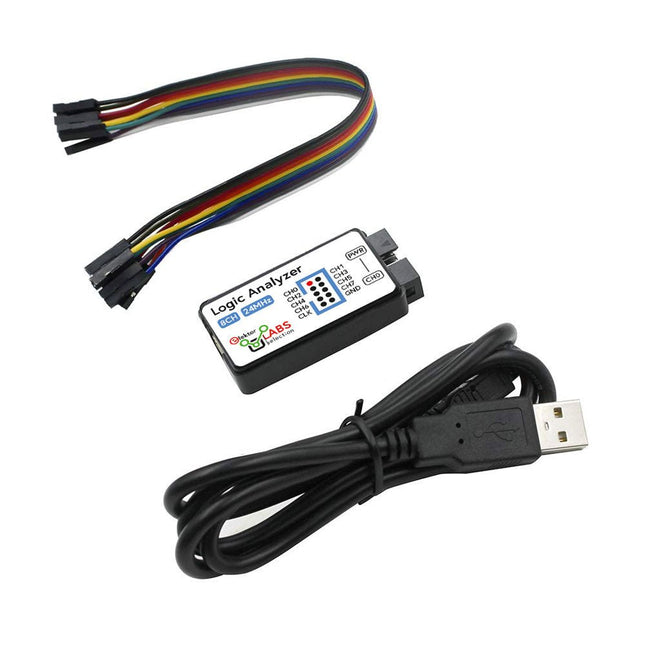
Deze USB Logic Analyzer is een 8-kanaals logic analyzer met elke ingang bedoeld voor het op twee manieren opnemen van analoge data. Hij is perfect voor het debuggen en analyseren van signalen zoals I²C, UART, SPI, CAN en 1-Wire. De analyzer bemonstert een digitale ingang die is aangesloten op een te testen apparaat (DUT) met een hoge bemonsteringssnelheid. De aansluiting op de PC gaat via USB.Specificaties
Kanalen
8 digitale kanalen
Maximale bemonsteringssnelheid
24 MHz
Maximale ingangsspanning
0 V ~ 5 V
Bedrijfstemperatuur
0°C ~ 70°C
Ingangsimpedantie
1 MΩ || 10 pF
Ondersteunde protocollen
I²C, SPI, UART, CAN, 1-wire, enz.
PC-aansluiting
USB
Afmetingen
55 x 28 x 14 mm
Inbegrepen
USB Logic Analyzer (8-kanaals, 24 MHz)
USB-kabel
Jumper Draad Lintkabel
DownloadsSoftware
Trek de hendel naar beneden voor de hoogste score!Deze Elektor Circuit Classic uit 1984 toont een speelse toepassing van logische IC's uit de CMOS 400x serie in combinatie met leds, destijds een zeer populaire combinatie. Het project imiteert een gokkast met ronddraaiende cijfers.Het spelVoordat het spel start dient u eerst het aantal rondes af te spreken. Speler 1 trekt de schakelhendel naar beneden zo lang als hij wenst en laat hem dan los. De leds tonen vervolgens de score die de som is van de 20-10-5-2-1 leds die oplichten. Mocht het Play Again! ledje gaan branden dan heeft speler 1 een extra 'gratis' ronde. Zo niet, dan is speler 2 aan de beurt. De spelers houden hun scores bij en de hoogste score wint.Kenmerken
Leds geven de score aan
Meerdere spelers en Play Again!
Elektor Heritage circuit symbolen
Uitgeprobeerd en getest door Elektor Labs
Educatief en nerdy project
Through-hole onderdelen
Inbegrepen
Printplaat
Alle componenten
Houten standaard
Stuklijst
Weerstanden (5%, 250 mW)
R1, R2, R3, R4 = 100 kΩ
R5, R6, R7, R8, R9, R10 = 1 kΩ
Condensatoren
C1 = 4,7 nF, 10 %, 50 V, 5 mm
C2 = 4,7 μF, 10%, 63 V, axiale
C3, C4 = 100 nF, 10 %, 50 V, keramiek X7R, 5 mm
Halfgeleiders
Led1 – Led6 = rood, 5 mm (T1 3/4)
IC1 = 74HC4024
IC2 = 74HC132
Diversen
S1 = schakelaar, tuimel, 21 mm hendel, SPDT, kortstondig
S2 = schakelaar, tactiel, 24 V, 50 mA, 6x6 mm
S3 = schakelaar, schuif, SPDT
IC1, IC2 = IC-voetje, DIP14
BT1 = CR2032 PCB batterijhoudertje
Tafel standaard
PCB 230098-1
Niet inbegrepen: BT1 = CR2032 knoopcel batterij
Learn to 3D Model & 3D Print with Tinkercad
With this book and the complementary videos, you’ll be 3D printing in no time at all. This course is meant to have you make casings for electronic components but also goes into optimizing your print technique as well as adding a little flair to your 3D creations. The course is perfect for you if you just bought your (first) 3D printer and want to print your own designs as soon as possible while also being able to get more background information.
You’ll get to know the workings of a 3D printer and what software to use to model your object, not forgetting to make it print perfectly. We’ll even use the magic of 3D printing to create things that appear impossible to make (this fast and simple) with any other rapid-prototyping technique.
At the end of this course, it’ll be second nature for you to design an object for 3D printing and fine-tune your print-setting to get the perfect print!
The book includes the following 7 video tutorials:
Introduction
Basic 3D modeling for 3D printing
Modeling a casing
Post-processing
Pushing the limits
Movable parts
Snap fits
Het Elektor Arduino Nano MCCAB Training Board bevat alle componenten (incl. Arduino Nano) die nodig zijn voor de oefeningen, zoals LED’s, schakelaars, drukknoppen, buzzer enz. Ook externe sensoren, motoren of modules kunnen worden gecheckt of bestuurd met dit microcontroller-trainingssysteem.
Specificaties (Arduino Nano Training Board MCCAB)
Voeding
Via de USB-aansluiting van de aangesloten pc of een externe voeding (niet inbegrepen)
Spanning
+5 Vcc
Ingangsspanning
Alle ingangen
0 V tot +5 V
VX1 en VX2
+8 V tot +12 V (alleen bij gebruik van een externe voeding)
Hardware
LCD
2x16 karakters
Potentiometer P1 & P2
JP3: Selectie van de werkspanning van P1 & P2
Verdelers
SV4: Verdeler voor de werkspanningenSV5, SV6: Verdelers voor de in-/uitgangen van de microcontroller
Schakelaars en knoppen
RESET knop op de Arduino Nano module; 6x drukknop schakelaars K1 ... K6; 6x Schuifschakelaars S1 ... S6; JP2: Jumper van de schakelaars met de ingangen van de microcontroller
Buzzer
Piezo buzzer ‘Buzzer1’ met jumper op JP6
Indicator LED’s
11 x LED: Status indicator voor de ingangen/uitgangen LED L op de Arduino Nano module, aangesloten op GPIO D13 JP6; Aansluiting van LED's LD10 ... LD20 met GPIO's D2 ... D12
Seriële interfacesSPI & I²C
JP4: Selectie van het signaal op pin X van de SPI-connector SV12 SV9 naar SV12: SPI-interface (3,3 V/5 V) of I²C-interface
Uitgangen voor externe apparaten
SV1, SV7: Geschakelde uitgang (maximaal +24 V/160 mA, extern aangesloten) SV2: 2x13 pinnen voor aansluiting van externe modules
3x3 LED matrix(9 rode LED's)
SV3: Kolommen van de 3x3 LED matrix (uitgangen D6 ... D8) JP1: Verbinding van de rijen met de GPIO's D3 ... D5
Software
MCCABLib library
Controle van hardware componenten (schakelaars, knoppen, LED's, 3x3 LED matrix, buzzer) op het MCCAB Training Board
Werktemperatuur
Tot +40 °C
Afmetingen
100 x 100 x 20 mm
Specificaties (Arduino Nano)
Microcontroller
ATmega328P
Architectuur
AVR
Spanning
5 V
Flash memory
32 KB, waarvan 2 KB gebruikt door de bootloader
SRAM
2 KB
Kloksnelheid
16 MHz
Analoge IN Pinnen
8
EEPROM
1 KB
DC stroom per I/O-pin
40 mA op één I/O-pin, totaal maximaal 200 mA op alle pinnen samen
Ingangsspanning
7-12 V
Digitale I/O-pinnen
22 (waarvan 6 PWM)
PWM Uitgangen
6
Stroomverbruik
19 mA
Afmetingen
18 x 45 mm
Gewicht
7 g
Inbegrepen
1x Elektor Arduino Nano Training Board MCCAB
1x Arduino Nano
The ESP8266 from Espressif is a Wi-Fi microchip with full TCP/IP stack and microcontroller capability. It has made waves in the maker community with its low price.
But many developers were unhappy with ESP8266's high power consumption. The ESP32, equipped with a ULP (Ultra Low Power) coprocessor, offers a remedy for this.
This e-book features a number of projects featuring ESP32 & ESP8266 as well as an interview with the CEO of Espressif Teo Swee Ann.
Articles
ESP32 for Use in Industry 4.0 Equipment
Scrolling Message Display, 512 LEDs controlled over Wi-Fi via an ESP-12F
The Connected Greenhouse IoT demonstration project using MQTT and Node-RED
VFD-tube Clock with ESP32 with an accurate Internet-derived time
ESP32 Low Power
DCF77 Emulator with ESP8266
ESP8266 on the Elektor Android I/O Board
The Reason Behind the Hugely Popular ESP8266?
Wi-Fi Desktop Thermostat
Timers for the Wi-Fi Desktop Thermostat
PlatformIO, the Universal Programming Tool
Weather Display, Visualize current weather data on an LC display
GoNotify, a Flexible IoT Sensor Interface
ESP32 for Power Users
USB Programming Adaptor for ESP8266
Getting started with ESP32 and the Arduino IDE
MicroPython, Python for small systems
RGBDigit Clock
WLAN for Microcontrollers
Return of the Wi-Fi Controller Board
Compact and Self-contained WLAN
Nobody has any doubt that valve amplifiers produce a remarkably beautiful sound. They have a lively, deep, clear, and expressive sound, and dynamically they do not appear to have any limitations. The author investigates, in a systematic theoretical approach, the reasons for these beautiful properties. He develops new models for power valves and transformers, thus enabling the designer to determine the properties of the amplifier during the design process. Mathematical models for the coupling of power valve(s) and output transformer are provided. These will generate new insights in a special kind of distortion: the dynamic damping factor distortion (DDFD). With mathematical models in the complex domain, especially the properties at the limits of our hearing range (from 20 Hz to 20 kHz) are investigated and the minimal stability criteria for the amplifier are formulated. The often-applied negative feedback in amplifiers is extensively modelled and discussed in relation to our hearing appreciating. And after all this theory a fine selection of special amplifiers is presented and discussed.
You will notice in this book that the author not only writes about amplifier technique, but tells about the way the development of valve amplifiers can have an influence on your daily life; even the usefulness of patents is discussed. Summarizing: new theories and solutions for perfect audio with valve amplifiers. Not only the professional and the DIY-er but everyone who wants to understand valve amplifiers will read this book with much pleasure.
This 233-page e-book is packed with Arduino ideas, explanations, tips, diagrams, programs, PCB layouts, and more – enough to provide days of informative, inspiring, and stimulating reading pleasure!
The PDF document includes a table of contents with links to the individual projects, allowing you to easily navigate to the sections you’re most interested in. This way, you can quickly and effortlessly switch between projects and find exactly what you’re looking for.
311 Circuits is the twelfth book in Elektor’s celebrated ‘300’ series. An immense source of inspiration for all electronics enthusiasts and professionals, this book deserves a place not far from the workbench.
This book contains circuits, design ideas, tips and tricks from all areas of electronics: audio & video, computers & microcontrollers, radio, hobby & modelling, home & garden, power supplies & batteries, test & measurement, software, not forgetting a section ‘miscellaneous’ for everything that doesn’t fit in one of the other categories.
311 Circuits presents complete solutions for numerous problems, as well as starting points for your own creations. 311 Circuits has been compiled from the 2009, 2010 and 2011 ‘Summer Circuits’ double editions of Elektor magazine. The book is mostly based on readers’ contributions, supplemented by circuits engineered and developed in the Elektor Labs.
Een op de Raspberry Pi Pico gebaseerde Eye Catcher
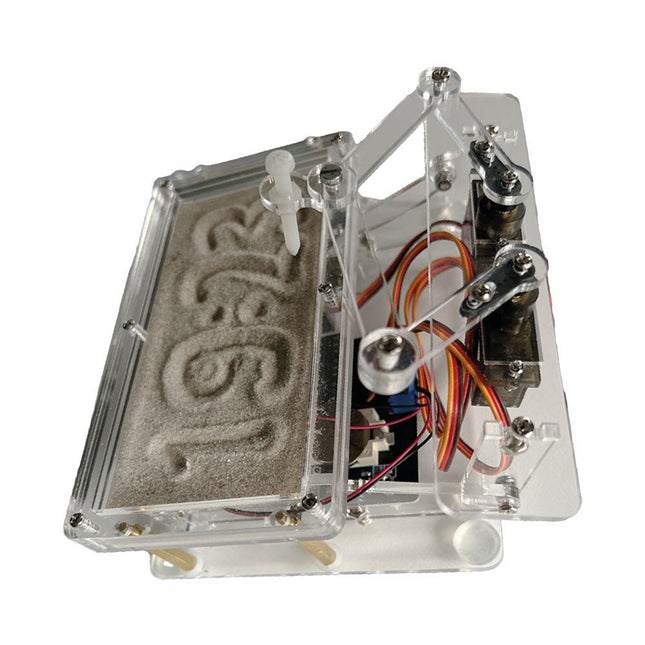
Een standaard zandklok laat meestal slechts zien hoe de tijd verstrijkt. Deze door een Raspberry Pi Pico aangestuurde zandklok toont daarentegen de exacte tijd door de vier cijfers voor uren en minuten in een zandlaag te "graveren". Na een vooraf ingestelde periode wordt het zand door twee trilmotoren vlak getrild en begint alles weer van voren af aan.
Het hart van de zandklok wordt gevormd door twee servomotoren, die via een pantograafmechanisme een schrijfpen aandrijven. Een derde servomotor tilt deze pen op en neer. Het zandbakje is voorzien van twee trilmotoren om het zand weer vlak te trillen. Het elektronische deel van de zandklok bestaat uit een Raspberry Pi Pico en een RTC/driverbord met een real-time klok, plus drivercircuits voor de servomotoren.
Een gedetailleerde bouwhandleiding is beschikbaar via download.
Kenmerken
Afmetingen: 135 x 110 x 80 mm
Bouwtijd: ca. 1,5 tot 2 uur
Inbegrepen
3x Voorgesneden acrylaatplaten met alle mechanische onderdelen
3x Mini servomotoren
2x Trilmotoren
1x Raspberry Pi Pico
1x RTC/driverkaart met geassembleerde onderdelen
Moeren, boutjes, afstandhouders en draden voor de montage
Fijnkorrelig wit zand
From Detector to Software Defined RadioRadio frequency (RF) technology is one of the areas which still allows putting your own ideas into practice. Countless circuit variants with special objectives allow space for meaningful experiments and projects. Many things simply aren’t available off the shelf. Crystal detector radios without their own power source, simple tube receivers with a touch of nostalgia, the first reception attempts at Software Defined Radio, special receivers for amateur radio, all this can be realized with little effort and as a perfect introduction to RF electronics.For a long time, radio construction was the first step into electronics. Meanwhile, there are other ways, especially via computers, microcontrollers, and digital technology. However, the analog roots of electronics are often neglected. Elementary radio technology and easy-to-do experiments are particularly well suited as a learning field for electronics because you can start with the simplest basics here.But the connection to modern digital technology is also obvious, for example, when it comes to modern tuning methods such as PLL and DDS or modern DSP radios.This book aims to give an overview and present a collection of simple RF projects. The author would like to support you to develop your own ideas, to design your own receivers and to test them.
Easy and Affordable Digital Signal ProcessingThe aim of this book is to teach the basic principles of Digital Signal Processing (DSP) and to introduce it from a practical point of view using the bare minimum of mathematics. Only the basic level of discrete-time systems theory is given, sufficient to implement DSP applications in real time. The practical implementations are described in real time using the highly popular ESP32 DevKitC microcontroller development board. With the low cost and extremely popular ESP32 microcontroller, you should be able to design elementary DSP projects with sampling frequencies within the audio range. All programming is done using the popular Arduino IDE in conjunction with the C language compiler.After laying a solid foundation of DSP theory and pertinent discussions on the main DSP software tools on the market, the book presents the following audio-based sound and DSP projects:
Using an I²S-based digital microphone to capture audio sound
Using an I²S-based class-D audio amplifier and speaker
Playing MP3 music stored on an SD card through an I²S-based amplifier and speaker
Playing MP3 music files stored in ESP32 flash memory through an I²S-based amplifier and speaker
Mono and stereo Internet radio with I²S-based amplifiers and speakers
Text-to-speech output with an I²S-based amplifier and speaker
Using the volume control in I²S-based amplifier and speaker systems
A speaking event counter with an I²S-based amplifier and speaker
An adjustable sinewave generator with I²S-based amplifier and speaker
Using the Pmod I²S2 24-bit fast ADC/DAC module
Digital low-pass and band-pass real-time FIR filter design with external and internal A/D and D/A conversion
Digital low-pass and band-pass real-time IIR filter design with external and internal A/D and D/A conversion
Fast Fourier Transforms (FFT)
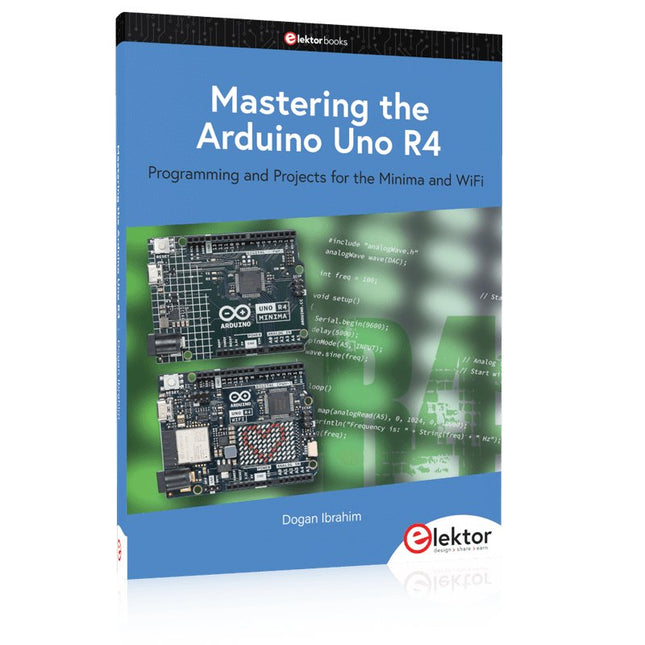
Programming and Projects for the Minima and WiFi
Based on the low-cost 8-bit ATmega328P processor, the Arduino Uno R3 board is likely to score as the most popular Arduino family member, and this workhorse has been with us for many years. Eleven years later, the long-overdue successor, the Arduino Uno R4, was released. It is built around a 48 MHz, 32-bit Arm Cortex-M4 microcontroller and provides significantly expanded SRAM and Flash memory. Additionally, a higher-precision ADC and a new DAC are added to the design. The Uno R4 board also supports the CAN Bus with an interface.
Two versions of the board are available: Uno R4 Minima, and Uno R4 WiFi. This book is about using these new boards to develop many different and interesting projects with just a handful of parts and external modules. All projects described in the book have been fully tested on the Uno R4 Minima or the Uno R4 WiFi board, as appropriate.
The project topics include the reading, control, and driving of many components and modules in the kit as well as on the relevant Uno R4 board, including
LEDs
7-segment displays (using timer interrupts)
LCDs
Sensors
RFID Reader
4x4 Keypad
Real-time clock (RTC)
Joystick
8×8 LED matrix
Motors
DAC (Digital-to-analog converter)
LED matrix
WiFi connectivity
Serial UART
CAN bus
Infrared controller and receiver
Simulators
… all in creative and educational ways with the project operation and associated software explained in great detail.
Boek: Mastering the Arduino Uno R4
Gebaseerd op de voordelige 8-bits ATmega328P-processor, is het Arduino Uno R3-bord waarschijnlijk het populairste lid van de Arduino-familie geworden, en dit werkpaard is al vele jaren bij ons. Elf jaar later werd de langverwachte opvolger, de Arduino Uno R4, uitgebracht. Deze is gebouwd rond een 48 MHz, 32-bits Arm Cortex-M4 microcontroller en biedt aanzienlijk uitgebreider SRAM- en Flash-geheugen. Daarnaast zijn een nauwkeurigere ADC en een nieuwe DAC aan het ontwerp toegevoegd. Het Uno R4-bord ondersteunt ook de CAN-bus met een interface.
Er zijn twee versies van het bord beschikbaar: Uno R4 Minima en Uno R4 WiFi. Dit boek gaat over het gebruik van deze nieuwe borden om veel verschillende en interessante projecten te ontwikkelen met slechts een handvol onderdelen en externe modules.
Alle projecten die in het boek worden beschreven, zijn volledig getest op de Uno R4 Minima of de Uno R4 WiFi-kaart, afhankelijk van het type. De projectonderwerpen omvatten het uitlezen, besturen en aansturen van veel componenten en modules in de kit, evenals op de betreffende Uno R4-kaart, waaronder...
LED's
Weergaven met 7 segmenten (met timer-onderbrekingen)
LCD's
Sensoren
RFID-lezer
4×4 toetsenbord
Realtime klok (RTC)
Joystick
8×8 LED-matrix
Motoren
DAC (digitaal-naar-analoog-omzetter)
LED-matrix
WiFi-connectiviteit
Seriële UART
CAN-bus
Infraroodcontroller en ontvanger
Simulatoren
... dit alles op creatieve en educatieve wijze, waarbij de werking van het project en de bijbehorende software tot in detail worden uitgelegd.
Arduino Uno R4 WiFi
De Arduino Uno R4 wordt aangedreven door de Renesas RA4M1 32-bits ARM Cortex-M4-processor, wat zorgt voor een aanzienlijke verbetering in rekenkracht, geheugen en functionaliteit. De wifi-versie wordt geleverd met een ESP32-S3 wifi-module naast de RA4M1, waardoor de creatieve mogelijkheden voor makers en ingenieurs worden uitgebreid.
De Arduino Uno R4 werkt op 48 MHz, een verdrievoudiging ten opzichte van de populaire Uno R3. Daarnaast is het SRAM-geheugen geüpgraded van 2 kB naar 32 kB en het flashgeheugen van 32 kB naar 256 kB om complexere projecten te ondersteunen. Naar aanleiding van feedback van de community is de USB-poort nu een USB-C-poort en is de maximale voedingsspanning verhoogd naar 24 V met een verbeterd thermisch ontwerp. Het bord bevat een CAN-bus en een SPI-poort, waardoor gebruikers minder bedrading nodig hebben en parallelle taken kunnen uitvoeren door meerdere shields aan te sluiten. Er is ook een 12-bits analoge DAC op het bord aanwezig.
Specificaties
Microcontroller
Renesas RA4M1 (ARM Cortex-M4)
USB
USB-C
Programmeerpoort
Pinnen
Digitale I/O-pinnen
14
Pinnen
Analoge ingangspinnen
6
DAC
1
RTC
1
PWM-pinnen
6
Communicatie
UART
1x
I²C
1x
SPI
1x
Qwiic I²C-connector
1x
CAN
1x CAN-bus
Voeding
Bedrijfsspanning circuit
5 V
Ingangsspanning (VIN)
6-24 V
Gelijkstroom per I/O-pin
8 mA
Kloksnelheid
Hoofdkern
48 MHz
Geheugen
RA4M1
256 kB Flash, 32 kB RAM
LED-matrix
12 x 8 (96 rode LED's)
Afmetingen
68,9 x 53,4 mm
Downloads
Datasheet
Schematics
Deze bundel bevat:
Boek: Mastering the Arduino Uno R4 (t.w.v. € 45)
Arduino Uno R4 WiFi (t.w.v. € 30)
Programming and Projects for the Minima and WiFi
Based on the low-cost 8-bit ATmega328P processor, the Arduino Uno R3 board is likely to score as the most popular Arduino family member, and this workhorse has been with us for many years. Eleven years later, the long-overdue successor, the Arduino Uno R4, was released. It is built around a 48 MHz, 32-bit Arm Cortex-M4 microcontroller and provides significantly expanded SRAM and Flash memory. Additionally, a higher-precision ADC and a new DAC are added to the design. The Uno R4 board also supports the CAN Bus with an interface.
Two versions of the board are available: Uno R4 Minima, and Uno R4 WiFi. This book is about using these new boards to develop many different and interesting projects with just a handful of parts and external modules. All projects described in the book have been fully tested on the Uno R4 Minima or the Uno R4 WiFi board, as appropriate.
The project topics include the reading, control, and driving of many components and modules in the kit as well as on the relevant Uno R4 board, including
LEDs
7-segment displays (using timer interrupts)
LCDs
Sensors
RFID Reader
4x4 Keypad
Real-time clock (RTC)
Joystick
8×8 LED matrix
Motors
DAC (Digital-to-analog converter)
LED matrix
WiFi connectivity
Serial UART
CAN bus
Infrared controller and receiver
Simulators
… all in creative and educational ways with the project operation and associated software explained in great detail.
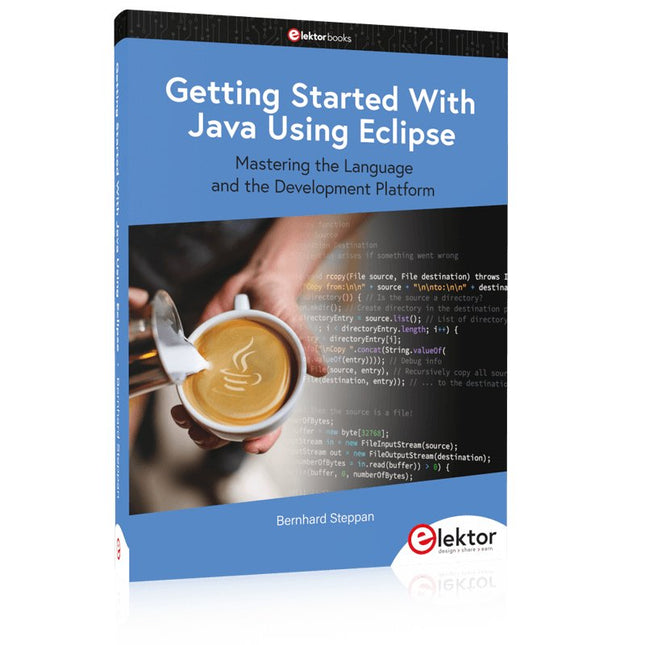
Mastering the Language and the Development Platform
Many people would like to learn Java but getting started is not easy since programming with Java requires at least two things: mastering the programming language and the development environment. With the help of many examples, this book shows how the language is structured. In addition, it employs the Eclipse development environment as an example of a powerful tool to teach developing Java programs.
In Basics, the first part of the book, you acquire your Java and Eclipse basic knowledge. This part lays the programming foundations, gives you an overview of Java technology, and shows you what is special about object-oriented programming.
In the second part called Java Language, everything revolves around the subtleties of the Java language and this is where the first small Java applications are created, aided by a fine blend of the knowledge part and practical exercises.
Java Technology is both the name and the focus of the third part which also introduces you to the rules to observe when programming, what class libraries are and what advantages they have. In addition, you will learn how to test programs, what algorithms are, and how to program them.
The fourth part, Java Projects, enables you to apply all the previous elements in an application with a graphical user interface. The project shows how to develop a larger application piece by piece with the Eclipse development environment. The Appendix concludes with a section on frequent errors that can occur when working with Eclipse, and a Glossary.
Mastering the Language and the Development Platform
Many people would like to learn Java but getting started is not easy since programming with Java requires at least two things: mastering the programming language and the development environment. With the help of many examples, this book shows how the language is structured. In addition, it employs the Eclipse development environment as an example of a powerful tool to teach developing Java programs.
In Basics, the first part of the book, you acquire your Java and Eclipse basic knowledge. This part lays the programming foundations, gives you an overview of Java technology, and shows you what is special about object-oriented programming.
In the second part called Java Language, everything revolves around the subtleties of the Java language and this is where the first small Java applications are created, aided by a fine blend of the knowledge part and practical exercises.
Java Technology is both the name and the focus of the third part which also introduces you to the rules to observe when programming, what class libraries are and what advantages they have. In addition, you will learn how to test programs, what algorithms are, and how to program them.
The fourth part, Java Projects, enables you to apply all the previous elements in an application with a graphical user interface. The project shows how to develop a larger application piece by piece with the Eclipse development environment. The Appendix concludes with a section on frequent errors that can occur when working with Eclipse, and a Glossary.
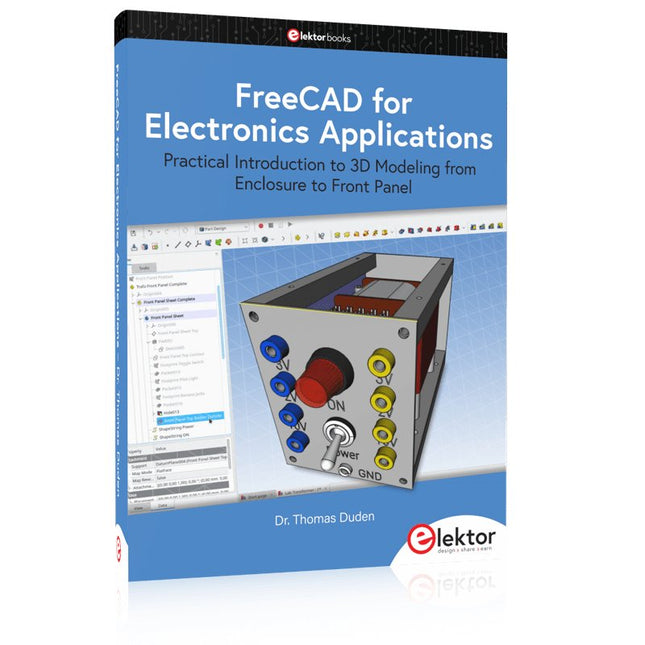
Practical Introduction to 3D Modeling from Enclosure to Front Panel
Embedding a vintage component, creating a professional looking home for a circuit board, or even designing a complex apparatus complete with a chassis – these and many other challenges turn into a stimulating pleasure with FreeCAD. Once you have internalized the basic processes, there are virtually no limits to your imagination.
Starting to use a new software is never straightforward – especially with a tool as versatile as FreeCAD. Manageable, but at the same time easily usable individual components provide the starting point in this book. Putting these components together later results in assemblies.
In the FreeCAD universe, a workable trajectory is demonstrated. The described procedure is illustrative so the examples are easily applied to custom tasks. The devices were made by the author and illustrated with photos.
Creating a 3D design is requiring some effort but the initial investment pays off soon. Besides the impressive spatial representation of the projects, the extracted drawings yield a solid base for documentation and production. Extended FreeCAD capabilities like the unfolding of sheet metal parts enormously add to efficiency and pushes models forward into practical assembly.
Soon you will definitely not want to do without FreeCAD!
Practical Introduction to 3D Modeling from Enclosure to Front Panel
Embedding a vintage component, creating a professional looking home for a circuit board, or even designing a complex apparatus complete with a chassis – these and many other challenges turn into a stimulating pleasure with FreeCAD. Once you have internalized the basic processes, there are virtually no limits to your imagination.
Starting to use a new software is never straightforward – especially with a tool as versatile as FreeCAD. Manageable, but at the same time easily usable individual components provide the starting point in this book. Putting these components together later results in assemblies.
In the FreeCAD universe, a workable trajectory is demonstrated. The described procedure is illustrative so the examples are easily applied to custom tasks. The devices were made by the author and illustrated with photos.
Creating a 3D design is requiring some effort but the initial investment pays off soon. Besides the impressive spatial representation of the projects, the extracted drawings yield a solid base for documentation and production. Extended FreeCAD capabilities like the unfolding of sheet metal parts enormously add to efficiency and pushes models forward into practical assembly.
Soon you will definitely not want to do without FreeCAD!
De Elektor Super Servo Tester kan servo's aansturen en servosignalen meten. Hij kan tot vier servokanalen tegelijkertijd testen.
De Super Servo Tester wordt geleverd als bouwpakket. Alle onderdelen die nodig zijn om de Super Servo Tester in elkaar te zetten zijn inbegrepen in de set. Het bouwen van de kit vereist enige basisvaardigheid met solderen. De microcontroller is al geprogrammeerd.
De Super Servo Tester beschikt over twee bedrijfsmodi: Control/Manual en Measure/Inputs.
In de modus Control/Manual genereert de Super Servo Tester besturingssignalen op zijn uitgangen voor maximaal vier servo's, of voor de flight controller of ESC. De signalen worden ingeregeld door de vier potentiometers.
In de modus Measure/Inputs meet de Super Servo Tester de servosignalen die op de ingangen zijn aangesloten. Deze signalen kunnen afkomstig zijn van bijvoorbeeld een ESC, een flight controller, of de ontvanger, of een ander apparaat. De signalen worden ook naar de uitgangen geleid om de servo's of de flight controller of ESC aan te sturen. De resultaten worden op het display weergegeven.
Specificaties
Operating modi
Control/Manual & Measure/Inputs
Kanalen
3
Servosignaal ingangen
4
Servosignaal uitgangen
4
Alarm
Zoemer & LED
Weergave
0,96" OLED (128 x 32 pixels)
Ingangsspanning op K5
7 - 12 VDC
Ingangsspanning op K1
5 - 7,5 VDC
Ingangsstroom
30 mA (9 VDC op K5, en niets aangesloten op K1 en K2)
Afmetingen
113 x 66 x 25 mm
Gewicht
60 g
Inbegrepen
Weerstanden (0,25 W)
R1, R3
1 k?, 5%
R2, R4, R5, R6, R7, R9, R10
10 k?, 5%
R8
22 ?, 5%
P1, P2, P3, P4
10 k?, lin/B, verticale potentiometer
Condensatoren
C1
100 ?F 16 V
C2
10 ?F 25 V
C3, C4, C7
100 nF
C5, C6
22 pF
Halfgeleiders
D1
1N5817
D2
LM385Z-2.5
D3
BZX79-C5V1
IC1
7805
IC2
ATmega328P-PU, geprogrammeerd
LED1
LED, 3 mm, rood
T1
2N7000
Diversen
BUZ1
Piëzo-zoemer met oscillator
K1, K2
2-rijige, 12-voudige pinheader, 90°
K5
Barrel jack
K4
1-rijige, 4-polige pinvoet
K3
2-rijige, 6-voudige boxed pinheader
S1
Schuifschakelaar DPDT
S2
Schuifschakelaar SPDT
X1
Kristal, 16 MHz
28-voudige DIP-voet voor IC2
Elektor printplaat
OLED-scherm, 0,96", 128 x 32 pixels, 4-pins I²C-interface
Links
Elektor Magazine
Elektor Labs
Elektor GREEN en GOLD leden kunnen deze uitgave hier downloaden.Nog geen lid? Klik hier om een lidmaatschap af te sluiten.
Raspberry Pi Pico als spectrumanalyzerFFT’s met goedkope hardware
±40 V lineaire spanningsregelaaralternatieve voeding voor de Fortissimo-100 eindversterker... en andere!
Flexibele draadloze communicatie met een MCUEEPROM opent netwerkmogelijkheden voor draadloze MCU’s
€ 5000 voor het oprapen!doe mee aan de STM32 Wireless Innovation Design Contest
2023: een AI-odysseeaan de slag met Code Interpreter van ChatGPT
LoRa – een Zwitsers zakmesdeel 1: het LoRa-protocol en zijn voordelen
Instelbare current sink met geïntegreerde klokgeneratortest voedingen, spanningsconverters en accu’s
Twee nieuwe Arduino UNO R4-boards: Minima en WiFi
Logaritmische potentiometersze zijn exponentieel!
Motordriver breakout-boardeen BoB voor een 5 A DC-motordriver van 3×3 mm
Uit het leven gegrepenelektronica periculosa
Biedt cellulair het laagste stroomverbruik voor IoT?energie-eisen van LTE-M en NB-IoT in LPWAN-implementaties
Draadloze communicatie in IoT-systemen met Arduino MKR-moduleshet juiste board voor WiFi, LoRa en andere standaarden
AC-verliezen in magnetische componentenvoorkom hete spoelen!
Meten voor optimale cloud-connectiviteit
Matter implementatie: Wat is er nodig om Matter-devices in te zetten?
YARD Stick Onesub-1 GHz draadloos testtool
Houdrelaisvreemde onderdelen
PIC voor tien – precies op tijdontwerp van een SDR-tijdseinontvanger
Due Diligence DirectiveBusiness as Usual Will Not Do
Alle begin......versterkt spanningen
Infrageluid-recorder met de Arduino Pro Minieen voorbeeldproject uit de Elektor-uitgave “Arduino & Co”
Cloud-gebaseerde energiemetermet een ESP32-module en een PZEM-004T spanning/stroom-sensor
Een gids voor puristisch programmeren (deel 2)nauwkeurige timing, de UART en debugging
Elektor GREEN en GOLD leden kunnen deze uitgave hier downloaden.Nog geen lid? Klik hier om een lidmaatschap af te sluiten.
De Raspberry Pi 5veel beter dan zijn voorganger
AI in het elektronicalabontwerpen, componenten zoeken en programmeren
Arduino Nano-golfvormgeneratorNano + code = functiegenerator
Kerstslinger op zonne-energiemilieuvriendelijke oplossing voor op het balkon
USB-killer-detectorvoorkomen is beter
Een eenvoudige behuizing CNC’enmet Autodesk Fusion 360 voor persoonlijk gebruik
Printen in geringe aantallen producerenmet en zonder assemblage
IoT-simulatie vereenvoudigd met Wokwiontwikkelaar Uri Shaked over ontwerp, software en meer
Een gids voor puristisch programmeren (deel 3)CMSIS-headers, automatisch testen en een webserver
LoRa, een Zwitsers zakmesdeel 2: de hard- en software
MEMS-microfoonontwerp en constructie
Eerst proberen, dan solderengratis simulatie- en 3D-ontwerptools
Nieuwe tools van Microchip!PICkit 5 en MPLAB ICD 5 nu verkrijgbaar!
Snelle prototypen van flexibele, rekbare elektronicahoe de Voltera NOVA innovatie bij wearables versnelt
Galvanische isolatiefototransistor-optocouplers succesvol gebruiken
De complexe of de Anybus-oplossing?embedded industrieel ethernet in twee dagen in plaats van maanden
De essentiële DFM-checklistontwerpen voor productie – hoe doe je dat?
Filamenten voor 3D-printensoorten, kenmerken en gebruik bij prototyping
Specialisten voor effectieve signaalanalyse van de ELF- tot de EHF-bandde nieuwste real-time SPECTRAN® V6 serie spectrumanalyzers van Aaronia
Uitdagingen van DFM-analyse voor flex- en rigid-flex-ontwerpen
Een SMT-productielijn installeren
Elektor infographicsprototyping en productie
Een revolutie voor de industriede opkomst van autonome mobiele robots
Gemaakt voor groteuitdagingenRohde & Schwarz voegt achtkanaals R&S MXO 5 toe aan volgende generatie oscilloscopen
Alle begin......versterkt verschillen
Mini-reflowplaatvoor assemblage of reparatie van kleine SMD-schakelingen
Begin niet met een prototype – begin met een pretotype!kijk of er wel een markt is voor je product voordat je de soldeerbout warmstookt
2023: een AI-odysseehulp bij het ontwerp van een tastbaar project
Brussel innoveertsteun voor deep tech