
Zoekresultaten voor "programming OR the OR finite OR state OR machine"
-
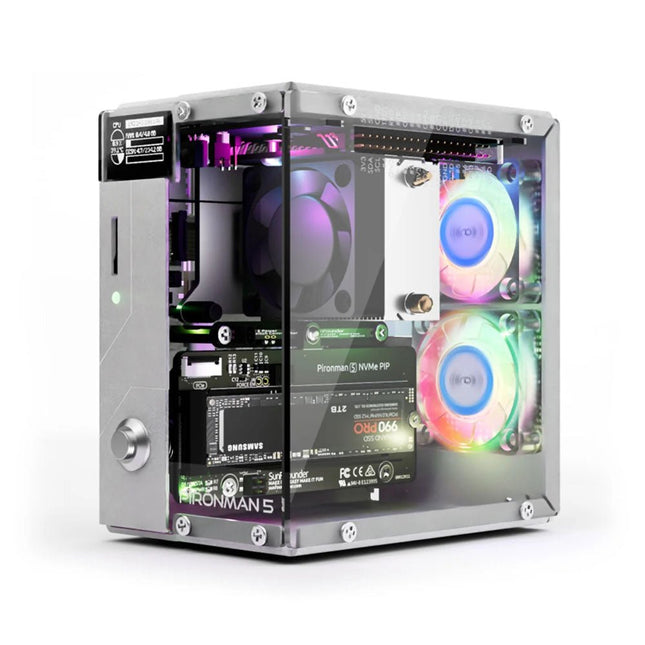
SunFounder Pironman 5 NVMe M.2 SSD PCIe Mini PC-behuizing voor Raspberry Pi 5
Verbeter je Raspberry Pi 5 met de Pironman 5, gebouwd met stevig aluminium, superieure koeling, NVMe M.2 SSD-ondersteuning, OLED-display, RGB-verlichting, standaard HDMI-poorten x2 en een veilige aan/uit-schakelaar. Het is perfect voor NAS, Home Assistant, Media en Game Centers. De Pironman 5 is niet zomaar een behuizing; het is een upgrade die uw Raspberry Pi 5 verandert in een krachtig, efficiënt en stijlvol apparaat. De Pironman 5 bevat de Pi 5 NVMe PIP (PCIe Peripheral Board), een PCIe-adapterkaart die speciaal is ontworpen voor NVMe solid-state drives. Dit bord ondersteunt NVMe SSD's in vier formaten: 2230, 2242, 2260 en 2280, die allemaal in een M.2 M key-slot kunnen worden geïnstalleerd. De verbinding is gecertificeerd voor Gen2.0-snelheden (5 GT/sec), maar kan worden geforceerd naar Gen 3.0 (10 GT/sec) voor snellere prestaties. Uitbreidbaar NVMe M.2 SSD-slot Verbeter de prestaties van uw Raspberry Pi 5 met de NVMe M.2 SSD-sleuf van de Pironman 5, die meerdere formaten ondersteunt (2230, 2242, 2260, 2280) voor meer opslag en snellere systeemreactie. Geavanceerd koelsysteem Houd je Raspberry Pi 5 koel en stijlvol met de torenkoeler en dubbele RGB-ventilatoren van de Pironman 5, voorzien van stoffilters voor een duurzame en onderhoudsarme werking. OLED-display voor direct inzicht De Pironman 5 heeft een OLED-scherm van 0,96 inch, dat onmiddellijke updates biedt over CPU- en RAM-gebruik, temperatuur, IP-adres en meer. Verbeterde functionaliteit en veiligheid De Pironman 5 beveiligt je Raspberry Pi 5 met functies zoals veilig uitschakelen, aanpasbare RGB-LED's, HDMI-poorten, een IR-ontvanger en een externe GPIO-extender, waardoor de functionaliteit en connectiviteit worden verbeterd. Kenmerken Raspberry Pi 5 mini-pc OLED-display van 0,96 inch waarop het CPU-gebruik, de temperatuur, het schijfgebruik, het IP-adres, het RAM-gebruik enz. van de Raspberry Pi worden weergegeven. Torenkoeler kan een CPU-belasting Pi van 100% koelen tot 39°C bij een kamertemperatuur van 25°C 2 RGB-ventilatoren, met GPIO-bediening 1 PWM-ventilator op de torenkoeler wordt bestuurd door het Raspberry Pi-systeem. Ondersteunt vier (PCIe Gen 2.0 / PCIe Gen 3.0) NVMe M.2 SSD-formaten: 2230, 2242, 2260 en 2280. 4 WS2812 adresseerbare RGB-LED's verlichten de hele behuizing met een cool lichteffect IR-ontvanger voor multimediacentra zoals Kodi of Volumio Retro metalen aan/uit-knop voor veilig uitschakelen Externe GPIO-extender met pinnaamlabel, voor gemakkelijke toegang Uitgerust met een veerbelaste aansluiting voor eenvoudig verwijderen van de kaart Aluminium hoofdgedeelte met helder acryl zijpaneel Beschikt over twee standaard HDMI-poorten Downloads Documentation
€ 79,95
Leden: € 71,96
-

Elektor Digital Elektor March/April 2022 (PDF)
Build Your Own RISC-V ControllerFirst Steps with the NEORV32 RISC-V Softcore for Low-Cost FPGAs How to Use Arduino’s Serial PlotterPlotting Graphs With Arduino Is Easy CLUE from AdafruitA Smart Solution for IoT Projects Buffer Board for the Raspberry Pi 400Protect the I/Os Raspberry Pi RP2040 Boards Aplenty A Handbook on DIY Electronic Security and EspionageSRAM Heated or Deep-Frozen Component IdentificationTips & Tricks, Best Practices and Other Useful Information DIY Touchless Light Switch Starting out in ElectronicsMatching and Transforming What’s New in Embedded Development?Rust and Keeping IoT Deployments Updated Infographics How the Industrial and Automotive Sectors Will Benefit from 5G Moving Coil RelaysPeculiar Parts, the series HomeLab ToursEverything Revolves Around the Tools... Understanding the Neurons in Neural Networks (Part 4)Embedded Neurons Magnetic Levitation the Very Easy WayThe Third and Most Compact Version PLC Programming with the Raspberry Pi and the OpenPLC ProjectVisualization of PLC Programs with AdvancedHMI From Life's ExperiencePack Up and Leave Under Your RadarMicrocontrollers You Should Know About Monitor and Debug Over the AirA Solution for Arduino, ESP32 and Co. Portable Temperature- and Humidity-Measuring DeviceUsing Ready-Made Modules Lithium Battery Pack RepairSave Money + More Power! GUIs with PythonMeme-Generator Three Questions to Build OnWhy, What, and Who? HexadokuThe Original Elektorized Sudoku
€ 7,50
-

Elektor Digital Basic Electronics for Beginners (E-book)
Analogue Electronics and Microcontrollers Projects Hobbyist electronics can be a fun way to learn new skills that can be helpful to your career. Those who understand the basics of electronics can design their own circuits and projects. However, before you run, you need to learn to walk. It all starts with analogue electronics. You should be familiar with the simple components and circuits and understand their basic behaviors and the issues you may encounter. The best way to do this is through real experiments. Theory alone is not enough. This book offers a large number of practical entry-level circuits, with which everyone can gain the basic experience. Through the widespread introduction of microcontrollers, a new chapter in electronics has begun. Microcontrollers are now performing more and more tasks that were originally solved using discrete components and conventional ICs. Starting out has become easier and easier thanks to platforms including Bascom, Arduino, micro:bit. The book introduces numerous manageable microcontroller applications. It?s now a case of less soldering and more programming.
€ 32,95
Leden: € 29,66
-

Elektor Digital Elektor Juli/Augustus 2020 (PDF)
ELEKTOR AIDE L'électronique dans des temps difficiles AFFICHAGE D'INFORMATION POUR LA MAISON avec Windows sur le Raspberry Pi DÉMARRER AVEC NODE-RED un outil de programmation open source basé sur des blocs visuels LA tombola d'ÉTÉ d'ELEKTOR GREATSCOTT ! CONSTRUIRE UN SYSTÈME D'ALARME LORA REVUE : ALIMENTATION DE LABORATOIRE JOY-IT RD6006 (KIT) REVUE : INTERFACEBOARD GREATFET ONE QUI N'HONNE PAS LES PETITS – XXL de la boîte à suggestions d'Elektor ANTENNE WIFI EXTERNE 2,4 GHZ POORLUIS CONTRÔLE FACILE DE LA TEMPÉRATURE MARCHE/ARRÊT AVEC CHAPEAU RASPBERRY PI COMMENT PRENDRE DE (BONNES) PHOTOS DÈS L'IMPRESSION... ...et les composants électroniques ? REVUE : NOYAU I2CDRIVER ÉCRAN TACTILE JOY-VIEW 13 DE JOY-IT BOOSTER LED POUR MICROCONTRÔLEURS avec un seul composant ! MACHINE À LAVER À ULTRASONS EXPÉRIMENTALE REVUE : GÉNÉRATEUR DE SIGNAUX JOY-IT JDS2915 générateur de signaux doubles avec compteur de fréquence dans un boîtier métallique PROGRAMMATION DES FEUX DE SIGNALISATION EN LANGAGE PIC ASSEMBLY LED CLIGNOTANT PERMANENT CAPTEUR DE HALL EXPÉRIMENTAL DÉTECTER LES COURT-CIRCUITS AVEC UN MILLIOHM OU ESR MÈTRE KIT PRATIQUE ÉLECTRIQUE SDR PIPELINE DE LABORATOIRES ÉLECTRIQUES KICK-STARTER ÉLECTRIQUE ....eh bien, vous voyez ce que nous voulons dire. AVEZ-VOUS VRAIMENT BESOIN DE TOUT ÇA ??? ici, je passe de nombreuses heures sur des projets électroniques... LABORATOIRE EST OUEST MEILLEUR un aperçu du plus saint des saints, où naissent des projets intéressants BONJOUR LE MONDE! NOUS SOMMES ELEKTOR ET NOUS SOMMES SOCIAUX M4 + A7 + GPU : UNE ÉQUIPE DE RÊVE INÉGALE le nouveau SoC STM32MP1 pour les travaux plus lourds CONFIGURATION DE TEST POUR LE 16F18877 ET AUTRES GRANDES PHOTOS COMMUNICATION INTER-ΜC AVEC LE BUS SPI ET ATMEGA328P SIX VARIANTES DE L'OSCILLATEUR LF/AF (et la capacité de M. Miller) BBC MICRO:BIT oscilloscope absolument minimaliste avec affichage LED FEU DE RUNNING À LED 'KNIGHT RIDER' AVEC ESP32 GÉNÉRATEUR DE SIGNAUX AM LW/MW AVEC ATTINY13 DIPMÈTRE ABSOLUMENT MINIMALISTE SCOOTERS ÉLECTRIQUES BON MARCHÉ quelle est la qualité d'un scooter électrique « homologué » à 300 euros de Lidl ? AIDE AU STATIONNEMENT À ULTRASONS AVEC ARDUINO UNO PÉDALE DE DISTORSION AVEC AMPLI OP ET TUBES DE CHARGE SPATIALE INDISPENSABLE POUR CHAQUE LABORATOIRE D'ÉLECTRONIQUE HEXADOKU IA POUR DÉBUTANTS (2) réseaux de neurones avec Linux et Python
€ 9,95
-

Elektor Digital LabVIEW 2 (PDF)
Das Programmpaket Laboratory Virtual Instrument Engineering Workbench (oder kurz LabVIEW) ist ein international anerkannter Standard zur Entwicklung und Gestaltung von Messgeräten und Prozesssteueroberflächen. Seine Universalität konfrontiert den LabVIEW-Einsteiger allerdings mit einer unübersichtlichen Vielfalt von Funktionen, die er ohne fundierte Anleitung kaum überblicken kann. Hier setzt diese neue mehrteilige Lehrbuchreihe an: Von Grund auf werden in einfach nachvollziehbaren Schritten der Aufbau, die Struktur und die Verwendung von LabVIEW erklärt, in praktischen Beispielen dargestellt und mit Übungen vertieft. Die notwendigen Vorkenntnisse sind äußerst gering, die erreichbaren Ergebnisse dagegen äußerst sehenswert. Der erste Band erläutert die Grunddatentypen und die zugehörigen numerischen Grundfunktionen ebenso ausführlich wie die elementaren Programmstrukturen. Im folgenden Band liegt der Schwerpunkt bei der Kopplung beliebiger Mikrocontrollersysteme über die serielle (USB-)Schnittstelle an den PC und an LabVIEW. Im dritten Band stehen Entwurf und Betrieb kompletter MSR-Systeme mit Hard- und Softwarekomponenten der wichtigsten Messtechnikhersteller im Vordergrund, einschließlich Fernsteuerung, -überwachung und -diagnose über das Internet oder WLAN-Systeme. Diese Lehrbuchreihe richtet sich an Schüler/Auszubildende technischer Bildungseinrichtungen, an Studenten von Fachhochschulen/Universitäten und an den engagierten Praktiker in der Industrie oder im privaten Bereich.
€ 32,80
Leden: € 29,52
-

Elektor Digital Elektor Mei/Juni 2020 (PDF)
Open-netwerk weerstation mk2deel 1: inleiding en hardware-elementen AI voor beginners (1)objectherkenning met het Maixduino-board Universele triac-stuurmodule met ATmegaschakelen en dimmen van verschillende belastingen Hoe... iets van GitHub downloadenGitHub Voor Dummies My IoT-Button: de knop voor het netdeel 2: prototyping met board en cloud TMS0280 spraaksynthesizervreemde onderdelen Interactiefcorrecties & updates | vragen & antwoorden BASIC voor ESP32/ESP8266 (2)zandloper met ESP8266 en Annex WiFi RDS Developer’s Zonetips & trucs, vakkunstigheden en andere nuttige informatie BalBot: een zelfbalancerende robotmoderne versnellingssensoren vergemakkelijken de bouw Alle begin......hoeft niet zo moeilijk te zijn Wie het kleine niet eertuit de ideeënbus van Elektor Verzendbox met manipulatie-indicatiegegevens veilig met de post verzenden Nieuwe Nauwkeurige Nixie-klok: verbeteringentechnisch nieuwsbulletin voor nieuwe en bestaande enthousiaste gebruikers Multitasking met de ESP32 (3)software-timers Met de vos in het IoT (4)inrichten van het dashboard Start-up update: het Elektor Investment Program Review: Elektronische USB-belasting Joy-IT HD35test de belastbaarheid van USB-poorten CAN-bus + Arduino houden zonnepanelen in de gatenlokaliseer panelen in grote arrays die onderhoud nodig hebben Analoge elektronica ontwerpencase-study #1 – deel 3: optimalisatie van de responsie van de voorversterker en compromissen Sound Blinkdraagbare zelfbouwspeaker met LED-lichtshow USB-stroombewakingintelligente bescherming voor USB-poorten Oost West Lab Besteen blik in het allerheiligste, waar onbevoegden geen toegang hebben... Review: Labvoeding PeakTech 6080 Aveel voeding voor weinig geld Een grote uitdagingveilige producten in het IoT-tijdperk Elektor 1,2-GHz-universeelteller (1992/93)voorbij de magische 1GHz-grens Hexadoku
€ 9,95
-

Raspberry Pi Foundation Raspberry Pi RP2040 Microcontroller ICs (10 stuks)
Specificaties Dubbele ARM Cortex-M0+ @ 133 MHz 264 kB on-chip SRAM in zes onafhankelijke banken Ondersteuning tot 16 MB off-chip Flash memory via speciale QSPI bus DMA-controller Volledig aangesloten AHB crossbar Interpolator en integer divider peripherals On-chip programmeerbare LDO om spanning voor de core te genereren 2x on-chip PLL's om USB en core kloksignalen te genereren 30x GPIO pins, waarvan er 4 als analoge ingangen kunnen worden gebruikt Randapparatuur 2x UARTs 2x SPI controllers 2x I²C controllers 16x PWM kanalen USB 1.1 controller en PHY, met host en device support 8x PIO state machines Wat je krijgt 10x RP2040 ICs
€ 7,95€ 3,18Beste prijs
-
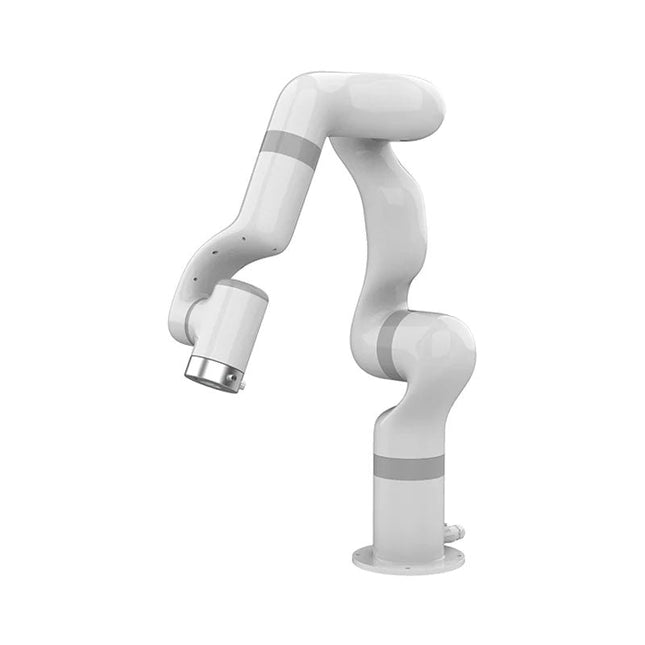
UFactory UFactory 850 Robotic Arm
UFactory 850 is the most powerful robot with industrial grade performance. Features 6DoF Payload: 5 kg Reach: 850 mm Repeatability: 0.02 mm Weight: 20 kg Applications Glambot Welding Screwdriving Robot Vision Industrial Production Designed for both mobile platforms and your workbench The AC control box contains an AC-DC adapter inside, 100-240 V AC is all ready to go. The DC control box supports 48-72 V wide inputs, it perfectly fits the battery system on your mobile platform. Flexible Deployment With Safe Feature Hand teaching, space-saving and easy to re-deploy to multiple applications without changing your production layout. Perfectly for recurrent tasks. Collision detection is available for all of our cobots. Your safety is always the top priority. Graphical Interface For Beginner-Friendly Programming Compatible with various operation systems, including macOS and Windows. Web-based technology compatible with all major browsers. Drag and drop to create your code in minutes. Powerful And Open Source SDK At Your Fingertips Fully functional open-source Python/C++ SDK provides more flexible programming. ROS/ROS2 packages are ready-to-go. Example codes help you to deploy the robotic arm smoothly. Specifications UFactory 850 xArm 5 xArm 6 xArm 7 Payload 5 kg 3 kg 5 kg 3.5 kg Reach 850 mm 700 mm 700 mm 700 mm Degrees of freedom 6 5 6 7 Repeatability ±0.02 mm ±0.1 mm ±0.1 mm ±0.1 mm Maximum Speed 1 m/s 1 m/s 1 m/s 1 m/s Weight (robot arm only) 20 kg 11.2 kg 12.2 kg 13.7 kg Maximum Speed 180°/s 180°/s 180°/s 180°/s Joint 1 ±360° ±360° ±360° ±360° Joint 2 -132°?132° -118°?120° -118°?120° -118°?120° Joint 3 -242°~3.5° -225°~11° -225°~11° ±360° Joint 4 ±360° -97°~180° ±360° -11°?225° Joint 5 -124°~124° ±360° -97°~180° ±360° Joint 6 ±360° ±360° -97°~180° Joint 7 ±360° Hardware Ambient Temperature Range 0-50°C Power Consumption Typical 240 W, max 1000 W Input Power Supply 48 V DC, 20.8 A Footprint Ø 190 mm Materials Aluminum, Carbon Fiber Base Connector Type M8x4 ISO Class Cleanroom 5 Robot Mounting Any End Effector Communication Protocol Modbus RTU End Effector I/O 2x DI / 2x DO / 2x AI / 1x RS485 Communication Mode Ethernet Included 1x UFactory 850 robotic arm 1x AC control box 1x Control box power cable
€ 11.779,00
Beste prijs
-
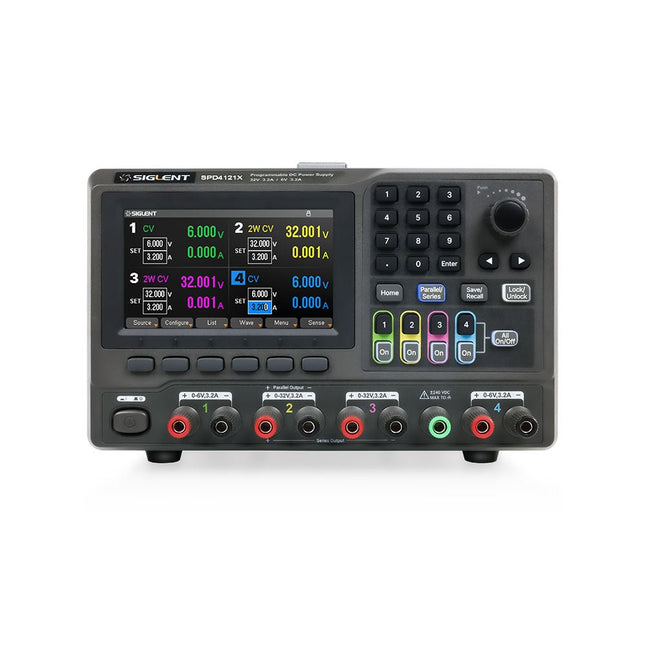
Siglent Siglent SPD4121X 4-kanaals Voeding (285 W)
The Siglent SPD4121X is a 4-channel DC Linear Programmable Power Supply equipped with a 4.3-inch TFT-LCD display, friendly human-machine interface, and excellent performance indicators. Real-time waveform display provides engineers with an informative user interface. SPD4121X offers a total output power of 285 W with a resolution of 1 mV/1 mA. The maximum voltage and current for each channel are as follows: CH1: 15 V/1.5 A CH2: 12 V/10 A CH3: 12 V/10 A CH4: 15 V/1.5 A Kenmerken Rated output power: 285 W Rated voltage: 32 V, 12 V, 30 V Up to four high-precision power supplies with independent controllable outputs, supporting CH2 and CH3 series and parallel connections Clear graphical interface with waveform and timer display modes 5-digit voltage and current display with minimum resolution of 1 mV, 1 mA Fast output response time: <50us The high current channel support remote voltage compensation sense function. The maximum compensation voltage is 0.6 V Overvoltage protection and overcurrent protection or safe and accurate operation Equipped with a 4.3-inch TFT-LCD display (480 x 272 resolution) USB and LAN standard communication USB-GPIB module is optional Excellent channel density with up to 4 channels in a 3U half rack package Internal data storage for setups and parameters Embedded Web Server with instrument communication that doesn’t require software installation Fully SCPI programming command set support as well as a LabView driver for remote control and system automation Specificaties SPD4323X SPD4121X SPD4306X Channel Output CH1: Voltage 0 to 6 V Current 0 to 3.2 ACH2: Voltage 0 to 32 V Current 0 to 3.2 ACH3: Voltage 0 to 32 V Current 0 to 3.2 ACH4: Voltage 0 to 6 V Current 0 to 3.2 A CH1: Voltage 0 to 15 V Current 0 to 1.5 ACH2: Voltage 0 to 12 V Current 0 to 10 ACH3: Voltage 0 to 12 V Current 0 to 10 ACH4: Voltage 0 to 15 V Current 0 to 1.5 A CH1: Voltage 0 to 15 V Current 0 to 1.5 ACH2: Voltage 0 to 30 V Current 0 to 6 ACH3: Voltage 0 to 30 V Current 0 to 6 ACH4: Voltage 0 to 15 V Current 0 to 1 A Resolution 1 mV, 1 mA 1 mV, 1 mA 1 mV, 1 mA Setting Accuracy Voltage: ±(0.03% of reading+10) mV, Current: ±(0.3% of reading+10) mA Voltage: ±(0.03% of reading+10) mV, Current: ±(0.3% of reading+10) mA Voltage: ±(0.03% of reading+10) mV, Current: ±(0.3% of reading+10) mA Readback Accuracy Voltage: ±(0.03% of reading+10) mV, Current: ±(0.3% of reading+10) mA Voltage: ±(0.03% of reading+10) mV, Current: ±(0.3% of reading+10) mA Voltage: ±(0.03% of reading+10) mV, Current: ±(0.3% of reading+10) mA Display 4.3" TFT-LCD 5-digit voltage and current display 4.3" TFT-LCD 5-digit voltage and current display 4.3" TFT-LCD 5-digit voltage and current display Output power 240 W 285 W 400 W Inbegrepen 1x Siglent SPD4121X Power Supply 1x Power cord (EU) 1x Output test cord (3 A) 1x USB cable 1x Quick start guide Downloads Datasheet Manual Quick start
€ 871,20
-

Elektor Digital Getting Started with ESPHome (E-book)
Develop your own custom home automation devices Espressif's ESP8266 and ESP32 microcontrollers have brought DIY home automation to the masses. However, not everyone is fluent in programming these microcontrollers with Espressif's C/C++ SDK, the Arduino core, or MicroPython. This is where ESPHome comes into its own: with this project, you don’t program your microcontroller but configure it. This book demonstrates how to create your own home automation devices with ESPHome on an ESP32 microcontroller board. You’ll learn how to combine all kinds of electronic components and automate complex behaviours. Your devices can work completely autonomously, and connect over Wi-Fi to your home automation gateways such as Home Assistant or MQTT broker. By the end of this book, you will be able to create your own custom home automation devices the way you want. Thanks to ESPHome and the ESP32, this is within everyone’s grasp. Set up an ESPHome development environment and create maintainable configurations Use buttons and LEDs Sound a buzzer and play melodies Read measurements from various types of sensors Communicate over a short distance with NFC, infrared light, and Bluetooth Low Energy Show information on various types of displays Downloads Software
€ 29,95
Leden: € 26,96
-

Elektor Digital Elektor May/June 2020 (PDF) EN
Open-Network Weather Station Mk.2Part 1: Introduction and hardware elements Artificial Intelligence for Beginners (1)Object recognition using the Maixduino board Universal Triac Control Module with ATmegaSwitch and dim a variety of loads GitHub For DummiesHow to download something from GitHub My IoT Button: A Button for the WebPart 2: Prototyping with board and cloud TMS0280 Speech SynthesizerPeculiar Parts, the series InteractiveCorrections & Updates || Questions & Answers BASIC for the ESP32/ESP8266 (2)An hourglass with the ESP8266 and Annex WiFi RDS Developer's ZoneTips & Tricks, Best Practices and Other Useful Information BalBot: a Self-Balancing RobotModern acceleration sensors ease the construction process Starting Out in Electronics (3)Easier than imagined! Small Circuits RevivalCapita Selecta from the Elektor Project Suggestions Box Tamper-Evident BoxSend data securely through postal services Elektor New Precise Nixie Clock RevisitedAn engineering bulletin for enthusiastic users new and old Practical ESP32 Multitasking (3)Software timers SigFox and the IoT (4)Setting up a dashboard Start-Up Update: The Elektor Investment Program Review: Joy-IT HD35 Electronic USB LoadTest & verify USB power performance CAN Bus + Arduino for Solar PV Cell MonitoringDetect and locate serviceable panels in large arrays Analogue Electronics Design (3)Case Study #1 — Section 3: Preamplifier response optimization and trade-offs Inexpensive E-ScooterHow does Lidl's "road approved" 300 euro E-scooter perform? Steeped in ElectronicsLead-free soldering and EU regulatory zeal Lab, Sweet LabA glimpse of The Holy Place — no unauthorized entry. Review: The PeakTech 6080 A Lab Power SupplyA neat lab PSU for not much money A Big ChallengeSafe products in the IoT era Elektor 1.2 GHz Multifunction Frequency Meter (1992/93)Crossing the magic 1 GHz border Hexadoku
€ 7,50
-
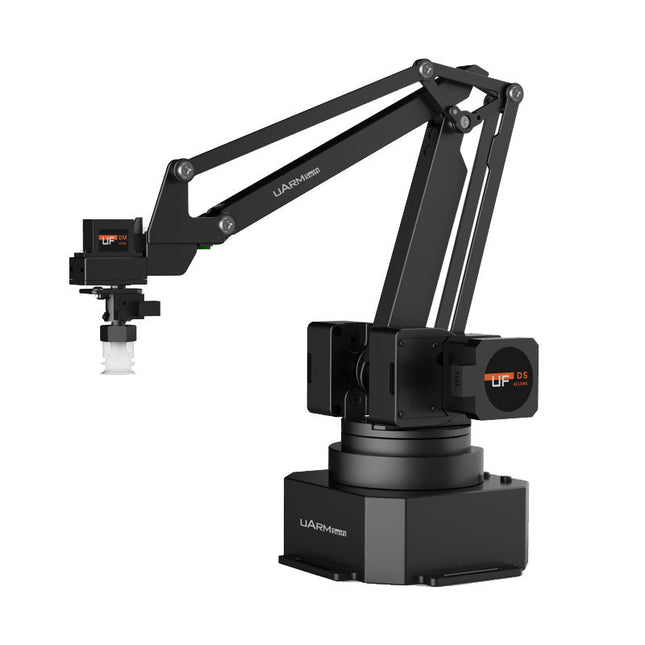
UFactory UFactory uArm Swift Pro
The uArm Swift Pro is a high quality robotic arm that can be used in a wide range of applications. The uArm Swift Pro was developed and optimized for use in education, which means that many packages are already available for open source platforms such as ROS. The uArm Swift Pro has a position repeatability of 0.2 mm and is also equipped with a stepper motor and a 12-bit encoder. These are just a few reasons that make the uArm Swift Pro an excellent choice for educational use. Another great feature is the 3D printing kit that converts the uArm Swift Pro into a 3D printer in less than 1 minute. The uArm supports the following development platforms/systems: UFACTORY SDK Arduino Python ROS GRABCAD OpenMV Smartphone App The smartphone app for iOS is already available in the App Store and enables easy control and monitoring of the robotic arm. The app for Android is in development and will be available soon. An example of the Machine Vision The following GIF shows the uArm in combination with the OpenMV Machine Vision Cam M7 and the facial recognition applications that can be implemented in MicroPython. Specifications Degrees of Freedom: 4 Repeatability: Up to 0.2 mm Payload: 500 g Working Range: 50-320 mm Positioning Speed: 100 m/s Position Feedback: 12-bit Encoder Dimensions: 150 x 140 x 281mm Weight: 2.2 kg Included UFactory uArm Swift Pro Body Bluetooth & Vacuum Gripper Downloads Datasheet
€ 939,00
Beste prijs


