Bouw je eigen vintage radiozender
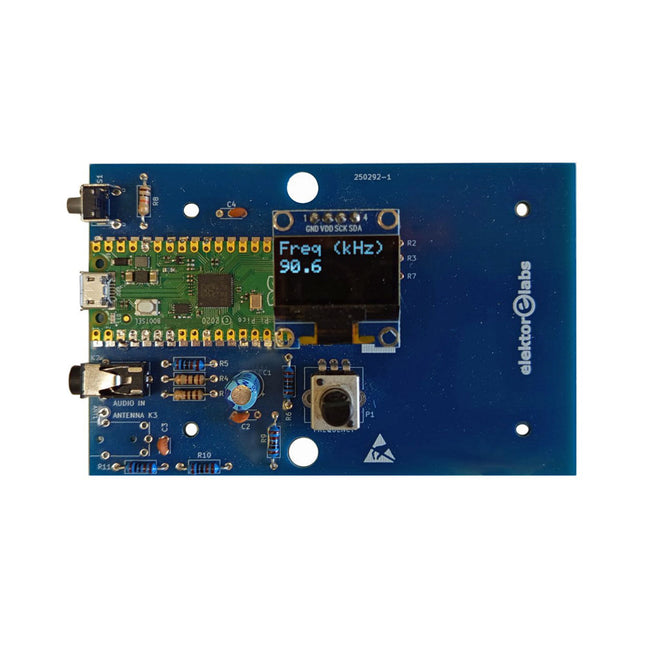
De Elektor AM-zender kit maakt het mogelijk om audio te streamen naar vintage AM-radiotoestellen. Gebaseerd op een Raspberry Pi Pico microcontroller-module kan de AM-zender uitzenden op 32 frequenties in de AM-band, van 500 kHz tot 1,6 MHz in 32 stappen van ca. 35 kHz.
De frequentie wordt gekozen met een potentiometer en weergegeven op een 0,96" OLED-display. Een drukknop maakt het mogelijk om de zendmodus te schakelen tussen Aan en Uit. Het bereik van de zender hangt af van de antenne. De ingebouwde antenne biedt een bereik van enkele centimeters, waardoor de AM-zender dicht bij of in de radio moet worden geplaatst. Een externe lusantenne (niet inbegrepen) kan worden aangesloten om het bereik te vergroten.
De Elektor AM-zender kit wordt geleverd als een bouwpakket dat je zelf op de printplaat moet solderen.
Kenmerken
De printplaat is compatibel met een Hammond 1593N-behuizing (niet inbegrepen).Een 5 VDC-voeding met micro-USB-connector (bijv. een oude telefoonoplader) is nodig om de kit van stroom te voorzien (niet inbegrepen). Stroomverbruik: 100 mA.
De Arduino-software (vereist het RP2040-boards-pakket van Earle Philhower) voor de Elektor AM-zenderkit plus meer informatie is beschikbaar op de Elektor Labs-pagina van dit project.
Componentenlijst
Weerstanden
R1, R4 = 100 Ω
R2, R3, R8 = 10 kΩ
R5, R6, R9, R10, R11 = 1 kΩ
R7 = optioneel (niet inbegrepen)
P1 = potentiometer 100 kΩ, lineair
Condensatoren
C1 = 22 µF 16V
C2, C4 = 10 nF
C3 = 150 pF
Diversen
K1 = 4×1 pinheader
K2, K3 = 3,5 mm-aansluiting
Raspberry Pi Pico
Drukknop, haaks gemonteerd
0,96" monochroom I²C OLED-display
PCB 150292-1
Meer dan 40 volledig geteste ESP32-projecten met Arduino IDE en de LVGL grafische bibliotheek
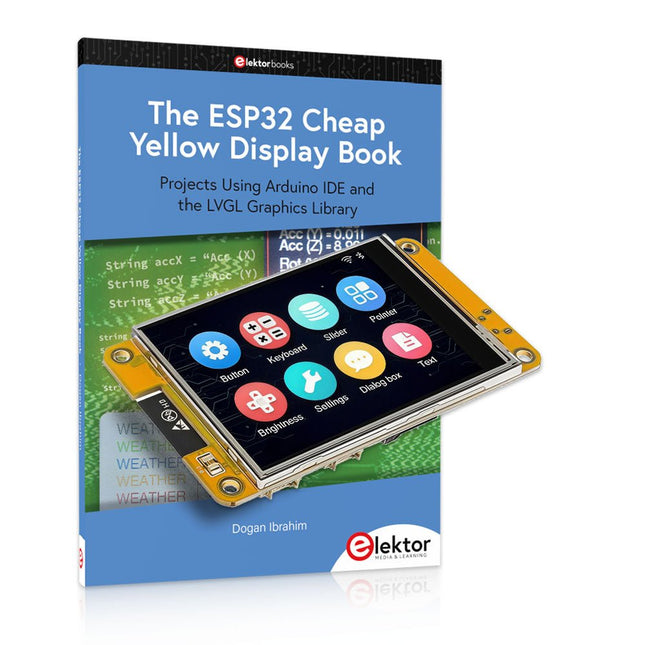
Deze bundel bevat de ESP32 Cheap Yellow Display (CYD) – een compact ontwikkelbord dat een standaard ESP32-microcontroller combineert met een TFT-kleurendisplay van 320 x 240 pixels. Het bord beschikt ook over meerdere aansluitingen voor GPIO, seriële communicatie (TX/RX), voeding en aarde. Het ingebouwde display is een groot voordeel, omdat gebruikers hiermee complexe, grafische projecten kunnen maken zonder dat er externe LCD's of displays nodig zijn.
Het bijbehorende boek introduceert de hardware en de ingebouwde aansluitingen van het CYD-bord in detail. Het biedt een reeks projecten van beginners- tot gevorderdenniveau, ontwikkeld met de populaire Arduino IDE 2.0. Zowel basis grafische functies als de krachtige LVGL grafische bibliotheek worden behandeld, met praktische projecten die elke aanpak illustreren.
Alle meegeleverde projecten zijn volledig getest en klaar voor gebruik. Het boek bevat blokdiagrammen, circuitschema's, complete codelijsten en stapsgewijze uitleg. Met de LVGL-bibliotheek kunnen lezers moderne, kleurrijke grafische interfaces maken met behulp van widgets zoals knoppen, labels, schuifregelaars, kalenders, toetsenborden, grafieken, tabellen, menu's, animaties en meer.
ESP32 Cheap Yellow Display Board
Dit ontwikkelbord (ook bekend als "Cheap Yellow Display") wordt aangedreven door de ESP-WROOM-32, een dual-core MCU met geïntegreerde Wi-Fi- en Bluetooth-mogelijkheden. Het werkt op een hoofdfrequentie tot 240 MHz, met 520 KB SRAM, 448 KBROM en 4 MB Flash-geheugen. Het bord is voorzien van een 2,8-inch scherm met een resolutie van 240 x 320 en resistieve aanraking.
Bovendien bevat het bord een achtergrondverlichtingsbesturingscircuit, aanraakbesturingscircuit, luidsprekeraandrijfcircuit, lichtgevoelig circuit en RGB-LED-besturingscircuit. Het biedt ook een TF-kaartsleuf, seriële interface, DHT11 temperatuur- en vochtigheidssensorinterface en extra IO-poorten.
De module ondersteunt ontwikkeling in Arduino IDE, ESP-IDE, MicroPython en Mixly.
Toepassingen
Beeldoverdracht voor Smart Home-apparaat
Draadloze bewaking
Slimme landbouw
Draadloze QR-herkenning
Signaal van draadloos positioneringssysteem
En andere IoT-toepassingen
Specificaties
Microcontroller
ESP-WROOM-32 (Dual-core MCU met geïntegreerde Wi-Fi en Bluetooth)
Frequentie
Tot 240 MHz (rekenkracht is maximaal 600 DMIPS)
SRAM
520 KB
ROM
448 KB
Flash
4 MB
Bedrijfsspanning
5 V
Stroomverbruik
ca. 115 mA
Display
2,8" TFT-kleurenscherm (240 x 320)
Touch
Resistief Touch
Driver chip
ILI9341
Afmetingen
50 x 86 mm
Gewicht
50 g
Downloads
GitHub
Deze bundel bevat:
The ESP32 Cheap Yellow Display Book (normale prijs: € 35)
ESP32 Cheap Yellow Display Board (normale prijs: € 25)
1x ESP32 Dev Board met 2,8" display en acryl-behuizing
1x Touchpen
1x Aansluitkabel
1x USB-kabel
Projects Using Arduino IDE and the LVGL Graphics Library
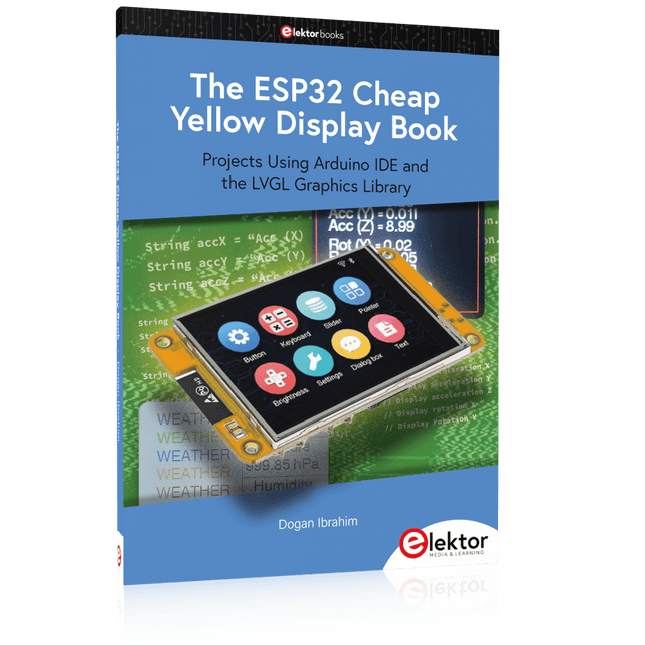
The ESP32 is probably one of the most popular microcontrollers used by many people, including students, hobbyists, and professional engineers. Its low cost, coupled with rich features makes it a popular device to use in many projects. Recently, a board called the ESP32 Cheap Yellow Display (CYD for short) is available from its manufacturers. The board includes a standard ESP32 microcontroller together with a 320x240 pixel TFT display. Additionally, the board provides several connectors for interfaces such as GPIO, serial port (TX/RX), power and Ground. The inclusion of a TFT display is a real advantage as it enables users to design complex graphics-based projects without resorting to an external LCD or graphics displays.
The book describes the basic hardware of the ESP32 CYD board and provides details of its on-board connectors. Many basic, simple, and intermediate-level projects are given in the book based on the ESP32 CYD, using the highly popular Arduino IDE 2.0 integrated development environment. The use of both the basic graphics functions and the use of the popular LVGL graphics library are discussed in the book and projects are given that use both types of approaches.
All the projects given in the book have been tested and are working. The block diagram, circuit diagram, and the complete program listings and program descriptions of all the projects are given with explanations. Readers can use the LVGL graphics library to design highly popular eye-catching full-color graphics projects using widgets such as buttons, labels, calendars, keypads, keyboards, message boxes, spinboxes, sliders, charts, tables, menus, bars, switches, drop-down lists, animations, and many more widgets.
Projects Using Arduino IDE and the LVGL Graphics Library
The ESP32 is probably one of the most popular microcontrollers used by many people, including students, hobbyists, and professional engineers. Its low cost, coupled with rich features makes it a popular device to use in many projects. Recently, a board called the ESP32 Cheap Yellow Display (CYD for short) is available from its manufacturers. The board includes a standard ESP32 microcontroller together with a 320x240 pixel TFT display. Additionally, the board provides several connectors for interfaces such as GPIO, serial port (TX/RX), power and Ground. The inclusion of a TFT display is a real advantage as it enables users to design complex graphics-based projects without resorting to an external LCD or graphics displays.
The book describes the basic hardware of the ESP32 CYD board and provides details of its on-board connectors. Many basic, simple, and intermediate-level projects are given in the book based on the ESP32 CYD, using the highly popular Arduino IDE 2.0 integrated development environment. The use of both the basic graphics functions and the use of the popular LVGL graphics library are discussed in the book and projects are given that use both types of approaches.
All the projects given in the book have been tested and are working. The block diagram, circuit diagram, and the complete program listings and program descriptions of all the projects are given with explanations. Readers can use the LVGL graphics library to design highly popular eye-catching full-color graphics projects using widgets such as buttons, labels, calendars, keypads, keyboards, message boxes, spinboxes, sliders, charts, tables, menus, bars, switches, drop-down lists, animations, and many more widgets.
Elektor GREEN en GOLD leden kunnen deze uitgave hier downloaden.
Nog geen lid? Klik hier om een lidmaatschap af te sluiten.
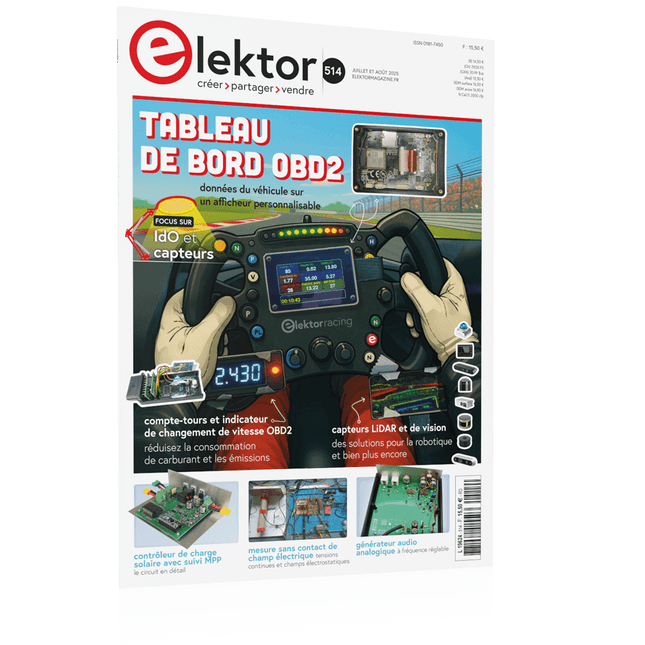
OBD2-sensordashboardOude meters vormden het startpunt van een zoektocht naar echte gegevens
OBD2: voeg een toerenteller en schakelindicator toe aan je autoRetro, maar uiterst nuttig
LiDAR- en Visiesensoren voor Robotica
Sensor+Test 2025 en PCIM 2025
Contactloze E-Veldmetingen (1)Een Trillende Membraan voor het Detecteren van Gelijkspanningen of Statische Elektrische Velden
Draadloze brievenbusmeldervan optische sensoren tot radar: enkele mogelijkheden
Elektor Mini-Wheelieeen zelfbalancerende robot
ZonnecellenVreemde onderdelen, de serie
Aan de slag met een moderne radarsensorStaat een nauwkeurige meting op uw radar?
Uit het leven gegrepenpapierfabriek
CybersecurityZware tijden voor hackers
Infographics: IoT en sensoren 2025
Bluetooth 6.0 brengt verbeterde toepassingen voor afstandsbepalingNieuwe versie biedt betere apparaatpositionerings- en -locatieservices
Draadloze communicatie verkennen met BeagleY-AI
Err-lectronicsCorrecties, updates en lezerspost
Alle begin......sluit het thema opamps af
Een krachtige AI-codeerassistentsneller ontwikkelen met Continue en Visual Studio Code
Zonne-laadregelaar met MPPT (2)Het schema
Ultrasone obstakeldetectoreen eenvoudig project om slechtzienden te helpen
2025: Een AI-odysseeHalfjaaroverzicht
Raspberry Pi Standalone MIDI-synthesizer (3)Het slimmer maken en een gebruikersinterface toevoegen
Meshtastic: een demonstratieprojectEen slim netwerk van LoRa-radio's
Analoge audio-frequentiegeneratorHoogwaardige sinusgenerator met instelbare frequentie
Elektor GREEN en GOLD leden kunnen deze uitgave hier downloaden.
Nog geen lid? Klik hier om een lidmaatschap af te sluiten.
OBD2-sensordashboardOude meters vormden het startpunt van een zoektocht naar echte gegevens
OBD2: voeg een toerenteller en schakelindicator toe aan je autoRetro, maar uiterst nuttig
LiDAR- en Visiesensoren voor Robotica
Sensor+Test 2025 en PCIM 2025
Contactloze E-Veldmetingen (1)Een Trillende Membraan voor het Detecteren van Gelijkspanningen of Statische Elektrische Velden
Draadloze brievenbusmeldervan optische sensoren tot radar: enkele mogelijkheden
Elektor Mini-Wheelieeen zelfbalancerende robot
ZonnecellenVreemde onderdelen, de serie
Aan de slag met een moderne radarsensorStaat een nauwkeurige meting op uw radar?
Uit het leven gegrepenpapierfabriek
CybersecurityZware tijden voor hackers
Infographics: IoT en sensoren 2025
Bluetooth 6.0 brengt verbeterde toepassingen voor afstandsbepalingNieuwe versie biedt betere apparaatpositionerings- en -locatieservices
Draadloze communicatie verkennen met BeagleY-AI
Err-lectronicsCorrecties, updates en lezerspost
Alle begin......sluit het thema opamps af
Een krachtige AI-codeerassistentsneller ontwikkelen met Continue en Visual Studio Code
Zonne-laadregelaar met MPPT (2)Het schema
Ultrasone obstakeldetectoreen eenvoudig project om slechtzienden te helpen
2025: Een AI-odysseeHalfjaaroverzicht
Raspberry Pi Standalone MIDI-synthesizer (3)Het slimmer maken en een gebruikersinterface toevoegen
Meshtastic: een demonstratieprojectEen slim netwerk van LoRa-radio's
Analoge audio-frequentiegeneratorHoogwaardige sinusgenerator met instelbare frequentie
Le téléchargement intégral de ce numéro est disponible pour nos membres GOLD et GREEN sur le site Elektor Magazine !
Pas encore membre ? Cliquez ici.
tableau de bord OBD2Des cadrans anciens aux données en temps réel
OBD2 : ajoutez un compte-tours et un indicateur de changement de vitesse à votre voitureRétro, mais extrêmement utile
capteurs de vision et LiDAR pour la robotique
Sensor+Test 2025 et PCIM 2025
mesures sans contact du champ électrique (1)Membrane vibrante pour mesurer des tensions continues ou des champs électriques statiques
détecteur de courrier sans filCapteurs optiques, radars… quelques options à explorer
Elektor Mini-WheelieUn robot auto-équilibré
cellules solairesDrôles de composants, la série
premiers pas avec un capteur radar moderneUn capteur précis qui ne passe pas inaperçu
sur le vifUsine de papier
CybersécuritéDes temps difficiles pour les hackers
Infographie : IdO et capteurs
le Bluetooth 6.0 pour des applications de télémétrie amélioréesCette nouvelle version offre des fonctions de localisation améliorées
découvrez la communication sans fil avec BeagleY-AI
Projet 2.0Corrections, mises à jour et courrier des lecteurs
démarrer en électronique……Conclusion sur les ampli-op
un puissant assistant de codage de l'IAAccélérez votre développement avec Continue et Visual Studio Code
contrôleur de charge solaire avec MPPT (2)Le circuit
détecteur d'obstacles à ultrasonsUn projet simple pour aider les malvoyants
une odyssée de l'IABilan du premier semestre
synthétiseur MIDI autonome Raspberry Pi (3)plus intelligent avec une interface utilisateur
Meshtastic : un projet de démoUn réseau intelligent de noeuds LoRa
générateur analogique de fréquences audioGénérateur de signaux sinusoïdaux de haute qualité à fréquence réglable
Le téléchargement intégral de ce numéro est disponible pour nos membres GOLD et GREEN sur le site Elektor Magazine !
Pas encore membre ? Cliquez ici.
tableau de bord OBD2Des cadrans anciens aux données en temps réel
OBD2 : ajoutez un compte-tours et un indicateur de changement de vitesse à votre voitureRétro, mais extrêmement utile
capteurs de vision et LiDAR pour la robotique
Sensor+Test 2025 et PCIM 2025
mesures sans contact du champ électrique (1)Membrane vibrante pour mesurer des tensions continues ou des champs électriques statiques
détecteur de courrier sans filCapteurs optiques, radars… quelques options à explorer
Elektor Mini-WheelieUn robot auto-équilibré
cellules solairesDrôles de composants, la série
premiers pas avec un capteur radar moderneUn capteur précis qui ne passe pas inaperçu
sur le vifUsine de papier
CybersécuritéDes temps difficiles pour les hackers
Infographie : IdO et capteurs
le Bluetooth 6.0 pour des applications de télémétrie amélioréesCette nouvelle version offre des fonctions de localisation améliorées
découvrez la communication sans fil avec BeagleY-AI
Projet 2.0Corrections, mises à jour et courrier des lecteurs
démarrer en électronique……Conclusion sur les ampli-op
un puissant assistant de codage de l'IAAccélérez votre développement avec Continue et Visual Studio Code
contrôleur de charge solaire avec MPPT (2)Le circuit
détecteur d'obstacles à ultrasonsUn projet simple pour aider les malvoyants
une odyssée de l'IABilan du premier semestre
synthétiseur MIDI autonome Raspberry Pi (3)plus intelligent avec une interface utilisateur
Meshtastic : un projet de démoUn réseau intelligent de noeuds LoRa
générateur analogique de fréquences audioGénérateur de signaux sinusoïdaux de haute qualité à fréquence réglable
Elektor GREEN and GOLD members can download their digital edition here.
Not a member yet? Click here.
OBD2 Sensor DashboardOld Dials Sparked a Quest for Real Data
OBD2: Add a Rev Counter and Gear Shift Indicator to Your CarRetro, but Super Useful
LiDAR and Vision Sensors for Robotics
Sensor+Test 2025 and PCIM 2025
Contact-Free E-Field Measurements (1)A Vibrating Membrane for Assessing DC Voltages or Static Electric Fields
Wireless Mailbox NotifierFrom Optical Sensors to Radar, Exploring a Few Options
Elektor Mini-WheelieA Self-Balancing Robot
Solar CellsPeculiar Parts, the Series
Getting Started With a Modern Radar SensorIs an Accurate Measurement on Your Radar?
From Life’s ExperiencePaper Factory
CybersecurityTough Times for Hackers
Siglent Presents Next-Gen Multi-Channel OscilloscopesHigh-Performance Solutions for Modern Power and Embedded Systems
Bluetooth 6.0 Brings Enhanced Distance-Ranging ApplicationsNew Version Offers Improved Device Positioning and Location Services
Exploring Wireless Communication with BeagleY-AI
Err-lectronicsCorrections, Updates, and Readers’ Letters
Starting Out in Electronics……Concludes the Topic on Opamps
A Powerful AI Code AssistantSpeed Up Your Development with Continue and Visual Studio Code
Solar Charge Controller with MPPT (2)The Circuit
Ultrasonic Obstacle DetectorA Simple Project to Help Those with Impaired Vision
2025: An AI OdysseyMid-Year Review
Raspberry Pi Standalone MIDI Synthesizer (3)Making It Smarter and Adding a User Interface
Meshtastic: A Demo ProjectAn Intelligent Mesh of LoRa Radios
Analog Audio Frequency GeneratorHigh-Quality Adjustable Frequency Sine Wave Generator
Elektor GREEN and GOLD members can download their digital edition here.
Not a member yet? Click here.
OBD2 Sensor DashboardOld Dials Sparked a Quest for Real Data
OBD2: Add a Rev Counter and Gear Shift Indicator to Your CarRetro, but Super Useful
LiDAR and Vision Sensors for Robotics
Sensor+Test 2025 and PCIM 2025
Contact-Free E-Field Measurements (1)A Vibrating Membrane for Assessing DC Voltages or Static Electric Fields
Wireless Mailbox NotifierFrom Optical Sensors to Radar, Exploring a Few Options
Elektor Mini-WheelieA Self-Balancing Robot
Solar CellsPeculiar Parts, the Series
Getting Started With a Modern Radar SensorIs an Accurate Measurement on Your Radar?
From Life’s ExperiencePaper Factory
CybersecurityTough Times for Hackers
Siglent Presents Next-Gen Multi-Channel OscilloscopesHigh-Performance Solutions for Modern Power and Embedded Systems
Bluetooth 6.0 Brings Enhanced Distance-Ranging ApplicationsNew Version Offers Improved Device Positioning and Location Services
Exploring Wireless Communication with BeagleY-AI
Err-lectronicsCorrections, Updates, and Readers’ Letters
Starting Out in Electronics……Concludes the Topic on Opamps
A Powerful AI Code AssistantSpeed Up Your Development with Continue and Visual Studio Code
Solar Charge Controller with MPPT (2)The Circuit
Ultrasonic Obstacle DetectorA Simple Project to Help Those with Impaired Vision
2025: An AI OdysseyMid-Year Review
Raspberry Pi Standalone MIDI Synthesizer (3)Making It Smarter and Adding a User Interface
Meshtastic: A Demo ProjectAn Intelligent Mesh of LoRa Radios
Analog Audio Frequency GeneratorHigh-Quality Adjustable Frequency Sine Wave Generator
Diese Ausgabe steht allen GOLD- und GREEN-Mitgliedern auf der ElektorMagazine-Website zum Download bereit!
Sie sind noch kein Mitglied? Hier klicken!
OBD2-Sensor-DashboardEchtzeitdaten statt alter Zeigerinstrumente
OBD2: Drehzahlmesser und Schaltblitz nachrüstenRetro, aber praktisch
LiDAR- und Vision-Sensoren für die Robotik
Sensor+Test 2025 und PCIM 2025
Berührungslose E-Feld-MessungenTeil 1. Eine vibrierende Membran zur Erfassung von Gleichspannungen oder statischen elektrischen Feldern
Drahtloser Benachrichtigungsdienst für den BriefkastenVon optischen Sensoren bis zu Empfängern: Entdecken Sie verschiedene Optionen
Elektor Mini-WheelieEin selbst-balancierender Roboter
SolarzellenBemerkenswerte Bauteile
Erste Schritte mit einem modernen RadarsensorPräzise Messungen auf Ihrem Radar?
Aus dem Leben gegriffenPapierfabrik
CybersecuritySchwere Zeiten für Hacker
Siglent präsentiert seine neuen Multi-Kanal-OszilloskopeFür den Einsatz in Leistungselektronik und Embedded Design
Bluetooth 6.0 verbessert Distance-Ranging-ApplikationenNeue Version bietet bessere Positionsbestimmungs- und Ortungsdienste für Geräte
Kommunikation mit dem BeagleY-AI erkunden
Projekt 2.0Korrekturen, Updates und Leserbriefe
Aller Anfang ...ist nicht schwer: Das Ende der Operationsverstärker
Ein mächtiger KI-Code-AssistentCode-Entwicklung mit Continue und Visual Studio Code
Solarladeregler mit MPP-TrackingTeil 2: Die Schaltung
Hinderniserkennung mit UltraschallEin einfaches Projekt zur Unterstützung von Menschen mit Sehbehinderungen
2025: Odyssee in die KIHalbjahresrückblick
Standalone-MIDI-Synthesizer mit Raspberry PiTeil 3. Mit künstlicher Intelligenz und einer Benutzeroberfläche
Meshtastic: Ein DemonstrationsprojektIntelligentes Mesh-Netzwerk auf Basis von LoRa-Funkmodulen
Analoger Audio-GeneratorSinus-Generator mit einstellbarer Frequenz
Diese Ausgabe steht allen GOLD- und GREEN-Mitgliedern auf der ElektorMagazine-Website zum Download bereit!
Sie sind noch kein Mitglied? Hier klicken!
OBD2-Sensor-DashboardEchtzeitdaten statt alter Zeigerinstrumente
OBD2: Drehzahlmesser und Schaltblitz nachrüstenRetro, aber praktisch
LiDAR- und Vision-Sensoren für die Robotik
Sensor+Test 2025 und PCIM 2025
Berührungslose E-Feld-MessungenTeil 1. Eine vibrierende Membran zur Erfassung von Gleichspannungen oder statischen elektrischen Feldern
Drahtloser Benachrichtigungsdienst für den BriefkastenVon optischen Sensoren bis zu Empfängern: Entdecken Sie verschiedene Optionen
Elektor Mini-WheelieEin selbst-balancierender Roboter
SolarzellenBemerkenswerte Bauteile
Erste Schritte mit einem modernen RadarsensorPräzise Messungen auf Ihrem Radar?
Aus dem Leben gegriffenPapierfabrik
CybersecuritySchwere Zeiten für Hacker
Siglent präsentiert seine neuen Multi-Kanal-OszilloskopeFür den Einsatz in Leistungselektronik und Embedded Design
Bluetooth 6.0 verbessert Distance-Ranging-ApplikationenNeue Version bietet bessere Positionsbestimmungs- und Ortungsdienste für Geräte
Kommunikation mit dem BeagleY-AI erkunden
Projekt 2.0Korrekturen, Updates und Leserbriefe
Aller Anfang ...ist nicht schwer: Das Ende der Operationsverstärker
Ein mächtiger KI-Code-AssistentCode-Entwicklung mit Continue und Visual Studio Code
Solarladeregler mit MPP-TrackingTeil 2: Die Schaltung
Hinderniserkennung mit UltraschallEin einfaches Projekt zur Unterstützung von Menschen mit Sehbehinderungen
2025: Odyssee in die KIHalbjahresrückblick
Standalone-MIDI-Synthesizer mit Raspberry PiTeil 3. Mit künstlicher Intelligenz und einer Benutzeroberfläche
Meshtastic: Ein DemonstrationsprojektIntelligentes Mesh-Netzwerk auf Basis von LoRa-Funkmodulen
Analoger Audio-GeneratorSinus-Generator mit einstellbarer Frequenz
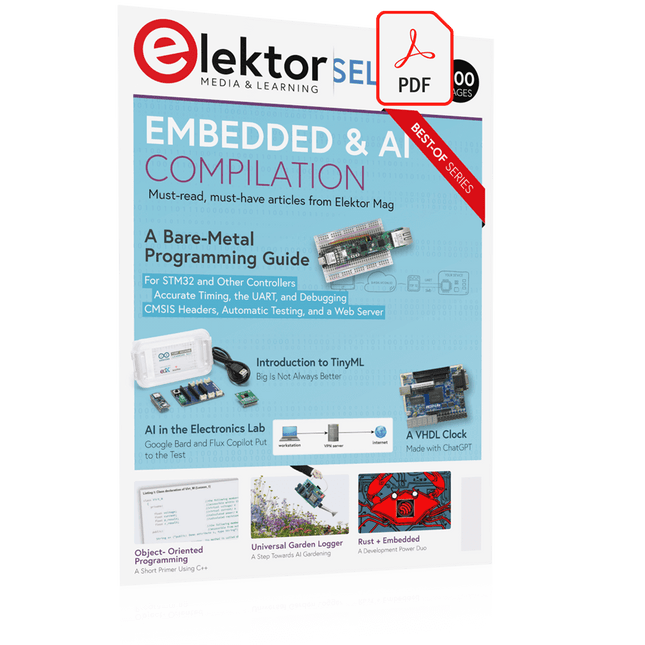
This collection features the best of Elektor Magazine's articles on embedded systems and artificial intelligence. From hands-on programming guides to innovative AI experiments, these pieces offer valuable insights and practical knowledge for engineers, developers, and enthusiasts exploring the evolving intersection of hardware design, software innovation, and intelligent technology.
Contents
Programming PICs from the Ground UpAssembler routine to output a sine wave
Object-Oriented ProgrammingA Short Primer Using C++
Programming an FPGA
Tracking Down Microcontroller Buffer Overflows with 0xDEADBEEF
Too Quick to Code and Too Slow to Test?
Understanding the Neurons in Neural NetworksEmbedded Neurons
MAUI Programming for PC, Tablet, and SmartphoneThe New Framework in Theory and Practice
USB Killer DetectorBetter Safe Than Sorry
Understanding the Neurons in Neural NetworksArtificial Neurons
A Bare-Metal Programming Guide
Part 1: For STM32 and Other Controllers
Part 2: Accurate Timing, the UART, and Debugging
Part 3: CMSIS Headers, Automatic Testing, and a Web Server
Introduction to TinyMLBig Is Not Always Better
Microprocessors for Embedded SystemsPeculiar Parts, the Series
FPGAs for BeginnersThe Path From MCU to FPGA Programming
AI in Electronics DevelopmentAn Update After Only One Year
AI in the Electronics LabGoogle Bard and Flux Copilot Put to the Test
ESP32 and ChatGPTOn the Way to a Self-Programming System…
Audio DSP FX Processor Board
Part 1: Features and Design
Part 2: Creating Applications
Rust + EmbeddedA Development Power Duo
A Smart Object CounterImage Recognition Made Easy with Edge Impulse
Universal Garden LoggerA Step Towards AI Gardening
A VHDL ClockMade with ChatGPT
TensorFlow Lite on Small MicrocontrollersA (Very) Beginner’s Point of View
Mosquito DetectionUsing Open Datasets and Arduino Nicla Vision
Artificial Intelligence Timeline
Intro to AI AlgorithmsPrompt: Which Algorithms Implement Each AI Tool?
Bringing AI to the Edgewith ESP32-P4
The Growing Role of Edge AIA Trend Shaping the Future
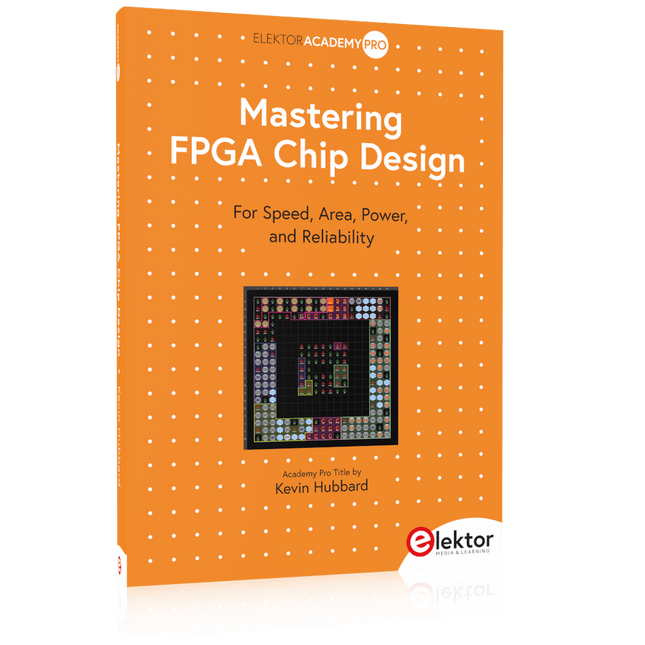
For Speed, Area, Power, and Reliability
This book teaches the fundamentals of FPGA operation, covering basic CMOS transistor theory to designing digital FPGA chips using LUTs, flip-flops, and embedded memories. Ideal for electrical engineers aiming to design large digital chips using FPGA technology.
Discover:
The inner workings of FPGA architecture and functionality.
Hardware Description Languages (HDL) like Verilog and VHDL.
The EDA tool flow for converting HDL source into a functional FPGA chip design.
Insider tips for reliable, low power, and high performance FPGA designs.
Example designs include:
Computer-to-FPGA UART serial communication.
An open-source Sump3 logic analyzer implementation.
A fully functional graphics controller.
What you need:
Digilent BASYS3 or similar FPGA eval board with an AMD/Xilinx FPGA.
Vivado EDA tool suite (available for download from AMD website free of charge).
Project source files available from author’s GitHub site.
For Speed, Area, Power, and Reliability
This book teaches the fundamentals of FPGA operation, covering basic CMOS transistor theory to designing digital FPGA chips using LUTs, flip-flops, and embedded memories. Ideal for electrical engineers aiming to design large digital chips using FPGA technology.
Discover:
The inner workings of FPGA architecture and functionality.
Hardware Description Languages (HDL) like Verilog and VHDL.
The EDA tool flow for converting HDL source into a functional FPGA chip design.
Insider tips for reliable, low power, and high performance FPGA designs.
Example designs include:
Computer-to-FPGA UART serial communication.
An open-source Sump3 logic analyzer implementation.
A fully functional graphics controller.
What you need:
Digilent BASYS3 or similar FPGA eval board with an AMD/Xilinx FPGA.
Vivado EDA tool suite (available for download from AMD website free of charge).
Project source files available from author’s GitHub site.
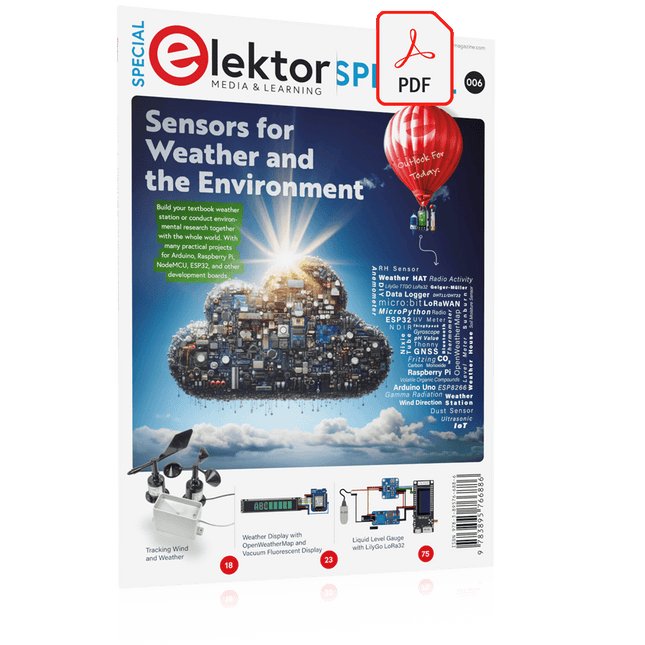
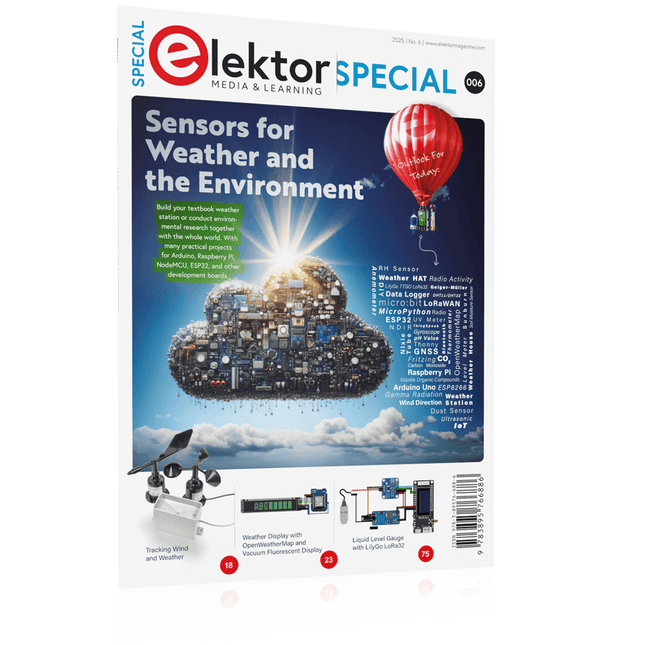
Build your textbook weather station or conduct environmental research together with the whole world. With many practical projects for Arduino, Raspberry Pi, NodeMCU, ESP32, and other development boards.
Weather stations have enjoyed great popularity for decades. Every current and even every long discontinued electronics magazine has regularly featured articles on building your own weather station. Over the years, they have become increasingly sophisticated and can now be fully integrated into an automated home — although this often requires loyalty to an (expensive) brand manufacturer across all components.
With your own weather and environmental data, you can keep up and measure things that no commercial station can. It’s also fun: expand your knowledge of electronics, current microcontroller development boards and programming languages in a fun and meaningful way. For less than 10 euros you can get started and record your first environmental data — with time and growing interest, you will continue to expand your system.
In this Edition
Which Microcontroller Fits My Project?
The Right Development Environment
Tracking Wind and Weather
Weather Display with OpenWeatherMap and Vacuum Fluorescent Display
Volatile Organic Compounds in the Air We Breathe
Working with MQ Sensors: Measuring Carbon Monoxide — Odorless but Toxic
CO2 Traffic Light with ThingSpeak IoT Connection
An Automatic Plant Watering System
Good Indoor Climate: Temperature and Humidity are Important criteria
Classy Thermometer with Vintage Tube Technology
Nostalgic Weather House for the Whole Family
Measuring Air Pressure and Temperature Accurately
Sunburn Warning Device
DIY Sensor for Sunshine Duration
Simple Smartphone Says: Fog or Clear View?
Identifying Earthquakes
Liquid Level Measurement for Vessels and Reservoirs
Water pH Value Measurement
Detecting Radioactive Radiation
GPS: Sensor Location Service Across the Globe
Saving and Timestamping Log Files on SD Cards
LoRaWAN, The Things Network, and ThingSpeak
Operating a LoRaWAN Gateway for TTN
Defying "Wind and Weather"
Mega Display with Weather Forecasz
Build your textbook weather station or conduct environmental research together with the whole world. With many practical projects for Arduino, Raspberry Pi, NodeMCU, ESP32, and other development boards.
Weather stations have enjoyed great popularity for decades. Every current and even every long discontinued electronics magazine has regularly featured articles on building your own weather station. Over the years, they have become increasingly sophisticated and can now be fully integrated into an automated home — although this often requires loyalty to an (expensive) brand manufacturer across all components.
With your own weather and environmental data, you can keep up and measure things that no commercial station can. It’s also fun: expand your knowledge of electronics, current microcontroller development boards and programming languages in a fun and meaningful way. For less than 10 euros you can get started and record your first environmental data — with time and growing interest, you will continue to expand your system.
In this Edition
Which Microcontroller Fits My Project?
The Right Development Environment
Tracking Wind and Weather
Weather Display with OpenWeatherMap and Vacuum Fluorescent Display
Volatile Organic Compounds in the Air We Breathe
Working with MQ Sensors: Measuring Carbon Monoxide — Odorless but Toxic
CO2 Traffic Light with ThingSpeak IoT Connection
An Automatic Plant Watering System
Good Indoor Climate: Temperature and Humidity are Important criteria
Classy Thermometer with Vintage Tube Technology
Nostalgic Weather House for the Whole Family
Measuring Air Pressure and Temperature Accurately
Sunburn Warning Device
DIY Sensor for Sunshine Duration
Simple Smartphone Says: Fog or Clear View?
Identifying Earthquakes
Liquid Level Measurement for Vessels and Reservoirs
Water pH Value Measurement
Detecting Radioactive Radiation
GPS: Sensor Location Service Across the Globe
Saving and Timestamping Log Files on SD Cards
LoRaWAN, The Things Network, and ThingSpeak
Operating a LoRaWAN Gateway for TTN
Defying "Wind and Weather"
Mega Display with Weather Forecasz
Two reasons can be identified for the immense success of the Arduino platform. First, the cheap, ready to go processor board greatly simplifies the introduction to hardware. The second success factor is the free and open-source programming suite that does not require an installation procedure.
Simple entry-level examples ensure rapid successes. Complex selection procedures for parameters like the microprocessor version or interface settings are not required. The first sample programs can be uploaded to the Arduino board, and tested, in a matter of minutes.
The Arduino user is supported by an array of software libraries. However, the daily increasing volume of libraries poses initial problems to the newcomer, and the way ahead may be uncertain after a few entry-level examples. In many cases, detailed descriptions are missing, and poorly described projects tend to confuse rather than elucidate. Clear guidance and a single motto are missing, usually owing to the projects having been created by several different persons—all with different aims in mind.
This book represents a different approach. All projects are presented in a systematical manner, guiding into various theme areas. In the coverage of must-know theory great attention is given to practical directions users can absorb, including essential programming techniques like A/D conversion, timers and interrupts—all contained in the hands-on projects. In this way readers of the book create running lights, a wakeup light, fully functional voltmeters, precision digital thermometers, clocks of many varieties, reaction speed meters, or mouse controlled robotic arms. While actively working on these projects the reader gets to truly comprehend and master the basics of the underlying controller technology.
A Project-Based Introduction to Microcontrollers and Drone Control
A Practical Introduction to Embedded Systems with the ESP32
This book is intended for readers who are new to embedded systems and looking for a structured, example-driven way to begin. If you’ve explored general-purpose electronics or Arduino-based resources but found them too broad or lacking in practical application, this guide offers a more focused alternative.
With a small, affordable set of components – such as LEDs, sensors, an OLED screen and a motion sensor – you’ll build and work with the same hardware setup throughout the book. This allows you to focus on learning and experimenting without constant reconfiguration.
Topics include:
Understanding and programming the ESP32 microcontroller
Using the Arduino IDE to write and deploy code
Exploring cyber-physical systems, culminating in basic drone control
No prior experience with Arduino or embedded development is required. Each section includes hands-on examples and mini-projects designed to reinforce core concepts and encourage deeper exploration. By the end, you’ll be equipped not only to reproduce the book’s examples, but also to extend them toward your own ideas and applications.
Whether your interest is in learning embedded programming, building interactive systems, or exploring educational drone control, this book provides a clear and practical path to getting started.
A Project-Based Introduction to Microcontrollers and Drone Control
A Practical Introduction to Embedded Systems with the ESP32
This book is intended for readers who are new to embedded systems and looking for a structured, example-driven way to begin. If you’ve explored general-purpose electronics or Arduino-based resources but found them too broad or lacking in practical application, this guide offers a more focused alternative.
With a small, affordable set of components – such as LEDs, sensors, an OLED screen and a motion sensor – you’ll build and work with the same hardware setup throughout the book. This allows you to focus on learning and experimenting without constant reconfiguration.
Topics include:
Understanding and programming the ESP32 microcontroller
Using the Arduino IDE to write and deploy code
Exploring cyber-physical systems, culminating in basic drone control
No prior experience with Arduino or embedded development is required. Each section includes hands-on examples and mini-projects designed to reinforce core concepts and encourage deeper exploration. By the end, you’ll be equipped not only to reproduce the book’s examples, but also to extend them toward your own ideas and applications.
Whether your interest is in learning embedded programming, building interactive systems, or exploring educational drone control, this book provides a clear and practical path to getting started.
From Rubbing Amber to Swiping Glass
"The story of electricity, told one connection at a time."Why does rubbing amber attract dust? How did we go from that curious effect to a world where screens respond to a single touch? And how did we get from mysterious sparks to tiny chips packed with billions of transistors?
For centuries, electricity puzzled and fascinated those who encountered its curious effects—long before it even had a name. From the earliest observations of static charge to the complex electronics that shape our lives today, this book traces the gradual, and often surprising, story of how humanity came to understand and harness this powerful force.
This book offers an engaging and accessible account of the people, ideas, and inventions that transformed electricity from a scientific curiosity into the foundation of our digital age. Along the way, you’ll meet a host of inquisitive minds—some famous, others less so—whose persistence and creativity helped unravel the mysteries of the natural world and gave rise to the technologies we now take for granted.
Covering everything from Leyden jars and batteries to transistors, microcontrollers and the internet, this book presents a clear and enjoyable overview of electronics and its relatively short, yet rich, history.
Whether you have a technical background or simply a curiosity about how things work, From Rubbing Amber to Swiping Glass offers a thoughtful look at how far we’ve come—and a gentle nudge to wonder what might come next.
Understanding and Using Them Effectively
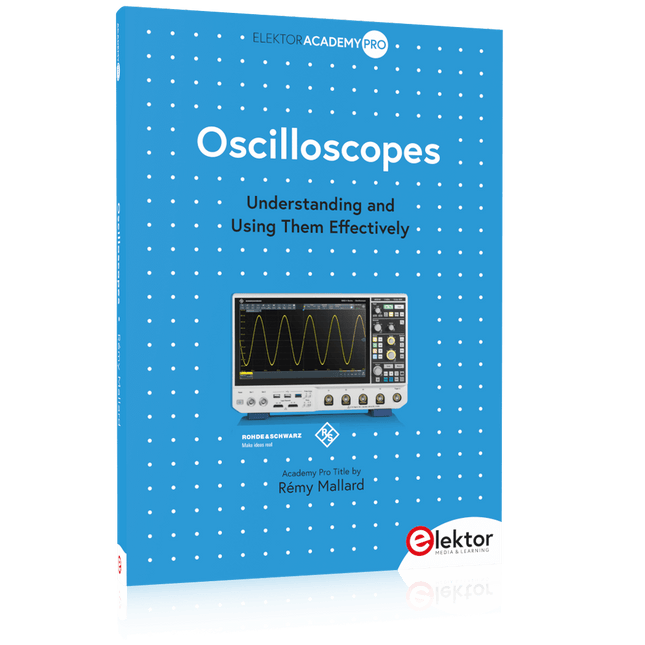
What happens in electronics is invisible to the naked eye. The instrument that allows to accurately visualize electrical signals, the one through which the effects of electronics become apparent to us, is the oscilloscope.
Alas, when one first ventures into electronics, it is often without an oscilloscope. And one is left fumbling, both physically and mentally. Observing an electrical signal on a screen for the first time is a revelation. Nobody wishes to forgo that marvel again. There is no turning back.
In electronics, if one wishes to progress with both enjoyment and understanding, an oscilloscope is essential. This marks the beginning of a period of questioning: how to choose one? And no sooner is that question answered than a whole string of others arises, which can be summed up in just one: how does one use the oscilloscope in such a way that what it displays truly reflects the reality of the signals?
Rémy Mallard is a passionate communicator with a gift for making complex technical subjects understandable and engaging. In this book, he provides clear answers to essential questions about using an oscilloscope and offers a wealth of guidance to help readers explore and understand the electrical signals behind electronic systems. With his accessible style and practical insights, this book is a valuable tool for anyone eager to deepen their understanding of electronics.
Understanding and Using Them Effectively
What happens in electronics is invisible to the naked eye. The instrument that allows to accurately visualize electrical signals, the one through which the effects of electronics become apparent to us, is the oscilloscope.
Alas, when one first ventures into electronics, it is often without an oscilloscope. And one is left fumbling, both physically and mentally. Observing an electrical signal on a screen for the first time is a revelation. Nobody wishes to forgo that marvel again. There is no turning back.
In electronics, if one wishes to progress with both enjoyment and understanding, an oscilloscope is essential. This marks the beginning of a period of questioning: how to choose one? And no sooner is that question answered than a whole string of others arises, which can be summed up in just one: how does one use the oscilloscope in such a way that what it displays truly reflects the reality of the signals?
Rémy Mallard is a passionate communicator with a gift for making complex technical subjects understandable and engaging. In this book, he provides clear answers to essential questions about using an oscilloscope and offers a wealth of guidance to help readers explore and understand the electrical signals behind electronic systems. With his accessible style and practical insights, this book is a valuable tool for anyone eager to deepen their understanding of electronics.
Eine Einführung in die Schaltungssimulation
LTspice wurde von Mike Engelhardt entwickelt und gehört inzwischen zu Analog Devices. Es handelt sich dabei um ein Programm zur Schaltplanerstellung – einen leistungsstarken, schnellen und kostenlosen SPICE-Simulator sowie um ein Werkzeug zur Darstellung von Kurvenverläufen. Es bietet eine umfangreiche Bauteildatenbank, die weltweit durch SPICE-Modelle unterstützt wird.
Mit LTspice kann man schnell und einfach Schaltpläne erstellen. Dank der leistungsfähigen grafischen Ausgabefunktionen lassen sich Spannungen und Ströme in einer Schaltung, die Leistungsaufnahme der Bauteile und viele weitere Parameter darstellen.
Ziel dieses Buches ist es, den Entwurf und die Simulation elektronischer Schaltungen mit LTspice zu vermitteln. Es behandelt unter anderem folgende Themen:
DC und AC-Schaltungen
Kleinsignal- und Z-Dioden
Transistorschaltungen inkl. Oszillatoren
Tryristor-, Diac- und Triacschaltungen
Operationsverstärkerschaltungen inkl. Oszillatoren
Der 555 Timer-IC
Filter
Spannungsregler
Optokoppler
Erstellung von Spannungskurven
Simulation von Logikschaltungen mit der 74HC-Familie
SPICE-Modellierung
LTspice ist ein äußerst vielseitiges Werkzeug zur Simulation elektronischer Schaltungen mit zahlreichen Funktionen und Anwendungsmöglichkeiten. Eine vollständige Behandlung aller Details würde jedoch den Rahmen dieses Buches sprengen. Daher konzentriert sich das Buch auf die gängigsten Themen wie DC- und AC-Analyse, Parametersweep, Übertragungsfunktionen, Oszillatoren, Diagramme und weitere grundlegende Anwendungen.
Obwohl es sich um eine Einführung handelt, deckt dieses Buch dennoch die meisten Interessensgebiete all jener ab, die sich mit der Simulation elektronischer Schaltungen beschäftigen.