
Zoekresultaten voor "stickvise OR pcb OR vise OR with OR standard OR nylon OR jaws"
-

Rigol Rigol DP832 3-kanaals DC-Voeding (0-30 V, 0-3 A, 195 W)
Specificaties Channels: 3 Total Power: 195 Watts Max. Voltage: 30 Volts Max. Current: 3 Amps Low ripple and noise: <350 ?Vrms/2 mVpp Excellent linear regulation rate and load regulation rate Fast transient response time: <50 ?s Some channels are isolated Standard OVP/OCP/OTP protection functions Standard timing output Built-in V,A,W measurements and waveform display Independent control for each channel 3.5 inch TFT display Inbegrepen 1x Rigol DP832 DC Power Supply 1x Power cord 1x USB cable
€ 427,21
-

Rigol Rigol DG2072 Function/Arbitrary Waveform Generator (70 MHz)
Highlights Output Frequency (Sine): 70 MHz Output Frequency (Square): 20 MHz Channels: 2 Arbitrary Waveform Length: 16 Mpts Kenmerken Unique SiFi II (Signal Fidelity II) technology: generate the arbitrary waveforms point by point; recover the signal without distortion; sample rate accurate and adjustable; jitter of all the output waveforms (including Sine, Pulse, etc.) as low as 200 ps 16 Mpts memory depth per channel for arbitrary waveforms Standard dual-channel with the same performance, equivalent to two independent signal sources High frequency stability: ±1 ppm; low phase noise: -105 dBc/Hz Built-in high-order harmonic generator (at most 8-order harmonics) Built-in 7 digits/s, 240 MHz bandwidth full featured frequency counter Up to 160 built-in arbitrary waveforms, covering the common signals in engineering application, medical electronics, auto electronics, math processing, and other various fields Sample rate up to 250 MSa/s, vertical resolution 16 bits Arbitrary waveform sequence editing function available; arbitrary waveforms also can be generated through the PC software Various analog and digital modulation functions: AM, FM, PM, ASK, FSK, PSK, and PWM. Standard waveform combine function, capable of outputting specified waveforms combined with the basic waveforms Standard channel tracking function, when enabled, all the parameters of both channels are updated based on users' configurations Standard interface: USB Host&Device and LAN (LXI Core 2011 Device); USB-GPIB function supported 4.3'' TFT Inbegrepen 1x Rigol DG2072 Function/Arbitrary Waveform Generator 1x Power cord 1x USB cable
€ 882,09
-
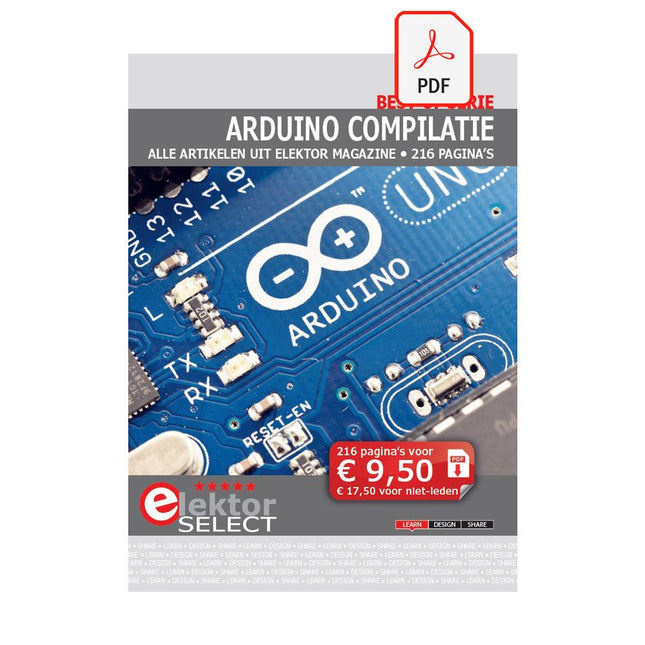
Elektor Digital Elektor Select: Arduino Compilatie (PDF)
Dit 216 pagina's tellende e-book staat boordevol Arduino-ideeën, uitleg, tips, diagrammen, programma's, PCB layouts en meer. Genoeg voor dagen vol informatief, inspirerend en stimulerend leesplezier! Opgemaakt als PDF bevat dit digitale document een inhoudsopgave inclusief links naar elk project, zo dat u gemakkelijk komt waar u wilt zijn. Dit biedt u de mogelijkheid om tussen projecten te wisselen en degene die u het meeste boeien snel en gemakkelijk te vinden.
€ 9,95
Leden: € 8,96
-

Elektor Digital Design your own Embedded Linux Control Centre (E-book)
This book is all about building your own DIY home control system. It presents two innovative ways to assemble such a system: By recycling old PC hardware – possibly extending the life of an old PC, or by using Raspberry Pi. In both cases, the main system outlined in this book will consist of a computer platform, a wireless mains outlet, a controller and a USB webcam – All linked together by Linux. By using the Raspberry Pi in conjunction with Arduino (used as an advanced I/O system board), it is possible to construct a small, compact, embedded control system offering enhanced capacity for USB integration, webcams, thermal monitoring and communication with the outside world. The experience required to undertake the projects within this book are minimal exposure to PC hardware and software, the ability to surf the internet, burn a CD-ROM and assemble a small PCB.
€ 34,95
Leden: € 31,46
-

Siglent Siglent SDS1104X-U 4-kanaals oscilloscoop (100 MHz)
The SDS1000X-U series employs SPO (Super Phosphor Oscilloscope) technology that provides excellent signal fidelity and performance. It comes with an innovative digital trigger system with high sensitivity and low jitter, and a waveform capture rate of 400,000 frames/sec (sequence mode). The SDS1000X U also employs a 256 level intensity grading display function and a color temperature display mode not found in other models in this class. Another powerful addition is the new 128 k point FFT math function that gives the SDS1000X-U a very high-frequency resolution when observing signal spectra. SDS1000X-U also supports searching and navigating. The features and performance of SIGLENT’s new SDS1000X-U cannot be matched anywhere else in this price class. Kenmerken 100 MHz bandwidth Real-time sampling rate up to 1 GSa/s The newest generation of SPO technology Waveform capture rates up to 100,000 wfm/s (normal mode) and 400,000 wfm/s (sequence mode) Supports 256-level intensity grading and color temperature display modes Record length up to 14 Mpts Digital trigger system Intelligent trigger: Edge, Slope, Pulse Width, Window, Runt, Interval, Time out (Dropout), Pattern Serial bus triggering and decoding (Standard), supports protocols I²C, SPI, UART, CAN, LIN Video trigger, supports HDTV 10 types of one-button shortcuts, supports Auto Setup, Default, Cursors, Measure, Roll, History, Display/Persist, Clear Sweep, Zoom and Print Segmented acquisition (Sequence) mode, divides the maximum record length into multiple segments (up to 80,000), according to trigger conditions set by the user Automatic measurement function for 38 parameters as well as Measurement Statistics, Zoom, Gating, Math, History and Reference functions History waveform record (History) function (maximum recorded waveform length is 80,000 frames) 128 k pts FFT, supports Peaks and Markers Math functions (FFT, addition, subtraction, multiplication, division, integration, differential, square root) Large 7 inch TFT LCD display with 800 x 480 resolution Downloads Datasheet Manual Programming Guide
€ 401,00
-
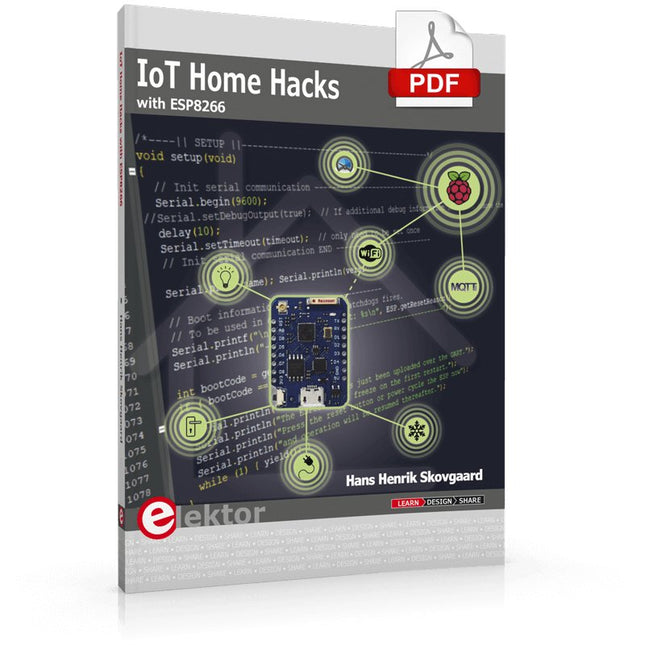
Elektor Digital IoT Home Hacks with ESP8266 (E-book)
There are many so-called 'Arduino compatible' platforms on the market. The ESP8266 – in the form of the WeMos D1 Mini Pro – is one that really stands out. This device includes WiFi Internet access and the option of a flash file system using up to 16 MB of external flash memory. Furthermore, there are ample in/output pins (though only one analogue input), PWM, I²C, and one-wire. Needless to say, you are easily able to construct many small IoT devices! This book contains the following builds: A colourful smart home accessory refrigerator controller 230 V power monitor door lock monitor and some further spin-off devices. All builds are documented together with relevant background information for further study. For your convenience, there is a small PCB for most of the designs; you can also use a perf board. You don’t need to be an expert but the minimum recommended essentials include basic experience with a PC, software, and hardware, including the ability to surf the Internet and assemble PCBs. And of course: A handle was kept on development costs. All custom software for the IoT devices and PCB layouts are available for free download from at Elektor.com.
€ 34,95
Leden: € 31,46
-
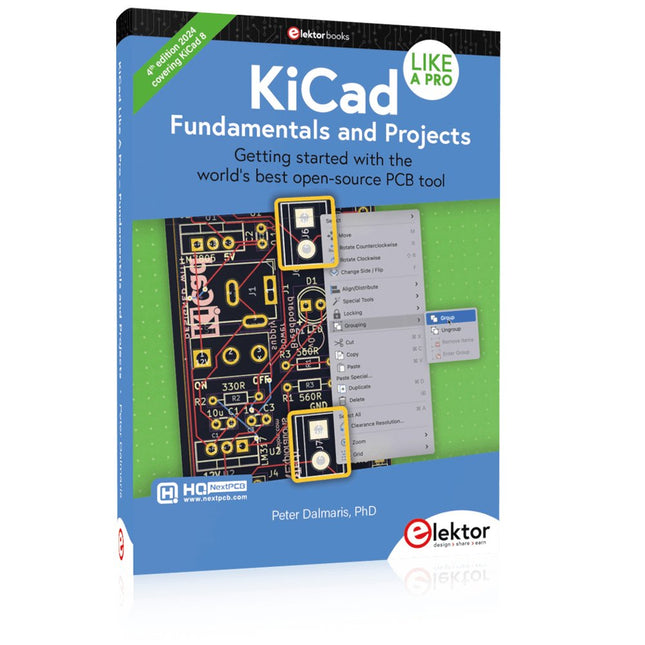
Elektor Publishing KiCad Like A Pro – Fundamentals and Projects
Getting started with the world’s best open-source PCB tool The latest iteration of KiCad, the world’s best free-to-use Printed Circuit Board tool, is packed with features usually found only in expensive commercial CAD tools. This modern, cross-platform application suite built around schematic and design editors, with auxiliary applications is a stable and mature PCB tool. KiCad 8 is a perfect fit for electronic engineers and makers. Here are the most significant improvements and features in KiCad 8, both over and under the hood: Modern user interface, completely redesigned from earlier versions Improved and customizable electrical and design rule checkers Theme editor allowing you to customize KiCad on your screen Ability to import projects from Eagle, CADSTART, and more Python scripting API Improved integrated SPICE circuit simulator Multi-sheet schematics Filters define selectable elements Enhanced interactive router helps you draw single tracks and differential pairs with precision New or enhanced tools to draw tracks, measure distances, tune track lengths, etc. Advanced interactive router Built-in bill of materials generator Realistic ray-tracing capable 3D viewer Customizable teardrops Plug-in manager for quick installation of themes, libraries and functionalities such as autorouters and BOM generators This book will teach you to use KiCad through a practical approach. It will help you become productive quickly and start designing your own boards. Example projects illustrate the basic features of KiCad, even if you have no prior knowledge of PCB design. The author describes the entire workflow from schematic entry to the intricacies of finalizing the files for PCB production and offers sound guidance on the process. Further full-fledged projects, of incremental difficulty, will be presented in a second book, together with a variety of advanced recipes.
-

Elektor Bundles KiCad Like A Pro (Bundel)
Deze bundel bevat beide delen van "KiCad Like a Pro" (4e editie 2024). In Fundamentals and Projects (normale prijs: € 49,95) leert u hoe u KiCad kunt gebruiken via een praktische aanpak, waardoor u snel productief wordt en uw eigen borden kunt ontwerpen. Met Advanced Projects and Recipes (normale prijs: € 44,95) kunt u uw nieuwe KiCad-vaardigheden oefenen door uzelf uit te dagen met een reeks echte projecten. De nieuwste versie van KiCad, 's werelds beste gratis te gebruiken Printed Circuit Board-tool, zit boordevol functies die normaal gesproken alleen in dure commerciële CAD-tools te vinden zijn. Deze moderne, platformonafhankelijke applicatiesuite die is opgebouwd rond schema- en ontwerpeditors, met hulpapplicaties, is een stabiele en volwassen PCB-tool. KiCad 8 is perfect voor elektronica-ingenieurs en -makers. Hier zijn de belangrijkste verbeteringen en functies in KiCad 8, zowel van boven als van onder de motorkap: Moderne gebruikersinterface, volledig opnieuw ontworpen ten opzichte van eerdere versies Verbeterde en aanpasbare elektrische en ontwerpregelcontroles Thema-editor waarmee u KiCad op uw scherm kunt aanpassen Mogelijkheid om projecten te importeren van Eagle, CADSTART en meer Python-scripting-API Verbeterde geïntegreerde SPICE-circuitsimulator Schema's met meerdere bladen Filters definiëren selecteerbare elementen Verbeterde interactieve router helpt u om afzonderlijke sporen en differentiële paren met precisie te tekenen Nieuwe of verbeterde tools om sporen te tekenen, afstanden te meten, spoorlengtes af te stemmen, enz. Geavanceerd interactieve router Ingebouwde stuklijstgenerator Realistische ray-tracing capabele 3D viewer Aanpasbare teardrops Plug-in manager voor snelle installatie van thema's, bibliotheken en functionaliteiten zoals autorouters en BOM-generatoren Het eerste boek KiCad Like A Pro – Fundamentals and Projects leert u KiCad te gebruiken via een praktische aanpak. Het helpt u snel productief te worden en uw eigen boards te ontwerpen. Voorbeeldprojecten illustreren de basisfuncties van KiCad, zelfs als u geen voorkennis hebt van PCB-ontwerp. De auteur beschrijft de volledige workflow van schema-invoer tot de complexiteit van het finaliseren van de bestanden voor PCB-productie en biedt gedegen begeleiding bij het proces. Het tweede boek KiCad Like A Pro – Advanced Projects and Recipes helpt u uw nieuwe KiCad-vaardigheden te oefenen door u uit te dagen in een reeks echte projecten. De projecten worden ondersteund door een uitgebreide set recepten met gedetailleerde instructies over hoe u een verscheidenheid aan eenvoudige en complexe taken kunt uitvoeren. Ontwerp de PCB's voor een zonne-energievoorziening, een LED-matrixarray, een Arduino-aangedreven datalogger en een aangepast ESP32-bord. Begrijp de fijnere details van de interactieve router, hoe u KiCad-projectteams met Git kunt beheren, hoe u een autorouter op 2- en 4-laags PCB's kunt gebruiken en nog veel meer.
-

NXP Semiconductors NXP FRDM-MCXN947 Development Board
The FRDM-MCXN947 is a compact and versatile development board designed for rapid prototyping with MCX N94 and N54 microcontrollers. It features industry-standard headers for easy access to the MCU's I/Os, integrated open-standard serial interfaces, external flash memory, and an onboard MCU-Link debugger. Specificaties Microcontroller MCX-N947 Dual Arm Cortex-M33 cores @ 150 MHz each with optimized performance efficiency, up to 2 MB dual-bank flash with optional full ECC RAM, External flash Accelerators: Neural Processing Unit, PowerQuad, Smart DMA, etc. Memory Expansion *DNP Micro SD card socket Connectivity Ethernet Phy and connector HS USB-C connectors SPI/I²C/UART connector (PMOD/mikroBUS, DNP) WiFi connector (PMOD/mikroBUS, DNP) CAN-FD transceiver Debug On-board MCU-Link debugger with CMSIS-DAP JTAG/SWD connector Sensor P3T1755 I³C/I²C Temp Sensor, Touch Pad Expansion Options Arduino Header (with FRDM expansion rows) FRDM Header FlexIO/LCD Header SmartDMA/Camera Header Pmod *DNP mikroBUS User Interface RGB user LED, plus Reset, ISP, Wakeup buttons Inbegrepen 1x FRDM-MCXN947 Development Board 1x USB-C Cable 1x Quick Start Guide Downloads Datasheet Block diagram
-
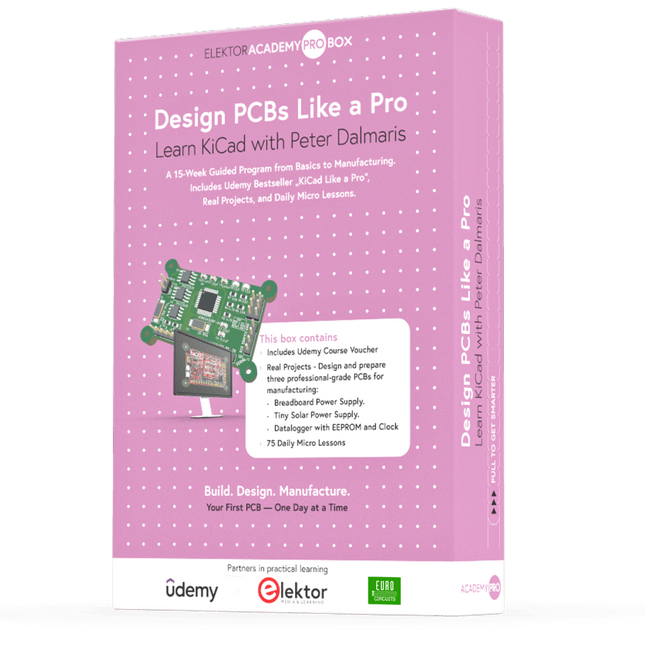
Elektor Academy Pro Design PCBs Like a Pro
Leer KiCad met Peter Dalmaris De Academy Pro Box "Design PCBs like a Pro" biedt een compleet, gestructureerd trainingsprogramma in PCB-ontwerp, dat online leren combineert met praktische toepassing. Gebaseerd op de KiCad-cursus van Peter Dalmaris, integreert het 15 weken durende programma videolessen, gedrukt materiaal (2 boeken) en praktijkgerichte projecten om ervoor te zorgen dat deelnemers niet alleen de theorie begrijpen, maar ook de vaardigheden ontwikkelen om deze in de praktijk toe te passen. In tegenstelling tot standaardcursussen biedt de Academy Pro Box een begeleid leertraject met wekelijkse mijlpalen en fysieke componenten om werkende PCB's te ontwerpen, testen en produceren. Deze aanpak ondersteunt een diepgaandere leerervaring en een betere kennisbehoud. De box is ideaal voor ingenieurs, studenten en professionals die praktische expertise in PCB-ontwerp willen ontwikkelen met behulp van open-sourcetools. Met de extra optie om hun afstudeerproject te laten produceren, ronden deelnemers het programma af met echte resultaten – klaar voor gebruik, testen of verdere ontwikkeling. Learn by doing Vaardigheden ontwikkelen. Echte printplaten ontwerpen. Gerbers genereren. Je eerste bestelling plaatsen. Dit is niet zomaar een cursus – het is een compleet projecttraject van idee tot product. Wat u leert/ontvangt Werkkennis van de tools van KiCad Vertrouwen in het ontwerpen van uw eigen printplaten (PCB’s) Een volledig produceerbare printplaat – door u zelf gemaakt Wat zit er in de doos (cursus)? Beide delen van "KiCad Like a Pro" (t.w.v. € 105) Vol 1: Fundamentals and Projects Vol 2: Advanced Projects and Recipes Couponcode voor deelname aan de bestseller KiCad 9 online cursus van Peter Dalmaris op Udemy, met meer dan 20 uur aan videotraining. U voltooit drie volledige ontwerpprojecten: Breadboard voeding Kleine zonne-energie voeding Datalogger met EEPROM en klok Voucher van Eurocircuits voor de productie van printplaten (t.w.v. € 85 excl. BTW) Leermateriaal (van deze box/cursus) 15-weken leerprogramma ▶ Klik hier om te openen Week 1: Setup, Fundamentals, and First Steps in PCB Design Week 2: Starting Your First PCB Project – Schematic Capture Week 3: PCB Layout – From Netlist to Board Design Week 4: Design Principles, Libraries, and Workflow Week 5: Your First Real-World PCB Project Week 6: Custom Libraries – Symbols, Footprints, and Workflow Week 7: Advanced Tools – Net Classes, Rules, Zones, Routing Week 8: Manufacturing Files, BOMs, and PCB Ordering Week 9: Advanced Finishing Techniques – Graphics, Refinement, and Production Quality Week 10: Tiny Solar Power Supply – From Schematic to Layout Week 11: Tiny Solar Power Supply – PCB Layout and Production Prep Week 12: ESP32 Clone Project – Schematic Design and Layout Prep Week 13: ESP32 Clone – PCB Layout and Manufacturing Prep Week 14: Final Improvements and Advanced Features Week 15: Productivity Tools, Simulation, and Automation KiCad-cursus met 18 lessen op Udemy (door Peter Dalmaris) ▶ Klik hier om te openen Introduction Getting started with PCB design Getting started with KiCad Project: A hands-on tour of KiCad (Schematic Design) Project: A hands-on tour of KiCad (Layout) Design principles and PCB terms Design workflow and considerations Fundamental KiCad how-to: Symbols and Eeschema Fundamental KiCad how-to: Footprints and Pcbnew Project: Design a simple breadboard power supply PCB Project: Tiny Solar Power Supply Project: MCU datalogger with build-in 512K EEPROM and clock Recipes KiCad 9 new features and improvements Legacy (from previous versions of KiCad) KiCad 7 update (Legacy) (Legacy) Gettings started with KiCad Bonus lecture Over de auteur Dr. Peter Dalmaris, PhD, is docent, elektrotechnisch ingenieur en maker. Hij is maker van online videocursussen over doe-het-zelf-elektronica en auteur van diverse technische boeken. Sinds 2013 is Peter Chief Tech Explorer bij Tech Explorations, het bedrijf dat hij oprichtte in Sydney (Australië). Zijn missie is om technologie te verkennen en de wereld te helpen opleiden. Wat is Elektor Academy Pro? Elektor Academy Pro biedt gespecialiseerde leeroplossingen voor professionals, engineeringteams en technische experts in de elektronica- en embedded systemenindustrie. Het stelt zowel individuen als organisaties in staat hun praktijkkennis te verdiepen, vaardigheden te versterken en voorop te blijven lopen met hoogwaardige content en praktische trainingstools. Van praktijkgerichte projecten en cursussen onder leiding van experts tot diepgaande technische inzichten – Elektor ondersteunt ingenieurs bij het aanpakken van de actuele uitdagingen binnen elektronica en embedded systemen. Ons educatieve aanbod bestaat uit Academy-boeken, Pro Boxes, webinars, conferenties en branchespecifieke B2B-magazines – allemaal ontwikkeld met het oog op professionele groei. Of u nu ingenieur, R&D-specialist of technisch beslisser bent: Elektor Academy Pro slaat de brug tussen theorie en praktijk, helpt u nieuwe technologieën te beheersen en stimuleert innovatie binnen uw organisatie.
-
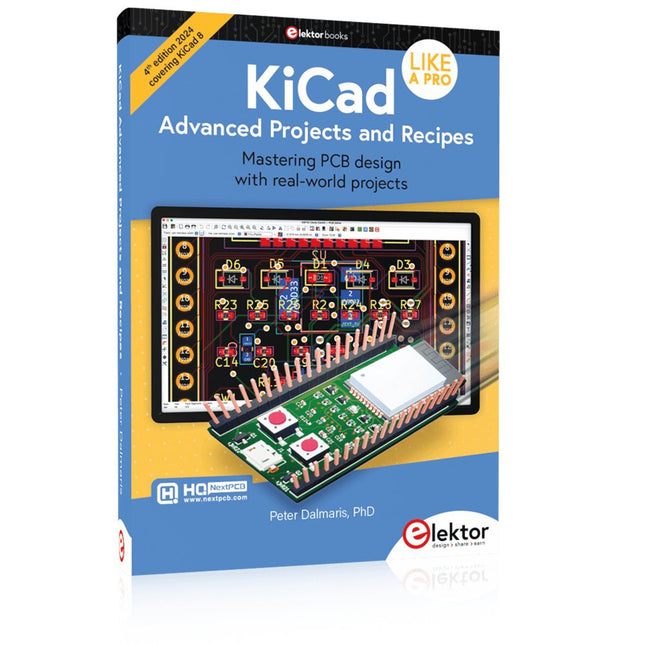
Elektor Publishing KiCad Like A Pro – Advanced Projects and Recipes
Mastering PCB design with real-world projects This book builts on KiCad Like a Pro – Fundamentals and Projects and aims to help you practice your new KiCad skills by challenging you in a series of real-world projects. The projects are supported by a comprehensive set of recipes with detailed instructions on how to achieve a variety of simple and complex tasks. Design the PCBs for a solar power supply, an LED matrix array, an Arduino-powered datalogger, and a custom ESP32 board. Understand the finer details of the interactive router, how to manage KiCad project teams with Git, how to use an autorouter on 2 and 4-layer PCBs, and much more. KiCad 8 is a modern, cross-platform application suite built around schematic and design editors. This stable and mature PCB tool is a perfect fit for electronic engineers and makers. With KiCad 8, you can create PCBs of any complexity and size without the constraints associated with the commercial packages. Here are the most significant improvements and features in KiCad 8, both over and under the hood: Modern user interface, completely redesigned from earlier versions Improved and customizable electrical and design rule checkers Theme editor allowing you to fully customize the look of KiCad on your screen Ability to import projects from Eagle, CADSTART, and more An improved and tightly integrated SPICE circuit simulator Autorouting with the Freerouting plugin Filters define which elements of a layout are selectable Enhanced interactive router helps you draw single tracks and differential pairs with precision New or enhanced tools to draw tracks, measure distances, tune track lengths, etc. Enhanced tool for creating filled zones A customizable coordinate system facilitates data exchange with other CAD applications Realistic ray-tracing capable 3D viewer Differential pair routing Rich repositories of symbol, footprint, and 3D shape libraries Python scripting API for programmatic customization and extensions Improved footprint wizard for fast custom footprints
-
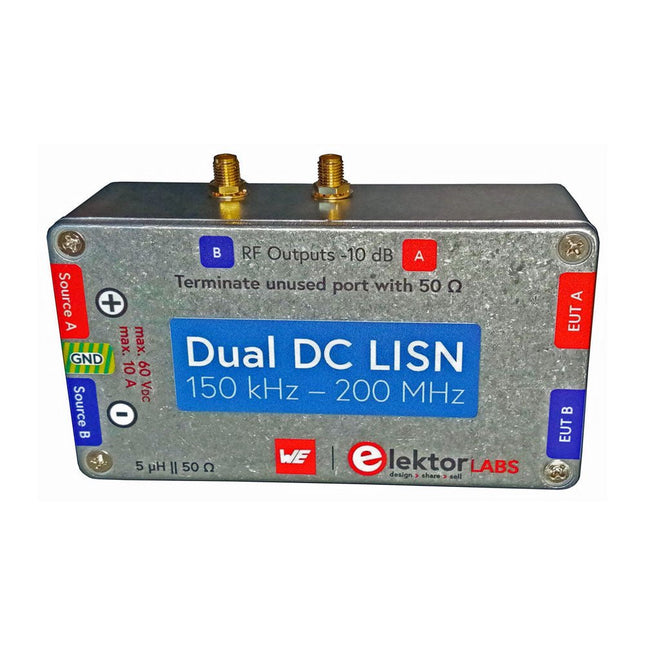
Elektor Labs Elektor Dual DC LISN (150 kHz – 200 MHz)
Het meten van conducted emission is de eenvoudigste en meest betaalbare methode om een indicatie te krijgen of een ontwerp aan de EMI/EMC eisen kan voldoen. Een Line Impedance Stabilization Network (LISN) is daarbij een onmisbaar onderdeel van een EMC pre-compliance testopstelling. Elektor heeft in samenwerking met Würth Elektronik een 5 µH, 50 Ω Dual DC LISN ontwikkeld die geschikt is voor spanningen tot 60 V en stromen tot 10 A. Het instrument meet RF-interferenties op beide kanalen (de voeding) door middel van 5 µH blokkeerspoelen. De interne 10 dB verzwakkingstrap – één per kanaal – bevat een 3e orde hoogdoorlaatfilter met een afsnijfrequentie van 9 kHz om de ingang van instrumenten zoals een spectrum analyzer te beschermen tegen mogelijk schadelijke DC spanningen of lage frequenties afkomstig van de DUT (Device Under Test). Specificaties RF-pad Kanalen 2 (met clamping diodes) Bandbreedte 150 kHz – 200 MHz Impedantie 5 µH || 50 Ω Interne demping 10 dB Connectoren SMA DC-pad Max. stroom < 10 ADC Max. spanning < 60 VDC DC weerstand < 2 x 70 mΩ PCB-formaat 94,2 x 57,4 mm Connectoren 4 mm banaan Hammond-behuizing Type 1590N Afmetingen 121 x 66 x 40 mm Inbegrepen 1x 4-laags PCB met alle SMT-onderdelen gemonteerd 1x Voorgeboorde behuizing met bedrukt frontpaneel 5x Vergulde, geïsoleerde 4 mm banaanstekers, geschikt voor 24 A, 1 kV 1x Hammond-behuizing 1590N1, aluminium (gegoten legering) Meer info Project op Elektor Labs: Dual DC LISN for EMC pre-compliance testing Elektor 9-10/2021: EMC Pre-Compliance Test voor uw DC-gevoed project (deel 1) Elektor 11-12/2021: EMC Pre-Compliance Test voor uw DC-gevoed project (deel 2)


