
Zoekresultaten voor "kits"
-
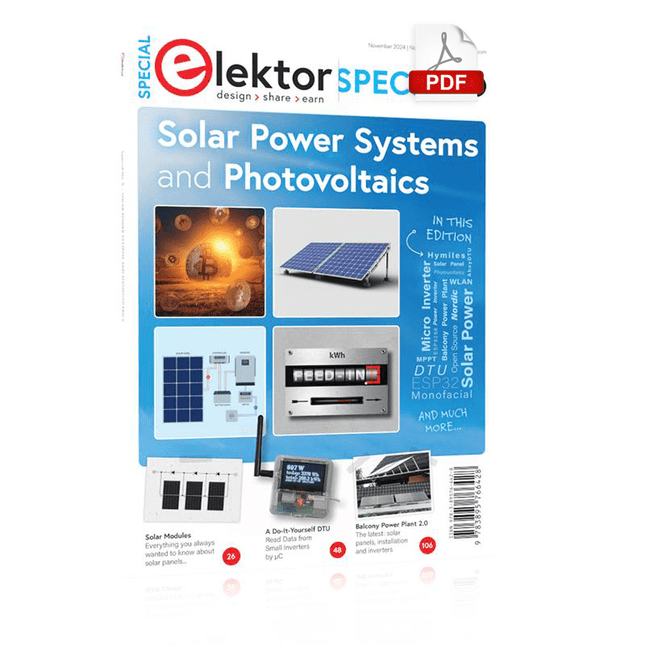
Elektor Digital Elektor Special: Solar Power Systems and Photovoltaics (PDF)
As demand for solar panel installation has risen sharply, especially for installations larger than balcony power plants, the order books of solar companies are full. If you ask for a quote today, you may have to wait a while, if your request isn't simply postponed indefinitely. Another consequence of the solar boom is that some companies are charging very high prices for installations. Yet there is an obvious and radical solution to the problem of excessive prices: Do it yourself, as the English say. The price of materials is currently affordable, and it's the ideal time for those who do the work themselves. They couldn't save more. Add to this the satisfaction of doing something useful, both economically and ecologically, and the pleasure of building yourself. In this special issue, you'll find a wide selection of Elektor assemblies, from solar panel controllers to solar water heaters and solar panel orientation systems. The issue also contains practical information on solar panel installation and the technology behind them. Finally, there are a number of articles on the subject of balcony power plants, from how to install them to how to connect them to the Internet... Contents BASICS Dimensioning Photovoltaic Panel ArraysAn introduction to photovoltaic energy and the commonest techniques,followed by simplified calculation models and setup guidelines. Light Sensor TechnologyMeasuring daylight using LEDs. Solar Power Made SimpleSolar charging with and without a controller. Cable Cross-sections and Energy Losses in Solar SystemsKey considerations on the minimum values to respect for electricalcurrent in solar panel cabling. Solar ModulesEverything you always wanted to know about solar panels... Ideal Diode ControllerDiode Circuits with Low Power Dissipation. TIPS Tracking for Solar Modules zBot Solar/Battery Power Supply Solar Cell Array Charger with Regulator Solar Cell Voltage Regulator Solar-Powered Night Light Alternative Solar Battery Charger PROJECTS Energy LoggerMeasuring and Recording Power Consumption. Tiny Solar SupplySunlight In, 3.3 V Out. A Do-It-Yourself DTURead Data from Small Inverters by μC. Solar ChargerPortable energy for people on the move. Solar Thermal Energy RegulatorMaximum power point tracking explored. 2-amp Maximum Power Tracking ChargerSolar Power To The Max. Computer-driven HeliostatFollow the sun or the stars. Garden LightingUsing solar cells. Solar Panel Voltage Converter for IoT DevicesYes we CAN exploit indoor lighting. Travel ChargerFree power in the mountains. Solar Cell Battery Charger/MonitorWith protection against deep discharge. Solar-powered Battery ChargerPIC12C671 avoids overcharging and deep charging. Converters for Photovoltaic PanelsContributed by TME (Transfer MultisortElektronik). Solar Charging RegulatorFor panels up to 53 watts. Solar-Powered ChargerFor lead-acid batteries. CAN Bus + Arduino for Solar PV Cell MonitoringDetect and locate serviceable panels in large arrays. Balcony Power Plant 2.0The latest: solar panels, installation and inverters
€ 14,95
Leden: € 13,46
-

Elektor Digital Elektor Mei/Juni 2021 (PDF)
ZELFBOUW LIPO-SUPERCHARGER KITvan prototype tot productie ELEKTOR @ 60gedachten bij zestig jaar elektronica SIGLENT SDM3045X TAFELMULTIMETER DC-STROOMKLEMHall-sensor + ferrietkern + Arduino SOLDEERSTATION 2021makkelijk om te bouwen! KENNISMAKING MET DE PARALLAX PROPELLER 2 (DEEL 2)de ontwikkelomgeving en de code WIFI VOOR DE LORA SWITCHgeïntegreerd in Home Assistant met ESPHome GEEN ANGST VOOR DE CELLULAIRE MODULE! HOUD DE TIJD BIJ MET ESP32 EN TOGGLwerken met de M5Stack KENNISMAKING MET HET RASPBERRY PI PICO-BOARD EN DE RP2040 MICROPYTHON VOOR MICROCONTROLLERStechnieken voor kleine displays 12–200 V DC/DC-CONVERTERvoor buizenversterkers WARMTEZOEKERde Seek Shot Pro warmtebeeldcamera OBJECTGEORIËNTEERD PROGRAMMERENeen korte inleiding met C++ OOST WEST LAB BEST...waar Kurt Diedrich synthesizers bouwt JAVA OP DE RASPBERRY PIdeel 1: GPIO’s DIP-SCHAKELAARSvreemde onderdelen INTERACTIEFcorrecties & updates || brieven van lezers WIENS PRODUCT IS HET EIGENLIJK?recht-op-reparatie beweging laat van zich horen UIT HET LEVEN GEGREPENhet grote blunderboek MICRO-PROFESSORassembleertaal leren op een Z80 ALLE BEGIN......hoeft niet zo moeilijk te zijn – zelfs als het om condensatoren gaat HEXADOKUThe Original Elektorized Sudoku
€ 9,95
-

Elektor Labs Elektor Arduino Nano MCCAB Training Board
Het Elektor Arduino Nano MCCAB Training Board bevat alle componenten (incl. Arduino Nano) die nodig zijn voor de oefeningen, zoals LED’s, schakelaars, drukknoppen, buzzer enz. Ook externe sensoren, motoren of modules kunnen worden gecheckt of bestuurd met dit microcontroller-trainingssysteem. Specificaties (Arduino Nano Training Board MCCAB) Voeding Via de USB-aansluiting van de aangesloten pc of een externe voeding (niet inbegrepen) Spanning +5 Vcc Ingangsspanning Alle ingangen 0 V tot +5 V VX1 en VX2 +8 V tot +12 V (alleen bij gebruik van een externe voeding) Hardware LCD 2x16 karakters Potentiometer P1 & P2 JP3: Selectie van de werkspanning van P1 & P2 Verdelers SV4: Verdeler voor de werkspanningenSV5, SV6: Verdelers voor de in-/uitgangen van de microcontroller Schakelaars en knoppen RESET knop op de Arduino Nano module; 6x drukknop schakelaars K1 ... K6; 6x Schuifschakelaars S1 ... S6; JP2: Jumper van de schakelaars met de ingangen van de microcontroller Buzzer Piezo buzzer ‘Buzzer1’ met jumper op JP6 Indicator LED’s 11 x LED: Status indicator voor de ingangen/uitgangen LED L op de Arduino Nano module, aangesloten op GPIO D13 JP6; Aansluiting van LED's LD10 ... LD20 met GPIO's D2 ... D12 Seriële interfacesSPI & I²C JP4: Selectie van het signaal op pin X van de SPI-connector SV12 SV9 naar SV12: SPI-interface (3,3 V/5 V) of I²C-interface Uitgangen voor externe apparaten SV1, SV7: Geschakelde uitgang (maximaal +24 V/160 mA, extern aangesloten) SV2: 2x13 pinnen voor aansluiting van externe modules 3x3 LED matrix(9 rode LED's) SV3: Kolommen van de 3x3 LED matrix (uitgangen D6 ... D8) JP1: Verbinding van de rijen met de GPIO's D3 ... D5 Software MCCABLib library Controle van hardware componenten (schakelaars, knoppen, LED's, 3x3 LED matrix, buzzer) op het MCCAB Training Board Werktemperatuur Tot +40 °C Afmetingen 100 x 100 x 20 mm Specificaties (Arduino Nano) Microcontroller ATmega328P Architectuur AVR Spanning 5 V Flash memory 32 KB, waarvan 2 KB gebruikt door de bootloader SRAM 2 KB Kloksnelheid 16 MHz Analoge IN Pinnen 8 EEPROM 1 KB DC stroom per I/O-pin 40 mA op één I/O-pin, totaal maximaal 200 mA op alle pinnen samen Ingangsspanning 7-12 V Digitale I/O-pinnen 22 (waarvan 6 PWM) PWM Uitgangen 6 Stroomverbruik 19 mA Afmetingen 18 x 45 mm Gewicht 7 g Inbegrepen 1x Elektor Arduino Nano Training Board MCCAB 1x Arduino Nano
€ 69,95
Beste prijs
-

Elektor Digital Elektor Juillet/Août 2024 (PDF)
Le téléchargement intégral de ce numéro est disponible pour nos membres GOLD et GREEN sur le site Elektor Magazine ! Pas encore membre ? Cliquez ici. petite caméra thermiqueréalisée avec un Arduino UNO mise à jour du projet #3 : compteur d'énergie basé sur l'ESP32intégration et test avec Home Assistant 2024 : l'odyssée de l'IAaméliorer la détection d'objets : intégration de techniques avancées Raspberry Pi se met à l'IAun nouveau kit comprenant un accélérateur IA matériel et un adaptateur M.2 HAT+ capteurs de stations météorologiqueslequel choisir ? Relevé des compteurs d'eau basé sur l'IA (1)intégrez votre ancien compteur dans l'IdO ! une alarme GSMun module GSM protège votre garage à distance optimisation et contrôle des appareils Thread à faible consommation d'énergiefaible consommation... peu d’effort ? sur le vifmontrez-moi là où ça fait mâle chambre à brouillard à faire soi-mêmevisualiser les rayonnements invisibles SparkFun Thing Plus Mattercarte de développement IdO polyvalente basée sur Matter Rétroéquipement IoTAdaptation des machines à interface RS232 à l'industrie 4.0 ajouter l’IoT grâce aux microcontrôleurs 8 bits la technologie au service du développement durableles avancées technologiques favorisent une utilisation plus efficace de l’énergie dans de nombreuses applications AWS pour Arduino et Cie. (1)utiliser AWS IoT ExpressLink en pratique détecteur de flux d'air Arduinoaucun capteur externe n'est nécessaire ! détecteur de fuite d'eauconnecté à l’Arduino Cloud le quartzdrôle de composant, la série enregistreur universel de données de jardinageun pas vers l’Intelligence Artificielle au Jardin. un générateur analogique 1 kHzondes sinusoïdales à faible distorsion Miletus : utiliser les applications Web hors ligneaccès aux fonctions de l’appareil et du système de la 4G à la 5Gest-ce une étape si facile à franchir ? démarrer en électronique…connexions symétriques
€ 10,95
-

Elektor Digital Édition spéciale : Shields pour Arduino (PDF)
Concrétisez vos rêves, réalisez les projets les plus fous : un odomètre pour la roue de votre hamster, la surveillance complètement automatisée de votre fourmilière avec interface web, ou le Sandwich-O-Mat – une machine qui grille les sandwichs de votre choix.Avec les cartes Arduino et le mouvement DIY (« fais-le toi-même ») ou maker, se mettre à programmer des microcontrôleurs est devenu un jeu d'enfant. Une deuxième révolution a eu lieu : des développeurs ingénieux ont mis sur le marché de petites cartes – appelées « shields » ou modules – qui simplifient considérablement l'utilisation d'autres dispositifs. Ces petits modules contiennent tous les composants électroniques nécessaires pour la connexion au microcontrôleur ; quelques fils avec des fiches suffisent pour le raccordement, ce qui évite d'avoir à câbler et fait gagner du temps. En outre, il est également possible de manipuler de minuscules composants dépourvus de pattes de connexion (ceux de type CMS).ProjetsArduino et le monde extérieurCapteur BMP180, introduction aux bibliothèques et à l'I²CInitiation aux entrées/sorties avec un shield polyvalentAdaptateur I²C pour LCD et afficheurs à matrice de pointsShield clavier & LCDConvertisseur de niveauW5100 : connexion à internetShields d'extension des entrées/sortiesRelais et relais statiquesShield multifonction : unité de commande universelleConnexion d'un lecteur de carte SD par SPITouches et afficheurs à 7 segmentsConvertisseur analogique/numérique à 16 bitsConvertisseur numérique/analogique MCP4725Pilote de servomoteurs à 16 voies PWMLecteur MP3Enregistreur de données GPS avec stockage sur carte SDCapteur tactileJoystickSHT31 : température et humiditéCapteur d'UV-A VEML6070Temps de vol VL53L0XMesure de distance à ultrasonsAfficheur matriciel à LED à base de MAX7219Horloge en temps réel DS3231Circuit d'extension de port MCP23017Communication radio à 433 MHzGyroscope MPU-6050Accéléromètre ADXL345LED RVB WS2812Cartes d'alimentationCapteurs de gaz MQ-xxCapteur de dioxyde de carbone (CO2)Capteur de courant ACS712Capteur de courant INA219Pilote de moteur L298Kit RFID MFRC522Moteur pas à pas 28BYJ-48Carte avec pilote de moteur ultra-silencieux TMC2209Potentiomètre numérique X9C10xÉcran couleur TFT avec contrôleur/pilote ST7735Écran à encre électroniqueModule BluetoothCompteur GeigerModule GSM SIM800LMultiplexeur I²CModule CAN (Controller Area Network)
€ 10,95
Leden: € 9,86
-

Elektor Digital PIC Microcontroller Programming (E-book)
in 10 captivating lessons Using the lessons in this book you learn how to program a microcontroller. You’ll be using JAL, a free but extremely powerful programming language for PIC microcontrollers, which enjoys great popularity in the hobby world. Starting out from scratch virtually, you slowly build up the knowledge. No previous knowledge is needed: anyone can get started with this book. Assuming you have absorbed all lessons – meaning you have actually completed all the exercises – you should be confident to write PIC microcontroller programs, as well as read and understand programs written by other people. JAL commands You learn the function of JAL commands such as include, pin, delay, forever loop, while loop, case, exit loop, repeat until, if then, as well as the use of functions, procedures and timer- and port interrupts. JAL programs You make an LED blink, build a time switch, measure a potentiometer’s wiper position, produce sounds, suppress contact bounce, and control the brightness of an LED. And of course you learn to debug, meaning: how to spot and fix errors in your programs. Hardware You learn to recognize various components including the PIC microcontroller, potentiometer and quartz crystal, and how to wire up a PIC microcontroller and effectively link it to your PC. A breadboard is used for the purpose, allowing you to easily modify the component arrangement for further experimenting. The companion software with this book can be downloaded free of charge, including the JAL programming language. In addition, you may order a kit of parts so you don’t have to go shopping for the required components. Especially for a beginner, this is the easiest way to start with this unique pastime. Having finished this book does not mean you are through with your pastime. You can get your hands dirty again, and if desired use other books packed with fun projects using the JAL programming language. More information may be found at the end of the lessons in the chapter "Done! What’s next?""
€ 29,95
Leden: € 26,96
-

Elektor Digital Elektor 07-08/2022 (PDF)
Preiswerter Audio-MessplatzMit PC-Software und USB-Audio-Interface Netzspannungs-FrequenzmessgerätNetzfrequenz und -spannung überwachen Kleines InduktivitätsmessgerätEine erschwingliche Lösung für Ihr Heimlabor Reiten auf der SchallwelleEin Blick auf das Makerfabs Acoustic Levitation Kit Aller Anfang...muss nicht schwer sein: Dioden als Gleichrichter E-FFWD: Der Blick wieder nach vorn gerichtet! Erste Schritte mit dem OszilloskopFinden Sie den Weg durch den Knopf-und-Tasten-Dschungel Raspberry Pi Pico als Software Defined RadioFür das MSF-Zeitsignal Feuchtigkeitssensoren für GießanlagenAutomatische Bewässerung Umbruch in der Mess- und PrüftechnikInnovationen kleinerer Akteure Infografik 7-8/2022 Inspiration: Was wirklich wichtig istInterview mit dem Unternehmer Walter Arkesteijn von InnoFaith Beauty Sciences EMV-Störungen durch Speicherdrosseln minimieren Grafische Benutzeroberflächen mit Python:Tic-Tac-Toe Reed-RelaisBemerkenswerte Bauteile Einfaches analoges ESR-Messgerätmit Drehspulinstrument-Genauigkeit CO2-Ampel mit Sigfox-InterfaceVom WLAN unabhängig! Frauen in der Technik„Es geht nur so lange um Leistung, bis diese Leistung Titten hat.“ Low-Budget Tablet-Oszilloskop ADS1013DGutes Preis-/Leistungsverhältnis? Aufgeschraubt und reingeschaut: Wireless Smart PlugsSmarte Funksteckdosen mit ESP8266 & Co. Hautwiderstand und HautkapazitätKleine Experimente mit der menschlichen Hülle Aus dem Leben gegriffenDer Prophet gilt nichts im Vaterland Messgerät Pokit – die eierlegende Wollmilchsau?Klein und mit vielen Messmöglichkeiten HexadokuSudoku für Elektroniker
€ 11,90
-
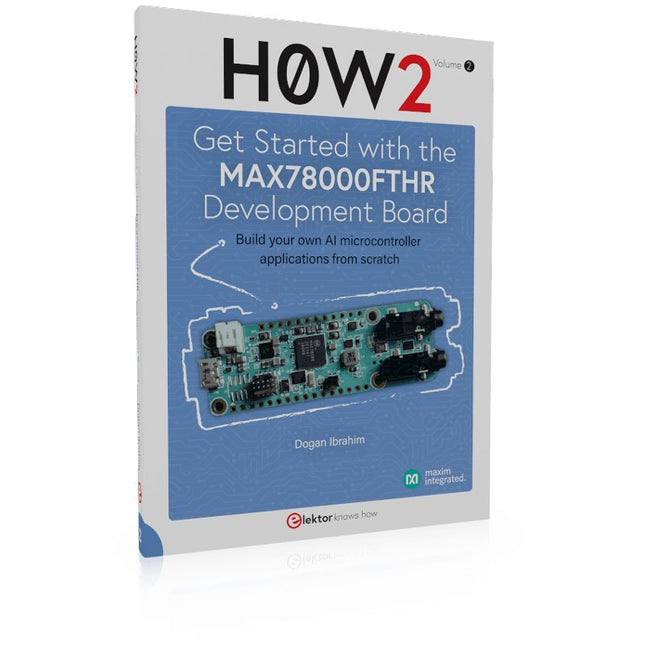
Elektor Publishing H0W2: Get Started with the MAX78000FTHR Development Board
Build your own AI microcontroller applications from scratch The MAX78000FTHR from Maxim Integrated is a small development board based on the MAX78000 MCU. The main usage of this board is in artificial intelligence applications (AI) which generally require large amounts of processing power and memory. It marries an Arm Cortex-M4 processor with a floating-point unit (FPU), convolutional neural network (CNN) accelerator, and RISC-V core into a single device. It is designed for ultra-low power consumption, making it ideal for many portable AI-based applications. This book is project-based and aims to teach the basic features of the MAX78000FTHR. It demonstrates how it can be used in various classical and AI-based projects. Each project is described in detail and complete program listings are provided. Readers should be able to use the projects as they are, or modify them to suit their applications. This book covers the following features of the MAX78000FTHR microcontroller development board: Onboard LEDs and buttons External LEDs and buttons Using analog-to-digital converters I²C projects SPI projects UART projects External interrupts and timer interrupts Using the onboard microphone Using the onboard camera Convolutional Neural Network
€ 39,95
Leden: € 35,96
-

Elektor Digital Controller Area Network Projects with ARM and Arduino (E-book)
This book details the use of the ARM Cortex-M family of processors and the Arduino Uno in practical CAN bus based projects. Inside, it gives a detailed introduction to the architecture of the Cortex-M family whilst providing examples of popular hardware and software development kits. Using these kits helps to simplify the embedded design cycle considerably and makes it easier to develop, debug, and test a CAN bus based project. The architecture of the highly popular ARM Cortex-M processor STM32F407VGT6 is described at a high level by considering its various modules. In addition, the use of the mikroC Pro for ARM and Arduino Uno CAN bus library of functions are described in detail. This book is written for students, for practising engineers, for hobbyists, and for everyone else who may need to learn more about the CAN bus and its applications. The book assumes that the reader has some knowledge of basic electronics. Knowledge of the C programming language will be useful in later chapters of the book, and familiarity with at least one microcontroller will be an advantage, especially if the reader intends to develop microcontroller based projects using CAN bus. The book should be useful source of reference to anyone interested in finding an answer to one or more of the following questions: What bus systems are available for the automotive industry? What are the principles of the CAN bus? What types of frames (or data packets) are available in a CAN bus system? How can errors be detected in a CAN bus system and how reliable is a CAN bus system? What types of CAN bus controllers are there? What are the advantages of the ARM Cortex-M microcontrollers? How can one create a CAN bus project using an ARM microcontroller? How can one create a CAN bus project using an Arduino microcontroller? How can one monitor data on the CAN bus?
€ 32,95
Leden: € 29,66
-

Elektor Digital Elektor Mei/Juni 2022 PDF (NL)
Eerste stappen met een ESP32-C3 en het IoTWiFi-knop en -relais IoT Cloud à la Arduino Arduino-shield met dubbele Geiger-Müller buisuiterst gevoelige en zeer zuinige stralingssensor CO2-wachterluchtkwaliteit bewaken – doe het zelf! MonkMakes Air Quality Kit voor de Raspberry Pimeet temperatuur en eCO2 Alle begin......verwelkomt de diode Tips & trucs voor het testen van componentenzonder kostbare apparatuur Reduceer het stroomverbruik van uw mollenverjagerATtiny13 in plaats van 555 Lichtschakelaar DeLuxuiterst nauwkeurig lichtgestuurd schakelen Uitdagingen bij het op de markt brengen van IoT-oplossingenzorgen over veiligheid, schaalbaarheid en de concurrentie Elektor Infographics Toch beter bedraadTips voor het ontwikkelen van een 1 Gbit/s interface in de industriële omgeving Edge Impulse FOMOreal-time objectdetectie voor MCU’s Lopende-golfbuisVreemde onderdelen, de serie Smalband-Internet of Thingsstandaarden, dekking, overeenkomsten en modules Dragino LPS8 indoor-gatewayLoRaWAN-gateway snel geïnstalleerd Ontdek ATtiny-microcontrollers met behulp van C en assemblervoorbeeldhoofdstuk: ATtiny I/O-poorten Project 2.0correcties, updates en brieven van lezers LoRa GPS-tracker updateontvang en toon de locatie met een Raspberry Pi Schakelingen simuleren met TINA Design Suite & TINACloudvoorbeeldhoofdstuk: sinusoscillatoren Uit het leven gegrepenlopendebandwerk Het WinUI grafische framework voor Windows-appseen kleine demo-applicatie GUI's maken met Python's Werelds slechtste GUI Off-grid PV-systeemelektrische energie onafhankelijk van het net De 10-jaar-smartphonestel uw verwachtingen bij Hexadoku
€ 9,95
-
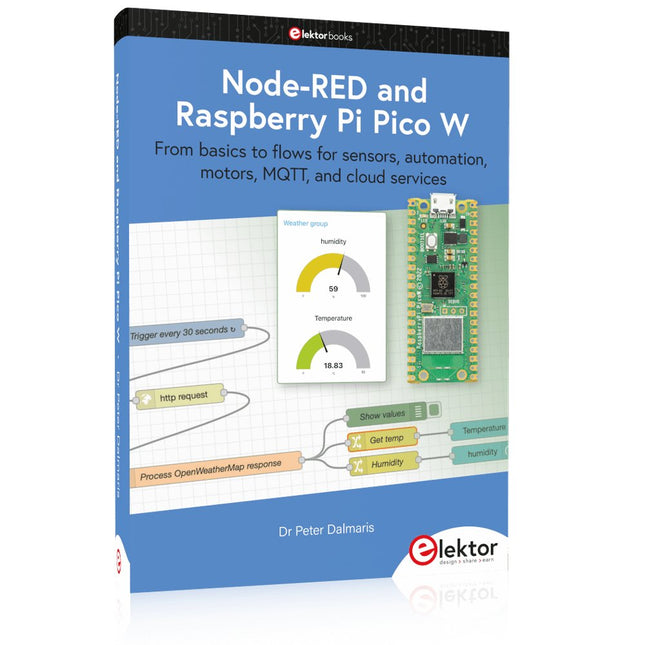
Elektor Publishing Node-RED and Raspberry Pi Pico W
From basics to flows for sensors, automation, motors, MQTT, and cloud services This book is a learning guide and a reference. Use it to learn Node-RED, Raspberry Pi Pico W, and MicroPython, and add these state-of-the-art tools to your technology toolkit. It will introduce you to virtual machines, Docker, and MySQL in support of IoT projects based on Node-RED and the Raspberry Pi Pico W. This book combines several elements into a platform that powers the development of modern Internet of Things applications. These elements are a flow-based server, a WiFi-enabled microcontroller, a high-level programming language, and a deployment technology. Combining these elements gives you the tools you need to create automation systems at any scale. From home automation to industrial automation, this book will help you get started. Node-RED is an open-source flow-based development tool that makes it easy to wire together devices, APIs, and online services. Drag and drop nodes to create a flowchart that turns on your lights at sunset or sends you an email when a sensor detects movement. Raspberry Pi Pico W is a version of the Raspberry Pi Pico with added 802.11n Wi-Fi capability. It is an ideal device for physical computing tasks and an excellent match to the Node-RED. Quick book facts Project-based learning approach. Assumes no prior knowledge of flow-based programming tools. Learn to use essential infrastructure tools in your projects, such as virtual machines, Docker, MySQL and useful web APIs such as Google Sheets and OpenWeatherMap. Dozens of mini-projects supported by photographs, wiring schematics, and source code. Get these from the book GitHub repository. Step-by-step instructions on everything. All experiments are based on the Raspberry Pi Pico W. A Wi-Fi network is required for all projects. Hardware (including the Raspberry Pi Pico W) is available as a kit. Downloads GitHub
€ 49,95
Leden: € 44,96
-

Elektor Digital Elektor Juli/Augustus 2022 PDF (NL)
Goedkope audiotestermet PC-gebaseerde software en een USB-audio-interface AC-netfrequentiemeterbewaakt netfrequentie en -spanning Een kleine inductiemeterbetaalbare oplossing voor de werkbank Zweven op geluidsgolvende Makerfabs Acoustic Levitation Kit nader bekeken Alle begin......gaat gelijkrichten FFWD: de blik weer naar voren! Aan de slag met je oscilloscoopzo gebruik je de knoppen en schakelaars Een MSF-SDR met de Raspberry Pi Picodecodeer het tijdsignaal met een Pi Pico-SDR Bodemvochtsensoren voor beregeningssystemenautomatische beregening Onrust op de markt voor test- en meetapparatuurkleine spelers innoveren Elektor Infographics Inspiratie, daar draait het omInterview met Ondernemer Walter Arkesteijn, InnoFaith Beauty Sciences EMC-storingen door opslagspoelen minimaliseren GUI’s maken met Python:Boter-kaas-en-eieren Jeroen en Jan blijven pionieren Eenvoudige analoge ESR-metermet draaispoelmeter-precisie Sigfox CO2-stoplichtzonder WiFi-netwerk! Vrouwen in de techniek“Het gaat allemaal om verdienste tot verdienste tieten heeft” Low-budget tablet-oscilloscoop ADS1013Dwaar voor je geld? Anatomie van smart plugsWelke zijn hacker-vriendelijk? Huidimpedantie en huidcapaciteitexperimenteel onderzocht Uit het leven gegrepenGeen sant in eigen land De Pokit Meter bekekeneen Zwitsers zakmes onder de meetinstrumenten HexadokuPuzzelen voor elektronici
€ 9,95


