Diese Ausgabe steht allen GOLD- und GREEN-Mitgliedern auf der ElektorMagazine-Website zum Download bereit!
Sie sind noch kein Mitglied? Hier klicken!
USB-MessadapterStrom und Signalqualität von USB-Anschlüssen testen
4...20 mA Stromausgang für Arduino UnoEine zuverlässige, EMI-unempfindliche Stromschleifenschnittstelle
Automatische StaubsaugersteuerungHalten Sie den Arbeitsbereich Ihrer Werkzeuge sauber
DDS-Generator mit ATtiny
Opamp-Tester V2Neue Platine – nun auch für SMDs geeignet
550-mW-„Lamp“-AudioverstärkerDer warme Klang von Röhren – ganz einfach
SicherungswächterSicherung mit Blink-LED überwachen
Hochwertiger RIAA-VorverstärkerHolen Sie das Beste aus Ihren Vinyl-Schallplatten heraus!
Drahzahlkalibrator für PlattenspielerEin Arduino-basierter Stroboskopgenerator mit 100–120 Hz
Infrarot-fernbedienbarer DimmerSteuern Sie Ihre Halogen- oder LED-Stehleuchte mühelos und mit Stil
Wie man switch…case mit Strings in C++/Arduino IDE verwendet
Magnetfindermit einfachem Hall-Effekt-Sensor
Intelligenter Einschaltknopf für Raspberry PiEine Lösung für Raspberry Pi bis zum Modell 4
Essenzielle Maker-TippsProfessionelle Einblicke für den Maker-Alltag
Praktische Projekte mit dem 555-TimerGleichstrommotorsteuerung und Reaktionszeitschallungen
Einfacher AC-Last-Ein-MonitorEnergie sparen mit einem einfachen Gerät
Powerbanks parallel schaltenEine durchgehende Stromversorgung für drei Tage
VFO bis 15 MHzMit Raspberry Pi Pico
Geigen-Stimmgerät mit ATtiny202
Elektor Classics: Video-Eingangsverstärker für S/W-Fernseher
Kapazitätsmesser20 pF bis 600 nF
Quasi-analoges Uhrwerk MkIIZwei LED-Ringe für Stunden und Minuten
Sie können alles tun, was Sie wollen(mit dem Arduino-Ökosystem an Ihrer Seite)
Neon-Würfel mit Glimmlampen
Elektor Classics: Video-Verstärker
Inspirierende Hardware-Designs für Ihre ESPs
Elektor Classics: RTTY-Abgleichanzeige
RGB-LEDs mit integrierter SteuerschaltungLicht mit Präzision: ICLEDs setzen Maßstäbe
Experiment: Auf dem Weg zu einem Mixed-Signal-Theremin?Moderne Time-of-Flight-Sensoren im Zusammenspiel mit dem zeitlosen XR2206-Analoggenerator
ESP32-Audio-Transceiver-Board (Teil 1)SD-Karten-WAV-Player-Demo
Infografiken: Schaltungen & Schaltungsdesign 2025
Kleiner Audio-MixerEinfaches und vielseitiges skalierbares Design
Intelligenter Treppenlicht-TimerEffiziente Lichtsteuerung zur Reduzierung des Energieverbrauchs
Machen Sie Ihre Rollläden smartVelux-Hardware steuern mit ESP32 und MQTT
Solid-State-FußwärmerEnergieeffizienter Komfort
Ist der M5Stamp Fly Quadcopter der nächste Tello?
Erhöhung der WLAN-Reichweite des ESP32-C3 SuperMiniEine einfache und wirkungsvolle Antennenmodifikation
ZD-8968 Heißluft-LötstationEin preisgünstiges Arbeitstier oder nur heiße Luft?
Parksensor-TesterDefekte beim PDC-System am Auto finden
De FNIRSI DLA-serie combineert krachtige USB 3.0-logica-analyse met flexibele, meerkanaals signaalregistratie voor het debuggen en analyseren van digitale circuits en embedded systemen. De serie is verkrijgbaar in twee uitvoeringen: de DLA-16 Plus met 16 digitale kanalen en de DLA-32 Plus met 32 digitale kanalen.
Beide modellen bieden samplingfrequenties tot 1 GSa/s, 4 Gbit intern geheugen en ondersteuning voor meer dan 120 protocoldecoders. Dankzij de acquisitiemodi Buffer, Stream en Roll zijn ze geschikt voor zowel snelle signaalanalyse als langdurige monitoring.
Kies de DLA-16 Plus voor hogere samplingfrequenties bij gebruik van alle kanalen, of de DLA-32 Plus wanneer u meer kanalen en geavanceerde seriële en parallelle triggering nodig heeft.
Kenmerken
Verkrijgbaar met 16 of 32 digitale ingangskanalen
Bemonsteringssnelheid tot 1 GSa/s
DLA-16 Plus: tot 500 MSa/s bij gebruik van alle 16 kanalen
DLA-32 Plus: tot 250 MSa/s bij gebruik van alle 32 kanalen
4 Gbit intern geheugen
High-speed USB 3.0-interface
Acquisitiemodi: Buffer, Stream en Roll
Ondersteuning voor meer dan 120 protocoldecoders
Geavanceerde triggeropties
4 PWM-uitgangen met een frequentiebereik van 1 Hz tot 20 MHz
Data-export naar CSV en BIN
Specificaties
DLA-16 Plus
DLA-32 Plus
Digitale kanalen
16
32
Max. Sampling rate
1 GSa/s
Sampling rate (1 kanaal)
1 GSa/s
Sampling rate (8 kanalen)
1 GSa/s
Max. Buffer sampling
16 kanalen @ 500 MSa/s
32 kanalen @ 250 MSa/s
Max. Stream sampling
16 kanalen @ 125 MSa/s
32 kanalen @ 50 MSa/s
Hardwaregeheugen
4 Gbit
Interface
USB 3.0 / USB-C
Max. USB-overdrachtssnelheid
5 Gbit/s
Acquisitiemodi
Buffer / Stream / Roll
Protocoldecoders
120+
Ondersteuning voor aangepaste protocollen
Ja
Triggermodi
Stijgende flank, dalende flank, hoog, laag, elke flank
Geavanceerde trigger
Standaard triggering
Serieel en parallel
Parallelle triggerfasen
–
Tot 16
PWM-uitgangen
4
PWM-uitgangsspanning
3,3 V
PWM-frequentie
1 Hz–20 MHz
Gegevensexport
CSV, BIN
Afmetingen
90 x 81 x 11,5 mm
Inbegrepen
1x FNIRSI DLA-16/32 Plus Logic Analyzer
4 Sets van 5 afgeschermde kabels
18x Mini IC-testhaken (uitvoering met uitgebreide configuratie)
1x USB 3.0-datakabel
10x IC-testhaken
1x Transparante opbergdoos voor testhaken
1x Opbergtas
1x Manual
Downloads
Manual
Software for Windows
Software for macOS (Apple Silicon)
Software for macOS (Intel)
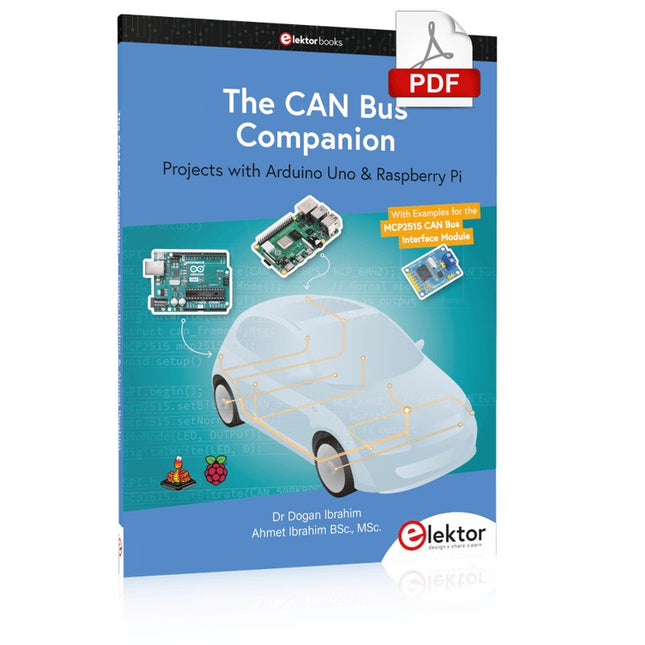
Projects with Arduino Uno & Raspberry Pi with Examples for the MCP2515 CAN Bus Interface Module
This book details the use of the Arduino Uno and the Raspberry Pi 4 in practical CAN bus based projects. Using either the Arduino Uno or the Raspberry Pi with off-the-shelf CAN bus interface modules considerably ease developing, debugging, and testing CAN bus based projects.
This book is written for students, practicing engineers, enthusiasts, and for everyone else wanting to learn more about the CAN bus and its applications. The book assumes that the reader has some knowledge of basic electronics. Knowledge of the C and Python programming languages and programming the Arduino Uno using its IDE and Raspberry Pi will be useful, especially if the reader intends to develop microcontroller-based projects using the CAN bus.
The book should be a useful source of reference material for anyone interested in finding answers to questions such as:
What bus systems are available for the automotive industry?
What are the principles of the CAN bus?
How can I create a physical CAN bus?
What types of frames (or data packets) are available in a CAN bus system?
How can errors be detected in a CAN bus system and how dependable is a CAN bus system?
What types of CAN bus controllers exist?
How do I use the MCP2515 CAN bus controller?
How do I create 2-node Arduino Uno-based CAN bus projects?
How do I create 3-node Arduino Uno-based CAN bus projects?
How do I set the acceptance masks and acceptance filters?
How do I analyze data on the CAN bus?
How do I create 2-node Raspberry Pi-based CAN bus projects?
How do I create 3-node Raspberry Pi-based CAN bus projects?
De SEQURE HT140 is een zeer veelzijdige 2-in-1 soldeerbout die de functionaliteit van een hete pincet en een soldeerbout combineert. Hij is speciaal ontworpen voor nauwkeurig SMD-soldeer- en desoldeerwerk.
Met onafhankelijke regeling voor enkelzijdige verhitting werkt hij als een traditionele soldeerbout wanneer hij is uitgerust met een standaardpunt. Wanneer hij is geconfigureerd voor dubbelzijdige verhitting, transformeert hij in een hete pincet – perfect voor het efficiënt en nauwkeurig verwijderen van SMD-componenten.
Kenmerken
Werktemperatuur: 50-500°C
Ondersteunt meerdere voedingsingangen: PD 3.1/3.0/2.0, QC 3.0/2.0, (5-28 V DC), LiPo-batterijen en stroomadapters.
De HT140 combineert een soldeerpincet met een soldeerbout, met onafhankelijke enkel- of dubbelzijdige verwarming. Gebruik hem als soldeerbout met een punt, of als soldeerpincet voor eenvoudig desolderen van SMD.
Spanning en stroomsterkte kunnen worden aangepast op basis van de stroombron.
Beschikt over dubbele temperatuurregeling, voorinstellingen, snelle temperatuurverhoging en fijnafstelling.
128 x 32 OLED-scherm met instelbare helderheid en oriëntatie.
Hoognauwkeurig verwarmingselement met een nauwkeurigheid van ±1%. Smelt soldeer in slechts 2 seconden.
Slimme stand-by-, slaap- en wekfuncties verlengen de levensduur van de punt en verhogen de efficiëntie.
Ondersteunt temperatuurkalibratie en -compensatie voor nauwkeurig werk.
Inclusief een hittebestendige PD 150 W siliconenkabel van 1,5 m en een stevig, volledig metalen HT-station.
Verwisselbare punten en verstelbare hoeken voor diverse SMD-soldeertaken.
Specificaties
Werkspanning
5-28 V DC
Maximaal vermogen
140 W
Werktemperatuur
50-500°C
Smelttijd tin
2 s
Interfacetype
USB-C, DC5525
Voeding
PD 3.1/3.0/2.0, QC 3.0/2.0, 28 V DC max
Display
128 x 32 OLED
Firmware-upgrade
Ja
Menutalen
Engels, Russisch, Chinees
Afmetingen
160 x 27 x 17,5 mm
Gewicht
50 g
Inbegrepen
1x SEQURE HT140 Host
2x HT140-IS Conisch gebogen desoldeerstiften
1x HT Station
1x Accessoirepakket
1x Opbergtas
1x 65 W PD Voeding (EU, VK & VS)
1x 24 W PD Siliconen Draad (1,5 m)
1x GND Draad Accessoire Kit (1,8 m)
Downloads
Manual
Firmware V1.04
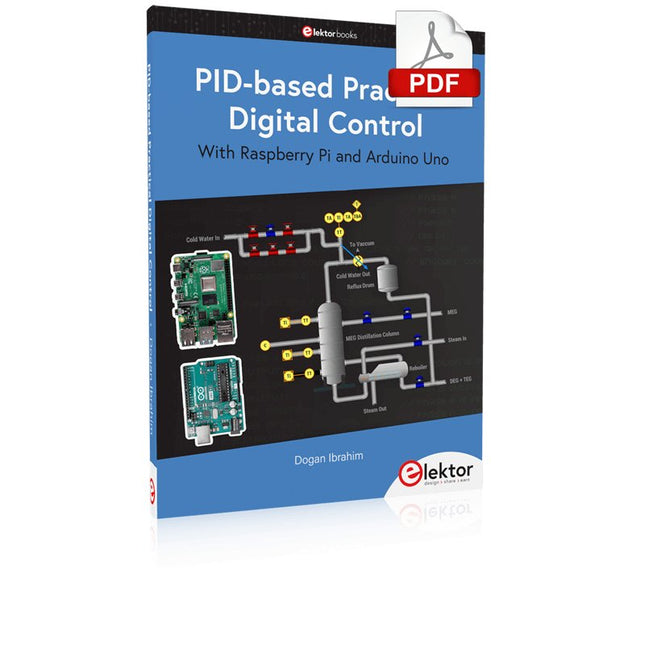
The Arduino Uno is an open-source microcontroller development system encompassing hardware, an Integrated Development Environment (IDE), and a vast number of libraries. It is supported by an enormous community of programmers, electronic engineers, enthusiasts, and academics. The libraries in particular really smooth Arduino programming and reduce programming time. What’s more, the libraries greatly facilitate testing your programs since most come fully tested and working.
The Raspberry Pi 4 can be used in many applications such as audio and video media devices. It also works in industrial controllers, robotics, games, and in many domestic and commercial applications. The Raspberry Pi 4 also offers Wi-Fi and Bluetooth capability which makes it great for remote and Internet-based control and monitoring applications.
This book is about using both the Raspberry Pi 4 and the Arduino Uno in PID-based automatic control applications. The book starts with basic theory of the control systems and feedback control. Working and tested projects are given for controlling real-life systems using PID controllers. The open-loop step time response, tuning the PID parameters, and the closed-loop time response of the developed systems are discussed together with the block diagrams, circuit diagrams, PID controller algorithms, and the full program listings for both the Raspberry Pi and the Arduino Uno.
The projects given in the book aim to teach the theory and applications of PID controllers and can be modified easily as desired for other applications. The projects given for the Raspberry Pi 4 should work with all other models of Raspberry Pi family.
The book covers the following topics:
Open-loop and closed-loop control systems
Analog and digital sensors
Transfer functions and continuous-time systems
First-order and second-order system time responses
Discrete-time digital systems
Continuous-time PID controllers
Discrete-time PID controllers
ON-OFF temperature control with Raspberry Pi and Arduino Uno
PID-based temperature control with Raspberry Pi and Arduino Uno
PID-based DC motor control with Raspberry Pi and Arduino Uno
PID-based water level control with Raspberry Pi and Arduino Uno
PID-based LED-LDR brightness control with Raspberry Pi and Arduino Uno
This book is about the Raspberry Pi 3 computer and its use in various control and monitoring applications. The book explains in simple terms and with tested and working example projects, how to configure the Raspberry Pi 3 computer, how to install and use the Linux operating system, and how to write hardware based applications programs using the Python programming language.
The nice feature of this book is that it covers many Raspberry Pi 3 based hardware projects using the latest hardware modules such as the Sense HAT, Swiss Pi, MotoPi, Camera module, and many other state of the art analog and digital sensors. An important feature of the Raspberry Pi 3 is that it contains on-board Bluetooth and Wi-Fi modules. Example projects are given in the book on using the Wi-Fi and the Bluetooth modules to show how real-data can be sent to the Cloud using the Wi-Fi module, and also how to communicate with an Android based mobile phone using the Bluetooth module.
The book is ideal for self-study, and is intended for electronic/electrical engineering students, practising engineers, research students, and for hobbyists. It is recommended that the book should be followed in the given Chapter order.
Over 30 projects are given in the book. All the projects in the book are based on the Python programming language and they have been fully tested. Full program listings of every project are given in the book with comments and full descriptions. Experienced programmers should find it easy to modify and update the programs to suit their needs.
The following sub-headings are given for each project to make it as easy as possible for the readers to follow the projects:
Project title
Description
Aim of the project
Raspberry Pi type
Block diagram
Circuit diagram
Program listing
Deze complete programmeercursus voor de ESP32-microcontroller bevat een leerboek, een componentenkit, praktijkgerichte projecten en een uitgebreide online cursus met simulaties. Ideaal om stap voor stap embedded systems te leren programmeren met Arduino via een praktische, hands-on aanpak.
Een praktische introductie tot embedded systems met de ESP32
Deze cursus is ontworpen voor beginners in embedded systems die op zoek zijn naar een gestructureerde en voorbeeldgerichte start.
Een kit met LED’s en weerstanden, schakelaars, sensoren en actuatoren, displays, een breadboard en draden is inbegrepen. Deze worden in de cursus gebruikt om voorbeeldtoepassingen te demonstreren.
Er is geen voorkennis van Arduino of embedded ontwikkeling vereist. Elke sectie bevat praktische voorbeelden en mini-projecten om belangrijke concepten te versterken en verdere verkenning te stimuleren. Aan het einde van de cursus kunt u niet alleen de voorbeelden reproduceren, maar ook uitbreiden met uw eigen ideeën en toepassingen.
Wat leert u?
Microcontroller programmeren met de ESP32 via de Arduino IDE
Werken met digitale I/O, knoppen en encoders uitlezen, LED’s en relais aansturen
Analoge ingangen, spanningen en sensoren uitlezen
Genereren van analoge uitgangssignalen en PWM
Gebruik van seriële communicatie zoals UART, I²C en SPI om displays aan te sturen en digitale sensoren en SD-kaarten uit te lezen
Tijdbeheer
Werken met interrupts
Realtime sensorinput en besturing via knoppen, LED’s en displays
Aansturen van actuatoren zoals relais en servomotoren
Voor wie is dit?
Studenten en zelflerenden die embedded systems willen ontdekken
Makers en IoT-enthousiastelingen die hun hardwarevaardigheden willen verbeteren
Docenten en trainers die kant-en-klaar lesmateriaal zoeken
Wat zit er in de doos?
Toegang tot de volledige cursus op het Elektor Academy Pro leerplatform
ESP32 microcontrollerboard + USB-kabel
Boek: Programming Microcontrollers in C/C++ Using Arduino
Downloadbare projectbestanden voor elke module
Componentenkit:
2× LED, rood, 5 mm
LED, groen, 5 mm
3× weerstand, 470 Ω, 0,25 W
LDR
Potentiometer, 10 kΩ, lineair
Drukknop
Rotary encoder module
Relaismodule
DHT22 temperatuur- en vochtigheidssensor
TM1637-compatibel 4-digit 7-segment display
MPU-6050 IMU met headers
SSD1306-compatibel I²C OLED display
Micro SD-kaartadapter met header
Buzzer
SG90 micro servo
ILI9341-compatibel SPI 240×320 TFT display
20× jumper wires
Breadboard
Alle programmeercursussen (en verschillen in inhoud)
Cursus
Arduino
Raspberry Pi Pico with Arduino C/C++
ESP32 with Arduino C/C++
Raspberry Pi Pico with MicroPython
ESP32 with MicroPython
Online cursus
Access to Arduino Course
Access to Pico with Arduino C/C++ Course
Access to ESP32 with Arduino C/C++ Course
Access to Pico with MicroPython Course
Access to ESP32 with MicroPython Course
Board
Uno R3
Raspberry Pi Pico
ESP32
Raspberry Pi Pico
ESP32
Boek
Programming Microcontrollers in C/C++ Using Arduino
Programming Microcontrollers in C/C++ Using Arduino
Programming Microcontrollers in C/C++ Using Arduino
Programming Microcontrollers in MicroPython
Programming Microcontrollers in MicroPython
Kit
40-delige componenten-kit
40-delige componenten-kit
40-delige componenten-kit
40-delige componenten-kit
40-delige componenten-kit
DIE NEURONEN IN NEURONALEN NETZWERKEN VERSTEHENTeil 1. Künstliche Neuronen
EMV-VOR-KONFORMITÄTSTESTER FÜR IHR PROJEKT MIT DC-VERSORGUNGTeil 1: Was ist eine Netznachbildung?
ELEKTRONISCHE LAST FÜR DC UND ACBis zu 400 V und 10 A
ALLER ANFANG …ist gar nicht schwer!
NVIDIA JETSON NANO - BILDVERARBEITUNG FÜR EINSTEIGERTeil 1: Hard- und Software im Überblick
NETZTRANSFORMATOREN AUS DER NÄHE BETRACHTETWie verhalten sie sich beim Ein- und Ausschalten?
PICAN 3 - YES WE CAN!CAN-Zusatzboard für Raspberry Pi 4
BALKONKRAFTWERKSelbst installiert = schnell amortisiert!
FOTOGRAFIEREN UND VIDEO-STREAMING MIT DEM RASPBERRY PI 4Die High-Quality-Kamera des Raspberry Pi in der Praxis
VERWENDUNG VON DISPLAYS IN RASPBERRY-PI-PROJEKTENBeispiel-Kapitel: Organische Leuchtdioden-Displays (OLED)
PARALLAX PROPELLER 2Teil 4: Senden von Strings
60 JAHRE ELEKTOR: SEPTEMBER-RENAISSANCEDer Plan, der Plan, ein leerer Wahn ...
ZUTRITT FÜR UNBEFUGE VERBOTEN ERWÜNSCHTIn Friesland, wo die Röhren blühen ...
HYBRIDE SCHALTUNGENBemerkenswerte Bauteile
KOMPASSROSE MIT DEM GY-271Oder, warum man mit dem Handy Achten gehen muss…
KENNEN SIE IHREN FUSSABDRUCKBerechnen Sie die CO2-Bilanz Ihrer Elektronik
ESP32-VERBUNDENES THERMOSTATLagern Sie Ihren Wein bei der richtigen Temperatur!
MAGNETISCHE LEVITATION DIE DIGITALE ARTEin ESP32 Pico ersetzt den analogen Komparator
ULTIMATE ARDUINO UNO HARDWARE MANUALEin beispielhaftes Kapitel: Bootloader für den Haupt-Mikrocontroller
MICROPYTHON FÜR DEN ESP32 UND CO.Teil 2. Matrix-Displays einfach ansteuern
MADMACHINE SWIFTIO-KARTEModerne Sprache trifft moderne Hardware
AUS DEM LEBEN GEGRIFFENEine elektronische On/Off-Beziehung
HEXADOKUSudoku für Elektroniker
Datenbankmodelle und -software für Elektronikanwendungen
Mit seiner Energieeffizienz und seinem reichen Spektrum an quelloffener Software eignet sich der Einplatinencomputer Raspberry Pi auch für die Speicherung von Daten und deren grafische Aufbereitung lokal oder im World Wide Web (WWW).
Dieses Buch stellt verschiedene Datenbankmodelle und diverse Datenbanksoftware vor:
SQL: MariaDB, SQLite
InfluxDB: Telegraf
Grafana
MQTT
Verschlüsselung mit RPi
Apache
PHP
Node RED
Docker
Es zeigt darüber hinaus ausgewählte Ansätze, gespeicherte Daten anzuzeigen und zu verwalten. Ein eigener Abschnitt ist sowohl der SSL-Verschlüsselung der Verbindung als auch dem Betrieb von Servern im WWW gewidmet.
Das Buch richtet sich an alle,
die neugierig sind und gerne die Möglichkeiten des Raspberry Pi ausloten möchten,
die einen Einstieg in das Datenmanagement mit Datenbanken suchen,
die mit einfachen Mitteln schnell loslegen möchten,
die Alternativen aufgezeigt bekommen möchten,
die in komprimierter Form Tipps für eigene Entwicklungen suchen,
die Freude am eigenen Entwickeln und Realisieren haben.
Programmierkenntnisse und -erfahrungen sind für die Installation der Software nicht erforderlich. Jeder einzelne Schritt wird detailliert beschrieben und mit Screenshots visuell unterlegt.
Deze complete programmeercursus voor de ESP32-microcontroller bevat een leerboek, een componentenkit, praktijkgerichte projecten en een uitgebreide online cursus met simulaties. Ideaal om stap voor stap embedded systems te leren programmeren in MicroPython via een praktische, hands-on aanpak.
Een praktische introductie tot embedded systems met de ESP32
Deze cursus is ontworpen voor beginners in embedded systems die op zoek zijn naar een gestructureerde en voorbeeldgerichte start.
Een kit met LED’s en weerstanden, schakelaars, sensoren en actuatoren, displays, een breadboard en draden is inbegrepen. Deze worden in de cursus gebruikt om voorbeeldtoepassingen te demonstreren.
Er is geen voorkennis van Arduino of embedded ontwikkeling vereist. Elke sectie bevat praktische voorbeelden en mini-projecten om belangrijke concepten te versterken en verdere verkenning te stimuleren. Aan het einde van de cursus kunt u niet alleen de voorbeelden reproduceren, maar ook uitbreiden met uw eigen ideeën en toepassingen.
Wat leert u?
Microcontrollers programmeren in MicroPython met de ESP32 met behulp van de Thonny IDE
Werken met digitale I/O, knoppen en encoders uitlezen, LED’s en relais aansturen
Analoge ingangen, spanningen en sensoren uitlezen
Genereren van analoge uitgangssignalen en PWM
Gebruik van seriële communicatie zoals UART, I²C en SPI om displays aan te sturen en digitale sensoren en SD-kaarten uit te lezen
Tijdbeheer
Werken met interrupts
Realtime sensorinput en besturing via knoppen, LED’s en displays
Aansturen van actuatoren zoals relais en servomotoren
Voor wie is dit?
Studenten en zelflerenden die embedded systems willen ontdekken
Makers en IoT-enthousiastelingen die hun hardwarevaardigheden willen verbeteren
Docenten en trainers die kant-en-klaar lesmateriaal zoeken
Wat zit er in de doos?
Toegang tot de volledige cursus op het Elektor Academy Pro leerplatform
ESP32 microcontrollerboard + USB-kabel
Boek: Programming Microcontrollers in MicroPython
Downloadbare projectbestanden voor elke module
Componentenkit:
2× LED, rood, 5 mm
LED, groen, 5 mm
3× weerstand, 470 Ω, 0,25 W
LDR
Potentiometer, 10 kΩ, lineair
Drukknop
Rotary encoder module
Relaismodule
DHT22 temperatuur- en vochtigheidssensor
TM1637-compatibel 4-digit 7-segment display
MPU-6050 IMU met headers
SSD1306-compatibel I²C OLED display
Micro SD-kaartadapter met header
Buzzer
SG90 micro servo
ILI9341-compatibel SPI 240×320 TFT display
20× jumper wires
Breadboard
Alle programmeercursussen (en verschillen in inhoud)
Cursus
Arduino
Raspberry Pi Pico with Arduino C/C++
ESP32 with Arduino C/C++
Raspberry Pi Pico with MicroPython
ESP32 with MicroPython
Online cursus
Access to Arduino Course
Access to Pico with Arduino C/C++ Course
Access to ESP32 with Arduino C/C++ Course
Access to Pico with MicroPython Course
Access to ESP32 with MicroPython Course
Board
Uno R3
Raspberry Pi Pico
ESP32
Raspberry Pi Pico
ESP32
Boek
Programming Microcontrollers in C/C++ Using Arduino
Programming Microcontrollers in C/C++ Using Arduino
Programming Microcontrollers in C/C++ Using Arduino
Programming Microcontrollers in MicroPython
Programming Microcontrollers in MicroPython
Kit
40-delige componenten-kit
40-delige componenten-kit
40-delige componenten-kit
40-delige componenten-kit
40-delige componenten-kit
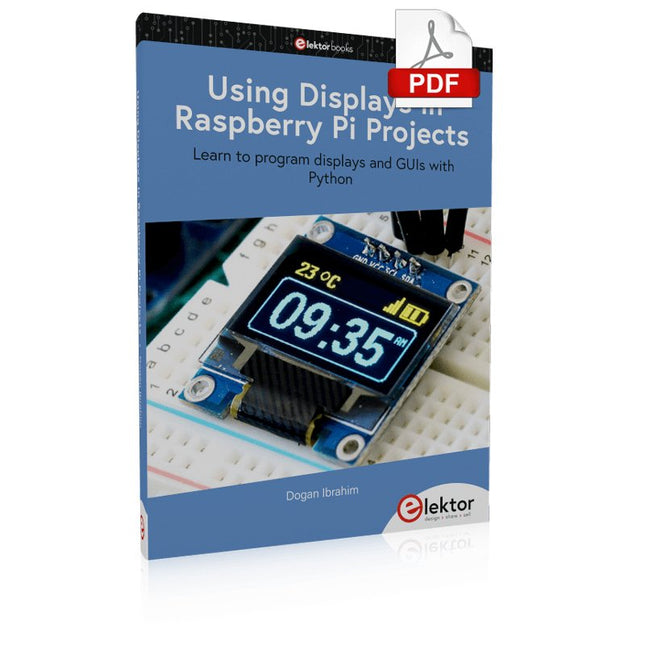
Learn to program displays and GUIs with Python
This book is about Raspberry Pi 4 display projects. The book starts by explaining how to install the latest Raspbian operating system on an SD card, and how to configure and use the GPIO ports.
The core of the book explains the following topics in simple terms with fully tested and working example projects:
Simple LED projects
Bar graph LED projects
Matrix LED projects
Bitmap LED projects
LED strips
LCDs
OLED displays
E-paper displays
TFT displays
7-inch touch screen
GUI Programming with Tkinder
One unique feature of this book is that it covers almost all types of display that readers will need to use in their Raspberry Pi based projects. The operation of each project is fully given, including block diagrams, circuit diagrams, and commented full program listings. It is therefore an easy task to convert the given projects to run on other popular platforms, such as Arduino or PIC microcontrollers.
Python program listings of all Raspberry Pi projects developed in this book are available for download at Elektor.com. Readers can use these programs in their projects. Alternatively, they can modify the programs to suit their applications.
AI in Practice
Dive into the fascinating world of robotics and automation!
This Elektor Special shows you how to build your own robots with creativity, a little know-how, and affordable technology. From your first DIY project with Arduino or Raspberry Pi to intelligent systems with AI – this issue makes modern robotics understandable and accessible.
Discover practical instructions, inspiring projects, and exciting insights into the maker scene. Learn how experimentation, community, and openness give rise to true innovation – and why robotics is so much more than just a technical hobby.
Contents
Imagination turns into reality
Arduino-controlled Drawing Robot
GalaxyRVR Mars Rover Kit for Arduino
YDLIDAR X4Pro Lidar
xHuskyLens AI Camera
DOF Robot Arm with Raspberry Pi Pico
Manufacturing Robots with Fischertechnik
Pneumatic Industrial Robot
Why Do We Keep Building Robot Dogs?
Elektor Mini-Wheelie
Robot Vehicles and Autonomous Driving