
Zoekresultaten voor "python OR pour OR les OR kids OR la OR programmation OR accessible"
-

Elektor Publishing Les oscilloscopes anciens & modernes pour les débutants
Ce qui se passe en électronique est par définition invisible à l'oeil nu. L'instrument qui permet précisément de rendre visibles les signaux électriques, celui par le truchement duquel les effets de l'électronique se manifestent à nous, c'est l'oscilloscope. Hélas, quand on commence à faire de l'électronique, c'est souvent sans oscilloscope. Et l'on en est réduit à tâtonner, aussi bien physiquement que mentalement. Le jour où l'on goûte à la visualisation des signaux sur un écran, c'est une révélation. Plus personne ne souhaite se priver de cet enchantement. Pas de retour en arrière. En électronique, si l'on veut progresser dans le plaisir et dans la compréhension, il faut un oscillo. Commence alors une période d'interrogation : comment choisir ? Et à peine cette question-là aura-t-elle trouvé sa réponse, il en viendra une ribambelle d'autres que l'on peut résumer en une seule : comment se servir de l'oscilloscope de telle sorte que ce qu'il affiche corresponde bien à la réalité des signaux ? Dans ce livre, Rémy Mallard, répond clairement à ces questions. Il donne aussi de nombreuses informations pour aider son lecteur à élucider lui-même de nouveaux mystères qui ne manqueront pas de surgir. Ceux qui le connaissent déjà comme l'auteur d'un livre sur l'électronique dont le titre est un programme à lui tout seul : L'électronique pour les débutants qui sèchent les cours mais soudent sans se brûler les doigts, ainsi que d'un livre d'initiation à la programmation des microcontrôleurs PIC, savent qu'ils trouveront ici un ouvrage utile, qu'ils rouvriront souvent.
€ 44,95
Leden: € 40,46
-

Elektor Publishing Arduino for STM32
Learning Embedded Systems with STM32 Nucleo Boards Embedded programming has become more accessible than ever before. Development boards are inexpensive, software tools are easy to install, and the Arduino IDE provides a familiar environment for creating embedded applications. Combined with the STM32 Nucleo family of development boards, it offers an excellent platform for learning how modern microcontrollers interact with the physical world. This book introduces embedded programming using the Arduino environment on STM32 Nucleo boards. You will learn how a microcontroller continuously reads inputs, processes information, and controls outputs in a predictable real-time loop. Through practical examples, you will discover how to control LEDs, read switches and sensors, generate PWM signals, drive motors, and exchange data with other devices, all while becoming familiar with the capabilities of STM32 microcontrollers. Although the STM32 family includes devices with different performance levels, memory sizes, and peripheral sets, they all share the same architectural concepts. Digital and analog I/O, timers, interrupts, PWM, communication interfaces, and low-power operation are fundamental features found throughout the STM32 ecosystem. Understanding these building blocks will enable you to work confidently with a wide range of STM32 devices, from entry-level microcontrollers to more advanced applications. By focusing on practical programming techniques rather than hardware complexity, this book develops skills that remain useful well beyond the examples presented. Whether you are taking your first steps in embedded systems or expanding your experience with STM32 microcontrollers, you will gain a solid understanding of both the Arduino development environment and the principles that underpin embedded software design.
€ 27,95
Leden: € 25,16
-

Elektor Digital Experimenting with Red Pitaya STEMlab Gen 2 (E-book)
Practical Projects and Programs With Experimenting with Red Pitaya STEMlab Gen 2, Red Pitaya goes beyond a versatile board. It becomes a powerful laboratory instrument for precision measurement, analysis, and control. From the fundamentals of electronic project development, monitoring, control, and design to testing, this book walks you step-by-step through everything you need to know to harness the full potential of Red Pitaya hardware and software. The book presents real-time, FPGA-based projects that are developed on a PC using the Vivado environment, then transferred to the Red Pitaya for execution and testing. You will learn about enhanced performance, expanded I/O capabilities, improved FPGA features, and advanced connectivity options that open up new frontiers for precision measurement, monitoring, and control in your embedded applications. Inside the book you will discover: A deep dive into Red Pitaya architecture and hardware design Electronic experiments using Red Pitaya for measurement and monitoring Hands-on projects using the Python programming language Practical guidance for FPGA programming using Red Pitaya Red Pitaya FPGA projects using the Verilog HDL under Vivado IDE Practical design of electronic projects including measurement and testing Step-by-step examples that bridge theory and real-world implementation Whether you are designing your own electronic circuits, developing signal analysis tools, or creating real-time control or monitoring systems, this book provides you the knowledge and confidence you need to fully learn and customize the Red Pitaya platform.
€ 32,95
Leden: € 29,66
-

Elektor Academy Pro Arduino for STM32 (programmeercursus)
Deze complete cursus programmeren voor STM32-microcontrollers omvat een leerboek, een onderdelenpakket, praktijkgerichte projecten en een uitgebreide online cursus. Het is de ideale manier om stap voor stap te leren programmeren voor embedded systemen met Arduino, via een praktische en hands-on aanpak. Een praktische introductie tot embedded systemen met de STM32 Deze cursus is bedoeld voor iedereen die nog geen ervaring heeft met embedded systemen en op zoek is naar een gestructureerde, op voorbeelden gebaseerde manier om aan de slag te gaan. Er wordt een onderdelenpakket meegeleverd met onder meer leds, weerstanden, schakelaars, sensoren, actuatoren, displays, een breadboard en bedrading. Deze onderdelen worden in de cursus gebruikt om praktijkvoorbeelden te demonstreren. Er is geen voorkennis van Arduino of embedded development vereist. Elk onderdeel bevat praktische voorbeelden en miniprojecten die zijn ontworpen om de belangrijkste concepten te verankeren en uit te nodigen tot verdere verdieping. Aan het einde van de cursus ben je niet alleen in staat om de voorbeelden na te maken, maar kun je er ook op voortbouwen met je eigen ideeën en toepassingen. Wat leert u? Microcontrollerprogrammering in C/C++ voor de STM32 met de Arduino IDE Werken met digitale I/O, knoppen en encoders uitlezen, LED’s en relais aansturen Analoge ingangen, spanningen en sensoren uitlezen Genereren van analoge uitgangssignalen en PWM Gebruik van seriële communicatie zoals UART, I²C en SPI om displays aan te sturen en digitale sensoren en SD-kaarten uit te lezen Tijdbeheer Werken met interrupts Realtime sensorinput en besturing via knoppen, LED’s en displays Aansturen van actuatoren zoals relais en servomotoren Programma's debuggen met behulp van breakpoints en door de code stappen Voor wie is dit? Studenten en zelflerenden die embedded systems willen ontdekken Makers en IoT-enthousiastelingen die hun hardwarevaardigheden willen verbeteren Docenten en trainers die kant-en-klaar lesmateriaal zoeken Wat zit er in de doos? Toegang tot de volledige cursus op het Elektor Academy Pro leerplatform STM32 NUCLEO-F411RE microcontrollerboard Boek: Arduino for STM3 Downloadbare projectbestanden voor elke module Componentenkit: 2× LED, rood, 5 mm LED, groen, 5 mm 3× weerstand, 470 Ω, 0,25 W LDR Potentiometer, 10 kΩ, lineair Drukknop Rotary encoder module Relaismodule DHT22 temperatuur- en vochtigheidssensor TM1637-compatibel 4-digit 7-segment display MPU-6050 IMU met headers SSD1306-compatibel I²C OLED display Micro SD-kaartadapter met header Buzzer SG90 micro servo ILI9341-compatibel SPI 240×320 TFT display 20× jumper wires Breadboard
€ 99,95€ 84,95Beste prijs
-
Elektor Digital Using Displays in Raspberry Pi Projects (E-book)
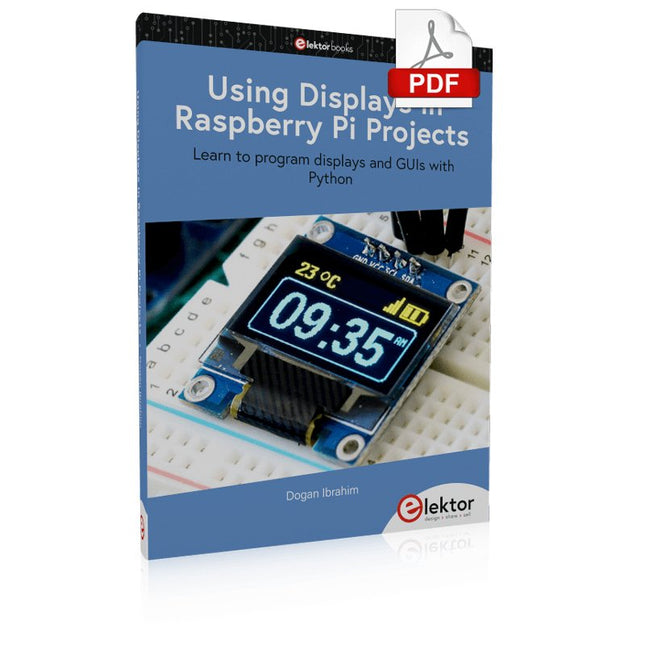
Learn to program displays and GUIs with Python This book is about Raspberry Pi 4 display projects. The book starts by explaining how to install the latest Raspbian operating system on an SD card, and how to configure and use the GPIO ports. The core of the book explains the following topics in simple terms with fully tested and working example projects: Simple LED projects Bar graph LED projects Matrix LED projects Bitmap LED projects LED strips LCDs OLED displays E-paper displays TFT displays 7-inch touch screen GUI Programming with Tkinder One unique feature of this book is that it covers almost all types of display that readers will need to use in their Raspberry Pi based projects. The operation of each project is fully given, including block diagrams, circuit diagrams, and commented full program listings. It is therefore an easy task to convert the given projects to run on other popular platforms, such as Arduino or PIC microcontrollers. Python program listings of all Raspberry Pi projects developed in this book are available for download at Elektor.com. Readers can use these programs in their projects. Alternatively, they can modify the programs to suit their applications.
€ 32,95
Leden: € 29,66
-

Elektor Digital Arduino UNO Q and AI (E-book)
Learn to Build Intelligent Embedded Systems Build smarter embedded systems with Arduino UNO Q. This book gives you the tools, knowledge, and confidence to turn ideas into intelligent, working solutions using the Arduino UNO Q platform. Discover how to build intelligent embedded systems with the Arduino UNO Q and AI. Unlock the full potential of the Arduino UNO Q, a next-generation platform that combines the real-time power of the STM32U585 microcontroller with the flexibility of a Qualcomm Dragonwing QRB2210 microprocessor. Learn how to rapidly prototype real-world applications using the Arduino IDE for low-level embedded control and Python in Arduino App Lab for high-level development. Build confidence through hands-on projects that guide you step by step from basic board features to complete working systems. Explore ready-to-use, AI based Arduino App Lab examples and see how they can jump-start your development and reduce time to deployment. Step into the world of Edge AI with a clear, practical introduction to Edge Impulse Studio—no prior AI experience required. Follow a complete, real-world workflow to create a Keyword Spotting AI application, covering data collection, model training, optimization, and on-device inference using the Edge Impulse Studio. Bridge the gap between embedded systems and machine learning and learn how to bring intelligence directly onto your hardware. Perfect for embedded engineers, educators, students, and makers looking to stay ahead in AI-enabled product development.
€ 29,95
Leden: € 26,96
-
Elektor Digital Getting Started with the Intel Edison (E-book)
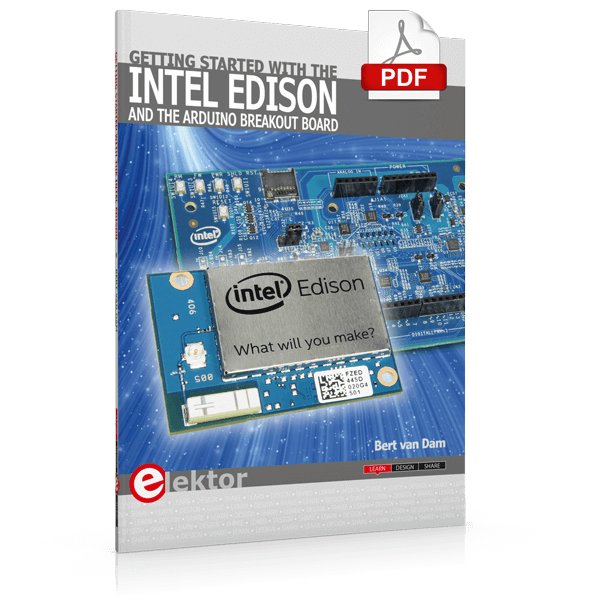
The Internet of Things is rapidly gaining interest, and that has fueled the development of the Edison. A tiny computer, the size of a postage stamp, with a lot of power and built-in wireless communication capabilities. In this eBook we will help you get up-to-speed with the Edison, by installing the software both on the Edison as well as on your Windows PC. We will use the Edison Arduino break-out board because it is easy to work with. We will discuss Linux, Arduino C++ and Python, and show examples of how the Edison can interface with other hardware. We will use Wi-Fi and Bluetooth to set up wireless connections, and show you a trick to program sketches over Wi-Fi. Once you have completed this book your Edison will be up and running with the latest software version, and you will have sufficient knowledge of both hardware and software to start making your own applications. You will even be able to program the Edison over USB and wireless both in Arduino C++ and Python. This is not a projects eBook, but a toolbox that will allow you to explore the wonderful world of the Intel Edison!
€ 24,95
Leden: € 22,46
-
Elektor Digital CAN et CAN FD (E-book)
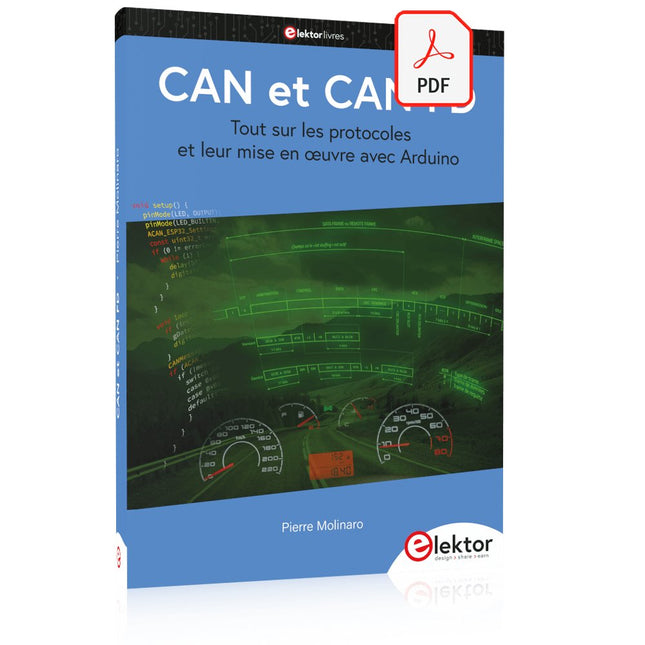
Tout sur les protocoles et leur mise en œuvre avec Arduino Initialement destiné aux véhicules routiers, le réseau CAN (« Controller Area Network ») et son successeur le réseau CAN FD (« Flexible Data ») ont vu leurs champs d’application s’élargir à de nouveaux domaines. L’industrie propose de nombreux modules microcontrôleurs dotés d’une interface CAN et/ou CAN FD. L’environnement de développement Arduino a démocratisé la programmation de ces modules et il existe des bibliothèques qui implémentent un pilote CAN et/ou un pilote CAN FD. La première partie dresse un rapide historique des réseaux CAN et CAN FD et expose la problématique des lignes de transmission en abordant succinctement leur théorie et présentant des résultats de simulation Spice. La deuxième partie est consacrée au réseau CAN, en détaillant successivement la fonction logique du réseau, les transcepteurs, les contrôleurs, la topologie la plus classique (le bus) et d’autres moins courantes, les répéteurs et les passerelles. Les aspects particuliers du protocole, tels que le bit stuffing, l’arbitrage, les trames d’erreur, la détection des erreurs sont exposés. La discussion de la fiabilité du protocole est illustrée par des exemples mettant en évidence ses faiblesses. La troisième partie présente le protocole CAN FD, ses deux variantes CAN FD ISO et CAN FD non ISO, leurs fiabilités, leurs faiblesses, mises en évidence par des exemples. Différents transcepteurs et contrôleurs CAN FD sont décrits. La quatrième partie est dédiée aux applications : comment utiliser les services d’un pilote, concevoir une messagerie, utiliser un analyseur logique. Deux exemples d’application terminent cette partie. Ce livre s’adresse aux amateurs et aux ingénieurs non spécialistes pour comprendre les possibilités qu’offre un réseau CAN et comment on le met en œuvre. Un enseignant trouvera des informations pour approfondir ses connaissances et pour concevoir des travaux pratiques. Une connaissance des microcontrôleurs, de leur programmation, de l’électronique numérique aidera à la lecture des schémas. La connaissance du langage C++ et du langage de simulation électronique Spice facilitera la compréhension des programmes qui sont décrits dans le livre. Tous les codes source sont disponibles sur le dépôt GitHub de l’auteur. Téléchargements GitHub
€ 34,95
Leden: € 31,46
-

Elektor Digital ARM Microcontrollers (EN) | E-book
35 Projects for Beginners This book is for hobbyists, students and engineers who want to learn C and how to use an mbed ARM microcontroller in an easy and fun way, without the need for cumbersome software installations. ARM mbed microcontroller NXP LPC1768 The projects in this book are meant for beginners in C and ARM microcontrollers. That doesn't mean the projects are simple, but it does mean that they are easy to understand. We use for example USB communications, a subject that is made so easy by the mbed that it is suitable for a beginners book. Cloud technology The mbed NXP LPC1768 uses cloud technology, a revolutionary concept in software development. This means you do not need to install software on your PC in order to program the mbed! The only thing you need is a browser such as Microsoft Internet Explorer, and a USB port on your PC. You can get access to your project from any PC anywhere in the world and continue working on it. When you are done a few simple mouse clicks transfer the program to your mbed hardware. Of course you can optionally download the projects and store them on your own PC. Features of this Book Learn how to program an mbed ARM microcontroller using cloud technology. No complicated software installation on your PC needed. Learn programming in C by doing fun and interesting projects. No previous experience or knowledge required. Examples of projects in this book: flashing light, timer, light activated switch, digital thermometer, people detector, USB communication, talking microcontroller, debugging, sound switch, and much more - 35 projects in total. Examples of C subjects in this book: variables, commands, functions, program execution, pointers (introduction).
€ 29,95
Leden: € 26,96
-
Elektor Digital Compilation ESP32 & ESP8266 (FR) | (E-book)
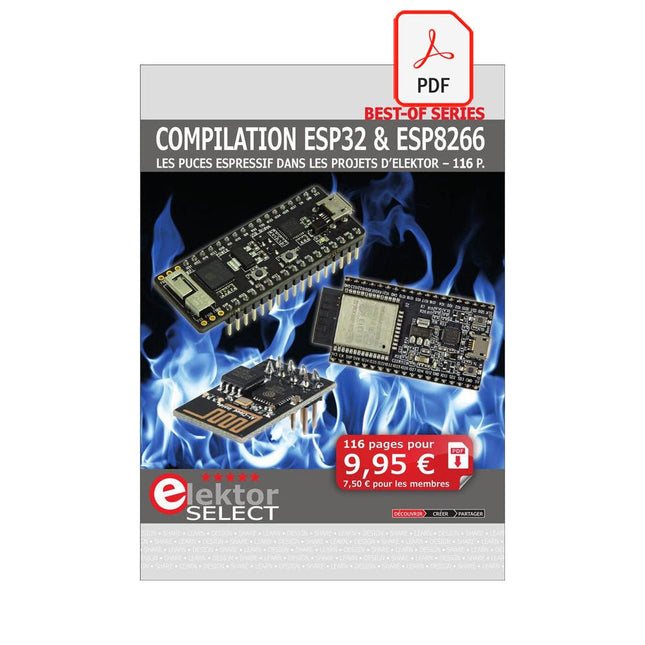
L'ESP8266 d'Espressif est une puce Wi-Fi dotée d'une pile TCP/IP complète et d'une capacité de microcontrôleur. Il a fait des vagues dans la communauté des fabricants grâce à son prix bas. Mais de nombreux développeurs étaient mécontents de la consommation électrique élevée de l'ESP8266. L'ESP32, équipé d'un coprocesseur ULP (Ultra Low Power), propose un remède à cela. Cet e-book présente un certain nombre de projets mettant en vedette ESP32 et ESP8266 et démontre leurs performances dans différentes applications. Des articles Journal lumineux défiant512 pilotes LED pour Wi-Fi dotés d'un ESP-12F Regarder avec VFD et ESP32À la précision d'Internet L'ESP32 est idéal pour la consommationProgrammation du coprocesseur ULP Adaptateur de programmation USB pour ESP8266Dans la famille Espressif, je voudrais l'ESP-01 et l'ESP-012 Émulateur DCF77 à ESP8266Des ondes radio à l'internet Thermostat sur le bureau WiFiSurveillance de la température flexible et programmable Minutes pour le thermostat du bureau WiFiSept canaux de temporisation d'une précision atomique Coûteau suisse pour microcontrôleursPlatformIO, un outil de programmation universel Station Météo NucleoInformations mises à jour sur l'affichage sur l'écran LCD AllerNotifierUne interface flexible pour les captureurs d'IdO Regarder RGBChiffreAffiche avec 7 segments et couleur ESP32 pour les utilitaires exigeantsProgrammation avec les outils d'origine Mutation de l'ESP8266Découvrons l'ESP32 avec l'EDI d'Arduino MicroPythonLe Python des petits systèmes MicroPython et PyBoardLa LED qui clignote…Au serveur web qui fait clignoter une LED Machine de surveillance pour ESP8266Domotique pour la transition énergétique WLAN compact et autonomeOu comment utiliser la puce ESP8266 sans µC ESP8266 sur la carte d'entrées/sorties AndroidLancez-vous dans la mise à jour du micrologiciel WLAN pour microcontrôleursAvec la puce ESP8266 Carte de commande Wi-Fi : le retourRelies des objets à votre ordiphone
€ 9,95
Leden: € 8,96
-

Elecrow Elecrow AI Starter Kit voor Jetson Orin Nano
Alles-in-één AI-leer- en ontwikkelplatform voor Edge Intelligence Deze op NVIDIA Jetson gebaseerde AI-starterkit is een veelzijdig platform voor leren, ontwikkelen en praktisch experimenteren met Edge AI. De kit is ontworpen voor gebruik met de NVIDIA Jetson Orin Nano en combineert een 11,6-inch IPS-scherm, een 8-megapixel pan-tilt-camera en een AI-systeem voor spraakinteractie. Het pakket bevat 30 functionele modules en 38 zorgvuldig samengestelde Python-cursussen die variëren van beginners- tot gevorderd niveau. De cursusinhoud behandelt de basisbeginselen van Python, sensortechnologie, AI-vision en beeldherkenning. Dankzij stapsgewijze praktijkoefeningen – variërend van basisprogrammering tot praktische toepassingen van computer vision – vormt deze kit een ideaal platform voor studenten, makers, ontwikkelaars en iedereen die zich wil verdiepen in kunstmatige intelligentie en edge computing. Let op: De NVIDIA Jetson Orin Nano is niet inbegrepen. Kenmerken Ontworpen voor de NVIDIA Jetson Orin Nano AI-module voor spraakinteractie 8 MP-camera met pan-tilt-besturing Ondersteunt object- en gezichtstracking Geen solderen of complexe bedrading nodig Ingebouwd 11,6-inch IPS-scherm 30 functionele modules 38 stapsgewijze Python-lessen Uitbreidingsinterfaces voor I²C, UART en GPIO Inclusief draagtas Specificaties Hoofdprocessor Jetson Orin Nano Aantal sensoren 30 Ontwerp sensorbord Geïntegreerd sensorbord; solderen of complexe bedrading niet nodig Scherm 11,6-inch IPS-scherm Schermresolutie 1366 x 768 Camera IMX219 8MP Uitbreidingsinterfaces 2x I²C, 1x UART, 1x IO D13, 1x IO D12 Programmeeromgeving Gebaseerd op Python Aantal tutorials 38 creatieve tutorials Doelgroep Studenten, docenten, hardware-enthousiastelingen Toepassingen Ideaal voor het leren programmeren van AI en de basisbeginselen van de Jetson Orin Nano Afmetingen 300 x 200 x 100 mm Modulelijst Module Aantal Temperatuur- en vochtigheidssensor 1 st. Drukknop 4 st. Ultrasone afstandssensor 1 st. Lichtsensor 1 st. Lineaire potentiometer 1 st. Zoemer 1 st. LCD-scherm 1 st. Infraroodafstandsbediening 1 st. Relais 1 st. NFC-module 1 st. PIR-bewegingssensor 1 st. Joystick 1 st. 4-cijferig display 1 st. LED 1 st. Microfoon 1 st. Luidspreker 1 paar Trilmotor 1 st. Aanraaksensor 1 st. 8x8 RGB-matrix 1 st. Luchtdruksensor 1 st. Kantelschakelaar 1 st. Stappenmotor 1 st. Versnellingsmeter & gyroscoop 1 st. Gassensor (MQ2) 1 st. Hallsensor 1 st. Draai-encoder 1 st. U-vormige optische schakelaar 1 st. NTC-sensor 1 st. Servomotor 2 st. Monoculaire camera 1 st. Inbegrepen 1x Elecrow AI Starter Kit voor Jetson Orin Nano 1x Infraroodafstandsbediening 1x NFC-kaart 1x 128 GB SD-kaart 1x 40-pins GPIO-kabel 2x 22-pins FPC-kabel 2x 24-pins FPC-kabel 1x Jetson DP- & USB-adapterbord Niet inbegrepen NVIDIA Jetson Orin Nano Downloads Manual Wiki OpenClaw Install and Config Guide
€ 249,00
Leden: € 224,10
-

Elektor Publishing Das CAN-Bus Praxisbuch
Projekte mit Arduino Uno und Raspberry Pi In diesem Buch werden Anwendungen von Arduino Uno und Raspberry Pi 4 in praxisnahen Projekten auf Basis von CAN-Bus detailliert beschrieben. Durch den Einsatz von entweder Arduino Uno oder Raspberry Pi in Verbindung mit handelsüblichen CAN-Bus-Schnittstellenmodulen werden die Entwicklung, Fehlersuche und Fehlerbeseitigung sowie die Überprüfung von Projekten auf CAN-Bus-Basis erheblich erleichtert. Dieses Buch richtet sich an jeden, der mehr über den CAN-Bus lernen möchte und mit den Grundlagen der Elektronik vertraut ist. Hilfreich ist auch Erfahrung mit den Programmiersprachen C und Python sowie mit der Programmierung von Arduino Uno unter Verwendung seiner IDE und von Raspberry Pi zu haben. Das Buch ist eine nützliche Informationsquelle und ein Nachschlagewerk für jeden, der Antworten auf eine oder mehrere der folgenden Fragen sucht: Welche Bussysteme stehen für die Automobilindustrie zur Verfügung? Was sind die Grundprinzipien des CAN-Bus? Welche Arten von Frames (oder Datenpaketen) stehen in einem CAN-Bussystem zur Verfügung? Wie können Fehler in einem CAN-Bussystem erkannt werden, und wie zuverlässig ist ein CAN-Bussystem? Welche Arten von CAN-Bus-Controllern gibt es? Welches sind die Funktionsprinzipien des MCP2515 CAN-Bus-Controllers? Wie kann ich ein CAN-Bus-Projekt mit Arduino Uno realisieren? Wie kann ich Arduino oder Raspberry Pi CAN-Bus-Projekte mit 2 und 3 Knoten erstellen? Wie kann ich die Daten auf dem CAN-Bus analysieren? Wie kann ich ein CAN-Bus-Projekt mit Raspberry Pi ausführen?
€ 34,80
Beste prijs


