
Zoekresultaten voor "elektor OR magazine OR en OR november OR december OR 3859"
-
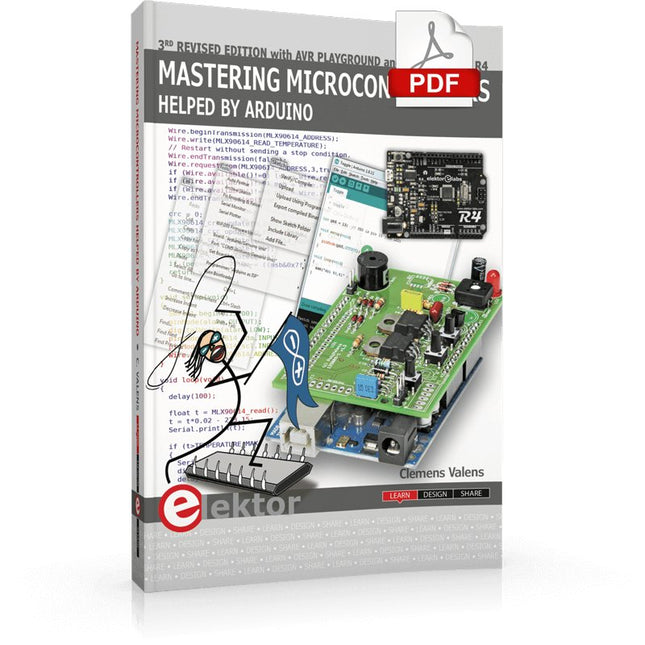
Elektor Digital Mastering Microcontrollers Helped by Arduino (3rd Edition) | E-book
Third, extended and revised edition with AVR Playground and Elektor Uno R4 Arduino boards have become hugely successful. They are simple to use and inexpensive. This book will not only familiarize you with the world of Arduino but it will also teach you how to program microcontrollers in general. In this book theory is put into practice on an Arduino board using the Arduino programming environment. Some hardware is developed too: a multi-purpose shield to build some of the experiments from the first 10 chapters on; the AVR Playground, a real Arduino-based microcontroller development board for comfortable application development, and the Elektor Uno R4, an Arduino Uno R3 on steroids. The author, an Elektor Expert, provides the reader with the basic theoretical knowledge necessary to program any microcontroller: inputs and outputs (analog and digital), interrupts, communication busses (RS-232, SPI, I²C, 1-wire, SMBus, etc.), timers, and much more. The programs and sketches presented in the book show how to use various common electronic components: matrix keyboards, displays (LED, alphanumeric and graphic color LCD), motors, sensors (temperature, pressure, humidity, sound, light, and infrared), rotary encoders, piezo buzzers, pushbuttons, relays, etc. This book will be your first book about microcontrollers with a happy ending! This book is for you if you are a beginner in microcontrollers, an Arduino user (hobbyist, tinkerer, artist, etc.) wishing to deepen your knowledge,an Electronics Graduate under Undergraduate student or a teacher looking for ideas. Thanks to Arduino the implementation of the presented concepts is simple and fun. Some of the proposed projects are very original: Money Game Misophone (a musical fork) Car GPS Scrambler Weather Station DCF77 Decoder Illegal Time Transmitter Infrared Remote Manipulator Annoying Sound Generator Italian Horn Alarm Overheating Detector PID Controller Data Logger SVG File Oscilloscope 6-Channel Voltmeter All projects and code examples in this book have been tried and tested on an Arduino Uno board. They should also work with the Arduino Mega and every other compatible board that exposes the Arduino shield extension connectors. Please note For this book, the author has designed a versatile printed circuit board that can be stacked on an Arduino board. The assembly can be used not only to try out many of the projects presented in this book but also allows for new exercises that in turn provide the opportunity to discover new techniques. Also available is a kit of parts including the PCB and all components. With this kit you can build most of the circuits described in the book and more. Datasheets Active Components Used (.PDF file): ATmega328 (Arduino Uno) ATmega2560 (Arduino Mega 2560) BC547 (bipolar transistor, chapters 7, 8, 9) BD139 (bipolar power transistor, chapter 10) BS170 (N-MOS transistor, chapter 8) DCF77 (receiver module, chapter 9) DS18B20 (temperature sensor, chapter 10) DS18S20 (temperature sensor, chapter 10) HP03S (pressure sensor, chapter 8) IRF630 (N-MOS power transistor, chapter 7) IRF9630 (P-MOS power transistor, chapter 7) LMC6464 (quad op-amp, chapter 7) MLX90614 (infrared sensor, chapter 10) SHT11 (humidity sensor, chapter 8) TS922 (dual op-amp, chapter 9) TSOP34836 (infrared receiver, chapter 9) TSOP1736 (infrared receiver, chapter 9) MPX4115 (analogue pressure sensor, chapter 11) MCCOG21605B6W-SPTLYI (I²C LCD, chapter 12) SST25VF016B (SPI EEPROM, chapter 13) About the author Clemens Valens, born in the Netherlands, lives in France since 1997. Manager at Elektor Labs and Webmaster of ElektorLabs, in love with electronics, he develops microcontroller systems for fun, and sometimes for his employer too. Polyglot—he is fluent in C, C++, PASCAL, BASIC and several assembler dialects—Clemens spends most of his time on his computer while his wife, their two children and two cats try to attract his attention (only the cats succeed). Visit the author’s website: www.polyvalens.com.Authentic testimony of Hervé M., one of the first readers of the book:'I almost cried with joy when this book made me understand things in only three sentences that seemed previously completely impenetrable.'
€ 34,95
Leden: € 31,46
-

Elektor Digital PID-basierte digitale Regelungstechnik mit Raspberry Pi und Arduino Uno (PDF)
Der Arduino Uno ist ein Open-Source-Mikrocontroller-Entwicklungssystem, das Hardware, eine integrierte Entwicklungsumgebung (IDE) und eine Vielzahl von Bibliotheken umfasst. Es wird von einer riesigen Gemeinschaft von Programmierern, Elektronikern, Enthusiasten und Akademikern unterstützt. Insbesondere die Bibliotheken erleichtern die Programmierarbeit und reduzieren die Entwicklungszeiten, da sie das Erstellen von Programmen erheblich erleichtern. Der Raspberry Pi 4 kann in vielen Projekten wie Audio- und Videoanwendungen, aber auch in Industriesteuerungen, Robotik, Spielen usw. eingesetzt werden. Dazu bietet er auch WiFi- und Bluetooth-Fähigkeiten, wodurch er sich zudem hervorragend für internetbasierte Steuerungs- und Überwachungsanwendungen eignet. In diesem Buch werden sowohl der Raspberry Pi 4 als auch der Arduino Uno in PID-basierten automatischen Steuerungsanwendungen eingesetzt. Nach einer grundlegenden Theorie der Regelsysteme werden funktionierende und getestete Projekte zur Steuerung realer Systeme mit PID-Reglern vorgestellt. Die Open-Loop-Eigenschaften, die Abstimmung der PID-Parameter und das Closed-Loop-Zeitverhalten der Systeme werden zusammen mit Blockdiagrammen, Schaltplänen und PID-Regelalgorithmen ausführlich diskutiert. Vollständige Programme für den Raspberry Pi und den Arduino Uno runden die im Buch vorgestellten Projekte ab. Die Regelsysteme können problemlos auch auf andere Projekte angewendet werden und die für den Raspberry Pi 4 angegebenen Programme sollten auch mit anderen Modellen der Raspberry Pi-Familie reibungslos funktionieren. Das Buch behandelt folgende Themen: Steuer- und Regelsysteme Analoge und digitale Sensoren Übertragungsfunktionen und zeitkontinuierliche Systeme Systemantwortfunktionen erster und zweiter Ordnung Zeitdiskrete digitale Systeme Zeitkontinuierliche PID-Regler Zeitdiskrete PID-Regler Zweipunkt-Temperaturregelung mit Raspberry Pi und Arduino Uno PID-basierte Temperaturregelung mit Raspberry Pi und Arduino Uno Motorsteuerung mit Raspberry Pi und Arduino Uno Wasserstandsregelung mit Raspberry Pi und Arduino Uno PID-basierte LED-Helligkeitsregelung mit Raspberry Pi und Arduino Uno
€ 32,80
Leden: € 29,52
-

Elektor Digital FreeCAD für Elektroniker (PDF)
Praktische Einführung in 3D-Modellierung vom Gehäuse bis zu Frontplatten Ein historisches Bauteil einbetten, eine professionell anmutende Heimstätte für eine Leiterplatte schaffen oder ein komplexes Gerät mit Chassis konstruieren – diese und viele andere Herausforderungen werden mit FreeCAD zu einem anregenden Vergnügen. Hat man die grundlegenden Prozesse erst einmal verinnerlicht, sind der Fantasie praktisch keine Grenzen mehr gesetzt. Der Einstieg in ein neues Programm ist immer schwierig – besonders wenn es sich um ein so vielfältiges Werkzeug wie FreeCAD handelt. Überschaubare, aber zugleich gut verwendbare Einzelteile liefern in diesem Buch den Anfangspunkt. Das Zusammensetzen dieser Komponenten führt später zu Baugruppen. In der Vielfalt der Möglichkeiten von FreeCAD wird ein gangbarer Weg gezeigt. Das beschriebene Vorgehen ist exemplarisch – die Beispiele lassen sich daher leicht auf eigene Aufgaben anwenden. Die Geräte wurden vom Autor angefertigt und mit Fotos illustriert. Eine 3D-Konstruktion erfordert etwas Aufwand, der sich aber lohnt: Neben einer beeindruckenden Darstellung von Projekten wird zugleich die Möglichkeit geliefert, z. B. Blechteile zur Fertigung abzuwickeln und für die Werkstatt aussagekräftige Zeichnungen zu exportieren. Schon bald werden Sie auf FreeCAD nicht mehr verzichten wollen!
€ 34,80
Leden: € 31,32
-
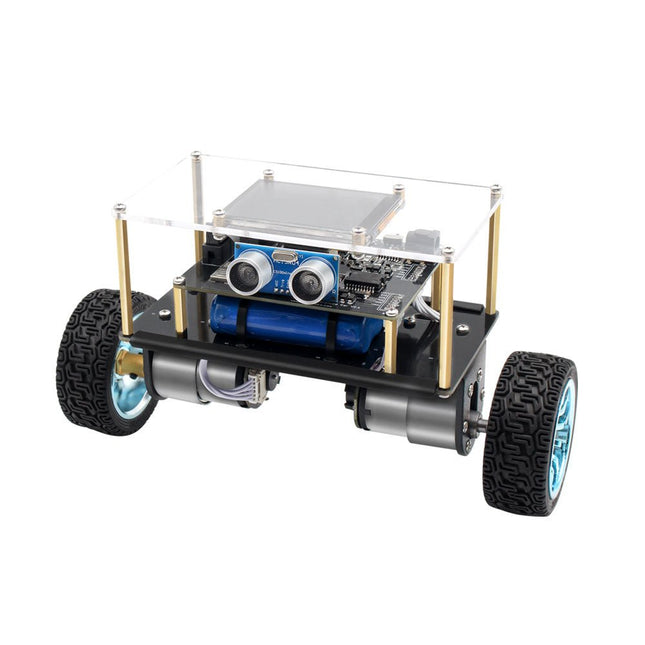
Elektor Labs Elektor Mini-Wheelie zelfbalancerende Robot
Arduino-compatibele, ESP32-aangedreven tweewielige balansrobot De Elektor Mini-Wheelie is een experimenteel autonoom zelfbalancerend robotplatform. De zelfbalancerende robot is gebaseerd op een ESP32-S3-microcontroller en is volledig programmeerbaar met behulp van de Arduino-omgeving en open-sourcebibliotheken. Dankzij de draadloze mogelijkheden kan hij op afstand worden bediend via Wi-Fi, Bluetooth of ESP-NOW, of kan hij communiceren met een gebruiker of zelfs een andere robot. Er is een ultrasone transducer beschikbaar voor het detecteren van obstakels. Het kleurendisplay kan worden gebruikt voor het weergeven van schattige gezichtsuitdrukkingen of, voor de meer nuchtere gebruikers, voor cryptische debug-berichten. De robot wordt geleverd als een compleet bouwpakket met onderdelen die u zelf in elkaar moet zetten. Alles zit erbij, zelfs een schroevendraaier. Let op: De Mini-Wheelie is een educatief ontwikkelingsplatform bedoeld voor leren, experimenteren en robotica-ontwikkeling. Het is niet geclassificeerd als speelgoed voor kinderen en de functies, documentatie en beoogde doelgroep weerspiegelen dit doel. Het product is gericht op studenten, docenten en ontwikkelaars die robotica, programmeren en hardware-integratie willen verkennen in een educatieve omgeving. Specificaties ESP32-S3-microcontroller met Wi-Fi en Bluetooth MPU6050 6-assige Inertial Measurement Unit (IMU) Twee onafhankelijk geregelde 12 V elektromotoren met toerenteller Ultrasone transducer 2,9" TFT-kleurendisplay (320 x 240) MicroSD-kaartsleuf Batterijstroommonitor 3S oplaadbare Li-Po-batterij (11,1 V/2200 mAh) Batterijlader meegeleverd Op Arduino gebaseerde open source-software Afmetingen (B x L x H): 23 x 8 x 13 cm Inbegrepen 1x ESP32-S3 Mainboard + MPU6050 module 1x LCD-board (2,9 inch) 1x Ultrasone-sensor 1x Batterijpakket (2200 mAh) 1x Batterijlader 1x Motorbandenset 1x Kastboard 1x Acrylplaat 1x Schroevendraaier 1x Beschermstrip 1x Flexkabel B (8 cm) 1x Flexkabel A (12 cm) 1x Flexkabel C 4x Koperen kolom A (25 mm) 4x Koperen kolom B (55 mm) 4x Koperen kolom C (5 mm) 2x Kunststof nylon zuil 8x Schroeven A (10 mm) 24x Schroeven B (M3x5) 8x Moeren 24x Metalen ringen 2x Ritssluiting 1x MicroSD-kaart (32 GB) Downloads Documentation
€ 89,95
Leden: € 80,96
-
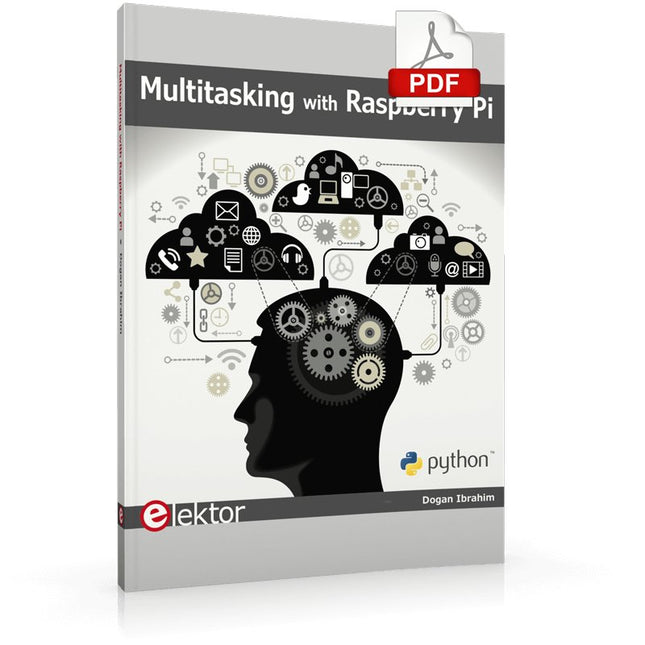
Elektor Digital Multitasking with Raspberry Pi (E-book)
Multitasking and multiprocessing have become a very important topic in microcontroller-based systems, namely in complex commercial, domestic, and industrial automation applications. As the complexity of projects grows, more functionalities are demanded from the projects. Such projects require the use of multiple inter-related tasks running on the same system and sharing the available resources, such as the CPU, memory, and input-output ports. As a result of this, the importance of multitasking operations in microcontroller-based applications has grown steadily over the last few years. Many complex automation projects now make use of some form of a multitasking kernel. This book is project-based and its main aim is to teach the basic features of multitasking using the Python 3 programming language on Raspberry Pi. Many fully tested projects are provided in the book using the multitasking modules of Python. Each project is described fully and in detail. Complete program listings are given for each project. Readers should be able to use the projects as they are, or modify them to suit their own needs. The following Python multitasking modules have been described and used in the projects: Fork Thread Threading Subprocess Multiprocessing The book includes simple multitasking projects such as independently controlling multiple LEDs, to more complex multitasking projects such as on/off temperature control, traffic lights control, 2-digit, and 4-digit 7-segment LED event counter, reaction timer, stepper motor control, keypad based projects, car park controller, and many more. The fundamental multitasking concepts such as process synchronization, process communication, and memory sharing techniques have been described in projects concerning event flags, queues, semaphores, values, and so on.
€ 32,95
Leden: € 29,66
-

Elektor Labs Elektor Arduino Nano MCCAB Training Board
Het Elektor Arduino Nano MCCAB Training Board bevat alle componenten (incl. Arduino Nano) die nodig zijn voor de oefeningen, zoals LED’s, schakelaars, drukknoppen, buzzer enz. Ook externe sensoren, motoren of modules kunnen worden gecheckt of bestuurd met dit microcontroller-trainingssysteem. Specificaties (Arduino Nano Training Board MCCAB) Voeding Via de USB-aansluiting van de aangesloten pc of een externe voeding (niet inbegrepen) Spanning +5 Vcc Ingangsspanning Alle ingangen 0 V tot +5 V VX1 en VX2 +8 V tot +12 V (alleen bij gebruik van een externe voeding) Hardware LCD 2x16 karakters Potentiometer P1 & P2 JP3: Selectie van de werkspanning van P1 & P2 Verdelers SV4: Verdeler voor de werkspanningenSV5, SV6: Verdelers voor de in-/uitgangen van de microcontroller Schakelaars en knoppen RESET knop op de Arduino Nano module; 6x drukknop schakelaars K1 ... K6; 6x Schuifschakelaars S1 ... S6; JP2: Jumper van de schakelaars met de ingangen van de microcontroller Buzzer Piezo buzzer ‘Buzzer1’ met jumper op JP6 Indicator LED’s 11 x LED: Status indicator voor de ingangen/uitgangen LED L op de Arduino Nano module, aangesloten op GPIO D13 JP6; Aansluiting van LED's LD10 ... LD20 met GPIO's D2 ... D12 Seriële interfacesSPI & I²C JP4: Selectie van het signaal op pin X van de SPI-connector SV12 SV9 naar SV12: SPI-interface (3,3 V/5 V) of I²C-interface Uitgangen voor externe apparaten SV1, SV7: Geschakelde uitgang (maximaal +24 V/160 mA, extern aangesloten) SV2: 2x13 pinnen voor aansluiting van externe modules 3x3 LED matrix(9 rode LED's) SV3: Kolommen van de 3x3 LED matrix (uitgangen D6 ... D8) JP1: Verbinding van de rijen met de GPIO's D3 ... D5 Software MCCABLib library Controle van hardware componenten (schakelaars, knoppen, LED's, 3x3 LED matrix, buzzer) op het MCCAB Training Board Werktemperatuur Tot +40 °C Afmetingen 100 x 100 x 20 mm Specificaties (Arduino Nano) Microcontroller ATmega328P Architectuur AVR Spanning 5 V Flash memory 32 KB, waarvan 2 KB gebruikt door de bootloader SRAM 2 KB Kloksnelheid 16 MHz Analoge IN Pinnen 8 EEPROM 1 KB DC stroom per I/O-pin 40 mA op één I/O-pin, totaal maximaal 200 mA op alle pinnen samen Ingangsspanning 7-12 V Digitale I/O-pinnen 22 (waarvan 6 PWM) PWM Uitgangen 6 Stroomverbruik 19 mA Afmetingen 18 x 45 mm Gewicht 7 g Inbegrepen 1x Elektor Arduino Nano Training Board MCCAB 1x Arduino Nano
€ 69,95
Beste prijs
-

Elektor Digital Kleine zenders voor zelfbouw (E-book)
Er zijn niet zoveel boeken te vinden over het ontwerpen en bouwen van zenders met een klein uitgangsvermogen. Dit boek beschrijft nauwkeurig de werking en bouw van maar liefst twintig audio- en videozender(tje)s. Daarmee biedt het aan de amateur-elektronicus, technicus, zendamateur en andere radio-enthousiasten het noodzakelijke materiaal om zich verder te bekwamen op dit gebied. Er wordt slechts weinig aandacht besteed aan de theorie, maar dat heeft een groot voordeel: ruim 300 pagina’s vol praktijk. De zenders, sommige eenvoudig, andere meer gecompliceerd, werden speciaal ontworpen voor het gebruik door amateurs. Ze werken tussen 150 kHz en 1300 MHz. De gebruikte techniek dateert vooral uit de jaren 90. Dit mag op het eerste gezicht een tekortkoming lijken, maar het is juist een extra argument voor publicatie. De technieken hebben zich inmiddels bewezen en er worden eenvoudige, goedkope en nog steeds goed verkrijgbare onderdelen gebruikt. Dit boek richt zich dus in de eerste plaats tot de potentiële gebruiker van HF-technieken, die er niet voor terugschrikt om dit soort schakelingen in elkaar te zetten. De schakelingen zijn probleemloos na te bouwen (nog een voordeel van zich bewezen technieken). Om dat te bereiken hebben de auteurs veel aandacht besteed aan: de testprocedures voor elke schakeling, de onderdelenlijst, instructies voor het vervaardigen van de spoelen en voor de afregeling. Bij de meeste schakelingen is bovendien een printontwerp afgedrukt. Naast zenders voor o.a. FM-stereo, AM, VHF-FM-amateur, R/C-TV, 40-m-CW-zender, 10-m-SSB, 2-m-NBFM, FM-video-link en amateur-TV vindt u in dit boek ook verwante schakelingen, zoals een down-converter voor 400, 900 en 1300 MHz en een HF-vermogensmeter.
€ 29,95
Leden: € 26,96
-

Elektor Digital 3D Modeling and Printing for Electronics (E-book)
Learn to 3D Model & 3D Print with Tinkercad With this book and the complementary videos, you’ll be 3D printing in no time at all. This course is meant to have you make casings for electronic components but also goes into optimizing your print technique as well as adding a little flair to your 3D creations. The course is perfect for you if you just bought your (first) 3D printer and want to print your own designs as soon as possible while also being able to get more background information. You’ll get to know the workings of a 3D printer and what software to use to model your object, not forgetting to make it print perfectly. We’ll even use the magic of 3D printing to create things that appear impossible to make (this fast and simple) with any other rapid-prototyping technique. At the end of this course, it’ll be second nature for you to design an object for 3D printing and fine-tune your print-setting to get the perfect print! The book includes the following 7 video tutorials: Introduction Basic 3D modeling for 3D printing Modeling a casing Post-processing Pushing the limits Movable parts Snap fits
€ 32,95
Leden: € 29,66
-
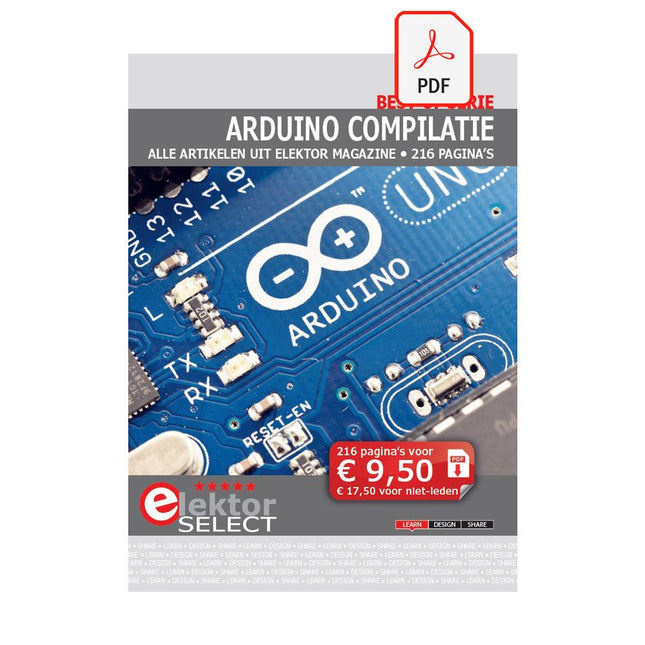
Elektor Digital Elektor Select: Arduino Compilatie (PDF)
Dit 216 pagina's tellende e-book staat boordevol Arduino-ideeën, uitleg, tips, diagrammen, programma's, PCB layouts en meer. Genoeg voor dagen vol informatief, inspirerend en stimulerend leesplezier! Opgemaakt als PDF bevat dit digitale document een inhoudsopgave inclusief links naar elk project, zo dat u gemakkelijk komt waar u wilt zijn. Dit biedt u de mogelijkheid om tussen projecten te wisselen en degene die u het meeste boeien snel en gemakkelijk te vinden.
€ 9,95
Leden: € 8,96
-

Elektor Digital Formelsammlung (E-book)
Formelsammlung (E-book)
€ 29,80
Leden: € 26,82
-

Elektor Digital The Arduino-Inside Measurement Lab (E-book)
An 8-in-1 test & measurement instrument for the electronics workbench A well-equipped electronics lab is crammed with power supplies, measuring devices, test equipment and signal generators. Wouldn‘t it be better to have one compact device for almost all tasks? Based on the Arduino, a PC interface is to be developed that’s as versatile as possible for measurement and control. It simply hangs on a USB cable and – depending on the software – forms the measuring head of a digital voltmeter or PC oscilloscope, a signal generator, an adjustable voltage source, a frequency counter, an ohmmeter, a capacitance meter, a characteristic curve recorder, and much more. The circuits and methods collected here are not only relevant for exactly these tasks in the "MSR" electronics lab, but many details can also be used within completely different contexts.
€ 29,95
Leden: € 26,96
-

Elektor Digital PIC Microcontroller Programming (E-book)
in 10 captivating lessons Using the lessons in this book you learn how to program a microcontroller. You’ll be using JAL, a free but extremely powerful programming language for PIC microcontrollers, which enjoys great popularity in the hobby world. Starting out from scratch virtually, you slowly build up the knowledge. No previous knowledge is needed: anyone can get started with this book. Assuming you have absorbed all lessons – meaning you have actually completed all the exercises – you should be confident to write PIC microcontroller programs, as well as read and understand programs written by other people. JAL commands You learn the function of JAL commands such as include, pin, delay, forever loop, while loop, case, exit loop, repeat until, if then, as well as the use of functions, procedures and timer- and port interrupts. JAL programs You make an LED blink, build a time switch, measure a potentiometer’s wiper position, produce sounds, suppress contact bounce, and control the brightness of an LED. And of course you learn to debug, meaning: how to spot and fix errors in your programs. Hardware You learn to recognize various components including the PIC microcontroller, potentiometer and quartz crystal, and how to wire up a PIC microcontroller and effectively link it to your PC. A breadboard is used for the purpose, allowing you to easily modify the component arrangement for further experimenting. The companion software with this book can be downloaded free of charge, including the JAL programming language. In addition, you may order a kit of parts so you don’t have to go shopping for the required components. Especially for a beginner, this is the easiest way to start with this unique pastime. Having finished this book does not mean you are through with your pastime. You can get your hands dirty again, and if desired use other books packed with fun projects using the JAL programming language. More information may be found at the end of the lessons in the chapter "Done! What’s next?""
€ 29,95
Leden: € 26,96


