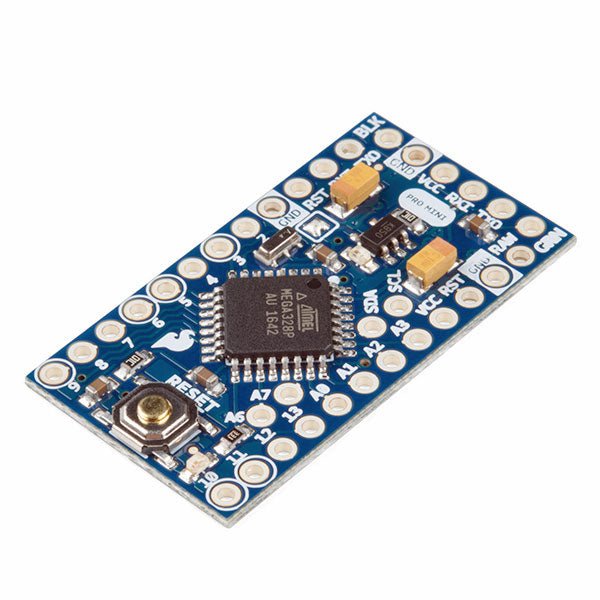
De Arduino Pro Mini is een microcontroller board gebaseerd op de ATmega328P.
Het heeft 14 digitale in-/uitgangspinnen (waarvan er 6 kunnen worden gebruikt als PWM-uitgangen), 6 analoge ingangen, een on-board resonator, een reset-knop, en gaten voor het monteren van pin headers. Een six-pin header kan worden aangesloten op een FTDI-kabel of Sparkfun breakout board om USB-voeding en communicatie te bieden aan de board.
De Arduino Pro Mini is bedoeld voor semi-permanente installatie in voorwerpen of tentoonstellingen. Het board komt zonder pre-gemonteerde headers, waardoor het gebruik van diverse types van schakelaars of het directe solderen van draden is toegestaan. De pin lay-out is compatibel met Arduino Mini.
Specificaties
Microcontroller
ATmega328P
Boord Stroomvoorziening
5-12 V
Circuit Werkspanning
5 V
Digitale I/O Pinnen
14
PWM Pennen
6
UART
1
SPI
1
I²C
1
Analoge ingangspinnen
6
Externe Onderbrekingen
2
DC stroom per I/O Pin
40 mA
Flash Geheugen
32 KB waarvan 2 KB gebruikt door bootloader
SRAM
2 KB
EEPROM
1 KB
Kloksnelheid
16 MHz
Afmetingen
18 x 33,3 mm
Downloads
Eagle files
Schematics
Mit dem Elektor Arduino Nano Trainingsboard (MCCAB) eigene Projekte realisieren
Der Mikrocontroller ist das wohl faszinierendste Teilgebiet der Elektronik, denn aufgrund der Vielzahl von Funktionen, die er auf seinem Chip vereinigt, ist er für den Entwickler ein universelles Multi-Tool zur Realisierung seiner Projekte. Praktisch jedes Gerät des täglichen Gebrauchs wird heute von einem Mikrocontroller gesteuert. Für einen elektronischen Laien blieb es aufgrund der Komplexität bisher allerdings ein Wunschtraum, eigene Ideen mit einem Mikrocontroller zu realisieren. Das Arduino-Konzept hat den Einsatz von Mikrocontrollern weitgehend vereinfacht, sodass jetzt auch Laien eigene Elektronik-Ideen mit einem Mikrocontroller verwirklichen können.
Buch & Hardware im Bundle: 'Learning by Doing'
Dieses im Bundle mitgelieferte Buch (im großen A4-Format) zeigt, wie man auch ohne große Erfahrung in Elektronik und Programmiersprachen eigene Projekte mit einem Mikrocontroller realisieren kann. Es ist ein Mikrocontroller-Praxiskurs für Einsteiger, denn nach einem Überblick über die Interna des Mikrocontrollers und einer Einführung in die Programmiersprache C liegt der Schwerpunkt des Kurses auf den praktischen Übungen. Der Leser eignet sich die erforderlichen Kenntnisse durch 'Learning by Doing' an: in dem umfangreichen Praxisteil mit 12 Projekten und 46 Übungen wird das im vorderen Teil des Buches Gelernte mit vielen Beispielen unterlegt. Die Übungen sind dabei so aufgebaut, dass der Bearbeiter eine Aufgabenstellung erhält, die er mit seinem im Theorieteil des Buches aufgebauten Wissen löst. Für jede Übung gibt es anschließend eine ausführlich erklärte und kommentierte Musterlösung, die dem Bearbeiter bei Problemen weiterhilft und die er mit seiner eigenen Lösung vergleichen kann.
Arduino IDE
In der Arduino IDE, einer Software-Entwicklungsumgebung, die kostenlos auf den eigenen PC heruntergeladen werden kann und die das gesamte Softwarepaket enthält, das für ein eigenes Mikrocontroller-Projekt benötigt wird, schreibt der Bearbeiter mit dem Editor der IDE seine Programme („Apps“) in der Programmiersprache C. Der in die Arduino IDE integrierte Compiler übersetzt sie in die Bits und Bytes, die der Mikrocontroller versteht und die dann über ein USB-Kabel in den Speicher des Mikrocontrollers auf dem Elektor Arduino Nano Trainingsboard (MCCAB) geladen werden.
Externe Sensoren, Motoren oder Baugruppen abfragen oder steuern
Das Elektor Arduino Nano Trainingsboard (MCCAB) enthält neben einem Mikrocontrollermodul Arduino Nano alle für die Übungen benötigten Bauteile wie Leuchtdioden, Schalter, Taster, akustische Signalgeber usw. Auch externe Sensoren, Motoren oder Baugruppen können mit diesem Mikrocontroller-Übungssystem abgefragt oder gesteuert werden.
Technische Daten (Arduino Nano Trainingsboard MCCAB)
Stromversorgung
Über die USB-Verbindung des zur Erstellung der Programme sowieso angeschlossenen PCs oder ein externes Netzteil (nicht im Lieferumfang enthalten)
Betriebsspannung
+5 Vcc
Eingangsspannung
Alle Eingänge
0 V bis +5 V
VX1 und VX2
+8 V bis +12 V (nur bei Verwendung eines externen Netzteils)
Mikrocontrollermodul
Arduino Nano
Hardwareperipherie
LCD
2x16 Zeichen
Potenziometer P1 & P2
JP3: Auswahl der Betriebsspannung von P1 & P2
Verteiler
SV4: Verteiler für die BetriebsspannungenSV5, SV6: Verteiler für die Ein-/Ausgänge des Mikrocontrollers
Schalter und Taster
RESET-Taster auf dem Arduino Nano-Modul6x Tastschalter K1 … K66x Schiebeschalter S1 … S6JP2: Verbindung der Schalter mit den Eingängen des Mikrocontrollers
Summer
Piezo-Summer Buzzer1 mit Steckbrücke auf JP6
Leuchtanzeigen
LED L auf dem Arduino Nano-Modul, verbunden mit GPIO D1311x LED: Zustandsanzeige für die Ein-/AusgängeJP6: Verbindung der LEDs LD10 … LD20 mit den GPIOs D2 … D12
Serielle SchnittstellenSPI & I²C
JP4: Auswahl des Signals an Pin X der SPI-Steckerleiste SV12SV9 bis SV12: SPI-Interface (3,3 V/5 V) bzw. I²C-Interface
Schaltausgang für externe Geräte
SV1, SV7: Schaltausgang (maximal +24 V/160 mA, extern zugeführt)SV2: 2x13 Pins zum Anschluss externer Module
3x3 LED-Matrix (9 rote LEDs)
SV3: Spalten der 3x3 LED-Matrix (Ausgänge D6 … D8)JP1: Verbindung der Reihen mit den GPIOs D3 … D5
Software
Library MCCABLib
Steuerung der Hardware-Komponenten (Schalter, Taster, Leuchtdioden, 3x3 LED-Matrix, Summer) auf dem MCCAB Trainingsboard
Betriebstemperatur
bis +40 °C
Abmessungen
100 x 100 x 20 mm
Technische Daten (Arduino Nano)
Mikrocontroller
ATmega328P
Architektur
AVR
Betriebsspannung
5 V
Flashspeicher
32 KB, davon 2 KB vom Bootloader belegt
SRAM
2 KB
Taktfrequenz
16 MHz
Analoge IN-Pins
8
EEPROM
1 KB
DC-Strom pro I/O-Pin
40 mA an einem I/O-Pin, insgesamt maximal 200 mA an allen Pins gemeinsam
Eingangsspannung
7-12 V
Digitale I/O-Pins
22 (6 davon sind PWM-fähig)
PWM-Ausgänge
6
Stromverbrauch
19 mA
Abmessungen
18 x 45 mm
Gewicht
7 g
Lieferumfang
Elektor Arduino Nano MCCAB Trainingsboard
Arduino Nano
Buch: Mikrocontroller-Praxiskurs für Arduino-Einsteiger
48 années sur clé USB – Année 2025 incluse !
NOUVEAU : Pour les articles à partir de l’année 2000, une option de téléchargement séparée est désormais disponible pour des ressources supplémentaires telles que les plans de PCB, les fichiers Gerber et les logiciels !
Cette clé USB (64 Go) contient tous les numéros d’Elektor en français des années 1978 à 2025. Elektor propose à ses lecteurs des montages électroniques de conception professionnelle et aisément reproductibles, dans les domaines de l’électronique et de l’informatique appliquées. Il leur apporte également des informations sur l’évolution technologique et les nouveaux produits. Les principaux domaines d’application sont :
Alimentation
Audio, vidéo & HiFi
Auto, moto & vélo
Domestique
Expérimentation
Hautes-fréquences
Informations générales
Loisirs
Mesure
Microcontrôleurs & PC
Photographie
Plus de 10.000 articles d’Elektor sont réunis sur cette clé USB, présentés par ordre de parution (mois/année).
Elektor GPT
Elektor GPT est un outil basé sur l'IA qui aide les utilisateurs à naviguer dans les archives d'Elektor, vieilles de plusieurs décennies. Grâce à des algorithmes de recherche avancés et au traitement du langage naturel, Elektor GPT trouve rapidement des articles, des projets et d'autres ressources dans les archives.
Spécifications
Stockage
64 Go
Connecteurs
1x USB-A1x USB-C
Matériel et logiciel requis
Ordinateur avec Adobe Reader version 7 ou sup.
Navigateur Internet
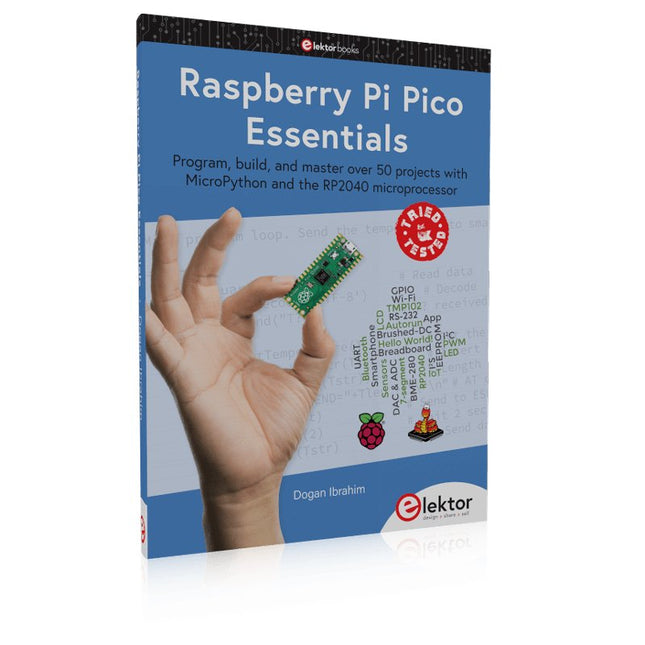
Program, build, and master over 50 projects with MicroPython and the RP2040 microprocessor The Raspberry Pi Pico is a high-performance microcontroller module designed especially for physical computing. Microcontrollers differ from single-board computers, like the Raspberry Pi 4, in not having an operating system. The Raspberry Pi Pico can be programmed to run a single task very efficiently within real-time control and monitoring applications requiring speed. The ‘Pico’ as we call it, is based on the fast, efficient, and low-cost dual-core ARM Cortex-M0+ RP2040 microcontroller chip running at up to 133 MHz and sporting 264 KB of SRAM, and 2 MB of Flash memory. Besides its large memory, the Pico has even more attractive features including a vast number of GPIO pins, and popular interface modules like ADC, SPI, I²C, UART, and PWM. To cap it all, the chip offers fast and accurate timing modules, a hardware debug interface, and an internal temperature sensor. The Raspberry Pi Pico is easily programmed using popular high-level languages such as MicroPython and or C/C++. This book is an introduction to using the Raspberry Pi Pico microcontroller in conjunction with the MicroPython programming language. The Thonny development environment (IDE) is used in all the projects described. There are over 50 working and tested projects in the book, covering the following topics: Installing the MicroPython on Raspberry Pi Pico using a Raspberry Pi or a PC Timer interrupts and external interrupts Analogue-to-digital converter (ADC) projects Using the internal temperature sensor and external temperature sensor chips Datalogging projects PWM, UART, I²C, and SPI projects Using Wi-Fi and apps to communicate with smartphones Using Bluetooth and apps to communicate with smartphones Digital-to-analogue converter (DAC) projects All projects given in the book have been fully tested and are working. Only basic programming and electronics experience is required to follow the projects. Brief descriptions, block diagrams, detailed circuit diagrams, and full MicroPython program listings are given for all projects described. Readers can find the program listings on the Elektor web page created to support the book.
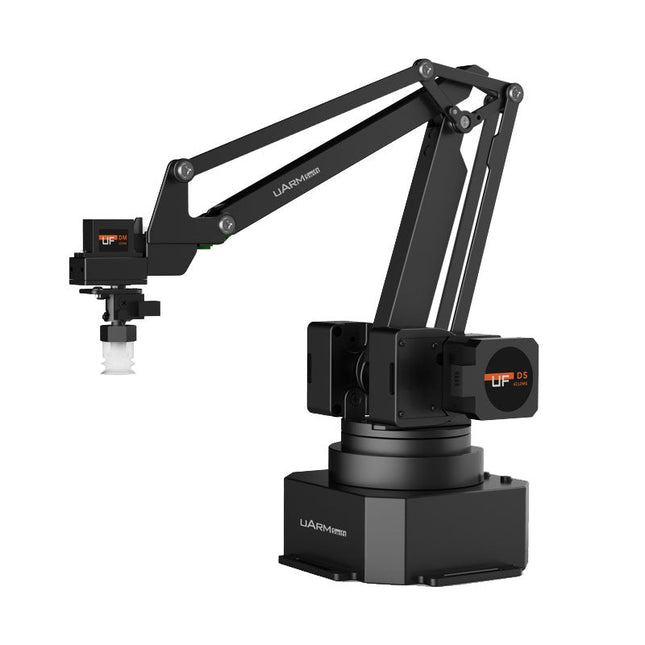
The uArm Swift Pro is a high quality robotic arm that can be used in a wide range of applications. The uArm Swift Pro was developed and optimized for use in education, which means that many packages are already available for open source platforms such as ROS. The uArm Swift Pro has a position repeatability of 0.2 mm and is also equipped with a stepper motor and a 12-bit encoder. These are just a few reasons that make the uArm Swift Pro an excellent choice for educational use. Another great feature is the 3D printing kit that converts the uArm Swift Pro into a 3D printer in less than 1 minute. The uArm supports the following development platforms/systems: UFACTORY SDK Arduino Python ROS GRABCAD OpenMV Smartphone App The smartphone app for iOS is already available in the App Store and enables easy control and monitoring of the robotic arm. The app for Android is in development and will be available soon. An example of the Machine Vision The following GIF shows the uArm in combination with the OpenMV Machine Vision Cam M7 and the facial recognition applications that can be implemented in MicroPython. Specifications Degrees of Freedom: 4 Repeatability: Up to 0.2 mm Payload: 500 g Working Range: 50-320 mm Positioning Speed: 100 m/s Position Feedback: 12-bit Encoder Dimensions: 150 x 140 x 281mm Weight: 2.2 kg Included UFactory uArm Swift Pro Body Bluetooth & Vacuum Gripper Downloads Datasheet
electronica fast forward Start- & Scale-Up Awardsde voorbereidingen gaan steeds sneller!
Bluetooth Low Energy met ESP32-C3 en ESP32het hoeft niet altijd WiFi te zijn!
Bluetooth LE-snifferhack een makerdiary nRF52840 MDK USB-dongle
Magische RGB LED-kubushardware ontwerpen rond een RP2040 Auto-aan/uit voor soldeerpasta-compressor
Elektor video-productieslivestreams, webinars en cursussen voor engineers en pro-makers
Elektrificeer je fietsmet een e-bike ombouwset
Alle begin......vermenigvuldigt spanningen
Uit het leven gegrepennevenactiviteiten
Teensy 4.0 – waarom is dat board zo snel?snelheid is geen hekserij!
Simulatie van een audio-eindversterker met TINAeerst uitproberen, dan bouwen
Ontwikkel en beheer je eigen LoRaWAN IoT-nodesvoorbeeldhoofdstuk: Dragino LHT65, LDS01 en LDS02 LoRaWAN modules
Project 2.0correcties, updates en brieven van lezers
5G – alleen voor mijvolledige controle over 5G-implementaties met een eigen cellulair netwerk Elektor Infographics
Tips voor het ontwikkelen van een WiFi-interfacetoepassingen uitrusten met WiFi-interfaces Rijntoren-klok Mk 2
Audio-spectrumanalyzer met dekatronsnieuw leven voor vintage-buisjes
Data naar Telegram sturenmet een ESP32 en een paar onderdelen
Een Fliege-notchfilter voor audiometingenmeet beter met een notchfilter
Veranderende industriële communicatieSingle Pair Ethernet – meer dan zo maar een nieuwe connector
Elektronische mannetjes-PUT-terzo werkt de programmeerbare unijunctie-transistor
Rond touchscreen voor Raspberry PiHyperPixel 2.1 Round van Pimoroni
Remote sensing met detectie van verbindingsverliesmet nRF24L01+ modules
Digitale FM-ontvanger met Arduino en TEA5767stem af met een Arduino Nano OLED-interface ombouwen van SPI naar I²C
Oost West Lab Besteen hobby gaat niet met pensioen...
Tien jaar ethiek in elektronicaTessel Renzenbrink over de digitale samenleving en meer
HexadokuThe Original Elektorized Sudok
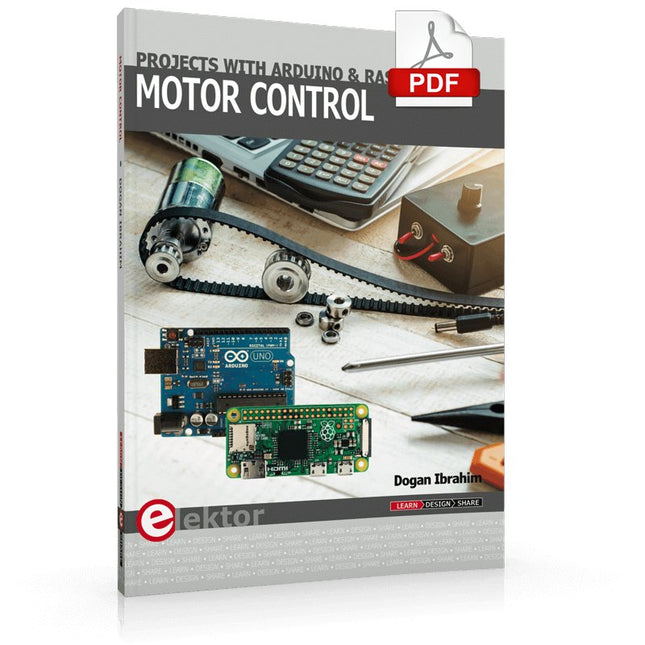
This book is about DC electric motors and their use in Arduino and Raspberry Pi Zero W based projects. The book includes many tested and working projects where each project has the following sub-headings:
Title of the project
Description of the project
Block diagram
Circuit diagram
Project assembly
Complete program listing of the project
Full description of the program
The projects in the book cover the standard DC motors, stepper motors, servo motors, and mobile robots. The book is aimed at students, hobbyists, and anyone else interested in developing microcontroller based projects using the Arduino Uno or the Raspberry Pi Zero W.
One of the nice features of this book is that it gives complete projects for remote control of a mobile robot from a mobile phone, using the Arduino Uno as well as the Raspberry Pi Zero W development boards. These projects are developed using Wi-Fi as well as the Bluetooth connectivity with the mobile phone. Readers should be able to move a robot forward, reverse, turn left, or turn right by sending simple commands from a mobile phone. Full program listings of all the projects as well as the detailed program descriptions are given in the book. Users should be able to use the projects as they are presented, or modify them to suit to their own needs.
Le téléchargement intégral de ce numéro est disponible pour nos membres GOLD et GREEN sur le site Elektor Magazine !
Pas encore membre ? Cliquez ici.
CaptureCountdétecteur et compteur d'objets basé sur le Raspberry Pi 5
référence de tension avec Arduino Pro Minilinéariser et calibrer les entrées analogiques
FPGA pour les débutantsThe Path From MCU to FPGA Programming
mise à jour : STM32 Wireless Innovation Design Contest 2024
Bluetooth LE avec MAUIControl Apps for Android & Co.
carte d'extension de portsaugmentez le nombre d'E/S de votre carte de développement
carte spéciale IAapprentissage automatique avec le Jetson Nano
2024 : l'Odyssée de l'IApremiers essais avec TensorFlow
262 144 façons de jouer au Jeu de la Vieun projet de lecteur en bref
sur le vifle souffle du dragon sur mon cou
faites tourner votre moteur CCSample Projects from the Elektor Motor Control Development Bundle
Adaptateur ESP32-RS-232A Wireless Link for Classic Test Equipment
démarrer en électronique…en savoir plus sur les ampli-op
bibliothèques ESP recommandées
composants piézoélectriques
compteur d'objets intelligentreconnaissance d'images simplifiée avec Edge Impulse
des solutions à vos problèmes de développement de systèmes embarqués les plus délicats
Terminal ESP32un appareil portable avec un écran tactile
commencer avec le RTOS Zephyraussi puissant que difficile à maîtriser
Award-Winning EthicsDialogue avec Alexander Gerfer, Directeur Technique chez Würth Elektronik eiSos sur la promotion du comportement respectueux et innovant
projet 2.0corrections, mises à jour et courrier des lecteurs
Umfassendes Buch-Hardware-Bundle für den RP2040-Mikrocontroller mit über 80 Projekten
Entdecken Sie in diesem Bundle das Potenzial der modernen Controller-Technologie mit dem Raspberry Pi Pico. Das leicht verständliche Handbuch eignet sich sowohl für Anfänger als auch für erfahrene Benutzer und führt Sie von den Grundlagen der Elektronik bis hin zu den komplexen Aspekten der digitalen Signalverarbeitung. Mit dem Raspberry Pi Pico, dem speziellen Hardware-Kit und der MicroPython-Programmierung lernen Sie die wichtigsten Prinzipien des Schaltungsdesigns, der Datenerfassung und -verarbeitung.
Machen Sie praktische Erfahrungen mit über 80 Projekten wie einer Stoppuhr mit OLED-Display, einem Laser-Entfernungsmesser und einem servogesteuerten Lüfter. Diese Projekte sollen Ihnen helfen, das Gelernte in realen Szenarien anzuwenden. Das Buch behandelt auch fortgeschrittene Themen wie drahtlose RFID-Technologie, Objekterkennung und Sensorintegration für die Robotik.
Ganz gleich, ob Sie Ihre Kenntnisse in der Elektronik erweitern oder tiefer in eingebettete Systeme eintauchen möchten, dieses Bundle ist die perfekte Ressource, um das volle Potenzial des Raspberry Pi Pico zu erkunden.
Inhalt des Bundles
1x Projektbuch (287 Seiten)
1x Smart Car Kit
Bauteile
2x Lötfreies Steckbrett (400 Löcher)
1x Lötfreies Steckbrett (170 Löcher)
5x bunte 5-mm-LEDs (Grün, Rot, Blau, Gelb und Weiß)
1x Lasersender
1x Passiver Summer
1x Micro-USB-Kabel (30 cm)
1x 65 Überbrückungskabel
1x 20 cm männlicher auf weiblicher Dupont-Draht
1x Transparentes Gehäuse
1x Magnet (Durchmesser: 8 mm, Dicke: 5 mm)
1x Drehpotentiometer
10x 2 KΩ Widerstände
2x M2, 5x30 mm Kupfersäulen
10x Kreuzschlitz-Flachkopfschrauben
10x M2,5 Sechskantmuttern aus Nickel
1x 2-Zoll-Mehrzweckschraubendreher
Module
1x RGB-Modul
1x 9G-Servo
1x Dual-Achsen-XY-Joystick-Modul
1x RC522 RFID-Modul
1x 4-Bit-Digital-LED-Display-Modul
1x Ampel-Anzeigemodul
1x Drehgebermodul
1x 1602 LCD-Anzeigemodul (blau)
1x Fotowiderstandsmodul
1x Gleichstrommotor mit männlichem Dupont-Kabel
1x Lüfterflügel
1x Regentropfen-Modul
1x OLED-Modul
1x Membranschalter-Tastatur
1x Mini-Magnetfedermodul
1x Infrarot-Fernbedienung
1x Infrarot-Empfängermodul
1x DC-Schrittmotor-Treiberplatine
1x Button
Sensoren
1x Vibrationssensor
1x Bodenfeuchtesensor
1x Schallsensor
1x Mini-PIR-Bewegungssensor
1x Temperatur & Feuchtigkeitssensor
1x Flammensensor
2x Crash-Sensor
2x Tracking-Sensor
1x Ultraschallsensor
Uitgebreide boek-hardwarebundel voor de RP2040-microcontroller met meer dan 80 projecten
Ontgrendel het potentieel van moderne controllertechnologie met de Raspberry Pi Pico in deze bundel. Perfect voor zowel beginners als ervaren gebruikers, biedt de eenvoudig te volgen handleiding u de mogelijkheid om te starten bij de basis van elektronica en verder te gaan naar de complexiteit van digitale signaalverwerking. Met de Raspberry Pi Pico, de speciaal ontworpen hardwarekit en het programmeren in MicroPython, leert u de belangrijkste principes van schakelingen ontwerpen, gegevens verzamelen en verwerken.
Ga aan de slag met meer dan 80 projecten, zoals een stopwatch met OLED-display, een laserafstandsmeter en een servogestuurde ventilator. Deze projecten zijn bedoeld om u te helpen het geleerde toe te passen in praktijkscenario's. Het boek behandelt ook geavanceerde onderwerpen zoals draadloze RFID-technologie, objectdetectie en sensorintegratie voor robotica.
Of u nu uw vaardigheden op het gebied van elektronica wilt uitbreiden of dieper in ingebedde systemen wilt duiken, deze bundel is de perfecte hulpbron om u te helpen het volledige potentieel van de Raspberry Pi Pico te verkennen.
Inhoud van de bundel
1x Projectboek (273 pagina's)
1x Smart Car Kit
Elektronische onderdelen
2x Soldeerloze broodplank (400 gaten)
1x Soldeerloze broodplank (170 gaten)
5x Kleurrijke 5 mm LED's (groen, rood, blauw, geel en wit)
1x Laserzender
1x Passieve zoemer
1x Micro-USB-kabel (30 cm)
1x 65 doorverbindingsdraden
1x 20 cm mannelijk naar vrouwelijk Dupont-draad
1x Doorzichtig hoesje
1x Magneet (Diameter: 8 mm, Dikte: 5 mm)
1x Draaipotentiometer
10x 2 KΩ-weerstanden
2x M2,5x30 mm koperen pilaren
10x Kruiskopschroeven met kruiskop
10x M2.5 nikkel-zeskantmoeren
1x 2-inch dual-purpose schroevendraaier
Modulen
1x RGB-module
1x 9G-servo
1x XY-joystickmodule met dubbele as
1x RC522 RFID-module
1x 4 bits digitale LED-displaymodule
1x Verkeerslichtdisplaymodule
1x Rotary Encoder-module
1x 1602 LCD-displaymodule (blauw)
1x Fotoweerstandsmodule
1x DC-motor met mannelijke Dupont-draad
1x Ventilatorblad
1x Regendruppelsmodule
1x OLED-module
1x Membraanschakelaartoetsenbord
1x Mini magnetische veermodule
1x Infraroodafstandsbediening
1x Infraroodontvangermodule
1x DC stappenmotor driverbord
1x Button
Sensoren
1x Trillingssensor
1x Bodemvochtsensor
1x Geluidssensor
1x Mini PIR-bewegingssensor
1x Temperatuur- en vochtigheidssensor
1x Vlamsensor
2x Crashsensor
2x Volgsensor
1x Ultrasone sensor
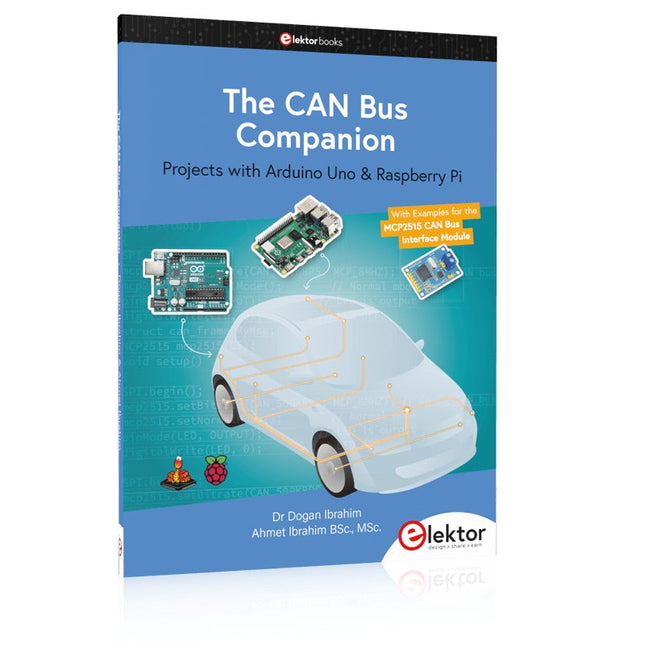
Projects with Arduino Uno & Raspberry Pi with Examples for the MCP2515 CAN Bus Interface Module
This book details the use of the Arduino Uno and the Raspberry Pi 4 in practical CAN bus based projects. Using either the Arduino Uno or the Raspberry Pi with off-the-shelf CAN bus interface modules considerably ease developing, debugging, and testing CAN bus based projects.
This book is written for students, practicing engineers, enthusiasts, and for everyone else wanting to learn more about the CAN bus and its applications. The book assumes that the reader has some knowledge of basic electronics. Knowledge of the C and Python programming languages and programming the Arduino Uno using its IDE and Raspberry Pi will be useful, especially if the reader intends to develop microcontroller-based projects using the CAN bus.
The book should be a useful source of reference material for anyone interested in finding answers to questions such as:
What bus systems are available for the automotive industry?
What are the principles of the CAN bus?
How can I create a physical CAN bus?
What types of frames (or data packets) are available in a CAN bus system?
How can errors be detected in a CAN bus system and how dependable is a CAN bus system?
What types of CAN bus controllers exist?
How do I use the MCP2515 CAN bus controller?
How do I create 2-node Arduino Uno-based CAN bus projects?
How do I create 3-node Arduino Uno-based CAN bus projects?
How do I set the acceptance masks and acceptance filters?
How do I analyze data on the CAN bus?
How do I create 2-node Raspberry Pi-based CAN bus projects?
How do I create 3-node Raspberry Pi-based CAN bus projects?
PC USB Logic Analyzers with Arduino, Raspberry Pi, and Co.
Step-by-step instructions guide you through the analysis of modern protocols such as I²C, SPI, UART, RS-232, NeoPixel, WS28xx, HD44780 and 1-Wire. With the help of numerous experimental circuits based on the Raspberry Pi Pico, Arduino Uno and the Bus Pirate, you will learn the practical application of popular USB logic analyzers.
All the experimental circuits presented in this book have been fully tested and are fully functional. The necessary program listings are included – no special programming or electronics knowledge is required for these circuits. The programming languages used are MicroPython and C along with the development environments Thonny and Arduino IDE.
This book uses several models of flexible and widely available USB logic analyzers and shows the strengths and weaknesses of each price range.
You will learn about the criteria that matter for your work and be able to find the right device for you.
Whether Arduino, Raspberry Pi or Raspberry Pi Pico, the example circuits shown allow you to get started quickly with protocol analysis and can also serve as a basis for your own experiments.
After reading this book, you will be familiar with all the important terms and contexts, conduct your own experiments, analyze protocols independently, culminating in a comprehensive knowledge set of digital signals and protocols.