
Zoekresultaten voor "raspberry OR pi OR zero OR 2 OR w OR bundle"
-

Elektor Academy Pro ESP32 by Example (Leercursus)
Volledige ESP32-microcontrollercursus met een speciaal ontwikkelde MCU-uitbreidingsprint, praktische projecten en een uitgebreide online gids – ideaal om hardware, programmering en connectiviteit stap voor stap te leren. Een praktische introductie tot embedded systemen met de ESP32 Deze cursus is bedoeld voor u als lezer die nieuw is in embedded systemen en op zoek bent naar een gestructureerde, voorbeeldgerichte manier om aan de slag te gaan. Als u al algemene elektronica- of Arduino-materialen hebt verkend, maar deze te breed vond of te weinig praktische begeleiding boden, dan biedt deze cursus een meer gerichte aanpak. Met behulp van de "ESP32 by Example Kit" (EEK) – een compacte en betaalbare set met led’s, sensoren, een OLED-scherm en een bewegingsprocessor – werkt u gedurende de hele cursus met een consistente hardware-opstelling. Eenmaal gemonteerd blijft de EEK grotendeels ongewijzigd, zodat u zich volledig kunt richten op leren en experimenteren zonder telkens opnieuw te hoeven configureren. Onderwerpen zijn onder andere: De ESP32-microcontroller begrijpen en programmeren Code schrijven en implementeren met de Arduino IDE Cyberfysische systemen verkennen, met als hoogtepunt basis dronebesturing Er is geen eerdere ervaring met Arduino of embedded development vereist. Elk onderdeel bevat praktische voorbeelden en miniprojecten die zijn ontworpen om belangrijke concepten te versterken en tot een diepere verkenning te inspireren. Aan het einde van de cursus bent u niet alleen in staat de voorbeelden uit het boek te reproduceren, maar er ook op voort te bouwen met uw eigen ideeën en toepassingen. Of u nu geïnteresseerd bent in embedded programmeren, interactieve systemen of inleidende dronebesturing, deze cursus biedt een duidelijke en praktische manier om aan de slag te gaan. Wat leert u? Embedded programmeren met de ESP32 met behulp van de Arduino IDE Realtime sensorinvoer en -bediening via knoppen, LED's en displays Gebarengebaseerde interactie met de MPU6050-bewegingssensor Bluetooth-gamepadintegratie en dronebesturingssimulatie Wifi- en UDP-netwerken, lokale webservers en NTP MQTT-communicatie met cloudplatforms zoals AWS en Arduino IoT Hoe u complete IoT-systemen bouwt en implementeert Perfect voor Studenten en autodidacten die embedded systemen verkennen Makers en IoT-enthousiastelingen die hun hardwarevaardigheden willen verbeteren Docenten en trainers die op zoek zijn naar lesmateriaal dat direct toepasbaar is Ontwikkelaars die verder kijken dan de basisprincipes van Raspberry Pi of Arduino Ondersteuning wanneer u die nodig hebt Toegang tot instructeurs via Elektor Academy Nuttige communityforums en essentiële documentatie Wat zit er in de doos (cursus)? Nieuw boek van 384 pagina's: "ESP32 by Example" (t.w.v. € 45) Elektor ESP32 by Example Kit (EEK): Microcontroller-uitbreidingskaart met 6 LED's en 6 knoppen + OLED-display, MPU6050 3-assige accelerometer en gyroscoopmodule (t.w.v. € 40) Adafruit HUZZAH32 – ESP32 Feather MCU Board (t.w.v. € 30) ESP32 Cheap Yellow Display Board (t.w.v. € 25) DHT11 Vochtigheid & Temperatuursensor Breadboard Jumperdraden USB-C-kabel Toegang tot de volledige cursus op het Elektor Academy Pro Learning Platform Instructievideo's Downloadbare Arduino-projectbestanden voor elke module Leermateriaal (van deze box/cursus) ▶ Klik hier om te openen Module 1 – Getting Started with the ESP32 & EEK Module 2 – Digital Output – LEDs and GPIO Module 3 – Switches and Input Handling Module 4 – EEK and PWM Module 5 – OLED and Display Output Module 6 – Motion Sensing with the MPU6050 Module 7 – Capstone Project (EEK in Action) Module 8 – WiFi and Web Control with ESP32 Module 9 – Cloud Concepts using EEK Module 10 – Hands-on: Arduino IoT Cloud and EEK Module 11 – BlueTooth and EEK GamePad Integration Module 12 – Why Drones? Module 13 – Drone Simulator Concepts Module 14 – Simple Drone Flight Control Module 15 – Real-Time Drone Flight Control Module 16 – Drone Control Mini-Projects Module 17 – Middleware and Python Scripting Module 18 – Python Applications for Drone Control Module 19 – Capstone EEK Control Project and Presentation Over de auteur Dr. Jim Solderitsch is docent, softwarearchitect, systeemontwikkelaar en cybersecurityonderzoeker met een focus op cyberfysische systemen. Hij is momenteel universitair hoofddocent computerwetenschappen aan de Villanova University in Pennsylvania. Wat is Elektor Academy Pro? Elektor Academy Pro biedt gespecialiseerde leeroplossingen voor professionals, engineeringteams en technische experts in de elektronica- en embedded systemenindustrie. Het stelt zowel individuen als organisaties in staat hun praktijkkennis te verdiepen, vaardigheden te versterken en voorop te blijven lopen met hoogwaardige content en praktische trainingstools. Van praktijkgerichte projecten en cursussen onder leiding van experts tot diepgaande technische inzichten – Elektor ondersteunt ingenieurs bij het aanpakken van de actuele uitdagingen binnen elektronica en embedded systemen. Ons educatieve aanbod bestaat uit Academy-boeken, Pro Boxes, webinars, conferenties en branchespecifieke B2B-magazines – allemaal ontwikkeld met het oog op professionele groei. Of u nu ingenieur, R&D-specialist of technisch beslisser bent: Elektor Academy Pro slaat de brug tussen theorie en praktijk, helpt u nieuwe technologieën te beheersen en stimuleert innovatie binnen uw organisatie.
€ 219,00
Beste prijs
-
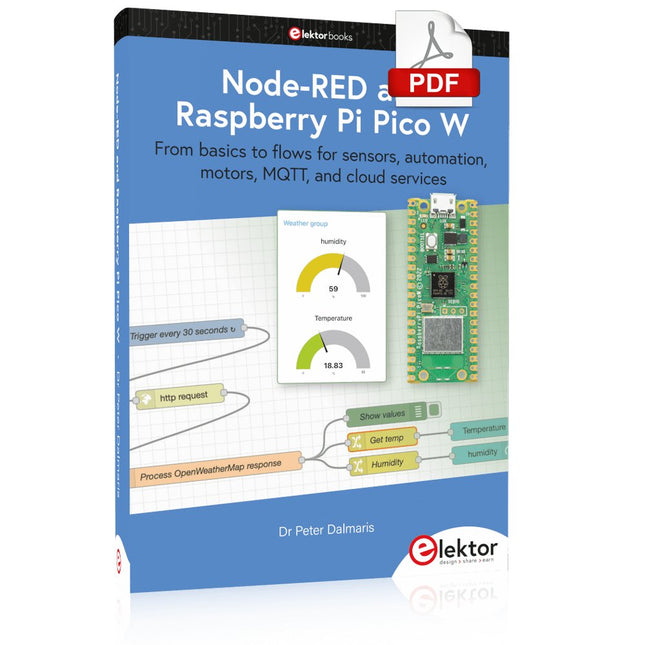
Elektor Digital Node-RED and Raspberry Pi Pico W (E-book)
From basics to flows for sensors, automation, motors, MQTT, and cloud services This book is a learning guide and a reference. Use it to learn Node-RED, Raspberry Pi Pico W, and MicroPython, and add these state-of-the-art tools to your technology toolkit. It will introduce you to virtual machines, Docker, and MySQL in support of IoT projects based on Node-RED and the Raspberry Pi Pico W. This book combines several elements into a platform that powers the development of modern Internet of Things applications. These elements are a flow-based server, a WiFi-enabled microcontroller, a high-level programming language, and a deployment technology. Combining these elements gives you the tools you need to create automation systems at any scale. From home automation to industrial automation, this book will help you get started. Node-RED is an open-source flow-based development tool that makes it easy to wire together devices, APIs, and online services. Drag and drop nodes to create a flowchart that turns on your lights at sunset or sends you an email when a sensor detects movement. Raspberry Pi Pico W is a version of the Raspberry Pi Pico with added 802.11n Wi-Fi capability. It is an ideal device for physical computing tasks and an excellent match to the Node-RED. Quick book facts Project-based learning approach. Assumes no prior knowledge of flow-based programming tools. Learn to use essential infrastructure tools in your projects, such as virtual machines, Docker, MySQL and useful web APIs such as Google Sheets and OpenWeatherMap. Dozens of mini-projects supported by photographs, wiring schematics, and source code. Get these from the book GitHub repository. Step-by-step instructions on everything. All experiments are based on the Raspberry Pi Pico W. A Wi-Fi network is required for all projects. Hardware (including the Raspberry Pi Pico W) is available as a kit. Downloads GitHub
€ 39,95
Leden: € 35,96
-
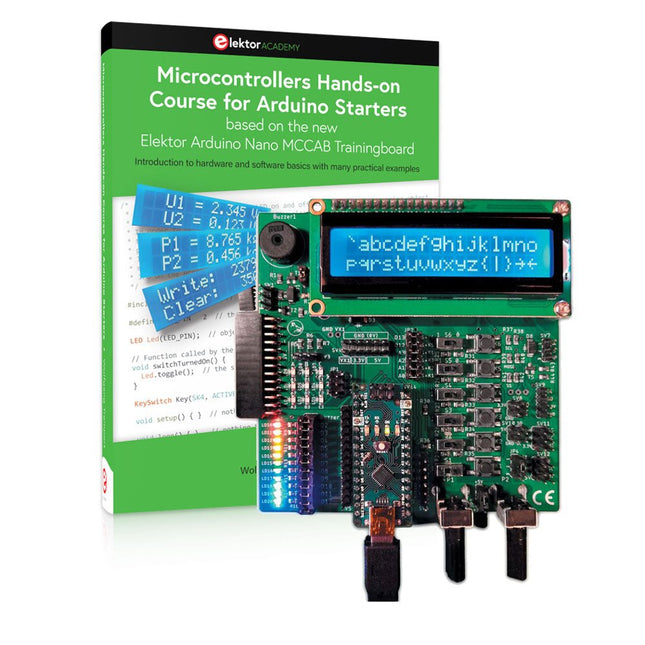
Elektor Bundles Microcontrollers Hands-on Course for Arduino Starters (Bundel)
Bouw uw eigen projecten met het Elektor Arduino Nano MCCAB Training Board De microcontroller is waarschijnlijk het meest fascinerende onderwerp van de moderne elektronica. Door de veelheid aan functies die hij op zijn chip combineert is het een universeel multi-tool voor ontwikkelaars om hun projecten mee te bouwen. Vrijwel elk dagelijks gebruikt apparaat wordt tegenwoordig bestuurd door een microcontroller. Voor een elektronica-leek is het realiseren van de eigen ideeën met een microcontroller echter tot nu toe een utopie gebleven vanwege de complexiteit ervan. Het Arduino-concept heeft het gebruik van microcontrollers sterk vereenvoudigd, zodat zelfs onervaren starters nu hun eigen elektronica ideeën kunnen realiseren met een microcontroller. Book & Hardware in de bundel: 'Leren door te doen' Het boek, dat ook in de bundel zit, leert ons hoe je zelfs zonder veel ervaring met elektronica en programmeertalen je eigen projecten met een microcontroller kunt bouwen. Het is een echte hands-on cursus microcontrollers voor starters. Want na een beschrijving van het inwendige van de microcontroller en een introductie in de programmeertaal C, ligt de focus van de cursus op praktische oefeningen. De lezer bouwt de nodige kennis op met 'leren door te doen': in het uitgebreide praktische gedeelte van het boek, met 12 projecten en 46 oefeningen, wordt het geleerde in het voorste deel van het boek met veel voorbeelden onderbouwd. Elke oefening wordt gevolgd door een uitgewerkt voorbeeld met uitleg en toelichting, wat de lezer helpt om de vraagstukken op te lossen en met de eigen oplossing te vergelijken. Arduino IDE De Arduino IDE is een software ontwikkelomgeving die gratis op de eigen pc kan worden gedownload, en die alle software bevat die nodig is voor uw eigen microcontroller-projecten. U schrijft de programma's ('apps') met de editor van de IDE in de programmeertaal C. En U vertaalt ze naar bits en bytes die de microcontroller begrijpt met behulp van de ingebouwde compiler van de Arduino IDE. En kunt ze vervolgens via een USB-kabel laden naar het geheugen van de microcontroller op het Elektor Arduino MCAB Nano Training Board. Externe sensoren, motoren of schakelingen checken of besturen Naast een Arduino Nano microcontroller module bevat het Elektor Arduino Nano MCCAB Training Board ook alle componenten die nodig zijn voor de oefeningen, zoals LED’s, schakelaars, drukknoppen, buzzer enz. Ook externe sensoren, motoren of modules kunnen worden gecheckt of bestuurd met dit microcontroller-trainingssysteem. Specificaties (Arduino Nano Training Board MCCAB) Voeding Via de USB-aansluiting van de aangesloten pc of een externe voeding (niet inbegrepen) Spanning +5 Vcc Ingangsspanning Alle ingangen 0 V tot +5 V VX1 en VX2 +8 V tot +12 V (alleen bij gebruik van een externe voeding) Hardware LCD 2x16 karakters Potentiometer P1 & P2 JP3: Selectie van de werkspanning van P1 & P2 Verdelers SV4: Verdeler voor de werkspanningenSV5, SV6: Verdelers voor de in-/uitgangen van de microcontroller Schakelaars en knoppen RESET knop op de Arduino Nano module; 6x drukknop schakelaars K1 ... K6; 6x Schuifschakelaars S1 ... S6; JP2: Jumper van de schakelaars met de ingangen van de microcontroller Buzzer Piezo buzzer ‘Buzzer1’ met jumper op JP6 Indicator LED’s 11 x LED: Status indicator voor de ingangen/uitgangen LED L op de Arduino Nano module, aangesloten op GPIO D13 JP6; Aansluiting van LED's LD10 ... LD20 met GPIO's D2 ... D12 Seriële interfacesSPI & I²C JP4: Selectie van het signaal op pin X van de SPI-connector SV12 SV9 naar SV12: SPI-interface (3,3 V/5 V) of I²C-interface Uitgangen voor externe apparaten SV1, SV7: Geschakelde uitgang (maximaal +24 V/160 mA, extern aangesloten) SV2: 2x13 pinnen voor aansluiting van externe modules 3x3 LED matrix(9 rode LED's) SV3: Kolommen van de 3x3 LED matrix (uitgangen D6 ... D8) JP1: Verbinding van de rijen met de GPIO's D3 ... D5 Software MCCABLib library Controle van hardware componenten (schakelaars, knoppen, LED's, 3x3 LED matrix, buzzer) op het MCCAB Training Board Werktemperatuur Tot +40 °C Afmetingen 100 x 100 x 20 mm Specificaties (Arduino Nano) Microcontroller ATmega328P Architectuur AVR Spanning 5 V Flash memory 32 KB, waarvan 2 KB gebruikt door de bootloader SRAM 2 KB Kloksnelheid 16 MHz Analoge IN Pinnen 8 EEPROM 1 KB DC stroom per I/O-pin 40 mA op één I/O-pin, totaal maximaal 200 mA op alle pinnen samen Ingangsspanning 7-12 V Digitale I/O-pinnen 22 (waarvan 6 PWM) PWM Uitgangen 6 Stroomverbruik 19 mA Afmetingen 18 x 45 mm Gewicht 7 g Inbegrepen Elektor Arduino Nano MCCAB Training Board Arduino Nano Boek: Microcontrollers Hands-on Course for Arduino Starters
€ 139,95€ 119,95Beste prijs
-

Elektor 09-10/2026 (DE)
Diese Ausgabe steht allen GOLD- und GREEN-Mitgliedern auf der ElektorMagazine-Website zum Download bereit! Sie sind noch kein Mitglied? Hier klicken! Der ESP-BLASTEine Mini-Raketendrohne mit ESP32, die über 100 km/h erreicht Wireless Workshop (1)Freigeschaltetes Funkmodul: 433-MHz-CC1101-Sub-GHz-Transceiver AM-Sendermit Rechteck-/Sinuswellengenerator auf Raspberry Pi Pico STM32Cube Innovations ChallengeTreten Sie mit Ihrem besten STM32C5-Design an CoffeeCallerWie ein langer Flur zu einer maßgefertigten Mesh-Netzwerk-Platine führte AudiotronicsKlirrfaktor Elektor ist 65Projekte aus früheren September/Oktober-Ausgaben Geräteortung durch Bluetooth Channel SoundingZentimetergenaue Entfernungsmessung im IoT der nächsten Generation 2026: Eine KI-OdysseeQuantencomputing ist nicht die nächste GPU Cloud-Schutz durch Edge-Sicherheit Erste Erfahrungen mit dem HackRF ProPraktische Tests mit der neuen SDR-Hardware Herausforderung ElektromobilitätEffiziente Lötlösungen für moderne Fahrzeugtechnik Modem-Update von GPRS/2G auf LTE/4Gam Beispiel einer Funk-Alarmzentrale Loop-Antenne mit RF BricksTeil 1: Kurzwellen-Antenne mit einstellbarer Richtwirkung im Selbstbau Internetradio-zu-AM-KonverterVerwendung eines ESP32-S3 als Sender Projekt 2.0 mioty – ein ÜberblickLPWAN à la Fraunhofer Werkbank-WeisheitPraktische Tipps von Experten Walter, das kompakte IoT-ModulTeil 2: Zugriff auf Wetter- und Datendienste
€ 15,90
-
Elektor Digital Raspberry Pi Pico W en un tournemain (PDF)
Maîtrise de la puce RP2040 avec plus de 60 projets à réaliser et à programmer Les cartes Raspberry Pi Pico et Pico W sont animées par un microcontrôleur ARM Cortex M0+ RP2040 à double coeur, rapide, efficace et peu coûteux, qui fonctionne jusqu'à 133 MHz et dispose de 264 Ko de SRAM et de 2 Mo de mémoire Flash. Outre une vaste mémoire, le Pico et le Pico W disposent de nombreuses broches GPIO et d'interfaces telles que CA/N, SPI, I²C, UART, MLI, de fonctions de temporisation, d'une interface de débogage matériel et d'un capteur de température interne. La carte Raspberry Pi Pico W comporte en plus une puce CYW43439 Bluetooth et Wi-Fi d'Infineon. Au moment de la rédaction de ce livre, le micrologiciel Bluetooth pour le Pico W n'était pas encore disponible. Le Wi-Fi à 2,4 GHz est toutefois entièrement pris en charge avec les protocoles 802.11b/g/n. Ce livre est une introduction à l'utilisation du Raspberry Pi Pico W avec le langage de programmation MicroPython. Les quelque soixante projets testés et opérationnels sont présentés à l'aide de l'environnement de développement intégré (EDI) Thonny. Les sujets abordés sont nombreux : Installation de MicroPython sur le Raspberry Pi Pico depuis un PC Interruptions de l'horloge et interruptions externes Convertisseur analogique-numérique (CA/N) Capteurs de température interne et externe Capteurs externes (pression, humidité, pouls, à ultrasons) Enregistrement de données MLI, UART, I²C et SPI Bluetooth, Wi-Fi et applis sur smarphone Convertisseur numérique-analogique (CN/A) Tous les projets ont été testés et éprouvés. Ils peuvent être mis en oeuvre sur le Raspberry Pi Pico ainsi que sur le Raspberry Pi Pico W. Toutefois les projets avec une liaison Wi-Fi ne fonctionnent que sur le Pico W. Une petite expérience en programmation et en électronique est nécessaire pour suivre les projets. De brèves descriptions, des schémas fonctionnels, des schémas détaillés du câblage des montages et des listings MicroPython complets sont fournis pour tous les projets.
€ 34,95
Leden: € 31,46
-
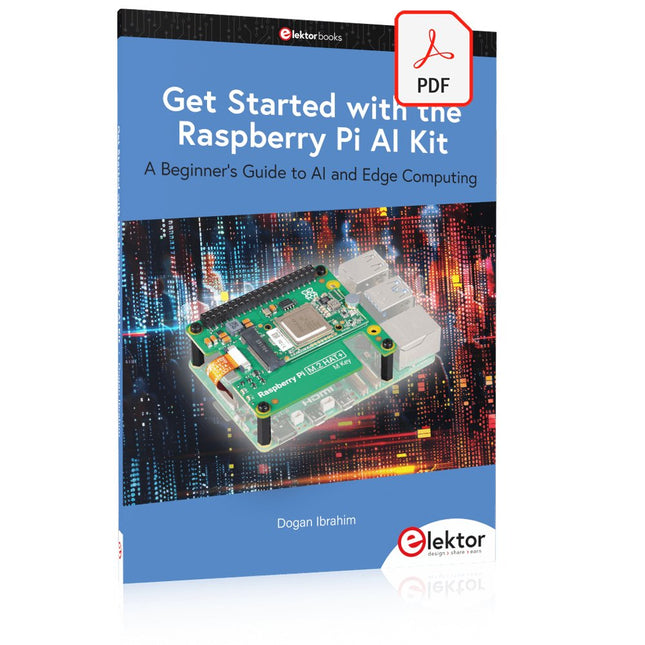
Elektor Digital Get Started with the Raspberry Pi AI Kit (E-book)
A Beginner's Guide to AI and Edge Computing Artificial Intelligence (AI) is now part of our daily lives. With companies developing low-cost AI-powered hardware into their products, it is now becoming a reality to purchase AI accelerator hardware at comparatively very low costs. One such hardware accelerator is the Hailo module which is fully compatible with the Raspberry Pi 5. The Raspberry Pi AI Kit is a cleverly designed hardware as it bundles an M.2-based Hailo-8L accelerator with the Raspberry Pi M.2 HAT+ to offer high speed inferencing on the Raspberry Pi 5. Using the Raspberry Pi AI Kit, you can build complex AI-based vision applications, running in real-time, such as object detection, pose estimation, instance segmentation, home automation, security, robotics, and many more neural network-based applications. This book is an introduction to the Raspberry Pi AI Kit, and it is aimed to provide some help to readers who are new to the kit and wanting to run some simple AI-based visual models on their Raspberry Pi 5 computers. The book is not meant to cover the detailed process of model creation and compilation, which is done on an Ubuntu computer with massive disk space and 32 GB memory. Examples of pre-trained and custom object detection are given in the book. Two fully tested and working projects are given in the book. The first project explains how a person can be detected and how an LED can be activated after the detection, and how the detection can be acknowledged by pressing an external button. The second project illustrates how a person can be detected, and how this information can be passed to a smart phone over a Wi-Fi link, as well as how the detection can be acknowledged by sending a message from the smartphone to your Raspberry Pi 5.
€ 29,95
Leden: € 26,96
-
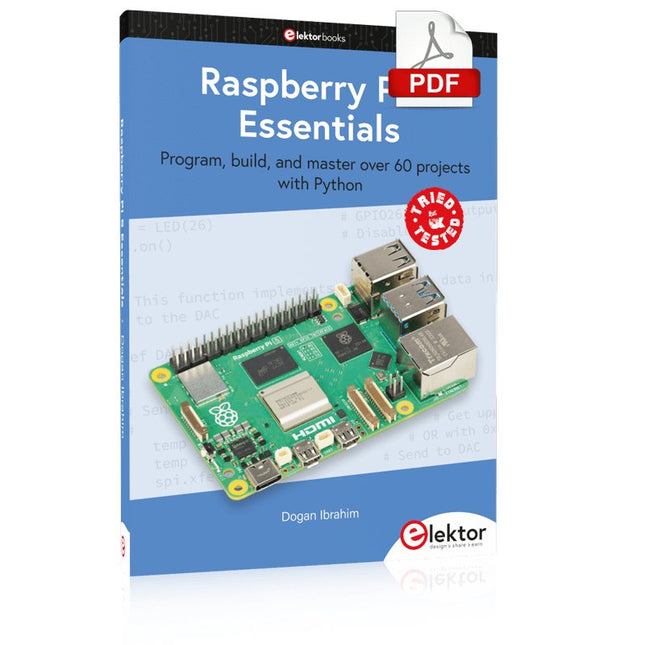
Elektor Digital Raspberry Pi 5 Essentials (E-book)
Program, build, and master over 60 projects with Python The Raspberry Pi 5 is the latest single-board computer from the Raspberry Pi Foundation. It can be used in many applications, such as in audio and video media centers, as a desktop computer, in industrial controllers, robotics, and in many domestic and commercial applications. In addition to the well-established features found in other Raspberry Pi computers, the Raspberry Pi 5 offers Wi-Fi and Bluetooth (classic and BLE), which makes it a perfect match for IoT as well as in remote and Internet-based control and monitoring applications. It is now possible to develop many real-time projects such as audio digital signal processing, real-time digital filtering, real-time digital control and monitoring, and many other real-time operations using this tiny powerhouse. The book starts with an introduction to the Raspberry Pi 5 computer and covers the important topics of accessing the computer locally and remotely. Use of the console language commands as well as accessing and using the desktop GUI are described with working examples. The remaining parts of the book cover many Raspberry Pi 5-based hardware projects using components and devices such as LEDs and buzzers LCDs Ultrasonic sensors Temperature and atmospheric pressure sensors The Sense HAT Camera modules Example projects are given using Wi-Fi and Bluetooth modules to send and receive data from smartphones and PCs, and sending real-time temperature and atmospheric pressure data to the cloud. All projects given in the book have been fully tested for correct operation. Only basic programming and electronics experience are required to follow the projects. Brief descriptions, block diagrams, detailed circuit diagrams, and full Python program listings are given for all projects described.
€ 32,95
Leden: € 29,66
-
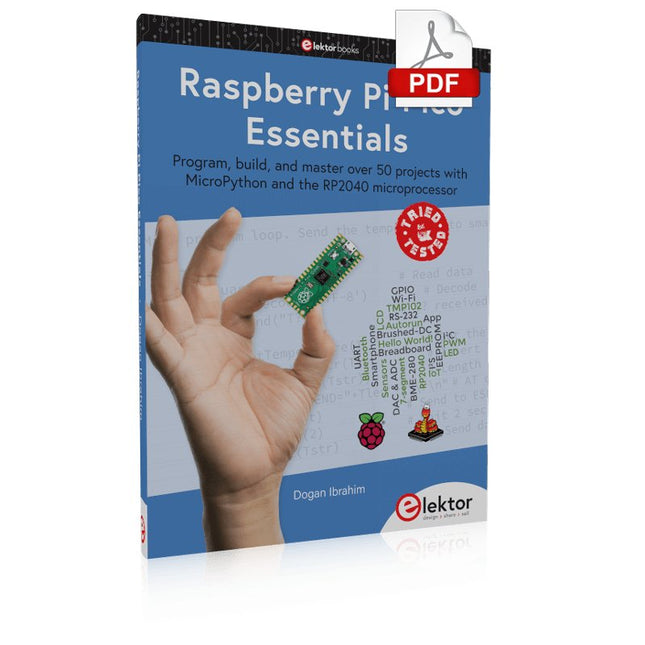
Elektor Digital Raspberry Pi Pico Essentials (E-book)
Program, build, and master over 50 projects with MicroPython and the RP2040 microprocessor The Raspberry Pi Pico is a high-performance microcontroller module designed especially for physical computing. Microcontrollers differ from single-board computers, like the Raspberry Pi 4, in not having an operating system. The Raspberry Pi Pico can be programmed to run a single task very efficiently within real-time control and monitoring applications requiring speed. The ‘Pico’ as we call it, is based on the fast, efficient, and low-cost dual-core ARM Cortex-M0+ RP2040 microcontroller chip running at up to 133 MHz and sporting 264 KB of SRAM, and 2 MB of Flash memory. Besides its large memory, the Pico has even more attractive features including a vast number of GPIO pins, and popular interface modules like ADC, SPI, I²C, UART, and PWM. To cap it all, the chip offers fast and accurate timing modules, a hardware debug interface, and an internal temperature sensor. The Raspberry Pi Pico is easily programmed using popular high-level languages such as MicroPython and or C/C++. This book is an introduction to using the Raspberry Pi Pico microcontroller in conjunction with the MicroPython programming language. The Thonny development environment (IDE) is used in all the projects described. There are over 50 working and tested projects in the book, covering the following topics: Installing the MicroPython on Raspberry Pi Pico using a Raspberry Pi or a PC Timer interrupts and external interrupts Analogue-to-digital converter (ADC) projects Using the internal temperature sensor and external temperature sensor chips Datalogging projects PWM, UART, I²C, and SPI projects Using Wi-Fi and apps to communicate with smartphones Using Bluetooth and apps to communicate with smartphones Digital-to-analogue converter (DAC) projects All projects given in the book have been fully tested and are working. Only basic programming and electronics experience is required to follow the projects. Brief descriptions, block diagrams, detailed circuit diagrams, and full MicroPython program listings are given for all projects described. Readers can find the program listings on the Elektor web page created to support the book.
€ 32,95
Leden: € 29,66
-
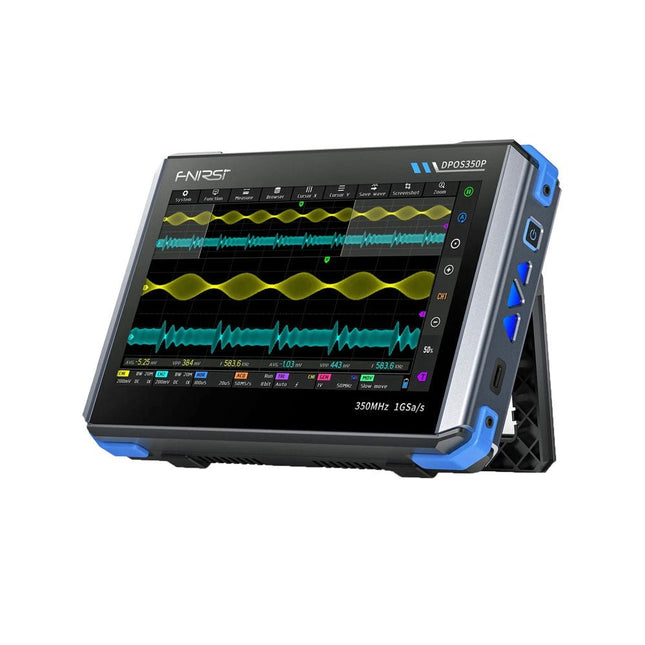
FNIRSI FNIRSI DPOS350P (4-in-1) 2-kanaals Tablet-oscilloscoop (350 MHz) + Signaalgenerator + Frequentieresponsanalyzer + Spectrumanalyzer
2 kanalen • 350 MHz • 1 GSa/s • 50.000 wfm/s • 7 inch Touchscreen De FNIRSI DPOS350P is een gestroomlijnde 4-in-1 krachtpatser in tabletvorm! Dit compacte en draagbare apparaat biedt serieuze functionaliteit: het combineert een 2-kanaals oscilloscoop (350 MHz), een signaalgenerator (50 MHz), een frequentieresponsanalyzer (50 MHz) en een spectrumanalyzer (200 kHz–350 MHz) – alles in één apparaat. Of u nu bezig bent met R&D, probleemoplossing of veldtesten, de DPOS350P biedt de tools die u nodig hebt om elektronische signalen nauwkeurig en helder te meten, genereren, analyseren en visualiseren. Het responsieve touchscreen met hoge resolutie en de intuïtieve bediening maken signaalanalyse snel, flexibel en efficiënt. Kenmerken Krachtige multifunctionele integratie 350 MHz 2-kanaals oscilloscoop met 1 GSa/s realtime sampling 50 MHz signaalgenerator met 14 standaard + aangepaste golfvormen Spectrum analyzer (200 kHz–350 MHz): Perfect voor EMI, RF en HF-testen Frequentieresponsanalyzer (FRA) tot 50 MHz Hoogwaardige golfvormregistratie Vernieuwingsfrequentie van 50.000 wfm/s voor realtime signaalhelderheid Bandbreedte van 350 MHz (enkelkanaalsmodus) Detecteert zeldzame en onwaarschijnlijke afwijkingen Scherp display & Soepele werking 7" IPS-touchscreen (resolutie 1024 x 600) Schakelen tussen grijstinten- en kleurtemperatuurweergave Eenvoudig te bedienen in verschillende testomgevingen Betrouwbaar, beveiligd en snel opladen Hoogspanningsbeveiliging tot 400 V Snel opladen met QC 18 W (volledig opladen in 2 uur) Gebouwd voor stabiele, langdurige werking Gegevensopslag en -export Sla tot 500 golfvormrecords + 90 screenshots op USB-export voor eenvoudige rapportage en offline analyse Specificaties Algemeen Scherm 7 inch (IPS, volledige kijkhoek) Resolutie 1024 x 600 pixels Interactiemodus Capacitief touchscreen Totaal stroomverbruik 10 W Inschakelconfiguratie 5 voorinstellingen Opladen QC 18 W, 12 V/1,5 A (USB-C) Accu 3,7 V, 8000 mAh lithiumbatterij Accuduur ca. 3 uur in gebruik, 5 uur stand-by Warmteafvoer Luchtkoeling Uitbreidingsinterface USB-poort Automatische uitschakeling 15 tot 60 minuten / uit Firmware-upgrade Ondersteunt .iso-image-upgrade Talen Engels / Portugees / Russisch / Chinees Afmetingen 190 x 128 x 37 mm Oscilloscoop Analoge kanalen 2 Analoge bandbreedte 350 MHz Stijgtijd 1 ns Real-time bemonsteringsfrequentie 1 GSa/s Geheugendiepte 60 Kpts Ingangsimpedantie 1 MΩ / 14PF Tijdbasisbereik 5 ns ~ 50 s Roltijdbasis 50 ms ~ 50 s Verticale gevoeligheid 2 mV ~ 20 V (1X) Verticaal bereik 16 mV ~ 160 V (1X) DC-nauwkeurigheid ±2% Tijd nauwkeurigheid ±0,01% Ingangskoppeling DC / AC Probe-verzwakking 1X / 10X / 100X Hardwarebandbreedtelimiet 150M / 20M Hoge-resolutiemodus 8 bit ~ 16 bit Parametermetingen 12 typen Cursormeting Tijd, periode, frequentie, niveau, spanning Triggerdetectie Digitale trigger Triggerkanaal CH1 / CH2 Triggermodus Auto / Single / Normal Triggerflank Rising edge / Falling edge Triggeronderdrukking L1 ~ L3 Triggerniveau Handmatig / automatisch 10% ~ 90% Screenshot-opslag 90 afbeeldingen Golfvormopslag 500 groepen Achtergrondraster Weergeven/verbergen Golfvormbeweging Grof/fijn afstellen Overspanningsbeveiliging Bestandsspanning 400 V Helderheid golfvorm Instelbaar Eenvoudig FFT-display Ja Digitale fluorescentie Ja Kleurtemperatuurweergave Ja X-Y-modus Ja ZOOM-tijdbasis Ja Automatische aanpassing met één druk op de knop Ja Terug naar nul met één druk op de knop Ja Gegevensbrowser Ja Signaalgenerator Golfvormtypen 14 standaardfuncties + vastgelegde golfvorm Frequentie 0~50 MHz (alleen sinusgolf, andere golfvormen tot 10M/5M/3M) Amplitude 0~5 VPP Offset -2,5 V ~ +2,5 V Bedrijfstype cyclus 0,1~99,9% Frequentieresolutie 1 Hz Amplituderesolutie 1 mV Offsetresolutie 1 mV Inschakelduurresolutie 0,1% Aanpasbare vastgelegde golfvorm 500 groepen Frequentieresponsanalyzer (FRA) Frequentie van het excitatiesignaal 100 Hz ~ 50 MHz Ampitude van het excitatiesignaal 0~5 VPP Offset van het excitatiesignaal -2,5 V ~ +2,5 V Aantal excitatiefrequenties 20~500 Cursormeting Frequentie / versterking / fase Bedrijfsmodus Enkelvoudig / cyclisch Systeemkalibratie Ja Spectrumanalyzer Conversiemethode FFT FFT-lengte 4K ~ 32K Frequentiebereik 200 kHz ~ 350 MHz Niveaubereik -60 dBmV ~ +260 dBmV Cursormeting Frequentie / amplitude Markeringsparameter Maximale energieharmonischen Watervalgrafiek Ja 3D-watervalgrafiek Ja Automatische afstelling Ja Systeemkalibratie Ja Inbegrepen 1x FNIRSI DPOS350P (4-in-1) 2x 350 MHz-sondes 1x QC 18 W snellader (EU) 1x USB-datakabel 1x Krokodillenklem 1x Opbergtas 1x Manual Downloads Manual Firmware
€ 259,00
Beste prijs
-

Elektor Digital PIO-Programmierung mit dem Raspberry Pi Pico (PDF)
Praxisnahe Projekte, Profi-Tricks und eigene Anwendungen Dieses Buch führt Sie Schritt für Schritt in die faszinierende Welt der State Machines ein und zeigt, wie Sie Hardware direkt und effizient ansteuern können – jenseits klassischer CPU-gesteuerter Ansätze. In diesem Buch lernen Sie: LEDs und NeoPixel kreativ steuern: Blinken, Dimmen, Farbwechsel und komplexe Animationen Taster und Encoder zuverlässig auslesen und in Echtzeit in Ihre Projekte integrieren Analoge Eingänge (ADC) nutzen und Signale digital steuern Servos präzise ansteuern und Bewegungsabläufe automatisieren SPI mit PIO umsetzen, um Displays, Sensoren und Module anzusteuern Menüsysteme und Submenüs auf SPI-Displays realisieren, inklusive Navigation über mehrere Taster PWM, Signalgenerierung und Frequenzsteuerung für akustische oder visuelle Effekte Debugging-Strategien und Tipps, um Ihre PIO-Programme effizient zu entwickeln Alle Beispiele sind praxisnah, sofort umsetzbar und zuverlässig. Mit klaren Anleitungen, Hintergrundwissen und fertigen Codebeispielen lernen Sie, die PIO-Fähigkeiten des Pico maximal zu nutzen – egal ob für Maker-Projekte, Prototypen oder professionelle Anwendungen. Erleben Sie, wie Sie komplexe Hardwaresteuerung elegant mit dem Pico realisieren können – schneller, flexibler und leistungsfähiger als je zuvor.
€ 29,80
Leden: € 26,82
-

Elektor Labs Elektor Eénarmige Bandiet
Trek de hendel naar beneden voor de hoogste score!Deze Elektor Circuit Classic uit 1984 toont een speelse toepassing van logische IC's uit de CMOS 400x serie in combinatie met leds, destijds een zeer populaire combinatie. Het project imiteert een gokkast met ronddraaiende cijfers.Het spelVoordat het spel start dient u eerst het aantal rondes af te spreken. Speler 1 trekt de schakelhendel naar beneden zo lang als hij wenst en laat hem dan los. De leds tonen vervolgens de score die de som is van de 20-10-5-2-1 leds die oplichten. Mocht het Play Again! ledje gaan branden dan heeft speler 1 een extra 'gratis' ronde. Zo niet, dan is speler 2 aan de beurt. De spelers houden hun scores bij en de hoogste score wint.Kenmerken Leds geven de score aan Meerdere spelers en Play Again! Elektor Heritage circuit symbolen Uitgeprobeerd en getest door Elektor Labs Educatief en nerdy project Through-hole onderdelen Inbegrepen Printplaat Alle componenten Houten standaard Stuklijst Weerstanden (5%, 250 mW) R1, R2, R3, R4 = 100 kΩ R5, R6, R7, R8, R9, R10 = 1 kΩ Condensatoren C1 = 4,7 nF, 10 %, 50 V, 5 mm C2 = 4,7 μF, 10%, 63 V, axiale C3, C4 = 100 nF, 10 %, 50 V, keramiek X7R, 5 mm Halfgeleiders Led1 – Led6 = rood, 5 mm (T1 3/4) IC1 = 74HC4024 IC2 = 74HC132 Diversen S1 = schakelaar, tuimel, 21 mm hendel, SPDT, kortstondig S2 = schakelaar, tactiel, 24 V, 50 mA, 6x6 mm S3 = schakelaar, schuif, SPDT IC1, IC2 = IC-voetje, DIP14 BT1 = CR2032 PCB batterijhoudertje Tafel standaard PCB 230098-1 Niet inbegrepen: BT1 = CR2032 knoopcel batterij
€ 39,95€ 24,95Beste prijs
-
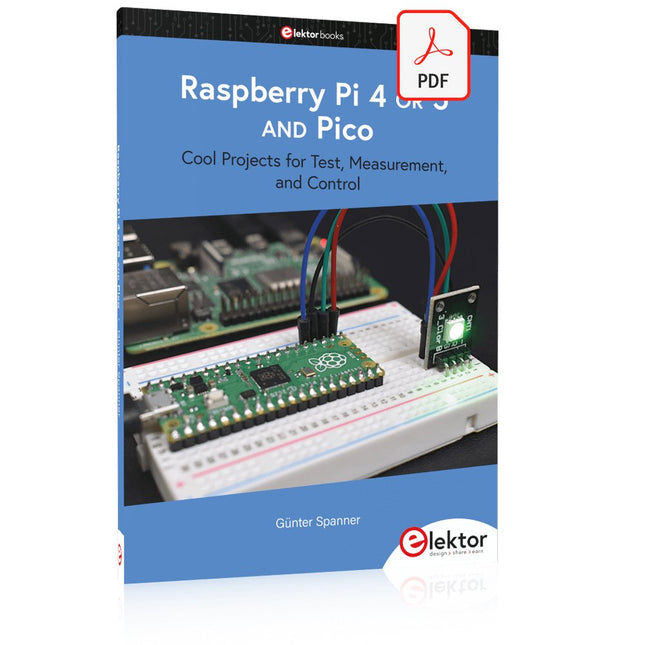
Elektor Digital Raspberry Pi 4 OR 5 AND Pico (E-book)
Cool Projects for Test, Measurement, and Control The Raspberry Pi has dominated the maker scene for many years. Freely accessible I/O pins have made it one of the most popular processor boards of all time. However, the classic Raspberry Pi has no analog inputs. Direct measurement of analog values is therefore not possible. Consequently, photodiodes, NTCs, Hall sensors, etc. cannot be read directly. In addition, the pins are connected directly to the exposed contacts, i.e. without a driver or protection circuit. This can quickly destroy the central controller and thus the entire Raspberry Pi. These problems can be elegantly solved with the Pico. As a front-end, it can easily handle a wide range of measurement tasks. In addition, the Pico is much cheaper than a classic Raspberry Pi 4 or 5. If a faulty circuit leads to the destruction of the Pico, this is relatively easy to handle. This makes the combination of a classic Raspberry Pi 4 or 5 and the Pico an ideal pair. The book introduces the broad and highly topical field of modern controller technology using the combined force of a Raspberry Pi 4 or 5 and a Raspberry Pi Pico. In addition to a detailed introduction to the operation and functionality of the controller boards themselves, the book also focuses on data acquisition and processing with digital processors. Especially the combination of both systems offers a wide range of interesting possibilities. Some practical projects from the contents: USB between Raspberry Pi 4 or 5 and Pico I²C Communication and Pico as an I²C device Voltmeter and Computer Thermometer Pico W as a Web Server and WLAN Scanner Frequency Meters and Generators OLED Displays on Raspberry Pi 4 or 5 and Pico Energy Saving Monitor Which Astronauts are in Orbit? Mini Monitor for Current Bitcoin Exchange Rate
€ 32,95
Leden: € 29,66


