
Zoekresultaten voor "arduino or pro or portenta or max or carrier"
-

FNIRSI FNIRSI 2D15P (3-in-1) (3-in-1) 2-kanaals Oscilloscoop (100 MHz) + Multimeter + Signaalgenerator
De FNIRSI 2D15P is een compact 3-in-1 testapparaat dat een 2-kanaals digitale oscilloscoop, True RMS-multimeter en golfvormgenerator in één apparaat combineert. Met een capacitief touchscreen van 4,3 inch, een bandbreedte van 100 MHz, een bemonsteringsfrequentie van 500 MSa/s en een opnamesnelheid tot 1200 fps is het ideaal voor snelle probleemoplossing, signaalanalyse en het testen van elektronica. Kenmerken Dubbelkanaals ingang (100 MHz enkelkanaals, 50 MHz dubbelkanaals werking) Selecteerbare geheugendieptes Bandbreedtelimiet van 20 MHz Grijsschaal- en kleurtemperatuurvisualisatie Wiskundige bewerkingen (optellen, aftrekken, vermenigvuldigen, delen, enz.) XY-modus en oneindige persistentie Cursorfunctie en 13 automatische metingen Auto / Normal / Single triggermodi True RMS-multimeter (19.999 counts) 10 MHz DDS-signaalgenerator Specificaties Algemeen Display 4,3" IPS capacitief touchscreen Bediening Touchscreen + draaiknop + fysieke knoppen Opladen USB-C (12 V/1 A snelladen) Batterij 5000 mAh lithiumbatterij Afmetingen 19,6 x 12,9 x 5,7 cm Gewicht 1,1 kg Oscilloscoop Kanalen 2 Analoge bandbreedte 100 MHz Sample rate 500 MSa/s Geheugendiepte 10K, 100K, 1M Ingangsimpedantie 1 MΩ Tijdbasisbereik 5ns - 50s Verticale gevoeligheid 10 mV - 10 V/div Maximale ingangsspanning 800 V (x10 probe) Triggermodus Auto, Normal, Single Triggertype Stijgend, Dalend, Beide flanken Koppeling AC/DC Persistentie min / 2s / 5s / 10s / 20s / 50s / ∞ Wiskunde Bewerkingen Ja Golfvorm vastleggen Ja Golfvorm exporteren Ja Cursor meten Ja Multimeter DC-spanning 1.9999V / 19.999V / 199.99V / 1000V AC-spanning 1.9999V / 19.999V / 199.99V / 750.0V DC-stroom 19.999mA / 199.99mA / 1.9999A / 9.999A AC-stroom 19.999mA / 199.99mA / 1.9999A / 9.999A Weerstand 19.999MΩ / 1.9999MΩ / 199.99KΩ / 19.999KΩ / 1.9999KΩ / 199.99Ω Capaciteit 999.9uF / 99.99uF / 9.999uF / 999.9nF / 99.99nF / 9.999nF / 9.999mF / 99.99mF Diode Ja Continuïteit Ja Signaalgenerator Kanalen 1 Frequentie 0–10 MHz Amplitude 0,1–3,0 Vpp Duty Cycle 0–100% Inbegrepen 1x FNIRSI 2D15P Oscilloscoop 2x P6100 Oscilloscoopsondes 1x Multimetersonde 1x Krokodillenklemsonde 1x USB-datakabel 1x Manual Downloads Manual Firmware V2.7.0.7
€ 209,00€ 179,95Beste prijs
-

Elektor Bundles Bundle: Logic Analyzer im Einsatz (Buch) + USB Logic Analyzer (8 Kanäle, 24 MHz)
USB-Logikanalysatoren am PC mit Arduino, Raspberry Pi und Co Schritt-für-Schritt-Anleitungen führen Sie in die Analyse moderner Protokolle von I²C, SPI, UART, RS-232, NeoPixel, WS28xx, HD44780 und 1-Wire Protokollen ein. Anhand von zahlreichen Experimentierschaltungen mit dem Raspberry Pi Pico, Arduino Uno und dem Bus Pirate üben Sie die praxisnahe Anwendung gängiger USB-Logikanalysatoren ein. Alle in diesem Buch vorgestellten Experimentierschaltungen wurden vollständig getestet und sind funktionsfähig. Die notwendigen Programmlistings sind enthalten, es sind keine besonderen Programmier- oder Elektronikkenntnisse für diese Schaltungen notwendig. Es werden die Programmiersprachen MicroPython und C mit den Entwicklungsumgebungen Thonny und Arduino IDE eingesetzt. Dieses Buch verwendet mehrere Modelle flexibler und weit verbreiteter USB-Logikanalysatoren und zeigt die Stärken und Schwächen jeder Preisklasse. Sie werden kennenlernen, welche Kriterien für Ihre Arbeit wichtig sind und in der Lage sein, das für Sie passende Gerät zu finden. Egal ob Arduino, Raspberry Pi oder Raspberry Pi Pico: Die abgebildeten Beispielschaltungen ermöglichen einen schnellen Start in die Protokollanalyse und können auch als Grundlage für eigene weitere Experimente dienen. Sie werden alle wichtigen Begriffe und Zusammenhänge kennenlernen, eigene Experimente durchführen, selbstständig Protokolle analysieren und nach der Lektüre dieses Buches – im Bereich der digitalen Signale und Protokolle – ein umfassendes Wissen aufgebaut haben. USB Logic Analyzer (8 Kanäle, 24 MHz) Dieser USB Logic Analyzer ist ein 8-Kanal-Logikanalysator, bei dem jeder Eingang doppelt für die analoge Datenaufzeichnung dient. Es eignet sich perfekt zum Debuggen und Analysieren von Signalen wie I²C, UART, SPI, CAN und 1-Wire. Dabei wird ein digitaler Eingang, der mit einem zu testenden Gerät (DUT) verbunden ist, mit einer hohen Abtastrate abgetastet. Die Verbindung zum PC erfolgt via USB. Technische Daten Kanäle 8 digitale Kanäle Maximale Abtastrate 24 MHz Maximale Eingangsspannung 0 V ~ 5 V Betriebstemperatur 0°C ~ 70°C Eingangsimpedanz 1 MΩ || 10 pF Unterstützte Protokolle I²C, SPI, UART, CAN, 1-Wire etc. PC-Verbindung USB Abmessungen 55 x 28 x 14 mm Downloads Software Dieses Bundle enthält: Neues Buch "Logic Analyzer im Einsatz" (Einzelpreis: 32,80 €) USB Logic Analyzer (8 Kanäle, 24 MHz) (Einzelpreis: 12,95 €) USB-Kabel Jumper Wire Ribbon Kabel
€ 59,95€ 49,95Beste prijs
-

Arduino Officiële Arduino USB-C kabel (2-in-1)
Vanaf nu kunt u uw Arduino boards aansluiten met de officiële Arduino USB kabel. Met deze data USB kabel kan uw Arduino board eenvoudig worden verbonden met een door u gekozen apparaat, via een USB-C naar een USB-C met een USB-A adapter. De Arduino USB kabel heeft een nylon gevlochten mantel in de typische Arduino kleuren wit en groenblauw. De connectoren hebben een aluminium omhulsel dat uw kabel beschermt tegen schade en er meteen ook cool uitziet. Lengte: 100 cm Aluminium omhulsel met logo Nylon gevlochten mantel in wit en groenblauw
€ 12,95
Leden: € 11,66
-

Elektor Digital Elektor March/April 2022 (PDF)
Build Your Own RISC-V ControllerFirst Steps with the NEORV32 RISC-V Softcore for Low-Cost FPGAs How to Use Arduino’s Serial PlotterPlotting Graphs With Arduino Is Easy CLUE from AdafruitA Smart Solution for IoT Projects Buffer Board for the Raspberry Pi 400Protect the I/Os Raspberry Pi RP2040 Boards Aplenty A Handbook on DIY Electronic Security and EspionageSRAM Heated or Deep-Frozen Component IdentificationTips & Tricks, Best Practices and Other Useful Information DIY Touchless Light Switch Starting out in ElectronicsMatching and Transforming What’s New in Embedded Development?Rust and Keeping IoT Deployments Updated Infographics How the Industrial and Automotive Sectors Will Benefit from 5G Moving Coil RelaysPeculiar Parts, the series HomeLab ToursEverything Revolves Around the Tools... Understanding the Neurons in Neural Networks (Part 4)Embedded Neurons Magnetic Levitation the Very Easy WayThe Third and Most Compact Version PLC Programming with the Raspberry Pi and the OpenPLC ProjectVisualization of PLC Programs with AdvancedHMI From Life's ExperiencePack Up and Leave Under Your RadarMicrocontrollers You Should Know About Monitor and Debug Over the AirA Solution for Arduino, ESP32 and Co. Portable Temperature- and Humidity-Measuring DeviceUsing Ready-Made Modules Lithium Battery Pack RepairSave Money + More Power! GUIs with PythonMeme-Generator Three Questions to Build OnWhy, What, and Who? HexadokuThe Original Elektorized Sudoku
€ 7,50
-
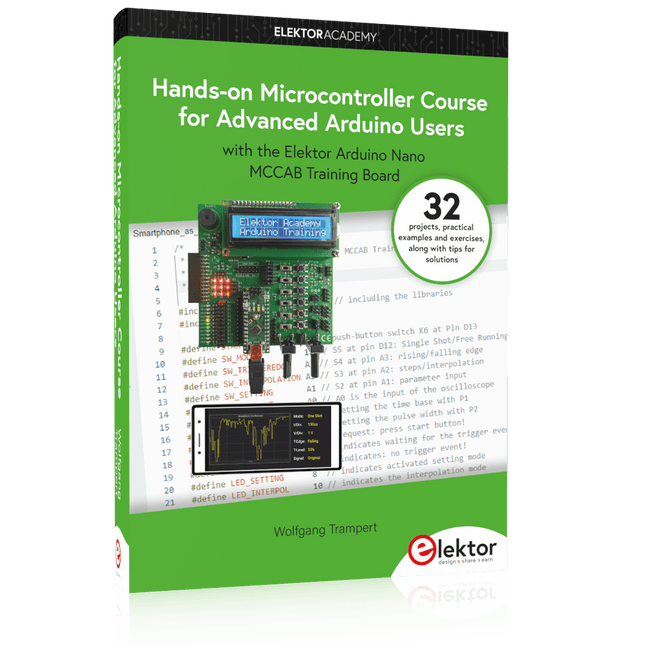
Elektor Publishing Hands-on Microcontroller Course for Advanced Arduino Users
32 new Projects, Practical Examples and Exercises with the Elektor Arduino Nano MCCAB Training Board Electronics and microcontroller technology offer the opportunity to be creative. This practical microcontroller course provides you with the chance to bring your own Arduino projects and experience such moments of success. Ideally, everything works as you imagined when you switch it on for the first time. In practice, however, things rarely work as expected. At that point, you need knowledge to efficiently search for and find the reason for the malfunction. In this book for advanced users, we delve deep into the world of microcontrollers and the Arduino IDE to learn new procedures and details, enabling you to successfully tackle and solve even more challenging situations. With this book, the author gives the reader the necessary tools to create projects independently and also to be able to find errors quickly. Instead of just offering ready-made solutions, he explains the background, the hardware used, and any tools required. He sets tasks in which the reader contributes their own creativity and writes the Arduino sketch themselves. If you don’t have a good idea and get stuck, there is, of course, a suggested solution for every project and every task, along with the corresponding software, which is commented on and explained in detail in the book. This practical course will teach you more about the inner workings of the Arduino Nano and its microcontroller. You will get to know hardware modules that you can use to realize new and interesting projects. You will familiarize yourself with software methods such as ‘state machines,’ which can often be used to solve problems more easily and clearly. The numerous practical projects and exercise sketches are once again realized on the Arduino Nano MCCAB Training Board, which you may already be familiar with from the course book ‘Microcontrollers Hands-on Course for Arduino Starters’, and which contains all the hardware peripherals and operating elements we need for the input/output operations of our sketches. Readers who do not yet own the Arduino Nano MCCAB Training Board can purchase the required hardware separately, or alternatively, build it on a breadboard.
€ 49,95€ 39,95Beste prijs
-

Andonstar Andonstar AD409 Pro-ES 10,1" HDMI Digitale Microscoop (incl. Endoscoop)
De Andonstar AD409 Pro-ES is een digitale microscoop, met een extra hoge standaard, die tevens is uitgerust met een endoscoop. De microscoop maakt een duidelijke observatie mogelijk van de zijkanten van componenten, de binnenkant van leidingen, enz., waardoor 360° observatie zonder dode hoeken mogelijk is. De microscoop heeft ook een afstandsbediening waarmee u eenvoudig kunt schakelen tussen de volgende schermmodi: twee lenzen, microscoop en endoscoop. Kenmerken Hoogwaardige metalen lens met focus ring Professionele HDMI digitale microscoop die meerdere uitvoermethoden ondersteunt Soldeermicroscoop met Pro Metal Stand Uniek UV-filter ontwerp Instelbare LED-verlichting met 8 niveaus Handige draadloze afstandsbediening Professionele meetsoftware Specificaties Schermgrootte 10,1 inch (25,7 cm) Beeldsensor 4 MP Video uitgang UHD 2880x2160 (24 fps)FHD 1920x1080 (60 fps/30 fps)HD 1280x720 (120 fps) Video formaat MP4 Vergroting Tot 300 keer (27 inch HDMI-monitor) Foto resolutie Max. 12 MP (4032x3024) Foto formaat JPG Focus afstand Min. 5 cm Frame rate Max. 120fps Video interface HDMI Opslag MicroSD-kaart (tot 64 GB) PC-ondersteuning Windows, PC-software met metingen Mobiele telefoon, tablet en terminal ondersteuning Ondersteuning WiFi-verbinding en metingen Voeding 5 V DC Verlichting 2 LED's op de standaard Endoscoop Ja Afmetingen standaard 18 x 20 x 32 cm Inbegrepen 1x Andonstar AD409 Pro-ES Digital Microscope 1x Endoscoop 1x Metalen standaard met 2 LED's 1x UV-filter (reeds gemonteerd in de lens) 1x IR-afstandsbediening 1x Switch kabel 1x Voedingsadapter 1x Instelsleutel 2x Metalen clips 1x HDMI-kabel 1x Gebruikershandleiding Downloads Manual Software
€ 339,00€ 289,00Beste prijs
-

Elektor Digital Elektor Special: Arduino Shields (PDF)
Verwirklichen Sie Ihre Projekt-Träume: Der Kilometerzähler fürs Hamsterrad, eine vollautomatische Steuerung Ihrer Ameisenfarm mit Webinterface, oder den Sandwich-O-Mat – eine Maschine, die Sandwich-Toasts nach Wahl belegt und überbackt. Mit dem Arduino und der DIY- oder Maker-Bewegung wurde nicht nur der Einstieg in die Mikrocontroller-Programmierung kinderleicht, auch eine zweite Entwicklung fand statt: Findige Entwickler brachten kleine Boards – sogenannte Shields oder Module – auf den Markt, die den Einsatz von zusätzlicher Hardware stark vereinfachten. Die kleinen Baugruppen enthalten alle wichtigen elektronischen Teile, um mit ein paar Steckkabeln an den Mikrocontroller angeschlossen zu werden, so dass ein frickeliger und aufwändiger Aufbau auf dem Steckboard entfällt. Zudem ist es so möglich, auch winzig kleine Bauteile zu handhaben, die keine Anschlussbeinchen mehr haben (sogenannte SMDs). Enthaltene Projekte Arduino sucht Anschluss BMP, Einführung in Bibliotheken und I²C Mit dem Mehrzweck-Shield I/O-Grundlagen kennenlernen I²C-LCD-Adapter und Punktmatrixanzeigen LCD Keypad Shield Level-Konverter W5100: Internetanbindung I/O-Erweiterungs-Shields Relais und Solid-State-Relais Das Multi-Funktions-Shield: eine universelle Bedieneinheit SD-Kartenleser über SPI anbinden Tasten und 7-Segmentanzeigen 16-Bit ADC DAC MCP4725 16-fach PWM Servo-Treiber MP3-Player GPS-Datenlogger mit SD-Karte Touch-Sensor Joystick SHT31: Temperatur und Luftfeuchtigkeit UV A-Sensor VEML6070 VL53L0X Time-of-Flight Ultraschallsensor-Entfernungsmesser LED-Punktmatrixanzeige mit MAX7219 RTC DS3231 Port-Expander MCP23017 433 MHz Funk MPU-650: Gyroskop Beschleunigungssensor ADXL345 WS2812 RGB-LEDs Spannungsversorgung MQ-xx Gassensoren CO2-Gassensor ACS712 Stromstärkesensor INA219 Stromstärkesensor L298 Motortreiber MFRC522 RFID 28BYJ-48 Stepper-Motor TMC2209 Silent-Step-Stick X9C10x Digitales Poti Farb-TFT-Display mit ST7735 e-Paper Display Bluetooth Geigerzähler SIM800L GSM-Modul I²C-Multiplexer Controller Area Network
€ 11,90
Leden: € 10,71
-

Elektor Digital Arduino & Co – Measure, Control, and Hack (E-book)
Clever Tricks with ATmega328 Pro Mini Boards With a simple Pro Mini board and a few other components, projects that 20 or 30 years ago were unthinkable (or would have cost a small fortune) are realized easily and affordably in this book: From simple LED effects to a full battery charging and testing station that will put a rechargeable through its paces, there’s something for everyone. All the projects are based on the ATmega328 microcontroller, which offers endless measuring, switching, and control options with its 20 input and output lines. For example, with a 7-segment display and a few resistors, you can build a voltmeter or an NTC-based thermometer. The Arduino platform offers the perfect development environment for programming this range of boards. Besides these very practical projects, the book also provides the necessary knowledge for you to create projects based on your own ideas. How to measure, and what? Which transistor is suitable for switching a certain load? When is it better to use an IC? How do you switch mains voltage? Even LilyPad-based battery-operated projects are discussed in detail, as well as many different motors, from simple DC motors to stepper motors. Sensors are another exciting topic: For example, a simple infrared receiver that can give disused remote controls a new lease on life controlling your home, and a tiny component that can actually measure the difference in air pressure between floor and table height!
€ 32,95
Leden: € 29,66
-

Elektor Digital KiCad Like A Pro (E-book Bundel)
Deze bundel bevat beide delen van "KiCad Like a Pro" (4e editie 2024). In Fundamentals and Projects (normale prijs: € 39,95) leert u hoe u KiCad kunt gebruiken via een praktische aanpak, waardoor u snel productief wordt en uw eigen borden kunt ontwerpen. Met Advanced Projects and Recipes (normale prijs: € 34,95) kunt u uw nieuwe KiCad-vaardigheden oefenen door uzelf uit te dagen met een reeks echte projecten. De nieuwste versie van KiCad, 's werelds beste gratis te gebruiken Printed Circuit Board-tool, zit boordevol functies die normaal gesproken alleen in dure commerciële CAD-tools te vinden zijn. Deze moderne, platformonafhankelijke applicatiesuite die is opgebouwd rond schema- en ontwerpeditors, met hulpapplicaties, is een stabiele en volwassen PCB-tool. KiCad 8 is perfect voor elektronica-ingenieurs en -makers. Hier zijn de belangrijkste verbeteringen en functies in KiCad 8, zowel van boven als van onder de motorkap: Moderne gebruikersinterface, volledig opnieuw ontworpen ten opzichte van eerdere versies Verbeterde en aanpasbare elektrische en ontwerpregelcontroles Thema-editor waarmee u KiCad op uw scherm kunt aanpassen Mogelijkheid om projecten te importeren van Eagle, CADSTART en meer Python-scripting-API Verbeterde geïntegreerde SPICE-circuitsimulator Schema's met meerdere bladen Filters definiëren selecteerbare elementen Verbeterde interactieve router helpt u om afzonderlijke sporen en differentiële paren met precisie te tekenen Nieuwe of verbeterde tools om sporen te tekenen, afstanden te meten, spoorlengtes af te stemmen, enz. Geavanceerd interactieve router Ingebouwde stuklijstgenerator Realistische ray-tracing capabele 3D viewer Aanpasbare teardrops Plug-in manager voor snelle installatie van thema's, bibliotheken en functionaliteiten zoals autorouters en BOM-generatoren Het eerste boek KiCad Like A Pro – Fundamentals and Projects leert u KiCad te gebruiken via een praktische aanpak. Het helpt u snel productief te worden en uw eigen boards te ontwerpen. Voorbeeldprojecten illustreren de basisfuncties van KiCad, zelfs als u geen voorkennis hebt van PCB-ontwerp. De auteur beschrijft de volledige workflow van schema-invoer tot de complexiteit van het finaliseren van de bestanden voor PCB-productie en biedt gedegen begeleiding bij het proces. Het tweede boek KiCad Like A Pro – Advanced Projects and Recipes helpt u uw nieuwe KiCad-vaardigheden te oefenen door u uit te dagen in een reeks echte projecten. De projecten worden ondersteund door een uitgebreide set recepten met gedetailleerde instructies over hoe u een verscheidenheid aan eenvoudige en complexe taken kunt uitvoeren. Ontwerp de PCB's voor een zonne-energievoorziening, een LED-matrixarray, een Arduino-aangedreven datalogger en een aangepast ESP32-bord. Begrijp de fijnere details van de interactieve router, hoe u KiCad-projectteams met Git kunt beheren, hoe u een autorouter op 2- en 4-laags PCB's kunt gebruiken en nog veel meer.
€ 84,95€ 69,95Beste prijs
-
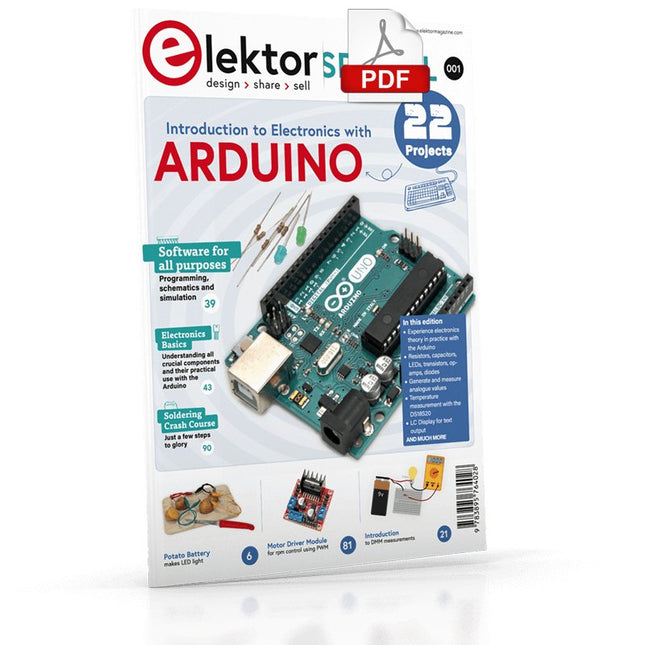
Elektor Digital Elektor Special: Introduction to Electronics with Arduino (PDF)
Although the Arduino isn’t a novelty any longer, there are still many beginners who want to try programming and development with a microcontroller, and to them, it is all new. All beginnings can be difficult, though they should be light and enjoyable. You do not need much or expensive equipment for the examples. The circuits are built on a small breadboard, and, if necessary, connected to an Arduino Uno, which you can program on a Windows PC. You will find clear examples of how to build all circuits, ensuring easy and error-free reproduction. Projects Discussed Current & Voltage – How it all began Arduino Hardware Arduino Programming The Electrical Circuit Measuring with the Multimeter Circuit Diagrams and Breadboards Creating Circuit Diagrams Breadboard Views with Fritzing Online Circuit Simulation Indispensable: Resistors (Part 1) Hands-on with Resistors (Part 2) Variable Resistors Diodes: One-way Street for Current The Transistor Switch Electromagnetism Relays and Motors op-amps: Operational Amplifiers Capacitors The NE555 Timer PWM and Analogue Values with Arduino 7-Segment Temperature Display Introduction to Soldering and LCDs
€ 11,95
Leden: € 10,76
-

Elektor Digital Elektor Juli/Augustus 2023 PDF (NL)
Elektor GREEN en GOLD leden kunnen deze uitgave hier downloaden.Nog geen lid? Klik hier om een lidmaatschap af te sluiten. Kiesschijftelefoon als afstandsbedieningvoor licht kies 1; voor koffie kies 2 GPS-gebaseerde snelheidsmeternooit meer bekeuringen RGB-stroboscoop met Arduinokleurige toepassing van een nuttig instrument Draadloze nooddrukknopmeer veiligheid met LoRa Alle begin......volgt de emitter Vrij te kiezen onafhankelijke hystereseniveaus voor comparatorenmet simulaties, spreadsheets en algebra Impedantie-analyzer op basis van een ESP32simpel, weinig onderdelen en goedkoop! Oost West Lab Bestzelfbouw moet gestimuleerd! Het MCCAB Arduino Nano Training Boardalle hardware voor de “Microcontrollers Hands-On Course” Uit het leven gegrepenmodern luddisme Sensor-ABC: de DS18B20 temperatuursensoraansluiting op de 1-Wire bus Gaan Matter en Thread het Smart Home redden?nieuwe standaarden om het slimme huis te vereenvoudigen Een kwestie van samenwerkingontwikkelen met het Thing Plus Matter Board en Simplicity Studio Elektor IIIIinfographicIoT en sensoren Matter, ExpressLink, Rainmaker – waar hebben we het over?vraaggesprek met Amey Inamdar van Espressif De juiste keuze van microcontroller-ontwikkelkitsvoor IoT- en IIoT-toepassingen Condensatoren gedragen zich niet altijd capacitief! Een NTP-klok met CircuitPythonwaarom zou je deze programmeertaal gebruiken? Bouw een cool IoT-display'met de Phambili Newt De doppler-bewegingssensor HB100theorie en praktijk Een gids voor puristisch programmeren (deel 1)voor STM32 en andere controllers Siglent SDM3045X-multimeter Microprocessoren voor embedded systemenvreemde onderdelen Microcontroller-documentatie verklaarddeel 3: blokschema’s en meer Low-power LoRa-weerstationbouw zelf een weerstation met een groot bereik Transverter voor de 70cm-band Klimaat aan ingenieurssnelheid is geboden! Hexadoku
€ 9,95
-

Raspberry Pi Foundation Raspberry Pi RP2040 Microcontroller ICs (10 stuks)
Specificaties Dubbele ARM Cortex-M0+ @ 133 MHz 264 kB on-chip SRAM in zes onafhankelijke banken Ondersteuning tot 16 MB off-chip Flash memory via speciale QSPI bus DMA-controller Volledig aangesloten AHB crossbar Interpolator en integer divider peripherals On-chip programmeerbare LDO om spanning voor de core te genereren 2x on-chip PLL's om USB en core kloksignalen te genereren 30x GPIO pins, waarvan er 4 als analoge ingangen kunnen worden gebruikt Randapparatuur 2x UARTs 2x SPI controllers 2x I²C controllers 16x PWM kanalen USB 1.1 controller en PHY, met host en device support 8x PIO state machines Wat je krijgt 10x RP2040 ICs
€ 7,95€ 3,18Beste prijs


