
Zoekresultaten voor "getting OR started OR with OR the OR intel OR edison"
-
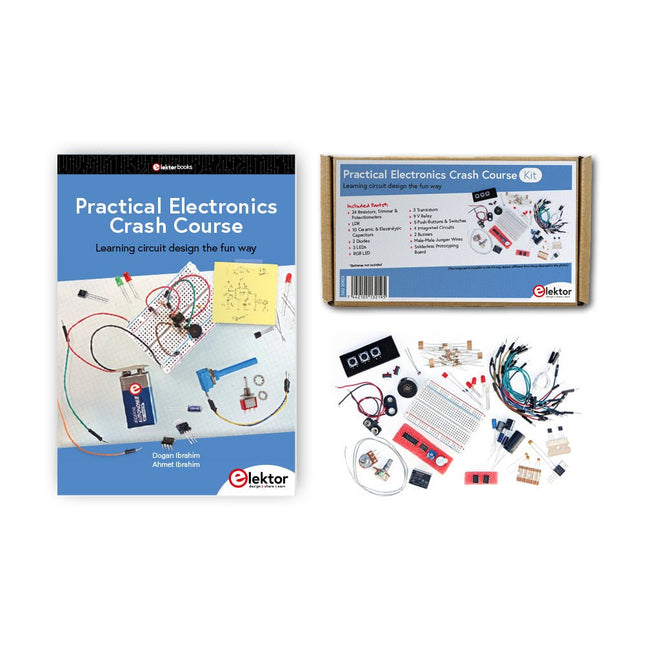
Elektor Bundles Practical Electronics Crash Course (Bundel)
Beginnen met elektronica is niet zo moeilijk als je misschien denkt. Met deze bundel (boek + kit) kun je de belangrijkste concepten van elektrotechniek en elektronica op een leuke manier verkennen en leren door verschillende experimenten uit te voeren. Je leert elektronica op een praktische manier zonder ingewikkeld technisch jargon en lange berekeningen. Het resultaat is dat je snel je eigen projecten zult maken. Deze kit bevat de onderdelen die nodig zijn om de meeste gedetailleerde voorbeelden uit het boek op een breadboard te bouwen en in het echt uit te proberen. De kit kan natuurlijk ook zonder het boek gebruikt worden om andere schakelingen te bouwen en je eigen experimenten te doen. Inhoud van de kit 1x 39 Ω, 1 W weerstand 1x 47 Ω weerstand 1x 180 Ω weerstand 1x 330 Ω weerstand 3x 1 kΩ weerstand 1x 2,2 kΩ weerstand 1x 3,9 kΩ weerstand 1x 6,8 kΩ weerstand 1x 10 kΩ weerstand 1x 15 kΩ weerstand 1x 22 kΩ weerstand 1x 33 kΩ weerstand 1x 47 kΩ weerstand 1x 56 kΩ weerstand 1x 82 kΩ weerstand 1x 120 kΩ weerstand 1x 680 kΩ weerstand 2x 100 kΩ weerstand 1x 10 kΩ-trimmer 1x 10 kΩ lineaire potentiometer 1x 100 kΩ lineaire potentiometer 1x LDR 1x 1 nF keramische condensator 2x 10 nF keramische condensator 1x 100 nF keramische condensator 1x 1 µF, 25 V aluminium elektrolytische condensator 2x 10 µF, 25 V aluminium elektrolytische condensator 1x 100 µF, 25 V aluminium elektrolytische condensator 1x 470 µF, 25 V aluminium elektrolytische condensator 1x 1000 µF, 25 V aluminium elektrolytische condensator 1x RGB-LED, gemeenschappelijke kathode (CC) 1x 1N4148 kleine signaaldiode 1x 1N4733A 5,1 V, 1 W zenerdiode 3x LED, rood 2x BC337 NPN-transistor 1x IRFZ44N N-kanaal MOSFET 2x NE555-timer 1x LM393-vergelijker 1x 74HCT08 quad EN-poort 3x Tactiele schakelaar 2x SPDT-schakelaar 1x relais, SPDT, 9 VDC 1x Actieve zoemer 1x Passieve zoemer 50 cm massieve draad, 16 AWG, zonder mantel 2x PP3 9 V-batterijclip 1x Broodplank 20x verbindingsdraad Deze bundel bevat: Practical Electronics Crash Course Kit (t.w.v. € 45) Boek: Practical Electronics Crash Course (normale prijs: € 45)
€ 89,95€ 69,95Beste prijs
-

Elektor Digital Artificial Intelligence (E-book)
23 projects to bring your microcontroller to life! This book contains 23 special and exciting artificial intelligence machine-learning projects, for microcontroller and PC. Learn how to set up a neural network in a microcontroller, and how to make the network self-learning. Discover how you can breed robots, and how changing a fitness function results in a totally different behavior. Find out how a PC program exposes your weak spots in a game, and ruthlessly exploits them. Build a free-will robot, or have one clean your floor! Example projects from the book: A microcontroller that learns what your favourite color is. A robot wandering about the house looking for someone to play with. A bred robot program that is incapable of crossing a black line. A microcontroller that learns how to play a game until You just can't win anymore. A PC that programs a microcontroller all by itself. Complete with free software that you can download containing: All source code for the microcontroller. All sources of compiled PC programs (MS Windows). JAL programming language, with special editor and extension libraries. Robot breed program. Plus a support webpage with links, errata and FAQ. Several artificial intelligence techniques are discussed and used in projects such as expert system, neural network, subsumption, emerging behavior, genetic algorithm, cellular automata and roulette brains. Every project has clear instructions and pictures so you can start immediately. Suggestions and literature links allow you to go way beyond the scope of the book. Even after you have built all the projects contained within, this book will remain a valuable reference guide to keep next to your PC. A unique book for anyone with an interest in artificial intelligence and machine learning.
€ 29,95
Leden: € 26,96
-

Elektor Digital Abonnement Elektor Green
Apprenez, construisez et maîtrisez l'électronique – avec Elektor Projets, savoir-faire d'experts, accès aux archives et réductions exclusives – le tout dans un seul abonnement Vous souhaitez apprendre l’électronique, développer vos propres circuits et mieux comprendre les technologies modernes ? Depuis 65 ans, Elektor Magazine compte parmi les principales sources d’information pour les ingénieurs en électronique, les développeurs, les start-up et les entreprises. Avec un Abonnement Elektor Green, vous bénéficiez de : ✅ Le magazine international d'électronique Elektor (en format numérique) ✅ Accès aux archives d’Elektor avec 65 ans de savoir-faire en électronique ✅ Projets DIY, circuits testés, analyses approfondies et tutoriels ✅ Réductions exclusives réservées aux membres sur Elektor.fr Pourquoi Elektor ? Depuis 65 ans, Elektor est synonyme de connaissances approfondies en électronique, de projets concrets et de technologies innovantes. Des microcontrôleurs et systèmes embarqués à Raspberry Pi, Arduino et ESP32, jusqu’à l’IdO (IoT), l’IA, la mesure, l’audio, la RF et la robotique, Elektor couvre les principales plateformes et domaines d’application de l’électronique moderne. Que vous soyez débutant, maker ou professionnel, Elektor vous aide à passer au niveau supérieur. À qui s'adresse l'abonnement ? Débutants – Plongez dans l'univers de l'électronique grâce à des bases claires et à vos premiers projets Makers – Découvrez de nouveaux projets, des idées et de l'inspiration pour vos propres créations Professionnels et ingénieurs – Restez à la pointe des technologies modernes et approfondissez vos connaissances spécialisées Vos avantages en un coup d'œil Magazine (numérique) – Recevez chaque numéro en version numérique directement dans votre boîte mail 65 ans de savoir-faire en électronique – Accédez à tout moment aux vastes archives d'Elektor Pratique & projets – Concrétisez vos propres idées grâce à des instructions, des schémas de circuits et des tutoriels Réductions exclusives – Économisez sur chaque achat sur Elektor.fr Débloquez tous les avantages Elektor ! Abonnement Free Abonnement Green ❌ 8× magazine Elektor (édition numérique) au format PDF ✅ 8× magazine Elektor (édition numérique) au format PDF ❌ 12 mois d’accès aux archives complètes d’Elektor ✅ 12 mois d’accès aux archives complètes d’Elektor ❌ Accès à plus de 5 000 fichiers Gerber ✅ Accès à plus de 5 000 fichiers Gerber ❌ 10% de réduction pour les membres sur Elektor.fr ✅ 10% de réduction pour les membres sur Elektor.fr ✅ Lisez Elektor chaque vendredi matin ✅ Lisez Elektor chaque vendredi matin ℹ️ Vous préférez lire Elektor en version papier ? Découvrez ici tout ce qu'il faut savoir sur l'abonnement Elektor Gold (version papier).
€ 89,95 - € 169,95
-

Red Pitaya Red Pitaya STEMlab 125-14 PRO Gen 2 Starter Kit (incl. Boek)
Deze bundel bevat de Red Pitaya STEMlab 125-14 PRO Gen 2 Starter Kit en het nieuwe boek "Experimenteren met Red Pitaya STEMlab Gen 2". De Red Pitaya STEMlab 125-14 PRO Gen 2 Starter Kit is een krachtig en flexibel platform voor signaalverwerking, data-acquisitie en elektronische meettoepassingen. Deze kit is ontworpen voor ingenieurs, ontwikkelaars, onderzoekers en docenten en biedt alles wat nodig is om te beginnen met het bouwen van geavanceerde meet- en besturingssystemen. De kern van de kit wordt gevormd door het STEMlab 125-14 PRO Gen 2-bord, een geüpgradede en ultralichte ontwikkeling. Aangedreven door de Xilinx Zynq-7010 SoC met 512 MB RAM, combineert het de programmeerbaarheid van een FPGA met de verwerkingskracht van een ARM-processor om hoogwaardige instrumentatie en aangepaste signaalverwerkingsoplossingen mogelijk te maken. Het bord biedt een 14-bits ADC- en DAC-resolutie, een bemonsteringsfrequentie van 125 MS/s, een ingangsbereik van ±20 V en een bandbreedte tot 60 MHz. Dankzij de verbeterde ruisarme analoge front-end, USB-C-connectiviteit en het compacte ontwerp is het geschikt voor veeleisende toepassingen zoals RF-ontwikkeling, radarsystemen, fotonica-onderzoek, softwaregedefinieerde radio (SDR) en industriële automatisering. De Starter Kit bevat alle essentiële accessoires voor onmiddellijk gebruik: een microSD-kaart met vooraf geïnstalleerd besturingssysteem, voeding, ethernetkabel voor toegang op afstand, twee 100 MHz-oscilloscoopprobes en SMA-naar-BNC-adapters voor flexibele signaalaansluitingen. De Red Pitaya STEMlab 125-14 PRO Gen 2 Starter Kit is een uitstekend platform voor rapid prototyping, FPGA-ontwikkeling, meetinstrumentatie en geavanceerde elektronica-experimenten. Kenmerken 14-bits ADC- en DAC-resolutie 125 MS/s samplingfrequentie ±20 V ingangsbereik Tot 60 MHz bandbreedte Xilinx Zynq-7010 SoC (FPGA + ARM-processor) 512 MB RAM Ruisarme analoge front- en back-ends Toepassingen RF-ontwikkeling en -testen Radar- en draadloze systemen Software Defined Radio (SDR) Fotonica en optisch onderzoek Industriële automatisering en besturingssystemen Signaalanalyse en instrumentatie Snel prototypen van elektronische meetsystemen Specificaties Processor Dual-core ARM Cortex-A9 FPGA AMD Xilinx Zynq-7010 SoC RAM 512 MB (4 Gb) Opslag microSD-kaart (tot 32 GB) Besturingssysteem Linux-gebaseerd Red Pitaya OS ADC-resolutie 14-bits DAC Resolutie 14-bits Bandbreedte 60 MHz (DC) Sampling rate 125 MS/s Analoge ingangskanalen 2 Analoge uitgangskanalen 2 Ingangsspanningsbereik ±1 V (LV) / ±20 V (HV) Ingangsimpedantie 1 MΩ / 10 pF Uitgangsspanningsbereik ±1 V Ethernet 1x Gigabit Ethernet (RJ45) USB 2x USB-C 2.0 (voor voeding en console) Digitale I/O 16x GPIO (3,3 V) Communicatie-interfaces I²C, SPI, UART, CAN Voeding 5 V/3 A via USB-C Afmetingen 106,8 x 60,0 x 17,9 mm Inbegrepen 1x Red Pitaya STEMlab 125-14 PRO Gen 2 Board 2x 100 MHz oscilloscoopprobes 2x SMA-naar-BNC-adapters 1x microSD-kaart met voorgeïnstalleerd besturingssysteem 1x USB-C-voeding 1x Ethernetkabel Downloads Documentation Schematics Book: Experimenting with Red Pitaya STEMlab Gen 2 Met dit nieuwe boek gaat Red Pitaya verder dan een veelzijdig board. Het wordt een krachtig laboratoriuminstrument voor nauwkeurige metingen, analyse en besturing. Van de basisprincipes van elektronische projectontwikkeling, monitoring, besturing en ontwerp tot testen: dit boek begeleidt u stap voor stap door alles wat u moet weten om het volledige potentieel van de Red Pitaya-hardware en -software te benutten. Het boek presenteert real-time, FPGA-gebaseerde projecten die op een PC worden ontwikkeld met de Vivado-omgeving en vervolgens naar de Red Pitaya worden overgebracht voor uitvoering en testen. U leert over verbeterde prestaties, uitgebreide I/O-mogelijkheden, verbeterde FPGA-functionaliteiten en geavanceerde connectiviteitsopties die nieuwe mogelijkheden openen voor nauwkeurige metingen, monitoring en besturing in uw embedded toepassingen. In dit boek ontdekt u: Een diepgaande verkenning van de Red Pitaya-architectuur en het hardwareontwerp Elektronische experimenten met Red Pitaya voor meting en monitoring Praktische projecten met de programmeertaal Python Praktische richtlijnen voor FPGA-programmering met Red Pitaya Red Pitaya FPGA-projecten met Verilog HDL in de Vivado IDE Praktisch ontwerp van elektronische projecten inclusief meting en testen Stapsgewijze voorbeelden die theorie en praktijk met elkaar verbinden Of u nu uw eigen elektronische schakelingen ontwerpt, tools voor signaalanalyse ontwikkelt of real-time besturings- of monitoringssystemen creëert, dit boek biedt u de kennis en het vertrouwen om het Red Pitaya-platform volledig te leren kennen en aan te passen.
€ 799,00
Beste prijs
-

Elektor Academy Pro Raspberry Pi Pico with MicroPython (programmeercursus)
Deze complete microcontroller-programmeercursus op basis van de Raspberry Pi Pico bevat een leerboek, een componentenkit, praktische projecten en een uitgebreide online cursus met simulaties. Ideaal om embedded systems stap voor stap te leren programmeren in MicroPython via een praktische hands-on aanpak. Een praktische introductie tot embedded systems met de Raspberry Pi Pico Deze cursus is ontworpen voor beginners in embedded systems die op zoek zijn naar een gestructureerde en voorbeeldgerichte start. Een kit met LED’s en weerstanden, schakelaars, sensoren en actuatoren, displays, een breadboard en draden is inbegrepen. Deze worden in de cursus gebruikt om voorbeeldtoepassingen te demonstreren. Er is geen voorkennis van Arduino of embedded ontwikkeling vereist. Elke sectie bevat praktische voorbeelden en mini-projecten om belangrijke concepten te versterken en verdere verkenning te stimuleren. Aan het einde van de cursus kunt u niet alleen de voorbeelden reproduceren, maar ook uitbreiden met uw eigen ideeën en toepassingen. Wat leert u? Microcontrollerprogrammering in MicroPython met de Raspberry Pi Pico met behulp van de Thonny IDE Werken met digitale I/O, knoppen en encoders uitlezen, LED’s en relais aansturen Analoge ingangen, spanningen en sensoren uitlezen Genereren van analoge uitgangssignalen en PWM Gebruik van seriële communicatie zoals UART, I²C en SPI om displays aan te sturen en digitale sensoren en SD-kaarten uit te lezen Tijdbeheer Werken met interrupts Realtime sensorinput en besturing via knoppen, LED’s en displays Aansturen van actuatoren zoals relais en servomotoren Voor wie is dit? Studenten en zelflerenden die embedded systems willen ontdekken Makers en IoT-enthousiastelingen die hun hardwarevaardigheden willen verbeteren Docenten en trainers die kant-en-klaar lesmateriaal zoeken Wat zit er in de doos? Toegang tot de volledige cursus op het Elektor Academy Pro leerplatform Raspberry Pi Pico microcontrollerboard + USB-kabel Boek: Programming Microcontrollers in MicroPython Downloadbare projectbestanden voor elke module Componentenkit: 2× LED, rood, 5 mm LED, groen, 5 mm 3× weerstand, 470 Ω, 0,25 W LDR Potentiometer, 10 kΩ, lineair Drukknop Rotary encoder module Relaismodule DHT22 temperatuur- en vochtigheidssensor TM1637-compatibel 4-digit 7-segment display MPU-6050 IMU met headers SSD1306-compatibel I²C OLED display Micro SD-kaartadapter met header Buzzer SG90 micro servo ILI9341-compatibel SPI 240×320 TFT display 20× jumper wires Breadboard Alle programmeercursussen (en verschillen in inhoud) Cursus Arduino Raspberry Pi Pico with Arduino C/C++ ESP32 with Arduino C/C++ Raspberry Pi Pico with MicroPython ESP32 with MicroPython Online cursus Access to Arduino Course Access to Pico with Arduino C/C++ Course Access to ESP32 with Arduino C/C++ Course Access to Pico with MicroPython Course Access to ESP32 with MicroPython Course Board Uno R3 Raspberry Pi Pico ESP32 Raspberry Pi Pico ESP32 Boek Programming Microcontrollers in C/C++ Using Arduino Programming Microcontrollers in C/C++ Using Arduino Programming Microcontrollers in C/C++ Using Arduino Programming Microcontrollers in MicroPython Programming Microcontrollers in MicroPython Kit 40-delige componenten-kit 40-delige componenten-kit 40-delige componenten-kit 40-delige componenten-kit 40-delige componenten-kit
€ 69,95
Leden: € 62,96
-

Elektor Bundles Bundle: Logic Analyzer im Einsatz (Buch) + USB Logic Analyzer (8 Kanäle, 24 MHz)
USB-Logikanalysatoren am PC mit Arduino, Raspberry Pi und Co Schritt-für-Schritt-Anleitungen führen Sie in die Analyse moderner Protokolle von I²C, SPI, UART, RS-232, NeoPixel, WS28xx, HD44780 und 1-Wire Protokollen ein. Anhand von zahlreichen Experimentierschaltungen mit dem Raspberry Pi Pico, Arduino Uno und dem Bus Pirate üben Sie die praxisnahe Anwendung gängiger USB-Logikanalysatoren ein. Alle in diesem Buch vorgestellten Experimentierschaltungen wurden vollständig getestet und sind funktionsfähig. Die notwendigen Programmlistings sind enthalten, es sind keine besonderen Programmier- oder Elektronikkenntnisse für diese Schaltungen notwendig. Es werden die Programmiersprachen MicroPython und C mit den Entwicklungsumgebungen Thonny und Arduino IDE eingesetzt. Dieses Buch verwendet mehrere Modelle flexibler und weit verbreiteter USB-Logikanalysatoren und zeigt die Stärken und Schwächen jeder Preisklasse. Sie werden kennenlernen, welche Kriterien für Ihre Arbeit wichtig sind und in der Lage sein, das für Sie passende Gerät zu finden. Egal ob Arduino, Raspberry Pi oder Raspberry Pi Pico: Die abgebildeten Beispielschaltungen ermöglichen einen schnellen Start in die Protokollanalyse und können auch als Grundlage für eigene weitere Experimente dienen. Sie werden alle wichtigen Begriffe und Zusammenhänge kennenlernen, eigene Experimente durchführen, selbstständig Protokolle analysieren und nach der Lektüre dieses Buches – im Bereich der digitalen Signale und Protokolle – ein umfassendes Wissen aufgebaut haben. USB Logic Analyzer (8 Kanäle, 24 MHz) Dieser USB Logic Analyzer ist ein 8-Kanal-Logikanalysator, bei dem jeder Eingang doppelt für die analoge Datenaufzeichnung dient. Es eignet sich perfekt zum Debuggen und Analysieren von Signalen wie I²C, UART, SPI, CAN und 1-Wire. Dabei wird ein digitaler Eingang, der mit einem zu testenden Gerät (DUT) verbunden ist, mit einer hohen Abtastrate abgetastet. Die Verbindung zum PC erfolgt via USB. Technische Daten Kanäle 8 digitale Kanäle Maximale Abtastrate 24 MHz Maximale Eingangsspannung 0 V ~ 5 V Betriebstemperatur 0°C ~ 70°C Eingangsimpedanz 1 MΩ || 10 pF Unterstützte Protokolle I²C, SPI, UART, CAN, 1-Wire etc. PC-Verbindung USB Abmessungen 55 x 28 x 14 mm Downloads Software Dieses Bundle enthält: Neues Buch "Logic Analyzer im Einsatz" (Einzelpreis: 32,80 €) USB Logic Analyzer (8 Kanäle, 24 MHz) (Einzelpreis: 12,95 €) USB-Kabel Jumper Wire Ribbon Kabel
€ 59,95€ 49,95Beste prijs
-
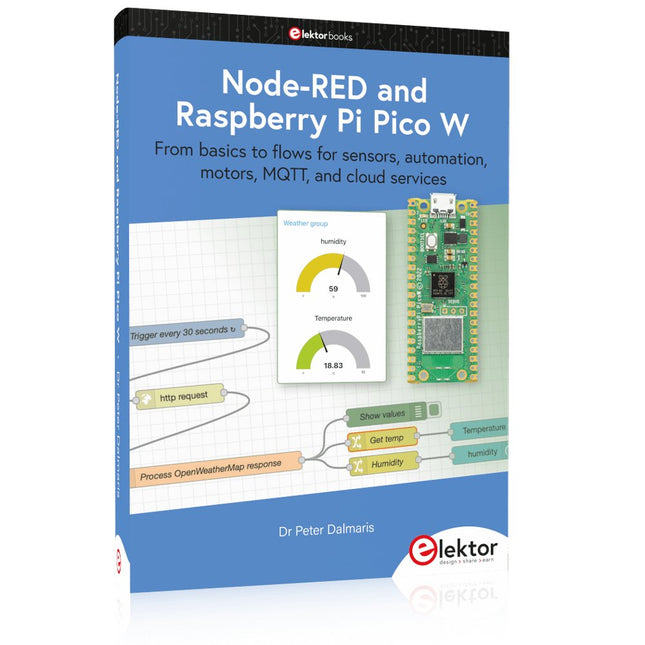
Elektor Publishing Node-RED and Raspberry Pi Pico W
From basics to flows for sensors, automation, motors, MQTT, and cloud services This book is a learning guide and a reference. Use it to learn Node-RED, Raspberry Pi Pico W, and MicroPython, and add these state-of-the-art tools to your technology toolkit. It will introduce you to virtual machines, Docker, and MySQL in support of IoT projects based on Node-RED and the Raspberry Pi Pico W. This book combines several elements into a platform that powers the development of modern Internet of Things applications. These elements are a flow-based server, a WiFi-enabled microcontroller, a high-level programming language, and a deployment technology. Combining these elements gives you the tools you need to create automation systems at any scale. From home automation to industrial automation, this book will help you get started. Node-RED is an open-source flow-based development tool that makes it easy to wire together devices, APIs, and online services. Drag and drop nodes to create a flowchart that turns on your lights at sunset or sends you an email when a sensor detects movement. Raspberry Pi Pico W is a version of the Raspberry Pi Pico with added 802.11n Wi-Fi capability. It is an ideal device for physical computing tasks and an excellent match to the Node-RED. Quick book facts Project-based learning approach. Assumes no prior knowledge of flow-based programming tools. Learn to use essential infrastructure tools in your projects, such as virtual machines, Docker, MySQL and useful web APIs such as Google Sheets and OpenWeatherMap. Dozens of mini-projects supported by photographs, wiring schematics, and source code. Get these from the book GitHub repository. Step-by-step instructions on everything. All experiments are based on the Raspberry Pi Pico W. A Wi-Fi network is required for all projects. Hardware (including the Raspberry Pi Pico W) is available as a kit. Downloads GitHub
€ 49,95
Leden: € 44,96
-

Elektor Digital Kickstart to Arduino Nano (E-book)
Get Cracking with the Arduino Nano V3, Nano Every, and Nano 33 IoT The seven chapters in this book serve as the first step for novices and microcontroller enthusiasts wishing to make a head start in Arduino programming. The first chapter introduces the Arduino platform, ecosystem, and existing varieties of Arduino Nano boards. It also teaches how to install various tools needed to get started with Arduino Programming. The second chapter kicks off with electronic circuit building and programming around your Arduino. The third chapter explores various buses and analog inputs. In the fourth chapter, you get acquainted with the concept of pulse width modulation (PWM) and working with unipolar stepper motors. In the fifth chapter, you are sure to learn about creating beautiful graphics and basic but useful animation with the aid of an external display. The sixth chapter introduces the readers to the concept of I/O devices such as sensors and the piezo buzzer, exploring their methods of interfacing and programming with the Arduino Nano. The last chapter explores another member of Arduino Nano family, Arduino Nano 33 IoT with its highly interesting capabilities. This chapter employs and deepens many concepts learned from previous chapters to create interesting applications for the vast world of the Internet of Things. The entire book follows a step-by-step approach to explain concepts and the operation of things. Each concept is invariably followed by a to-the-point circuit diagram and code examples. Next come detailed explanations of the syntax and the logic used. By closely following the concepts, you will become comfortable with circuit building, Arduino programming, the workings of the code examples, and the circuit diagrams presented. The book also has plenty of references to external resources wherever needed. An archive file (.zip) comprising the software examples and Fritzing-style circuit diagrams discussed in the book may be downloaded free of charge below.
€ 29,95
Leden: € 26,96
-
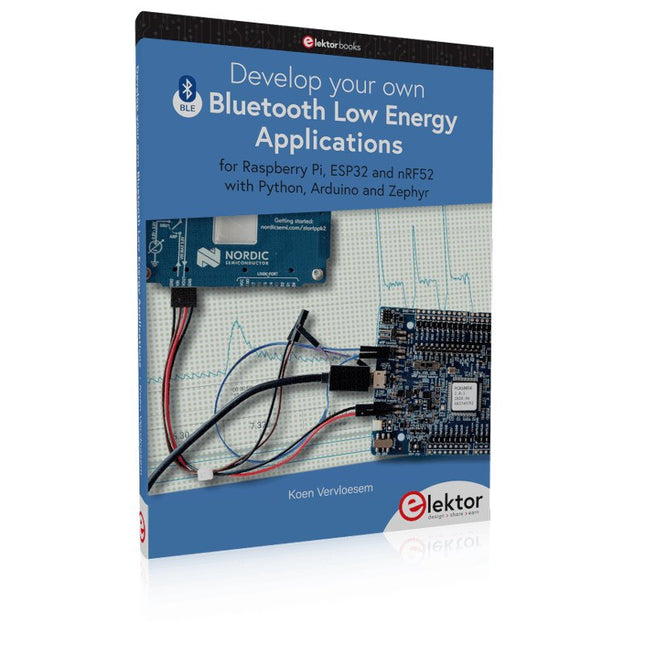
Elektor Publishing Develop your own Bluetooth Low Energy Applications
For Raspberry Pi, ESP32 and nRF52 with Python, Arduino and Zephyr Bluetooth Low Energy (BLE) radio chips are ubiquitous from Raspberry Pi to light bulbs. BLE is an elaborate technology with a comprehensive specification, but the basics are quite accessible. A progressive and systematic approach will lead you far in mastering this wireless communication technique, which is essential for working in low power scenarios. In this book, you’ll learn how to: Discover BLE devices in the neighborhood by listening to their advertisements. Create your own BLE devices advertising data. Connect to BLE devices such as heart rate monitors and proximity reporters. Create secure connections to BLE devices with encryption and authentication. Understand BLE service and profile specifications and implement them. Reverse engineer a BLE device with a proprietary implementation and control it with your own software. Make your BLE devices use as little power as possible. This book shows you the ropes of BLE programming with Python and the Bleak library on a Raspberry Pi or PC, with C++ and NimBLE-Arduino on Espressif’s ESP32 development boards, and with C on one of the development boards supported by the Zephyr real-time operating system, such as Nordic Semiconductor's nRF52 boards. Starting with a very little amount of theory, you’ll develop code right from the beginning. After you’ve completed this book, you’ll know enough to create your own BLE applications.
€ 39,95
Leden: € 35,96
-

Elektor Digital Arduino – Circuits & Projects Guide (E-book)
Two reasons can be identified for the immense success of the Arduino platform. First, the cheap, ready to go processor board greatly simplifies the introduction to hardware. The second success factor is the free and open-source programming suite that does not require an installation procedure. Simple entry-level examples ensure rapid successes. Complex selection procedures for parameters like the microprocessor version or interface settings are not required. The first sample programs can be uploaded to the Arduino board, and tested, in a matter of minutes. The Arduino user is supported by an array of software libraries. However, the daily increasing volume of libraries poses initial problems to the newcomer, and the way ahead may be uncertain after a few entry-level examples. In many cases, detailed descriptions are missing, and poorly described projects tend to confuse rather than elucidate. Clear guidance and a single motto are missing, usually owing to the projects having been created by several different persons—all with different aims in mind. This book represents a different approach. All projects are presented in a systematical manner, guiding into various theme areas. In the coverage of must-know theory great attention is given to practical directions users can absorb, including essential programming techniques like A/D conversion, timers and interrupts—all contained in the hands-on projects. In this way readers of the book create running lights, a wakeup light, fully functional voltmeters, precision digital thermometers, clocks of many varieties, reaction speed meters, or mouse controlled robotic arms. While actively working on these projects the reader gets to truly comprehend and master the basics of the underlying controller technology.
€ 29,95
Leden: € 26,96
-

Elektor Digital FPGA Programming and Hardware Essentials (E-book)
Kick off with the MAX1000 and VHDPlus Ready to Master FPGA Programming? In this guide, we’re diving into the world of Field Programmable Gate Arrays (FPGAs) – a configurable integrated circuit that can be programmed after manufacturing. Imagine bringing your ideas to life, from simple projects to complete microcontroller systems! Meet the MAX1000: a compact and budget-friendly FPGA development board packed with features like memory, user LEDs, push-buttons, and flexible I/O ports. It’s the ideal starting point for anyone wanting to learn about FPGAs and Hardware Description Languages (HDLs). In this book, you’ll get hands-on with the VHDPlus programming language – a simpler version of VHDL. We’ll work on practical projects using the MAX1000, helping you gain the skills and confidence to unleash your creativity. Get ready for an exciting journey! You’ll explore a variety of projects that highlight the true power of FPGAs. Let’s turn your ideas into reality and embark on your FPGA adventure – your journey starts now! Exciting Projects You’ll Find in This Book Arduino-Driven BCD to 7-Segment Display Decoder Use an Arduino Uno R4 to supply BCD data to the decoder, counting from 0 to 9 with a one-second delay Multiplexed 4-Digit Event Counter Create an event counter that displays the total count on a 4-digit display, incrementing with each button press PWM Waveform with Fixed Duty Cycle Generate a PWM waveform at 1 kHz with a fixed duty cycle of 50% Ultrasonic Distance Measurement Measure distances using an ultrasonic sensor, displaying the results on a 4-digit 7-segment LED Electronic Lock Build a simple electronic lock using combinational logic gates with push buttons and an LED output Temperature Sensor Monitor ambient temperature with a TMP36 sensor and display the readings on a 7-segment LED Downloads Software
€ 32,95
Leden: € 29,66
-

Elektor Digital H0W2: Get Started with the SensorTile.box (E-book)
STmicroelectronics’ wireless IoT & wearable sensor development kit ‘SensorTile.box’ is a portable multi-sensor circuit board housed in a plastic box and developed by STMicroelectronics. It is equipped with a high-performance 32-bit ARM Cortex-M4 processor with DSP and FPU, and various sensor modules, such as accelerometer, gyroscope, temperature sensor, humidity sensor, atmospheric pressure sensor, microphone, and so on. SensorTile.box is ready to use with wireless IoT and Bluetooth connectivity that can easily be used with an iOS or Android compatible smartphone, regardless of the level of expertise of the users. SensorTile.box is shipped with a long-life battery and all the user has to do is connect the battery to the circuit to start using the box. The SensorTile.box can be operated in three modes: Basic mode, Expert mode, and Pro mode. Basic mode is the easiest way of using the box since it is pre-loaded with demo apps and all the user has to do is choose the required apps and display or plot the measured data on a smartphone using an app called STE BLE Sensor. In Expert mode users can develop simple apps using a graphical wizard provided with the STE BLE Sensor. Pro mode is the most complex mode allowing users to develop programs and upload them to the SensorTile.box. This book is an introduction to the SensorTile.box and includes the following: Brief specifications of the SensorTile.box; description of how to install the STE BLE Sensor app on an iOS or Android compatible smartphone required to communicate with the box. Operation of the SensorTile.box in Basic mode is described in detail by going through all of the pre-loaded demo apps, explaining how to run these apps through a smartphone. An introduction to the Expert mode with many example apps developed and explained in detail enabling users to develop their own apps in this mode. Again, the STE BLE Sensor app is used on the smartphone to communicate with the SensorTile.box and to run the developed apps. The book then describes in detail how to upload the sensor data to the cloud. This is an important topic since it allows the sensor measurements to be accessed from anywhere with an Internet connection, at any time. Finally, Pro mode is described in detail where more experienced people can use the SensorTile.box to develop, debug, and test their own apps using the STM32 open development environment (STM32 ODE). The Chapter explains how to upload the developed firmware to the SensorTile.box using several methods. Additionally, the installation and use of the Unicleo-GUI package is described with reference to the SensorTile.box. This PC software package enables all of the SensorTile.box sensor measurements to be displayed or plotted in real time on the PC.
€ 29,95
Leden: € 26,96


