
Zoekresultaten voor "ultimate or arduino or uno or hardware or manual"
-

Elektor Digital Édition spéciale : rédaction invitée Arduino 2022 (PDF)
Le téléchargement intégral de ce numéro est disponible pour nos membres GOLD et GREEN sur le site Elektor Magazine !Pas encore membre ? Cliquez ici.Arduino Portenta Machine Control et Arduino Portenta H7démonstration avec une passerelle CAN vers MQTTle kit LCR-mètre 2 MHz d'Elektorrejoignez David Cuartielles, cofondateur d'Arduino, en direct !MicroPython entre dans le monde de l'ArduinoLes projets connectés simplifiésPlongez dans l'Arduino CloudIntroduction à TinyMLPlus gros n'est pas toujours mieuxArduino K-Wayl'écriture des croquis Arduino en net progrèsArduino en questionsdébuter avec le Portenta X8gestion sécurisée des logiciels avec les conteneurscréez, déployez et maintenez des applications évolutives et sécuriséesavec Arduino Portenta X8 équipé du mini processeur d'applications i.MX 8M de NXP et de l'élément de sécurité EdgeLock SE050comment j'ai automatisé ma maisonFabio Violante, PDG d'Arduino, partage ses solutionssimulateur Altair 8800simulation matérielle d'un ordinateur ancienMS-DOS sur le Portenta H7exécuter des logiciels old-school sur du matériel modernecultivez-le vous-mêmeune jardinière numérique d'intérieur tout-en-unSauver la planète avec la domotique ?MQTT sur l'Arduino Nano RP2040 Connectdevenez professionnel avec Arduino Proles fours intelligents font un bond dans le futurTagvance conçoit des chantiers de construction plus sûrs avec ArduinoSantagostino respire facilementavec une surveillance à distance qui tire parti de l'IA pour une maintenance prédictivela sécurité atteint des sommets avec la solution basée sur les cartes MKR de RIoT Securel'open-source apporte au monde du progrès dans la gestion de l'eauSensoDétecter la déforestation grâce à l'analyse sonoreBibliothèque Mozzi Arduino pour la synthèse sonoreLe point de vue de Tim Barrassles nouveaux Portenta X8 (avec Linux !) et Max Carrier redéfinissent le champ des possiblescomment l'utilisation d'Arduino aide les étudiants à acquérir des compétences futuresBien s'équiper pour mieux travaillerl'importance de la robotique dans l'enseignementLoRa fiabilise l'IdOla carte Portenta Machine control en détailrétro-gaming avec Arduboyréduire l'utilisation de l'eau sur les pistes d'équitationun IdO pour surveiller en permanence les niveaux d'humidité et de température du solle projet Panettonesystème de gestion et de maintien d'un ferment au levainSupporting Arduino ResellersSpace Invaders avec Arduinocréation artistique dans l'environnement Arduinodes idées inspirantes d'artistes et de designersArduino Product CatalogueL'avenir de l'Arduino
€ 10,95
-

Elektor Digital Android Open Accessory (DE) | E-book
Android Open Accessory (DE) | E-book
€ 39,80
Leden: € 35,82
-

Elektor Digital LTspice Essentials (E-book)
An Introduction to Circuit Simulation LTspice, developed by Analog Devices, is a powerful, fast, and free SPICE simulator, schematic capture, and waveform viewer with a large database of components supported by SPICE models from all over the world. Drawing a schematic in LTspice is easy and fast. Thanks to its powerful graphing features, you can visualize the voltages and currents in a circuit, and also the power consumption of its components and much more. This book is about learning to design and simulate electronic circuits using LTspice. Among others, the following topics are treated: DC and AC circuits Signal diodes and Zener diodes Transistor circuits including oscillators Thyristor/SCR, diac, and triac circuits Operational amplifier circuits including oscillators The 555 timer IC Filters Voltage regulators Optocouplers Waveform generation Digital logic simulation including the 74HC family SPICE modeling LTspice is a powerful electronic circuit simulation tool with many features and possibilities. Covering them all in detail is not possible in a book of this size. Therefore, this book presents the most common topics like DC and AC circuit analysis, parameter sweeping, transfer functions, oscillators, graphing, etc. Although this book is an introduction to LTspice, it covers most topics of interest to people engaged in electronic circuit simulation. The book is aimed at electronic/electrical engineers, students, teachers, and hobbyists. Many tested simulation examples are given in the book. Readers do not need to have any computer programming skills, but it will help if they are familiar with basic electronic circuit design and operation principles. Readers who want to dive deeper can find many detailed tutorials, articles, videos, design files, and SPICE circuit models on the Internet. All the simulation examples used in the book are available as files at the webpage of this book. Readers can use these example circuits for learning or modify them for their own applications.
€ 32,95
Leden: € 29,66
-
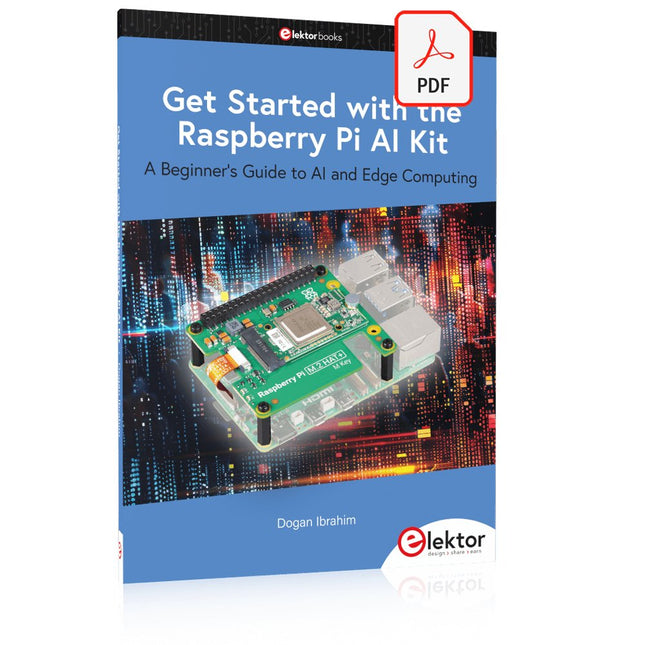
Elektor Digital Get Started with the Raspberry Pi AI Kit (E-book)
A Beginner's Guide to AI and Edge Computing Artificial Intelligence (AI) is now part of our daily lives. With companies developing low-cost AI-powered hardware into their products, it is now becoming a reality to purchase AI accelerator hardware at comparatively very low costs. One such hardware accelerator is the Hailo module which is fully compatible with the Raspberry Pi 5. The Raspberry Pi AI Kit is a cleverly designed hardware as it bundles an M.2-based Hailo-8L accelerator with the Raspberry Pi M.2 HAT+ to offer high speed inferencing on the Raspberry Pi 5. Using the Raspberry Pi AI Kit, you can build complex AI-based vision applications, running in real-time, such as object detection, pose estimation, instance segmentation, home automation, security, robotics, and many more neural network-based applications. This book is an introduction to the Raspberry Pi AI Kit, and it is aimed to provide some help to readers who are new to the kit and wanting to run some simple AI-based visual models on their Raspberry Pi 5 computers. The book is not meant to cover the detailed process of model creation and compilation, which is done on an Ubuntu computer with massive disk space and 32 GB memory. Examples of pre-trained and custom object detection are given in the book. Two fully tested and working projects are given in the book. The first project explains how a person can be detected and how an LED can be activated after the detection, and how the detection can be acknowledged by pressing an external button. The second project illustrates how a person can be detected, and how this information can be passed to a smart phone over a Wi-Fi link, as well as how the detection can be acknowledged by sending a message from the smartphone to your Raspberry Pi 5.
€ 29,95
Leden: € 26,96
-

Elektor Digital EAGLE V6 Getting Started Guide (E-book)
Whether you are an electronics enthusiast or engineering professional, this book provides the reader with an introduction to the use of the CadSoft’s EAGLE PCB design software package. EAGLE is a user-friendly, powerful and affordable software package for the efficient design of printed circuit boards. It offers the same power and functionality to all users, at a smaller cost than its competitors. A free version of EAGLE is available to enthusiasts for their own use. EAGLE can be used on the main computing platforms including: Microsoft Windows (XP, Vista or Windows 7); Linux (based on kernel 2.6 or above) and Apple Mac OS X (Version 10.6 or higher). Any hardware that supports these software platforms will run the EAGLE application. The book is intended for anyone who wants an introduction to the capabilities of EAGLE. The reader may be a novice at PCB design or a professional wanting to learn about EAGLE, with the intention of migrating from another CAD package. This book will quickly allow you to: obtain an overview of the main modules of EAGLE: the schematic editor; layout editor and autorouter in one single interface; learn to use some of the basic commands in the schematic and layout editor modules of EAGLE; apply your knowledge of EAGLE commands to a small project; learn more about some of the advanced concepts of EAGLE and its capabilities; understand how EAGLE relates to the stages of PCB manufacture; create a complete project, from design through to PCB fabrication. The project discussed in the book is a popular, proven design from the engineering team at Elektor. After reading this book while practicing some of the examples, and completing the projects, the reader should feel confident about taking on more challenging endeavors.
€ 29,95
Leden: € 26,96
-
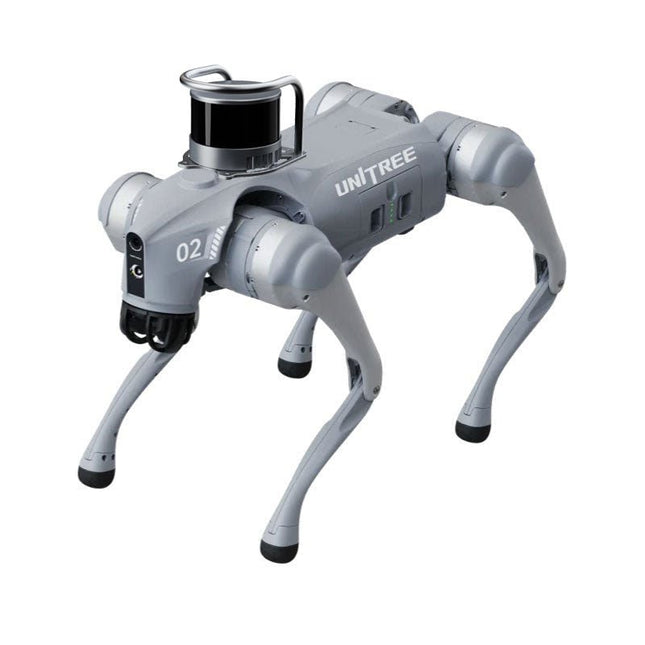
Unitree Unitree Go2 Edu Plus 3D LiDAR Viervoetige Robot
Tijdelijke vertraging in de levering van Unitree-robots Op dit moment ervaren wij, net als andere leveranciers, vertragingen in de levering van Unitree-robots. Een zending van onze leverancier staat vast bij de douane, waardoor we eerder geplaatste bestellingen later kunnen uitleveren dan gepland. We werken hier actief aan samen met onze leverancier en verwachten op korte termijn meer duidelijkheid, maar kunnen helaas geen garanties geven. Ook een nieuwe zending is onderweg, maar deze zal nog enige tijd op zich laten wachten. Omdat andere leveranciers met dezelfde uitdagingen te maken hebben, is overstappen naar een andere partij momenteel geen snellere oplossing. Onze prioriteit ligt bij het uitleveren van bestaande bestellingen. Mocht je vragen hebben of je bestelling willen aanpassen, neem dan gerust contact op met onze customer service. We houden je op de hoogte van verdere ontwikkelingen. Bedankt voor je geduld en vertrouwen! De Unitree Go2-serie bestaat uit viervoetige robots voor onderzoek en ontwikkeling van autonome systemen op het gebied van mens-robotinteractie (HRI), SLAM en transport. Dankzij de vier poten en de 12DOF kan deze robot op verschillende terreinen uit de voeten. De Go2 is uitgerust met een geperfectioneerd aandrijf- en energiebeheersysteem, dat een snelheid (afhankelijk van de uitvoering) tot 3,7 m/s of 11,88 km/u mogelijk maakt met een gebruiksduur tot 4 uur. Bovendien hebben de motoren een koppel van 45 Nm op het lichaam/dijen en de knieën, wat ook sprongen of backflips mogelijk maakt. Kenmerken Superherkenningssysteem: 4D LIDAR L1 Maximale loopsnelheid: ca. 5 m/s Maximale gewrichtskracht: ca. 45 Nm Draadloze module: WiFi 6/Bluetooth/4G Ultralange batterijduur: ca. 2-4 uur (lange batterijduur gemeten in de praktijk) Intelligent zijvolgsysteem: ISS 2.0 Specificaties Trackingmodule: Op afstand bestuurbaar of automatisch volgen Frontcamera: Beeldoverdrachtsresolutie 1280x720, gezichtsveld 120°, ultragroothoeklens voor rijke helderheid Frontlamp: Verlicht de weg voor u helder 4D LiDAR L1: 360° x 90° omnidirectionele ultragroothoekscanning maakt automatisch vermijden mogelijk met een kleine dode hoek en stabiele werking 12 kniegewrichtmotoren: Sterk en krachtig, mooi en eenvoudig, gloednieuwe visuele ervaring Intercommicrofoon: Effectieve communicatie zonder scenariobeperkingen Zelfoprollende riem: Gemakkelijk te dragen en te laden Stabieler, krachtiger met geavanceerde apparaten: 3D LiDAR, 4G ESIM-kaart, wifi 6 met dualband, Bluetooth 5.2 voor stabiele verbinding en bediening op afstand. Krachtige rekenkern: Bewegingscontroller, krachtige ARM-processor, verbeterde AI-algoritmeprocessor, externe ORIN NX/NANO. Slimme batterij: Standaard 8000 mAh-batterij, duurzame 15000 mAh-batterij, bescherming tegen oververhitting, overladen en kortsluiting. Luidspreker voor het afspelen van muziek: Luister naar muziek wanneer u dat wilt. Unitree Go2 varianten De Go2 overtuigt niet alleen met zijn technische mogelijkheden, maar ook met een modern en slank design dat hem een futuristische uitstraling geeft en een echte blikvanger maakt. De Go2 Air is speciaal ontworpen voor demo's en presentaties. Met zijn basisfuncties biedt hij een solide basis voor het demonstreren van de bewegingsmogelijkheden en functionaliteit van een viervoetige robot. Belangrijk: De Go2 Air wordt geleverd zonder controller. Deze is optioneel verkrijgbaar. Met een krachtige 8-core high-performance CPU bieden de Pro en Edu de indrukwekkende rekenkracht die nodig is voor complexe taken en veeleisende berekeningen. Dit maakt snellere en efficiëntere gegevensverwerking mogelijk en maakt de Pro en Edu een betrouwbare partner voor uw projecten. Vanaf de Edu-versie is de Go2 programmeerbaar en biedt hij eindeloze mogelijkheden voor het ontwikkelen en onderzoeken van uw eigen roboticatoepassingen. De Go2 kan ook een staphoogte tot 14 cm aan. Dit maakt het een ideaal hulpmiddel voor onderzoek, onderwijs en de instap in de wereld van robotica. De Go2 Edu wordt geleverd met een afstandsbediening die eenvoudige en intuïtieve bediening biedt. Je krijgt er ook een dockingstation bij met een indrukwekkende rekenkracht van 100 TOPS, dat is uitgerust met krachtige AI-algoritmen en technische ondersteuning biedt. De Go2 Edu is uitgerust met een krachtige accu van 15.000 mAh, goed voor een indrukwekkende gebruiksduur tot wel 4 uur. Deze lange gebruiksduur stelt de robot in staat om langere verkenningsmissies uit te voeren en veeleisende taken te voltooien. De Go2 Edu Plus 3D LiDAR wordt geleverd met een krachtige Hesai XT16 3D LiDAR. Deze LiDAR-sensor geeft de robot een nauwkeurige driedimensionale perceptie van zijn omgeving, wat zorgt voor soepele navigatie en intelligente obstakelontwijking. Modelvergelijking Air Pro Edu/Edu Plus Afmetingen (staand) 70 x 31 x 40 cm 70 x 31 x 40 cm 70 x 31 x 40 cm Afmetingen (hurkend) 76 x 31 x 20 cm 76 x 31 x 20 cm Materiaal Aluminiumlegering + zeer sterke technische kunststof Aluminiumlegering + zeer sterke technische kunststof Aluminiumlegering + zeer sterke technische kunststof kunststof Gewicht (met accu) ongeveer 15 kg ongeveer 15 kg ongeveer 15 kg Spanning 28~33,6 V 28~33,6 V Piekvermogen ongeveer 3000 W ongeveer 3000 W ongeveer 3000 W Laadvermogen ≈7 kg (MAX ~ 10 kg) ≈8 kg (MAX ~ 10 kg) ≈8 kg (MAX ~ 12 kg) Snelheid 0~2,5 m/s 0~3,5 m/s 0~3,7 m/s (MAX ~ 5 m/s) Maximale klim- en valhoogte ongeveer 15 cm ongeveer 16 cm ongeveer 16 cm Maximale klimhoek 30° 40° 40° Basisrekenkracht N.v.t. 8-core High-performance CPU 8-core high-performance CPU Aluminium kniegewrichtsmotor 12 stuks 12 stuks 12 stuks Intra-gewrichtscircuit (knie) ✓ ✓ ✓ Heatpipe-koeler ✓ ✓ ✓ Bewegingsbereik Behuizing: -48~48° Lichaam: -48~48° Lichaam: -48~48° Dij: -200°~90° Dij: -200°~90° Dij: -200°~90° Schacht: -156°~-48° Schacht: -156°~-48° Schacht: -156°~-48° Maximaal koppel N.v.t. ongeveer 45 N.m ongeveer 45 N.m Supergroothoek 3D LiDAR ✓ ✓ Draadloze vectorpositionering Module N.v.t. ✓ ✓ HD-groothoekcamera ✓ ✓ Voeteinde-krachtsensor N.v.t. N.v.t. ✓ Basisactie ✓ ✓ ✓ Automatisch schalen band N.v.t. ✓ N.v.t. Verbeterde Intelligent OTA ✓ ✓ ✓ RTT 2.0 Beeldoverdracht ✓ ✓ ✓ App Basis Afstandsbediening ✓ ✓ ✓ App Gegevensweergave ✓ ✓ ✓ App Grafisch Programma ✓ ✓ ✓ Koplamp (3 W) ✓ ✓ ✓ Wifi 6 met dualband ✓ ✓ ✓ Bluetooth 5.2/4.2/2.1 ✓ ✓ ✓ 4G-module N.v.t. CN/GB CN/GB Spraakfunctie N.v.t. ✓ ✓ Muziek afspelen N.v.t. ✓ ✓ ISS 2.0 Intelligent zijvolgsysteem N.v.t. ✓ ✓ Intelligente detectie en vermijding ✓ ✓ ✓ Secundaire ontwikkeling N/A N/A ✓ Handmatige controller Optioneel Optioneel ✓ Module met hoge rekenkracht N.v.t. N.v.t. Edu: TOP 40 rekenkracht Edu Plus: TOP 100 rekenkracht NVIDIA Jetson Orin (optioneel) Slimme batterij Standaard (8000 mAh) Standaard (8000 mAh) Lange batterijduur (15000 mAh) Batterijduur 1-2 uur 1-2 uur 2-4 uur Oplader Standaard (33,6 V, 3,5 A) Standaard (33,6 V, 3,5 A) Snelladen (33,6 V, 9 A) Inbegrepen 1x Unitree Go2 Edu Plus 3D LiDAR 1x Hesai XT16 3D LiDAR 1x Unitree Go2 afstandsbediening 1x Unitree Go2 batterij (15000 mAh) 1x Unitree Dockingstation met 100 TOPS rekenkracht Downloads Documentation iOS/Android apps GitHub
€ 20.599,00
Beste prijs
-

Elektor Digital MIT App Inventor Projects (E-book)
50+ Android Apps with Raspberry Pi, ESP32 and Arduino This book is about developing apps for Android compatible mobile devices using the MIT App Inventor online development environment. MIT App Inventor projects can be in either standalone mode or use an external processor. In standalone mode, the developed application runs only on the mobile device (e.g. Android). In external processor-based applications, the mobile device communicates with an external microcontroller-based processor, such as Raspberry Pi, Arduino, ESP8266, ESP32, etc. In this book, many tested and fully working projects are given both in standalone mode and using an external processor. Full design steps, block programs, circuit diagrams, QR codes and full program listings are given for all projects. The projects developed in this book include: Using the text-to-speech component Intonating a received SMS message Sending SMS messages Making telephone calls using a contacts list Using the GPS and Pin-pointing our location on a map Speech recognition and speech translation to another language Controlling multiple relays by speech commands Projects for the Raspberry Pi, ESP32 and Arduino using Bluetooth and Wi-Fi MIT APP Inventor and Node-RED projects for the Raspberry Pi The book is unique in that it is currently the only book that teaches how to develop projects using Wi-Fi and Node-RED with MIT App Inventor. The book is aimed at students, hobbyists, and anyone interested in developing apps for mobile devices. All projects presented in this book have been developed using the MIT App Inventor visual programming language. There is no need to write any text-based programs. All projects are compatible with Android-based mobile devices. Full program listings for all projects as well as detailed program descriptions are given in the book. Users should be able to use the projects as they are presented, modifying them to suit their own needs.
€ 32,95
Leden: € 29,66
-

Elektor Zenerdiode-tester
De Elektor Zenerdiode-tester is in wezen een constante-stroombron die in stappen van 1 tot 50 mA kan worden geschakeld. Hij kan worden gebruikt om zenerdiodes tot een maximum van 54 V te testen. Dankzij een 60-V step-upconverter kan het apparaat worden gevoed met de gebruikelijke 5 tot 12 V. Het principe van deze tester is eenvoudig. Een zenerdiode of een ander DUT (device under test, zoals een LED) wordt gevoed door een instelbare stroombron. De spanning over het DUT kan met een multimeter worden gemeten. De spanning van de meeste (kleine) zenerdiodes wordt gespecificeerd bij een stroom van 5 mA. Afhankelijk van de toepassing kan ook de spanning bij andere stromen interessant zijn. Daarom zijn er zes stroominstellingen beschikbaar: 1, 2, 5, 10, 20 en 50 mA. LED’s worden vaak gespecificeerd bij een stroom van 20 mA. Wat kan worden getest: Of een zenerdiode defect is (kortsluiting of hoogohmig). Of een zenerdiode de juiste zenerspanning heeft. Hoe een zenerspanning verandert bij verschillende stromen. Welke exacte spanning aanwezig is bij een geïntegreerde spanningsreferentie. Of LED’s in een serieschakeling verschillen in helderheid (vandaar de stroom van 20 mA). Wat de stroomversterking is bij verschillende basisstromen in (vermogens)transistoren. De kit bevat alle onderdelen die in de stuklijst staan vermeld, inclusief printplaat en behuizing. Specificaties Voedingsspanning 5…12 V/2 A (USB-C) Voedingsstroom (Itest = 50 mA) 1,1 A bij 5 V / 412 mA bij 12 V Selecteerbare stromen 1, 2, 5, 10, 20 en 50 mA Max. testspanning >54 V bij Itest ≥1 mA Max. uitgangsspanning 60 V bij Itest = 0 mA Spanningslimiet bij 5 V 4,5 V bij Itest = 1 mA / 5,18 V bij Itest = 50 mA Afmetingen (behuizing) 110 x 82 x 44 mm Afmetingen (PCB) 105,4 x 67,3 mm Aansluitingen 4 mm banaanstekkerbussen voor multimeter 2 mm banaanstekkerbussen voor testklemmen USB-C-aansluiting voor voeding Inbegrepen Weerstanden R1 = 3.3 kΩ, 600 mW, 1% R2 = 0.15 Ω, 1 W, 5%, LS 12.7 mm, ø 3.5 mm R3, R8 = 180 Ω, 600 mW, 1% R4, R6, R16 = 1 kΩ, 600 mW, 1% R5, R19 = 47 kΩ, 600 mW, 1% R7 = 3.9 kΩ, 1 W, 5%, LS 12.7 mm, ø 3.5 mm R9, R10, R12 = 10 kΩ, 600 mW, 1% R11, R13 = 100 Ω, 600 mW 1% R14 = 249 Ω, 600 mW, 1% R15 = 499 Ω, 600 mW, 1% R17 = 2.49 kΩ, 250 mW, 1% R18 = 4.99 kΩ, 250 mW, 1% Condensatoren C1 = 470 uF / 35 V, 20%, Ir = 1.86 A, ø 12.5 mm, LS 5 mm, ESR = 0.038 Ω (Panasonic EEUTP1V471) C2 = 1 uF / 100 V, 10%, X7R, LS 5 mm C3 = 2.2 nF / 50 V, 10%, X7R, LS 5 mm C4, C7 = 100 nF / 100 V, 10%, X7R, LS 5 mm C5 = 100 uF / 100 V, 20%, ø 14 mm max., LS 5 mm C6 = 1 nF / 100 V, 10%, X7R, LS 5 mm Inductor L1 = 100 uH, Irms = 2.4 A, Isat = 3.5 A, 0.09 Ω, radial, pitch 2.5/5/10 mm, ø 14 mm max. (Kemet SBC8-101-242) Halfgeleiders D1 = MUR120G, DO-41 D2, D4 = STPS3150RL, DO-201AD D3 = Z-diode, 18 V, 1.3 W (BZX85C18) D5 = Z-diode, 5.1 V, 0.5 W (1N5231B) LED1 = LED in pushbutton S1 LED2 = LED, green, 3 mm IC1 = MC34063, DIP-8 IC2 = LM4040BIZ-5.0/NOPB, TO-92 (TO-226AA-3) IC3 = TL051CP, DIP-8 T1 = BC327.25, TO-92 T2 = STP40NF10L, TO-220 T3 = IRF9510PBF, TO-220 T4 = 2N7000, TO-92 Overige K1, K2, S1, S3 = 2-way screw terminal block, LS 3.5 mm, max. 1.5 mm² connected to K1 = USB-C socket, 30 V/3 A, chassis mounted, wired, 9 x 16 mm connected to K2 = Banana Connector, 2 mm, Socket, 60 VDC, Panel Mount, red (Multicomp 24.102.1) connected to K2 = Banana Connector, 2 mm, Socket, 60 VDC, Panel Mount, black (Multicomp 24.102.2) Test clip, red, 30 VAC/60 VDC (Hirschmann 931467101) Test clip, black, 30 VAC/60 VDC (Hirschmann 931467100) S1 = Pushbutton, panel mount, SPST-NO, 30 DC/100 mA, with red LED S2 = Rotary Switch, 6 position, 2 pole, 30°, 250 V/150 mA S3 = Toggle switch, panel mount, SPDT, solder lugs, 28 VDC T2, T3 = Heat sink, 15°C/W, FK 214 SA-CB Enclosure Hammond 1591XXSSBK, ABS, 110 x 82 x 44 mm Knob for S2, round shaft 6 mm, ø 21 mm, with indicator line (Multicomp CP-LB21-6-6D) 4 x Self-tapping screw #4-1/4", carbon steel, pan head Banana plug, red, 2 mm, 60 VDC (Multicomp 25.205.1) Banana plug, black, 2 mm, 60 VDC (Multicomp 25.205.2) Banana socket, black 4 mm, panel mount Banana socket, red 4 mm, panel mount for LED1, LED2 = Pin header, 1 x 2, vertical, pitch 2.54 mm for LED1, LED2 = Pin socket, 1 x 2, vertical, pitch 2.54 mm for T2, T3 = M3 screw, 10 mm, steel, pan head 2 x M3 washer, plain, steel 4 x M3 nut for IC1, IC3 = DIP-8 socket Wire, black, 0.25 mm² (24 AWG), stranded 14 x 0.15 mm, 1 m Wire, red, 0.25 mm² (24 AWG), stranded 14 x 0.15 mm, 1 m PCB 250772-1 v1.1 Links Artikel Elektor Labs
€ 99,95€ 79,95Beste prijs
-

Elektor Digital Basiscursus Bascom-AVR (E-book)
AVR-microcontrollers zijn populair, eenvoudig in het gebruik en bijzonder veelzijdig. In het elektronicatijdschrift 'Elektor' is dan ook al een groot aantal speciale toepassingen en printen met een ATmega- of een ATtiny-controller gepubliceerd. Meestal ging het daarbij om afgeronde projecten. In dit boek staat echter de programmering van deze controllers centraal. BASCOM is hiervoor een ideaal gereedschap. Na een minimale voorbereiding kunt u al beginnen uw eigen ideeën te realiseren. BASCOM en AVR-controllers, een onverslaanbaar team! Wat u ook wilt ontwikkelen, in de meeste gevallen heeft een ATmega alles aan boord wat u nodig hebt. Poorten, timers, A/D-omzetters, PWM-uitgangen en seriële interfaces, RAM, flash-ROM en EEPROM: alles is ruimschoots voorhanden. En met BASCOM is het gebruik daarvan kinderspel. Ook ingewikkelder periferie als LCD, RC5 en I²C kan met slechts een handjevol instructies worden gebruikt. Er is een brede hardware-basis beschikbaar. Of u nu de STK500 van Atmel gebruikt, de ATM18 of een eigen print, u kunt de voorbeelden uit dit boek meteen in praktijk brengen. Voor heel kleine taken worden controllers uit de ATtiny-reeks gebruikt. Op die manier kunt u uw eigen projecten snel en met weinig kosten realiseren. Downloads Software
€ 34,95
Leden: € 31,46
-
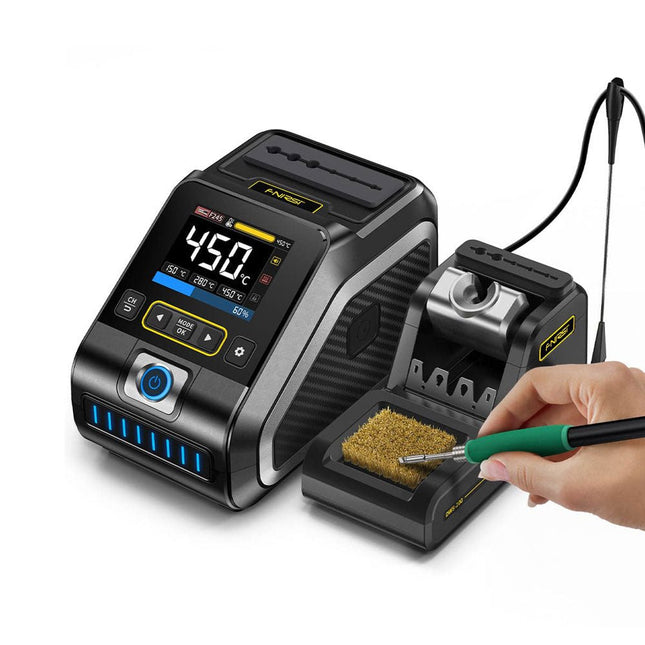
FNIRSI FNIRSI DWS-200 Smart Soldeerstation (met F245-greep + 6 Soldeertips)
De FNIRSI DWS-200 is een krachtig 200 W slim soldeerstation, ideaal voor elektronische soldeertoepassingen. Hij wordt gevoed door een schakelende voeding en werkt soepel met een breed spanningsingangsbereik van 100-240 V. Het station biedt een instelbaar temperatuurbereik van 100°C tot 450°C en maakt eenvoudig schakelen tussen °C en °F mogelijk. Om de efficiëntie te verbeteren, ondersteunt het maximaal drie vooraf ingestelde temperatuurwaarden en kan het worden aangesloten op een soldeerboutstandaard voor activering van de standby-modus. Het station beschikt ook over een dynamische temperatuurcurvemodus voor realtime gegevensbewaking, waardoor nauwkeurige en consistente prestaties bij veeleisende soldeertaken worden gegarandeerd. Kenmerken Maximaal uitgangsvermogen van 200 W, waardoor snelle verwarming mogelijk is Brede adaptieve spanningsingang van 100-240 V 2,8" HD-TFT-kleurenscherm met intelligente bediening Meerdere vooraf ingestelde groepen om snel tussen verschillende instellingen te schakelen Ondersteunt de typen soldeerhandgrepen F245 en F210 en biedt flexibiliteit voor verschillende soldeertoepassingen Realtime slaapmodus om de levensduur van de soldeerpunt te verlengen Multi-mode real-time monitoring van de stroom- en temperatuurstatus, waardoor de veiligheid en precisie worden verbeterd Specificaties Piekvermogen 200 W (max) Temperatuurbereik 100°C~450°C Display 2,8" TFT HD-kleurenscherm Verwarmingstijd 1 seconde Smelttijd 3 seconden Ingangsspanning 100-240 V (AC) Ingangszekering 3 A Type soldeergreep F245 Afmetingen (station) 156 x 96 x 103 mm Gewicht (station) 475 g Inbegrepen 1x FNIRSI DWS-200 soldeerstation 1x Soldeerhandgreep F245 6x Soldeertips (B, KU, K, C2, I, JS) 1x Verbindingskabel 2x Helpende handen 1x Voedingskabel (EU) Downloads Manual Firmware V1.3
€ 179,00
-

Elektor Digital Elektor Mei/Juni 2020 (PDF)
Open-netwerk weerstation mk2deel 1: inleiding en hardware-elementen AI voor beginners (1)objectherkenning met het Maixduino-board Universele triac-stuurmodule met ATmegaschakelen en dimmen van verschillende belastingen Hoe... iets van GitHub downloadenGitHub Voor Dummies My IoT-Button: de knop voor het netdeel 2: prototyping met board en cloud TMS0280 spraaksynthesizervreemde onderdelen Interactiefcorrecties & updates | vragen & antwoorden BASIC voor ESP32/ESP8266 (2)zandloper met ESP8266 en Annex WiFi RDS Developer’s Zonetips & trucs, vakkunstigheden en andere nuttige informatie BalBot: een zelfbalancerende robotmoderne versnellingssensoren vergemakkelijken de bouw Alle begin......hoeft niet zo moeilijk te zijn Wie het kleine niet eertuit de ideeënbus van Elektor Verzendbox met manipulatie-indicatiegegevens veilig met de post verzenden Nieuwe Nauwkeurige Nixie-klok: verbeteringentechnisch nieuwsbulletin voor nieuwe en bestaande enthousiaste gebruikers Multitasking met de ESP32 (3)software-timers Met de vos in het IoT (4)inrichten van het dashboard Start-up update: het Elektor Investment Program Review: Elektronische USB-belasting Joy-IT HD35test de belastbaarheid van USB-poorten CAN-bus + Arduino houden zonnepanelen in de gatenlokaliseer panelen in grote arrays die onderhoud nodig hebben Analoge elektronica ontwerpencase-study #1 – deel 3: optimalisatie van de responsie van de voorversterker en compromissen Sound Blinkdraagbare zelfbouwspeaker met LED-lichtshow USB-stroombewakingintelligente bescherming voor USB-poorten Oost West Lab Besteen blik in het allerheiligste, waar onbevoegden geen toegang hebben... Review: Labvoeding PeakTech 6080 Aveel voeding voor weinig geld Een grote uitdagingveilige producten in het IoT-tijdperk Elektor 1,2-GHz-universeelteller (1992/93)voorbij de magische 1GHz-grens Hexadoku
€ 9,95
-
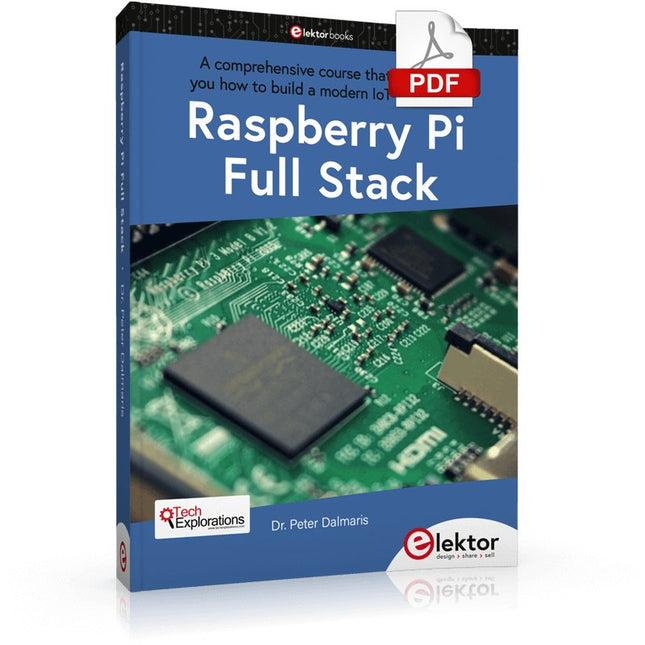
Elektor Digital Raspberry Pi Full Stack (E-book)
Dit boek neemt u mee op een wervelende tour van full-stack web applicatie ontwikkeling met behulp van Raspberry Pi. U leert hoe u een applicatie vanaf de grond kunt opbouwen. U zult ervaring en kennis opdoen van technologieën waaronder: Het Linux-besturingssysteem en de commandoregel. De programmeertaal Python. De Raspberry Pi General Purpose Input Output pins (GPIOs). De Nginx webserver. Flask Python microkader voor webtoepassingen. JQuery en CSS voor het maken van gebruikersinterfaces. Omgaan met tijdzones. Creëren van grafieken met Plotly en Google Charts. Gegevensregistratie met Google Sheet. Applets ontwikkelen met IFTTT. Het beveiligen van uw applicatie met SSL. Sms-berichten ontvangen op je telefoon met Twilio. Dit boek leert u ook hoe u een draadloze Arduino-sensorknooppunt op afstand kunt instellen en er gegevens van kunt verzamelen. Uw Raspberry Pi webapplicatie zal in staat zijn om Arduino node data te verwerken op dezelfde manier als het data verwerkt van zijn onboard sensor. Raspberry Pi Full Stack leert u veel vaardigheden die essentieel zijn voor het bouwen van Web- en Internet of Things-toepassingen. De applicatie die u in dit project zult bouwen, is een platform waarop u kunt uitbreiden. Dit is slechts het begin van wat je kunt doen met een Raspberry Pi en de software en hardware componenten die je zult leren kennen. Dit boek wordt ondersteund door de auteur via een speciale discussieruimte.
€ 34,95
Leden: € 31,46


