
Zoekresultaten voor "stickvise or pcb or vise or with or standard or nylon or jaws"
-
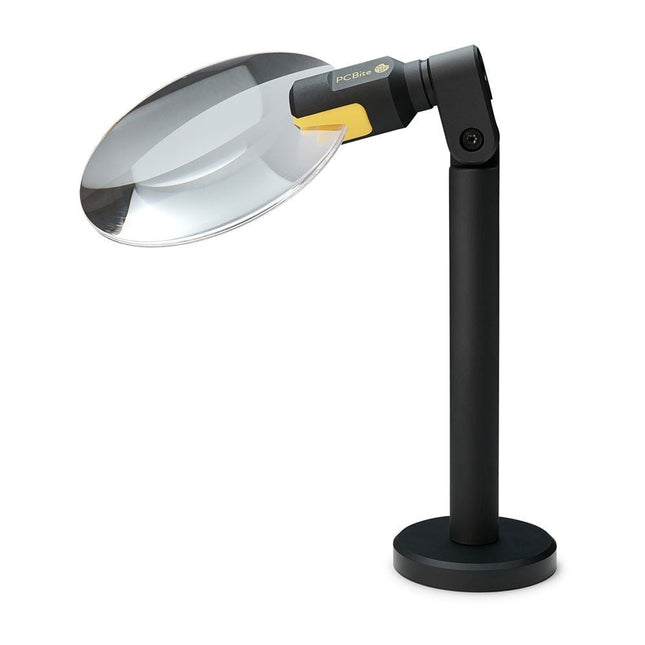
Sensepeek Sensepeek 4020 PCBite 3x vergrootglas
De PCBite loep (premium bouwkwaliteit gemaakt van CNC-bewerkt aluminium) vergroot uw doel en maakt het gemakkelijker om te zien tijdens het solderen, inspectie en metingen. Vooral nuttig bij het plaatsen van PCBite handsfree probes op fijne pitch SMD-componenten tijdens metingen. 3x vergrotende randloze lens voor betere zichtbaarheid van het werkoppervlak en AR coating (anti-reflectie) om reflecties van nabije lichtbronnen te verminderen. Geoptimaliseerd ontwerp, vergroting en brandpunt voor gebruik in combinatie met de PCBite PCB houders en voetplaten die in alle PCBite kits zitten. Kan ook uit de hand worden gebruikt, maar niet standalone zonder een metalen oppervlak als basis. Aan de onderkant van de loepvoet bevindt zich een sterke magneet die perfect in sterkte is uitgebalanceerd. Een lage frictie bodemkap beschermt de magneet en de basisplaat zodat de loep gemakkelijk te verschuiven is bij het verplaatsen of verwijderen van de loep van de basisplaat. Frictie gebaseerde aanpassing van de lens kantel- en draaiposities maakt vervelende en ingewikkelde stelschroeven overbodig.
€ 71,39
-
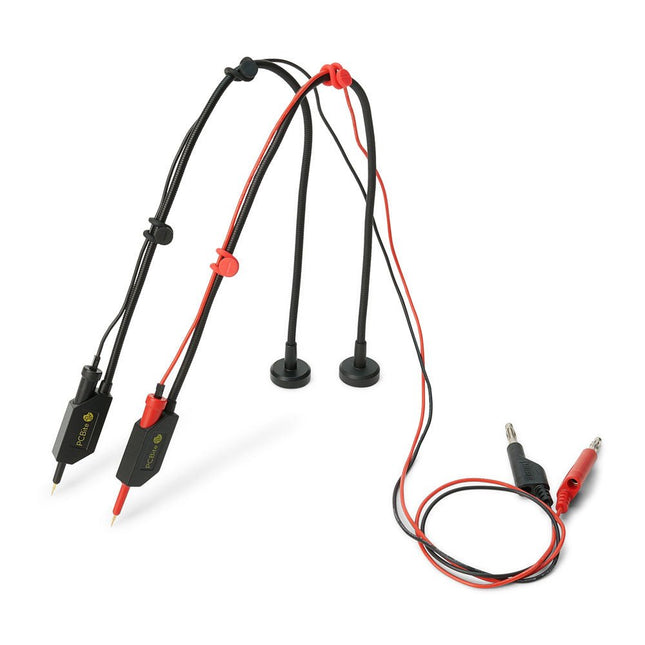
Sensepeek Sensepeek 6011 2x SQ10 Probe for DMM (red/black)
The SQ series of handsfree PCBite probes from Sensepeek are insulated, come with included color-coded cable holders and have a lower point of gravity making them even more stable compared with the original SP series of probes. All the loved features of handsfree measurement, exchangeable fine pitch spring tipped test needle and the minimalistic design is maintained to make traditional sized and handheld probes obsolete. Features All handsfree probes from Sensepeek makes instant measurements or long triggering sessions a breeze. No more soldering wires to connect your probe or complicated tools to setup, just positioning the probe needle on any test point or component in the signal path and release. Saves time and frustration during development, verification and repairs. The minimalist design and the spring-loaded test needle makes it possible to simultaneously measure on fine pitch components and nearby signals. Both length and weight of the SQ probes are perfectly balanced to be used with PCBite PCB holders and base plate which is a must for handsfree function. The probe holder comes with a powerful magnet in the base, as for all PCBite probes and holders which makes the probe easy to place and reposition. The SQ series of probes can be used handheld without the probe holder as they have an insulated grip but their full potential is used when measuring handsfree. Included 2x SQ10 probes and pin tipped test needles (red/black) 2x Banana to dupont test wires (red/black) 1x Set of cable holders (red/black) 2x Extra test needles Downloads User guide
€ 54,45
-

Elektor Digital KiCad Like A Pro – Fundamentals and Projects (E-book)
Getting started with the world’s best open-source PCB tool The latest iteration of KiCad, the world’s best free-to-use Printed Circuit Board tool, is packed with features usually found only in expensive commercial CAD tools. This modern, cross-platform application suite built around schematic and design editors, with auxiliary applications is a stable and mature PCB tool. KiCad 8 is a perfect fit for electronic engineers and makers. Here are the most significant improvements and features in KiCad 8, both over and under the hood: Modern user interface, completely redesigned from earlier versions Improved and customizable electrical and design rule checkers Theme editor allowing you to customize KiCad on your screen Ability to import projects from Eagle, CADSTART, and more Python scripting API Improved integrated SPICE circuit simulator Multi-sheet schematics Filters define selectable elements Enhanced interactive router helps you draw single tracks and differential pairs with precision New or enhanced tools to draw tracks, measure distances, tune track lengths, etc. Advanced interactive router Built-in bill of materials generator Realistic ray-tracing capable 3D viewer Customizable teardrops Plug-in manager for quick installation of themes, libraries and functionalities such as autorouters and BOM generators This book will teach you to use KiCad through a practical approach. It will help you become productive quickly and start designing your own boards. Example projects illustrate the basic features of KiCad, even if you have no prior knowledge of PCB design. The author describes the entire workflow from schematic entry to the intricacies of finalizing the files for PCB production and offers sound guidance on the process. Further full-fledged projects, of incremental difficulty, will be presented in a second book, together with a variety of advanced recipes.
€ 44,95
Leden: € 40,46
-
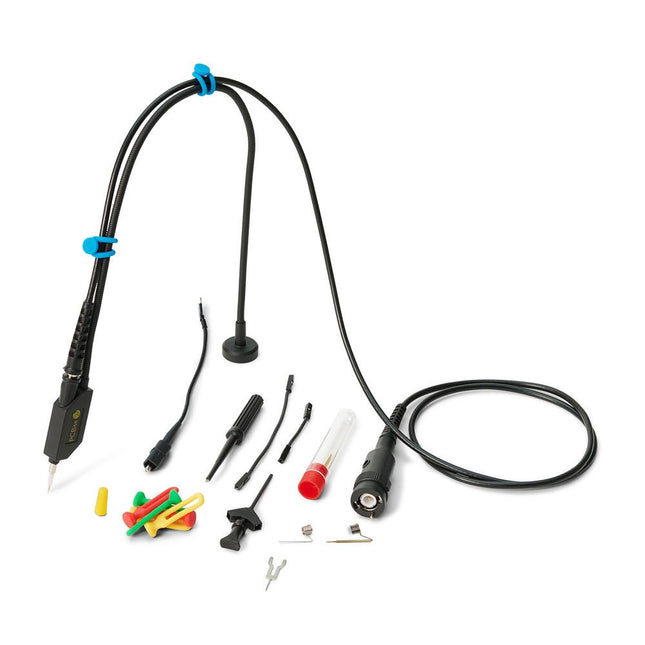
Sensepeek Sensepeek 6023 SQ350 (350 MHz handsfree Oscilloscope Probe)
De handsfree probes uit de SQ-serie van Sensepeek hebben een lager zwaartepunt waardoor ze nog stabieler zijn dan de originele handsfree probes uit de SP-serie. Alle probes in de SQ serie zijn ook geïsoleerd en kunnen uit de hand worden gebruikt zoals elke traditionele probe, maar hun volledige potentieel wordt optimaal benut bij handsfree meten. De oscilloscoop probes uit de SQ-serie hebben ook meer mogelijkheden voor aarding, hebben bescherming van de probe tip, een langere kabel en ondersteunen oscilloscopen met automatische schaalverdeling (10:1). Alle populaire eigenschappen van handsfree meten, verwisselbare testpen met fijne veerpunt, kabelhouders met kleurcodering en het minimalistische ontwerp zijn gehandhaafd om het traditionele formaat en de handprobes overbodig te maken. Zowel de lengte als het gewicht van de SQ probes zijn perfect uitgebalanceerd voor gebruik met PCBite PCB houders en grondplaat, wat een must is voor handsfree functie. Kenmerken Passieve 10:1 probe met ondersteuning voor oscilloscopen met automatische schaalverdeling Veerbelaste testpen voor metingen met fijne pitch Meerdere mogelijkheden voor aarding Kabelhouders met kleurcodering Probe tip bescherming Geïsoleerd, kan uit de hand worden gebruikt Verbeterde probehouder voor handsfree metingen bij gebruik met PCBite printplaathouders Inbegrepen 1x SQ350 350 MHz probe met geveerde testpen 1x SQ probe houder voor handsfree metingen 1x Testhaak met afneembare kabels (5 cm & 10 cm) voor eenvoudige aardaansluiting 1x krokodillenkabel voor eenvoudige aardaansluiting 1x Standaard aardingsveer, voor handheld metingen bij nominale bandbreedte 1x Unieke aardingsveer, voor volledige handsfree metingen bij nominale bandbreedte 1x Set kabelhouders met kleurcodering (4 kleuren) 1x Probe tip bescherming 1x Extra testpin Downloads Gebruiksaanwijzing SQXX0 Rev1.1
€ 107,69
-

Elektor Digital Elektor November/December 2026 (PDF) EN
Elektor GREEN and GOLD members can download their digital edition here. Not a member yet? Click here.
€ 9,50
-

Elektor Digital The EAGLE Companion (E-book)
EAGLE – the “Easily Applicable Graphical Layout Editor“ is a professional-grade CAD (computer aided design) software package for the design and drafting of electronic schematics as well as the design and fabrication of printed circuit boards (PCBs). This Advanced User Guide provides the experienced EAGLE user with insight into using some of the more advanced features of EAGLE software. It is not a guide to teach the reader the basic concepts of EAGLE, nor does it discuss the ‘how to’ of the EAGLE interface and the simpler operations and commands of the software. That is the purpose of the author’s previous title EAGLE V6 Getting Started Guide also published by Elektor. This eBook is intended as an enduring document covering the more advanced modules, commands, and functions which make up EAGLE. It is hoped that this eBook will provide a quick, succinct reference to assist with more complex applications and uses of EAGLE – an ‘EAGLE User’s Companion’, if you like. Complementing the EAGLE Advanced User Guide, the EAGLE User Language manual is included in this eBook in unabridged form, reproduced with permission of CadSoft GmbH. At the time of writing, the material in this eBook covers version 7 of the EAGLE software suite.
€ 39,95
Leden: € 35,96
-
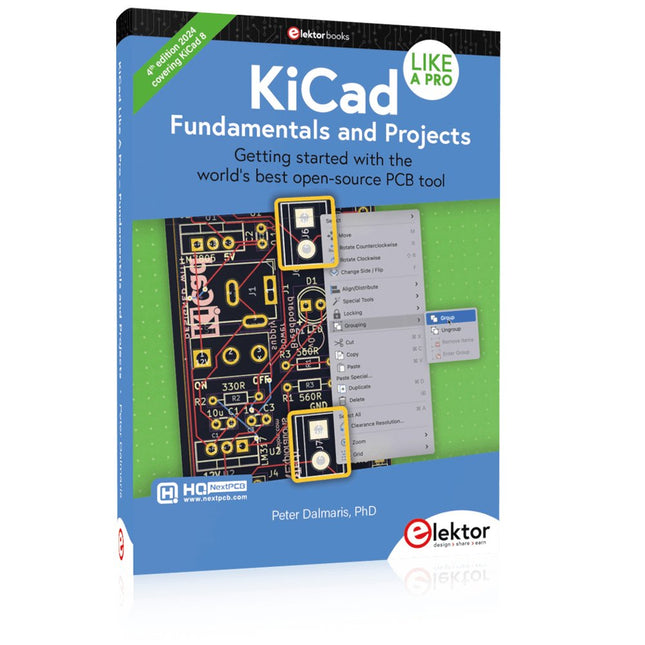
Elektor Publishing KiCad Like A Pro – Fundamentals and Projects
Getting started with the world’s best open-source PCB tool The latest iteration of KiCad, the world’s best free-to-use Printed Circuit Board tool, is packed with features usually found only in expensive commercial CAD tools. This modern, cross-platform application suite built around schematic and design editors, with auxiliary applications is a stable and mature PCB tool. KiCad 8 is a perfect fit for electronic engineers and makers. Here are the most significant improvements and features in KiCad 8, both over and under the hood: Modern user interface, completely redesigned from earlier versions Improved and customizable electrical and design rule checkers Theme editor allowing you to customize KiCad on your screen Ability to import projects from Eagle, CADSTART, and more Python scripting API Improved integrated SPICE circuit simulator Multi-sheet schematics Filters define selectable elements Enhanced interactive router helps you draw single tracks and differential pairs with precision New or enhanced tools to draw tracks, measure distances, tune track lengths, etc. Advanced interactive router Built-in bill of materials generator Realistic ray-tracing capable 3D viewer Customizable teardrops Plug-in manager for quick installation of themes, libraries and functionalities such as autorouters and BOM generators This book will teach you to use KiCad through a practical approach. It will help you become productive quickly and start designing your own boards. Example projects illustrate the basic features of KiCad, even if you have no prior knowledge of PCB design. The author describes the entire workflow from schematic entry to the intricacies of finalizing the files for PCB production and offers sound guidance on the process. Further full-fledged projects, of incremental difficulty, will be presented in a second book, together with a variety of advanced recipes.
-

Elektor Bundles KiCad Like A Pro (Bundel)
Deze bundel bevat beide delen van "KiCad Like a Pro" (4e editie 2024). In Fundamentals and Projects (normale prijs: € 49,95) leert u hoe u KiCad kunt gebruiken via een praktische aanpak, waardoor u snel productief wordt en uw eigen borden kunt ontwerpen. Met Advanced Projects and Recipes (normale prijs: € 44,95) kunt u uw nieuwe KiCad-vaardigheden oefenen door uzelf uit te dagen met een reeks echte projecten. De nieuwste versie van KiCad, 's werelds beste gratis te gebruiken Printed Circuit Board-tool, zit boordevol functies die normaal gesproken alleen in dure commerciële CAD-tools te vinden zijn. Deze moderne, platformonafhankelijke applicatiesuite die is opgebouwd rond schema- en ontwerpeditors, met hulpapplicaties, is een stabiele en volwassen PCB-tool. KiCad 8 is perfect voor elektronica-ingenieurs en -makers. Hier zijn de belangrijkste verbeteringen en functies in KiCad 8, zowel van boven als van onder de motorkap: Moderne gebruikersinterface, volledig opnieuw ontworpen ten opzichte van eerdere versies Verbeterde en aanpasbare elektrische en ontwerpregelcontroles Thema-editor waarmee u KiCad op uw scherm kunt aanpassen Mogelijkheid om projecten te importeren van Eagle, CADSTART en meer Python-scripting-API Verbeterde geïntegreerde SPICE-circuitsimulator Schema's met meerdere bladen Filters definiëren selecteerbare elementen Verbeterde interactieve router helpt u om afzonderlijke sporen en differentiële paren met precisie te tekenen Nieuwe of verbeterde tools om sporen te tekenen, afstanden te meten, spoorlengtes af te stemmen, enz. Geavanceerd interactieve router Ingebouwde stuklijstgenerator Realistische ray-tracing capabele 3D viewer Aanpasbare teardrops Plug-in manager voor snelle installatie van thema's, bibliotheken en functionaliteiten zoals autorouters en BOM-generatoren Het eerste boek KiCad Like A Pro – Fundamentals and Projects leert u KiCad te gebruiken via een praktische aanpak. Het helpt u snel productief te worden en uw eigen boards te ontwerpen. Voorbeeldprojecten illustreren de basisfuncties van KiCad, zelfs als u geen voorkennis hebt van PCB-ontwerp. De auteur beschrijft de volledige workflow van schema-invoer tot de complexiteit van het finaliseren van de bestanden voor PCB-productie en biedt gedegen begeleiding bij het proces. Het tweede boek KiCad Like A Pro – Advanced Projects and Recipes helpt u uw nieuwe KiCad-vaardigheden te oefenen door u uit te dagen in een reeks echte projecten. De projecten worden ondersteund door een uitgebreide set recepten met gedetailleerde instructies over hoe u een verscheidenheid aan eenvoudige en complexe taken kunt uitvoeren. Ontwerp de PCB's voor een zonne-energievoorziening, een LED-matrixarray, een Arduino-aangedreven datalogger en een aangepast ESP32-bord. Begrijp de fijnere details van de interactieve router, hoe u KiCad-projectteams met Git kunt beheren, hoe u een autorouter op 2- en 4-laags PCB's kunt gebruiken en nog veel meer.
-
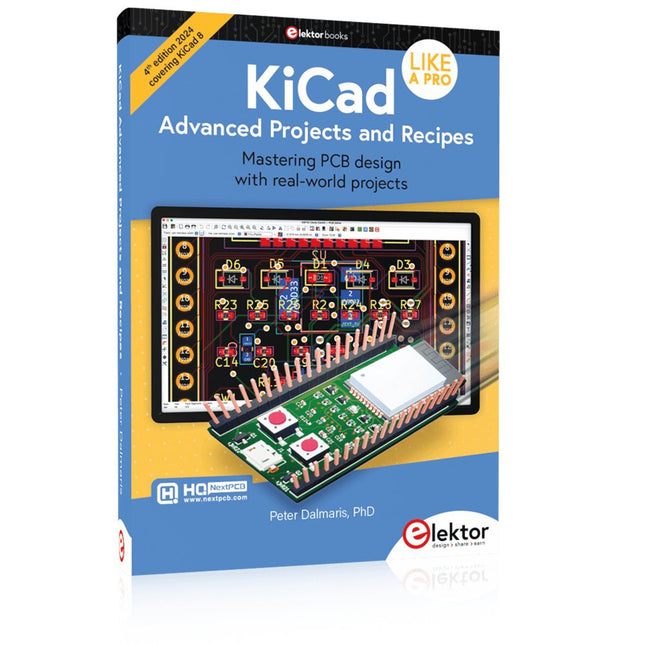
Elektor Publishing KiCad Like A Pro – Advanced Projects and Recipes
Mastering PCB design with real-world projects This book builts on KiCad Like a Pro – Fundamentals and Projects and aims to help you practice your new KiCad skills by challenging you in a series of real-world projects. The projects are supported by a comprehensive set of recipes with detailed instructions on how to achieve a variety of simple and complex tasks. Design the PCBs for a solar power supply, an LED matrix array, an Arduino-powered datalogger, and a custom ESP32 board. Understand the finer details of the interactive router, how to manage KiCad project teams with Git, how to use an autorouter on 2 and 4-layer PCBs, and much more. KiCad 8 is a modern, cross-platform application suite built around schematic and design editors. This stable and mature PCB tool is a perfect fit for electronic engineers and makers. With KiCad 8, you can create PCBs of any complexity and size without the constraints associated with the commercial packages. Here are the most significant improvements and features in KiCad 8, both over and under the hood: Modern user interface, completely redesigned from earlier versions Improved and customizable electrical and design rule checkers Theme editor allowing you to fully customize the look of KiCad on your screen Ability to import projects from Eagle, CADSTART, and more An improved and tightly integrated SPICE circuit simulator Autorouting with the Freerouting plugin Filters define which elements of a layout are selectable Enhanced interactive router helps you draw single tracks and differential pairs with precision New or enhanced tools to draw tracks, measure distances, tune track lengths, etc. Enhanced tool for creating filled zones A customizable coordinate system facilitates data exchange with other CAD applications Realistic ray-tracing capable 3D viewer Differential pair routing Rich repositories of symbol, footprint, and 3D shape libraries Python scripting API for programmatic customization and extensions Improved footprint wizard for fast custom footprints


