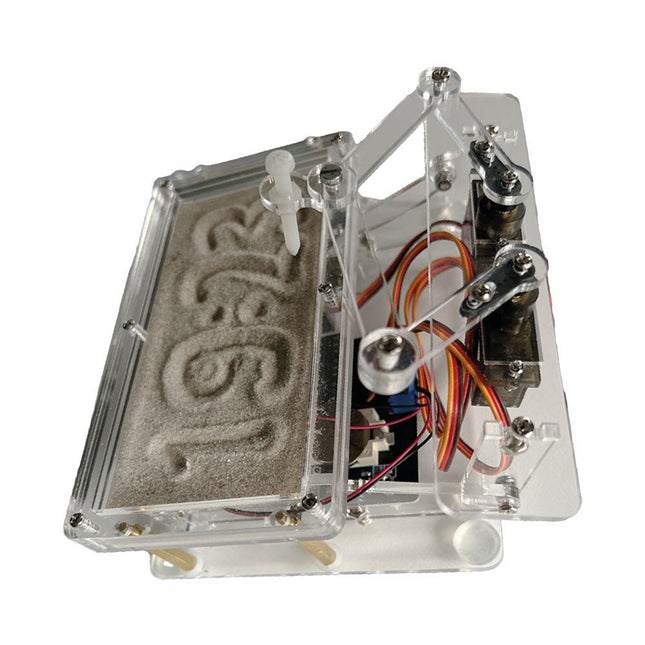
Een op de Raspberry Pi Pico gebaseerde Eye Catcher
Een standaard zandklok laat meestal slechts zien hoe de tijd verstrijkt. Deze door een Raspberry Pi Pico aangestuurde zandklok toont daarentegen de exacte tijd door de vier cijfers voor uren en minuten in een zandlaag te "graveren". Na een vooraf ingestelde periode wordt het zand door twee trilmotoren vlak getrild en begint alles weer van voren af aan.
Het hart van de zandklok wordt gevormd door twee servomotoren, die via een pantograafmechanisme een schrijfpen aandrijven. Een derde servomotor tilt deze pen op en neer. Het zandbakje is voorzien van twee trilmotoren om het zand weer vlak te trillen. Het elektronische deel van de zandklok bestaat uit een Raspberry Pi Pico en een RTC/driverbord met een real-time klok, plus drivercircuits voor de servomotoren.
Een gedetailleerde bouwhandleiding is beschikbaar via download.
Kenmerken
Afmetingen: 135 x 110 x 80 mm
Bouwtijd: ca. 1,5 tot 2 uur
Inbegrepen
3x Voorgesneden acrylaatplaten met alle mechanische onderdelen
3x Mini servomotoren
2x Trilmotoren
1x Raspberry Pi Pico
1x RTC/driverkaart met geassembleerde onderdelen
Moeren, boutjes, afstandhouders en draden voor de montage
Fijnkorrelig wit zand
Meer dan 180 projecten met Raspberry Pi, Pico W Arduino en ESP32
Deze bundel bevat de Universal Maker Sensor Kit, die bestaat uit veel sensoren, actuatoren, displays en motoren. Het is perfect voor omgevingsbewaking, smart home-projecten, robotica en gamecontrollers.
Het nieuwe Elektor-boek beschrijft het ontwerp van veel projecten met behulp van de kit samen met de populaire Raspberry Pi, Raspberry Pi Pico W, Arduino Uno en de ESP32-familie van ontwikkelborden. U kunt elk van deze ontwikkelborden voor uw projecten kiezen en de meegeleverde programma's gebruiken zoals ze zijn, of deze programma's aanpassen aan uw toepassingen.
Deze bundel bevat:
Boek: Universal Maker Sensor Kit (normale prijs: € 45)
Universal Maker Sensor Kit voor Raspberry Pi, Pico W, Arduino, ESP32 (normale prijs: € 70)
Boek: Universal Maker Sensor Kit
Leer meer dan 35 sensoren en actuatoren te gebruiken met C++, Python en MicroPython
Dit boek bevat meer dan 180 projecten voor alle vier de grote ontwikkelborden (Raspberry Pi, Pico W Arduino en ESP32). Afhankelijk van het ontwikkelbord zijn projecten beschikbaar in de programmeertalen C, Python of MicroPython.
De projecttitels, korte beschrijvingen, bedradingsschema's en volledige programmalijsten, samen met de gedetailleerde beschrijvingen, zijn in het boek opgenomen.
Universal Maker Sensor Kit (Raspberry Pi, Pico W, Arduino, ESP32)
Ontdek eindeloze creativiteit met de Universal Maker Sensor Kit, ontworpen voor gebruik met Raspberry Pi, Pico W, Arduino en ESP32. Deze veelzijdige kit biedt compatibiliteit met populaire ontwikkelingsplatforms, waaronder Arduino Uno R4 Minima/WiFi, Uno R3, Mega 2560, Raspberry Pi 5, 4, 3B+, 3B, Zero, Pico W en ESP32.
Met meer dan 35 sensoren, actuatoren en displays is het perfect voor projecten variërend van omgevingsmonitoring en slimme huisautomatisering tot robotica en interactief gamen. Stapsgewijze tutorials in C/C++, Python en MicroPython begeleiden zowel beginners als ervaren makers door 169 spannende projecten.
Kenmerken
Brede compatibiliteit: Ondersteunt volledig Arduino (Uno R3, Uno R4 Minima/WiFi, Mega 2560), Raspberry Pi (5, 4, 3B+, 3B, Zero, Pico W) en ESP32, wat uitgebreide flexibiliteit op verschillende ontwikkelingsplatforms mogelijk maakt. Bevat instructies voor het bouwen van 169 projecten.
Uitgebreide componenten: Bevat meer dan 35 sensoren, actuatoren en displaymodules die geschikt zijn voor uiteenlopende projecten zoals omgevingsbewaking, slimme huisautomatisering, robotica en interactieve gamecontrollers.
Gedetailleerde tutorials: Biedt duidelijke, stapsgewijze tutorials over Arduino, Raspberry Pi, Pico W, ESP32 en elk inbegrepen component. Tutorials zijn beschikbaar in C/C++, Python en MicroPython, en zijn effectief afgestemd op zowel beginners als ervaren makers.
Geschikt voor alle vaardigheidsniveaus: Biedt gestructureerde projecten die zijn ontworpen om gebruikers naadloos te begeleiden van beginners tot gevorderden in elektronica en programmeren, wat de creativiteit en technische expertise vergroot.
Kit bevat
Breadboard
Knopmodule
Capacitieve bodemvochtigheidsmodule
Vlamsensormodule
Gas-/rooksensormodule (MQ2)
Gyroscoop & Accelerometermodule (MPU6050)
Hall-sensormodule
Infraroodsnelheidssensormodule
IR-obstakelvermijdingssensormodule
Joystickmodule
PCF8591 ADC DAC-convertermodule
Fotoweerstandsmodule
PIR-bewegingsmodule (HC-SR501)
Potentiometermodule
Pulsoximeter- en hartslagsensormodule (MAX30102)
Regendruppeldetectiemodule
Realtimeklokmodule (DS1302)
Rotary Encoder-module
Temperatuursensormodule (DS18B20)
Temperatuur- en vochtigheidssensormodule (DHT11)
Temperatuur, vochtigheid en Druksensor (BMP280)
Time of Flight Micro-LIDAR afstandssensor (VL53L0X)
Touch Sensor Module
Ultrasone sensormodule (HC-SR04)
Trillingssensormodule (SW-420)
Waterniveausensormodule
I²C LCD 1602
OLED-displaymodule (SSD1306)
RGB LED-module
Verkeerslichtmodule
5 V relaismodule
Centrifugaalpomp
L9110 motordrivermodule
Passieve zoemermodule
Servomotor (SG90)
TT Motor
ESP8266-module
JDY-31 Bluetooth-module
Voedingsmodule
Documentatie
Online Tutorial
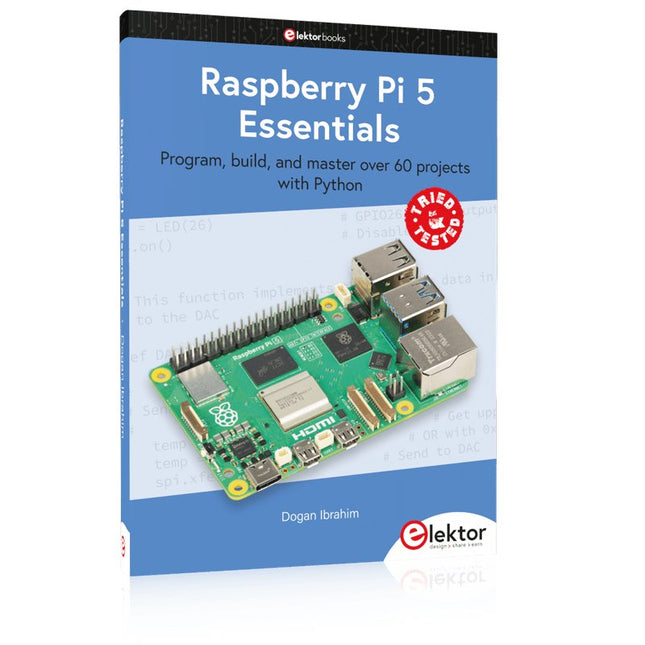
Program, build, and master over 60 projects with Python
The Raspberry Pi 5 is the latest single-board computer from the Raspberry Pi Foundation. It can be used in many applications, such as in audio and video media centers, as a desktop computer, in industrial controllers, robotics, and in many domestic and commercial applications. In addition to the well-established features found in other Raspberry Pi computers, the Raspberry Pi 5 offers Wi-Fi and Bluetooth (classic and BLE), which makes it a perfect match for IoT as well as in remote and Internet-based control and monitoring applications. It is now possible to develop many real-time projects such as audio digital signal processing, real-time digital filtering, real-time digital control and monitoring, and many other real-time operations using this tiny powerhouse.
The book starts with an introduction to the Raspberry Pi 5 computer and covers the important topics of accessing the computer locally and remotely. Use of the console language commands as well as accessing and using the desktop GUI are described with working examples. The remaining parts of the book cover many Raspberry Pi 5-based hardware projects using components and devices such as
LEDs and buzzers
LCDs
Ultrasonic sensors
Temperature and atmospheric pressure sensors
The Sense HAT
Camera modules
Example projects are given using Wi-Fi and Bluetooth modules to send and receive data from smartphones and PCs, and sending real-time temperature and atmospheric pressure data to the cloud.
All projects given in the book have been fully tested for correct operation. Only basic programming and electronics experience are required to follow the projects. Brief descriptions, block diagrams, detailed circuit diagrams, and full Python program listings are given for all projects described.
Deze complete microcontroller-programmeercursus op basis van de Raspberry Pi Pico bevat een leerboek, een componentenkit, praktische projecten en een uitgebreide online cursus met simulaties. Ideaal om embedded systems stap voor stap te leren programmeren in MicroPython via een praktische hands-on aanpak.
Een praktische introductie tot embedded systems met de Raspberry Pi Pico
Deze cursus is ontworpen voor beginners in embedded systems die op zoek zijn naar een gestructureerde en voorbeeldgerichte start.
Een kit met LED’s en weerstanden, schakelaars, sensoren en actuatoren, displays, een breadboard en draden is inbegrepen. Deze worden in de cursus gebruikt om voorbeeldtoepassingen te demonstreren.
Er is geen voorkennis van Arduino of embedded ontwikkeling vereist. Elke sectie bevat praktische voorbeelden en mini-projecten om belangrijke concepten te versterken en verdere verkenning te stimuleren. Aan het einde van de cursus kunt u niet alleen de voorbeelden reproduceren, maar ook uitbreiden met uw eigen ideeën en toepassingen.
Wat leert u?
Microcontrollerprogrammering in MicroPython met de Raspberry Pi Pico met behulp van de Thonny IDE
Werken met digitale I/O, knoppen en encoders uitlezen, LED’s en relais aansturen
Analoge ingangen, spanningen en sensoren uitlezen
Genereren van analoge uitgangssignalen en PWM
Gebruik van seriële communicatie zoals UART, I²C en SPI om displays aan te sturen en digitale sensoren en SD-kaarten uit te lezen
Tijdbeheer
Werken met interrupts
Realtime sensorinput en besturing via knoppen, LED’s en displays
Aansturen van actuatoren zoals relais en servomotoren
Voor wie is dit?
Studenten en zelflerenden die embedded systems willen ontdekken
Makers en IoT-enthousiastelingen die hun hardwarevaardigheden willen verbeteren
Docenten en trainers die kant-en-klaar lesmateriaal zoeken
Wat zit er in de doos?
Toegang tot de volledige cursus op het Elektor Academy Pro leerplatform
Raspberry Pi Pico microcontrollerboard + USB-kabel
Boek: Programming Microcontrollers in MicroPython
Downloadbare projectbestanden voor elke module
Componentenkit:
2× LED, rood, 5 mm
LED, groen, 5 mm
3× weerstand, 470 Ω, 0,25 W
LDR
Potentiometer, 10 kΩ, lineair
Drukknop
Rotary encoder module
Relaismodule
DHT22 temperatuur- en vochtigheidssensor
TM1637-compatibel 4-digit 7-segment display
MPU-6050 IMU met headers
SSD1306-compatibel I²C OLED display
Micro SD-kaartadapter met header
Buzzer
SG90 micro servo
ILI9341-compatibel SPI 240×320 TFT display
20× jumper wires
Breadboard
Alle programmeercursussen (en verschillen in inhoud)
Cursus
Arduino
Raspberry Pi Pico with Arduino C/C++
ESP32 with Arduino C/C++
Raspberry Pi Pico with MicroPython
ESP32 with MicroPython
Online cursus
Access to Arduino Course
Access to Pico with Arduino C/C++ Course
Access to ESP32 with Arduino C/C++ Course
Access to Pico with MicroPython Course
Access to ESP32 with MicroPython Course
Board
Uno R3
Raspberry Pi Pico
ESP32
Raspberry Pi Pico
ESP32
Boek
Programming Microcontrollers in C/C++ Using Arduino
Programming Microcontrollers in C/C++ Using Arduino
Programming Microcontrollers in C/C++ Using Arduino
Programming Microcontrollers in MicroPython
Programming Microcontrollers in MicroPython
Kit
40-delige componenten-kit
40-delige componenten-kit
40-delige componenten-kit
40-delige componenten-kit
40-delige componenten-kit
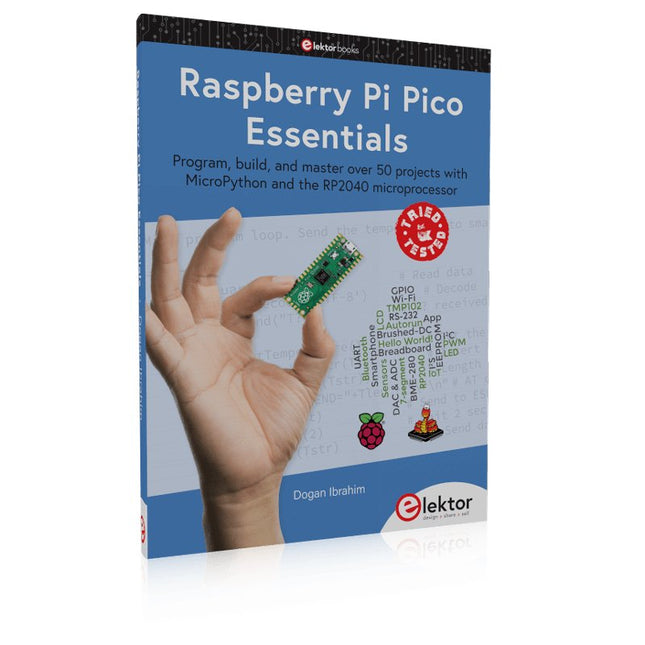
Program, build, and master over 50 projects with MicroPython and the RP2040 microprocessor The Raspberry Pi Pico is a high-performance microcontroller module designed especially for physical computing. Microcontrollers differ from single-board computers, like the Raspberry Pi 4, in not having an operating system. The Raspberry Pi Pico can be programmed to run a single task very efficiently within real-time control and monitoring applications requiring speed. The ‘Pico’ as we call it, is based on the fast, efficient, and low-cost dual-core ARM Cortex-M0+ RP2040 microcontroller chip running at up to 133 MHz and sporting 264 KB of SRAM, and 2 MB of Flash memory. Besides its large memory, the Pico has even more attractive features including a vast number of GPIO pins, and popular interface modules like ADC, SPI, I²C, UART, and PWM. To cap it all, the chip offers fast and accurate timing modules, a hardware debug interface, and an internal temperature sensor. The Raspberry Pi Pico is easily programmed using popular high-level languages such as MicroPython and or C/C++. This book is an introduction to using the Raspberry Pi Pico microcontroller in conjunction with the MicroPython programming language. The Thonny development environment (IDE) is used in all the projects described. There are over 50 working and tested projects in the book, covering the following topics: Installing the MicroPython on Raspberry Pi Pico using a Raspberry Pi or a PC Timer interrupts and external interrupts Analogue-to-digital converter (ADC) projects Using the internal temperature sensor and external temperature sensor chips Datalogging projects PWM, UART, I²C, and SPI projects Using Wi-Fi and apps to communicate with smartphones Using Bluetooth and apps to communicate with smartphones Digital-to-analogue converter (DAC) projects All projects given in the book have been fully tested and are working. Only basic programming and electronics experience is required to follow the projects. Brief descriptions, block diagrams, detailed circuit diagrams, and full MicroPython program listings are given for all projects described. Readers can find the program listings on the Elektor web page created to support the book.
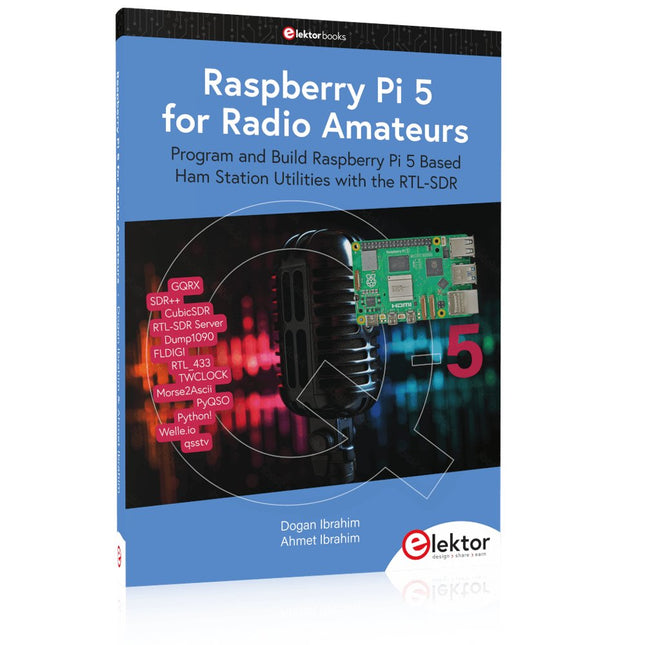
Program and Build Raspberry Pi 5 Based Ham Station Utilities with the RTL-SDR
The RTL-SDR devices (V3 and V4) have gained popularity among radio amateurs because of their very low cost and rich features. A basic system may consist of a USB based RTL-SDR device (dongle) with a suitable antenna, a Raspberry Pi 5 computer, a USB based external audio input-output adapter, and software installed on the Raspberry Pi 5 computer. With such a modest setup, it is possible to receive signals from around 24 MHz to over 1.7 GHz.
This book is aimed at amateur radio enthusiasts and electronic engineering students, as well as at anyone interested in learning to use the Raspberry Pi 5 to build electronic projects. The book is suitable for both beginners through experienced readers. Some knowledge of the Python programming language is required to understand and eventually modify the projects given in the book. A block diagram, a circuit diagram, and a complete Python program listing is given for each project, alongside a comprehensive description.
The following popular RTL-SDR programs are discussed in detail, aided by step-by-step installation guides for practical use on a Raspberry Pi 5:
SimpleFM
GQRX
SDR++
CubicSDR
RTL-SDR Server
Dump1090
FLDIGI
Quick
RTL_433
aldo
xcwcp
GPredict
TWCLOCK
CQRLOG
klog
Morse2Ascii
PyQSO
Welle.io
Ham Clock
CHIRP
xastir
qsstv
flrig
XyGrib
FreeDV
Qtel (EchoLink)
XDX (DX-Cluster)
WSJT-X
The application of the Python programming language on the latest Raspberry Pi 5 platform precludes the use of the programs in the book from working on older versions of Raspberry Pi computers.
Raspberry Pi 5 provides two four-lane MIPI connectors, each of which can support either a camera or a display. These connectors use the same 22-way, 0.5 mm-pitch “mini” FPC format as the Compute Module Development Kit, and require adapter cables to connect to the 15-way, 1 mm-pitch “standard” format connectors on current Raspbery Pi camera and display products.These mini-to-standard adapter cables for cameras and displays (note that a camera cable should not be used with a display, and vice versa) are available in 200 mm, 300 mm and 500 mm lengths.
TurtleBot 4 is the next-generation of the world’s most popular open source robotics platform for education and research, offering better computing power, better sensors and a world class user experience at an affordable price point.TurtleBot 4 Lite is equipped with an iRobot Create 3 mobile base, a powerful Raspberry Pi 4 running ROS 2, OAK-D spatial AI stereo camera, 2D LiDAR and more. All components have been seamlessly integrated to deliver an out-of-the-box development and learning platform.Specifications
Base platform
iRobot Create 3
Wheels (Diameter)
72 mm
Ground Clearance
4.5 mm
On-board Computer
Raspberry Pi 4 (4 GB)
Maximum linear velocity
0.31 m/s in safe mode0.46 m/s without safe mode
Maximum angular velocity
1.90 rad/s
Maximum payload
9 kg
Operation time
2h 30m – 4h depending on load
Charging time
2h 30m
Lidar
RPLIDAR A1M8
Camera
OAK-D-Lite
User Power
VBAT @1.9 A5 V @ Low current3.3 V @ Low current
USB Expansion
2x USB 2.0 (Type A)2x USB 3.0 (Type A)
Programmable LEDs
Create 3 Lightring
Buttons and Switches
2x Create 3 User buttons1x Create 3 Power Button
Battery
26 Wh Lithium Ion (14.4 V nominal)
Charging Dock
Included
Size (L x W x H)
342 x 339 x 192 mm
Weight
3.3 kg
DownloadsUser Manual
Raspberry Pi 5 provides two four-lane MIPI connectors, each of which can support either a camera or a display. These connectors use the same 22-way, 0.5 mm-pitch “mini” FPC format as the Compute Module Development Kit, and require adapter cables to connect to the 15-way, 1 mm-pitch “standard” format connectors on current Raspbery Pi camera and display products.These mini-to-standard adapter cables for cameras and displays (note that a camera cable should not be used with a display, and vice versa) are available in 200 mm, 300 mm and 500 mm lengths.
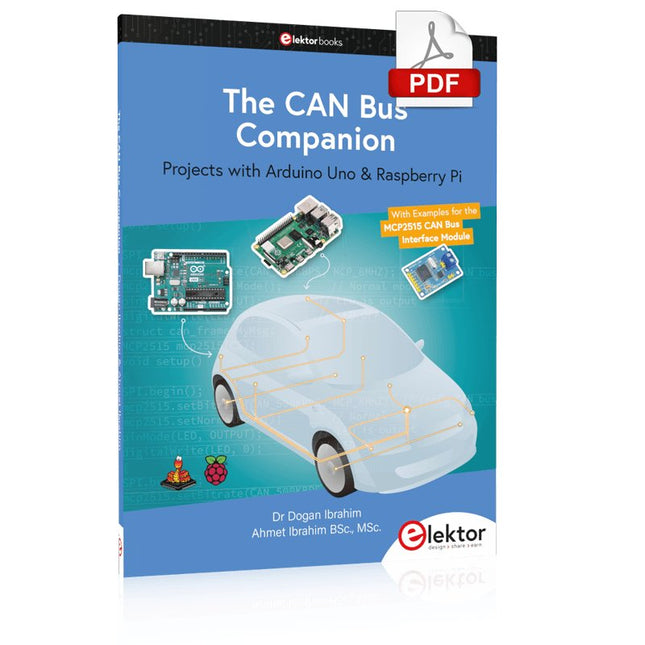
Projects with Arduino Uno & Raspberry Pi with Examples for the MCP2515 CAN Bus Interface Module
This book details the use of the Arduino Uno and the Raspberry Pi 4 in practical CAN bus based projects. Using either the Arduino Uno or the Raspberry Pi with off-the-shelf CAN bus interface modules considerably ease developing, debugging, and testing CAN bus based projects.
This book is written for students, practicing engineers, enthusiasts, and for everyone else wanting to learn more about the CAN bus and its applications. The book assumes that the reader has some knowledge of basic electronics. Knowledge of the C and Python programming languages and programming the Arduino Uno using its IDE and Raspberry Pi will be useful, especially if the reader intends to develop microcontroller-based projects using the CAN bus.
The book should be a useful source of reference material for anyone interested in finding answers to questions such as:
What bus systems are available for the automotive industry?
What are the principles of the CAN bus?
How can I create a physical CAN bus?
What types of frames (or data packets) are available in a CAN bus system?
How can errors be detected in a CAN bus system and how dependable is a CAN bus system?
What types of CAN bus controllers exist?
How do I use the MCP2515 CAN bus controller?
How do I create 2-node Arduino Uno-based CAN bus projects?
How do I create 3-node Arduino Uno-based CAN bus projects?
How do I set the acceptance masks and acceptance filters?
How do I analyze data on the CAN bus?
How do I create 2-node Raspberry Pi-based CAN bus projects?
How do I create 3-node Raspberry Pi-based CAN bus projects?
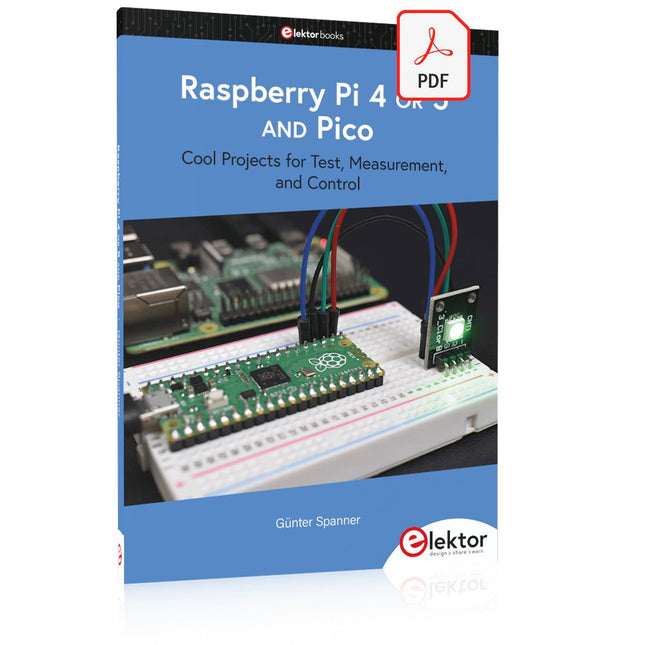
Cool Projects for Test, Measurement, and Control
The Raspberry Pi has dominated the maker scene for many years. Freely accessible I/O pins have made it one of the most popular processor boards of all time. However, the classic Raspberry Pi has no analog inputs. Direct measurement of analog values is therefore not possible. Consequently, photodiodes, NTCs, Hall sensors, etc. cannot be read directly. In addition, the pins are connected directly to the exposed contacts, i.e. without a driver or protection circuit. This can quickly destroy the central controller and thus the entire Raspberry Pi.
These problems can be elegantly solved with the Pico. As a front-end, it can easily handle a wide range of measurement tasks. In addition, the Pico is much cheaper than a classic Raspberry Pi 4 or 5. If a faulty circuit leads to the destruction of the Pico, this is relatively easy to handle. This makes the combination of a classic Raspberry Pi 4 or 5 and the Pico an ideal pair.
The book introduces the broad and highly topical field of modern controller technology using the combined force of a Raspberry Pi 4 or 5 and a Raspberry Pi Pico. In addition to a detailed introduction to the operation and functionality of the controller boards themselves, the book also focuses on data acquisition and processing with digital processors. Especially the combination of both systems offers a wide range of interesting possibilities.
Some practical projects from the contents:
USB between Raspberry Pi 4 or 5 and Pico
I²C Communication and Pico as an I²C device
Voltmeter and Computer Thermometer
Pico W as a Web Server and WLAN Scanner
Frequency Meters and Generators
OLED Displays on Raspberry Pi 4 or 5 and Pico
Energy Saving Monitor
Which Astronauts are in Orbit?
Mini Monitor for Current Bitcoin Exchange Rate
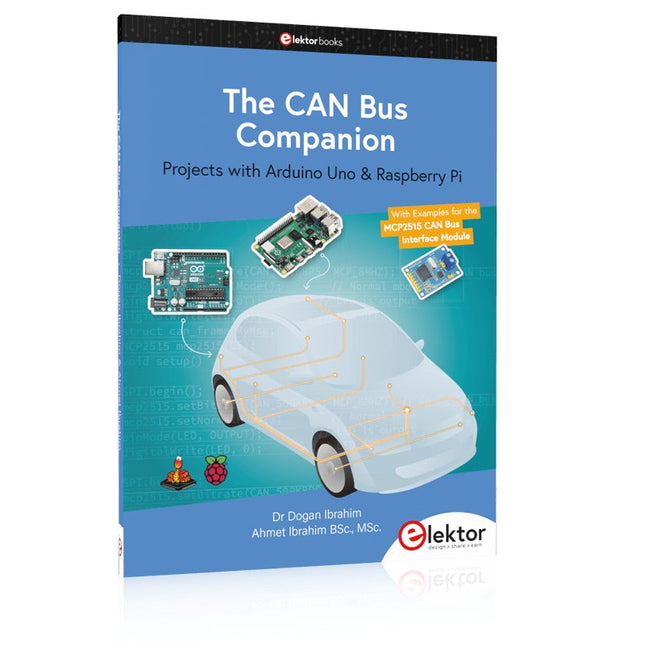
Projects with Arduino Uno & Raspberry Pi with Examples for the MCP2515 CAN Bus Interface Module
This book details the use of the Arduino Uno and the Raspberry Pi 4 in practical CAN bus based projects. Using either the Arduino Uno or the Raspberry Pi with off-the-shelf CAN bus interface modules considerably ease developing, debugging, and testing CAN bus based projects.
This book is written for students, practicing engineers, enthusiasts, and for everyone else wanting to learn more about the CAN bus and its applications. The book assumes that the reader has some knowledge of basic electronics. Knowledge of the C and Python programming languages and programming the Arduino Uno using its IDE and Raspberry Pi will be useful, especially if the reader intends to develop microcontroller-based projects using the CAN bus.
The book should be a useful source of reference material for anyone interested in finding answers to questions such as:
What bus systems are available for the automotive industry?
What are the principles of the CAN bus?
How can I create a physical CAN bus?
What types of frames (or data packets) are available in a CAN bus system?
How can errors be detected in a CAN bus system and how dependable is a CAN bus system?
What types of CAN bus controllers exist?
How do I use the MCP2515 CAN bus controller?
How do I create 2-node Arduino Uno-based CAN bus projects?
How do I create 3-node Arduino Uno-based CAN bus projects?
How do I set the acceptance masks and acceptance filters?
How do I analyze data on the CAN bus?
How do I create 2-node Raspberry Pi-based CAN bus projects?
How do I create 3-node Raspberry Pi-based CAN bus projects?