
Zoekresultaten voor "raspberry or pi or 4 or case or fan"
-

Elektor Labs Elektor 'Woordrijke' LED-kerstboom
Meertalige DIY-kit (incl. 27 RGB-LED's + Raspberry Pi Pico) Geef uw kerstperiode een vleugje techniek met de "woordrijke" LED-kerstboom van Elektor. De prachtig ontworpen 3D-kerstboom combineert elf printplaten, een Raspberry Pi Pico en 27 adresseerbare RGB-LED's om feestelijke boodschappen in zeven talen te laten oplichten: Deens, Nederlands, Engels, Frans, Duits, Italiaans en Spaans. In tegenstelling tot gewone LED-bomen heeft elk woord in de boom zijn eigen lichtkamer, waardoor een verfijnd, zacht gloeiend display ontstaat zonder geluid of flikkering. De LED's zijn volledig WS2812-compatibel en worden aangestuurd via de populaire Adafruit NeoPixel-bibliotheek, waardoor je eenvoudig aangepaste animaties en kleureffecten kunt maken. Perfect voor makers, knutselaars en fans van feestelijke elektronica. Deze kit is zowel een leuke bouwervaring als een opvallende, gesprekswaardige decoratie. De Elektor LED-kerstboom is het ideale knutselproject voor de feestdagen! Kenmerken Meertalige begroetingen (7 talen) gefreesd in het frontpaneel 3D-constructie van 11 in elkaar grijpende printplaten Aangedreven door Raspberry Pi Pico 27 individueel adresseerbare RGB-leds (voorgemonteerd) Vloeiende fade-in en fade-out animaties Volledig programmeerbaar met Arduino IDE Voor maximale helderheid wordt een 5 V-voeding (met micro-USB-connector) met een capaciteit van ≥1 A aanbevolen (niet meegeleverd) Afmetingen (H x B x D): 130 x 115 x 75 mm Inbegrepen Alle benodigde printplaten met leds en andere SMD-onderdelen gemonteerd Raspberry Pi Pico (door de gebruiker te solderen en te programmeren) 3-polige pinheader (door de gebruiker te solderen) 3-polige pinsocket (door de gebruiker te solderen) 4x Zelfklevende rubberen buffers Projectpagina Elektor Labs
€ 59,95€ 49,95Beste prijs
-

Elektor Bundles Arduino Uno R4 WiFi (Bundel)
Boek: Mastering the Arduino Uno R4 Gebaseerd op de voordelige 8-bits ATmega328P-processor, is het Arduino Uno R3-bord waarschijnlijk het populairste lid van de Arduino-familie geworden, en dit werkpaard is al vele jaren bij ons. Elf jaar later werd de langverwachte opvolger, de Arduino Uno R4, uitgebracht. Deze is gebouwd rond een 48 MHz, 32-bits Arm Cortex-M4 microcontroller en biedt aanzienlijk uitgebreider SRAM- en Flash-geheugen. Daarnaast zijn een nauwkeurigere ADC en een nieuwe DAC aan het ontwerp toegevoegd. Het Uno R4-bord ondersteunt ook de CAN-bus met een interface. Er zijn twee versies van het bord beschikbaar: Uno R4 Minima en Uno R4 WiFi. Dit boek gaat over het gebruik van deze nieuwe borden om veel verschillende en interessante projecten te ontwikkelen met slechts een handvol onderdelen en externe modules. Alle projecten die in het boek worden beschreven, zijn volledig getest op de Uno R4 Minima of de Uno R4 WiFi-kaart, afhankelijk van het type. De projectonderwerpen omvatten het uitlezen, besturen en aansturen van veel componenten en modules in de kit, evenals op de betreffende Uno R4-kaart, waaronder... LED's Weergaven met 7 segmenten (met timer-onderbrekingen) LCD's Sensoren RFID-lezer 4×4 toetsenbord Realtime klok (RTC) Joystick 8×8 LED-matrix Motoren DAC (digitaal-naar-analoog-omzetter) LED-matrix WiFi-connectiviteit Seriële UART CAN-bus Infraroodcontroller en ontvanger Simulatoren ... dit alles op creatieve en educatieve wijze, waarbij de werking van het project en de bijbehorende software tot in detail worden uitgelegd. Arduino Uno R4 WiFi De Arduino Uno R4 wordt aangedreven door de Renesas RA4M1 32-bits ARM Cortex-M4-processor, wat zorgt voor een aanzienlijke verbetering in rekenkracht, geheugen en functionaliteit. De wifi-versie wordt geleverd met een ESP32-S3 wifi-module naast de RA4M1, waardoor de creatieve mogelijkheden voor makers en ingenieurs worden uitgebreid. De Arduino Uno R4 werkt op 48 MHz, een verdrievoudiging ten opzichte van de populaire Uno R3. Daarnaast is het SRAM-geheugen geüpgraded van 2 kB naar 32 kB en het flashgeheugen van 32 kB naar 256 kB om complexere projecten te ondersteunen. Naar aanleiding van feedback van de community is de USB-poort nu een USB-C-poort en is de maximale voedingsspanning verhoogd naar 24 V met een verbeterd thermisch ontwerp. Het bord bevat een CAN-bus en een SPI-poort, waardoor gebruikers minder bedrading nodig hebben en parallelle taken kunnen uitvoeren door meerdere shields aan te sluiten. Er is ook een 12-bits analoge DAC op het bord aanwezig. Specificaties Microcontroller Renesas RA4M1 (ARM Cortex-M4) USB USB-C Programmeerpoort Pinnen Digitale I/O-pinnen 14 Pinnen Analoge ingangspinnen 6 DAC 1 RTC 1 PWM-pinnen 6 Communicatie UART 1x I²C 1x SPI 1x Qwiic I²C-connector 1x CAN 1x CAN-bus Voeding Bedrijfsspanning circuit 5 V Ingangsspanning (VIN) 6-24 V Gelijkstroom per I/O-pin 8 mA Kloksnelheid Hoofdkern 48 MHz Geheugen RA4M1 256 kB Flash, 32 kB RAM LED-matrix 12 x 8 (96 rode LED's) Afmetingen 68,9 x 53,4 mm Downloads Datasheet Schematics Deze bundel bevat: Boek: Mastering the Arduino Uno R4 (t.w.v. € 45) Arduino Uno R4 WiFi (t.w.v. € 30)
€ 74,95€ 64,95Beste prijs
-
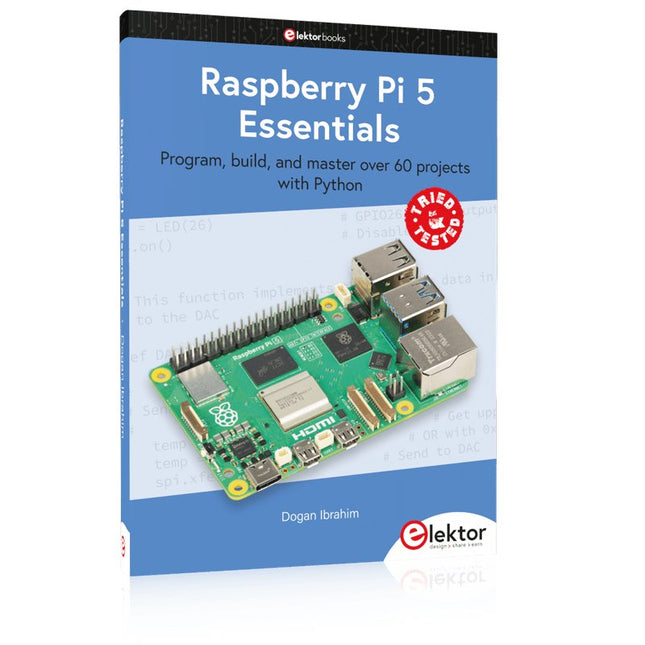
Elektor Publishing Raspberry Pi 5 Essentials
Program, build, and master over 60 projects with Python The Raspberry Pi 5 is the latest single-board computer from the Raspberry Pi Foundation. It can be used in many applications, such as in audio and video media centers, as a desktop computer, in industrial controllers, robotics, and in many domestic and commercial applications. In addition to the well-established features found in other Raspberry Pi computers, the Raspberry Pi 5 offers Wi-Fi and Bluetooth (classic and BLE), which makes it a perfect match for IoT as well as in remote and Internet-based control and monitoring applications. It is now possible to develop many real-time projects such as audio digital signal processing, real-time digital filtering, real-time digital control and monitoring, and many other real-time operations using this tiny powerhouse. The book starts with an introduction to the Raspberry Pi 5 computer and covers the important topics of accessing the computer locally and remotely. Use of the console language commands as well as accessing and using the desktop GUI are described with working examples. The remaining parts of the book cover many Raspberry Pi 5-based hardware projects using components and devices such as LEDs and buzzers LCDs Ultrasonic sensors Temperature and atmospheric pressure sensors The Sense HAT Camera modules Example projects are given using Wi-Fi and Bluetooth modules to send and receive data from smartphones and PCs, and sending real-time temperature and atmospheric pressure data to the cloud. All projects given in the book have been fully tested for correct operation. Only basic programming and electronics experience are required to follow the projects. Brief descriptions, block diagrams, detailed circuit diagrams, and full Python program listings are given for all projects described.
€ 39,95
Leden: € 35,96
-
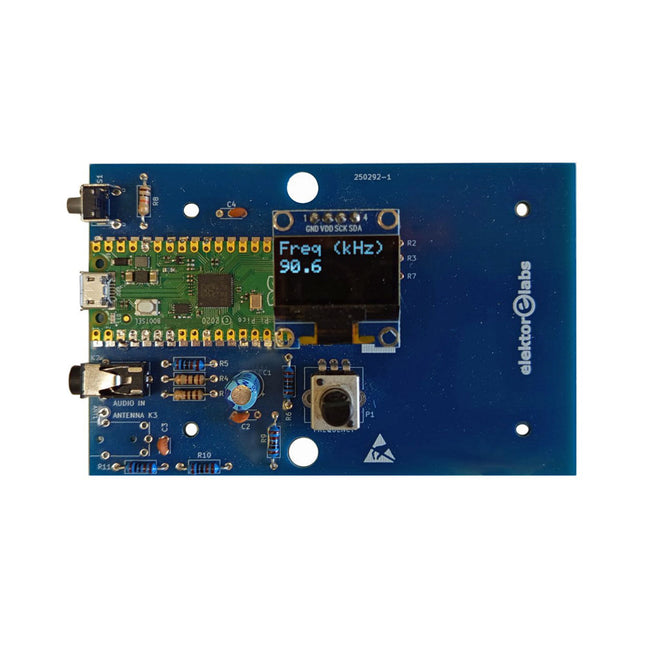
Elektor Labs Elektor AM-zender Kit
Bouw je eigen vintage radiozender De Elektor AM-zender kit maakt het mogelijk om audio te streamen naar vintage AM-radiotoestellen. Gebaseerd op een Raspberry Pi Pico microcontroller-module kan de AM-zender uitzenden op 32 frequenties in de AM-band, van 500 kHz tot 1,6 MHz in 32 stappen van ca. 35 kHz. De frequentie wordt gekozen met een potentiometer en weergegeven op een 0,96" OLED-display. Een drukknop maakt het mogelijk om de zendmodus te schakelen tussen Aan en Uit. Het bereik van de zender hangt af van de antenne. De ingebouwde antenne biedt een bereik van enkele centimeters, waardoor de AM-zender dicht bij of in de radio moet worden geplaatst. Een externe lusantenne (niet inbegrepen) kan worden aangesloten om het bereik te vergroten. De Elektor AM-zender kit wordt geleverd als een bouwpakket dat je zelf op de printplaat moet solderen. Kenmerken De printplaat is compatibel met een Hammond 1593N-behuizing (niet inbegrepen).Een 5 VDC-voeding met micro-USB-connector (bijv. een oude telefoonoplader) is nodig om de kit van stroom te voorzien (niet inbegrepen). Stroomverbruik: 100 mA. De Arduino-software (vereist het RP2040-boards-pakket van Earle Philhower) voor de Elektor AM-zenderkit plus meer informatie is beschikbaar op de Elektor Labs-pagina van dit project. Componentenlijst Weerstanden R1, R4 = 100 Ω R2, R3, R8 = 10 kΩ R5, R6, R9, R10, R11 = 1 kΩ R7 = optioneel (niet inbegrepen) P1 = potentiometer 100 kΩ, lineair Condensatoren C1 = 22 µF 16V C2, C4 = 10 nF C3 = 150 pF Diversen K1 = 4×1 pinheader K2, K3 = 3,5 mm-aansluiting Raspberry Pi Pico Drukknop, haaks gemonteerd 0,96" monochroom I²C OLED-display PCB 150292-1
€ 34,95€ 29,95Beste prijs
-

Elektor Academy Pro Raspberry Pi Pico with MicroPython (programmeercursus)
Deze complete microcontroller-programmeercursus op basis van de Raspberry Pi Pico bevat een leerboek, een componentenkit, praktische projecten en een uitgebreide online cursus met simulaties. Ideaal om embedded systems stap voor stap te leren programmeren in MicroPython via een praktische hands-on aanpak. Een praktische introductie tot embedded systems met de Raspberry Pi Pico Deze cursus is ontworpen voor beginners in embedded systems die op zoek zijn naar een gestructureerde en voorbeeldgerichte start. Een kit met LED’s en weerstanden, schakelaars, sensoren en actuatoren, displays, een breadboard en draden is inbegrepen. Deze worden in de cursus gebruikt om voorbeeldtoepassingen te demonstreren. Er is geen voorkennis van Arduino of embedded ontwikkeling vereist. Elke sectie bevat praktische voorbeelden en mini-projecten om belangrijke concepten te versterken en verdere verkenning te stimuleren. Aan het einde van de cursus kunt u niet alleen de voorbeelden reproduceren, maar ook uitbreiden met uw eigen ideeën en toepassingen. Wat leert u? Microcontrollerprogrammering in MicroPython met de Raspberry Pi Pico met behulp van de Thonny IDE Werken met digitale I/O, knoppen en encoders uitlezen, LED’s en relais aansturen Analoge ingangen, spanningen en sensoren uitlezen Genereren van analoge uitgangssignalen en PWM Gebruik van seriële communicatie zoals UART, I²C en SPI om displays aan te sturen en digitale sensoren en SD-kaarten uit te lezen Tijdbeheer Werken met interrupts Realtime sensorinput en besturing via knoppen, LED’s en displays Aansturen van actuatoren zoals relais en servomotoren Voor wie is dit? Studenten en zelflerenden die embedded systems willen ontdekken Makers en IoT-enthousiastelingen die hun hardwarevaardigheden willen verbeteren Docenten en trainers die kant-en-klaar lesmateriaal zoeken Wat zit er in de doos? Toegang tot de volledige cursus op het Elektor Academy Pro leerplatform Raspberry Pi Pico microcontrollerboard + USB-kabel Boek: Programming Microcontrollers in MicroPython Downloadbare projectbestanden voor elke module Componentenkit: 2× LED, rood, 5 mm LED, groen, 5 mm 3× weerstand, 470 Ω, 0,25 W LDR Potentiometer, 10 kΩ, lineair Drukknop Rotary encoder module Relaismodule DHT22 temperatuur- en vochtigheidssensor TM1637-compatibel 4-digit 7-segment display MPU-6050 IMU met headers SSD1306-compatibel I²C OLED display Micro SD-kaartadapter met header Buzzer SG90 micro servo ILI9341-compatibel SPI 240×320 TFT display 20× jumper wires Breadboard Alle programmeercursussen (en verschillen in inhoud) Cursus Arduino Raspberry Pi Pico with Arduino C/C++ ESP32 with Arduino C/C++ Raspberry Pi Pico with MicroPython ESP32 with MicroPython Online cursus Access to Arduino Course Access to Pico with Arduino C/C++ Course Access to ESP32 with Arduino C/C++ Course Access to Pico with MicroPython Course Access to ESP32 with MicroPython Course Board Uno R3 Raspberry Pi Pico ESP32 Raspberry Pi Pico ESP32 Boek Programming Microcontrollers in C/C++ Using Arduino Programming Microcontrollers in C/C++ Using Arduino Programming Microcontrollers in C/C++ Using Arduino Programming Microcontrollers in MicroPython Programming Microcontrollers in MicroPython Kit 40-delige componenten-kit 40-delige componenten-kit 40-delige componenten-kit 40-delige componenten-kit 40-delige componenten-kit
€ 69,95
Leden: € 62,96
-
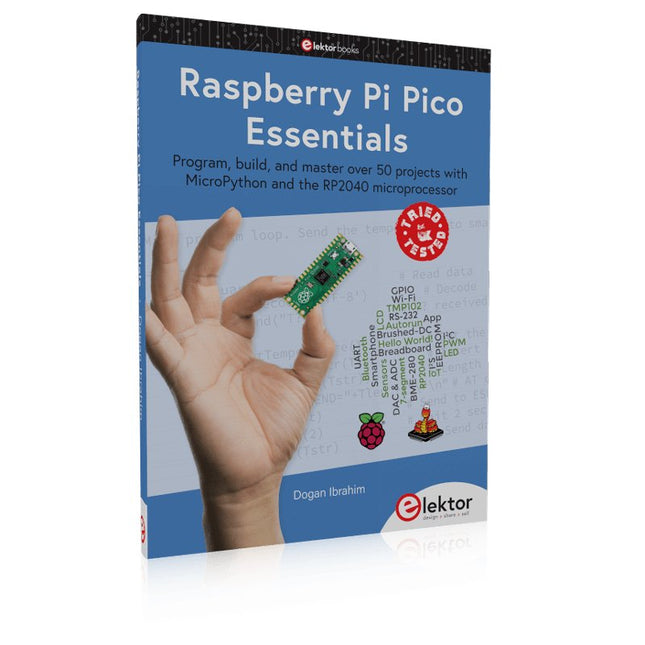
Elektor Publishing Raspberry Pi Pico Essentials
Program, build, and master over 50 projects with MicroPython and the RP2040 microprocessor The Raspberry Pi Pico is a high-performance microcontroller module designed especially for physical computing. Microcontrollers differ from single-board computers, like the Raspberry Pi 4, in not having an operating system. The Raspberry Pi Pico can be programmed to run a single task very efficiently within real-time control and monitoring applications requiring speed. The ‘Pico’ as we call it, is based on the fast, efficient, and low-cost dual-core ARM Cortex-M0+ RP2040 microcontroller chip running at up to 133 MHz and sporting 264 KB of SRAM, and 2 MB of Flash memory. Besides its large memory, the Pico has even more attractive features including a vast number of GPIO pins, and popular interface modules like ADC, SPI, I²C, UART, and PWM. To cap it all, the chip offers fast and accurate timing modules, a hardware debug interface, and an internal temperature sensor. The Raspberry Pi Pico is easily programmed using popular high-level languages such as MicroPython and or C/C++. This book is an introduction to using the Raspberry Pi Pico microcontroller in conjunction with the MicroPython programming language. The Thonny development environment (IDE) is used in all the projects described. There are over 50 working and tested projects in the book, covering the following topics: Installing the MicroPython on Raspberry Pi Pico using a Raspberry Pi or a PC Timer interrupts and external interrupts Analogue-to-digital converter (ADC) projects Using the internal temperature sensor and external temperature sensor chips Datalogging projects PWM, UART, I²C, and SPI projects Using Wi-Fi and apps to communicate with smartphones Using Bluetooth and apps to communicate with smartphones Digital-to-analogue converter (DAC) projects All projects given in the book have been fully tested and are working. Only basic programming and electronics experience is required to follow the projects. Brief descriptions, block diagrams, detailed circuit diagrams, and full MicroPython program listings are given for all projects described. Readers can find the program listings on the Elektor web page created to support the book.
€ 39,95
Leden: € 35,96
-
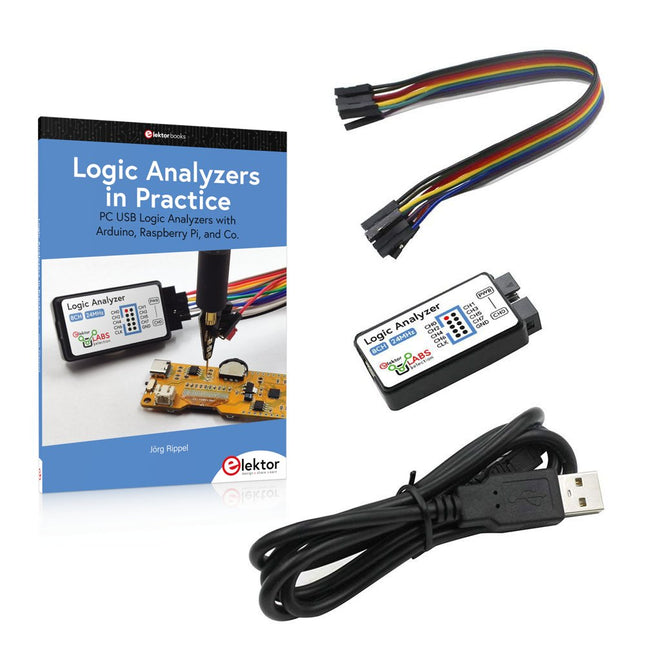
Elektor Bundles Logic Analyzers in Practice (Bundel)
Boek: Logic Analyzers in Practice Step-by-step instructions guide you through the analysis of modern protocols such as I²C, SPI, UART, RS-232, NeoPixel, WS28xx, HD44780 and 1-Wire. With the help of numerous experimental circuits based on the Raspberry Pi Pico, Arduino Uno and the Bus Pirate, you will learn the practical application of popular USB logic analyzers. All the experimental circuits presented in this book have been fully tested and are fully functional. The necessary program listings are included – no special programming or electronics knowledge is required for these circuits. The programming languages used are MicroPython and C along with the development environments Thonny and Arduino IDE. This book uses several models of flexible and widely available USB logic analyzers and shows the strengths and weaknesses of each price range. You will learn about the criteria that matter for your work and be able to find the right device for you. Whether Arduino, Raspberry Pi or Raspberry Pi Pico, the example circuits shown allow you to get started quickly with protocol analysis and can also serve as a basis for your own experiments. After reading this book, you will be familiar with all the important terms and contexts, conduct your own experiments, analyze protocols independently, culminating in a comprehensive knowledge set of digital signals and protocols. USB Logic Analyzer (8-ch, 24 MHz) Deze USB Logic Analyzer is een 8-kanaals logic analyzer met elke ingang bedoeld voor het op twee manieren opnemen van analoge data. Hij is perfect voor het debuggen en analyseren van signalen zoals I²C, UART, SPI, CAN en 1-Wire. De analyzer bemonstert een digitale ingang die is aangesloten op een te testen apparaat (DUT) met een hoge bemonsteringssnelheid. De aansluiting op de PC gaat via USB. Specificaties Kanalen 8 digitale kanalen Maximale bemonsteringssnelheid 24 MHz Maximale ingangsspanning 0 V ~ 5 V Bedrijfstemperatuur 0°C ~ 70°C Ingangsimpedantie 1 MΩ || 10 pF Ondersteunde protocollen I²C, SPI, UART, CAN, 1-wire, enz. PC-aansluiting USB Afmetingen 55 x 28 x 14 mm Downloads Software Deze bundel bevat: Boek "Logic Analyzers in Practice" (normale prijs: € 35) USB Logic Analyzer (8-kanaals, 24 MHz) (normale prijs: € 20) USB-kabel Jumper Draad Lintkabel
€ 54,95€ 44,95Beste prijs
-

Clearpath Robotics Clearpath Robotics TurtleBot 4 Lite
TurtleBot 4 is the next-generation of the world’s most popular open source robotics platform for education and research, offering better computing power, better sensors and a world class user experience at an affordable price point.TurtleBot 4 Lite is equipped with an iRobot Create 3 mobile base, a powerful Raspberry Pi 4 running ROS 2, OAK-D spatial AI stereo camera, 2D LiDAR and more. All components have been seamlessly integrated to deliver an out-of-the-box development and learning platform.Specifications Base platform iRobot Create 3 Wheels (Diameter) 72 mm Ground Clearance 4.5 mm On-board Computer Raspberry Pi 4 (4 GB) Maximum linear velocity 0.31 m/s in safe mode0.46 m/s without safe mode Maximum angular velocity 1.90 rad/s Maximum payload 9 kg Operation time 2h 30m – 4h depending on load Charging time 2h 30m Lidar RPLIDAR A1M8 Camera OAK-D-Lite User Power VBAT @1.9 A5 V @ Low current3.3 V @ Low current USB Expansion 2x USB 2.0 (Type A)2x USB 3.0 (Type A) Programmable LEDs Create 3 Lightring Buttons and Switches 2x Create 3 User buttons1x Create 3 Power Button Battery 26 Wh Lithium Ion (14.4 V nominal) Charging Dock Included Size (L x W x H) 342 x 339 x 192 mm Weight 3.3 kg DownloadsUser Manual
€ 1.699,00
Beste prijs
-
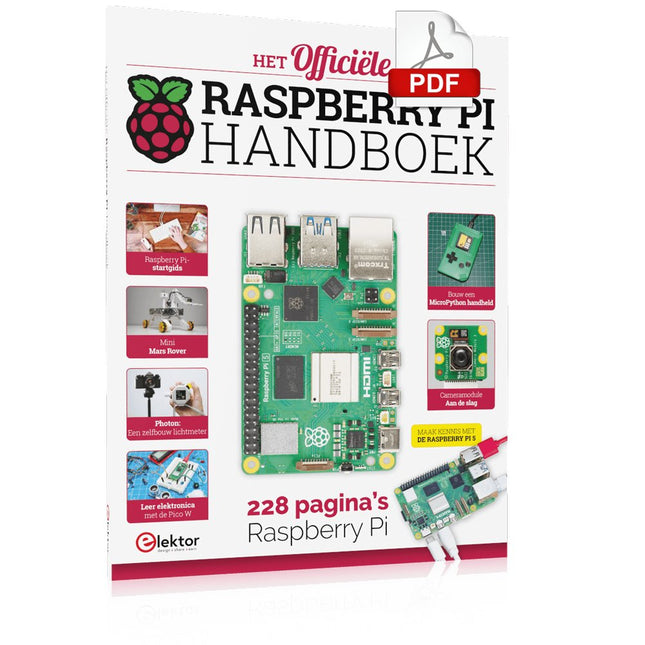
Elektor Digital Het officiële Raspberry Pi Handboek (PDF)
Van de makers van MagPi, het officiële Raspberry Pi-magazine Ga aan de slag met Raspberry Pi 5, de nieuwste en beste in de Raspberry Pi-microcomputerlijn; leer programmeren en creeren met deze fantastische computer. Daarnaast zijn er nog genoeg dingen die je kunt doen met Raspberry Pi 4, Raspberry Pi Zero 2 W en Raspberry Pi Pico W in dit handboek. Met de nieuwste recensies, tutorials, projectpresentaties, handleidingen en nog veel meer is dit je ultieme bron voor Raspberry Pi! 228 pagina’s Raspberry Pi Alles wat je moet weten over de Raspberry Pi 5 Snelle en praktische gids voor elke Raspberry Pi Beleef serieus plezier met elektronica en de Pico W Inspirerende projecten voor uw volgende bouwidee Leer μPython door een “handheld” te bouwen Aan de slag met de Raspberry Pi Camera-module Kunstmatige Intelligentie; bouw je eigen GPT Chatbot
€ 29,95
Leden: € 26,96
-
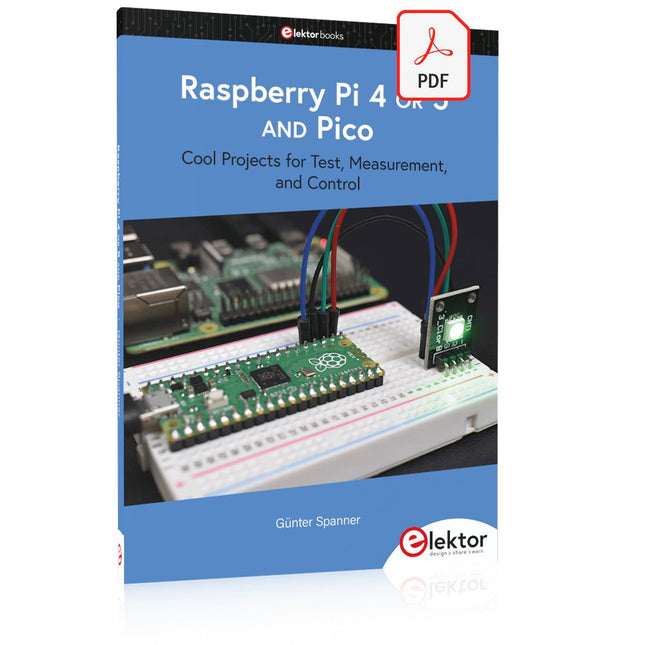
Elektor Digital Raspberry Pi 4 OR 5 AND Pico (E-book)
Cool Projects for Test, Measurement, and Control The Raspberry Pi has dominated the maker scene for many years. Freely accessible I/O pins have made it one of the most popular processor boards of all time. However, the classic Raspberry Pi has no analog inputs. Direct measurement of analog values is therefore not possible. Consequently, photodiodes, NTCs, Hall sensors, etc. cannot be read directly. In addition, the pins are connected directly to the exposed contacts, i.e. without a driver or protection circuit. This can quickly destroy the central controller and thus the entire Raspberry Pi. These problems can be elegantly solved with the Pico. As a front-end, it can easily handle a wide range of measurement tasks. In addition, the Pico is much cheaper than a classic Raspberry Pi 4 or 5. If a faulty circuit leads to the destruction of the Pico, this is relatively easy to handle. This makes the combination of a classic Raspberry Pi 4 or 5 and the Pico an ideal pair. The book introduces the broad and highly topical field of modern controller technology using the combined force of a Raspberry Pi 4 or 5 and a Raspberry Pi Pico. In addition to a detailed introduction to the operation and functionality of the controller boards themselves, the book also focuses on data acquisition and processing with digital processors. Especially the combination of both systems offers a wide range of interesting possibilities. Some practical projects from the contents: USB between Raspberry Pi 4 or 5 and Pico I²C Communication and Pico as an I²C device Voltmeter and Computer Thermometer Pico W as a Web Server and WLAN Scanner Frequency Meters and Generators OLED Displays on Raspberry Pi 4 or 5 and Pico Energy Saving Monitor Which Astronauts are in Orbit? Mini Monitor for Current Bitcoin Exchange Rate
€ 32,95
Leden: € 29,66
-

Elektor Bundles Bundle: Logic Analyzer im Einsatz (Buch) + USB Logic Analyzer (8 Kanäle, 24 MHz)
USB-Logikanalysatoren am PC mit Arduino, Raspberry Pi und Co Schritt-für-Schritt-Anleitungen führen Sie in die Analyse moderner Protokolle von I²C, SPI, UART, RS-232, NeoPixel, WS28xx, HD44780 und 1-Wire Protokollen ein. Anhand von zahlreichen Experimentierschaltungen mit dem Raspberry Pi Pico, Arduino Uno und dem Bus Pirate üben Sie die praxisnahe Anwendung gängiger USB-Logikanalysatoren ein. Alle in diesem Buch vorgestellten Experimentierschaltungen wurden vollständig getestet und sind funktionsfähig. Die notwendigen Programmlistings sind enthalten, es sind keine besonderen Programmier- oder Elektronikkenntnisse für diese Schaltungen notwendig. Es werden die Programmiersprachen MicroPython und C mit den Entwicklungsumgebungen Thonny und Arduino IDE eingesetzt. Dieses Buch verwendet mehrere Modelle flexibler und weit verbreiteter USB-Logikanalysatoren und zeigt die Stärken und Schwächen jeder Preisklasse. Sie werden kennenlernen, welche Kriterien für Ihre Arbeit wichtig sind und in der Lage sein, das für Sie passende Gerät zu finden. Egal ob Arduino, Raspberry Pi oder Raspberry Pi Pico: Die abgebildeten Beispielschaltungen ermöglichen einen schnellen Start in die Protokollanalyse und können auch als Grundlage für eigene weitere Experimente dienen. Sie werden alle wichtigen Begriffe und Zusammenhänge kennenlernen, eigene Experimente durchführen, selbstständig Protokolle analysieren und nach der Lektüre dieses Buches – im Bereich der digitalen Signale und Protokolle – ein umfassendes Wissen aufgebaut haben. USB Logic Analyzer (8 Kanäle, 24 MHz) Dieser USB Logic Analyzer ist ein 8-Kanal-Logikanalysator, bei dem jeder Eingang doppelt für die analoge Datenaufzeichnung dient. Es eignet sich perfekt zum Debuggen und Analysieren von Signalen wie I²C, UART, SPI, CAN und 1-Wire. Dabei wird ein digitaler Eingang, der mit einem zu testenden Gerät (DUT) verbunden ist, mit einer hohen Abtastrate abgetastet. Die Verbindung zum PC erfolgt via USB. Technische Daten Kanäle 8 digitale Kanäle Maximale Abtastrate 24 MHz Maximale Eingangsspannung 0 V ~ 5 V Betriebstemperatur 0°C ~ 70°C Eingangsimpedanz 1 MΩ || 10 pF Unterstützte Protokolle I²C, SPI, UART, CAN, 1-Wire etc. PC-Verbindung USB Abmessungen 55 x 28 x 14 mm Downloads Software Dieses Bundle enthält: Neues Buch "Logic Analyzer im Einsatz" (Einzelpreis: 32,80 €) USB Logic Analyzer (8 Kanäle, 24 MHz) (Einzelpreis: 12,95 €) USB-Kabel Jumper Wire Ribbon Kabel
€ 59,95€ 49,95Beste prijs
-
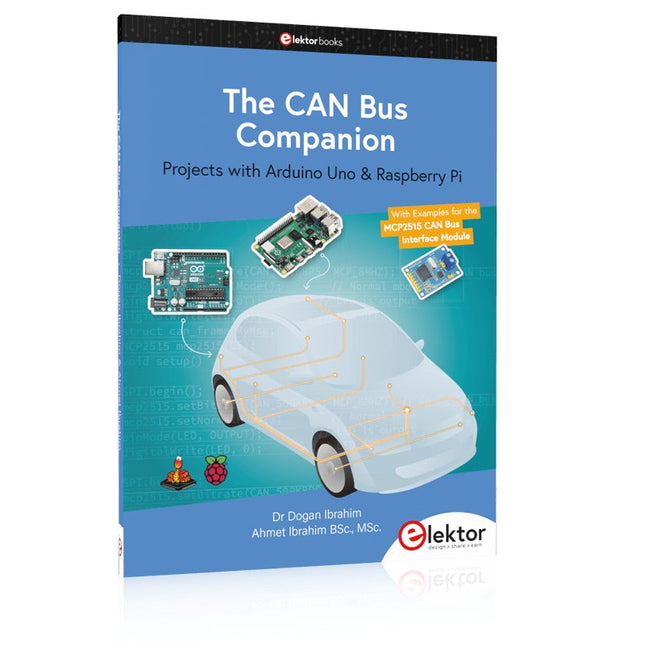
Elektor Publishing The CAN Bus Companion
Projects with Arduino Uno & Raspberry Pi with Examples for the MCP2515 CAN Bus Interface Module This book details the use of the Arduino Uno and the Raspberry Pi 4 in practical CAN bus based projects. Using either the Arduino Uno or the Raspberry Pi with off-the-shelf CAN bus interface modules considerably ease developing, debugging, and testing CAN bus based projects. This book is written for students, practicing engineers, enthusiasts, and for everyone else wanting to learn more about the CAN bus and its applications. The book assumes that the reader has some knowledge of basic electronics. Knowledge of the C and Python programming languages and programming the Arduino Uno using its IDE and Raspberry Pi will be useful, especially if the reader intends to develop microcontroller-based projects using the CAN bus. The book should be a useful source of reference material for anyone interested in finding answers to questions such as: What bus systems are available for the automotive industry? What are the principles of the CAN bus? How can I create a physical CAN bus? What types of frames (or data packets) are available in a CAN bus system? How can errors be detected in a CAN bus system and how dependable is a CAN bus system? What types of CAN bus controllers exist? How do I use the MCP2515 CAN bus controller? How do I create 2-node Arduino Uno-based CAN bus projects? How do I create 3-node Arduino Uno-based CAN bus projects? How do I set the acceptance masks and acceptance filters? How do I analyze data on the CAN bus? How do I create 2-node Raspberry Pi-based CAN bus projects? How do I create 3-node Raspberry Pi-based CAN bus projects?
€ 39,95
Leden: € 35,96


