
Zoekresultaten voor "elektor or summer or circuits or 2022 or nl"
-
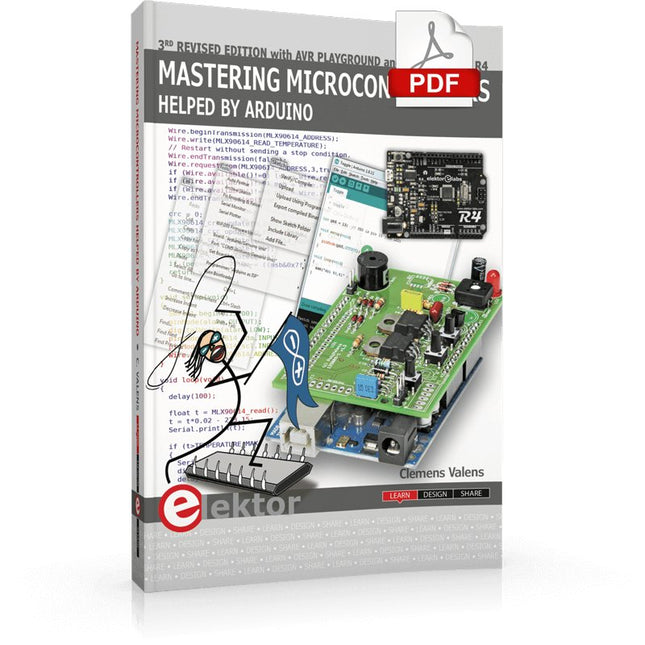
Elektor Digital Mastering Microcontrollers Helped by Arduino (3rd Edition) | E-book
Third, extended and revised edition with AVR Playground and Elektor Uno R4 Arduino boards have become hugely successful. They are simple to use and inexpensive. This book will not only familiarize you with the world of Arduino but it will also teach you how to program microcontrollers in general. In this book theory is put into practice on an Arduino board using the Arduino programming environment. Some hardware is developed too: a multi-purpose shield to build some of the experiments from the first 10 chapters on; the AVR Playground, a real Arduino-based microcontroller development board for comfortable application development, and the Elektor Uno R4, an Arduino Uno R3 on steroids. The author, an Elektor Expert, provides the reader with the basic theoretical knowledge necessary to program any microcontroller: inputs and outputs (analog and digital), interrupts, communication busses (RS-232, SPI, I²C, 1-wire, SMBus, etc.), timers, and much more. The programs and sketches presented in the book show how to use various common electronic components: matrix keyboards, displays (LED, alphanumeric and graphic color LCD), motors, sensors (temperature, pressure, humidity, sound, light, and infrared), rotary encoders, piezo buzzers, pushbuttons, relays, etc. This book will be your first book about microcontrollers with a happy ending! This book is for you if you are a beginner in microcontrollers, an Arduino user (hobbyist, tinkerer, artist, etc.) wishing to deepen your knowledge,an Electronics Graduate under Undergraduate student or a teacher looking for ideas. Thanks to Arduino the implementation of the presented concepts is simple and fun. Some of the proposed projects are very original: Money Game Misophone (a musical fork) Car GPS Scrambler Weather Station DCF77 Decoder Illegal Time Transmitter Infrared Remote Manipulator Annoying Sound Generator Italian Horn Alarm Overheating Detector PID Controller Data Logger SVG File Oscilloscope 6-Channel Voltmeter All projects and code examples in this book have been tried and tested on an Arduino Uno board. They should also work with the Arduino Mega and every other compatible board that exposes the Arduino shield extension connectors. Please note For this book, the author has designed a versatile printed circuit board that can be stacked on an Arduino board. The assembly can be used not only to try out many of the projects presented in this book but also allows for new exercises that in turn provide the opportunity to discover new techniques. Also available is a kit of parts including the PCB and all components. With this kit you can build most of the circuits described in the book and more. Datasheets Active Components Used (.PDF file): ATmega328 (Arduino Uno) ATmega2560 (Arduino Mega 2560) BC547 (bipolar transistor, chapters 7, 8, 9) BD139 (bipolar power transistor, chapter 10) BS170 (N-MOS transistor, chapter 8) DCF77 (receiver module, chapter 9) DS18B20 (temperature sensor, chapter 10) DS18S20 (temperature sensor, chapter 10) HP03S (pressure sensor, chapter 8) IRF630 (N-MOS power transistor, chapter 7) IRF9630 (P-MOS power transistor, chapter 7) LMC6464 (quad op-amp, chapter 7) MLX90614 (infrared sensor, chapter 10) SHT11 (humidity sensor, chapter 8) TS922 (dual op-amp, chapter 9) TSOP34836 (infrared receiver, chapter 9) TSOP1736 (infrared receiver, chapter 9) MPX4115 (analogue pressure sensor, chapter 11) MCCOG21605B6W-SPTLYI (I²C LCD, chapter 12) SST25VF016B (SPI EEPROM, chapter 13) About the author Clemens Valens, born in the Netherlands, lives in France since 1997. Manager at Elektor Labs and Webmaster of ElektorLabs, in love with electronics, he develops microcontroller systems for fun, and sometimes for his employer too. Polyglot—he is fluent in C, C++, PASCAL, BASIC and several assembler dialects—Clemens spends most of his time on his computer while his wife, their two children and two cats try to attract his attention (only the cats succeed). Visit the author’s website: www.polyvalens.com.Authentic testimony of Hervé M., one of the first readers of the book:'I almost cried with joy when this book made me understand things in only three sentences that seemed previously completely impenetrable.'
€ 34,95
Leden: € 31,46
-

Sensepeek Sensepeek 6012 PCBite-kit incl. 2x SQ10-sonde voor DMM
De SQ-serie handsfree PCBite-sondes van Sensepeek zijn geïsoleerd, worden geleverd met meegeleverde kleurgecodeerde kabelhouders en hebben een lager zwaartepunt waardoor ze nog stabieler zijn vergeleken met de originele SP-serie sondes. Alle geliefde kenmerken van handsfree meten, een verwisselbare testnaald met veertip en het minimalistische ontwerp zijn behouden gebleven, waardoor traditionele en draagbare sondes overbodig zijn geworden. Kenmerken Alle handsfree sondes van Sensepeek maken directe metingen of lange triggersessies een fluitje van een cent. Geen soldeerdraden meer om uw sonde aan te sluiten of ingewikkelde gereedschappen om in te stellen, u hoeft alleen maar de sondenaald op een willekeurig testpunt of onderdeel in het signaalpad te plaatsen en los te laten. Bespaart tijd en frustratie tijdens ontwikkeling, verificatie en reparaties. Het minimalistische ontwerp en de veerbelaste testnaald maken het mogelijk om tegelijkertijd te meten op fijne toonhoogtecomponenten en signalen in de buurt. Zowel de lengte als het gewicht van de SQ-sondes zijn perfect uitgebalanceerd voor gebruik met PCBite PCB-houders en basisplaat, wat een must is voor handsfree functioneren. De sondehouder wordt geleverd met een krachtige magneet in de basis, zoals bij alle PCBite-sondes en -houders, waardoor de sonde gemakkelijk te plaatsen en te verplaatsen is. De sondes uit de SQ-serie kunnen zonder de sondehouder in de hand worden gebruikt, omdat ze een geïsoleerde handgreep hebben, maar hun volledige potentieel wordt benut bij handsfree meten. Inbegrepen 4x PCBite PCB-houders 2x SQ10-sondes en testnaalden met pintip (rood/zwart) 2x Banaan naar dupont-testdraden (rood/zwart) 1x Grote bodemplaat (A4) 1x Isolatiehoes voor de bodemplaat (A4) 1x Set gele isolatieringen voor de PCB-houders 1x Set kabelhouders (rood/zwart) 2x Extra testnaalden 1x Microvezeldoek Downloads User Guide (PCBite Kit) User Guide (SQ10)
€ 127,05
-
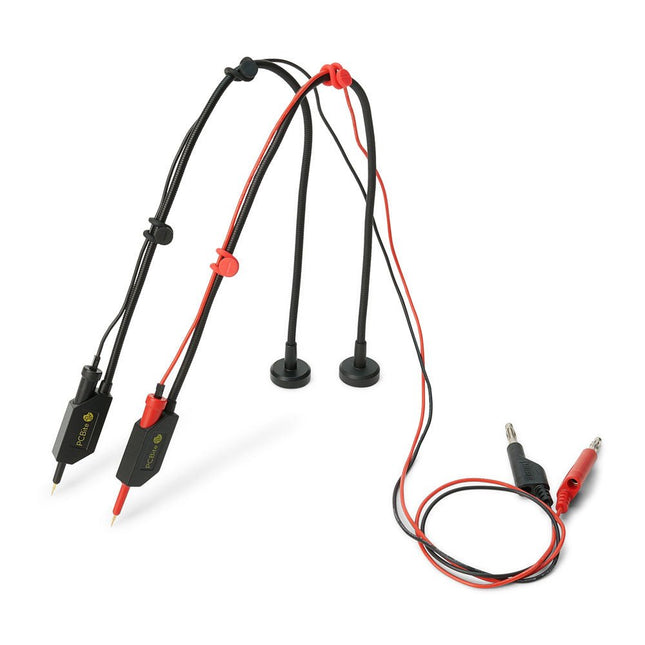
Sensepeek Sensepeek 6011 2x SQ10 Probe for DMM (red/black)
The SQ series of handsfree PCBite probes from Sensepeek are insulated, come with included color-coded cable holders and have a lower point of gravity making them even more stable compared with the original SP series of probes. All the loved features of handsfree measurement, exchangeable fine pitch spring tipped test needle and the minimalistic design is maintained to make traditional sized and handheld probes obsolete. Features All handsfree probes from Sensepeek makes instant measurements or long triggering sessions a breeze. No more soldering wires to connect your probe or complicated tools to setup, just positioning the probe needle on any test point or component in the signal path and release. Saves time and frustration during development, verification and repairs. The minimalist design and the spring-loaded test needle makes it possible to simultaneously measure on fine pitch components and nearby signals. Both length and weight of the SQ probes are perfectly balanced to be used with PCBite PCB holders and base plate which is a must for handsfree function. The probe holder comes with a powerful magnet in the base, as for all PCBite probes and holders which makes the probe easy to place and reposition. The SQ series of probes can be used handheld without the probe holder as they have an insulated grip but their full potential is used when measuring handsfree. Included 2x SQ10 probes and pin tipped test needles (red/black) 2x Banana to dupont test wires (red/black) 1x Set of cable holders (red/black) 2x Extra test needles Downloads User guide
€ 54,45
-

Elektor Bundles Mikrocontroller-Praxiskurs für Arduino-Einsteiger (Bundle)
Mit dem Elektor Arduino Nano Trainingsboard (MCCAB) eigene Projekte realisieren Der Mikrocontroller ist das wohl faszinierendste Teilgebiet der Elektronik, denn aufgrund der Vielzahl von Funktionen, die er auf seinem Chip vereinigt, ist er für den Entwickler ein universelles Multi-Tool zur Realisierung seiner Projekte. Praktisch jedes Gerät des täglichen Gebrauchs wird heute von einem Mikrocontroller gesteuert. Für einen elektronischen Laien blieb es aufgrund der Komplexität bisher allerdings ein Wunschtraum, eigene Ideen mit einem Mikrocontroller zu realisieren. Das Arduino-Konzept hat den Einsatz von Mikrocontrollern weitgehend vereinfacht, sodass jetzt auch Laien eigene Elektronik-Ideen mit einem Mikrocontroller verwirklichen können. Buch & Hardware im Bundle: 'Learning by Doing' Dieses im Bundle mitgelieferte Buch (im großen A4-Format) zeigt, wie man auch ohne große Erfahrung in Elektronik und Programmiersprachen eigene Projekte mit einem Mikrocontroller realisieren kann. Es ist ein Mikrocontroller-Praxiskurs für Einsteiger, denn nach einem Überblick über die Interna des Mikrocontrollers und einer Einführung in die Programmiersprache C liegt der Schwerpunkt des Kurses auf den praktischen Übungen. Der Leser eignet sich die erforderlichen Kenntnisse durch 'Learning by Doing' an: in dem umfangreichen Praxisteil mit 12 Projekten und 46 Übungen wird das im vorderen Teil des Buches Gelernte mit vielen Beispielen unterlegt. Die Übungen sind dabei so aufgebaut, dass der Bearbeiter eine Aufgabenstellung erhält, die er mit seinem im Theorieteil des Buches aufgebauten Wissen löst. Für jede Übung gibt es anschließend eine ausführlich erklärte und kommentierte Musterlösung, die dem Bearbeiter bei Problemen weiterhilft und die er mit seiner eigenen Lösung vergleichen kann. Arduino IDE In der Arduino IDE, einer Software-Entwicklungsumgebung, die kostenlos auf den eigenen PC heruntergeladen werden kann und die das gesamte Softwarepaket enthält, das für ein eigenes Mikrocontroller-Projekt benötigt wird, schreibt der Bearbeiter mit dem Editor der IDE seine Programme („Apps“) in der Programmiersprache C. Der in die Arduino IDE integrierte Compiler übersetzt sie in die Bits und Bytes, die der Mikrocontroller versteht und die dann über ein USB-Kabel in den Speicher des Mikrocontrollers auf dem Elektor Arduino Nano Trainingsboard (MCCAB) geladen werden. Externe Sensoren, Motoren oder Baugruppen abfragen oder steuern Das Elektor Arduino Nano Trainingsboard (MCCAB) enthält neben einem Mikrocontrollermodul Arduino Nano alle für die Übungen benötigten Bauteile wie Leuchtdioden, Schalter, Taster, akustische Signalgeber usw. Auch externe Sensoren, Motoren oder Baugruppen können mit diesem Mikrocontroller-Übungssystem abgefragt oder gesteuert werden. Technische Daten (Arduino Nano Trainingsboard MCCAB) Stromversorgung Über die USB-Verbindung des zur Erstellung der Programme sowieso angeschlossenen PCs oder ein externes Netzteil (nicht im Lieferumfang enthalten) Betriebsspannung +5 Vcc Eingangsspannung Alle Eingänge 0 V bis +5 V VX1 und VX2 +8 V bis +12 V (nur bei Verwendung eines externen Netzteils) Mikrocontrollermodul Arduino Nano Hardwareperipherie LCD 2x16 Zeichen Potenziometer P1 & P2 JP3: Auswahl der Betriebsspannung von P1 & P2 Verteiler SV4: Verteiler für die BetriebsspannungenSV5, SV6: Verteiler für die Ein-/Ausgänge des Mikrocontrollers Schalter und Taster RESET-Taster auf dem Arduino Nano-Modul6x Tastschalter K1 … K66x Schiebeschalter S1 … S6JP2: Verbindung der Schalter mit den Eingängen des Mikrocontrollers Summer Piezo-Summer Buzzer1 mit Steckbrücke auf JP6 Leuchtanzeigen LED L auf dem Arduino Nano-Modul, verbunden mit GPIO D1311x LED: Zustandsanzeige für die Ein-/AusgängeJP6: Verbindung der LEDs LD10 … LD20 mit den GPIOs D2 … D12 Serielle SchnittstellenSPI & I²C JP4: Auswahl des Signals an Pin X der SPI-Steckerleiste SV12SV9 bis SV12: SPI-Interface (3,3 V/5 V) bzw. I²C-Interface Schaltausgang für externe Geräte SV1, SV7: Schaltausgang (maximal +24 V/160 mA, extern zugeführt)SV2: 2x13 Pins zum Anschluss externer Module 3x3 LED-Matrix (9 rote LEDs) SV3: Spalten der 3x3 LED-Matrix (Ausgänge D6 … D8)JP1: Verbindung der Reihen mit den GPIOs D3 … D5 Software Library MCCABLib Steuerung der Hardware-Komponenten (Schalter, Taster, Leuchtdioden, 3x3 LED-Matrix, Summer) auf dem MCCAB Trainingsboard Betriebstemperatur bis +40 °C Abmessungen 100 x 100 x 20 mm Technische Daten (Arduino Nano) Mikrocontroller ATmega328P Architektur AVR Betriebsspannung 5 V Flashspeicher 32 KB, davon 2 KB vom Bootloader belegt SRAM 2 KB Taktfrequenz 16 MHz Analoge IN-Pins 8 EEPROM 1 KB DC-Strom pro I/O-Pin 40 mA an einem I/O-Pin, insgesamt maximal 200 mA an allen Pins gemeinsam Eingangsspannung 7-12 V Digitale I/O-Pins 22 (6 davon sind PWM-fähig) PWM-Ausgänge 6 Stromverbrauch 19 mA Abmessungen 18 x 45 mm Gewicht 7 g Lieferumfang Elektor Arduino Nano MCCAB Trainingsboard Arduino Nano Buch: Mikrocontroller-Praxiskurs für Arduino-Einsteiger
-
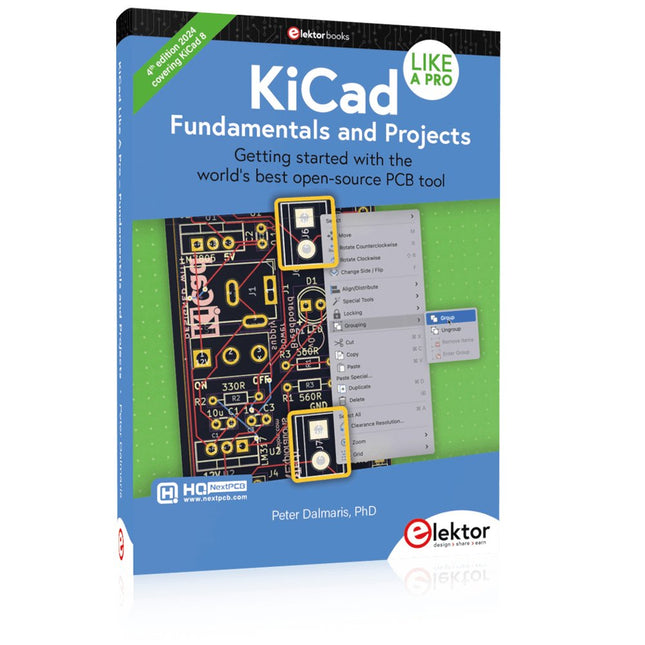
Elektor Publishing KiCad Like A Pro – Fundamentals and Projects
Getting started with the world’s best open-source PCB tool The latest iteration of KiCad, the world’s best free-to-use Printed Circuit Board tool, is packed with features usually found only in expensive commercial CAD tools. This modern, cross-platform application suite built around schematic and design editors, with auxiliary applications is a stable and mature PCB tool. KiCad 8 is a perfect fit for electronic engineers and makers. Here are the most significant improvements and features in KiCad 8, both over and under the hood: Modern user interface, completely redesigned from earlier versions Improved and customizable electrical and design rule checkers Theme editor allowing you to customize KiCad on your screen Ability to import projects from Eagle, CADSTART, and more Python scripting API Improved integrated SPICE circuit simulator Multi-sheet schematics Filters define selectable elements Enhanced interactive router helps you draw single tracks and differential pairs with precision New or enhanced tools to draw tracks, measure distances, tune track lengths, etc. Advanced interactive router Built-in bill of materials generator Realistic ray-tracing capable 3D viewer Customizable teardrops Plug-in manager for quick installation of themes, libraries and functionalities such as autorouters and BOM generators This book will teach you to use KiCad through a practical approach. It will help you become productive quickly and start designing your own boards. Example projects illustrate the basic features of KiCad, even if you have no prior knowledge of PCB design. The author describes the entire workflow from schematic entry to the intricacies of finalizing the files for PCB production and offers sound guidance on the process. Further full-fledged projects, of incremental difficulty, will be presented in a second book, together with a variety of advanced recipes.
-

Elektor Bundles KiCad Like A Pro (Bundel)
Deze bundel bevat beide delen van "KiCad Like a Pro" (4e editie 2024). In Fundamentals and Projects (normale prijs: € 49,95) leert u hoe u KiCad kunt gebruiken via een praktische aanpak, waardoor u snel productief wordt en uw eigen borden kunt ontwerpen. Met Advanced Projects and Recipes (normale prijs: € 44,95) kunt u uw nieuwe KiCad-vaardigheden oefenen door uzelf uit te dagen met een reeks echte projecten. De nieuwste versie van KiCad, 's werelds beste gratis te gebruiken Printed Circuit Board-tool, zit boordevol functies die normaal gesproken alleen in dure commerciële CAD-tools te vinden zijn. Deze moderne, platformonafhankelijke applicatiesuite die is opgebouwd rond schema- en ontwerpeditors, met hulpapplicaties, is een stabiele en volwassen PCB-tool. KiCad 8 is perfect voor elektronica-ingenieurs en -makers. Hier zijn de belangrijkste verbeteringen en functies in KiCad 8, zowel van boven als van onder de motorkap: Moderne gebruikersinterface, volledig opnieuw ontworpen ten opzichte van eerdere versies Verbeterde en aanpasbare elektrische en ontwerpregelcontroles Thema-editor waarmee u KiCad op uw scherm kunt aanpassen Mogelijkheid om projecten te importeren van Eagle, CADSTART en meer Python-scripting-API Verbeterde geïntegreerde SPICE-circuitsimulator Schema's met meerdere bladen Filters definiëren selecteerbare elementen Verbeterde interactieve router helpt u om afzonderlijke sporen en differentiële paren met precisie te tekenen Nieuwe of verbeterde tools om sporen te tekenen, afstanden te meten, spoorlengtes af te stemmen, enz. Geavanceerd interactieve router Ingebouwde stuklijstgenerator Realistische ray-tracing capabele 3D viewer Aanpasbare teardrops Plug-in manager voor snelle installatie van thema's, bibliotheken en functionaliteiten zoals autorouters en BOM-generatoren Het eerste boek KiCad Like A Pro – Fundamentals and Projects leert u KiCad te gebruiken via een praktische aanpak. Het helpt u snel productief te worden en uw eigen boards te ontwerpen. Voorbeeldprojecten illustreren de basisfuncties van KiCad, zelfs als u geen voorkennis hebt van PCB-ontwerp. De auteur beschrijft de volledige workflow van schema-invoer tot de complexiteit van het finaliseren van de bestanden voor PCB-productie en biedt gedegen begeleiding bij het proces. Het tweede boek KiCad Like A Pro – Advanced Projects and Recipes helpt u uw nieuwe KiCad-vaardigheden te oefenen door u uit te dagen in een reeks echte projecten. De projecten worden ondersteund door een uitgebreide set recepten met gedetailleerde instructies over hoe u een verscheidenheid aan eenvoudige en complexe taken kunt uitvoeren. Ontwerp de PCB's voor een zonne-energievoorziening, een LED-matrixarray, een Arduino-aangedreven datalogger en een aangepast ESP32-bord. Begrijp de fijnere details van de interactieve router, hoe u KiCad-projectteams met Git kunt beheren, hoe u een autorouter op 2- en 4-laags PCB's kunt gebruiken en nog veel meer.
-
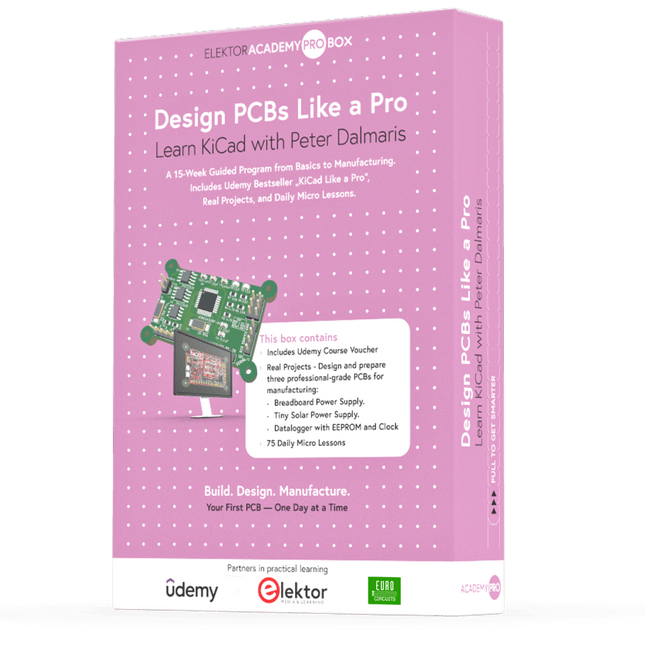
Elektor Academy Pro Design PCBs Like a Pro
Leer KiCad met Peter Dalmaris De Academy Pro Box "Design PCBs like a Pro" biedt een compleet, gestructureerd trainingsprogramma in PCB-ontwerp, dat online leren combineert met praktische toepassing. Gebaseerd op de KiCad-cursus van Peter Dalmaris, integreert het 15 weken durende programma videolessen, gedrukt materiaal (2 boeken) en praktijkgerichte projecten om ervoor te zorgen dat deelnemers niet alleen de theorie begrijpen, maar ook de vaardigheden ontwikkelen om deze in de praktijk toe te passen. In tegenstelling tot standaardcursussen biedt de Academy Pro Box een begeleid leertraject met wekelijkse mijlpalen en fysieke componenten om werkende PCB's te ontwerpen, testen en produceren. Deze aanpak ondersteunt een diepgaandere leerervaring en een betere kennisbehoud. De box is ideaal voor ingenieurs, studenten en professionals die praktische expertise in PCB-ontwerp willen ontwikkelen met behulp van open-sourcetools. Met de extra optie om hun afstudeerproject te laten produceren, ronden deelnemers het programma af met echte resultaten – klaar voor gebruik, testen of verdere ontwikkeling. Learn by doing Vaardigheden ontwikkelen. Echte printplaten ontwerpen. Gerbers genereren. Je eerste bestelling plaatsen. Dit is niet zomaar een cursus – het is een compleet projecttraject van idee tot product. Wat u leert/ontvangt Werkkennis van de tools van KiCad Vertrouwen in het ontwerpen van uw eigen printplaten (PCB’s) Een volledig produceerbare printplaat – door u zelf gemaakt Wat zit er in de doos (cursus)? Beide delen van "KiCad Like a Pro" (t.w.v. € 105) Vol 1: Fundamentals and Projects Vol 2: Advanced Projects and Recipes Couponcode voor deelname aan de bestseller KiCad 9 online cursus van Peter Dalmaris op Udemy, met meer dan 20 uur aan videotraining. U voltooit drie volledige ontwerpprojecten: Breadboard voeding Kleine zonne-energie voeding Datalogger met EEPROM en klok Voucher van Eurocircuits voor de productie van printplaten (t.w.v. € 85 excl. BTW) Leermateriaal (van deze box/cursus) 15-weken leerprogramma ▶ Klik hier om te openen Week 1: Setup, Fundamentals, and First Steps in PCB Design Week 2: Starting Your First PCB Project – Schematic Capture Week 3: PCB Layout – From Netlist to Board Design Week 4: Design Principles, Libraries, and Workflow Week 5: Your First Real-World PCB Project Week 6: Custom Libraries – Symbols, Footprints, and Workflow Week 7: Advanced Tools – Net Classes, Rules, Zones, Routing Week 8: Manufacturing Files, BOMs, and PCB Ordering Week 9: Advanced Finishing Techniques – Graphics, Refinement, and Production Quality Week 10: Tiny Solar Power Supply – From Schematic to Layout Week 11: Tiny Solar Power Supply – PCB Layout and Production Prep Week 12: ESP32 Clone Project – Schematic Design and Layout Prep Week 13: ESP32 Clone – PCB Layout and Manufacturing Prep Week 14: Final Improvements and Advanced Features Week 15: Productivity Tools, Simulation, and Automation KiCad-cursus met 18 lessen op Udemy (door Peter Dalmaris) ▶ Klik hier om te openen Introduction Getting started with PCB design Getting started with KiCad Project: A hands-on tour of KiCad (Schematic Design) Project: A hands-on tour of KiCad (Layout) Design principles and PCB terms Design workflow and considerations Fundamental KiCad how-to: Symbols and Eeschema Fundamental KiCad how-to: Footprints and Pcbnew Project: Design a simple breadboard power supply PCB Project: Tiny Solar Power Supply Project: MCU datalogger with build-in 512K EEPROM and clock Recipes KiCad 9 new features and improvements Legacy (from previous versions of KiCad) KiCad 7 update (Legacy) (Legacy) Gettings started with KiCad Bonus lecture Over de auteur Dr. Peter Dalmaris, PhD, is docent, elektrotechnisch ingenieur en maker. Hij is maker van online videocursussen over doe-het-zelf-elektronica en auteur van diverse technische boeken. Sinds 2013 is Peter Chief Tech Explorer bij Tech Explorations, het bedrijf dat hij oprichtte in Sydney (Australië). Zijn missie is om technologie te verkennen en de wereld te helpen opleiden. Wat is Elektor Academy Pro? Elektor Academy Pro biedt gespecialiseerde leeroplossingen voor professionals, engineeringteams en technische experts in de elektronica- en embedded systemenindustrie. Het stelt zowel individuen als organisaties in staat hun praktijkkennis te verdiepen, vaardigheden te versterken en voorop te blijven lopen met hoogwaardige content en praktische trainingstools. Van praktijkgerichte projecten en cursussen onder leiding van experts tot diepgaande technische inzichten – Elektor ondersteunt ingenieurs bij het aanpakken van de actuele uitdagingen binnen elektronica en embedded systemen. Ons educatieve aanbod bestaat uit Academy-boeken, Pro Boxes, webinars, conferenties en branchespecifieke B2B-magazines – allemaal ontwikkeld met het oog op professionele groei. Of u nu ingenieur, R&D-specialist of technisch beslisser bent: Elektor Academy Pro slaat de brug tussen theorie en praktijk, helpt u nieuwe technologieën te beheersen en stimuleert innovatie binnen uw organisatie.
-
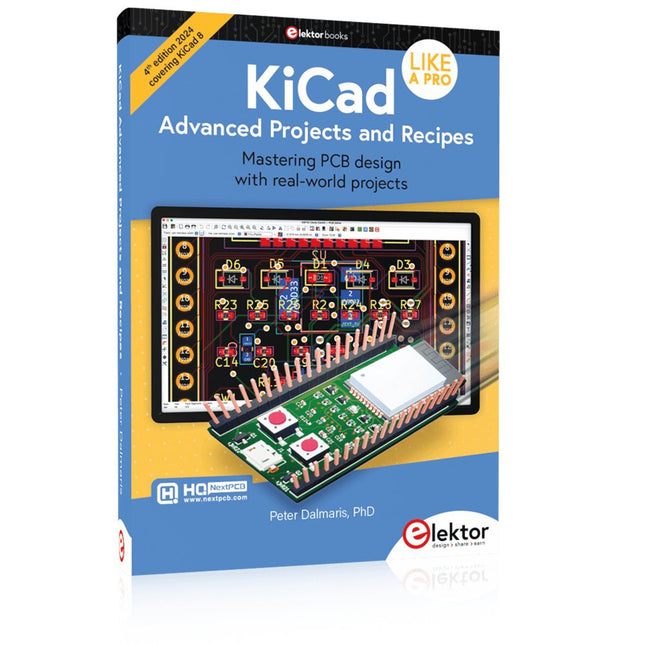
Elektor Publishing KiCad Like A Pro – Advanced Projects and Recipes
Mastering PCB design with real-world projects This book builts on KiCad Like a Pro – Fundamentals and Projects and aims to help you practice your new KiCad skills by challenging you in a series of real-world projects. The projects are supported by a comprehensive set of recipes with detailed instructions on how to achieve a variety of simple and complex tasks. Design the PCBs for a solar power supply, an LED matrix array, an Arduino-powered datalogger, and a custom ESP32 board. Understand the finer details of the interactive router, how to manage KiCad project teams with Git, how to use an autorouter on 2 and 4-layer PCBs, and much more. KiCad 8 is a modern, cross-platform application suite built around schematic and design editors. This stable and mature PCB tool is a perfect fit for electronic engineers and makers. With KiCad 8, you can create PCBs of any complexity and size without the constraints associated with the commercial packages. Here are the most significant improvements and features in KiCad 8, both over and under the hood: Modern user interface, completely redesigned from earlier versions Improved and customizable electrical and design rule checkers Theme editor allowing you to fully customize the look of KiCad on your screen Ability to import projects from Eagle, CADSTART, and more An improved and tightly integrated SPICE circuit simulator Autorouting with the Freerouting plugin Filters define which elements of a layout are selectable Enhanced interactive router helps you draw single tracks and differential pairs with precision New or enhanced tools to draw tracks, measure distances, tune track lengths, etc. Enhanced tool for creating filled zones A customizable coordinate system facilitates data exchange with other CAD applications Realistic ray-tracing capable 3D viewer Differential pair routing Rich repositories of symbol, footprint, and 3D shape libraries Python scripting API for programmatic customization and extensions Improved footprint wizard for fast custom footprints


