This book is about the Raspberry Pi 3 computer and its use in various control and monitoring applications. The book explains in simple terms and with tested and working example projects, how to configure the Raspberry Pi 3 computer, how to install and use the Linux operating system, and how to write hardware based applications programs using the Python programming language.
The nice feature of this book is that it covers many Raspberry Pi 3 based hardware projects using the latest hardware modules such as the Sense HAT, Swiss Pi, MotoPi, Camera module, and many other state of the art analog and digital sensors. An important feature of the Raspberry Pi 3 is that it contains on-board Bluetooth and Wi-Fi modules. Example projects are given in the book on using the Wi-Fi and the Bluetooth modules to show how real-data can be sent to the Cloud using the Wi-Fi module, and also how to communicate with an Android based mobile phone using the Bluetooth module.
The book is ideal for self-study, and is intended for electronic/electrical engineering students, practising engineers, research students, and for hobbyists. It is recommended that the book should be followed in the given Chapter order.
Over 30 projects are given in the book. All the projects in the book are based on the Python programming language and they have been fully tested. Full program listings of every project are given in the book with comments and full descriptions. Experienced programmers should find it easy to modify and update the programs to suit their needs.
The following sub-headings are given for each project to make it as easy as possible for the readers to follow the projects:
Project title
Description
Aim of the project
Raspberry Pi type
Block diagram
Circuit diagram
Program listing
USB to S/PDIF InterfaceDigital audio output for computer, laptop, tablet or smartphone
Practical ESP32 Multitasking (4)Binary semaphores
A Wireless Temperature Sensor for the Nixie Bargraph ThermometerA multipurpose solution with a design trick
Multitasking with Raspberry PiShowcase: a traffic lights controller
Timer for Headphone Amplifier
Open-Network Weather Station Mk.2Part 2: Software
Home Automation Made EasyWith ESPHome, Home Assistant & MySensors
The Storage CRTPeculiar Parts, the series
Artificial Intelligence for Beginners (3)A stand-alone neural network
Programming PICs from the Ground UpAssembler routine to output a sine wave
IKEA Lamp HackEquipping an inexpensive IKEA lamp with NeoPixel LEDs and WLAN
Don't Let Your Hobby Project Collect Dust in a CornerSupply-side time management and spiral development
Starting Out in Electronics (4)Easier than imagined!
Homelab Tours: The Vinyl CutterReturning to the golden age of LPs
The 8-Bit Microcontroller and BeyondInterview with Tam Hanna
Small Circuits RevivalFrom the Elektor suggestions box
Review: Owon OW18E Bluetooth Multimeter
InteractiveCorrections & Updates || Questions & Answers
Steeped in ElectronicsLead-free soldering and EU regulatory zeal
Promising Project: New 50 Hz – 2 MHz LCR meterAccuracy and ease of use
Error AnalysisTips on FMEA, High Current, and More
Developer's ZoneTips & Tricks, Best Practices and Other Useful Information
Review: Siglent SDL1020X Programmable DC Electronic Load
High-Voltage Power Supply with Curve TracerGenerate voltages up to 400 V and trace characteristics curves for valves and transistors
Hexadoku 2009EL
Analogue Electronics DesignCase Study #2 — Part 1: Analogue filter theory
The Elektor StoreNever expensive, always surprising
How to Draw a Circuit Diagram
310 Schakelingen – alweer het elfde boek uit de bekende „driehonderd“-reeks. De 310 schakelingen, tips en ideeën in dit boek vormen een (bijna) onuitputtelijke schatkamer op alle terreinen die de elektronica rijk is: audio en video, hobby en modelbouw, hoogfrequenttechniek, huis en tuin, meten en testen, microprocessor, PC-hardware en -software, voedingen en acculaders plus al dat andere dat niet zo gemakkelijk in een van deze categorieën kan worden ondergebracht.
310 Schakelingen – bevat veel complete oplossingen of in elk geval de aanzet daartoe. En de 310 beschreven schakelingen vormen in elk geval een bron van inspiratie voor nieuwe eigen ontwikkelingen!
310 Schakelingen – samengesteld uit de Halfgeleidergidsen van 2006, 2007 en 2008. De Halfgeleidergids is het jaarlijkse dubbeldikke juli/augustus-zomernummer van het maandblad Elektor.
310 Schakelingen – een must voor iedereen die creatief met elektronica bezig is, beroepsmatig of als hobby.
310 Schakelingen – met dit jaar een speciaal aan robots en robotica gewijde sectie.
Volledige ESP32-microcontrollercursus met een speciaal ontwikkelde MCU-uitbreidingsprint, praktische projecten en een uitgebreide online gids – ideaal om hardware, programmering en connectiviteit stap voor stap te leren.
Een praktische introductie tot embedded systemen met de ESP32
Deze cursus is bedoeld voor u als lezer die nieuw is in embedded systemen en op zoek bent naar een gestructureerde, voorbeeldgerichte manier om aan de slag te gaan. Als u al algemene elektronica- of Arduino-materialen hebt verkend, maar deze te breed vond of te weinig praktische begeleiding boden, dan biedt deze cursus een meer gerichte aanpak.
Met behulp van de "ESP32 by Example Kit" (EEK) – een compacte en betaalbare set met led’s, sensoren, een OLED-scherm en een bewegingsprocessor – werkt u gedurende de hele cursus met een consistente hardware-opstelling. Eenmaal gemonteerd blijft de EEK grotendeels ongewijzigd, zodat u zich volledig kunt richten op leren en experimenteren zonder telkens opnieuw te hoeven configureren.
Onderwerpen zijn onder andere:
De ESP32-microcontroller begrijpen en programmeren
Code schrijven en implementeren met de Arduino IDE
Cyberfysische systemen verkennen, met als hoogtepunt basis dronebesturing
Er is geen eerdere ervaring met Arduino of embedded development vereist. Elk onderdeel bevat praktische voorbeelden en miniprojecten die zijn ontworpen om belangrijke concepten te versterken en tot een diepere verkenning te inspireren. Aan het einde van de cursus bent u niet alleen in staat de voorbeelden uit het boek te reproduceren, maar er ook op voort te bouwen met uw eigen ideeën en toepassingen.
Of u nu geïnteresseerd bent in embedded programmeren, interactieve systemen of inleidende dronebesturing, deze cursus biedt een duidelijke en praktische manier om aan de slag te gaan.
Wat leert u?
Embedded programmeren met de ESP32 met behulp van de Arduino IDE
Realtime sensorinvoer en -bediening via knoppen, LED's en displays
Gebarengebaseerde interactie met de MPU6050-bewegingssensor
Bluetooth-gamepadintegratie en dronebesturingssimulatie
Wifi- en UDP-netwerken, lokale webservers en NTP
MQTT-communicatie met cloudplatforms zoals AWS en Arduino IoT
Hoe u complete IoT-systemen bouwt en implementeert
Perfect voor
Studenten en autodidacten die embedded systemen verkennen
Makers en IoT-enthousiastelingen die hun hardwarevaardigheden willen verbeteren
Docenten en trainers die op zoek zijn naar lesmateriaal dat direct toepasbaar is
Ontwikkelaars die verder kijken dan de basisprincipes van Raspberry Pi of Arduino
Ondersteuning wanneer u die nodig hebt
Toegang tot instructeurs via Elektor Academy
Nuttige communityforums en essentiële documentatie
Wat zit er in de doos (cursus)?
Nieuw boek van 384 pagina's: "ESP32 by Example" (t.w.v. € 45)
Elektor ESP32 by Example Kit (EEK): Microcontroller-uitbreidingskaart met 6 LED's en 6 knoppen + OLED-display, MPU6050 3-assige accelerometer en gyroscoopmodule (t.w.v. € 40)
Adafruit HUZZAH32 – ESP32 Feather MCU Board (t.w.v. € 30)
ESP32 Cheap Yellow Display Board (t.w.v. € 25)
DHT11 Vochtigheid & Temperatuursensor
Breadboard
Jumperdraden
USB-C-kabel
Toegang tot de volledige cursus op het Elektor Academy Pro Learning Platform
Instructievideo's
Downloadbare Arduino-projectbestanden voor elke module
Leermateriaal (van deze box/cursus)
▶ Klik hier om te openen
Module 1 – Getting Started with the ESP32 & EEK
Module 2 – Digital Output – LEDs and GPIO
Module 3 – Switches and Input Handling
Module 4 – EEK and PWM
Module 5 – OLED and Display Output
Module 6 – Motion Sensing with the MPU6050
Module 7 – Capstone Project (EEK in Action)
Module 8 – WiFi and Web Control with ESP32
Module 9 – Cloud Concepts using EEK
Module 10 – Hands-on: Arduino IoT Cloud and EEK
Module 11 – BlueTooth and EEK GamePad Integration
Module 12 – Why Drones?
Module 13 – Drone Simulator Concepts
Module 14 – Simple Drone Flight Control
Module 15 – Real-Time Drone Flight Control
Module 16 – Drone Control Mini-Projects
Module 17 – Middleware and Python Scripting
Module 18 – Python Applications for Drone Control
Module 19 – Capstone EEK Control Project and Presentation
Over de auteur
Dr. Jim Solderitsch is docent, softwarearchitect, systeemontwikkelaar en cybersecurityonderzoeker met een focus op cyberfysische systemen. Hij is momenteel universitair hoofddocent computerwetenschappen aan de Villanova University in Pennsylvania.
Wat is Elektor Academy Pro?
Elektor Academy Pro biedt gespecialiseerde leeroplossingen voor professionals, engineeringteams en technische experts in de elektronica- en embedded systemenindustrie. Het stelt zowel individuen als organisaties in staat hun praktijkkennis te verdiepen, vaardigheden te versterken en voorop te blijven lopen met hoogwaardige content en praktische trainingstools.
Van praktijkgerichte projecten en cursussen onder leiding van experts tot diepgaande technische inzichten – Elektor ondersteunt ingenieurs bij het aanpakken van de actuele uitdagingen binnen elektronica en embedded systemen. Ons educatieve aanbod bestaat uit Academy-boeken, Pro Boxes, webinars, conferenties en branchespecifieke B2B-magazines – allemaal ontwikkeld met het oog op professionele groei.
Of u nu ingenieur, R&D-specialist of technisch beslisser bent: Elektor Academy Pro slaat de brug tussen theorie en praktijk, helpt u nieuwe technologieën te beheersen en stimuleert innovatie binnen uw organisatie.
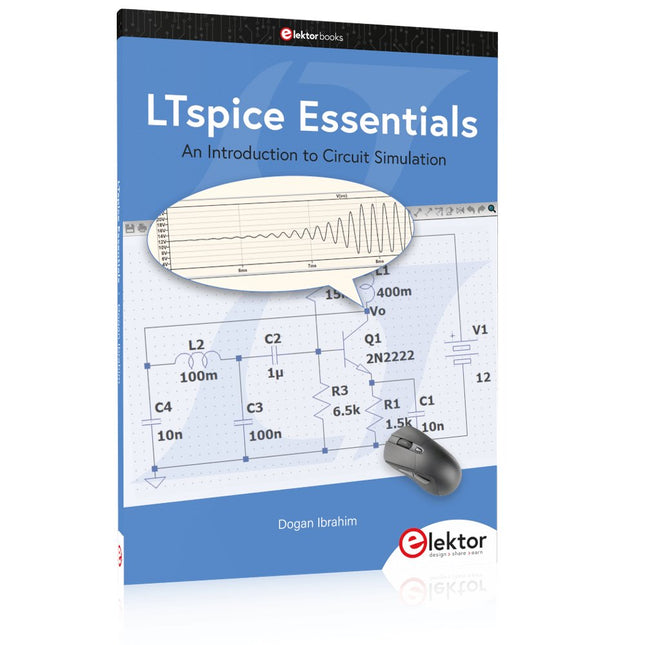
An Introduction to Circuit Simulation
LTspice, developed by Analog Devices, is a powerful, fast, and free SPICE simulator, schematic capture, and waveform viewer with a large database of components supported by SPICE models from all over the world. Drawing a schematic in LTspice is easy and fast. Thanks to its powerful graphing features, you can visualize the voltages and currents in a circuit, and also the power consumption of its components and much more.
This book is about learning to design and simulate electronic circuits using LTspice. Among others, the following topics are treated:
DC and AC circuits
Signal diodes and Zener diodes
Transistor circuits including oscillators
Thyristor/SCR, diac, and triac circuits
Operational amplifier circuits including oscillators
The 555 timer IC
Filters
Voltage regulators
Optocouplers
Waveform generation
Digital logic simulation including the 74HC family
SPICE modeling LTspice is a powerful electronic circuit simulation tool with many features and possibilities. Covering them all in detail is not possible in a book of this size. Therefore, this book presents the most common topics like DC and AC circuit analysis, parameter sweeping, transfer functions, oscillators, graphing, etc. Although this book is an introduction to LTspice, it covers most topics of interest to people engaged in electronic circuit simulation.
The book is aimed at electronic/electrical engineers, students, teachers, and hobbyists. Many tested simulation examples are given in the book. Readers do not need to have any computer programming skills, but it will help if they are familiar with basic electronic circuit design and operation principles. Readers who want to dive deeper can find many detailed tutorials, articles, videos, design files, and SPICE circuit models on the Internet.
All the simulation examples used in the book are available as files at the webpage of this book. Readers can use these example circuits for learning or modify them for their own applications.
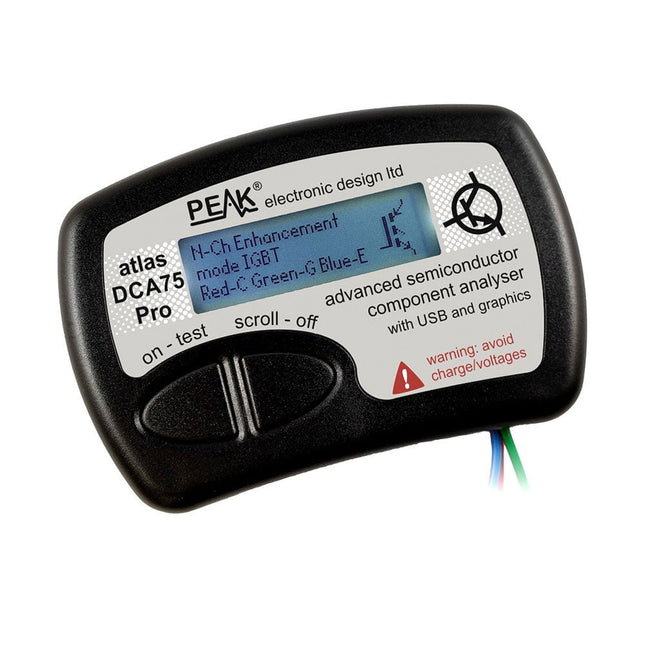
The DCA75 Pro is a great instrument that combines ease-of-use with amazing features. It can automatically identify a huge range of semiconductors, automatically identify pinouts and measure detailed parameters.
Kenmerken
Built-in graphics display (now backlit) to show detailed schematic of the component you're testing as well as pinout and measurement data.
USB connectivity to allow curve tracing, data storage/retrieval and device matching on your Windows PC (Windows 7 and higher).
Single internal AAA alkaline cell for standalone operation.
Component Support
Bipolar transistors (NPN/PNP inc Silicon/Germanium)
Darlington transistors (NPN/PNP)
Enhancement mode MOSFETs (N-Ch and P-Ch)
Depletion mode MOSFETs (N-Ch and P-Ch)
Junction FETs (N-Ch and P-Ch). Both symmetrical and asymmetrical types
Enhancement IGBTs (N-Ch and P-Ch)
Diodes and diode networks (2 and 3 lead types)
Zener diodes (up to about 9 V)
Voltage regulators (up to about 8 V)
LEDs and bi-colour LEDs (2 lead and 3 lead types)
Low power sensitive Triacs and Thyristors (<10 mA trigger and hold)
Measurements
BJT current gain (hFE)
BJT base emitter voltage (Vbe)
BJT collector leakage current
MOSFET on and off gate threshold voltages
MOSFET transconductance
JFET pinch-off voltage
JFET transconductance
JFET IDSS (drain current for Vgs=0)
IGBT on and off gate threshold voltages
IGBT transconductance
Voltage regulator output voltage
Voltage regulator quiescent current consumption
Voltage regulator drop-out voltage
Zener voltage
Diode forward voltage drop
Specificaties
Analyzer type
Semiconductor components
Component detection
Automatic
Pinout detection
Automatic, connect any way round
Display type
Graphic LCD (now backlit)
Interface type
USB for optional PC connection
PC functions
Curve tracing (Windows 7 and higher)
Software
Included on USB drive for Windows 7 and higher
Battery
Single AAA cell (supplied)
Inbegrepen
Peak Atlas DCA75 Pro
PC software on a USB Flash Drive for Windows 11, 10, 8, 7, XP
Micro USB cable
Fitted universal premium hook probes
AAA Alkaline battery
Downloads
Datasheet (EN)
User Guide (EN)
Software Installation Guide (EN)
Software and Firmware Package
Learn to 3D Model & 3D Print with Tinkercad
With this book and the complementary videos, you’ll be 3D printing in no time at all. This course is meant to have you make casings for electronic components but also goes into optimizing your print technique as well as adding a little flair to your 3D creations. The course is perfect for you if you just bought your (first) 3D printer and want to print your own designs as soon as possible while also being able to get more background information.
You’ll get to know the workings of a 3D printer and what software to use to model your object, not forgetting to make it print perfectly. We’ll even use the magic of 3D printing to create things that appear impossible to make (this fast and simple) with any other rapid-prototyping technique.
At the end of this course, it’ll be second nature for you to design an object for 3D printing and fine-tune your print-setting to get the perfect print!
The book includes the following 7 video tutorials:
Introduction
Basic 3D modeling for 3D printing
Modeling a casing
Post-processing
Pushing the limits
Movable parts
Snap fits
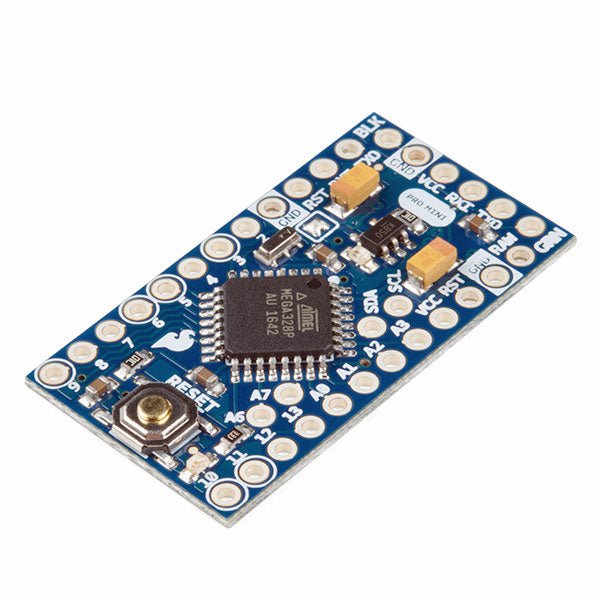
De Arduino Pro Mini is een microcontroller board gebaseerd op de ATmega328P.
Het heeft 14 digitale in-/uitgangspinnen (waarvan er 6 kunnen worden gebruikt als PWM-uitgangen), 6 analoge ingangen, een on-board resonator, een reset-knop, en gaten voor het monteren van pin headers. Een six-pin header kan worden aangesloten op een FTDI-kabel of Sparkfun breakout board om USB-voeding en communicatie te bieden aan de board.
De Arduino Pro Mini is bedoeld voor semi-permanente installatie in voorwerpen of tentoonstellingen. Het board komt zonder pre-gemonteerde headers, waardoor het gebruik van diverse types van schakelaars of het directe solderen van draden is toegestaan. De pin lay-out is compatibel met Arduino Mini.
Specificaties
Microcontroller
ATmega328P
Boord Stroomvoorziening
5-12 V
Circuit Werkspanning
5 V
Digitale I/O Pinnen
14
PWM Pennen
6
UART
1
SPI
1
I²C
1
Analoge ingangspinnen
6
Externe Onderbrekingen
2
DC stroom per I/O Pin
40 mA
Flash Geheugen
32 KB waarvan 2 KB gebruikt door bootloader
SRAM
2 KB
EEPROM
1 KB
Kloksnelheid
16 MHz
Afmetingen
18 x 33,3 mm
Downloads
Eagle files
Schematics
Praxisnahe Projekte, Profi-Tricks und eigene Anwendungen
Dieses Buch führt Sie Schritt für Schritt in die faszinierende Welt der State Machines ein und zeigt, wie Sie Hardware direkt und effizient ansteuern können – jenseits klassischer CPU-gesteuerter Ansätze.
In diesem Buch lernen Sie:
LEDs und NeoPixel kreativ steuern: Blinken, Dimmen, Farbwechsel und komplexe Animationen
Taster und Encoder zuverlässig auslesen und in Echtzeit in Ihre Projekte integrieren
Analoge Eingänge (ADC) nutzen und Signale digital steuern
Servos präzise ansteuern und Bewegungsabläufe automatisieren
SPI mit PIO umsetzen, um Displays, Sensoren und Module anzusteuern
Menüsysteme und Submenüs auf SPI-Displays realisieren, inklusive Navigation über mehrere Taster
PWM, Signalgenerierung und Frequenzsteuerung für akustische oder visuelle Effekte
Debugging-Strategien und Tipps, um Ihre PIO-Programme effizient zu entwickeln
Alle Beispiele sind praxisnah, sofort umsetzbar und zuverlässig. Mit klaren Anleitungen, Hintergrundwissen und fertigen Codebeispielen lernen Sie, die PIO-Fähigkeiten des Pico maximal zu nutzen – egal ob für Maker-Projekte, Prototypen oder professionelle Anwendungen.
Erleben Sie, wie Sie komplexe Hardwaresteuerung elegant mit dem Pico realisieren können – schneller, flexibler und leistungsfähiger als je zuvor.
Projekte mit Arduino Uno und Raspberry Pi
In diesem Buch werden Anwendungen von Arduino Uno und Raspberry Pi 4 in praxisnahen Projekten auf Basis von CAN-Bus detailliert beschrieben. Durch den Einsatz von entweder Arduino Uno oder Raspberry Pi in Verbindung mit handelsüblichen CAN-Bus-Schnittstellenmodulen werden die Entwicklung, Fehlersuche und Fehlerbeseitigung sowie die Überprüfung von Projekten auf CAN-Bus-Basis erheblich erleichtert.
Dieses Buch richtet sich an jeden, der mehr über den CAN-Bus lernen möchte und mit den Grundlagen der Elektronik vertraut ist. Hilfreich ist auch Erfahrung mit den Programmiersprachen C und Python sowie mit der Programmierung von Arduino Uno unter Verwendung seiner IDE und von Raspberry Pi zu haben.
Das Buch ist eine nützliche Informationsquelle und ein Nachschlagewerk für jeden, der Antworten auf eine oder mehrere der folgenden Fragen sucht:
Welche Bussysteme stehen für die Automobilindustrie zur Verfügung?
Was sind die Grundprinzipien des CAN-Bus?
Welche Arten von Frames (oder Datenpaketen) stehen in einem CAN-Bussystem zur Verfügung?
Wie können Fehler in einem CAN-Bussystem erkannt werden, und wie zuverlässig ist ein CAN-Bussystem?
Welche Arten von CAN-Bus-Controllern gibt es?
Welches sind die Funktionsprinzipien des MCP2515 CAN-Bus-Controllers?
Wie kann ich ein CAN-Bus-Projekt mit Arduino Uno realisieren?
Wie kann ich Arduino oder Raspberry Pi CAN-Bus-Projekte mit 2 und 3 Knoten erstellen?
Wie kann ich die Daten auf dem CAN-Bus analysieren?
Wie kann ich ein CAN-Bus-Projekt mit Raspberry Pi ausführen?
De OWON SDS1102 is een betaalbare benchtop digitale oscilloscoop die solide prestaties combineert met essentiële meetfuncties. Deze 2-kanaals oscilloscoop biedt een bandbreedte van 100 MHz, een sample rate van 1 GS/s, een 7-inch LCD-display en een geheugendiepte van 10 kpts. Daarmee is het een praktische keuze voor dagelijkse elektronicatests, foutopsporing en onderwijs.
De SDS1102 beschikt over een vereenvoudigd triggersysteem met niveau- en flanktriggering, waardoor gangbare signalen eenvoudig kunnen worden vastgelegd en geanalyseerd. Het apparaat is ontworpen voor toepassingen waarvoor geen grote geheugendiepte of geavanceerde triggerfuncties nodig zijn, en biedt een eenvoudige en kostenefficiënte oplossing voor basis-signaalanalyse.
Kenmerken
Bandbreedte: 100 MHz
2 kanalen
Bemonsteringssnelheid: 1 GS/s
Ultradunne behuizing
7-inch lcd met hoge resolutie
Ondersteuning voor SCPI en LabVIEW
Specificaties
Bandbreedte
100 MHz
Horizontale schaal (s/div)
5 ns/div - 1000 s/div
Kanalen
2
Verticale gevoeligheid
5 mV/div - 5 V/div (bij ingang)
DC Gain nauwkeurigheid
3%
Verticale resolutie (A/D)
8 bits (2 kanalen tegelijk)
Ingang
Ingangsimpedantie
1 MΩ, 10 pF
Ingangskoppeling
AC, DC, GND
Max ingangsspanning
± 400 V, CATI, CATII
Passieve probes
x1; 10
Probe verzwakkingsfactor
x1; x10; x100; x1000
Triggersysteem
Trigger mode
Auto, Normal, Single
Trigger type
Flank, Video
Flank triggerbron
CH1, CH2
Video trigger
Sampletype
Real-time
Samplefrequentie
1 GS/s
Equivalente samplesnelheid
No
Golflengte
10K pts
Interpolatie
sin(x)/x
Meet- en rekenkundig bewerkingssysteem
Automatische meting
Vpp, Vavg, RMS, Frequency, Period, Vmax, Vmin, Vtop, Vbase, Width, Overshoot, Pre-shoot Rise time, Fall time, +Width, -Width, +Duty, -Duty, Delay A->B, Delay A->B, area, cycle area
Rekenkundige functies
Addition, Subtraction, Multiplication, Division, FFT
Algemene kenmerken
Display maat
7" color LCD
Display resolutie
800 x 480
Voeding
100-240 V, 45-440 Hz, <15 W
Afmetingen
301 x 70 x 152 mm
Gewicht
1,1 kg
Inbegrepen
1x OWON SDS1102 Oscilloscoop
2x Oscilloscoopsonde
1x Sonde aanpassen
1x Netsnoer
1x USB-kabel
1x CD-Rom
1x Snelstartgids
Downloads
Quick Guide
Manual
PC Software
SCPI Commands