
Zoekresultaten voor "create OR 30 OR pic OR microcontroller OR projects OR with OR flowcode OR 6"
-

Elektor Labs Elektor Super Servo Tester Kit
De Elektor Super Servo Tester kan servo's aansturen en servosignalen meten. Hij kan tot vier servokanalen tegelijkertijd testen. De Super Servo Tester wordt geleverd als bouwpakket. Alle onderdelen die nodig zijn om de Super Servo Tester in elkaar te zetten zijn inbegrepen in de set. Het bouwen van de kit vereist enige basisvaardigheid met solderen. De microcontroller is al geprogrammeerd. De Super Servo Tester beschikt over twee bedrijfsmodi: Control/Manual en Measure/Inputs. In de modus Control/Manual genereert de Super Servo Tester besturingssignalen op zijn uitgangen voor maximaal vier servo's, of voor de flight controller of ESC. De signalen worden ingeregeld door de vier potentiometers. In de modus Measure/Inputs meet de Super Servo Tester de servosignalen die op de ingangen zijn aangesloten. Deze signalen kunnen afkomstig zijn van bijvoorbeeld een ESC, een flight controller, of de ontvanger, of een ander apparaat. De signalen worden ook naar de uitgangen geleid om de servo's of de flight controller of ESC aan te sturen. De resultaten worden op het display weergegeven. Specificaties Operating modi Control/Manual & Measure/Inputs Kanalen 3 Servosignaal ingangen 4 Servosignaal uitgangen 4 Alarm Zoemer & LED Weergave 0,96" OLED (128 x 32 pixels) Ingangsspanning op K5 7 - 12 VDC Ingangsspanning op K1 5 - 7,5 VDC Ingangsstroom 30 mA (9 VDC op K5, en niets aangesloten op K1 en K2) Afmetingen 113 x 66 x 25 mm Gewicht 60 g Inbegrepen Weerstanden (0,25 W) R1, R3 1 k?, 5% R2, R4, R5, R6, R7, R9, R10 10 k?, 5% R8 22 ?, 5% P1, P2, P3, P4 10 k?, lin/B, verticale potentiometer Condensatoren C1 100 ?F 16 V C2 10 ?F 25 V C3, C4, C7 100 nF C5, C6 22 pF Halfgeleiders D1 1N5817 D2 LM385Z-2.5 D3 BZX79-C5V1 IC1 7805 IC2 ATmega328P-PU, geprogrammeerd LED1 LED, 3 mm, rood T1 2N7000 Diversen BUZ1 Piëzo-zoemer met oscillator K1, K2 2-rijige, 12-voudige pinheader, 90° K5 Barrel jack K4 1-rijige, 4-polige pinvoet K3 2-rijige, 6-voudige boxed pinheader S1 Schuifschakelaar DPDT S2 Schuifschakelaar SPDT X1 Kristal, 16 MHz 28-voudige DIP-voet voor IC2 Elektor printplaat OLED-scherm, 0,96", 128 x 32 pixels, 4-pins I²C-interface Links Elektor Magazine Elektor Labs
€ 59,95€ 49,95Beste prijs
-
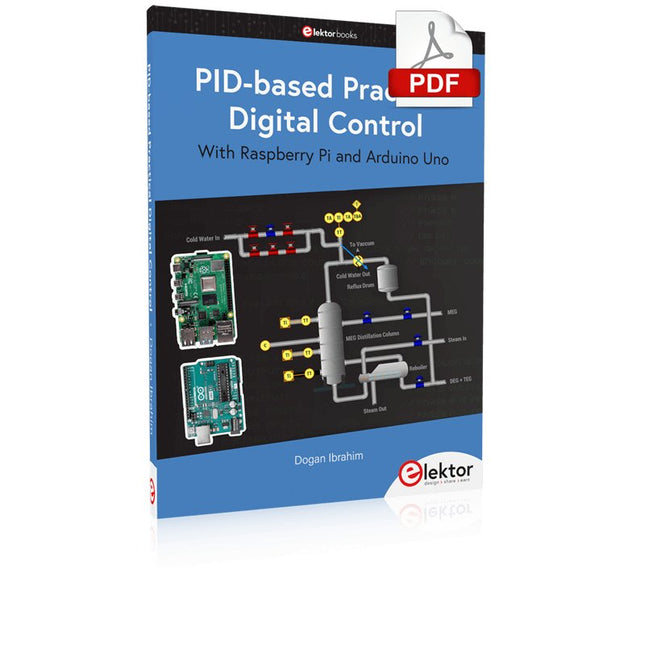
Elektor Digital PID-based Practical Digital Control with Raspberry Pi and Arduino Uno (E-book)
The Arduino Uno is an open-source microcontroller development system encompassing hardware, an Integrated Development Environment (IDE), and a vast number of libraries. It is supported by an enormous community of programmers, electronic engineers, enthusiasts, and academics. The libraries in particular really smooth Arduino programming and reduce programming time. What’s more, the libraries greatly facilitate testing your programs since most come fully tested and working. The Raspberry Pi 4 can be used in many applications such as audio and video media devices. It also works in industrial controllers, robotics, games, and in many domestic and commercial applications. The Raspberry Pi 4 also offers Wi-Fi and Bluetooth capability which makes it great for remote and Internet-based control and monitoring applications. This book is about using both the Raspberry Pi 4 and the Arduino Uno in PID-based automatic control applications. The book starts with basic theory of the control systems and feedback control. Working and tested projects are given for controlling real-life systems using PID controllers. The open-loop step time response, tuning the PID parameters, and the closed-loop time response of the developed systems are discussed together with the block diagrams, circuit diagrams, PID controller algorithms, and the full program listings for both the Raspberry Pi and the Arduino Uno. The projects given in the book aim to teach the theory and applications of PID controllers and can be modified easily as desired for other applications. The projects given for the Raspberry Pi 4 should work with all other models of Raspberry Pi family. The book covers the following topics: Open-loop and closed-loop control systems Analog and digital sensors Transfer functions and continuous-time systems First-order and second-order system time responses Discrete-time digital systems Continuous-time PID controllers Discrete-time PID controllers ON-OFF temperature control with Raspberry Pi and Arduino Uno PID-based temperature control with Raspberry Pi and Arduino Uno PID-based DC motor control with Raspberry Pi and Arduino Uno PID-based water level control with Raspberry Pi and Arduino Uno PID-based LED-LDR brightness control with Raspberry Pi and Arduino Uno
€ 32,95
Leden: € 29,66
-

Elektor Digital ESP8266 and MicroPython (E-book)
Recently, the development of a tiny chip called the ESP8266 has made it possible to interface any type of microcontroller to a Wi-Fi AP. The ESP8266 is a low-cost tiny Wi-Fi chip having fully built-in TCP/IP stack and a 32-bit microcontroller unit. This chip, produced by Shanghai based Chinese manufacturer Espressif System, is IEEE 802.11 b/g/n Wi-Fi compatible with on-chip program and data memory, and general purpose input-output ports. Several manufacturers have incorporated the ESP8266 chip in their hardware products (e.g. ESP-xx, NodeMCU etc) and offer these products as a means of connecting a microcontroller system such as the Android, PIC microcontroller or others to a Wi-Fi. The ESP8266 is a low-power chip and costs only a few Dollars. ESP8266 and MicroPython – Coding Cool Stuff is an introduction to the ESP8266 chip and describes the features of this chip and shows how various firmware and programming languages such as the MicroPython can be uploaded to the chip. The main aim of the book is to teach the readers how to use the MicroPython programming language on ESP8266 based hardware, especially on the NodeMCU. Several interesting and useful projects are given in the e-book (pdf) to show how to use the MicroPython in NodeMCU type ESP8266 hardware: Project “What shall I wear today?”: You will be developing a weather information system using a NodeMCU development board together with a Text-to-Speech processor module. Project “The Temperature and Humidity on the Cloud”: You will be developing a system that will get the ambient temperature and humidity using a sensor and then store this data on the cloud so that it can be accessed from anywhere. Project “Remote Web Based Control”: You will be developing a system that will remotely control two LEDs connected to a NodeMCU development board using an HTTP Web Server application.
€ 29,95
Leden: € 26,96
-

Elektor Digital Elektor September/October 2026 (PDF) EN
Elektor GREEN and GOLD members can download their digital edition here. Not a member yet? Click here. The ESP-BLASTA Mini ESP32 Rocket Drone That Flies 100 km/h+ Wireless Workshop (1)Radio Modules Unlocked: 433 MHz CC1101 Sub-GHz Transceiver AM TransmitterWith Square/Sine Wave Generator on Raspberry Pi Pico STM32Cube Innovation ChallengeCompete with Your Best STM32C5 Design CoffeeCallerHow a Long Hallway Led to a Custom Mesh-Networked PCB AudiotronicsTotal Harmonic Distortion Elektor at 65Projects from Septembers and Octobers Past Bluetooth Channel Sounding for Asset TrackingCentimeter-Level Precision Ranging for Next-Generation IoT 2026: An AI OdysseyQuantum Computing Is Not the Next GPU Protecting the Cloud Demands Security at the Edge First Experiences with the HackRF ProPractical Tests with the New SDR Hardware Modem Upgrade from GPRS/2G to LTE/4GUsing a Wireless Alarm Control Panel as an Example Loop Antenna with RF BricksPart 1: A DIY Shortwave Antenna with Adjustable Directivity Internet Radio to AM ConverterUsing an ESP32-S3 as Transmitter Err-lectronics mioty — An OverviewFraunhofer’s Approach to LPWAN Workbench WisdomPractical Tips from Experts Walter, the Compact IoT ModulePart 2: Accessing Weather and Data Services
€ 9,50
-

Elektor Digital Supersnel PC Interfacen (E-book)
Wilt u in enkele minuten een programma maken op uw PC, dat communiceert met een microcontroller? Dit boek, samen met de Piccolino en gratis software, maakt dat mogelijk! Als hardware wordt gebruik gemaakt van de Piccolino. Dit is een prototype platform met een moderne PIC16F887 microcontroller, dat gebruikt kan worden om razendsnel microcontroller opstellingen te maken. Alle basisvoorzieningen zijn aanwezig op de Piccolino, en door middel van de headers kunnen extra onderdelen eenvoudig aangesloten worden. De Piccolino wordt geprogrammeerd met de krachtige maar eenvoudig te leren gratis programmeertaal JAL. Deze taal wordt zowel door hobbyisten als professionals gebruikt. Bovendien is een serie projectboeken in deze taal verkrijgbaar, en een lesboek waarmee u JAL kunt leren. Aan de PC kant wordt gebruik gemaakt van de eveneens eenvoudig te leren gratis programmeertaal Small Basic van Microsoft. Deze taal is speciaal ontwikkeld om snel Windows programma's te kunnen ontwikkelen, ook voor mensen die weinig of geen PC programmeer ervaring hebben. U leert verschillende technieken om een PC met een microcontroller te laten communiceren zoals losse communicatie, het versterken en verzwakken van signalen, verwerken van valse metingen, master-slave communicatie en synchronisatie met geforceerde reset. Behalve theorie staan in het boek ook 15 leuke en praktische projecten. Door de duidelijke uitleg en instructies kunt u deze projecten zelf uitbreiden en helemaal aan uw eigen wensen aanpassen. Een paar voorbeelden uit het boek: Meet signalen en toon ze op de PC Maak een eigen muis of keyboard besturing. Meet en analyseer componenten (Spoel / Condensator / Transistor / OPAMP) met automatische grafieken op uw PC. Bestuur een servomotor vanaf de PC. Verzamel metingen in de Piccolino en zet ze later over naar uw PC. De combinatie van theorie en praktijkvoorbeelden in dit boek zorgt er voor dat u voor elk interface-probleem een oplossing bij de hand hebt, of weet hoe u er een moet maken.
€ 29,95
Leden: € 26,96
-

Elektor Digital Elektor circuits de vacances 2022 (PDF)
Plus de 50 circuits et projetsSirène de style américainDeux codeurs rotatifs sur une seule entrée analogiqueConstruire un gradateur numérique 220-V CA avec ArduinoSource de courant pour LEDDétecter quatre contacts avec une seule brochePetit interrupteur marche/arrêt avec protection de batterieDistributeur de désinfectant DIY pour les mainsUn orgue électronique simpleAmpli stéréo ultrasimpleInterrupteur activé par le son pour amplificateursBalanced/Unbalanced ConverterFiltre externe pour réseau électriqueTélécommande comodoBoîte de direct pour smartphoneAmusez-vous avec les feux de circulationCommande de thyristor avec un seul boutonPosemètre quasi analogique pour chambre noireCircuits à volonté de la communauté Hackster.ioMinuteur analogique de bronzageEncore une interface LCD à un seul filGénérateur PWM simple avec AVR ATtiny13Une seconde vie pour les pilesInterrupteur tactile pour les lampes à LEDTesteur de LED et d'interrupteurs DIPTesteur de contrôle IR Go/No-GoTesteur de semiconducteurs de puissanceSPI pour les LED WS2812(B)Mesure des inductances de puissanceUne seule prise pour le RPi et le CN/A audioAccessoire de test DIY pour le compteur LCRAmpèremètre ArduinoOrgue à deux doigtsCalibrateur de CAN à faible bruitConvertisseur élévateur DC/DCDeux potentiomètres sur une entrée numériqueCapteur de proximité acoustiqueCapteur de radiateur sans pileDétecter les micros et les caméras sans filMinuteur pour éclairage intérieur de voitureSimulateur de bougieMinuteur numérique de cuisineMilliohmmètreMinuteur de production d'eau chaudeChargeur simple pour les batteries 2S 18650Référence de fréquence avec ATtinyCommutateur IR à faible puissanceRecycler le chargeur de téléphone de votre voiturePréamplificateur de microphone pour ArduinoFiltres IEM DIYDé électronique sans microcontrôleurCondensateur digitalClignotant à LED autochargeableAussi dans ce numéroKiCad 6 – Cinq fonctionnalités à prendre en compteFlashback – Ordinateur SC/MP d'ElektorInterview – Faire de l'art avec l'électricitéMon premier circuit imprimé – Se lancer avec KiCadMinimiser le matériel avec un logiciel intelligentInfographie – Faits et chiffresNouveaux dispositifs d'AnalogFlashback – Le détecteur de métaux d'ElektorHexadoku – Casse-tête pour elektorniciens
€ 10,95
-
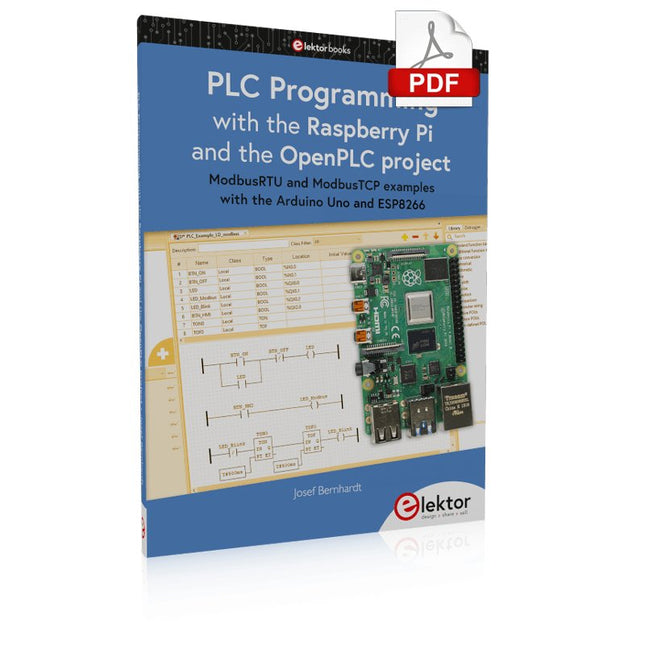
Elektor Digital PLC Programming with the Raspberry Pi and the OpenPLC Project (E-book)
ModbusRTU and ModbusTCP examples with the Arduino Uno and ESP8266 Introduction to PLC programming with OpenPLC, the first fully open source Programmable Logic Controller on the Raspberry Pi, and Modbus examples with Arduino Uno and ESP8266 PLC programming is very common in industry and home automation. This book describes how the Raspberry Pi 4 can be used as a Programmable Logic Controller. Before taking you into the programming, the author starts with the software installation on the Raspberry Pi and the PLC editor on the PC, followed by a description of the hardware. You'll then find interesting examples in the different programming languages complying with the IEC 61131-3 standard. This manual also explains in detail how to use the PLC editor and how to load and execute the programs on the Raspberry Pi. All IEC languages are explained with examples, starting with LD (Ladder Diagram) over ST (Structured Control Language) to SFC (Special Function Chart). All examples can be downloaded from the author's website. Networking gets thorough attention too. The Arduino Uno and the ESP8266 are programmed as ModbusRTU or ModbusTCP modules to get access to external peripherals, reading sensors and switching electrical loads. I/O circuits complying with the 24 V industry standard may also be of interest for the reader. The book ends with an overview of commands for ST and LD. After reading the book, the reader will be able to create his own controllers with the Raspberry Pi.
€ 32,95
Leden: € 29,66
-
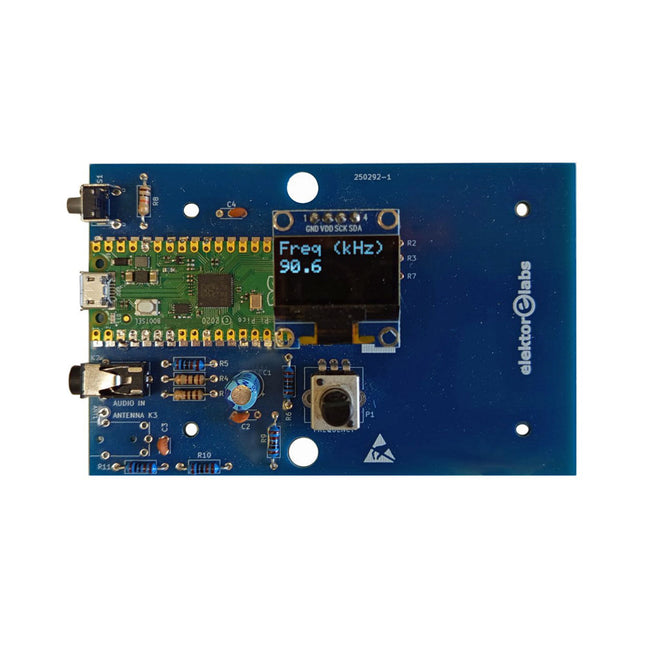
Elektor Labs Elektor AM-zender Kit
Bouw je eigen vintage radiozender De Elektor AM-zender kit maakt het mogelijk om audio te streamen naar vintage AM-radiotoestellen. Gebaseerd op een Raspberry Pi Pico microcontroller-module kan de AM-zender uitzenden op 32 frequenties in de AM-band, van 500 kHz tot 1,6 MHz in 32 stappen van ca. 35 kHz. De frequentie wordt gekozen met een potentiometer en weergegeven op een 0,96" OLED-display. Een drukknop maakt het mogelijk om de zendmodus te schakelen tussen Aan en Uit. Het bereik van de zender hangt af van de antenne. De ingebouwde antenne biedt een bereik van enkele centimeters, waardoor de AM-zender dicht bij of in de radio moet worden geplaatst. Een externe lusantenne (niet inbegrepen) kan worden aangesloten om het bereik te vergroten. De Elektor AM-zender kit wordt geleverd als een bouwpakket dat je zelf op de printplaat moet solderen. Kenmerken De printplaat is compatibel met een Hammond 1593N-behuizing (niet inbegrepen).Een 5 VDC-voeding met micro-USB-connector (bijv. een oude telefoonoplader) is nodig om de kit van stroom te voorzien (niet inbegrepen). Stroomverbruik: 100 mA. De Arduino-software (vereist het RP2040-boards-pakket van Earle Philhower) voor de Elektor AM-zenderkit plus meer informatie is beschikbaar op de Elektor Labs-pagina van dit project. Componentenlijst Weerstanden R1, R4 = 100 Ω R2, R3, R8 = 10 kΩ R5, R6, R9, R10, R11 = 1 kΩ R7 = optioneel (niet inbegrepen) P1 = potentiometer 100 kΩ, lineair Condensatoren C1 = 22 µF 16V C2, C4 = 10 nF C3 = 150 pF Diversen K1 = 4×1 pinheader K2, K3 = 3,5 mm-aansluiting Raspberry Pi Pico Drukknop, haaks gemonteerd 0,96" monochroom I²C OLED-display PCB 150292-1
€ 34,95€ 29,95Beste prijs
-
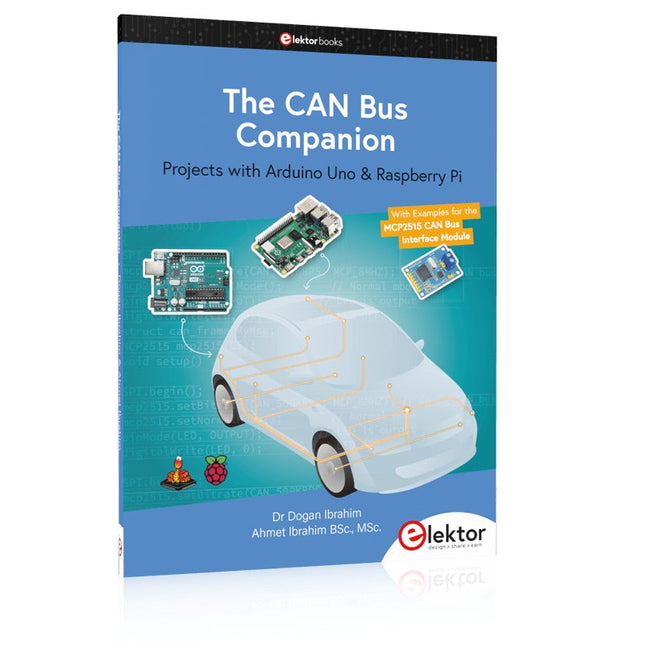
Elektor Publishing The CAN Bus Companion
Projects with Arduino Uno & Raspberry Pi with Examples for the MCP2515 CAN Bus Interface Module This book details the use of the Arduino Uno and the Raspberry Pi 4 in practical CAN bus based projects. Using either the Arduino Uno or the Raspberry Pi with off-the-shelf CAN bus interface modules considerably ease developing, debugging, and testing CAN bus based projects. This book is written for students, practicing engineers, enthusiasts, and for everyone else wanting to learn more about the CAN bus and its applications. The book assumes that the reader has some knowledge of basic electronics. Knowledge of the C and Python programming languages and programming the Arduino Uno using its IDE and Raspberry Pi will be useful, especially if the reader intends to develop microcontroller-based projects using the CAN bus. The book should be a useful source of reference material for anyone interested in finding answers to questions such as: What bus systems are available for the automotive industry? What are the principles of the CAN bus? How can I create a physical CAN bus? What types of frames (or data packets) are available in a CAN bus system? How can errors be detected in a CAN bus system and how dependable is a CAN bus system? What types of CAN bus controllers exist? How do I use the MCP2515 CAN bus controller? How do I create 2-node Arduino Uno-based CAN bus projects? How do I create 3-node Arduino Uno-based CAN bus projects? How do I set the acceptance masks and acceptance filters? How do I analyze data on the CAN bus? How do I create 2-node Raspberry Pi-based CAN bus projects? How do I create 3-node Raspberry Pi-based CAN bus projects?
€ 39,95
Leden: € 35,96
-

Elektor Digital Serielle Schnittstellen (E-book)
Die serielle Schnittstelle dient dem Datenaustausch zwischen Mikrocontrollern und Peripheriegeräten. Bei einer seriellen Datenübertragung werden die Bits nacheinander – also seriell – über eine Leitung übertragen. Das Wissen um diese seriellen Schnittstellen erweitert die Einsatzmöglichkeiten von Mikrocontrollern und Peripheriegeräten ungemein. In diesem Buch werden die Grundlagen der Kommunikation für die drei seriellen Schnittstellen I²C, SPI und 1-Wire vorgestellt. Anhand praxisnaher Beispiele werden die Schnittstellen anschaulich dargestellt und deren Einsatz verdeutlicht. Software- und Hardwarebeispiele, die man in diesem Buch finden kann, wurden in Assembler für PIC-Mikrocontroller von Microchip realisiert. Die verwendeten Algorithmen und Vorgehensweisen kann man aber auf beliebige Plattform übertragen. Um den Inhalt des Buches ansprechend zu gestalten, demonstriert der Autor den Buchinhalt an zwei Platinen. Mit diesen Platinen ist es möglich, die in diesem Buch beschriebenen Beispiele auszuprobieren und mit den Schnittstellen zu experimentieren. Beide Platinen basieren auf 8-bit-PIC-Mikrocontrollern von Microchip.
€ 34,80
Leden: € 31,32
-

Elektor Digital Elektor Circuit Special 2026 (PDF) EN
Elektor GREEN and GOLD members can download their digital edition here. Not a member yet? Click here. A Current Source for Testing (Z-)DiodesChecking Z-Diodes from 1 to 54 V @ 1 to 50 mA ESD Strap TesterA Bench Tool with Pass, Borderline, and Fail Indication Power Supply Transient Response TesterA Repeatable Step-Load Generator for Bench Power Supplies Euclidean Sequencer Without a MicrocontrollerTrigger Patterns and CV Sequences with Simple CMOS Logic LED Flashing Light for Gates and More with an Audible Alert Need PCBs? The Elektor PCB Service Has You Covered. Toothbrush TimerUsing a Tiny PIC A Contactless Magnetic Combination LockWith the AS5600 Rotary Position Sensor Low-Noise Battery-Powered PreamplifierFor Dynamic Microphones The Arduino Nano TestLabMeasurement, Control, and Regulation Rhythmic Bass LightEmphasize the Rhythm of Your Music Low-Cut FilterNo Risk of Audio Feedback on Your System Precise 1 Hz Square Wave Generator for BreadboardsA Reliable CMOS-Based Clock Source 555 Upside DownDuty Cycles Down to Zero From Halfgeleidergids to Circuit Specials65 Years of Electronics Innovation Electrical IsolationCAN Interface with Digital Isolator and Power Module SpongillatorA Sponge-Based Oscillator True Random Number GeneratorWith Integrated Chi-Square Test 3D Viewer for HTML pagesSimple, and Almost Without Code Programming with TLScriptA Scripting Language for Measurement, Testing, and Control Circuit Design: Tips from Experts FeedbackWhat Is It and Why Is It Important? One Board, Endless Ideas: Arduino UNO QFrom Retro Gaming to Real-Time Environmental Monitoring How to Fix a Donut Antenna Standby KillerA Real On/Off Switch for Your TV Battery TestingMeasuring Batteries with the Arduino Nano Power Supply for Audio Power AmplifiersA Good Power Supply Without Mains Hum Prototyping Boards for RFFast Setups with DIY Prototyping Boards T3 Surge ProtectionA Type 3 Spike Suppressor for Your Sensitive Equipment IoT Room Thermostat BoardWith ESP32-C3/S3-Based Xiao MCU module From Rigid to SmartFlexible and Printed Electronics — Between Vision and Industrial Reality
€ 9,50
-

Elektor Digital Meten en regelen via Android (E-book)
Hebt u altijd al uw elektronicaproject willen aansturen vanuiteen kleurrijke app op een Android smartphone of tablet? Dat is mogelijk met het in dit boek beschreven Android I/O-board. Met de bijbehorende software-library kunt u in Android Studio eenvoudig zelf een app programmeren die dit mogelijk maakt. Het Android I/O-board (los verkrijgbaar, wordt niet met boek meegeleverd!) bezit 22 pennen die u vanuit een app kunt aansturen als digitale I/O, ADC, PWM, touch-sensing en counter. Het Android I/O-board kan met de Android smartphone communiceren via Bluetooth, WiFi of USB. Het board is ook als datalogger te gebruiken. Kortom, dit is een veelzijdig board dat in ieder project past. Dit boek beschrijft stap voor stap hoe u uw project tot een succes kunt maken. Het boek behandelt gestructureerd de volgende onderwerpen: Een snelle handleiding hoe u uw Android I/O-board up and running krijgt. Een uitleg van alle mogelijkheden van het Android I/Oboard, met uitgebreide voorbeelden bij de verschillende opties. Een stap-voor-stap handleiding hoe u een app kunt programmeren in Android Studio. Een beschrijving van de firmware op het Android I/O-board en hoe u dit zelf met MPLAB-X kunt aanpassen. Voorbeeld-projecten om inspiratie op te doen hoe u uw eigen project kunt aansturen met het Android I/O-board.
€ 34,95
Leden: € 31,46


