
Zoekresultaten voor "Raspberry pi debug probe"
-
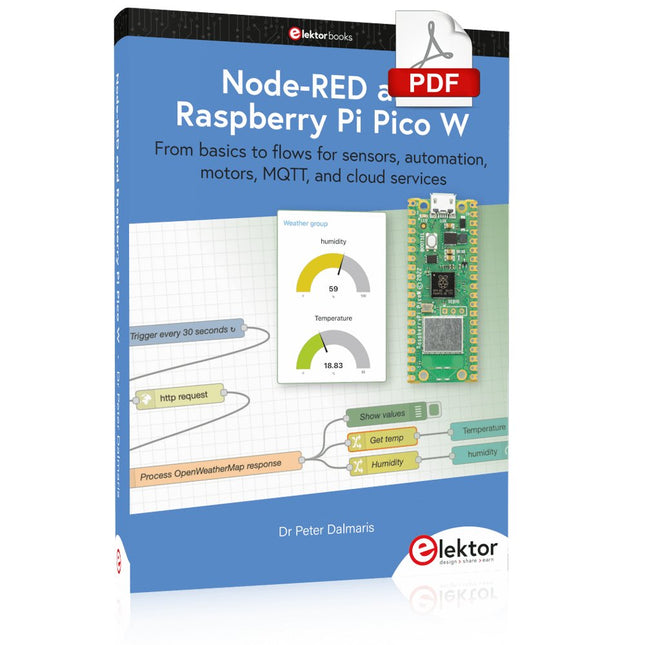
Elektor Digital Node-RED and Raspberry Pi Pico W (E-book)
From basics to flows for sensors, automation, motors, MQTT, and cloud services This book is a learning guide and a reference. Use it to learn Node-RED, Raspberry Pi Pico W, and MicroPython, and add these state-of-the-art tools to your technology toolkit. It will introduce you to virtual machines, Docker, and MySQL in support of IoT projects based on Node-RED and the Raspberry Pi Pico W. This book combines several elements into a platform that powers the development of modern Internet of Things applications. These elements are a flow-based server, a WiFi-enabled microcontroller, a high-level programming language, and a deployment technology. Combining these elements gives you the tools you need to create automation systems at any scale. From home automation to industrial automation, this book will help you get started. Node-RED is an open-source flow-based development tool that makes it easy to wire together devices, APIs, and online services. Drag and drop nodes to create a flowchart that turns on your lights at sunset or sends you an email when a sensor detects movement. Raspberry Pi Pico W is a version of the Raspberry Pi Pico with added 802.11n Wi-Fi capability. It is an ideal device for physical computing tasks and an excellent match to the Node-RED. Quick book facts Project-based learning approach. Assumes no prior knowledge of flow-based programming tools. Learn to use essential infrastructure tools in your projects, such as virtual machines, Docker, MySQL and useful web APIs such as Google Sheets and OpenWeatherMap. Dozens of mini-projects supported by photographs, wiring schematics, and source code. Get these from the book GitHub repository. Step-by-step instructions on everything. All experiments are based on the Raspberry Pi Pico W. A Wi-Fi network is required for all projects. Hardware (including the Raspberry Pi Pico W) is available as a kit. Downloads GitHub
€ 39,95
Leden: € 35,96
-

Elektor Digital Elektor July/August 2022 (PDF)
Measuring Does Not Have to be Expensive Low-Cost Audio TesterUsing PC-Based Software and a USB Audio Interface AC Grid Frequency MeterMonitor Mains Frequency and Voltage A Modest Inductance MeterAn Affordable Solution for Your Workbench Acoustic Wave HoveringA Look at the Makerfabs Acoustic Levitation Kit Starting Out in ElectronicsRectifiers E-FFWD: Looking Ahead Again! Get Started With Your OscilloscopeFind Your Way Through the Knobs and Buttons Raspberry Pi Pico Makes an MSF-SDRDecode a Time Signal with a Pi Pico SDR Moisture Sensors for Watering SystemsAutomatic Watering Disruption in Test and Measurement EquipmentInnovation from the Smaller Players Infographics 7-8/2022 Inspiration, That’s What It’s All AboutInterview with Entrepreneur Walter Arkesteijn, InnoFaith Beauty Sciences Minimizing EMC Interference from Storage Chokes GUIs with Python (Part 5)Tic-Tac-Toe Reed RelaysPeculiar Parts, the series Simple Analog ESR Meter With Moving-Coil Meter Precision Sigfox CO2 Traffic LightNo Wi-Fi Network Needed! Women in Tech“It's All About Merit Until Merit Has Tits” Low-Budget Tablet Oscilloscope ADS1013DGood Value for Money? Smart Plug TeardownWhich Ones Are Hacker-Friendly? Skin Impedance and Skin CapacitanceSmall Experiments From Life’s ExperienceNo Local Business Pokit Meter ReviewA Swiss army knife of test gear HexadokuThe Original Elektorized Sudoku
€ 7,50
-
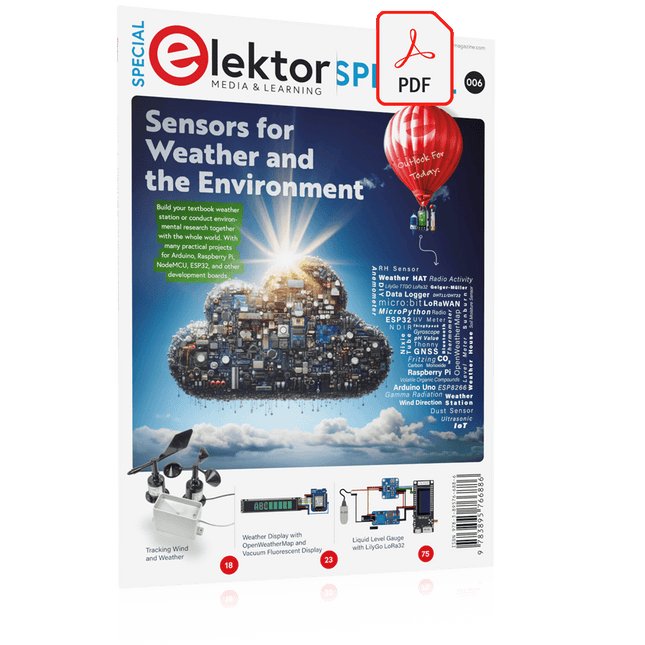
Elektor Digital Elektor Special: Sensors for Weather and the Environment (PDF)
Build your textbook weather station or conduct environmental research together with the whole world. With many practical projects for Arduino, Raspberry Pi, NodeMCU, ESP32, and other development boards. Weather stations have enjoyed great popularity for decades. Every current and even every long discontinued electronics magazine has regularly featured articles on building your own weather station. Over the years, they have become increasingly sophisticated and can now be fully integrated into an automated home — although this often requires loyalty to an (expensive) brand manufacturer across all components. With your own weather and environmental data, you can keep up and measure things that no commercial station can. It’s also fun: expand your knowledge of electronics, current microcontroller development boards and programming languages in a fun and meaningful way. For less than 10 euros you can get started and record your first environmental data — with time and growing interest, you will continue to expand your system. In this Edition Which Microcontroller Fits My Project? The Right Development Environment Tracking Wind and Weather Weather Display with OpenWeatherMap and Vacuum Fluorescent Display Volatile Organic Compounds in the Air We Breathe Working with MQ Sensors: Measuring Carbon Monoxide — Odorless but Toxic CO2 Traffic Light with ThingSpeak IoT Connection An Automatic Plant Watering System Good Indoor Climate: Temperature and Humidity are Important criteria Classy Thermometer with Vintage Tube Technology Nostalgic Weather House for the Whole Family Measuring Air Pressure and Temperature Accurately Sunburn Warning Device DIY Sensor for Sunshine Duration Simple Smartphone Says: Fog or Clear View? Identifying Earthquakes Liquid Level Measurement for Vessels and Reservoirs Water pH Value Measurement Detecting Radioactive Radiation GPS: Sensor Location Service Across the Globe Saving and Timestamping Log Files on SD Cards LoRaWAN, The Things Network, and ThingSpeak Operating a LoRaWAN Gateway for TTN Defying "Wind and Weather" Mega Display with Weather Forecasz
€ 14,95
Leden: € 13,46
-

Elektor Publishing Programming Microcontrollers in MicroPython
With Examples for Raspberry Pi Pico and ESP32 Creating and programming small electronic systems is now easier than ever before. With inexpensive development boards and modern software tools, anyone curious about embedded design can quickly move from an idea to a working piece of hardware. At the heart of this change is MicroPython—a clear, interactive, and beginner-friendly way to program microcontrollers while still remaining closely connected to the underlying electronics. This book introduces embedded programming through MicroPython on popular platforms such as the Raspberry Pi Pico and the ESP32. You will discover how to use microcontrollers for reading inputs, processing data, and controlling outputs in a predictable, real-time loop. With just a few lines of code, you can blink LEDs, read sensors, drive motors, and communicate with the outside world. The interactive REPL programming interface encourages experimentation and fast learning, making concepts tangible from the very first chapter. While different boards offer different capabilities, they all share the same core principles. Timers, GPIO, analog I/O, PWM, interrupts, and communication interfaces form the foundation of every embedded system. By focusing on these universal building blocks, this book helps you build skills that transfer across platforms and scale naturally toward more advanced development. Whether you are a beginner or an experienced programmer entering embedded systems, you will find that working with MicroPython is both practical and genuinely enjoyable.
€ 29,95
Leden: € 26,96
-

Elektor Digital Learning Python with Raspberry Pi (E-book)
This book is about teaching the Python programming language using the Raspberry Pi 4 computer. The book makes an introduction to Raspberry Pi 4 and then teaches Python with the topics: variables, strings, arrays, matrices, tuples, lists, dictionaries, user functions, flow of control, printing, keyboard input, graphics, GUI, object oriented programming and many more topics. The book is aimed for beginners, students, practising engineers, hobbyists, and for anyone else who may want to learn to program in Python. The book includes many example programs and case studies. All the example programs and case studies have been tested fully by the author and are all working. The example programs aim to teach the various programming concepts of Python. The case studies cover the use of Python in the analysis and design of electronic circuits. Some of the case study topics are: Resistor colour code identification Resistive potential divider circuits Resistive attenuator design Zener diode voltage regulator design RC and RLC transient circuits Circuit frequency response Saving data on external memory stick Mesh and node circuit analysis using matrices Resonance in RLC circuits Transistor Biasing analysis Transistor amplifier design Design of active filters Interfacing hardware with GPIO, I²C and SPI Using Wi-Fi with Python and TCP/IP and UDP programs Using Bluetooth from Python Full program listings of all the programs used in the book are available at the Elektor website of the book. Readers should be able just to copy and use these programs in their Raspberry Pi projects without any modifications.
€ 32,95
Leden: € 29,66
-

SEQURE SEQURE HT140 (2-in-1) SMD Soldeer- & Desoldeerpincet
De SEQURE HT140 is een zeer veelzijdige 2-in-1 soldeerbout die de functionaliteit van een hete pincet en een soldeerbout combineert. Hij is speciaal ontworpen voor nauwkeurig SMD-soldeer- en desoldeerwerk. Met onafhankelijke regeling voor enkelzijdige verhitting werkt hij als een traditionele soldeerbout wanneer hij is uitgerust met een standaardpunt. Wanneer hij is geconfigureerd voor dubbelzijdige verhitting, transformeert hij in een hete pincet – perfect voor het efficiënt en nauwkeurig verwijderen van SMD-componenten. Kenmerken Werktemperatuur: 50-500°C Ondersteunt meerdere voedingsingangen: PD 3.1/3.0/2.0, QC 3.0/2.0, (5-28 V DC), LiPo-batterijen en stroomadapters. De HT140 combineert een soldeerpincet met een soldeerbout, met onafhankelijke enkel- of dubbelzijdige verwarming. Gebruik hem als soldeerbout met een punt, of als soldeerpincet voor eenvoudig desolderen van SMD. Spanning en stroomsterkte kunnen worden aangepast op basis van de stroombron. Beschikt over dubbele temperatuurregeling, voorinstellingen, snelle temperatuurverhoging en fijnafstelling. 128 x 32 OLED-scherm met instelbare helderheid en oriëntatie. Hoognauwkeurig verwarmingselement met een nauwkeurigheid van ±1%. Smelt soldeer in slechts 2 seconden. Slimme stand-by-, slaap- en wekfuncties verlengen de levensduur van de punt en verhogen de efficiëntie. Ondersteunt temperatuurkalibratie en -compensatie voor nauwkeurig werk. Inclusief een hittebestendige PD 150 W siliconenkabel van 1,5 m en een stevig, volledig metalen HT-station. Verwisselbare punten en verstelbare hoeken voor diverse SMD-soldeertaken. Specificaties Werkspanning 5-28 V DC Maximaal vermogen 140 W Werktemperatuur 50-500°C Smelttijd tin 2 s Interfacetype USB-C, DC5525 Voeding PD 3.1/3.0/2.0, QC 3.0/2.0, 28 V DC max Display 128 x 32 OLED Firmware-upgrade Ja Menutalen Engels, Russisch, Chinees Afmetingen 160 x 27 x 17,5 mm Gewicht 50 g Inbegrepen 1x SEQURE HT140 Host 2x HT140-IS Conisch gebogen desoldeerstiften 1x HT Station 1x Accessoirepakket 1x Opbergtas 1x 65 W PD Voeding (EU, VK & VS) 1x 24 W PD Siliconen Draad (1,5 m) 1x GND Draad Accessoire Kit (1,8 m) Downloads Manual Firmware V1.04
€ 119,95€ 99,95Beste prijs
-

Elektor Digital Elektor Maart/April 2022 PDF (NL)
Bouw uw eigen RISC-V-controllerEerste stappen met de NEORV32 RISC-V softcore voor goedkope FPGA’s Het gebruik van Arduino’s seriële plotterGrafieken plotten met Arduino is gemakkelijk CLUE van AdafruitEen slimme oplossing voor IoT-projecten Bufferboard voor de Raspberry Pi 400Bescherm uw I/O’s Raspberry Pi RP2040-boards in overvloed Een handboek voor DHZ elektronische beveiliging en spionageSRAM – gebakken of diepgevroren Onderdelen identificerenTips & trucs, vakkunstigheden en andere nuttige informatie DHZ aanraakloze lichtschakelaar Alle begin......gaat compenseren en transformeren Nieuwe embedded-ontwikkelingenRust en het up-to-date houden van IoT-implementaties Infographics Hoe de industrie- en automobielsector zullen profiteren van 5G Relais met bewegende spoelVreemde onderdelen Oost West Lab BestAlles draait om de bank... Kennismaking met neuronen in neurale netwerkenDeel 4: embedded neuronen Magnetische levitatie “the very easy way”De derde en meest compacte versie PLC-programmering met de Raspberry Pi en het OpenPLC-projectVisualisatie van PLC-programma’s met AdvancedHMI Uit het leven gegrepenInpakken en wegwezen Onder de radarMicrocontrollers die u zou moeten kennen Draadloos monitoren en debuggenvoor Arduino, ESP32 en co. Draagbare temperatuur- en vochtigheidsmetermet gebruiksklare modules Lithium-accupacks reparerenSpaart geld + geeft meer kracht! GUI's maken met PythonMeme-Generator De drie grote vraagtekensWaarom wat wie Hexadoku
€ 9,95
-

Elektor Digital Elektor Septembre/Octobre 2026 (PDF) FR
Le téléchargement intégral de ce numéro est disponible pour nos membres GOLD et GREEN sur le site Elektor Magazine ! Pas encore membre ? Cliquez ici. l'ESP-BLASTUn mini drone-fusée ESP32 qui vole à plus de 100 km/h atelier sans fil (1)Modules radio déverrouillés : émetteur-récepteur sub-GHz CC1101 433 MHz émetteur AMAvec le générateur d'ondes carrées/sinusoïdales sur Raspberry Pi Pico STM32Cube Innovation ChallengeParticipez avec votre meilleur projet STM32C5 CoffeeCallerComment une pause café a inspiré un PCB sur mesure audiotroniquesDistorsion harmonique totale Elektor à 65 ansProjets de septembre et octobre au fil des ans Bluetooth Channel Sounding pour le suivi des équipementsMesure de distance avec une précision centimétrique pour l’IoT de nouvelle génération 2026 : une Odyssée de l'IAL'informatique quantique n'est pas le prochain GPU protéger le cloud exige de sécuriser la périphérie premières expériences avec le HackRF ProTests pratiques avec le nouveau matériel SDR mise à niveau du modem de GPRS/2G vers LTE/4GExemple d'un panneau de contrôle d'alarme sans fil antenne en bouclePartie 1 : Une antenne ondes courtes à directivité réglable, à réaliser soi-même convertisseur de radio Internet en AMUn ESP32-S3 comme émetteur projet 2.0 mioty : aperçu généralL'approche de Fraunhofer pour les LPWAN sagesse d'atelierConseils pratiques d'experts Walter, le module IoT compactPartie 2 : Accéder aux services météorologiques et aux services de données
€ 10,95
-

Sensepeek Sensepeek 6012 PCBite-kit incl. 2x SQ10-sonde voor DMM
De SQ-serie handsfree PCBite-sondes van Sensepeek zijn geïsoleerd, worden geleverd met meegeleverde kleurgecodeerde kabelhouders en hebben een lager zwaartepunt waardoor ze nog stabieler zijn vergeleken met de originele SP-serie sondes. Alle geliefde kenmerken van handsfree meten, een verwisselbare testnaald met veertip en het minimalistische ontwerp zijn behouden gebleven, waardoor traditionele en draagbare sondes overbodig zijn geworden. Kenmerken Alle handsfree sondes van Sensepeek maken directe metingen of lange triggersessies een fluitje van een cent. Geen soldeerdraden meer om uw sonde aan te sluiten of ingewikkelde gereedschappen om in te stellen, u hoeft alleen maar de sondenaald op een willekeurig testpunt of onderdeel in het signaalpad te plaatsen en los te laten. Bespaart tijd en frustratie tijdens ontwikkeling, verificatie en reparaties. Het minimalistische ontwerp en de veerbelaste testnaald maken het mogelijk om tegelijkertijd te meten op fijne toonhoogtecomponenten en signalen in de buurt. Zowel de lengte als het gewicht van de SQ-sondes zijn perfect uitgebalanceerd voor gebruik met PCBite PCB-houders en basisplaat, wat een must is voor handsfree functioneren. De sondehouder wordt geleverd met een krachtige magneet in de basis, zoals bij alle PCBite-sondes en -houders, waardoor de sonde gemakkelijk te plaatsen en te verplaatsen is. De sondes uit de SQ-serie kunnen zonder de sondehouder in de hand worden gebruikt, omdat ze een geïsoleerde handgreep hebben, maar hun volledige potentieel wordt benut bij handsfree meten. Inbegrepen 4x PCBite PCB-houders 2x SQ10-sondes en testnaalden met pintip (rood/zwart) 2x Banaan naar dupont-testdraden (rood/zwart) 1x Grote bodemplaat (A4) 1x Isolatiehoes voor de bodemplaat (A4) 1x Set gele isolatieringen voor de PCB-houders 1x Set kabelhouders (rood/zwart) 2x Extra testnaalden 1x Microvezeldoek Downloads User Guide (PCBite Kit) User Guide (SQ10)
€ 127,05
-
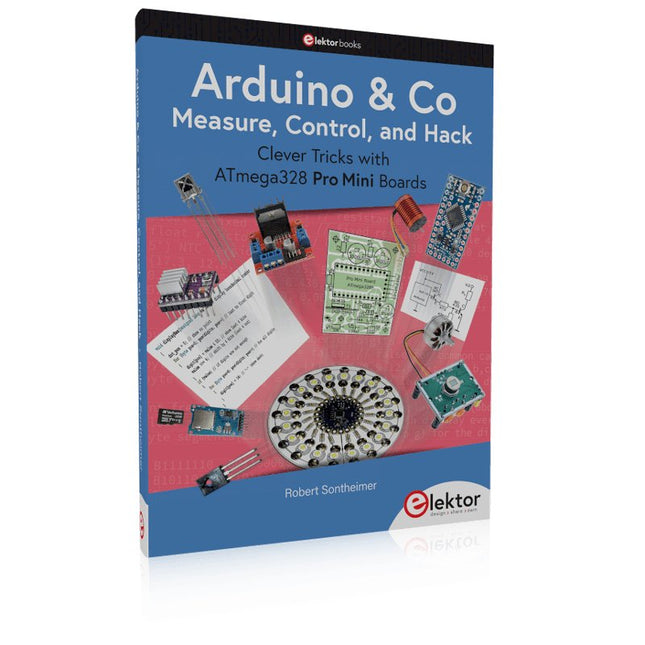
Elektor Publishing Arduino & Co – Measure, Control, and Hack
Clever Tricks with ATmega328 Pro Mini Boards With a simple Pro Mini board and a few other components, projects that 20 or 30 years ago were unthinkable (or would have cost a small fortune) are realized easily and affordably in this book: From simple LED effects to a full battery charging and testing station that will put a rechargeable through its paces, there’s something for everyone. All the projects are based on the ATmega328 microcontroller, which offers endless measuring, switching, and control options with its 20 input and output lines. For example, with a 7-segment display and a few resistors, you can build a voltmeter or an NTC-based thermometer. The Arduino platform offers the perfect development environment for programming this range of boards. Besides these very practical projects, the book also provides the necessary knowledge for you to create projects based on your own ideas. How to measure, and what? Which transistor is suitable for switching a certain load? When is it better to use an IC? How do you switch mains voltage? Even LilyPad-based battery-operated projects are discussed in detail, as well as many different motors, from simple DC motors to stepper motors. Sensors are another exciting topic: For example, a simple infrared receiver that can give disused remote controls a new lease on life controlling your home, and a tiny component that can actually measure the difference in air pressure between floor and table height!
€ 39,95
Leden: € 35,96
-

Elektor Digital Elektor September/Oktober 2023 (PDF)
Elektor GREEN en GOLD leden kunnen deze uitgave hier downloaden.Nog geen lid? Klik hier om een lidmaatschap af te sluiten. Raspberry Pi Pico als spectrumanalyzerFFT’s met goedkope hardware ±40 V lineaire spanningsregelaaralternatieve voeding voor de Fortissimo-100 eindversterker... en andere! Flexibele draadloze communicatie met een MCUEEPROM opent netwerkmogelijkheden voor draadloze MCU’s € 5000 voor het oprapen!doe mee aan de STM32 Wireless Innovation Design Contest 2023: een AI-odysseeaan de slag met Code Interpreter van ChatGPT LoRa – een Zwitsers zakmesdeel 1: het LoRa-protocol en zijn voordelen Instelbare current sink met geïntegreerde klokgeneratortest voedingen, spanningsconverters en accu’s Twee nieuwe Arduino UNO R4-boards: Minima en WiFi Logaritmische potentiometersze zijn exponentieel! Motordriver breakout-boardeen BoB voor een 5 A DC-motordriver van 3×3 mm Uit het leven gegrepenelektronica periculosa Biedt cellulair het laagste stroomverbruik voor IoT?energie-eisen van LTE-M en NB-IoT in LPWAN-implementaties Draadloze communicatie in IoT-systemen met Arduino MKR-moduleshet juiste board voor WiFi, LoRa en andere standaarden AC-verliezen in magnetische componentenvoorkom hete spoelen! Meten voor optimale cloud-connectiviteit Matter implementatie: Wat is er nodig om Matter-devices in te zetten? YARD Stick Onesub-1 GHz draadloos testtool Houdrelaisvreemde onderdelen PIC voor tien – precies op tijdontwerp van een SDR-tijdseinontvanger Due Diligence DirectiveBusiness as Usual Will Not Do Alle begin......versterkt spanningen Infrageluid-recorder met de Arduino Pro Minieen voorbeeldproject uit de Elektor-uitgave “Arduino & Co” Cloud-gebaseerde energiemetermet een ESP32-module en een PZEM-004T spanning/stroom-sensor Een gids voor puristisch programmeren (deel 2)nauwkeurige timing, de UART en debugging
€ 9,95
-

Elektor Labs Elektor Arduino Nano MCCAB Training Board
Het Elektor Arduino Nano MCCAB Training Board bevat alle componenten (incl. Arduino Nano) die nodig zijn voor de oefeningen, zoals LED’s, schakelaars, drukknoppen, buzzer enz. Ook externe sensoren, motoren of modules kunnen worden gecheckt of bestuurd met dit microcontroller-trainingssysteem. Specificaties (Arduino Nano Training Board MCCAB) Voeding Via de USB-aansluiting van de aangesloten pc of een externe voeding (niet inbegrepen) Spanning +5 Vcc Ingangsspanning Alle ingangen 0 V tot +5 V VX1 en VX2 +8 V tot +12 V (alleen bij gebruik van een externe voeding) Hardware LCD 2x16 karakters Potentiometer P1 & P2 JP3: Selectie van de werkspanning van P1 & P2 Verdelers SV4: Verdeler voor de werkspanningenSV5, SV6: Verdelers voor de in-/uitgangen van de microcontroller Schakelaars en knoppen RESET knop op de Arduino Nano module; 6x drukknop schakelaars K1 ... K6; 6x Schuifschakelaars S1 ... S6; JP2: Jumper van de schakelaars met de ingangen van de microcontroller Buzzer Piezo buzzer ‘Buzzer1’ met jumper op JP6 Indicator LED’s 11 x LED: Status indicator voor de ingangen/uitgangen LED L op de Arduino Nano module, aangesloten op GPIO D13 JP6; Aansluiting van LED's LD10 ... LD20 met GPIO's D2 ... D12 Seriële interfacesSPI & I²C JP4: Selectie van het signaal op pin X van de SPI-connector SV12 SV9 naar SV12: SPI-interface (3,3 V/5 V) of I²C-interface Uitgangen voor externe apparaten SV1, SV7: Geschakelde uitgang (maximaal +24 V/160 mA, extern aangesloten) SV2: 2x13 pinnen voor aansluiting van externe modules 3x3 LED matrix(9 rode LED's) SV3: Kolommen van de 3x3 LED matrix (uitgangen D6 ... D8) JP1: Verbinding van de rijen met de GPIO's D3 ... D5 Software MCCABLib library Controle van hardware componenten (schakelaars, knoppen, LED's, 3x3 LED matrix, buzzer) op het MCCAB Training Board Werktemperatuur Tot +40 °C Afmetingen 100 x 100 x 20 mm Specificaties (Arduino Nano) Microcontroller ATmega328P Architectuur AVR Spanning 5 V Flash memory 32 KB, waarvan 2 KB gebruikt door de bootloader SRAM 2 KB Kloksnelheid 16 MHz Analoge IN Pinnen 8 EEPROM 1 KB DC stroom per I/O-pin 40 mA op één I/O-pin, totaal maximaal 200 mA op alle pinnen samen Ingangsspanning 7-12 V Digitale I/O-pinnen 22 (waarvan 6 PWM) PWM Uitgangen 6 Stroomverbruik 19 mA Afmetingen 18 x 45 mm Gewicht 7 g Inbegrepen 1x Elektor Arduino Nano Training Board MCCAB 1x Arduino Nano
€ 79,95€ 69,95Beste prijs


