Uitgebreide boek-hardwarebundel voor de RP2040-microcontroller met meer dan 80 projecten
Ontgrendel het potentieel van moderne controllertechnologie met de Raspberry Pi Pico in deze bundel. Perfect voor zowel beginners als ervaren gebruikers, biedt de eenvoudig te volgen handleiding u de mogelijkheid om te starten bij de basis van elektronica en verder te gaan naar de complexiteit van digitale signaalverwerking. Met de Raspberry Pi Pico, de speciaal ontworpen hardwarekit en het programmeren in MicroPython, leert u de belangrijkste principes van schakelingen ontwerpen, gegevens verzamelen en verwerken.
Ga aan de slag met meer dan 80 projecten, zoals een stopwatch met OLED-display, een laserafstandsmeter en een servogestuurde ventilator. Deze projecten zijn bedoeld om u te helpen het geleerde toe te passen in praktijkscenario's. Het boek behandelt ook geavanceerde onderwerpen zoals draadloze RFID-technologie, objectdetectie en sensorintegratie voor robotica.
Of u nu uw vaardigheden op het gebied van elektronica wilt uitbreiden of dieper in ingebedde systemen wilt duiken, deze bundel is de perfecte hulpbron om u te helpen het volledige potentieel van de Raspberry Pi Pico te verkennen.
Inhoud van de bundel
1x Projectboek (273 pagina's)
1x Smart Car Kit
Elektronische onderdelen
2x Soldeerloze broodplank (400 gaten)
1x Soldeerloze broodplank (170 gaten)
5x Kleurrijke 5 mm LED's (groen, rood, blauw, geel en wit)
1x Laserzender
1x Passieve zoemer
1x Micro-USB-kabel (30 cm)
1x 65 doorverbindingsdraden
1x 20 cm mannelijk naar vrouwelijk Dupont-draad
1x Doorzichtig hoesje
1x Magneet (Diameter: 8 mm, Dikte: 5 mm)
1x Draaipotentiometer
10x 2 KΩ-weerstanden
2x M2,5x30 mm koperen pilaren
10x Kruiskopschroeven met kruiskop
10x M2.5 nikkel-zeskantmoeren
1x 2-inch dual-purpose schroevendraaier
Modulen
1x RGB-module
1x 9G-servo
1x XY-joystickmodule met dubbele as
1x RC522 RFID-module
1x 4 bits digitale LED-displaymodule
1x Verkeerslichtdisplaymodule
1x Rotary Encoder-module
1x 1602 LCD-displaymodule (blauw)
1x Fotoweerstandsmodule
1x DC-motor met mannelijke Dupont-draad
1x Ventilatorblad
1x Regendruppelsmodule
1x OLED-module
1x Membraanschakelaartoetsenbord
1x Mini magnetische veermodule
1x Infraroodafstandsbediening
1x Infraroodontvangermodule
1x DC stappenmotor driverbord
1x Button
Sensoren
1x Trillingssensor
1x Bodemvochtsensor
1x Geluidssensor
1x Mini PIR-bewegingssensor
1x Temperatuur- en vochtigheidssensor
1x Vlamsensor
2x Crashsensor
2x Volgsensor
1x Ultrasone sensor
Meer dan 180 projecten met Raspberry Pi, Pico W Arduino en ESP32
Deze bundel bevat de Universal Maker Sensor Kit, die bestaat uit veel sensoren, actuatoren, displays en motoren. Het is perfect voor omgevingsbewaking, smart home-projecten, robotica en gamecontrollers.
Het nieuwe Elektor-boek beschrijft het ontwerp van veel projecten met behulp van de kit samen met de populaire Raspberry Pi, Raspberry Pi Pico W, Arduino Uno en de ESP32-familie van ontwikkelborden. U kunt elk van deze ontwikkelborden voor uw projecten kiezen en de meegeleverde programma's gebruiken zoals ze zijn, of deze programma's aanpassen aan uw toepassingen.
Deze bundel bevat:
Boek: Universal Maker Sensor Kit (normale prijs: € 45)
Universal Maker Sensor Kit voor Raspberry Pi, Pico W, Arduino, ESP32 (normale prijs: € 70)
Boek: Universal Maker Sensor Kit
Leer meer dan 35 sensoren en actuatoren te gebruiken met C++, Python en MicroPython
Dit boek bevat meer dan 180 projecten voor alle vier de grote ontwikkelborden (Raspberry Pi, Pico W Arduino en ESP32). Afhankelijk van het ontwikkelbord zijn projecten beschikbaar in de programmeertalen C, Python of MicroPython.
De projecttitels, korte beschrijvingen, bedradingsschema's en volledige programmalijsten, samen met de gedetailleerde beschrijvingen, zijn in het boek opgenomen.
Universal Maker Sensor Kit (Raspberry Pi, Pico W, Arduino, ESP32)
Ontdek eindeloze creativiteit met de Universal Maker Sensor Kit, ontworpen voor gebruik met Raspberry Pi, Pico W, Arduino en ESP32. Deze veelzijdige kit biedt compatibiliteit met populaire ontwikkelingsplatforms, waaronder Arduino Uno R4 Minima/WiFi, Uno R3, Mega 2560, Raspberry Pi 5, 4, 3B+, 3B, Zero, Pico W en ESP32.
Met meer dan 35 sensoren, actuatoren en displays is het perfect voor projecten variërend van omgevingsmonitoring en slimme huisautomatisering tot robotica en interactief gamen. Stapsgewijze tutorials in C/C++, Python en MicroPython begeleiden zowel beginners als ervaren makers door 169 spannende projecten.
Kenmerken
Brede compatibiliteit: Ondersteunt volledig Arduino (Uno R3, Uno R4 Minima/WiFi, Mega 2560), Raspberry Pi (5, 4, 3B+, 3B, Zero, Pico W) en ESP32, wat uitgebreide flexibiliteit op verschillende ontwikkelingsplatforms mogelijk maakt. Bevat instructies voor het bouwen van 169 projecten.
Uitgebreide componenten: Bevat meer dan 35 sensoren, actuatoren en displaymodules die geschikt zijn voor uiteenlopende projecten zoals omgevingsbewaking, slimme huisautomatisering, robotica en interactieve gamecontrollers.
Gedetailleerde tutorials: Biedt duidelijke, stapsgewijze tutorials over Arduino, Raspberry Pi, Pico W, ESP32 en elk inbegrepen component. Tutorials zijn beschikbaar in C/C++, Python en MicroPython, en zijn effectief afgestemd op zowel beginners als ervaren makers.
Geschikt voor alle vaardigheidsniveaus: Biedt gestructureerde projecten die zijn ontworpen om gebruikers naadloos te begeleiden van beginners tot gevorderden in elektronica en programmeren, wat de creativiteit en technische expertise vergroot.
Kit bevat
Breadboard
Knopmodule
Capacitieve bodemvochtigheidsmodule
Vlamsensormodule
Gas-/rooksensormodule (MQ2)
Gyroscoop & Accelerometermodule (MPU6050)
Hall-sensormodule
Infraroodsnelheidssensormodule
IR-obstakelvermijdingssensormodule
Joystickmodule
PCF8591 ADC DAC-convertermodule
Fotoweerstandsmodule
PIR-bewegingsmodule (HC-SR501)
Potentiometermodule
Pulsoximeter- en hartslagsensormodule (MAX30102)
Regendruppeldetectiemodule
Realtimeklokmodule (DS1302)
Rotary Encoder-module
Temperatuursensormodule (DS18B20)
Temperatuur- en vochtigheidssensormodule (DHT11)
Temperatuur, vochtigheid en Druksensor (BMP280)
Time of Flight Micro-LIDAR afstandssensor (VL53L0X)
Touch Sensor Module
Ultrasone sensormodule (HC-SR04)
Trillingssensormodule (SW-420)
Waterniveausensormodule
I²C LCD 1602
OLED-displaymodule (SSD1306)
RGB LED-module
Verkeerslichtmodule
5 V relaismodule
Centrifugaalpomp
L9110 motordrivermodule
Passieve zoemermodule
Servomotor (SG90)
TT Motor
ESP8266-module
JDY-31 Bluetooth-module
Voedingsmodule
Documentatie
Online Tutorial
Umfassendes Buch-Hardware-Bundle für den RP2040-Mikrocontroller mit über 80 Projekten
Entdecken Sie in diesem Bundle das Potenzial der modernen Controller-Technologie mit dem Raspberry Pi Pico. Das leicht verständliche Handbuch eignet sich sowohl für Anfänger als auch für erfahrene Benutzer und führt Sie von den Grundlagen der Elektronik bis hin zu den komplexen Aspekten der digitalen Signalverarbeitung. Mit dem Raspberry Pi Pico, dem speziellen Hardware-Kit und der MicroPython-Programmierung lernen Sie die wichtigsten Prinzipien des Schaltungsdesigns, der Datenerfassung und -verarbeitung.
Machen Sie praktische Erfahrungen mit über 80 Projekten wie einer Stoppuhr mit OLED-Display, einem Laser-Entfernungsmesser und einem servogesteuerten Lüfter. Diese Projekte sollen Ihnen helfen, das Gelernte in realen Szenarien anzuwenden. Das Buch behandelt auch fortgeschrittene Themen wie drahtlose RFID-Technologie, Objekterkennung und Sensorintegration für die Robotik.
Ganz gleich, ob Sie Ihre Kenntnisse in der Elektronik erweitern oder tiefer in eingebettete Systeme eintauchen möchten, dieses Bundle ist die perfekte Ressource, um das volle Potenzial des Raspberry Pi Pico zu erkunden.
Inhalt des Bundles
1x Projektbuch (287 Seiten)
1x Smart Car Kit
Bauteile
2x Lötfreies Steckbrett (400 Löcher)
1x Lötfreies Steckbrett (170 Löcher)
5x bunte 5-mm-LEDs (Grün, Rot, Blau, Gelb und Weiß)
1x Lasersender
1x Passiver Summer
1x Micro-USB-Kabel (30 cm)
1x 65 Überbrückungskabel
1x 20 cm männlicher auf weiblicher Dupont-Draht
1x Transparentes Gehäuse
1x Magnet (Durchmesser: 8 mm, Dicke: 5 mm)
1x Drehpotentiometer
10x 2 KΩ Widerstände
2x M2, 5x30 mm Kupfersäulen
10x Kreuzschlitz-Flachkopfschrauben
10x M2,5 Sechskantmuttern aus Nickel
1x 2-Zoll-Mehrzweckschraubendreher
Module
1x RGB-Modul
1x 9G-Servo
1x Dual-Achsen-XY-Joystick-Modul
1x RC522 RFID-Modul
1x 4-Bit-Digital-LED-Display-Modul
1x Ampel-Anzeigemodul
1x Drehgebermodul
1x 1602 LCD-Anzeigemodul (blau)
1x Fotowiderstandsmodul
1x Gleichstrommotor mit männlichem Dupont-Kabel
1x Lüfterflügel
1x Regentropfen-Modul
1x OLED-Modul
1x Membranschalter-Tastatur
1x Mini-Magnetfedermodul
1x Infrarot-Fernbedienung
1x Infrarot-Empfängermodul
1x DC-Schrittmotor-Treiberplatine
1x Button
Sensoren
1x Vibrationssensor
1x Bodenfeuchtesensor
1x Schallsensor
1x Mini-PIR-Bewegungssensor
1x Temperatur & Feuchtigkeitssensor
1x Flammensensor
2x Crash-Sensor
2x Tracking-Sensor
1x Ultraschallsensor
Mit dem Elektor Arduino Nano Trainingsboard (MCCAB) eigene Projekte realisieren
Der Mikrocontroller ist das wohl faszinierendste Teilgebiet der Elektronik, denn aufgrund der Vielzahl von Funktionen, die er auf seinem Chip vereinigt, ist er für den Entwickler ein universelles Multi-Tool zur Realisierung seiner Projekte. Praktisch jedes Gerät des täglichen Gebrauchs wird heute von einem Mikrocontroller gesteuert. Für einen elektronischen Laien blieb es aufgrund der Komplexität bisher allerdings ein Wunschtraum, eigene Ideen mit einem Mikrocontroller zu realisieren. Das Arduino-Konzept hat den Einsatz von Mikrocontrollern weitgehend vereinfacht, sodass jetzt auch Laien eigene Elektronik-Ideen mit einem Mikrocontroller verwirklichen können.
Buch & Hardware im Bundle: 'Learning by Doing'
Dieses im Bundle mitgelieferte Buch (im großen A4-Format) zeigt, wie man auch ohne große Erfahrung in Elektronik und Programmiersprachen eigene Projekte mit einem Mikrocontroller realisieren kann. Es ist ein Mikrocontroller-Praxiskurs für Einsteiger, denn nach einem Überblick über die Interna des Mikrocontrollers und einer Einführung in die Programmiersprache C liegt der Schwerpunkt des Kurses auf den praktischen Übungen. Der Leser eignet sich die erforderlichen Kenntnisse durch 'Learning by Doing' an: in dem umfangreichen Praxisteil mit 12 Projekten und 46 Übungen wird das im vorderen Teil des Buches Gelernte mit vielen Beispielen unterlegt. Die Übungen sind dabei so aufgebaut, dass der Bearbeiter eine Aufgabenstellung erhält, die er mit seinem im Theorieteil des Buches aufgebauten Wissen löst. Für jede Übung gibt es anschließend eine ausführlich erklärte und kommentierte Musterlösung, die dem Bearbeiter bei Problemen weiterhilft und die er mit seiner eigenen Lösung vergleichen kann.
Arduino IDE
In der Arduino IDE, einer Software-Entwicklungsumgebung, die kostenlos auf den eigenen PC heruntergeladen werden kann und die das gesamte Softwarepaket enthält, das für ein eigenes Mikrocontroller-Projekt benötigt wird, schreibt der Bearbeiter mit dem Editor der IDE seine Programme („Apps“) in der Programmiersprache C. Der in die Arduino IDE integrierte Compiler übersetzt sie in die Bits und Bytes, die der Mikrocontroller versteht und die dann über ein USB-Kabel in den Speicher des Mikrocontrollers auf dem Elektor Arduino Nano Trainingsboard (MCCAB) geladen werden.
Externe Sensoren, Motoren oder Baugruppen abfragen oder steuern
Das Elektor Arduino Nano Trainingsboard (MCCAB) enthält neben einem Mikrocontrollermodul Arduino Nano alle für die Übungen benötigten Bauteile wie Leuchtdioden, Schalter, Taster, akustische Signalgeber usw. Auch externe Sensoren, Motoren oder Baugruppen können mit diesem Mikrocontroller-Übungssystem abgefragt oder gesteuert werden.
Technische Daten (Arduino Nano Trainingsboard MCCAB)
Stromversorgung
Über die USB-Verbindung des zur Erstellung der Programme sowieso angeschlossenen PCs oder ein externes Netzteil (nicht im Lieferumfang enthalten)
Betriebsspannung
+5 Vcc
Eingangsspannung
Alle Eingänge
0 V bis +5 V
VX1 und VX2
+8 V bis +12 V (nur bei Verwendung eines externen Netzteils)
Mikrocontrollermodul
Arduino Nano
Hardwareperipherie
LCD
2x16 Zeichen
Potenziometer P1 & P2
JP3: Auswahl der Betriebsspannung von P1 & P2
Verteiler
SV4: Verteiler für die BetriebsspannungenSV5, SV6: Verteiler für die Ein-/Ausgänge des Mikrocontrollers
Schalter und Taster
RESET-Taster auf dem Arduino Nano-Modul6x Tastschalter K1 … K66x Schiebeschalter S1 … S6JP2: Verbindung der Schalter mit den Eingängen des Mikrocontrollers
Summer
Piezo-Summer Buzzer1 mit Steckbrücke auf JP6
Leuchtanzeigen
LED L auf dem Arduino Nano-Modul, verbunden mit GPIO D1311x LED: Zustandsanzeige für die Ein-/AusgängeJP6: Verbindung der LEDs LD10 … LD20 mit den GPIOs D2 … D12
Serielle SchnittstellenSPI & I²C
JP4: Auswahl des Signals an Pin X der SPI-Steckerleiste SV12SV9 bis SV12: SPI-Interface (3,3 V/5 V) bzw. I²C-Interface
Schaltausgang für externe Geräte
SV1, SV7: Schaltausgang (maximal +24 V/160 mA, extern zugeführt)SV2: 2x13 Pins zum Anschluss externer Module
3x3 LED-Matrix (9 rote LEDs)
SV3: Spalten der 3x3 LED-Matrix (Ausgänge D6 … D8)JP1: Verbindung der Reihen mit den GPIOs D3 … D5
Software
Library MCCABLib
Steuerung der Hardware-Komponenten (Schalter, Taster, Leuchtdioden, 3x3 LED-Matrix, Summer) auf dem MCCAB Trainingsboard
Betriebstemperatur
bis +40 °C
Abmessungen
100 x 100 x 20 mm
Technische Daten (Arduino Nano)
Mikrocontroller
ATmega328P
Architektur
AVR
Betriebsspannung
5 V
Flashspeicher
32 KB, davon 2 KB vom Bootloader belegt
SRAM
2 KB
Taktfrequenz
16 MHz
Analoge IN-Pins
8
EEPROM
1 KB
DC-Strom pro I/O-Pin
40 mA an einem I/O-Pin, insgesamt maximal 200 mA an allen Pins gemeinsam
Eingangsspannung
7-12 V
Digitale I/O-Pins
22 (6 davon sind PWM-fähig)
PWM-Ausgänge
6
Stromverbrauch
19 mA
Abmessungen
18 x 45 mm
Gewicht
7 g
Lieferumfang
Elektor Arduino Nano MCCAB Trainingsboard
Arduino Nano
Buch: Mikrocontroller-Praxiskurs für Arduino-Einsteiger
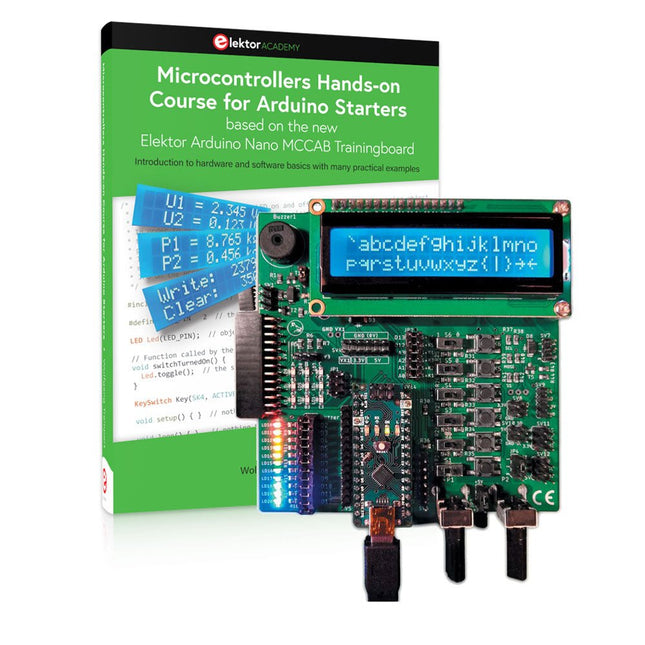
Bouw uw eigen projecten met het Elektor Arduino Nano MCCAB Training Board
De microcontroller is waarschijnlijk het meest fascinerende onderwerp van de moderne elektronica. Door de veelheid aan functies die hij op zijn chip combineert is het een universeel multi-tool voor ontwikkelaars om hun projecten mee te bouwen. Vrijwel elk dagelijks gebruikt apparaat wordt tegenwoordig bestuurd door een microcontroller. Voor een elektronica-leek is het realiseren van de eigen ideeën met een microcontroller echter tot nu toe een utopie gebleven vanwege de complexiteit ervan. Het Arduino-concept heeft het gebruik van microcontrollers sterk vereenvoudigd, zodat zelfs onervaren starters nu hun eigen elektronica ideeën kunnen realiseren met een microcontroller.
Book & Hardware in de bundel: 'Leren door te doen'
Het boek, dat ook in de bundel zit, leert ons hoe je zelfs zonder veel ervaring met elektronica en programmeertalen je eigen projecten met een microcontroller kunt bouwen. Het is een echte hands-on cursus microcontrollers voor starters. Want na een beschrijving van het inwendige van de microcontroller en een introductie in de programmeertaal C, ligt de focus van de cursus op praktische oefeningen. De lezer bouwt de nodige kennis op met 'leren door te doen': in het uitgebreide praktische gedeelte van het boek, met 12 projecten en 46 oefeningen, wordt het geleerde in het voorste deel van het boek met veel voorbeelden onderbouwd. Elke oefening wordt gevolgd door een uitgewerkt voorbeeld met uitleg en toelichting, wat de lezer helpt om de vraagstukken op te lossen en met de eigen oplossing te vergelijken.
Arduino IDE
De Arduino IDE is een software ontwikkelomgeving die gratis op de eigen pc kan worden gedownload, en die alle software bevat die nodig is voor uw eigen microcontroller-projecten. U schrijft de programma's ('apps') met de editor van de IDE in de programmeertaal C. En U vertaalt ze naar bits en bytes die de microcontroller begrijpt met behulp van de ingebouwde compiler van de Arduino IDE. En kunt ze vervolgens via een USB-kabel laden naar het geheugen van de microcontroller op het Elektor Arduino MCAB Nano Training Board.
Externe sensoren, motoren of schakelingen checken of besturen
Naast een Arduino Nano microcontroller module bevat het Elektor Arduino Nano MCCAB Training Board ook alle componenten die nodig zijn voor de oefeningen, zoals LED’s, schakelaars, drukknoppen, buzzer enz. Ook externe sensoren, motoren of modules kunnen worden gecheckt of bestuurd met dit microcontroller-trainingssysteem.
Specificaties (Arduino Nano Training Board MCCAB)
Voeding
Via de USB-aansluiting van de aangesloten pc of een externe voeding (niet inbegrepen)
Spanning
+5 Vcc
Ingangsspanning
Alle ingangen
0 V tot +5 V
VX1 en VX2
+8 V tot +12 V (alleen bij gebruik van een externe voeding)
Hardware
LCD
2x16 karakters
Potentiometer P1 & P2
JP3: Selectie van de werkspanning van P1 & P2
Verdelers
SV4: Verdeler voor de werkspanningenSV5, SV6: Verdelers voor de in-/uitgangen van de microcontroller
Schakelaars en knoppen
RESET knop op de Arduino Nano module; 6x drukknop schakelaars K1 ... K6; 6x Schuifschakelaars S1 ... S6; JP2: Jumper van de schakelaars met de ingangen van de microcontroller
Buzzer
Piezo buzzer ‘Buzzer1’ met jumper op JP6
Indicator LED’s
11 x LED: Status indicator voor de ingangen/uitgangen LED L op de Arduino Nano module, aangesloten op GPIO D13 JP6; Aansluiting van LED's LD10 ... LD20 met GPIO's D2 ... D12
Seriële interfacesSPI & I²C
JP4: Selectie van het signaal op pin X van de SPI-connector SV12 SV9 naar SV12: SPI-interface (3,3 V/5 V) of I²C-interface
Uitgangen voor externe apparaten
SV1, SV7: Geschakelde uitgang (maximaal +24 V/160 mA, extern aangesloten) SV2: 2x13 pinnen voor aansluiting van externe modules
3x3 LED matrix(9 rode LED's)
SV3: Kolommen van de 3x3 LED matrix (uitgangen D6 ... D8) JP1: Verbinding van de rijen met de GPIO's D3 ... D5
Software
MCCABLib library
Controle van hardware componenten (schakelaars, knoppen, LED's, 3x3 LED matrix, buzzer) op het MCCAB Training Board
Werktemperatuur
Tot +40 °C
Afmetingen
100 x 100 x 20 mm
Specificaties (Arduino Nano)
Microcontroller
ATmega328P
Architectuur
AVR
Spanning
5 V
Flash memory
32 KB, waarvan 2 KB gebruikt door de bootloader
SRAM
2 KB
Kloksnelheid
16 MHz
Analoge IN Pinnen
8
EEPROM
1 KB
DC stroom per I/O-pin
40 mA op één I/O-pin, totaal maximaal 200 mA op alle pinnen samen
Ingangsspanning
7-12 V
Digitale I/O-pinnen
22 (waarvan 6 PWM)
PWM Uitgangen
6
Stroomverbruik
19 mA
Afmetingen
18 x 45 mm
Gewicht
7 g
Inbegrepen
Elektor Arduino Nano MCCAB Training Board
Arduino Nano
Boek: Microcontrollers Hands-on Course for Arduino Starters
A Project-Based Introduction to Microcontrollers and Drone Control
A Practical Introduction to Embedded Systems with the ESP32
This book is intended for readers who are new to embedded systems and looking for a structured, example-driven way to begin. If you’ve explored general-purpose electronics or Arduino-based resources but found them too broad or lacking in practical application, this guide offers a more focused alternative.
With a small, affordable set of components – such as LEDs, sensors, an OLED screen and a motion sensor – you’ll build and work with the same hardware setup throughout the book. This allows you to focus on learning and experimenting without constant reconfiguration.
Topics include:
Understanding and programming the ESP32 microcontroller
Using the Arduino IDE to write and deploy code
Exploring cyber-physical systems, culminating in basic drone control
No prior experience with Arduino or embedded development is required. Each section includes hands-on examples and mini-projects designed to reinforce core concepts and encourage deeper exploration. By the end, you’ll be equipped not only to reproduce the book’s examples, but also to extend them toward your own ideas and applications.
Whether your interest is in learning embedded programming, building interactive systems, or exploring educational drone control, this book provides a clear and practical path to getting started.
Projecten met Arduino, ESPHome, Home Assistant en Raspberry Pi & Co.
Dit e-book bevat verschillende voorbeeldprojecten, te beginnen met een inleiding tot elektronica. Het legt ook uit hoe je Home Assistant installeert op een Raspberry Pi, hoe je binnenklimaatsensoren gebruikt voor temperatuur en vochtigheid, hoe je het MQTT-protocol en andere interfaces implementeert, en hoe je ESPHome gebruikt om sensoren en actuatoren te integreren in Home Assistant. Talrijke video tutorials vullen het boek aan.
The book begins with an introduction to electrical engineering. You will learn the basics of voltage, current, resistors, diodes and transistors.
Arduino and microcontrollers
A complete section is dedicated to the Arduino Uno. You will get to know the structure, write your first programs and work on practical examples.
Home Assistant and automation
You will learn how to set up Home Assistant on a Raspberry Pi and how to use automations, scenes and devices. In addition, Zigbee, MQTT and ESP-NOW – important technologies for home automation – will be discussed.
ESP8266, ESP32 and ESP32-CAM
The popular ESP microcontrollers are covered in detail. A theoretical introduction is followed by practical projects that show you how to get the most out of these devices.
Sensors and actuators
The book explains the functionality and application of numerous sensors such as temperature and humidity sensors, motion detectors and RFID readers. For actuators, stepper motors, e-ink displays, servo motors and much more are covered. There are practical application examples for all devices.
ESPHome
This chapter shows you how to integrate sensors and actuators into Home Assistant without any programming effort. You will be guided step by step through the setup with ESPHome.
LEDs and lighting technology
In this chapter, you will learn about different types of LEDs and how they can be used. The basics of lighting technology are also explained.
Node-RED
A whole chapter is dedicated to Node-RED. You will learn the basics of this powerful tool and be guided step by step through its setup and use.
Integrated Circuits (ICs)
In electronics, there are numerous ICs that make our lives easier. You will get to know the most important ones and apply your knowledge in practical projects.
Professional programming
Advanced topics such as the correct use of buttons, the use of interrupts and the use of an NTP server for time synchronisation are covered in detail in this chapter.
Downloads
GitHub
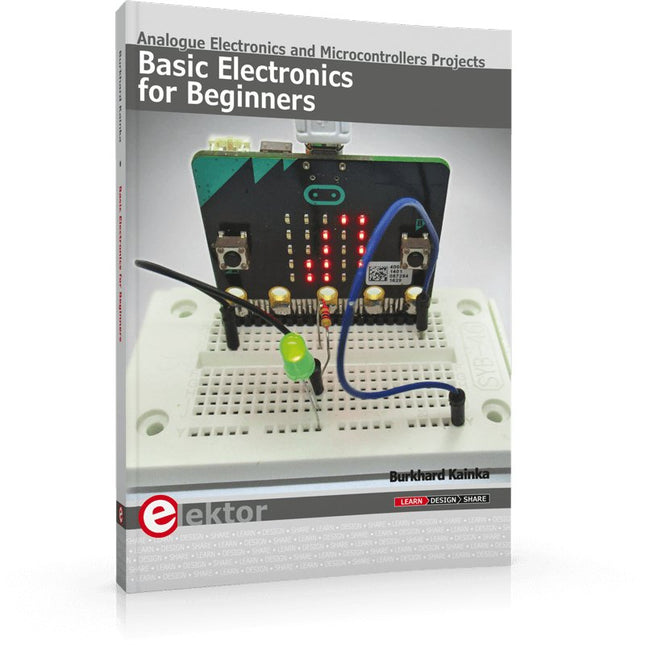
Analogue Electronics and Microcontrollers Projects
Hobbyist electronics can be a fun way to learn new skills that can be helpful to your career. Those who understand the basics of electronics can design their own circuits and projects. However, before you run, you need to learn to walk.
It all starts with analogue electronics. You should be familiar with the simple components and circuits and understand their basic behaviors and the issues you may encounter. The best way to do this is through real experiments. Theory alone is not enough. This book offers a large number of practical entry-level circuits, with which everyone can gain the basic experience.
Through the widespread introduction of microcontrollers, a new chapter in electronics has begun. Microcontrollers are now performing more and more tasks that were originally solved using discrete components and conventional ICs. Starting out has become easier and easier thanks to platforms including Bascom, Arduino, micro:bit. The book introduces numerous manageable microcontroller applications. It?s now a case of less soldering and more programming.
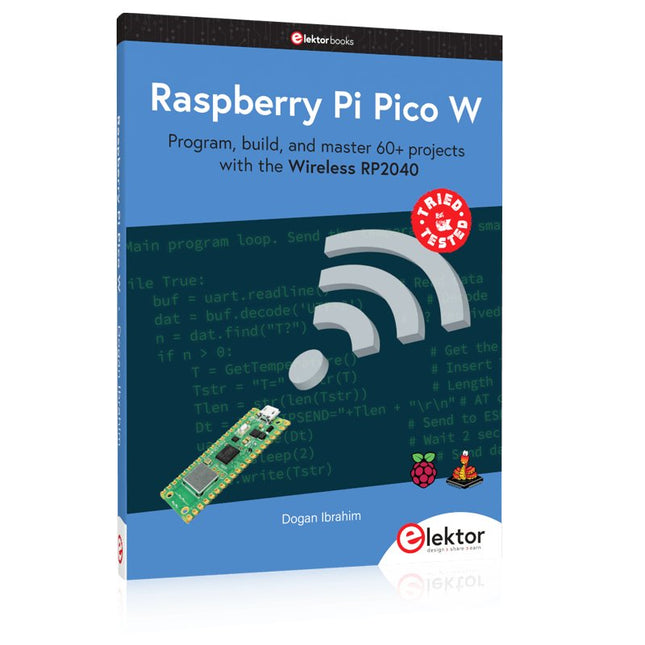
Program, build, and master 60+ projects with the Wireless RP2040
The Raspberry Pi Pico and Pico W are based on the fast, efficient, and low-cost dual-core ARM Cortex M0+ RP2040 microcontroller chip running at up to 133 MHz and sporting 264 KB of SRAM and 2 MB of Flash memory. Besides spacious memory, the Pico and Pico W offer many GPIO pins, and popular peripheral interface modules like ADC, SPI, I²C, UART, PWM, timing modules, a hardware debug interface, and an internal temperature sensor.
The Raspberry Pi Pico W additionally includes an on-board Infineon CYW43439 Bluetooth and Wi-Fi chipset. At the time of writing this book, the Bluetooth firmware was not yet available. Wi-Fi is however fully supported at 2.4 GHz using the 802.11b/g/n protocols.
This book is an introduction to using the Raspberry Pi Pico W in conjunction with the MicroPython programming language. The Thonny development environment (IDE) is used in all of the 60+ working and tested projects covering the following topics:
Installing the MicroPython on Raspberry Pi Pico using a Raspberry Pi or a PC
Timer interrupts and external interrupts
Analogue-to-digital converter (ADC) projects
Using the internal temperature sensor and external sensor chips
Using the internal temperature sensor and external temperature sensor chips
Datalogging projects
PWM, UART, I²C, and SPI projects
Using Bluetooth, WiFi, and apps to communicate with smartphones
Digital-to-analogue converter (DAC) projects
All projects are tried & tested. They can be implemented on both the Raspberry Pi Pico and Raspberry Pi Pico W, although the Wi-Fi-based subjects will run on the Pico W only. Basic programming and electronics experience are required to follow the projects. Brief descriptions, block diagrams, detailed circuit diagrams, and full MicroPython program listings are given for all projects.
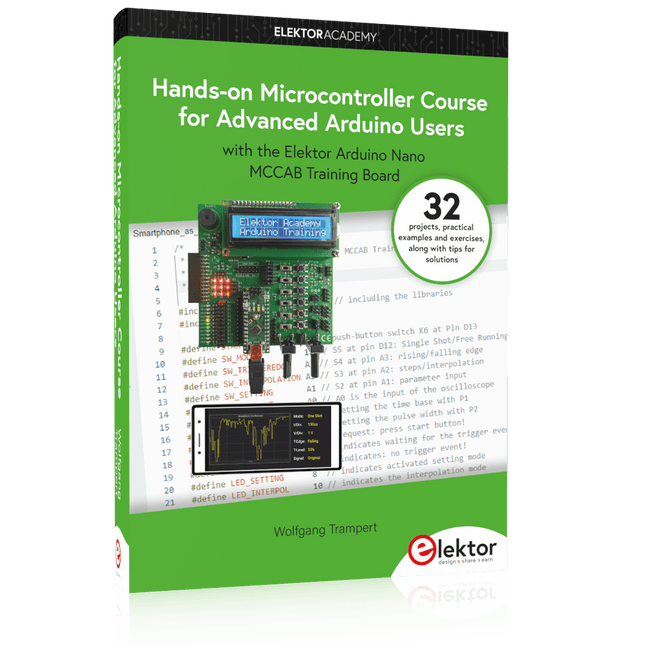
32 new Projects, Practical Examples and Exercises with the Elektor Arduino Nano MCCAB Training Board
Electronics and microcontroller technology offer the opportunity to be creative. This practical microcontroller course provides you with the chance to bring your own Arduino projects and experience such moments of success. Ideally, everything works as you imagined when you switch it on for the first time. In practice, however, things rarely work as expected. At that point, you need knowledge to efficiently search for and find the reason for the malfunction.
In this book for advanced users, we delve deep into the world of microcontrollers and the Arduino IDE to learn new procedures and details, enabling you to successfully tackle and solve even more challenging situations.
With this book, the author gives the reader the necessary tools to create projects independently and also to be able to find errors quickly. Instead of just offering ready-made solutions, he explains the background, the hardware used, and any tools required. He sets tasks in which the reader contributes their own creativity and writes the Arduino sketch themselves.
If you don’t have a good idea and get stuck, there is, of course, a suggested solution for every project and every task, along with the corresponding software, which is commented on and explained in detail in the book.
This practical course will teach you more about the inner workings of the Arduino Nano and its microcontroller. You will get to know hardware modules that you can use to realize new and interesting projects. You will familiarize yourself with software methods such as ‘state machines,’ which can often be used to solve problems more easily and clearly.
The numerous practical projects and exercise sketches are once again realized on the Arduino Nano MCCAB Training Board, which you may already be familiar with from the course book ‘Microcontrollers Hands-on Course for Arduino Starters’, and which contains all the hardware peripherals and operating elements we need for the input/output operations of our sketches.
Readers who do not yet own the Arduino Nano MCCAB Training Board can purchase the required hardware separately, or alternatively, build it on a breadboard.
Analogue Electronics and Microcontrollers Projects
Hobbyist electronics can be a fun way to learn new skills that can be helpful to your career. Those who understand the basics of electronics can design their own circuits and projects. However, before you run, you need to learn to walk.
It all starts with analogue electronics. You should be familiar with the simple components and circuits and understand their basic behaviors and the issues you may encounter. The best way to do this is through real experiments. Theory alone is not enough. This book offers a large number of practical entry-level circuits, with which everyone can gain the basic experience.
Through the widespread introduction of microcontrollers, a new chapter in electronics has begun. Microcontrollers are now performing more and more tasks that were originally solved using discrete components and conventional ICs. Starting out has become easier and easier thanks to platforms including Bascom, Arduino, micro:bit. The book introduces numerous manageable microcontroller applications. It’s now a case of less soldering and more programming.
Vom Messwert zur stabilen Entscheidung
Wie wird aus einem einfachen Mikrocontroller ein intelligentes System, das Sensorwerte erfasst, verarbeitet und sinnvoll darauf reagiert? Dieses Buch zeigt es Ihnen Schritt für Schritt – verständlich, praxisnah und ohne unnötige Vorkenntnisse.
Sie beginnen mit den Grundlagen der digitalen und analogen Ein- und Ausgänge. Anschließend lernen Sie, wie Sensorwerte gelesen, geglättet und zuverlässig bewertet werden. Anschauliche Beispiele erklären, warum einzelne Messwerte oft täuschen können und wie Mittelwertbildung, Hysterese und einfache Entscheidungsregeln für stabile Ergebnisse sorgen. Nach und nach erweitern Sie Ihre Projekte um Displays, I²C-Kommunikation und mehrere vernetzte Mikrocontroller. So entstehen verteilte Systeme, in denen Raspberry Pi Pico und ATtiny-Controller Daten austauschen und gemeinsam Aufgaben übernehmen.
Im fortgeschrittenen Teil erhalten Sie einen leicht verständlichen Einstieg in Merkmalsbildung, Datenvorverarbeitung, hybride Entscheidungsmodelle und TinyML-nahe Anwendungen. Dabei verbinden Sie klassische Regelungstechnik mit modernen datenbasierten Methoden.
Alle Projekte werden von ausführlich kommentierten Programmen in C und MicroPython begleitet. Das Buch richtet sich an Einsteiger, Maker, Studierende und alle, die Embedded-Systeme von Grund auf verstehen möchten.
Am Ende können Sie eigene Systeme entwickeln, die nicht nur messen, sondern Informationen auswerten, zuverlässige Entscheidungen treffen und gezielt reagieren.