Réalisés par les créateurs du MagPi, le magazine officiel de Raspberry Pi
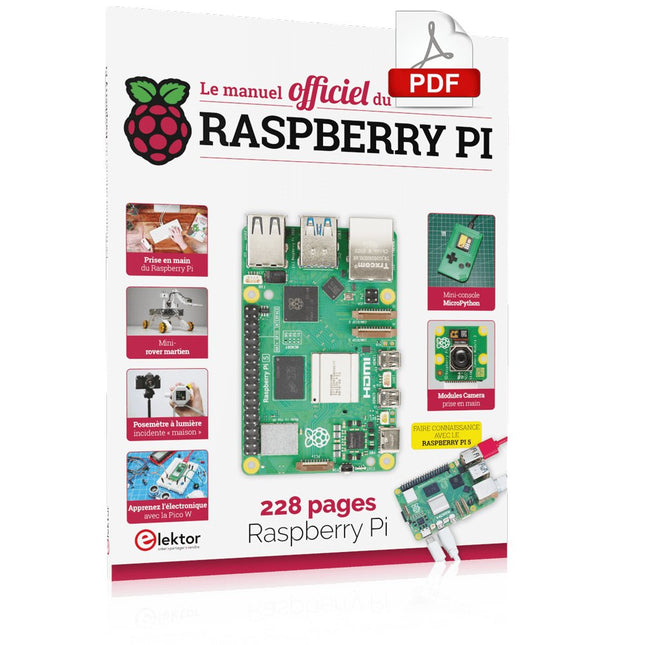
Démarrez avec le Raspberry Pi 5, le dernier-né et le plus performant de la famille des nano-ordinateurs Raspberry Pi. Apprenez à coder et à réaliser des projets avec cet ordinateur étonnant.
Dans ce manuel dédié au Raspberry Pi 5, nous vous proposons aussi de nombreuses idées de projets également réalisables avec le Raspberry Pi 4, le Raspberry Pi Zero 2 W et le Raspberry Pi Pico W.
Avec des tutoriels, des projets pratiques, des essais techniques, des guides et bien plus encore, il s’agit de la ressource ultime pour le Raspberry Pi !
228 pages sur le Raspberry Pi
Tout ce que vous devez savoir sur le Raspberry Pi 5
Prise en main de tous les Raspberry Pi
Amusez-vous et apprenez l’électronique avec le Pico W
Des projets inspirants pour vous donner des idées de réalisations
Apprenez μPython en construisant une mini-console
Démarrez avec le module caméra Raspberry Pi
Intelligence artificielle, codage de son propre agent ChatGP
Open-Source-Code mit Arduino IDE und PlatformIO
Autonomes Fahren: GPS, Accelerometer, Gyroskop
PS3-Controller
Mikrocontroller wie der Arduino und Einplatinenrechner wie der Raspberry Pi haben sich zu beliebten Komponenten entwickelt. Dritter im Bunde ist der ESP32 der Firma Espressif. Mikrocontroller dieser Baureihe zeichnen sich durch eine Vielzahl implementierter Funktionen aus, die bei einem Arduino konventioneller Prägung mit einem Atmel-AVR-Mikrocontroller erst mit weiterer Hardware möglich sind. Prominentes Beispiel sind hier die WiFi- und Bluetooth-Funktionalitäten. Gegenüber einem Raspberry Pi zeichnen sie sich durch einen deutlich geringeren Preis aus.
Allgemeine Informationen für die Realisierung eines Roboterauto-Projekts mit dem ESP32 sind leicht zu finden. Dabei handelt es sich aber oft nur um Ausführungen zu einem Teilaspekt, ohne inhaltliche oder funktionale Abstimmung. So ist nicht nur die Beschaffung der benötigten Informationen mühselig und zeitaufwändig, sie kann auch außerordentlich fehlerträchtig sein.
Ansatzpunkt dieses Buches ist, diese Lücke zu schließen. Es geht auf verschiedene Möglichkeiten eines Chassis ein, vermittelt nötige Kenntnisse und führt schrittweise von einer einfachen Motorsteuerung zu einem komplexen sensor- und sprachgesteuerten Roboterauto. Hacks rund um GPS und eine PlayStation 3 runden die Sache ab.
Inhalt
Bei der Reihenfolge der Kapitel wurde versucht – beginnend bei der Darstellung von grundlegenden Informationen – über die Lösung einfacher Aufgaben zu etwas anspruchsvolleren Techniken zu führen.
Der Mikrocontroller ESP32
Die Software erstellen
Die Stromversorgung
Rund um die Hardware
Das Chassis
Der Gleichstrommotor
Kabellose Steuerung über WiFi
Mit Sensoren Hindernisse erkennen
Eine eigene Roboterauto-App
Servo und Lichtsensor
GPS
Accelerometer / Gyroskop
PS3-Controller
Roboterauto-App
Hinweis zur Software
Die Dateien haben das Suffix (.cpp). Grund ist die Entwicklung mit PlatformIO. Mit Copy & Paste sollten sie auch in der Arduino-IDE verwendet werden können.
Elektor GREEN en GOLD leden kunnen deze uitgave hier downloaden.
Nog geen lid? Klik hier om een lidmaatschap af te sluiten.
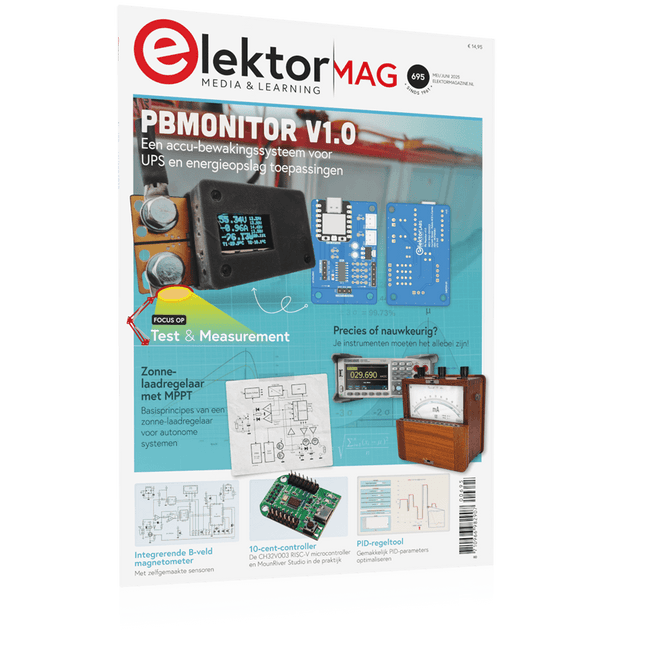
PbMonitor v1.0Een accu-bewakingssysteem voor UPS en energieopslag toepassingen
Zonne-laadregelaar met MPPT (1)basisprincipes van een zonne-laadregelaar voor autonome systemen
Integrerende B-veld magnetometermet zelfgemaakte sensoren
Precies of nauwkeurig?Je instrumenten moeten het allebei zijn!
AD7124 Een precisie-ADC in de praktijkEssentieel voor Sensorsignaalconditionering
PID-regeltoolGemakkelijk PID-parameters optimaliseren
embedded world 2025
Alle begin......gaat verder met de toonregeling
Academy Pro BoxBoek + onlinecursus + hardware
Milliohmmeter adapterGebruik de nauwkeurigheid van uw multimeter
De volgende sprong in halfgeleidersVoorwaarts naar 1,4nm
Through-hole connectorenHet beste van twee werelden: THR
FrequentietellerDraagbaar en Automatische Kalibratie met GPS
Analoge metersVreemde onderdelen, de serie
Stand-alone kristaltesterhoe nauwkeurig is uw kloksignaal?
Goedkope I²C-testersluit I²C-apparaten rechtstreeks op uw PC aan
Uit het leven gegrepenwie het kleine niet eert...
2025: een AI-odysseede transformerende invloed op softwareontwikkeling
Err-lectronicsCorrecties, updates en ingezonden brieven
Raspberry Pi standalone MIDI-synthesizer (2)We verbeteren onze setup met intelligentie
Norton-getransformeerde wienbrug-oscillatorkleine verandering, grote verbetering
Test van een 10-cent-controllerde CH32V003 RISC-V microcontroller en MounRiver Studio in de praktijk
Een FPGA-gebaseerde audiospeler met equalizer (2)volumeregeling, geavanceerd mixen en een webinterface
Elektor GREEN en GOLD leden kunnen deze uitgave hier downloaden.
Nog geen lid? Klik hier om een lidmaatschap af te sluiten.
De ESP-BLASTEen mini ESP32 raketdrone die ruim 100 km/u vliegt
STM32Cube Innovation-ChallengeDoe mee met je beste STM32C5-ontwerp
Wireless workshop (1)Radiomodules uitgelegd: 433 MHz CC1101 sub-GHz-transceiver
AM-zenderMet sinus- en blokgolfgenerator op Raspberry Pi Pico
AudiotronicaDe vervormingsfactor
CoffeeCallerOmroepsysteem met mesh-netwerk en Zephyr gebaseerde software
Elektor wordt 65Projecten uit voorgaande september- en oktobermaanden
Bluetooth Channel Sounding voor het volgen van objectenAfstandsmeting met centimeterprecisie voor het IoT van de volgende generatie
2026: Een AI-odysseeKwantumcomputing is geen volgende GPU
Om de cloud te beveiligen, is edge-beveiliging nodig
Eerste ervaringen met de HackRF ProPraktische tests met de nieuwe SDR-hardware
Modemupgrade van GPRS/2G naar LTE/4GEen draadloos alarmsysteem als voorbeeld
Lusvormige antenne met RF-bouwstenenDeel 1: Een zelfbouw kortegolfantenne met instelbare richtingsgevoeligheid
Internetradio naar AM-converterMet een ESP32-S3 als zender
Err-lectronics
Mioty, een overzichtFraunhofer's aanpak van LPWAN
WerkbankwijsheidPraktische tips van experts
Walter, de compacte IoT-moduleDeel 2: Toegang tot weer- en datadiensten
Diese Ausgabe steht allen GOLD- und GREEN-Mitgliedern auf der ElektorMagazine-Website zum Download bereit!
Sie sind noch kein Mitglied? Hier klicken!
Der Raspberry Pi 5Gegenüber seinem Vorgänger enorm verbessert
KI im ElektroniklaborSchaltungsdesign, Bauteil-Suche, Software
Funktionsgenerator mit dem Arduino NanoNano + Code = Funktionsgenerator
Solarbetriebene WeihnachtsgirlandeEine umweltfreundliche Lösung für die Dekoration Ihres Balkons
USB-Killer-DetektorBesser sicher als traurig
Ein einfaches CNC-GehäuseSchritt für Schritt mit Autodesk Fusion 360
Platinenproduktion in kleinen StückzahlenMit und ohne Bestückung
IoT-Simulation vereinfacht mit WokwiEntwickler Uri Shaked über Entwicklung, Software und mehr
Eine Anleitung zur Bare-Metal-ProgrammierungTeil 3: CMSIS-Header, automatische Tests und ein Webserver
LoRa, ein Schweizer TaschenmesserTeil 2: Hard- und Software
MEMS-MikrofoneEntwurf und Konstruktion eines Messmikrofons
Werkzeuge zum Ausprobieren, bevor Sie lötenSimulations- und 3D-Modellierungstools, die kostenlos genutzt werden können
Neue Tools von Microchip!Version 5 von PICkit und ICD jetzt erhältlich
Rapid Prototyping von flexibler, dehnbarer ElektronikWie Voltera NOVA Innovationen bei tragbaren elektronischen Systemen beschleunigt
Galvanische TrennungPhototransistor-Optokoppler erfolgreich einsetzen
Die komplexe Lösung oder die Lösung von Anybus?Embedded Industrial Ethernet als Kurzstrecke statt als Marathon
Ihre essentielle DFM-ChecklisteWie Sie mit dem Entwurf für die Fertigung beginnen
Filamente für den 3D-DruckArten, Eigenschaften und Verwendung im Prototyping
Spezialisten für eine effektive Signalauswertung von ELF bis EHF-BandAaronias neueste Echtzeit-Spektrumanalyzer der SPECTRAN® V6-Serie
Herausforderungen der DFM-Analyse für Flex- und Rigid-Flex-Design
Einrichten einer SMT-Fertigungsstrecke
Die richtige Kombination für die zuverlässige Baugruppe
Revolution in der IndustrieDer Aufstieg der Autonomen Mobilen Roboter (AMR)
Für höchste Anforderungen weiterentwickeltR&S MXO 5 mit acht Kanälen ergänzt Oszilloskope der nächsten Generation
Aller Anfang...... muss nicht schwer sein: Verstärkung von Unterschieden
Mini-Reflow-PlatteFür die Bestückung und die Reparatur kleiner SMD-Schaltungen
Starte nicht mit einem Prototyp – starte mit einem Pretotyp!Prüfe erst, ob es einen Markt für dein Produkt gibt, bevor du deinen Lötkolben vorwärmst
2023: Odyssee in die KIHilfe beim Entwerfen eines physikalischen Projekts erhalten
Innovationen aus BrüsselUnterstützung für die Spitzentechnologie
Boek: Mastering the Arduino Uno R4
Gebaseerd op de voordelige 8-bits ATmega328P-processor, is het Arduino Uno R3-bord waarschijnlijk het populairste lid van de Arduino-familie geworden, en dit werkpaard is al vele jaren bij ons. Elf jaar later werd de langverwachte opvolger, de Arduino Uno R4, uitgebracht. Deze is gebouwd rond een 48 MHz, 32-bits Arm Cortex-M4 microcontroller en biedt aanzienlijk uitgebreider SRAM- en Flash-geheugen. Daarnaast zijn een nauwkeurigere ADC en een nieuwe DAC aan het ontwerp toegevoegd. Het Uno R4-bord ondersteunt ook de CAN-bus met een interface.
Er zijn twee versies van het bord beschikbaar: Uno R4 Minima en Uno R4 WiFi. Dit boek gaat over het gebruik van deze nieuwe borden om veel verschillende en interessante projecten te ontwikkelen met slechts een handvol onderdelen en externe modules.
Alle projecten die in het boek worden beschreven, zijn volledig getest op de Uno R4 Minima of de Uno R4 WiFi-kaart, afhankelijk van het type. De projectonderwerpen omvatten het uitlezen, besturen en aansturen van veel componenten en modules in de kit, evenals op de betreffende Uno R4-kaart, waaronder...
LED's
Weergaven met 7 segmenten (met timer-onderbrekingen)
LCD's
Sensoren
RFID-lezer
4×4 toetsenbord
Realtime klok (RTC)
Joystick
8×8 LED-matrix
Motoren
DAC (digitaal-naar-analoog-omzetter)
LED-matrix
WiFi-connectiviteit
Seriële UART
CAN-bus
Infraroodcontroller en ontvanger
Simulatoren
... dit alles op creatieve en educatieve wijze, waarbij de werking van het project en de bijbehorende software tot in detail worden uitgelegd.
Arduino Uno R4 WiFi
De Arduino Uno R4 wordt aangedreven door de Renesas RA4M1 32-bits ARM Cortex-M4-processor, wat zorgt voor een aanzienlijke verbetering in rekenkracht, geheugen en functionaliteit. De wifi-versie wordt geleverd met een ESP32-S3 wifi-module naast de RA4M1, waardoor de creatieve mogelijkheden voor makers en ingenieurs worden uitgebreid.
De Arduino Uno R4 werkt op 48 MHz, een verdrievoudiging ten opzichte van de populaire Uno R3. Daarnaast is het SRAM-geheugen geüpgraded van 2 kB naar 32 kB en het flashgeheugen van 32 kB naar 256 kB om complexere projecten te ondersteunen. Naar aanleiding van feedback van de community is de USB-poort nu een USB-C-poort en is de maximale voedingsspanning verhoogd naar 24 V met een verbeterd thermisch ontwerp. Het bord bevat een CAN-bus en een SPI-poort, waardoor gebruikers minder bedrading nodig hebben en parallelle taken kunnen uitvoeren door meerdere shields aan te sluiten. Er is ook een 12-bits analoge DAC op het bord aanwezig.
Specificaties
Microcontroller
Renesas RA4M1 (ARM Cortex-M4)
USB
USB-C
Programmeerpoort
Pinnen
Digitale I/O-pinnen
14
Pinnen
Analoge ingangspinnen
6
DAC
1
RTC
1
PWM-pinnen
6
Communicatie
UART
1x
I²C
1x
SPI
1x
Qwiic I²C-connector
1x
CAN
1x CAN-bus
Voeding
Bedrijfsspanning circuit
5 V
Ingangsspanning (VIN)
6-24 V
Gelijkstroom per I/O-pin
8 mA
Kloksnelheid
Hoofdkern
48 MHz
Geheugen
RA4M1
256 kB Flash, 32 kB RAM
LED-matrix
12 x 8 (96 rode LED's)
Afmetingen
68,9 x 53,4 mm
Downloads
Datasheet
Schematics
Deze bundel bevat:
Boek: Mastering the Arduino Uno R4 (t.w.v. € 45)
Arduino Uno R4 WiFi (t.w.v. € 30)
This is the second edition of a book aimed at engineers, scientists, and hobbyists who want to interface PCs with hardware projects using graphical user interfaces. Desktop and web-based applications are covered.
The programming language used is Python 3, which is one of the most popular languages around: speed of programming being a key feature. The book has been revised and updated with an emphasis on getting the user to produce practical designs with ease – a text editor is all that is required to produce Python programs.
Hardware interfacing is achieved using an Arduino Uno as a remote slave. A full description and source code of the communication interface is given in the book. The slave provides digital and analog input and outputs. Multiple Unos can be included in one project with all control code written in Python and running on a PC One project involves a PIC microcontroller with the code provided that can be loaded into the PIC using the Uno.
The web applications and server are all implemented in Python, allowing you to access your electronic hardware over the Internet. The Raspberry Pi computer can be used as your web server. An introductory chapter is provided to get you started with using Linux.
The book is written for use with Debian or variations including Mint or Ubuntu. All of the programs in the book are freely available, ready to use and experiment with by way of a download from Elektor.
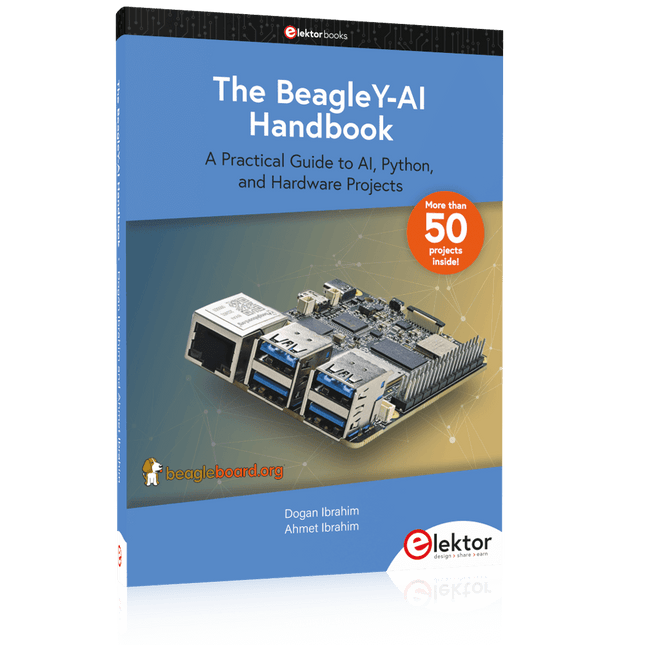
A Practical Guide to AI, Python, and Hardware Projects
Welcome to your BeagleY-AI journey! This compact, powerful, and affordable single-board computer is perfect for developers and hobbyists. With its dedicated 4 TOPS AI co-processor and a 1.4 GHz Quad-core Cortex-A53 CPU, the BeagleY-AI is equipped to handle both AI applications and real-time I/O tasks. Powered by the Texas Instruments AM67A processor, it offers DSPs, a 3D graphics unit, and video accelerators.
Inside this handbook, you‘ll find over 50 hands-on projects that cover a wide range of topics—from basic circuits with LEDs and sensors to an AI-driven project. Each project is written in Python 3 and includes detailed explanations and full program listings to guide you. Whether you‘re a beginner or more advanced, you can follow these projects as they are or modify them to fit your own creative ideas.
Here’s a glimpse of some exciting projects included in this handbook:
Morse Code Exerciser with LED or BuzzerType a message and watch it come to life as an LED or buzzer translates your text into Morse code.
Ultrasonic Distance MeasurementUse an ultrasonic sensor to measure distances and display the result in real time.
Environmental Data Display & VisualizationCollect temperature, pressure, and humidity readings from the BME280 sensor, and display or plot them on a graphical interface.
SPI – Voltmeter with ADCLearn how to measure voltage using an external ADC and display the results on your BeagleY-AI.
GPS Coordinates DisplayTrack your location with a GPS module and view geographic coordinates on your screen.
BeagleY-AI and Raspberry Pi 4 CommunicationDiscover how to make your BeagleY-AI and Raspberry Pi communicate over a serial link and exchange data.
AI-Driven Object Detection with TensorFlow LiteSet up and run an object detection model using TensorFlow Lite on the BeagleY-AI platform, with complete hardware and software details provided.
The Raspberry Pi is a $35 credit-card sized computer with many applications, such as in desktop computing, audio and video playback, and as a controller in many industrial, commercial and domestic applications.
This book is about the Raspberry Pi computer and its use in control applications. The book explains in simple terms, with examples, how to configure the RPi, how to install and use the Linux operating system, how to write programs using the Python programming language and how to develop hardware based projects.
The book starts with an introduction to the Raspberry Pi computer and covers the topics of purchasing all the necessary equipment and installing/using the Linux operating system in command mode. Use of the user-friendly graphical desktop operating environment is explained using example applications. The RPi network interface is explained in simple steps and demonstrates how the computer can be accessed remotely from a desktop or a laptop computer.
The remaining parts of the book cover the Python programming language, hardware development tools, hardware interface details, and RPi based hardware projects. All the 23 projects given in the book have been tested and are working.
The following headings are given for each project:
Project title
Project description
Project block diagram
Project circuit diagram
Project program description using the Program Description Language (PDL)
Complete program listing
Description of the program
The book is ideal for self-study, and is intended for electronic/electrical engineering students, practising engineers, research students, and hobbyists.
Program and Build Raspberry Pi 5 Based Ham Station Utilities with the RTL-SDR
The RTL-SDR devices (V3 and V4) have gained popularity among radio amateurs because of their very low cost and rich features. A basic system may consist of a USB based RTL-SDR device (dongle) with a suitable antenna, a Raspberry Pi 5 computer, a USB based external audio input-output adapter, and software installed on the Raspberry Pi 5 computer. With such a modest setup, it is possible to receive signals from around 24 MHz to over 1.7 GHz.
This book is aimed at amateur radio enthusiasts and electronic engineering students, as well as at anyone interested in learning to use the Raspberry Pi 5 to build electronic projects. The book is suitable for both beginners through experienced readers. Some knowledge of the Python programming language is required to understand and eventually modify the projects given in the book. A block diagram, a circuit diagram, and a complete Python program listing is given for each project, alongside a comprehensive description.
The following popular RTL-SDR programs are discussed in detail, aided by step-by-step installation guides for practical use on a Raspberry Pi 5:
SimpleFM
GQRX
SDR++
CubicSDR
RTL-SDR Server
Dump1090
FLDIGI
Quick
RTL_433
aldo
xcwcp
GPredict
TWCLOCK
CQRLOG
klog
Morse2Ascii
PyQSO
Welle.io
Ham Clock
CHIRP
xastir
qsstv
flrig
XyGrib
FreeDV
Qtel (EchoLink)
XDX (DX-Cluster)
WSJT-X
The application of the Python programming language on the latest Raspberry Pi 5 platform precludes the use of the programs in the book from working on older versions of Raspberry Pi computers.
Projecten met Arduino, ESPHome, Home Assistant en Raspberry Pi & Co.
Dit e-book bevat verschillende voorbeeldprojecten, te beginnen met een inleiding tot elektronica. Het legt ook uit hoe je Home Assistant installeert op een Raspberry Pi, hoe je binnenklimaatsensoren gebruikt voor temperatuur en vochtigheid, hoe je het MQTT-protocol en andere interfaces implementeert, en hoe je ESPHome gebruikt om sensoren en actuatoren te integreren in Home Assistant. Talrijke video tutorials vullen het boek aan.
The book begins with an introduction to electrical engineering. You will learn the basics of voltage, current, resistors, diodes and transistors.
Arduino and microcontrollers
A complete section is dedicated to the Arduino Uno. You will get to know the structure, write your first programs and work on practical examples.
Home Assistant and automation
You will learn how to set up Home Assistant on a Raspberry Pi and how to use automations, scenes and devices. In addition, Zigbee, MQTT and ESP-NOW – important technologies for home automation – will be discussed.
ESP8266, ESP32 and ESP32-CAM
The popular ESP microcontrollers are covered in detail. A theoretical introduction is followed by practical projects that show you how to get the most out of these devices.
Sensors and actuators
The book explains the functionality and application of numerous sensors such as temperature and humidity sensors, motion detectors and RFID readers. For actuators, stepper motors, e-ink displays, servo motors and much more are covered. There are practical application examples for all devices.
ESPHome
This chapter shows you how to integrate sensors and actuators into Home Assistant without any programming effort. You will be guided step by step through the setup with ESPHome.
LEDs and lighting technology
In this chapter, you will learn about different types of LEDs and how they can be used. The basics of lighting technology are also explained.
Node-RED
A whole chapter is dedicated to Node-RED. You will learn the basics of this powerful tool and be guided step by step through its setup and use.
Integrated Circuits (ICs)
In electronics, there are numerous ICs that make our lives easier. You will get to know the most important ones and apply your knowledge in practical projects.
Professional programming
Advanced topics such as the correct use of buttons, the use of interrupts and the use of an NTP server for time synchronisation are covered in detail in this chapter.
Downloads
GitHub