
Products
-

Andonstar Andonstar AD1605 4K HDMI Digitale Microscoop
De Andonstar AD1605 4K Digitale Microscoop heeft een HD sensor van 14 megapixels, een oversized metalen voet en een verstelbare beugel. Met de 4K ultra HD beeldsensor kun je foto's van hoge kwaliteit maken en ultra-heldere video's opnemen. Deze 4K digitale microscoop bezit een vergroting tot 150x. Met een statiefmaat van 37,5 x 25 x 47 cm biedt hij een grote werkruimte die ideaal is voor assemblage, inspectie, training, real-time bekijken, beeldopname en videodocumentatie. Je kunt er de soldeerverbinding van een printplaat mee controleren, of de minuscule structuur van een munt, juweel, textiel, huid, insect, enz.. Features 14 MP HD sensor providing clear images of high quality Deep depth of field making images sharp and clear Oversized metal base providing large working space Wide focus range from 5 to 29 cm Adjustable metal bracket for easy adjustment of magnification and object distance Image capture & video record function for convenient documentation of work UV Filter to protect the lens from the oil, heat, dirt or dust during soldering or repair IR remote control for easy operation and avoid the shake of the microscope with the button playing Memory card with up to 32 GB storage (not included in the package) Applicaties Smartphone reparatie PCB controlle Planten & insecten Miniatuur kunst en handwerk Drukwerk / Textiel Assemblage Antiek authenticatie Bekijken van juwelen Horloge reparatie Zelfbouw Specificaties Image sensor 14 MP Video output 3840x2160 (30fps)2560x1440 (24fps)1920x1080 (60fps/30fps) Video formaat MP4 Vergroting Tot 150x (29 inch HDMI monitor) Foto resolutie Max. 12 MP (4032x3024) Foto formaat JPG Focus range 5-29 cm Frame Rate Max. 60fps Video interface HDMI Geheugenopslag microSD card (tot 32 GB) PC ondersteuning Nee Voeding 5 V DC Lichtbron 2 LEDs in de standaard Standaard afmetingen 37,5 x 25 x 47 cm Gewicht 5,5 kg Inbegrepen 1x Andonstar AD1605 Digitale Microscoop 1x Metalen standaard 1x UV filter 1x IR afstandbediening 1x Switch kabel 1x Voedingsadapter 1x Instructie manual
€ 399,00€ 339,00Beste prijs
-
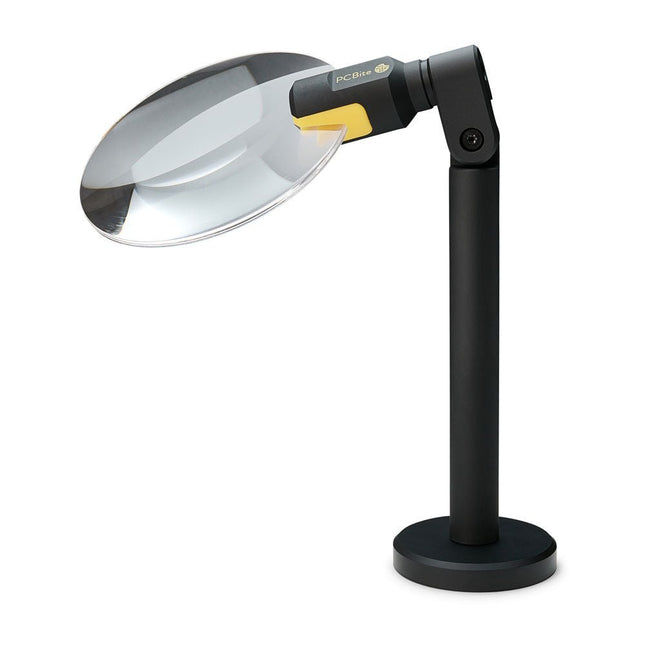
Sensepeek Sensepeek 4020 PCBite 3x vergrootglas
De PCBite loep (premium bouwkwaliteit gemaakt van CNC-bewerkt aluminium) vergroot uw doel en maakt het gemakkelijker om te zien tijdens het solderen, inspectie en metingen. Vooral nuttig bij het plaatsen van PCBite handsfree probes op fijne pitch SMD-componenten tijdens metingen. 3x vergrotende randloze lens voor betere zichtbaarheid van het werkoppervlak en AR coating (anti-reflectie) om reflecties van nabije lichtbronnen te verminderen. Geoptimaliseerd ontwerp, vergroting en brandpunt voor gebruik in combinatie met de PCBite PCB houders en voetplaten die in alle PCBite kits zitten. Kan ook uit de hand worden gebruikt, maar niet standalone zonder een metalen oppervlak als basis. Aan de onderkant van de loepvoet bevindt zich een sterke magneet die perfect in sterkte is uitgebalanceerd. Een lage frictie bodemkap beschermt de magneet en de basisplaat zodat de loep gemakkelijk te verschuiven is bij het verplaatsen of verwijderen van de loep van de basisplaat. Frictie gebaseerde aanpassing van de lens kantel- en draaiposities maakt vervelende en ingewikkelde stelschroeven overbodig.
€ 71,39
-
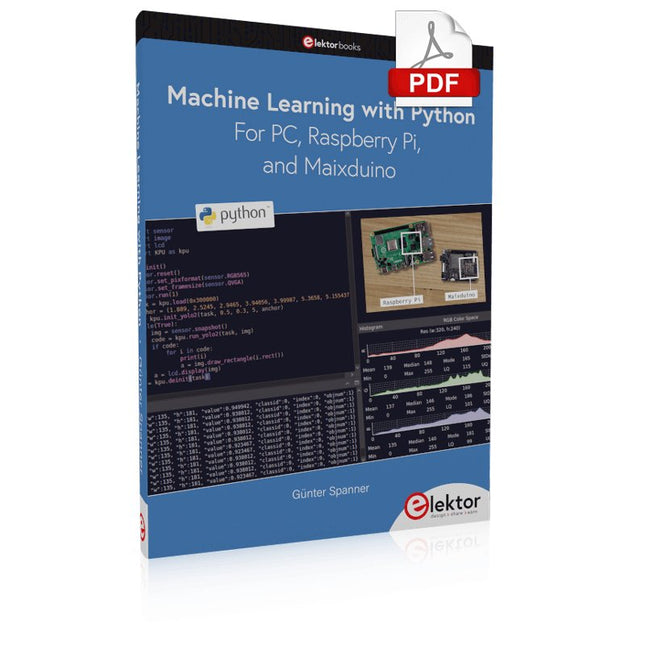
Elektor Digital Machine Learning with Python for PC, Raspberry Pi, and Maixduino (E-book)
Most people are increasingly confronted with the applications of Artificial Intelligence (AI). Music or video ratings, navigation systems, shopping advice, etc. are based on methods that can be attributed to this field. The term Artificial Intelligence was coined in 1956 at an international conference known as the Dartmouth Summer Research Project. One basic approach was to model the functioning of the human brain and to construct advanced computer systems based on this. Soon it should be clear how the human mind works. Transferring it to a machine was considered only a small step. This notion proved to be a bit too optimistic. Nevertheless, the progress of modern AI, or rather its subspecialty called Machine Learning (ML), can no longer be denied. In this book, several different systems will be used to get to know the methods of machine learning in more detail. In addition to the PC, both the Raspberry Pi and the Maixduino will demonstrate their capabilities in the individual projects. In addition to applications such as object and facial recognition, practical systems such as bottle detectors, person counters, or a “talking eye” will also be created. The latter is capable of acoustically describing objects or faces that are detected automatically. For example, if a vehicle is in the field of view of the connected camera, the information 'I see a car!' is output via electronically generated speech. Such devices are highly interesting examples of how, for example, blind or severely visually impaired people can also benefit from AI systems.
€ 32,95
Leden: € 29,66
-

Elektor Digital Develop and Operate Your LoRaWAN IoT Nodes (E-book)
Ready-to-use devices and self-built Arduino nodes in the 'The Things Network' LoRaWAN has developed excellently as a communication solution in the IoT. The Things Network (TTN) has contributed to this. The Things Network was upgraded to The Things Stack Community Edition (TTS (CE)). The TTN V2 clusters were closed towards the end of 2021. This book shows you the necessary steps to operate LoRaWAN nodes using TTS (CE) and maybe extend the network of gateways with an own gateway. Meanwhile, there are even LoRaWAN gateways suitable for mobile use with which you can connect to the TTN server via your cell phone. The author presents several commercial LoRaWAN nodes and new, low-cost and battery-powered hardware for building autonomous LoRaWAN nodes. Registering LoRaWAN nodes and gateways in the TTS (CE), providing the collected data via MQTT and visualization via Node-RED, Cayenne, Thingspeak, and Datacake enable complex IoT projects and completely new applications at very low cost. This book will enable you to provide and visualize data collected with battery-powered sensors (LoRaWAN nodes) wirelessly on the Internet. You will learn the basics for smart city and IoT applications that enable, for example, the measurement of air quality, water levels, snow depths, the determination of free parking spaces (smart parking), and the intelligent control of street lighting (smart lighting), among others.
€ 32,95
Leden: € 29,66
-
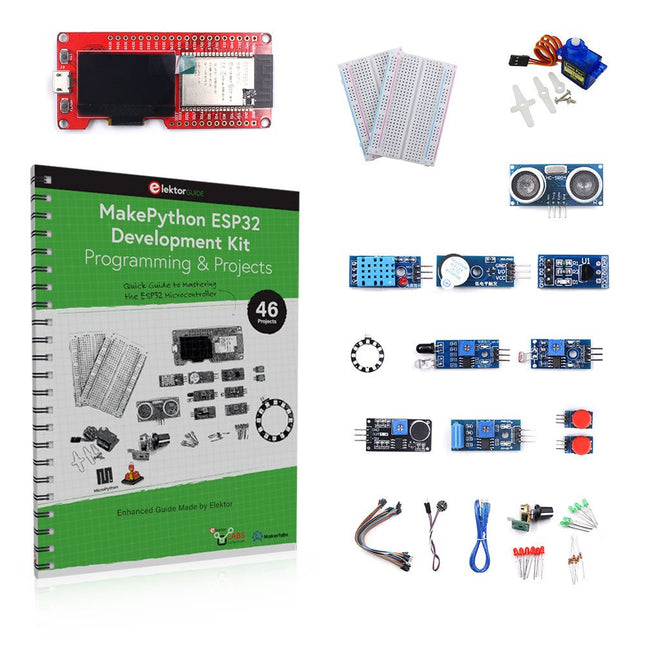
Elektor Bundles MakePython ESP32 Development Kit (EN)
Leer hoe je de ESP32 Microcontroller en het programmeren met MicroPython in je toekomstige projecten kunt gebruiken! Het (Engelstalige) projectboek, geschreven door de bekende Elektor auteur Dogan Ibrahim, bevat vele software- en hardware-gebaseerde projecten die speciaal voor de MakePython ESP32 ontwikkelkit ontwikkeld zijn. De kit wordt geleverd met verschillende LED's, sensoren, en actuatoren. De kit helpt je de basiskennis op te doen om eigen IoT projecten te maken. Alle volledig geëvalueerde projecten in het boek zijn voorzien van de bijgeleverde componenten. Elk project bevat een blokschema, een schakelschema, een volledige programmalijst, en een volledige programma beschrijving. Inbegrepen in de kit 1x MakePython ESP32 ontwikkelingsboard met LCD 1x Ultrasone afstandsmeter 1x Temperatuur- en luchtvochtigheidssensor 1x Zoemer module 1x DS18B20 module 1x Infrarood module 1x Potentiometer 1x WS2812 module 1x Geluidssensor 1x Trilsensor 1x Module met lichtgevoelige weerstand 1x Puls sensor 1x Servo motor 1x USB kabel 2x Knop 2x Breadboard 45x Schakeldraad 10x Weerstand 330R 10x LED (Rood) 10x LED (Groen) 1x Projectboek (Engelstalig, 206 pagina's) Boek met 46 projecten LED Projecten Knipperende LED SOS knipperende LED Knipperende LED – met behulp van een timer Afwisselend knipperende LEDs Knopbediening De knippersnelheid van de LED's veranderen met drukknop onderbrekingen Chasing-LEDs Binaire teller met LEDs Kerstverlichting (willekeurig-knipperende 8 LEDs) Elektronische dobbelsteen Geluksdag van het week Projecten voor Pulsewidth Modulation (PWM) Genereer een PWM golfvorm van 1000 Hz met 50% duty cycle LED helderheid regelen Meten van de frequentie en duty cycle van een PWM golfvorm Melodieën maker Eenvoudig elektronisch orgel Servo motor besturing Servo motor DS18B20 thermometer Projecten voor analoog naar digitaal converteren (ADC) Voltmeter Plotten van de analoge ingangsspanning Interne temperatuursensor van de ESP32 Ohmmeter Lichtgevoelige weerstandsmodule Projecten voor digitaal naar analoog converteren (DAC) Opwekken van vaste spanningen Opwekken van een zaagtand-golf signaal Opwekken van een driehoek-golf signaal Golfvorm met willekeurige periode Genereren van een sinus-golf signaal Genereren van een nauwkeurig sinus-golf signaal met behulp van een timer interrupts Gebruik van het OLED Display Seconden teller Gebeurtenisteller DS18B20 digitale thermometer met OLED ON-OFF temperatuur regelaar Meten van temperatuur en luchtvochtigheid Ultrasone afstandsmeting Hoogte van een persoon (stadiometer) Hartslag (polsslag) meten Andere bij de set geleverde sensoren Diefstal alarm Met geluid geactiveerd licht Infrarood obstakel-vermijding met zoemer WS2812 RGB LED ring Tijdregistratie van temperatuur en luchtvochtigheid Netwerkprogrammering Wi-Fi scanner Bediening op afstand vanuit de Internet browser (met een smartphone of PC) – Webserver Temperatuur- en luchtvochtigheidsgegevens opslaan in de Cloud Werking met Low-Power Gebruik een timer om de processor te laten ontwaken
€ 89,95€ 69,95Beste prijs
-

Elektor Digital MSP430 Microcontroller Essentials (E-book)
Architecture, Programming and Applications The MSP430 is a popular family of microcontrollers from Texas Instruments. In this book we will work with the smallest type, which is the powerful MSP430G2553. We will look at the capabilities of this microcontroller in detail, as it is well-suited for self-made projects because it is available in a P-DIP20 package. We will take a closer look at the microcontroller and then build, step by step, some interesting applications, including a 'Hello World' blinking LED and a nice clock application, which can calculate the day of the week based on the date. You also will learn how to create code for the MSP microcontroller in assembler. In addition to that, we will work with the MSP-Arduino IDE, which makes it quite easy to create fast applications without special in-depth knowledge of the microcontrollers. All the code used in the book is available for download from the Elektor website.
€ 32,95
Leden: € 29,66
-
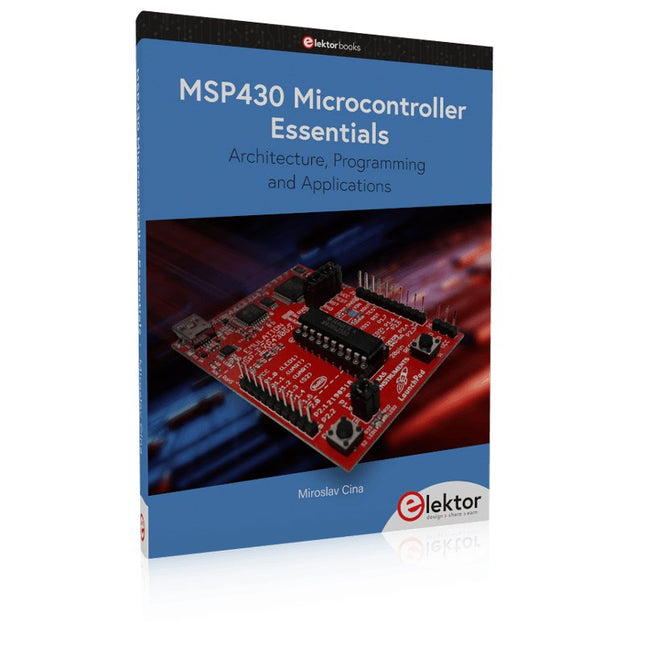
Elektor Publishing MSP430 Microcontroller Essentials
Architecture, Programming and Applications The MSP430 is a popular family of microcontrollers from Texas Instruments. In this book we will work with the smallest type, which is the powerful MSP430G2553. We will look at the capabilities of this microcontroller in detail, as it is well-suited for self-made projects because it is available in a P-DIP20 package. We will take a closer look at the microcontroller and then build, step by step, some interesting applications, including a 'Hello World' blinking LED and a nice clock application, which can calculate the day of the week based on the date. You also will learn how to create code for the MSP microcontroller in assembler. In addition to that, we will work with the MSP-Arduino IDE, which makes it quite easy to create fast applications without special in-depth knowledge of the microcontrollers. All the code used in the book is available for download from the Elektor website.
€ 39,95
Leden: € 35,96
-

Elektor Digital Kickstart to Python 3 (E-book)
An Ultra-Rapid Programming Course This book serves as the very first step to for novices to learn Python programming. The book is divided into ten chapters. In the first chapter, readers are introduced to the basics of Python. It has the detailed instructions for installation on various platforms such as macOS, Windows, FreeBSD, and Linux. It also covers the other aspects of Python programming such as IDEs and Package Manager. The second chapter is where the readers get an opportunity to have a detailed hands-on with Python programming. It covers a group of built-in data structures popularly known as Python Collections. The third chapter covers the important concepts of strings, functions, and recursion. The fourth chapter focuses on the Object-Oriented Programming with Python. The fifth chapter discusses most commonly used custom data structures such as stack and queue. The sixth chapter spurs the creativity of the readers with Python’s Turtle graphics library. The seventh chapter explores animations and game development using the Pygame library. The eighth chapter covers handling data stored in a variety of file formats. The ninth chapter covers the area of Image processing with Wand library in Python. The tenth and the final chapter presents an array of assorted handy topics in Python. The entire book follows a step-by-step approach. The explanation of the topic is always followed by a detailed code example. The code examples are also explained in suitable detail and they are followed by the output in the form of text or screenshot wherever possible. Readers will become comfortable with Python programming language by closely following the concepts and the code examples in this book. The book also has references to external resources for readers to explore further. A download of the software code, and links to tutorial videos can be found on the Elektor website.
€ 29,95
Leden: € 26,96
-
SparkFun SparkFun Arduino Pro Mini 328 (5 V, 16 MHz)
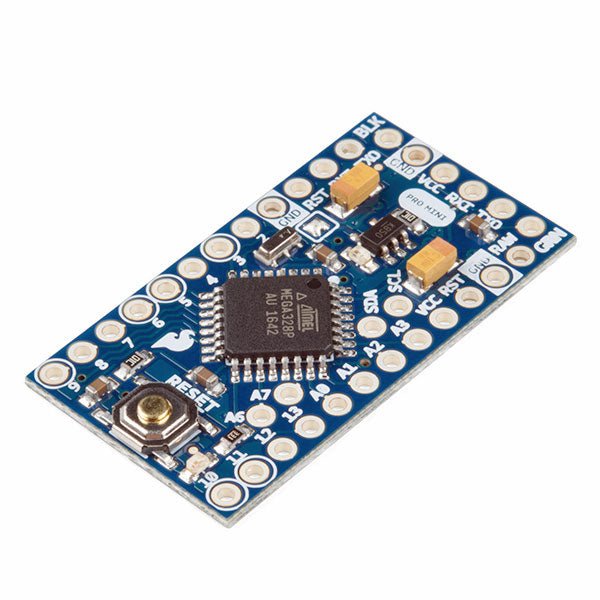
De Arduino Pro Mini is een microcontroller board gebaseerd op de ATmega328P. Het heeft 14 digitale in-/uitgangspinnen (waarvan er 6 kunnen worden gebruikt als PWM-uitgangen), 6 analoge ingangen, een on-board resonator, een reset-knop, en gaten voor het monteren van pin headers. Een six-pin header kan worden aangesloten op een FTDI-kabel of Sparkfun breakout board om USB-voeding en communicatie te bieden aan de board. De Arduino Pro Mini is bedoeld voor semi-permanente installatie in voorwerpen of tentoonstellingen. Het board komt zonder pre-gemonteerde headers, waardoor het gebruik van diverse types van schakelaars of het directe solderen van draden is toegestaan. De pin lay-out is compatibel met Arduino Mini. Specificaties Microcontroller ATmega328P Boord Stroomvoorziening 5-12 V Circuit Werkspanning 5 V Digitale I/O Pinnen 14 PWM Pennen 6 UART 1 SPI 1 I²C 1 Analoge ingangspinnen 6 Externe Onderbrekingen 2 DC stroom per I/O Pin 40 mA Flash Geheugen 32 KB waarvan 2 KB gebruikt door bootloader SRAM 2 KB EEPROM 1 KB Kloksnelheid 16 MHz Afmetingen 18 x 33,3 mm Downloads Eagle files Schematics
€ 14,95€ 7,95Beste prijs
-
Elektor Digital Raspberry Pi Pico for Radio Amateurs (E-book)
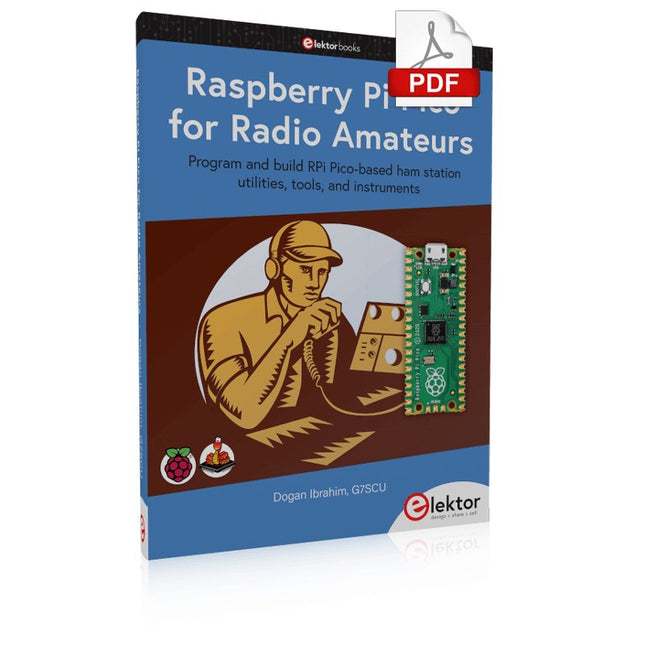
Program and build RPi Pico-based ham station utilities, tools, and instruments Although much classical HF and mobile equipment is still in use by large numbers of amateurs, the use of computers and digital techniques has now become very popular among amateur radio operators. Nowadays, anyone can purchase a €5 Raspberry Pi Pico microcontroller board and develop many amateur radio projects using the “Pico” and some external components. This book is aimed at amateur radio enthusiasts, Electronic Engineering students, and anyone interested in learning to use the Raspberry Pi Pico to shape their electronic projects. The book is suitable for beginners in electronics as well as for those with wide experience. Step-by-step installation of the MicroPython programming environment is described. Some knowledge of the Python programming language is helpful to be able to comprehend and modify the projects given in the book. The book introduces the Raspberry Pi Pico and gives examples of many general-purpose, software-only projects that familiarize the reader with the Python programming language. In addition to the software-only projects tailored to the amateur radio operator, Chapter 6 in particular presents over 36 hardware-based projects for “hams”, including: Station mains power on/off control Radio station clock GPS based station geographical coordinates Radio station temperature and humidity Various waveform generation methods using software and hardware (DDS) Frequency counter Voltmeter / ammeter / ohmmeter / capacitance meter RF meter and RF attenuators Morse code exercisers RadioStation Click board Raspberry Pi Pico based FM radio Using Bluetooth and Wi-Fi with Raspberry Pi Pico Radio station security with RFID Audio amplifier module with rotary encoder volume control Morse decoder Using the FS1000A TX-RX modules to communicate with Arduino
€ 32,95
Leden: € 29,66
-

Elektor Digital Explore ATtiny Microcontrollers using C and Assembly Language (E-book)
Een diepgaande kijk op de 8-bit AVR-architectuur in ATtiny- en ATmega-microcontrollers, voornamelijk vanuit het oogpunt van software en programmeren. Verken de AVR-architectuur met behulp van C en assembleertaal in Microchip Studio (voorheen Atmel Studio) met ATtiny-microcontrollers. Leer de details van hoe AVR-microcontrollers intern werken, inclusief de interne registers en geheugenkaart van ATtiny-apparaten. Programmeer ATtiny microcontrollers met behulp van een Atmel-ICE programmer/debugger, of gebruik een goedkope hobbyprogrammer, of zelfs een Arduino Uno als programmer. De meeste codevoorbeelden kunnen worden uitgevoerd met behulp van de Microchip Studio AVR simulator. Leer programma's schrijven voor ATtiny microcontrollers in assembleertaal. Zie hoe assembleertaal wordt omgezet in machinecode-instructies door het assembler-programma. Ontdek hoe programma's geschreven in de programmeertaal C eindigen als assembleertaal en uiteindelijk als machinecode-instructies. Gebruik de Microchip Studio debugger in combinatie met een hardware USB programmer/debugger om assembly en C taalprogramma's te testen, of gebruik de Microchip Studio AVR simulator. DIP verpakte ATtiny microcontrollers worden in dit deel gebruikt voor eenvoudig gebruik op elektronische breadboards, voornamelijk gericht op de ATtiny13(A) en ATtiny25/45/85. Leer over instructietiming en klokken in AVR-microcontrollers met behulp van ATtiny-apparaten. Ben je op weg om een AVR-expert te worden met geavanceerde debugging- en programmeervaardigheden.
€ 34,95
Leden: € 31,46
-

Elektor Digital Circuit Simulation with TINA Design Suite & TINACloud (E-book)
TINA Design Suite is a professional, powerful and affordable circuit simulator. It is a circuit designer and PCB design software package for analysing, designing, and real-time testing of analogue, digital, IBIS, VHDL, Verilog, Verilog AMS, SystemC, MCU, and mixed electronic circuits and their PCB layouts. In this book, top-selling Elektor author, Prof. Dr. Dogan Ibrahim aims to teach the design and analysis of electrical and electronic circuits and develop PCB boards using both TINA and TINACloud. The book is aimed at electrical/electronic engineers, undergraduate electronic/electrical engineering students at technical colleges and universities, postgraduate and research students, teachers, and hobbyists. Many tested and working simulation examples are provided covering most fields of analogue and digital electrical/electronic engineering. These include AC and DC circuits, diodes, zener diodes, transistor circuits, operational amplifiers, ladder diagrams, 3-phase circuits, mutual inductance, rectifier circuits, oscillators, active and passive filter circuits, digital logic, VHDL, MCUs, switch-mode power supplies, PCB design, Fourier series, and spectrum. Readers do not need to have any programming experience unless they wish to simulate complex MCU circuits.
€ 39,95
Leden: € 35,96
-
Elektor Digital PLC Programming with the Raspberry Pi and the OpenPLC Project (E-book)
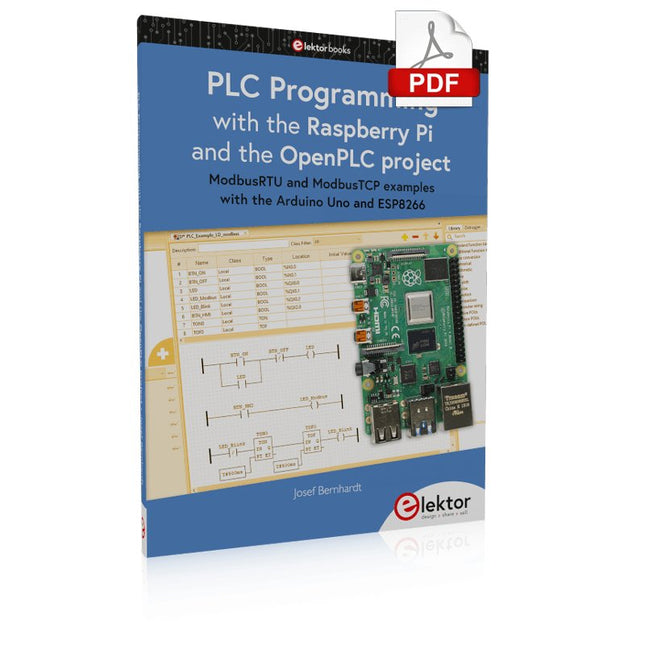
ModbusRTU and ModbusTCP examples with the Arduino Uno and ESP8266 Introduction to PLC programming with OpenPLC, the first fully open source Programmable Logic Controller on the Raspberry Pi, and Modbus examples with Arduino Uno and ESP8266 PLC programming is very common in industry and home automation. This book describes how the Raspberry Pi 4 can be used as a Programmable Logic Controller. Before taking you into the programming, the author starts with the software installation on the Raspberry Pi and the PLC editor on the PC, followed by a description of the hardware. You'll then find interesting examples in the different programming languages complying with the IEC 61131-3 standard. This manual also explains in detail how to use the PLC editor and how to load and execute the programs on the Raspberry Pi. All IEC languages are explained with examples, starting with LD (Ladder Diagram) over ST (Structured Control Language) to SFC (Special Function Chart). All examples can be downloaded from the author's website. Networking gets thorough attention too. The Arduino Uno and the ESP8266 are programmed as ModbusRTU or ModbusTCP modules to get access to external peripherals, reading sensors and switching electrical loads. I/O circuits complying with the 24 V industry standard may also be of interest for the reader. The book ends with an overview of commands for ST and LD. After reading the book, the reader will be able to create his own controllers with the Raspberry Pi.
€ 32,95
Leden: € 29,66
-
Elektor Publishing PLC Programming with the Raspberry Pi and the OpenPLC Project
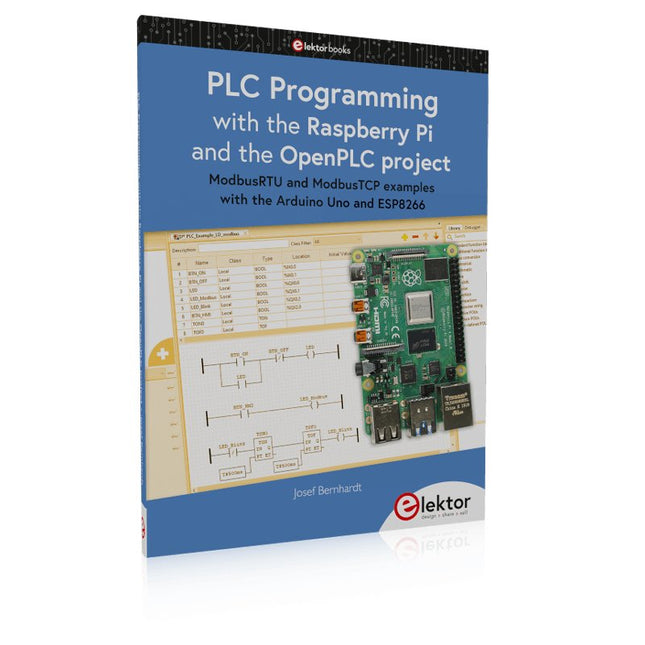
ModbusRTU and ModbusTCP examples with the Arduino Uno and ESP8266 Introduction to PLC programming with OpenPLC, the first fully open source Programmable Logic Controller on the Raspberry Pi, and Modbus examples with Arduino Uno and ESP8266 PLC programming is very common in industry and home automation. This book describes how the Raspberry Pi 4 can be used as a Programmable Logic Controller. Before taking you into the programming, the author starts with the software installation on the Raspberry Pi and the PLC editor on the PC, followed by a description of the hardware. You'll then find interesting examples in the different programming languages complying with the IEC 61131-3 standard. This manual also explains in detail how to use the PLC editor and how to load and execute the programs on the Raspberry Pi. All IEC languages are explained with examples, starting with LD (Ladder Diagram) over ST (Structured Control Language) to SFC (Special Function Chart). All examples can be downloaded from the author's website. Networking gets thorough attention too. The Arduino Uno and the ESP8266 are programmed as ModbusRTU or ModbusTCP modules to get access to external peripherals, reading sensors and switching electrical loads. I/O circuits complying with the 24 V industry standard may also be of interest for the reader. The book ends with an overview of commands for ST and LD. After reading the book, the reader will be able to create his own controllers with the Raspberry Pi.
€ 39,95
Leden: € 35,96
-
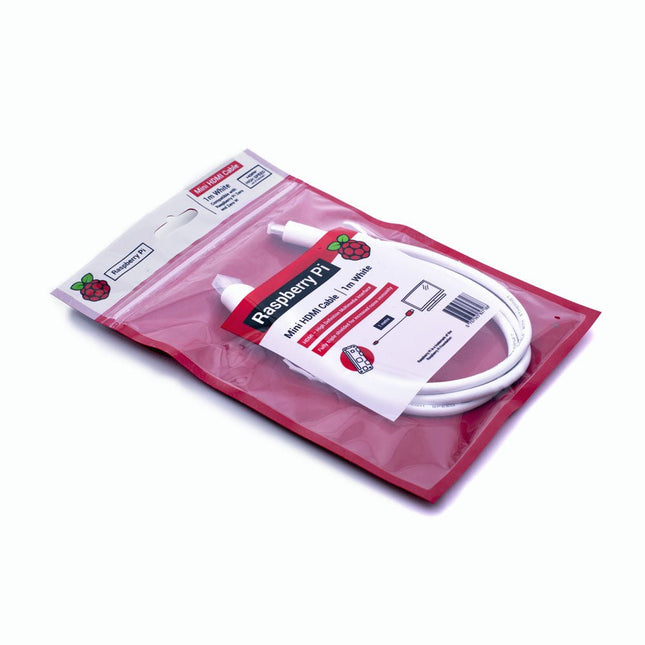
Raspberry Pi Foundation Official Mini-HDMI Cable for Raspberry Pi Zero
The official Raspberry Pi mini-HDMI to HDMI (A/M) cable designed for all Raspberry Pi Zero models. 19-pin HDMI Type D(M) to 19-pin HDMI Type A(M) 1 m cable (white) Nickel-plated plugs 4Kp60 compliant RoHS compliant 3 Mohm 300 VDC insulation, withstands 300 VDC for 0.1s
-
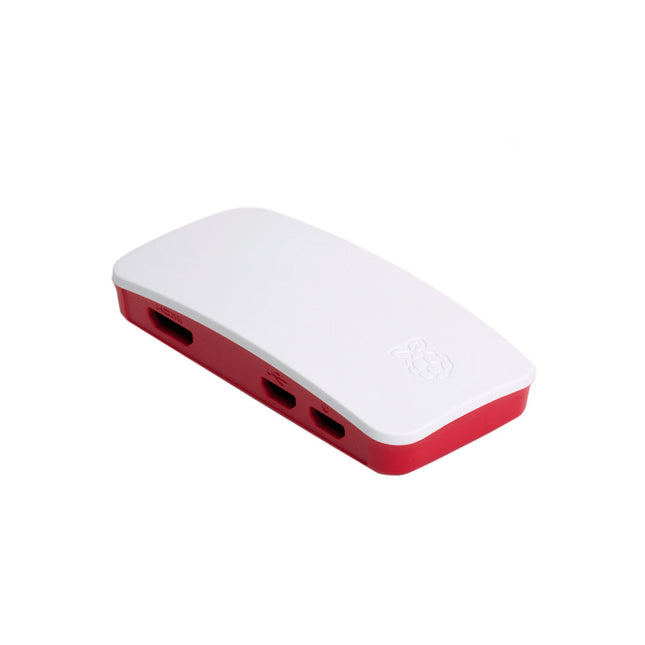
Raspberry Pi Foundation Official Case for Raspberry Pi Zero
The case consists of two parts. It has a standard base featuring a cut-out to allow access to the GPIO, and a choice of three lids: a plain lid, a GPIO lid (allowing access to the GPIO from above), and a camera lid (which, when used with the short camera cable supplied, allows the Raspberry Pi Camera or Camera Noir to be fitted neatly inside it). Included 1x base 3x lids (plain, GPIO, camera) 1x short camera cable 4x rubber feet
-
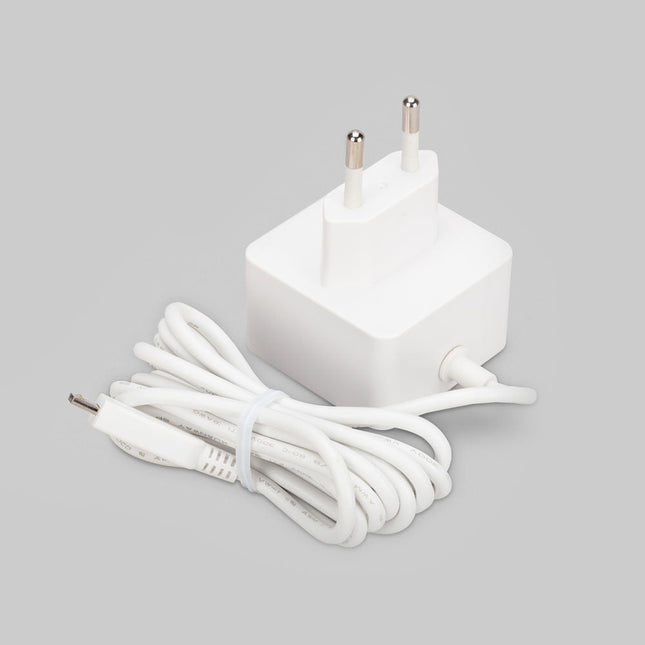
Raspberry Pi Foundation Official Micro-USB Power Supply for Raspberry Pi
Official Micro-USB Power Supply for Raspberry Pi (12.5 W) Input: 100-240 VAC Output: 5.1 V / 2.5 A power supply Connector: micro USB Length: 1.5 m
-

Elektor Digital Electronic Security and Espionage (E-book)
A Handbook on DIY Nowadays, security problems are rarely properly solved or correctly addressed. Electronic security is only part of the chain in making a system secure. Electronic security is usually addressed as network or software security, neglecting other aspects, but the chain is only as strong as its weakest link. This book is about electronic hardware security, with an emphasis on problems that you can solve on a shoestring DIY budget. It deals mostly with secure communications, cryptosystems, and espionage. You will quickly appreciate that you can’t simply buy a trustworthy and reliable cryptosystem off the shelf. You will then realise that this applies equally to individuals, corporations, and governments. If you want to increase your electronic security awareness in a world already overcrowded with networks of microphones and cameras, this is a book for you. Furthermore, if you want to do something DIY by designing and expanding upon simple electronic systems, please continue reading. Some of the devices described are already published as projects in the Elektor magazine. Some are still ideas yet to be worked out. Complexity is the main enemy of security, so we'll try to keep to simple systems. Every chapter will analyse real-life espionage events or at least several hypothetical scenarios that will hopefully spark your imagination. The final goal is to build a security-conscious mindset (or “to get into a head of a spy”) which is necessary to recognise possible threats beforehand, to design a truly secure system. Don’t bother reading if: you think you and your secrets are 100% safe and secure you think somebody else can effectively handle your security you think conspiracy theories only exist in theory – Telefunken’s masterpiece the “FS-5000 Harpoon” was built on one!
€ 32,95
Leden: € 29,66
-
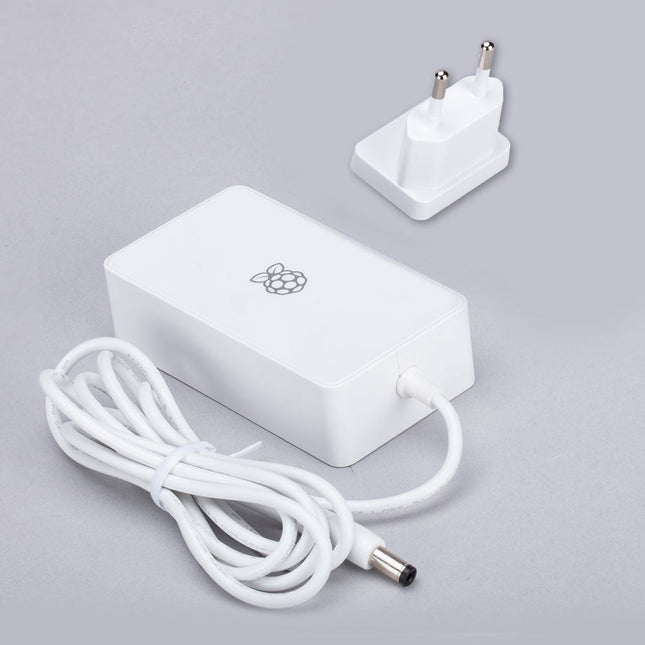
Raspberry Pi Foundation Power Supply for Raspberry Pi Build HAT (48 W)
This 48 W (8 VDC, 6 A) power supply is designed for the use with the Raspberry Pi Build HAT. Input: 110-240 VAC Output: 8 VDC, 6 A Cable: 1.5 m, 16 awg
-
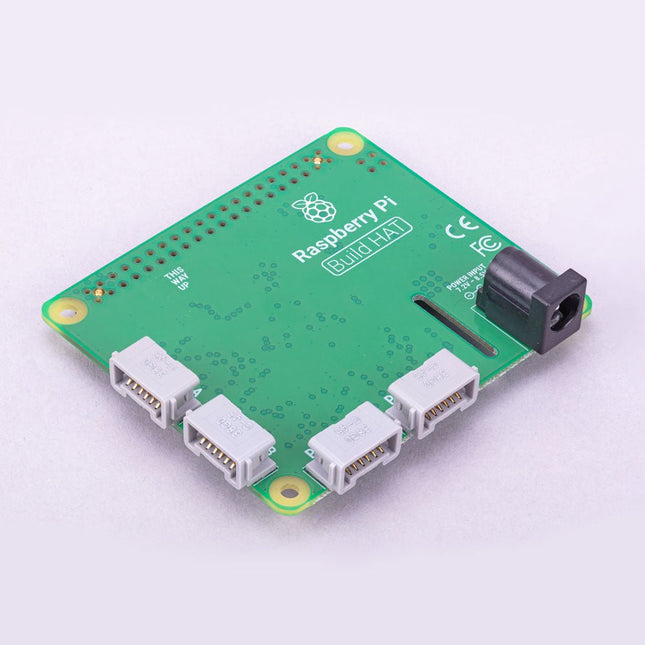
Raspberry Pi Foundation Raspberry Pi Build HAT
Build robust, intelligent machines that combine Raspberry Pi computing power with LEGO components.The Raspberry Pi Build HAT provides four connectors for LEGO Technic motors and sensors from the SPIKE Portfolio. The available sensors include a distance sensor, a colour sensor, and a versatile force sensor. The angular motors come in a range of sizes and include integrated encoders that can be queried to find their position.The Build HAT fits all Raspberry Pi computers with a 40-pin GPIO header, including?–?with the addition of a ribbon cable or other extension device?—?Raspberry Pi 400. Connected LEGO Technic devices can easily be controlled in Python, alongside standard Raspberry Pi accessories such as a camera module.Features Controls up to 4 motors and sensors Powers the Raspberry Pi (when used with a suitable external PSU) Easy to use from Python on the Raspberry Pi
-

Kitronik Kitronik Motor Driver Board voor de Raspberry Pi Pico
Met dit board kan de Raspberry Pi Pico (aangesloten via een pin header) twee motoren tegelijk aandrijven met volledige vooruit, achteruit en stop regeling, waardoor het ideaal is voor Pico gestuurde buggy projecten. Als alternatief kan het board ook gebruikt worden om een stappenmotor aan te drijven. De printplaat is voorzien van het DRV8833 motor driver IC, dat ingebouwde beveiliging tegen kortsluiting, overstroom en oververhitting heeft. De printplaat heeft ook 4 externe aansluitingen op de GPIO pinnen en een 3 V en GND voeding van de Pico. Dit maakt extra IO mogelijkheden mogelijk voor je buggy bouwsels die door de Pico uitgelezen of bestuurd kunnen worden. Bovendien is er een aan/uit schakelaar en een power status LED, zodat je in een oogopslag kunt zien of de printplaat aan staat en je batterijen kunt sparen als je project niet in gebruik is. Om de motor driver kaart te gebruiken moet de Pico een gesoldeerde pin header hebben en stevig in de connector gestoken worden. De kaart heeft een gereguleerde voeding die via de 40-weg connector wordt geleid om de Pico te voeden, zodat je de Pico niet rechtstreeks hoeft te voeden. De motordriver print wordt gevoed via schroefklemmen of via een servo style connector. Kitronik heeft een micro-python module en voorbeeld code ontwikkeld om het gebruik van het Motor Driver board met de Pico te ondersteunen. Deze code is beschikbaar in de GitHub repository. Features Een compact board met veel mogelijkheden, ontworpen als hart van je Raspberry Pi Pico robot buggy projecten. Het board kan 2 motoren tegelijk aansturen met volledige voorwaartse, achterwaartse, en stop regeling. Het bevat de DRV8833 motor driver IC, die ingebouwde beveiliging tegen kortsluiting, overstroom en oververhitting heeft. Bovendien heeft de printplaat een aan/uit schakelaar en een LED voor de voedingsstatus. De voeding van de kaart gaat via een connector in klemmenblokstijl. De 3V en GND pennen zijn ook uitgesplitst, zodat externe apparaten van stroom kunnen worden voorzien. Codeer het met MicroPython via een editor zoals de Thonny editor. Afmetingen: 63 mm (L) x 35 mm (B) x 11,6 mm (H) Download Datasheet
-
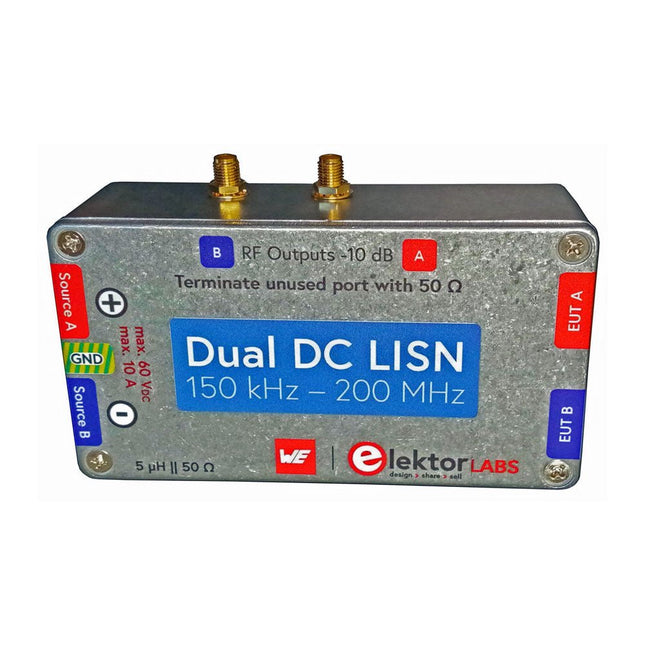
Elektor Labs Elektor Dual DC LISN (150 kHz – 200 MHz)
Het meten van conducted emission is de eenvoudigste en meest betaalbare methode om een indicatie te krijgen of een ontwerp aan de EMI/EMC eisen kan voldoen. Een Line Impedance Stabilization Network (LISN) is daarbij een onmisbaar onderdeel van een EMC pre-compliance testopstelling. Elektor heeft in samenwerking met Würth Elektronik een 5 µH, 50 Ω Dual DC LISN ontwikkeld die geschikt is voor spanningen tot 60 V en stromen tot 10 A. Het instrument meet RF-interferenties op beide kanalen (de voeding) door middel van 5 µH blokkeerspoelen. De interne 10 dB verzwakkingstrap – één per kanaal – bevat een 3e orde hoogdoorlaatfilter met een afsnijfrequentie van 9 kHz om de ingang van instrumenten zoals een spectrum analyzer te beschermen tegen mogelijk schadelijke DC spanningen of lage frequenties afkomstig van de DUT (Device Under Test). Specificaties RF-pad Kanalen 2 (met clamping diodes) Bandbreedte 150 kHz – 200 MHz Impedantie 5 µH || 50 Ω Interne demping 10 dB Connectoren SMA DC-pad Max. stroom < 10 ADC Max. spanning < 60 VDC DC weerstand < 2 x 70 mΩ PCB-formaat 94,2 x 57,4 mm Connectoren 4 mm banaan Hammond-behuizing Type 1590N Afmetingen 121 x 66 x 40 mm Inbegrepen 1x 4-laags PCB met alle SMT-onderdelen gemonteerd 1x Voorgeboorde behuizing met bedrukt frontpaneel 5x Vergulde, geïsoleerde 4 mm banaanstekers, geschikt voor 24 A, 1 kV 1x Hammond-behuizing 1590N1, aluminium (gegoten legering) Meer info Project op Elektor Labs: Dual DC LISN for EMC pre-compliance testing Elektor 9-10/2021: EMC Pre-Compliance Test voor uw DC-gevoed project (deel 1) Elektor 11-12/2021: EMC Pre-Compliance Test voor uw DC-gevoed project (deel 2)
-
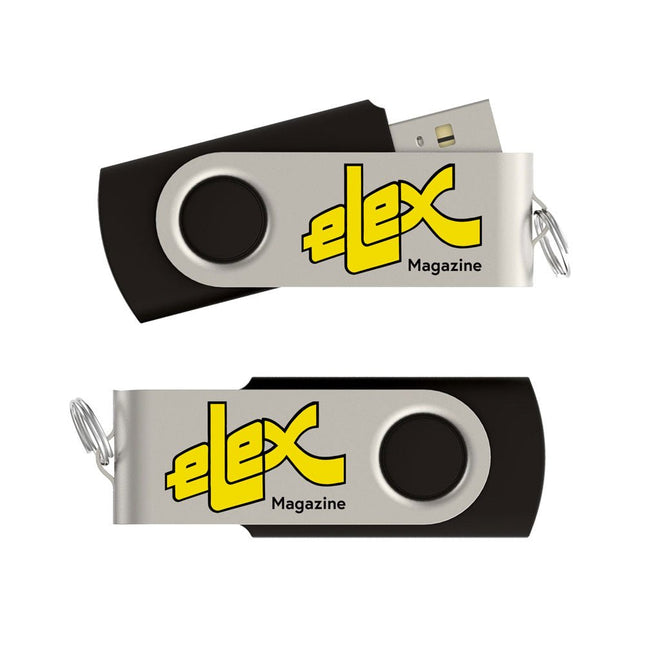
Elektor Classics Elex Archief (USB-stick)
Het tijdschrift Elex was van 1983 tot 1993 het kleine zusje van Elektor. In Elex werd elektronica op een niet moeilijke en leuke manier uitgelegd. Veel huidige Elektor-lezers zijn ooit begonnen met Elex. Elex is nostalgie. Dat blijkt uit de grote vraag die er steeds is gebleven naar de artikelen en schakelingen uit Elex. Daarom hebben we alle Elex-uitgaven in PDF-formaat op USB-stick gezet. Het gaat om in totaal 120 Elex-nummers, samen goed voor ruim 1400 artikelen, tips en trucs! Deze stick bevat, naast op informele wijze beschreven theorie, een schat aan eenvoudige en leuke schakelingen voor zelfbouw. Alle nummers zijn snel doorzoekbaar en gemakkelijk afdrukbaar.
-

Elektor Digital Inside an Open-Source Processor (E-book)
An Introduction to RISC-V RISC-V is an Instruction Set Architecture (ISA) that is both free and open. This means that the RISC-V ISA itself does not require a licensing fee, although individual implementations may do so. The RISC-V ISA is curated by a non-profit foundation with no commercial interest in products or services that use it, and it is possible for anyone to submit contributions to the RISC-V specifications. The RISC-V ISA is suitable for applications ranging from embedded microcontrollers to supercomputers. This book will first describe the 32-bit RISC-V ISA, including both the base instruction set as well as the majority of the currently-defined extensions. The book will then describe, in detail, an open-source implementation of the ISA that is intended for embedded control applications. This implementation includes the base instruction set as well as a number of standard extensions. After the description of the CPU design is complete the design is expanded to include memory and some simple I/O. The resulting microcontroller will then be implemented in an affordable FPGA development board (available from Elektor) along with a simple software application so that the reader can investigate the finished design.
€ 32,95
Leden: € 29,66


