
Zoekresultaten voor "standard OR arm OR licence OR flowcode OR 7"
-
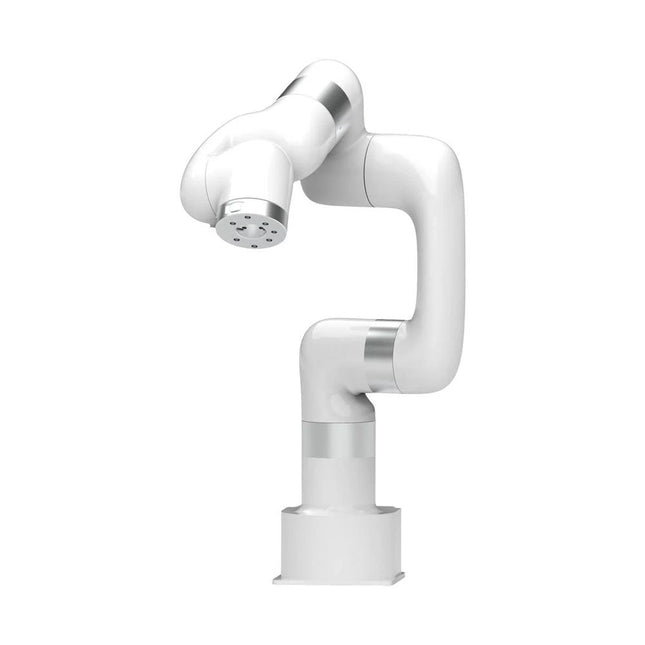
UFactory UFactory xArm 7
This multi-axis robot perfectly balances power and size. Features 6 Axis Payload: 3.5 kg Reach: 700 mm Repeatability: 0.1 mm Max Speed 1000 mm/s Applications Machine Tending Bin Picking Mobile platform Lab Automation Robotic Research Durable Collaborative robots for your automation Industrial-grade harmonic drive and servomotors guarantee 24/7 working without stop. Crafted from Carbon fiber, 15 kg weight makes it possible for easier deployment. Flexible deployment with safe feature Hand teaching, lightweight, space-saving and easy to re-deploy to multiple applications without changing your production layout. Perfectly for recurrent tasks. Collision detection is available for all of our cobots. Your safety is always the top priority. Graphical interface for beginner-friendly programming Compatible with various of operation systems, including macOS and Windows. Web-based technology compatible with all major browsers. Drag and drop to create your code in minutes. Powerful and open source SDK at your fingertips Fully functional open-source Python/C++ SDK provides more flexible programming. ROS/ROS2 packages are ready-to-go. Example codes help you to deploy the robotic arm smoothly. Specifications UFactory 850 xArm 5 xArm 6 xArm 7 Payload 5 kg 3 kg 5 kg 3.5 kg Reach 850 mm 700 mm 700 mm 700 mm Degrees of freedom 6 5 6 7 Repeatability ±0.02 mm ±0.1 mm ±0.1 mm ±0.1 mm Maximum Speed 1 m/s 1 m/s 1 m/s 1 m/s Weight (robot arm only) 20 kg 11.2 kg 12.2 kg 13.7 kg Maximum Speed 180°/s 180°/s 180°/s 180°/s Joint 1 ±360° ±360° ±360° ±360° Joint 2 -132°?132° -118°?120° -118°?120° -118°?120° Joint 3 -242°~3.5° -225°~11° -225°~11° ±360° Joint 4 ±360° -97°~180° ±360° -11°?225° Joint 5 -124°~124° ±360° -97°~180° ±360° Joint 6 ±360° ±360° -97°~180° Joint 7 ±360° Hardware Ambient Temperature Range 0-50°C Power Consumption Min 8.4 W, Typical 200 W, max 400 W Input Power Supply 24 V DC, 16.5 A Footprint Ø 126 mm Materials Aluminum, Carbon Fiber Base Connector Type M5x5 ISO Class Cleanroom 5 Robot Mounting Any End Effector Communication Protocol Modbus RTU(rs485) End Effector I/O 2x DI/2x DO/2x AI/1x RS485 Communication Mode Ethernet Included 1x xArm 5 robotic arm 1x AC control box 1x Robotic arm power cable 1x Robotic arm end effector adapter cable 1x Robotic arm signal cable 1x Control box power cable 1x Network cable 1x Mounting tool 1x Quick start guide
€ 14.569,00
Beste prijs
-

Elektor Digital ARM Microcontroller Interfacing (E-book)
Learn to interface and program hardware devices in a wide range of useful applications, using ARM7 microcontrollers and the C programming language. Examples covered in full detail include a simple LED to a multi-megabyte SD card running the FAT file system. Features of this book Build prototype circuits on breadboard or Veroboard and interface to ARM microcontrollers. A 32-bit ARM7 microcontroller is used in interfacing and software examples. Interfacing principles apply to other ARM microcontrollers and other non-ARM microcontrollers as well. Example programs are written in the C programming language. Use only free or open source software. Download and install all programming tools from the Internet. Template project files are provided for easy project creation. Hardware Interface to LEDs, transistors, optocouplers, relays, solenoids, switches, keypads, LCD displays, seven segment displays, DC motors, stepper motors, external analogue signals using the ADC, RS232, RS-485, TWI, USB, SPI and SD memory cards. Software Once hardware has been interfaced to a microcontroller, software must be written to control the hardware. You will learn how to write programs to operate externally interfaced hardware devices, use timers and interrupts. Also learn how to port FAT file system code for use with an SD memory card, program the PWM to produce an audio sine wave, program the PWM to speed control a DC motor and more. A chapter on more advanced ARM microcontrollers is included with an overview of some of the newest ARM microcontrollers and their features.
€ 29,95
Leden: € 26,96
-
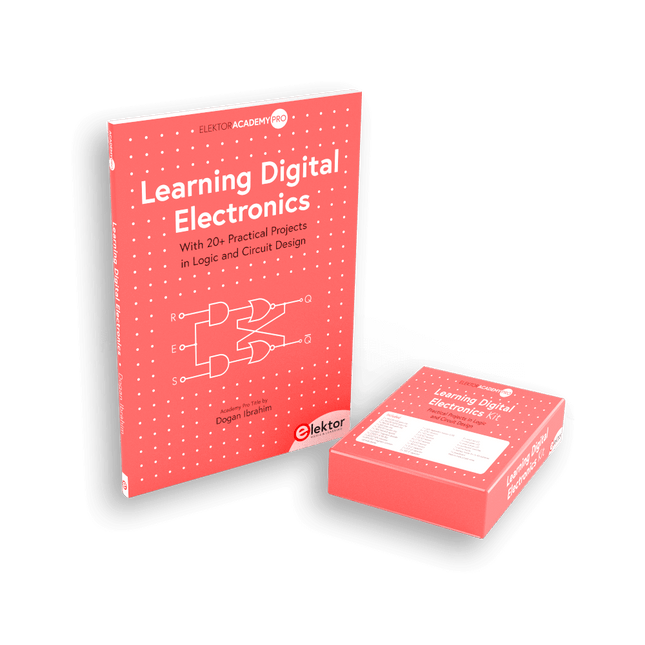
Elektor Bundles Learning Digital Electronics (Bundel)
Beheers digitale elektronica – op een praktische manier! Deze bundel bevat het boek Learning Digital Electronics met meer dan 20 praktische projecten in logica- en schakelingontwerp, evenals een 100-delige starterkit – zodat u meteen aan de slag kunt met het bouwen van logische schakelingen, tellers, displays en meer. Learning Digital Electronics (Boek) Dit boek is een praktische gids voor digitale elektronica en behandelt de essentiële componenten van moderne digitale systemen: getallensystemen, logische poorten, Booleaanse algebra, combinatorische en sequentiële logica, en meer. Via meer dan 20 gestructureerde projecten ontwerp en bouw je digitale systemen met behulp van echte componenten zoals logische poorten, multiplexers, decoders, flipflops, tellers en schuifregisters. De projecten variëren van eenvoudige LED-logicacircuits tot digitale sloten, displaysystemen, verkeerslichtcontrollers en timinggebaseerde ontwerpen. Geselecteerde projecten introduceren het gebruik van tools zoals CircuitVerse voor circuitsimulatie, terwijl verschillende ontwerpen gebruikmaken van logische componenten uit de 74HC-serie, die veel worden gebruikt bij het maken van digitale hardwareprototyping. Binnenin vindt u: Duidelijke uitleg over getallensystemen en binaire rekenkunde Fundamentele principes van logische poorten en universele poortimplementaties Stapsgewijze projecten met flipflops, tellers en registers Real-world ontwerp met 74HC-serie logische chips Technieken voor het ontwerpen van combinatorische en sequentiële systemen Dit boek hanteert een ontwerpgerichte, toepassingsgerichte benadering van digitale elektronica – opgebouwd rond werkende circuits, geteste logica en praktische experimenten. Learning Digital Electronics (Kit) Deze kit is speciaal ontwikkeld als aanvulling op het boek "Learning Digital Electronics". Omdat alle benodigde componenten zijn inbegrepen, kunt u elk praktisch project in het boek direct uitvoeren. Inhoud van de kit 2x 74HC08 EN-poortchip 2x 74HC00 NAND-poortchip 1x 74HC86 XOR-poortchip 1x 555 timerchip 1x 74HC161 tellerchip 1x 74HC164 schuifregister 1x CD4511 7-segments decoder 1x CD4027 JK flipflop 1x BC337 NPN-transistor 1x KPS-5161 7-segments gemeenschappelijke-kathodedisplay 1x lichtgevoelige weerstand (LDR) 4x 10 KΩ-weerstanden 8x 1 KΩ weerstand 2x 47 KΩ-weerstanden 1x 100 KΩ weerstand 4x 2,7 KΩ-weerstanden 1x 5,6 KΩ weerstand 1x 150 KΩ weerstand 1x 10 μF condensator 2x 0,01 μF condensator 2x 100 nF condensator 8x Kleine rode LED 1x Kleine groene LED 1x Kleine oranje LED 4x Drukknopschakelaars 1x Actieve zoemer 1x Batterijhouder voor 3x AA-batterijen (batterijen niet inbegrepen) 1x Breadboard 40x Male-to-male jumperdraden (lengte: 200 mm)
€ 69,95€ 59,95Beste prijs
-

Elektor Digital The ESP32 Cheap Yellow Display Book (PDF)
Projects Using Arduino IDE and the LVGL Graphics Library The ESP32 is probably one of the most popular microcontrollers used by many people, including students, hobbyists, and professional engineers. Its low cost, coupled with rich features makes it a popular device to use in many projects. Recently, a board called the ESP32 Cheap Yellow Display (CYD for short) is available from its manufacturers. The board includes a standard ESP32 microcontroller together with a 320x240 pixel TFT display. Additionally, the board provides several connectors for interfaces such as GPIO, serial port (TX/RX), power and Ground. The inclusion of a TFT display is a real advantage as it enables users to design complex graphics-based projects without resorting to an external LCD or graphics displays. The book describes the basic hardware of the ESP32 CYD board and provides details of its on-board connectors. Many basic, simple, and intermediate-level projects are given in the book based on the ESP32 CYD, using the highly popular Arduino IDE 2.0 integrated development environment. The use of both the basic graphics functions and the use of the popular LVGL graphics library are discussed in the book and projects are given that use both types of approaches. All the projects given in the book have been tested and are working. The block diagram, circuit diagram, and the complete program listings and program descriptions of all the projects are given with explanations. Readers can use the LVGL graphics library to design highly popular eye-catching full-color graphics projects using widgets such as buttons, labels, calendars, keypads, keyboards, message boxes, spinboxes, sliders, charts, tables, menus, bars, switches, drop-down lists, animations, and many more widgets.
€ 29,95
Leden: € 26,96
-

Elektor Academy Pro MicroPython for STM32 (programmeercursus)
Deze complete cursus programmeren voor STM32-microcontrollers omvat een leerboek, een onderdelenpakket, praktijkgerichte projecten en een uitgebreide online cursus. Het is de ideale manier om stap voor stap te leren programmeren voor embedded systemen met MicroPython, via een praktische en hands-on aanpak. Een praktische introductie tot embedded systemen met de STM32 Deze cursus is bedoeld voor iedereen die nog geen ervaring heeft met embedded systemen en op zoek is naar een gestructureerde, op voorbeelden gebaseerde manier om aan de slag te gaan. Er wordt een onderdelenpakket meegeleverd met onder meer leds, weerstanden, schakelaars, sensoren, actuatoren, displays, een breadboard en bedrading. Deze onderdelen worden in de cursus gebruikt om praktijkvoorbeelden te demonstreren. Er is geen voorkennis van MicroPython of embedded development vereist. Elk onderdeel bevat praktische voorbeelden en miniprojecten die zijn ontworpen om de belangrijkste concepten te verankeren en uit te nodigen tot verdere verdieping. Aan het einde van de cursus ben je niet alleen in staat om de voorbeelden na te maken, maar kun je er ook op voortbouwen met je eigen ideeën en toepassingen. Wat leert u? Microcontrollerprogrammering in MicroPython op de STM32 met behulp van de Thonny IDE Werken met digitale I/O, knoppen en encoders uitlezen, LED’s en relais aansturen Analoge ingangen, spanningen en sensoren uitlezen Genereren van analoge uitgangssignalen en PWM Gebruik van seriële communicatie zoals UART, I²C en SPI om displays aan te sturen en digitale sensoren en SD-kaarten uit te lezen Tijdbeheer Werken met interrupts Realtime sensorinput en besturing via knoppen, LED’s en displays Aansturen van actuatoren zoals relais en servomotoren Voor wie is dit? Studenten en zelflerenden die embedded systems willen ontdekken Makers en IoT-enthousiastelingen die hun hardwarevaardigheden willen verbeteren Docenten en trainers die kant-en-klaar lesmateriaal zoeken Wat zit er in de doos? Toegang tot de volledige cursus op het Elektor Academy Pro leerplatform STM32 NUCLEO-F411RE microcontrollerboard Boek: MicroPython for STM3 Downloadbare projectbestanden voor elke module Componentenkit: 2× LED, rood, 5 mm LED, groen, 5 mm 3× weerstand, 470 Ω, 0,25 W LDR Potentiometer, 10 kΩ, lineair Drukknop Rotary encoder module Relaismodule DHT22 temperatuur- en vochtigheidssensor TM1637-compatibel 4-digit 7-segment display MPU-6050 IMU met headers SSD1306-compatibel I²C OLED display Micro SD-kaartadapter met header Buzzer SG90 micro servo ILI9341-compatibel SPI 240×320 TFT display 20× jumper wires Breadboard
€ 99,95€ 84,95Beste prijs
-
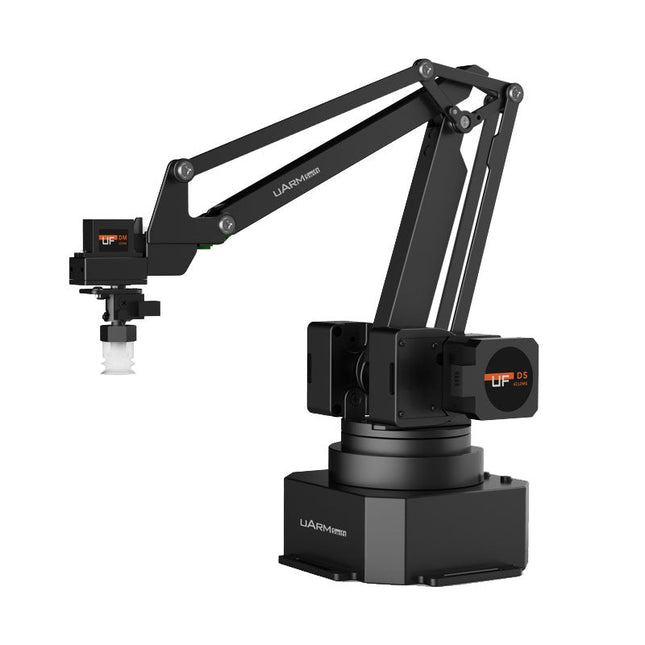
UFactory UFactory uArm Swift Pro
The uArm Swift Pro is a high quality robotic arm that can be used in a wide range of applications. The uArm Swift Pro was developed and optimized for use in education, which means that many packages are already available for open source platforms such as ROS. The uArm Swift Pro has a position repeatability of 0.2 mm and is also equipped with a stepper motor and a 12-bit encoder. These are just a few reasons that make the uArm Swift Pro an excellent choice for educational use. Another great feature is the 3D printing kit that converts the uArm Swift Pro into a 3D printer in less than 1 minute. The uArm supports the following development platforms/systems: UFACTORY SDK Arduino Python ROS GRABCAD OpenMV Smartphone App The smartphone app for iOS is already available in the App Store and enables easy control and monitoring of the robotic arm. The app for Android is in development and will be available soon. An example of the Machine Vision The following GIF shows the uArm in combination with the OpenMV Machine Vision Cam M7 and the facial recognition applications that can be implemented in MicroPython. Specifications Degrees of Freedom: 4 Repeatability: Up to 0.2 mm Payload: 500 g Working Range: 50-320 mm Positioning Speed: 100 m/s Position Feedback: 12-bit Encoder Dimensions: 150 x 140 x 281mm Weight: 2.2 kg Included UFactory uArm Swift Pro Body Bluetooth & Vacuum Gripper Downloads Datasheet
€ 939,00
Beste prijs
-

Elektor Bundles Arduino UNO Q (Bundel)
Deze bundel bevat de Arduino UNO Q (2 GB) en het boek "Arduino UNO Q and AI". De Arduino UNO Q is het eerste UNO-bord met een hybride dual-brain-architectuur, waarbij een krachtige Linux-processor wordt gecombineerd met een realtime-microcontroller – zo worden geavanceerde rekenkracht en nauwkeurige besturing op één bord samengebracht. Aangedreven door een Qualcomm Dragonwing QRB2210 MPU met Debian Linux en een STM32U585 MCU voor realtime taken, is de UNO Q gebouwd voor toepassingen van de volgende generatie. Van Edge Computing en AI tot robotica en automatisering, het levert hoge prestaties zonder in te boeten aan gebruiksgemak. Sluit gewoon uw randapparatuur aan en ga aan de slag – er is geen extra hardware nodig. Kenmerken Dual-core architectuur: Linux MPU + realtime MCU Qualcomm Dragonwing QRB2210 met ondersteuning voor Debian Linux STM32U585-microcontroller voor deterministische besturing Voert Arduino-schetsen uit via Zephyr OS Ideaal voor AI, IoT, robotica en industriële projecten Specificaties Microprocessor (MPU) Qualcomm Dragonwing QRB2210:Quad-core Arm Cortex-A53 @ 2,0 GHzAdreno GPU 3D-grafische accelerator2× ISP (13 MP + 13 MP of 25 MP) @ 30 fps Microcontroller (MCU) STM32U585Arm Cortex-M33 tot 160 MHz2 MB flashgeheugen786 KB SRAM RAM 2 GB LPDDR4 Voeding Via USB-C-connector 5 V max bij 3 AIngangsspanning (VIN): 7-24 V Geheugen 16 GB eMMC USB 1× USB-C-poort met host/device-rolschakeling, stroomrolschakeling en video-uitgang Connectiviteit Wi-Fi 5 (2,4/5 GHz) met ingebouwde antenneBluetooth 5.1 met ingebouwde antenne antenne Interfaces I²C/I³CSPIPWMCANUARTPSSIGPIOJTAGADC Video Ondersteuning voor video-uitvoer via USB-CMIPI DSI-pinnen op JMEDIA-header Extra 4× RGB-LED's die door de gebruiker kunnen worden aangestuurd8×13 blauwe LED-matrix1× Qwiic-connector, spanning 3V3, I²C1× drukknop voor de gebruikerJCTL: MPU Remote Debug connector Audio Microfoon IN / Hoofdtelefoon UIT / Lijn UIT op JMISC MPU-besturingssysteem Linux Debian OS met upstream-ondersteuning Realtime-besturingssysteem Arduino Core op Zephyr OS Containerisatie Ondersteuning voor Docker en Docker Compose Ondersteunde besturingssystemen voor Arduino App Lab Windows: Windows 10 of later (64-bit)macOS: macOS 11 of later (64-bit)Linux: Ubuntu 22.04 of later en Debian Trixie (64-bit) Afmetingen 68,85 × 53,34 mm (UNO-vormfactor) Downloads Datasheet User Manual Pinout Schematics Boek: Arduino UNO Q and AI – Learn to Build Intelligent Embedded Systems Bouw slimmere embedded systemen met de Arduino UNO Q. Dit boek biedt u de tools, kennis en het vertrouwen om ideeën om te zetten in intelligente, werkende oplossingen met het Arduino UNO Q-platform. Ontdek hoe u intelligente embedded systemen kunt bouwen met de Arduino UNO Q en AI. Ontgrendel het volledige potentieel van de Arduino UNO Q, een next-generation platform dat de realtime kracht van de STM32U585-microcontroller combineert met de flexibiliteit van een Qualcomm Dragonwing QRB2210-microprocessor. Leer hoe u snel realistische toepassingen kunt prototypen met de Arduino IDE voor low-level embedded besturing en Python in Arduino App Lab voor high-level ontwikkeling. Bouw vertrouwen op met praktische projecten die u stap voor stap begeleiden van basisfunctionaliteiten tot volledig werkende systemen. Verken kant-en-klare, op AI gebaseerde Arduino App Lab-voorbeelden en ontdek hoe deze uw ontwikkeling kunnen versnellen en de time-to-market verkorten. Zet uw eerste stappen in de wereld van Edge AI met een duidelijke en praktische introductie tot Edge Impulse Studio – geen eerdere AI-ervaring vereist. Volg een volledige, realistische workflow om een Keyword Spotting AI-toepassing te ontwikkelen, inclusief dataverzameling, modeltraining, optimalisatie en on-device inferentie met behulp van Edge Impulse Studio. Overbrug de kloof tussen embedded systemen en machine learning en leer hoe u intelligentie direct op uw hardware kunt implementeren. Perfect voor embedded engineers, docenten, studenten en makers die voorop willen blijven lopen in AI-gedreven productontwikkeling. Deze bundel bevat: Arduino UNO Q (2 GB) (t.w.v. € 50) Boek: Arduino UNO Q and AI (t.w.v. € 35)
€ 84,95€ 74,95Beste prijs
-

Elektor Bundles Arduino Uno R4 WiFi (Bundel)
Boek: Mastering the Arduino Uno R4 Gebaseerd op de voordelige 8-bits ATmega328P-processor, is het Arduino Uno R3-bord waarschijnlijk het populairste lid van de Arduino-familie geworden, en dit werkpaard is al vele jaren bij ons. Elf jaar later werd de langverwachte opvolger, de Arduino Uno R4, uitgebracht. Deze is gebouwd rond een 48 MHz, 32-bits Arm Cortex-M4 microcontroller en biedt aanzienlijk uitgebreider SRAM- en Flash-geheugen. Daarnaast zijn een nauwkeurigere ADC en een nieuwe DAC aan het ontwerp toegevoegd. Het Uno R4-bord ondersteunt ook de CAN-bus met een interface. Er zijn twee versies van het bord beschikbaar: Uno R4 Minima en Uno R4 WiFi. Dit boek gaat over het gebruik van deze nieuwe borden om veel verschillende en interessante projecten te ontwikkelen met slechts een handvol onderdelen en externe modules. Alle projecten die in het boek worden beschreven, zijn volledig getest op de Uno R4 Minima of de Uno R4 WiFi-kaart, afhankelijk van het type. De projectonderwerpen omvatten het uitlezen, besturen en aansturen van veel componenten en modules in de kit, evenals op de betreffende Uno R4-kaart, waaronder... LED's Weergaven met 7 segmenten (met timer-onderbrekingen) LCD's Sensoren RFID-lezer 4×4 toetsenbord Realtime klok (RTC) Joystick 8×8 LED-matrix Motoren DAC (digitaal-naar-analoog-omzetter) LED-matrix WiFi-connectiviteit Seriële UART CAN-bus Infraroodcontroller en ontvanger Simulatoren ... dit alles op creatieve en educatieve wijze, waarbij de werking van het project en de bijbehorende software tot in detail worden uitgelegd. Arduino Uno R4 WiFi De Arduino Uno R4 wordt aangedreven door de Renesas RA4M1 32-bits ARM Cortex-M4-processor, wat zorgt voor een aanzienlijke verbetering in rekenkracht, geheugen en functionaliteit. De wifi-versie wordt geleverd met een ESP32-S3 wifi-module naast de RA4M1, waardoor de creatieve mogelijkheden voor makers en ingenieurs worden uitgebreid. De Arduino Uno R4 werkt op 48 MHz, een verdrievoudiging ten opzichte van de populaire Uno R3. Daarnaast is het SRAM-geheugen geüpgraded van 2 kB naar 32 kB en het flashgeheugen van 32 kB naar 256 kB om complexere projecten te ondersteunen. Naar aanleiding van feedback van de community is de USB-poort nu een USB-C-poort en is de maximale voedingsspanning verhoogd naar 24 V met een verbeterd thermisch ontwerp. Het bord bevat een CAN-bus en een SPI-poort, waardoor gebruikers minder bedrading nodig hebben en parallelle taken kunnen uitvoeren door meerdere shields aan te sluiten. Er is ook een 12-bits analoge DAC op het bord aanwezig. Specificaties Microcontroller Renesas RA4M1 (ARM Cortex-M4) USB USB-C Programmeerpoort Pinnen Digitale I/O-pinnen 14 Pinnen Analoge ingangspinnen 6 DAC 1 RTC 1 PWM-pinnen 6 Communicatie UART 1x I²C 1x SPI 1x Qwiic I²C-connector 1x CAN 1x CAN-bus Voeding Bedrijfsspanning circuit 5 V Ingangsspanning (VIN) 6-24 V Gelijkstroom per I/O-pin 8 mA Kloksnelheid Hoofdkern 48 MHz Geheugen RA4M1 256 kB Flash, 32 kB RAM LED-matrix 12 x 8 (96 rode LED's) Afmetingen 68,9 x 53,4 mm Downloads Datasheet Schematics Deze bundel bevat: Boek: Mastering the Arduino Uno R4 (t.w.v. € 45) Arduino Uno R4 WiFi (t.w.v. € 30)
€ 74,95€ 64,95Beste prijs
-

Elektor Academy Pro Arduino for STM32 (programmeercursus)
Deze complete cursus programmeren voor STM32-microcontrollers omvat een leerboek, een onderdelenpakket, praktijkgerichte projecten en een uitgebreide online cursus. Het is de ideale manier om stap voor stap te leren programmeren voor embedded systemen met Arduino, via een praktische en hands-on aanpak. Een praktische introductie tot embedded systemen met de STM32 Deze cursus is bedoeld voor iedereen die nog geen ervaring heeft met embedded systemen en op zoek is naar een gestructureerde, op voorbeelden gebaseerde manier om aan de slag te gaan. Er wordt een onderdelenpakket meegeleverd met onder meer leds, weerstanden, schakelaars, sensoren, actuatoren, displays, een breadboard en bedrading. Deze onderdelen worden in de cursus gebruikt om praktijkvoorbeelden te demonstreren. Er is geen voorkennis van Arduino of embedded development vereist. Elk onderdeel bevat praktische voorbeelden en miniprojecten die zijn ontworpen om de belangrijkste concepten te verankeren en uit te nodigen tot verdere verdieping. Aan het einde van de cursus ben je niet alleen in staat om de voorbeelden na te maken, maar kun je er ook op voortbouwen met je eigen ideeën en toepassingen. Wat leert u? Microcontrollerprogrammering in C/C++ voor de STM32 met de Arduino IDE Werken met digitale I/O, knoppen en encoders uitlezen, LED’s en relais aansturen Analoge ingangen, spanningen en sensoren uitlezen Genereren van analoge uitgangssignalen en PWM Gebruik van seriële communicatie zoals UART, I²C en SPI om displays aan te sturen en digitale sensoren en SD-kaarten uit te lezen Tijdbeheer Werken met interrupts Realtime sensorinput en besturing via knoppen, LED’s en displays Aansturen van actuatoren zoals relais en servomotoren Programma's debuggen met behulp van breakpoints en door de code stappen Voor wie is dit? Studenten en zelflerenden die embedded systems willen ontdekken Makers en IoT-enthousiastelingen die hun hardwarevaardigheden willen verbeteren Docenten en trainers die kant-en-klaar lesmateriaal zoeken Wat zit er in de doos? Toegang tot de volledige cursus op het Elektor Academy Pro leerplatform STM32 NUCLEO-F411RE microcontrollerboard Boek: Arduino for STM3 Downloadbare projectbestanden voor elke module Componentenkit: 2× LED, rood, 5 mm LED, groen, 5 mm 3× weerstand, 470 Ω, 0,25 W LDR Potentiometer, 10 kΩ, lineair Drukknop Rotary encoder module Relaismodule DHT22 temperatuur- en vochtigheidssensor TM1637-compatibel 4-digit 7-segment display MPU-6050 IMU met headers SSD1306-compatibel I²C OLED display Micro SD-kaartadapter met header Buzzer SG90 micro servo ILI9341-compatibel SPI 240×320 TFT display 20× jumper wires Breadboard
€ 99,95€ 84,95Beste prijs
-
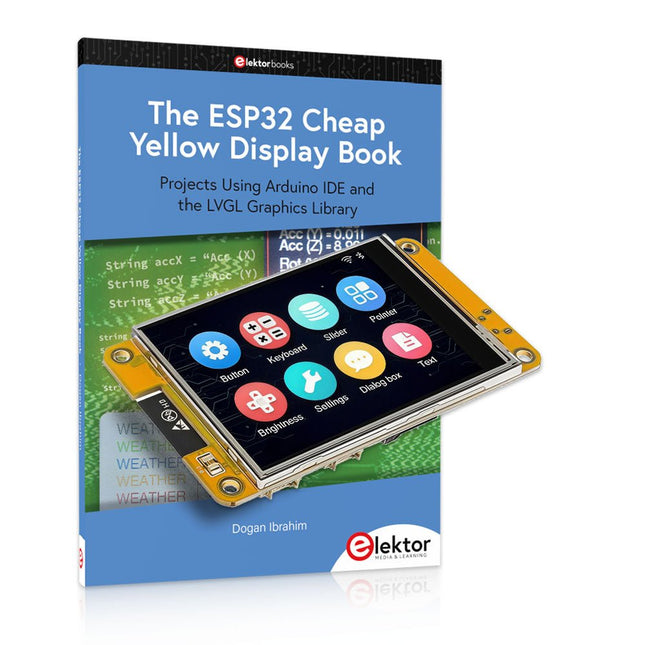
Elektor Bundles The ESP32 Cheap Yellow Display Bundel
Meer dan 40 volledig geteste ESP32-projecten met Arduino IDE en de LVGL grafische bibliotheek Deze bundel bevat de ESP32 Cheap Yellow Display (CYD) – een compact ontwikkelbord dat een standaard ESP32-microcontroller combineert met een TFT-kleurendisplay van 320 x 240 pixels. Het bord beschikt ook over meerdere aansluitingen voor GPIO, seriële communicatie (TX/RX), voeding en aarde. Het ingebouwde display is een groot voordeel, omdat gebruikers hiermee complexe, grafische projecten kunnen maken zonder dat er externe LCD's of displays nodig zijn. Het bijbehorende boek introduceert de hardware en de ingebouwde aansluitingen van het CYD-bord in detail. Het biedt een reeks projecten van beginners- tot gevorderdenniveau, ontwikkeld met de populaire Arduino IDE 2.0. Zowel basis grafische functies als de krachtige LVGL grafische bibliotheek worden behandeld, met praktische projecten die elke aanpak illustreren. Alle meegeleverde projecten zijn volledig getest en klaar voor gebruik. Het boek bevat blokdiagrammen, circuitschema's, complete codelijsten en stapsgewijze uitleg. Met de LVGL-bibliotheek kunnen lezers moderne, kleurrijke grafische interfaces maken met behulp van widgets zoals knoppen, labels, schuifregelaars, kalenders, toetsenborden, grafieken, tabellen, menu's, animaties en meer. ESP32 Cheap Yellow Display Board Dit ontwikkelbord (ook bekend als "Cheap Yellow Display") wordt aangedreven door de ESP-WROOM-32, een dual-core MCU met geïntegreerde Wi-Fi- en Bluetooth-mogelijkheden. Het werkt op een hoofdfrequentie tot 240 MHz, met 520 KB SRAM, 448 KBROM en 4 MB Flash-geheugen. Het bord is voorzien van een 2,8-inch scherm met een resolutie van 240 x 320 en resistieve aanraking. Bovendien bevat het bord een achtergrondverlichtingsbesturingscircuit, aanraakbesturingscircuit, luidsprekeraandrijfcircuit, lichtgevoelig circuit en RGB-LED-besturingscircuit. Het biedt ook een TF-kaartsleuf, seriële interface, DHT11 temperatuur- en vochtigheidssensorinterface en extra IO-poorten. De module ondersteunt ontwikkeling in Arduino IDE, ESP-IDE, MicroPython en Mixly. Toepassingen Beeldoverdracht voor Smart Home-apparaat Draadloze bewaking Slimme landbouw Draadloze QR-herkenning Signaal van draadloos positioneringssysteem En andere IoT-toepassingen Specificaties Microcontroller ESP-WROOM-32 (Dual-core MCU met geïntegreerde Wi-Fi en Bluetooth) Frequentie Tot 240 MHz (rekenkracht is maximaal 600 DMIPS) SRAM 520 KB ROM 448 KB Flash 4 MB Bedrijfsspanning 5 V Stroomverbruik ca. 115 mA Display 2,8" TFT-kleurenscherm (240 x 320) Touch Resistief Touch Driver chip ILI9341 Afmetingen 50 x 86 mm Gewicht 50 g Downloads GitHub Deze bundel bevat: The ESP32 Cheap Yellow Display Book (normale prijs: € 35) ESP32 Cheap Yellow Display Board (normale prijs: € 25) 1x ESP32 Dev Board met 2,8" display en acryl-behuizing 1x Touchpen 1x Aansluitkabel 1x USB-kabel
€ 59,95€ 49,95Beste prijs









-
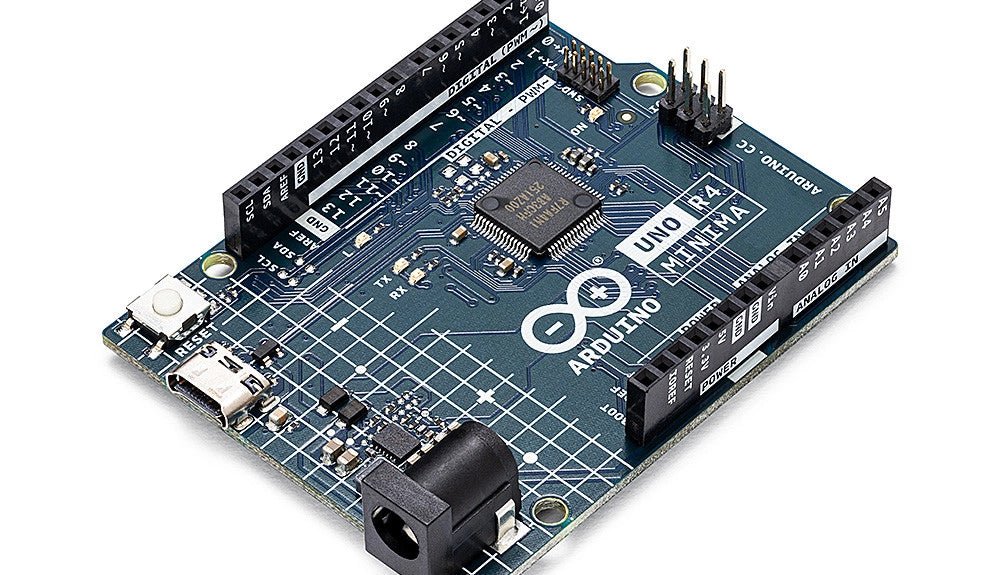
, van Clemens Valens Een review van twee nieuwe Arduino UNO R4-boards: Minima en WiFi
De Arduino UNO R4 Minima en de Arduino UNO R4 WiFi werden een paar maanden geleden aangekondigd, maar zijn nu officieel uitgebracht. Dus nu ze echt...
-

, van Jean-François Simon Aoyue 866 Rework Station (Review)
Ontdek het Aoyue 866 Rework Station met zijn vele mogelijkheden en toebehoren in deze review. Het rework station bestaat uit een hetelucht station, printplaat-voorverwarmer en...

