
Zoekresultaten voor "development OR board OR eb083"
-

Elektor Bundles Build Smart Projects with the XIAO ESP32-C3 Board (Bundel)
Deze bundel bevat alles wat u nodig hebt om direct aan de slag te gaan met het XIAO ESP32-C3 development board. Leer de basisprincipes van de ESP32-C3 en bouw praktische projecten met Wi-Fi, Bluetooth, sensoren, displays, PWM, Deep Sleep en nog veel meer. Boek: Build Smart Projects with the XIAO ESP32-C3 Board Het XIAO ESP32-C3 board combineert de ultracompacte vormfactor van de XIAO-serie met de uitgebreide mogelijkheden van de ESP32-C3-chip, inclusief geïntegreerde Wi-Fi en Bluetooth 5.0. Dit boek is een uitgebreide, praktische gids waarmee u het maximale uit dit krachtige en toch betaalbare development board kunt halen. De auteur neemt de lezer mee van de basisprincipes tot geavanceerde projecten. Na het laten knipperen en dimmen van leds komen ADC en PWM aan bod voor nauwkeurige sensoraansluiting en PWM-gestuurde lichteffecten. Vervolgens gaat u aan de slag met praktische toepassingen, waaronder: Een Wi-Fi-weerstation met OLED-display en actuele online weergegevens Een ultrasone parkeerassistent met akoestische feedback Een koelkastmonitor met klimaatsensoren en Deep Sleep voor jarenlang batterijgebruik Een retro Pong-spel dat contactloos met een sensor wordt bestuurd Een microfoongebaseerde party-app die reageert op handgeklap En nog veel meer: lichtregeling, reactietijdmeting, analyse van de netfrequentie, bodemvochtmeting, sfeerverlichting met leds en 7-segmentdisplays Seeed Studio XIAO ESP32C3 De Seeed Studio XIAO ESP32C3 is uitgerust met een sterk geïntegreerde ESP32-C3-chip, gebaseerd op een 32-bits RISC-V-processor met een viertraps pipeline die werkt met een kloksnelheid tot 160 MHz. Het board beschikt over een sterk geïntegreerde ESP32-C3 SoC. De chip bevat een volledig 2,4-GHz Wi-Fi-subsysteem en ondersteunt daarmee Station-modus, SoftAP-modus, SoftAP & Station-modus en promiscuous-modus voor uiteenlopende Wi-Fi-toepassingen. Tegelijkertijd werkt de chip met een zeer laag energieverbruik en ondersteunt hij Bluetooth 5 en Bluetooth Mesh. Met 400 KB SRAM en 4 MB Flash biedt de chip voldoende programmeerruimte en volop mogelijkheden voor IoT-besturingstoepassingen. Toepassingen Internet of Things Wearables Gezondheidsmonitoring Onderwijs Energiezuinige netwerken Snelle prototyping Specificaties Processor ESP32-C3 SoC RISC-V single-core 32-bit chip processor with a four-stage pipeline that operates at up to 160 MHz Wireless Complete 2.4GHz Wi-Fi subsystem Bluetooth Low Energy 5.0/ Bluetooth Mesh On-chip Memory 400 KB SRAM & 4 MB Flash Interface 1x UART, 1x I²C, 1x SPI, 11x GPIO (PWM), 4x ADC 1x Reset button, 1x Boot button Power (Typ.) Max 3.3 V Output Current: 500 mA Test Condition: BAT Pin Input @ 3.8 V Source Capability: 3 A Charging current: 380 mA(Fast) / 40 mA(Trickle) Input voltage (VIN): 5 VInput voltage (BAT): 3.7 V Deep Sleep Power Consumption Deep Sleep Mode: 44 μA Wi-Fi Enabled Power Consumption Active Mode: 75 mA Modem-sleep Mode: 25 mA Light-sleep Mode: 4 mA BLE Enabled Power Consumption Modem-sleep Mode: 27 mA Light-sleep Mode: 10 mA Dimensions 21 x 17.8 mm Inbegrepen 1x Seeed Studio XIAO ESP32C3 1x Antenne 2x 7-pins header Downloads Wiki Datasheet Deze bundel bevat: Boek: Build Smart Projects with the XIAO ESP32-C3 Board (t.w.v. € 35) Board: Seeed Studio XIAO ESP32C3 (t.w.v. € 10)
€ 44,95€ 39,95Beste prijs
-
Elektor Bundles MakePython ESP32 Development Kit (EN)
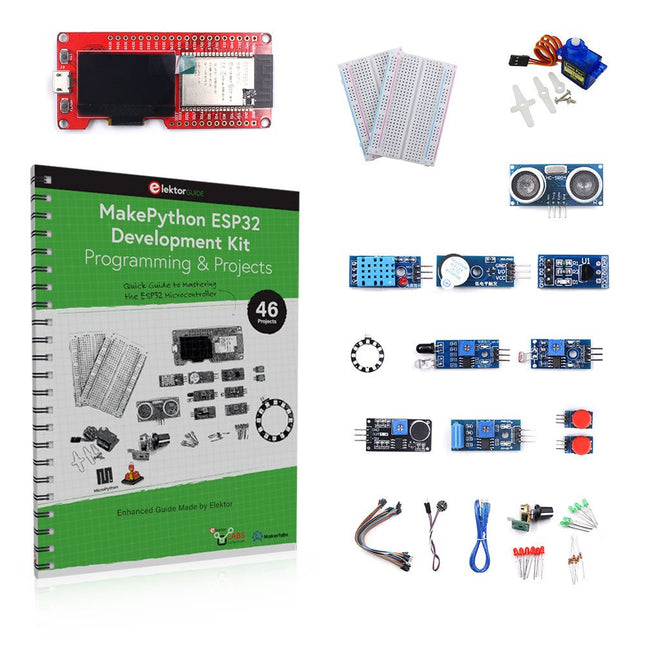
Leer hoe je de ESP32 Microcontroller en het programmeren met MicroPython in je toekomstige projecten kunt gebruiken! Het (Engelstalige) projectboek, geschreven door de bekende Elektor auteur Dogan Ibrahim, bevat vele software- en hardware-gebaseerde projecten die speciaal voor de MakePython ESP32 ontwikkelkit ontwikkeld zijn. De kit wordt geleverd met verschillende LED's, sensoren, en actuatoren. De kit helpt je de basiskennis op te doen om eigen IoT projecten te maken. Alle volledig geëvalueerde projecten in het boek zijn voorzien van de bijgeleverde componenten. Elk project bevat een blokschema, een schakelschema, een volledige programmalijst, en een volledige programma beschrijving. Inbegrepen in de kit 1x MakePython ESP32 ontwikkelingsboard met LCD 1x Ultrasone afstandsmeter 1x Temperatuur- en luchtvochtigheidssensor 1x Zoemer module 1x DS18B20 module 1x Infrarood module 1x Potentiometer 1x WS2812 module 1x Geluidssensor 1x Trilsensor 1x Module met lichtgevoelige weerstand 1x Puls sensor 1x Servo motor 1x USB kabel 2x Knop 2x Breadboard 45x Schakeldraad 10x Weerstand 330R 10x LED (Rood) 10x LED (Groen) 1x Projectboek (Engelstalig, 206 pagina's) Boek met 46 projecten LED Projecten Knipperende LED SOS knipperende LED Knipperende LED – met behulp van een timer Afwisselend knipperende LEDs Knopbediening De knippersnelheid van de LED's veranderen met drukknop onderbrekingen Chasing-LEDs Binaire teller met LEDs Kerstverlichting (willekeurig-knipperende 8 LEDs) Elektronische dobbelsteen Geluksdag van het week Projecten voor Pulsewidth Modulation (PWM) Genereer een PWM golfvorm van 1000 Hz met 50% duty cycle LED helderheid regelen Meten van de frequentie en duty cycle van een PWM golfvorm Melodieën maker Eenvoudig elektronisch orgel Servo motor besturing Servo motor DS18B20 thermometer Projecten voor analoog naar digitaal converteren (ADC) Voltmeter Plotten van de analoge ingangsspanning Interne temperatuursensor van de ESP32 Ohmmeter Lichtgevoelige weerstandsmodule Projecten voor digitaal naar analoog converteren (DAC) Opwekken van vaste spanningen Opwekken van een zaagtand-golf signaal Opwekken van een driehoek-golf signaal Golfvorm met willekeurige periode Genereren van een sinus-golf signaal Genereren van een nauwkeurig sinus-golf signaal met behulp van een timer interrupts Gebruik van het OLED Display Seconden teller Gebeurtenisteller DS18B20 digitale thermometer met OLED ON-OFF temperatuur regelaar Meten van temperatuur en luchtvochtigheid Ultrasone afstandsmeting Hoogte van een persoon (stadiometer) Hartslag (polsslag) meten Andere bij de set geleverde sensoren Diefstal alarm Met geluid geactiveerd licht Infrarood obstakel-vermijding met zoemer WS2812 RGB LED ring Tijdregistratie van temperatuur en luchtvochtigheid Netwerkprogrammering Wi-Fi scanner Bediening op afstand vanuit de Internet browser (met een smartphone of PC) – Webserver Temperatuur- en luchtvochtigheidsgegevens opslaan in de Cloud Werking met Low-Power Gebruik een timer om de processor te laten ontwaken
€ 89,95€ 69,95Beste prijs
-
Elektor Bundles The ESP32 Cheap Yellow Display Bundel
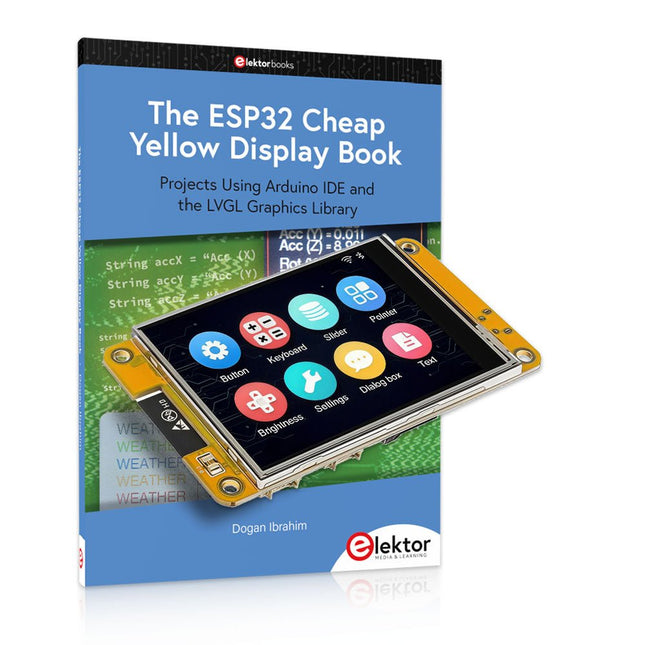
Meer dan 40 volledig geteste ESP32-projecten met Arduino IDE en de LVGL grafische bibliotheek Deze bundel bevat de ESP32 Cheap Yellow Display (CYD) – een compact ontwikkelbord dat een standaard ESP32-microcontroller combineert met een TFT-kleurendisplay van 320 x 240 pixels. Het bord beschikt ook over meerdere aansluitingen voor GPIO, seriële communicatie (TX/RX), voeding en aarde. Het ingebouwde display is een groot voordeel, omdat gebruikers hiermee complexe, grafische projecten kunnen maken zonder dat er externe LCD's of displays nodig zijn. Het bijbehorende boek introduceert de hardware en de ingebouwde aansluitingen van het CYD-bord in detail. Het biedt een reeks projecten van beginners- tot gevorderdenniveau, ontwikkeld met de populaire Arduino IDE 2.0. Zowel basis grafische functies als de krachtige LVGL grafische bibliotheek worden behandeld, met praktische projecten die elke aanpak illustreren. Alle meegeleverde projecten zijn volledig getest en klaar voor gebruik. Het boek bevat blokdiagrammen, circuitschema's, complete codelijsten en stapsgewijze uitleg. Met de LVGL-bibliotheek kunnen lezers moderne, kleurrijke grafische interfaces maken met behulp van widgets zoals knoppen, labels, schuifregelaars, kalenders, toetsenborden, grafieken, tabellen, menu's, animaties en meer. ESP32 Cheap Yellow Display Board Dit ontwikkelbord (ook bekend als "Cheap Yellow Display") wordt aangedreven door de ESP-WROOM-32, een dual-core MCU met geïntegreerde Wi-Fi- en Bluetooth-mogelijkheden. Het werkt op een hoofdfrequentie tot 240 MHz, met 520 KB SRAM, 448 KBROM en 4 MB Flash-geheugen. Het bord is voorzien van een 2,8-inch scherm met een resolutie van 240 x 320 en resistieve aanraking. Bovendien bevat het bord een achtergrondverlichtingsbesturingscircuit, aanraakbesturingscircuit, luidsprekeraandrijfcircuit, lichtgevoelig circuit en RGB-LED-besturingscircuit. Het biedt ook een TF-kaartsleuf, seriële interface, DHT11 temperatuur- en vochtigheidssensorinterface en extra IO-poorten. De module ondersteunt ontwikkeling in Arduino IDE, ESP-IDE, MicroPython en Mixly. Toepassingen Beeldoverdracht voor Smart Home-apparaat Draadloze bewaking Slimme landbouw Draadloze QR-herkenning Signaal van draadloos positioneringssysteem En andere IoT-toepassingen Specificaties Microcontroller ESP-WROOM-32 (Dual-core MCU met geïntegreerde Wi-Fi en Bluetooth) Frequentie Tot 240 MHz (rekenkracht is maximaal 600 DMIPS) SRAM 520 KB ROM 448 KB Flash 4 MB Bedrijfsspanning 5 V Stroomverbruik ca. 115 mA Display 2,8" TFT-kleurenscherm (240 x 320) Touch Resistief Touch Driver chip ILI9341 Afmetingen 50 x 86 mm Gewicht 50 g Downloads GitHub Deze bundel bevat: The ESP32 Cheap Yellow Display Book (normale prijs: € 35) ESP32 Cheap Yellow Display Board (normale prijs: € 25) 1x ESP32 Dev Board met 2,8" display en acryl-behuizing 1x Touchpen 1x Aansluitkabel 1x USB-kabel
€ 59,95€ 49,95Beste prijs
-
Elektor Labs Elektor Audio DSP FX Processor (Nieuwe Revisie)
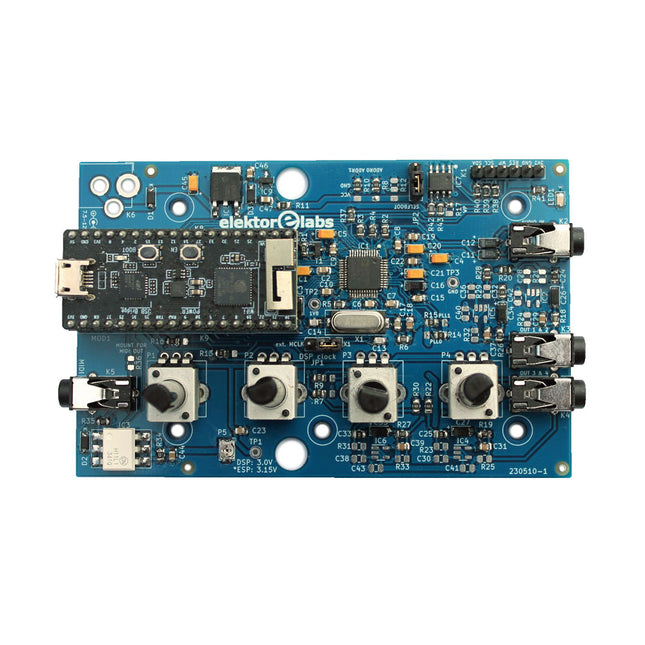
De Elektor Audio DSP FX Processor combineert een ESP32-microcontroller en een ADAU1701 Audio DSP van Analog Devices. Naast een door de gebruiker programmeerbare DSP-kern heeft de ADAU1701 hoogwaardige analoog-naar-digitaal en digitaal-naar-analoog converters ingebouwd en is hij voorzien van een I²S-poort. Dit maakt hem geschikt als hoogwaardige audio-interface voor de ESP32. Programma's voor de ESP32 kunnen worden gemaakt met Arduino, Platform IO, CMake of door de Espressif IDF op een andere manier te gebruiken. Programma's voor de ADAU7101 audio DSP's worden gemaakt met de gratis visuele programmeertool SigmaStudio door voorgedefinieerde algoritmablokken op een canvas te slepen. Toepassingen Bluetooth/Wi-Fi audio sink (bijv. luidspreker) & bron Gitaareffectpedaal (stompbox) Muzieksynthesizer Geluids-/functiegenerator Programmeerbaar cross-overfilter voor luidsprekers Geavanceerde audio-effectprocessor (reverb, chorus, pitch shifting, enz.) Audioapparaat met internetverbinding DSP-experimentplatform Draadloze MIDI MIDI naar CV-converter en nog veel meer... Specificaties ADAU1701 28-/56-bit, 50-MIPS digitale audioprocessor die bemonsteringsfrequenties tot 192 kHz ondersteunt ESP32 32-bit dual-core microcontroller met Wi-Fi 802.11b/g/n en Bluetooth 4.2 BR/EDR en BLE 2x 24-bit audio-ingangen (2 V RMS, 20 kΩ) 4x 24-bit audio-uitgangen (0,9 V RMS, 600 Ω) 4x Regelpotentiometer MIDI in- en uitgang I²C-uitbreidingspoort Multi-mode werking Voeding: 5 V DC USB of 7,5-12 V DC (cilinderaansluiting, middelste pin is GND) Stroomverbruik (gemiddeld): 200 mA Inbegrepen 1x ESP32 Audio DSP FX Processor board (gemonteerd) 1x ESP32-PICO-KIT 2x Truien 2x 18-pins headers (female) 4x 10 KB potentiometers Downloads Documentation GitHub
€ 99,95€ 84,95Beste prijs
-

Elektor Bundles Arduino UNO Q (Bundel)
Deze bundel bevat de Arduino UNO Q (2 GB) en het boek "Arduino UNO Q and AI". De Arduino UNO Q is het eerste UNO-bord met een hybride dual-brain-architectuur, waarbij een krachtige Linux-processor wordt gecombineerd met een realtime-microcontroller – zo worden geavanceerde rekenkracht en nauwkeurige besturing op één bord samengebracht. Aangedreven door een Qualcomm Dragonwing QRB2210 MPU met Debian Linux en een STM32U585 MCU voor realtime taken, is de UNO Q gebouwd voor toepassingen van de volgende generatie. Van Edge Computing en AI tot robotica en automatisering, het levert hoge prestaties zonder in te boeten aan gebruiksgemak. Sluit gewoon uw randapparatuur aan en ga aan de slag – er is geen extra hardware nodig. Kenmerken Dual-core architectuur: Linux MPU + realtime MCU Qualcomm Dragonwing QRB2210 met ondersteuning voor Debian Linux STM32U585-microcontroller voor deterministische besturing Voert Arduino-schetsen uit via Zephyr OS Ideaal voor AI, IoT, robotica en industriële projecten Specificaties Microprocessor (MPU) Qualcomm Dragonwing QRB2210:Quad-core Arm Cortex-A53 @ 2,0 GHzAdreno GPU 3D-grafische accelerator2× ISP (13 MP + 13 MP of 25 MP) @ 30 fps Microcontroller (MCU) STM32U585Arm Cortex-M33 tot 160 MHz2 MB flashgeheugen786 KB SRAM RAM 2 GB LPDDR4 Voeding Via USB-C-connector 5 V max bij 3 AIngangsspanning (VIN): 7-24 V Geheugen 16 GB eMMC USB 1× USB-C-poort met host/device-rolschakeling, stroomrolschakeling en video-uitgang Connectiviteit Wi-Fi 5 (2,4/5 GHz) met ingebouwde antenneBluetooth 5.1 met ingebouwde antenne antenne Interfaces I²C/I³CSPIPWMCANUARTPSSIGPIOJTAGADC Video Ondersteuning voor video-uitvoer via USB-CMIPI DSI-pinnen op JMEDIA-header Extra 4× RGB-LED's die door de gebruiker kunnen worden aangestuurd8×13 blauwe LED-matrix1× Qwiic-connector, spanning 3V3, I²C1× drukknop voor de gebruikerJCTL: MPU Remote Debug connector Audio Microfoon IN / Hoofdtelefoon UIT / Lijn UIT op JMISC MPU-besturingssysteem Linux Debian OS met upstream-ondersteuning Realtime-besturingssysteem Arduino Core op Zephyr OS Containerisatie Ondersteuning voor Docker en Docker Compose Ondersteunde besturingssystemen voor Arduino App Lab Windows: Windows 10 of later (64-bit)macOS: macOS 11 of later (64-bit)Linux: Ubuntu 22.04 of later en Debian Trixie (64-bit) Afmetingen 68,85 × 53,34 mm (UNO-vormfactor) Downloads Datasheet User Manual Pinout Schematics Boek: Arduino UNO Q and AI – Learn to Build Intelligent Embedded Systems Bouw slimmere embedded systemen met de Arduino UNO Q. Dit boek biedt u de tools, kennis en het vertrouwen om ideeën om te zetten in intelligente, werkende oplossingen met het Arduino UNO Q-platform. Ontdek hoe u intelligente embedded systemen kunt bouwen met de Arduino UNO Q en AI. Ontgrendel het volledige potentieel van de Arduino UNO Q, een next-generation platform dat de realtime kracht van de STM32U585-microcontroller combineert met de flexibiliteit van een Qualcomm Dragonwing QRB2210-microprocessor. Leer hoe u snel realistische toepassingen kunt prototypen met de Arduino IDE voor low-level embedded besturing en Python in Arduino App Lab voor high-level ontwikkeling. Bouw vertrouwen op met praktische projecten die u stap voor stap begeleiden van basisfunctionaliteiten tot volledig werkende systemen. Verken kant-en-klare, op AI gebaseerde Arduino App Lab-voorbeelden en ontdek hoe deze uw ontwikkeling kunnen versnellen en de time-to-market verkorten. Zet uw eerste stappen in de wereld van Edge AI met een duidelijke en praktische introductie tot Edge Impulse Studio – geen eerdere AI-ervaring vereist. Volg een volledige, realistische workflow om een Keyword Spotting AI-toepassing te ontwikkelen, inclusief dataverzameling, modeltraining, optimalisatie en on-device inferentie met behulp van Edge Impulse Studio. Overbrug de kloof tussen embedded systemen en machine learning en leer hoe u intelligentie direct op uw hardware kunt implementeren. Perfect voor embedded engineers, docenten, studenten en makers die voorop willen blijven lopen in AI-gedreven productontwikkeling. Deze bundel bevat: Arduino UNO Q (2 GB) (t.w.v. € 50) Boek: Arduino UNO Q and AI (t.w.v. € 35)
€ 84,95€ 74,95Beste prijs
-

Elektor Academy Pro ESP32 with MicroPython (programmeercursus)
Deze complete programmeercursus voor de ESP32-microcontroller bevat een leerboek, een componentenkit, praktijkgerichte projecten en een uitgebreide online cursus met simulaties. Ideaal om stap voor stap embedded systems te leren programmeren in MicroPython via een praktische, hands-on aanpak. Een praktische introductie tot embedded systems met de ESP32 Deze cursus is ontworpen voor beginners in embedded systems die op zoek zijn naar een gestructureerde en voorbeeldgerichte start. Een kit met LED’s en weerstanden, schakelaars, sensoren en actuatoren, displays, een breadboard en draden is inbegrepen. Deze worden in de cursus gebruikt om voorbeeldtoepassingen te demonstreren. Er is geen voorkennis van Arduino of embedded ontwikkeling vereist. Elke sectie bevat praktische voorbeelden en mini-projecten om belangrijke concepten te versterken en verdere verkenning te stimuleren. Aan het einde van de cursus kunt u niet alleen de voorbeelden reproduceren, maar ook uitbreiden met uw eigen ideeën en toepassingen. Wat leert u? Microcontrollers programmeren in MicroPython met de ESP32 met behulp van de Thonny IDE Werken met digitale I/O, knoppen en encoders uitlezen, LED’s en relais aansturen Analoge ingangen, spanningen en sensoren uitlezen Genereren van analoge uitgangssignalen en PWM Gebruik van seriële communicatie zoals UART, I²C en SPI om displays aan te sturen en digitale sensoren en SD-kaarten uit te lezen Tijdbeheer Werken met interrupts Realtime sensorinput en besturing via knoppen, LED’s en displays Aansturen van actuatoren zoals relais en servomotoren Voor wie is dit? Studenten en zelflerenden die embedded systems willen ontdekken Makers en IoT-enthousiastelingen die hun hardwarevaardigheden willen verbeteren Docenten en trainers die kant-en-klaar lesmateriaal zoeken Wat zit er in de doos? Toegang tot de volledige cursus op het Elektor Academy Pro leerplatform ESP32 microcontrollerboard + USB-kabel Boek: Programming Microcontrollers in MicroPython Downloadbare projectbestanden voor elke module Componentenkit: 2× LED, rood, 5 mm LED, groen, 5 mm 3× weerstand, 470 Ω, 0,25 W LDR Potentiometer, 10 kΩ, lineair Drukknop Rotary encoder module Relaismodule DHT22 temperatuur- en vochtigheidssensor TM1637-compatibel 4-digit 7-segment display MPU-6050 IMU met headers SSD1306-compatibel I²C OLED display Micro SD-kaartadapter met header Buzzer SG90 micro servo ILI9341-compatibel SPI 240×320 TFT display 20× jumper wires Breadboard Alle programmeercursussen (en verschillen in inhoud) Cursus Arduino Raspberry Pi Pico with Arduino C/C++ ESP32 with Arduino C/C++ Raspberry Pi Pico with MicroPython ESP32 with MicroPython Online cursus Access to Arduino Course Access to Pico with Arduino C/C++ Course Access to ESP32 with Arduino C/C++ Course Access to Pico with MicroPython Course Access to ESP32 with MicroPython Course Board Uno R3 Raspberry Pi Pico ESP32 Raspberry Pi Pico ESP32 Boek Programming Microcontrollers in C/C++ Using Arduino Programming Microcontrollers in C/C++ Using Arduino Programming Microcontrollers in C/C++ Using Arduino Programming Microcontrollers in MicroPython Programming Microcontrollers in MicroPython Kit 40-delige componenten-kit 40-delige componenten-kit 40-delige componenten-kit 40-delige componenten-kit 40-delige componenten-kit
€ 69,95
Leden: € 62,96
-

Elecrow Elecrow AI Starter Kit voor Jetson Orin Nano
Alles-in-één AI-leer- en ontwikkelplatform voor Edge Intelligence Deze op NVIDIA Jetson gebaseerde AI-starterkit is een veelzijdig platform voor leren, ontwikkelen en praktisch experimenteren met Edge AI. De kit is ontworpen voor gebruik met de NVIDIA Jetson Orin Nano en combineert een 11,6-inch IPS-scherm, een 8-megapixel pan-tilt-camera en een AI-systeem voor spraakinteractie. Het pakket bevat 30 functionele modules en 38 zorgvuldig samengestelde Python-cursussen die variëren van beginners- tot gevorderd niveau. De cursusinhoud behandelt de basisbeginselen van Python, sensortechnologie, AI-vision en beeldherkenning. Dankzij stapsgewijze praktijkoefeningen – variërend van basisprogrammering tot praktische toepassingen van computer vision – vormt deze kit een ideaal platform voor studenten, makers, ontwikkelaars en iedereen die zich wil verdiepen in kunstmatige intelligentie en edge computing. Let op: De NVIDIA Jetson Orin Nano is niet inbegrepen. Kenmerken Ontworpen voor de NVIDIA Jetson Orin Nano AI-module voor spraakinteractie 8 MP-camera met pan-tilt-besturing Ondersteunt object- en gezichtstracking Geen solderen of complexe bedrading nodig Ingebouwd 11,6-inch IPS-scherm 30 functionele modules 38 stapsgewijze Python-lessen Uitbreidingsinterfaces voor I²C, UART en GPIO Inclusief draagtas Specificaties Hoofdprocessor Jetson Orin Nano Aantal sensoren 30 Ontwerp sensorbord Geïntegreerd sensorbord; solderen of complexe bedrading niet nodig Scherm 11,6-inch IPS-scherm Schermresolutie 1366 x 768 Camera IMX219 8MP Uitbreidingsinterfaces 2x I²C, 1x UART, 1x IO D13, 1x IO D12 Programmeeromgeving Gebaseerd op Python Aantal tutorials 38 creatieve tutorials Doelgroep Studenten, docenten, hardware-enthousiastelingen Toepassingen Ideaal voor het leren programmeren van AI en de basisbeginselen van de Jetson Orin Nano Afmetingen 300 x 200 x 100 mm Modulelijst Module Aantal Temperatuur- en vochtigheidssensor 1 st. Drukknop 4 st. Ultrasone afstandssensor 1 st. Lichtsensor 1 st. Lineaire potentiometer 1 st. Zoemer 1 st. LCD-scherm 1 st. Infraroodafstandsbediening 1 st. Relais 1 st. NFC-module 1 st. PIR-bewegingssensor 1 st. Joystick 1 st. 4-cijferig display 1 st. LED 1 st. Microfoon 1 st. Luidspreker 1 paar Trilmotor 1 st. Aanraaksensor 1 st. 8x8 RGB-matrix 1 st. Luchtdruksensor 1 st. Kantelschakelaar 1 st. Stappenmotor 1 st. Versnellingsmeter & gyroscoop 1 st. Gassensor (MQ2) 1 st. Hallsensor 1 st. Draai-encoder 1 st. U-vormige optische schakelaar 1 st. NTC-sensor 1 st. Servomotor 2 st. Monoculaire camera 1 st. Inbegrepen 1x Elecrow AI Starter Kit voor Jetson Orin Nano 1x Infraroodafstandsbediening 1x NFC-kaart 1x 128 GB SD-kaart 1x 40-pins GPIO-kabel 2x 22-pins FPC-kabel 2x 24-pins FPC-kabel 1x Jetson DP- & USB-adapterbord Niet inbegrepen NVIDIA Jetson Orin Nano Downloads Manual Wiki OpenClaw Install and Config Guide
€ 249,00
Leden: € 224,10
-

Red Pitaya Red Pitaya STEMlab 125-14 PRO Gen 2 Starter Kit (incl. Boek)
Deze bundel bevat de Red Pitaya STEMlab 125-14 PRO Gen 2 Starter Kit en het nieuwe boek "Experimenteren met Red Pitaya STEMlab Gen 2". De Red Pitaya STEMlab 125-14 PRO Gen 2 Starter Kit is een krachtig en flexibel platform voor signaalverwerking, data-acquisitie en elektronische meettoepassingen. Deze kit is ontworpen voor ingenieurs, ontwikkelaars, onderzoekers en docenten en biedt alles wat nodig is om te beginnen met het bouwen van geavanceerde meet- en besturingssystemen. De kern van de kit wordt gevormd door het STEMlab 125-14 PRO Gen 2-bord, een geüpgradede en ultralichte ontwikkeling. Aangedreven door de Xilinx Zynq-7010 SoC met 512 MB RAM, combineert het de programmeerbaarheid van een FPGA met de verwerkingskracht van een ARM-processor om hoogwaardige instrumentatie en aangepaste signaalverwerkingsoplossingen mogelijk te maken. Het bord biedt een 14-bits ADC- en DAC-resolutie, een bemonsteringsfrequentie van 125 MS/s, een ingangsbereik van ±20 V en een bandbreedte tot 60 MHz. Dankzij de verbeterde ruisarme analoge front-end, USB-C-connectiviteit en het compacte ontwerp is het geschikt voor veeleisende toepassingen zoals RF-ontwikkeling, radarsystemen, fotonica-onderzoek, softwaregedefinieerde radio (SDR) en industriële automatisering. De Starter Kit bevat alle essentiële accessoires voor onmiddellijk gebruik: een microSD-kaart met vooraf geïnstalleerd besturingssysteem, voeding, ethernetkabel voor toegang op afstand, twee 100 MHz-oscilloscoopprobes en SMA-naar-BNC-adapters voor flexibele signaalaansluitingen. De Red Pitaya STEMlab 125-14 PRO Gen 2 Starter Kit is een uitstekend platform voor rapid prototyping, FPGA-ontwikkeling, meetinstrumentatie en geavanceerde elektronica-experimenten. Kenmerken 14-bits ADC- en DAC-resolutie 125 MS/s samplingfrequentie ±20 V ingangsbereik Tot 60 MHz bandbreedte Xilinx Zynq-7010 SoC (FPGA + ARM-processor) 512 MB RAM Ruisarme analoge front- en back-ends Toepassingen RF-ontwikkeling en -testen Radar- en draadloze systemen Software Defined Radio (SDR) Fotonica en optisch onderzoek Industriële automatisering en besturingssystemen Signaalanalyse en instrumentatie Snel prototypen van elektronische meetsystemen Specificaties Processor Dual-core ARM Cortex-A9 FPGA AMD Xilinx Zynq-7010 SoC RAM 512 MB (4 Gb) Opslag microSD-kaart (tot 32 GB) Besturingssysteem Linux-gebaseerd Red Pitaya OS ADC-resolutie 14-bits DAC Resolutie 14-bits Bandbreedte 60 MHz (DC) Sampling rate 125 MS/s Analoge ingangskanalen 2 Analoge uitgangskanalen 2 Ingangsspanningsbereik ±1 V (LV) / ±20 V (HV) Ingangsimpedantie 1 MΩ / 10 pF Uitgangsspanningsbereik ±1 V Ethernet 1x Gigabit Ethernet (RJ45) USB 2x USB-C 2.0 (voor voeding en console) Digitale I/O 16x GPIO (3,3 V) Communicatie-interfaces I²C, SPI, UART, CAN Voeding 5 V/3 A via USB-C Afmetingen 106,8 x 60,0 x 17,9 mm Inbegrepen 1x Red Pitaya STEMlab 125-14 PRO Gen 2 Board 2x 100 MHz oscilloscoopprobes 2x SMA-naar-BNC-adapters 1x microSD-kaart met voorgeïnstalleerd besturingssysteem 1x USB-C-voeding 1x Ethernetkabel Downloads Documentation Schematics Book: Experimenting with Red Pitaya STEMlab Gen 2 Met dit nieuwe boek gaat Red Pitaya verder dan een veelzijdig board. Het wordt een krachtig laboratoriuminstrument voor nauwkeurige metingen, analyse en besturing. Van de basisprincipes van elektronische projectontwikkeling, monitoring, besturing en ontwerp tot testen: dit boek begeleidt u stap voor stap door alles wat u moet weten om het volledige potentieel van de Red Pitaya-hardware en -software te benutten. Het boek presenteert real-time, FPGA-gebaseerde projecten die op een PC worden ontwikkeld met de Vivado-omgeving en vervolgens naar de Red Pitaya worden overgebracht voor uitvoering en testen. U leert over verbeterde prestaties, uitgebreide I/O-mogelijkheden, verbeterde FPGA-functionaliteiten en geavanceerde connectiviteitsopties die nieuwe mogelijkheden openen voor nauwkeurige metingen, monitoring en besturing in uw embedded toepassingen. In dit boek ontdekt u: Een diepgaande verkenning van de Red Pitaya-architectuur en het hardwareontwerp Elektronische experimenten met Red Pitaya voor meting en monitoring Praktische projecten met de programmeertaal Python Praktische richtlijnen voor FPGA-programmering met Red Pitaya Red Pitaya FPGA-projecten met Verilog HDL in de Vivado IDE Praktisch ontwerp van elektronische projecten inclusief meting en testen Stapsgewijze voorbeelden die theorie en praktijk met elkaar verbinden Of u nu uw eigen elektronische schakelingen ontwerpt, tools voor signaalanalyse ontwikkelt of real-time besturings- of monitoringssystemen creëert, dit boek biedt u de kennis en het vertrouwen om het Red Pitaya-platform volledig te leren kennen en aan te passen.
€ 799,00
Beste prijs
-

Elektor Academy Pro ESP32 with Arduino C/C++ (programmeercursus)
Deze complete programmeercursus voor de ESP32-microcontroller bevat een leerboek, een componentenkit, praktijkgerichte projecten en een uitgebreide online cursus met simulaties. Ideaal om stap voor stap embedded systems te leren programmeren met Arduino via een praktische, hands-on aanpak. Een praktische introductie tot embedded systems met de ESP32 Deze cursus is ontworpen voor beginners in embedded systems die op zoek zijn naar een gestructureerde en voorbeeldgerichte start. Een kit met LED’s en weerstanden, schakelaars, sensoren en actuatoren, displays, een breadboard en draden is inbegrepen. Deze worden in de cursus gebruikt om voorbeeldtoepassingen te demonstreren. Er is geen voorkennis van Arduino of embedded ontwikkeling vereist. Elke sectie bevat praktische voorbeelden en mini-projecten om belangrijke concepten te versterken en verdere verkenning te stimuleren. Aan het einde van de cursus kunt u niet alleen de voorbeelden reproduceren, maar ook uitbreiden met uw eigen ideeën en toepassingen. Wat leert u? Microcontroller programmeren met de ESP32 via de Arduino IDE Werken met digitale I/O, knoppen en encoders uitlezen, LED’s en relais aansturen Analoge ingangen, spanningen en sensoren uitlezen Genereren van analoge uitgangssignalen en PWM Gebruik van seriële communicatie zoals UART, I²C en SPI om displays aan te sturen en digitale sensoren en SD-kaarten uit te lezen Tijdbeheer Werken met interrupts Realtime sensorinput en besturing via knoppen, LED’s en displays Aansturen van actuatoren zoals relais en servomotoren Voor wie is dit? Studenten en zelflerenden die embedded systems willen ontdekken Makers en IoT-enthousiastelingen die hun hardwarevaardigheden willen verbeteren Docenten en trainers die kant-en-klaar lesmateriaal zoeken Wat zit er in de doos? Toegang tot de volledige cursus op het Elektor Academy Pro leerplatform ESP32 microcontrollerboard + USB-kabel Boek: Programming Microcontrollers in C/C++ Using Arduino Downloadbare projectbestanden voor elke module Componentenkit: 2× LED, rood, 5 mm LED, groen, 5 mm 3× weerstand, 470 Ω, 0,25 W LDR Potentiometer, 10 kΩ, lineair Drukknop Rotary encoder module Relaismodule DHT22 temperatuur- en vochtigheidssensor TM1637-compatibel 4-digit 7-segment display MPU-6050 IMU met headers SSD1306-compatibel I²C OLED display Micro SD-kaartadapter met header Buzzer SG90 micro servo ILI9341-compatibel SPI 240×320 TFT display 20× jumper wires Breadboard Alle programmeercursussen (en verschillen in inhoud) Cursus Arduino Raspberry Pi Pico with Arduino C/C++ ESP32 with Arduino C/C++ Raspberry Pi Pico with MicroPython ESP32 with MicroPython Online cursus Access to Arduino Course Access to Pico with Arduino C/C++ Course Access to ESP32 with Arduino C/C++ Course Access to Pico with MicroPython Course Access to ESP32 with MicroPython Course Board Uno R3 Raspberry Pi Pico ESP32 Raspberry Pi Pico ESP32 Boek Programming Microcontrollers in C/C++ Using Arduino Programming Microcontrollers in C/C++ Using Arduino Programming Microcontrollers in C/C++ Using Arduino Programming Microcontrollers in MicroPython Programming Microcontrollers in MicroPython Kit 40-delige componenten-kit 40-delige componenten-kit 40-delige componenten-kit 40-delige componenten-kit 40-delige componenten-kit
€ 69,95
Leden: € 62,96
-
Elektor Publishing H0W2: Get Started with the MAX78000FTHR Development Board
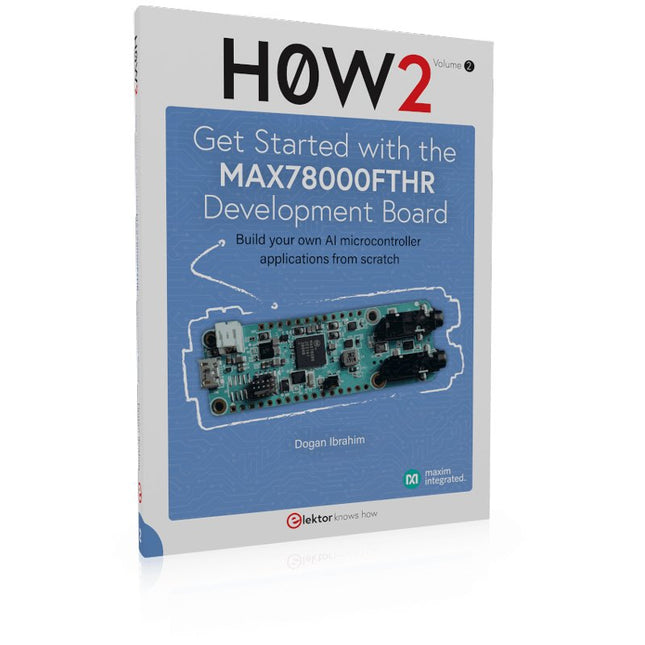
Build your own AI microcontroller applications from scratch The MAX78000FTHR from Maxim Integrated is a small development board based on the MAX78000 MCU. The main usage of this board is in artificial intelligence applications (AI) which generally require large amounts of processing power and memory. It marries an Arm Cortex-M4 processor with a floating-point unit (FPU), convolutional neural network (CNN) accelerator, and RISC-V core into a single device. It is designed for ultra-low power consumption, making it ideal for many portable AI-based applications. This book is project-based and aims to teach the basic features of the MAX78000FTHR. It demonstrates how it can be used in various classical and AI-based projects. Each project is described in detail and complete program listings are provided. Readers should be able to use the projects as they are, or modify them to suit their applications. This book covers the following features of the MAX78000FTHR microcontroller development board: Onboard LEDs and buttons External LEDs and buttons Using analog-to-digital converters I²C projects SPI projects UART projects External interrupts and timer interrupts Using the onboard microphone Using the onboard camera Convolutional Neural Network
€ 39,95
Leden: € 35,96







-
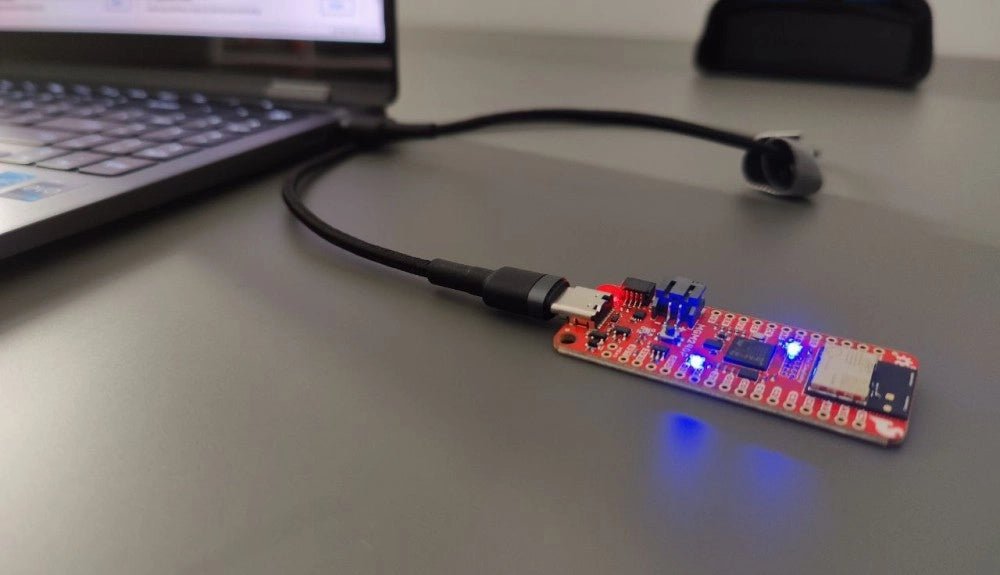
, van Saad Imtiaz SparkFun Thing Plus Matter (MGM240P): Een veelzijdig Matter gebaseerd IoT Ontwikkelboard (Review)
De SparkFun Thing Plus Matter - MGM240P is a veelzijdig ontwikkelboard dat rijk is aan features en ontworpen is voor het ontwikkelen van Matter-gebaseerde IoT...
-
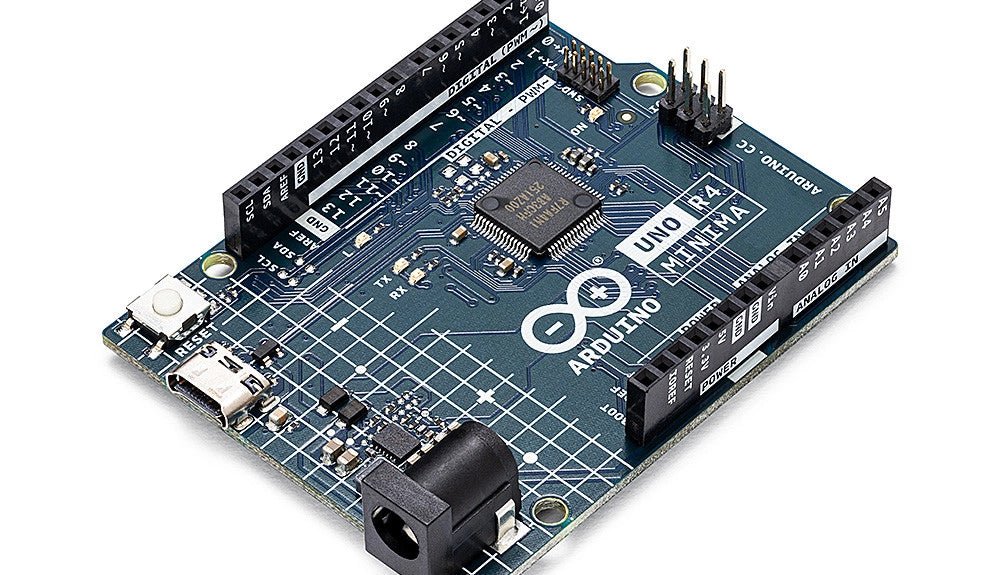
, van Clemens Valens Een review van twee nieuwe Arduino UNO R4-boards: Minima en WiFi
De Arduino UNO R4 Minima en de Arduino UNO R4 WiFi werden een paar maanden geleden aangekondigd, maar zijn nu officieel uitgebracht. Dus nu ze echt...

