A Fast-Lane Ride From Concept to Project
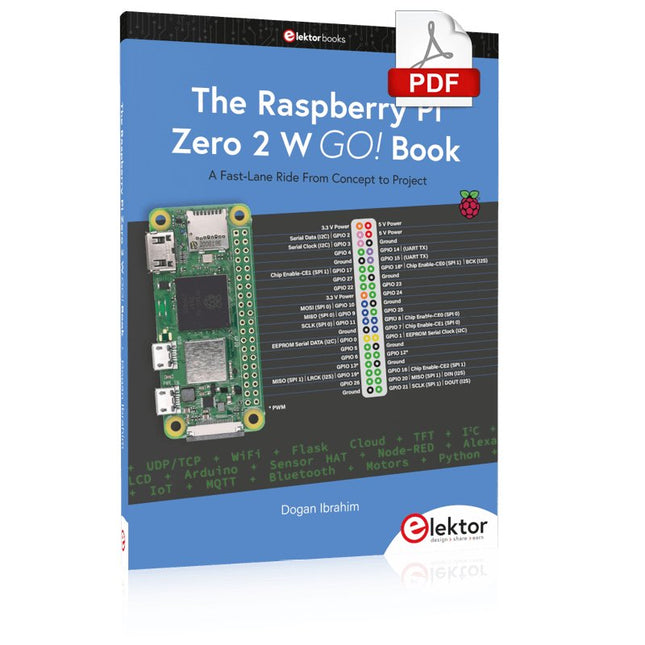
The core of the book explains the use of the Raspberry Pi Zero 2 W running the Python programming language, always in simple terms and backed by many tested and working example projects. On part of the reader, familiarity with the Python programming language and some experience with one of the Raspberry Pi computers will prove helpful. Although previous electronics experience is not required, some knowledge of basic electronics is beneficial, especially when venturing out to modify the projects for your own applications.
Over 30 tested and working hardware-based projects are given in the book, covering the use of Wi-Fi, communication with smartphones and with a Raspberry Pi Pico W computer. Additionally, there are Bluetooth projects including elementary communication with smartphones and with the popular Arduino Uno. Both Wi-Fi and Bluetooth are key features of the Raspberry Pi Zero 2 W.
Some of the topics covered in the book are:
Raspberry Pi OS installation on an SD card
Python program creation and execution on the Raspberry Pi Zero 2 W
Software-only examples of Python running on the Raspberry Pi Zero 2 W
Hardware-based projects including LCD and Sense HAT interfacing
UDP and TCP Wi-Fi based projects for smartphone communication
UDP-based project for Raspberry Pi Pico W communication
Flask-based webserver project
Cloud storage of captured temperature, humidity, and pressure data
TFT projects
Node-RED projects
Interfacing to Alexa
MQTT projects
Bluetooth-based projects for smartphone and Arduino Uno communications
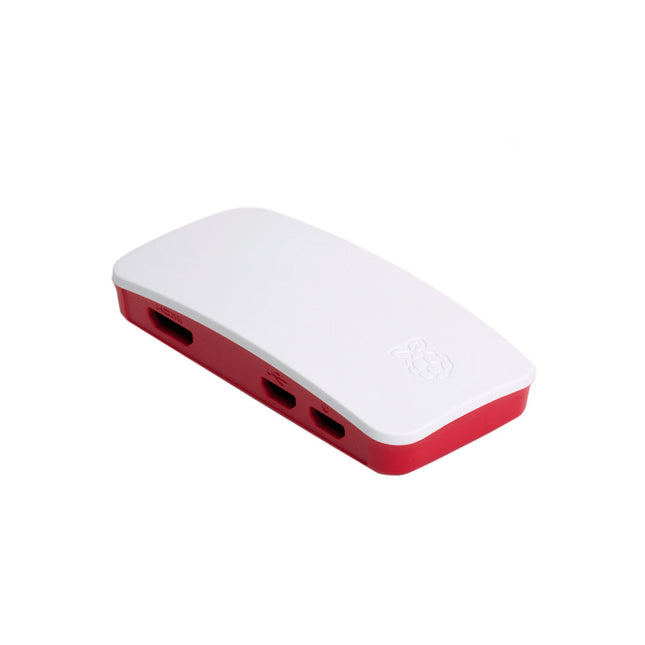
The case consists of two parts. It has a standard base featuring a cut-out to allow access to the GPIO, and a choice of three lids: a plain lid, a GPIO lid (allowing access to the GPIO from above), and a camera lid (which, when used with the short camera cable supplied, allows the Raspberry Pi Camera or Camera Noir to be fitted neatly inside it). Included 1x base 3x lids (plain, GPIO, camera) 1x short camera cable 4x rubber feet
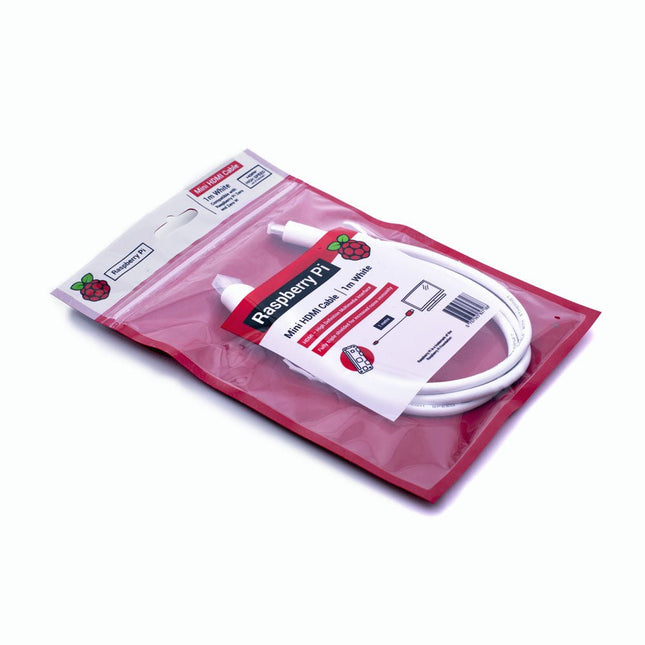
The official Raspberry Pi mini-HDMI to HDMI (A/M) cable designed for all Raspberry Pi Zero models. 19-pin HDMI Type D(M) to 19-pin HDMI Type A(M) 1 m cable (white) Nickel-plated plugs 4Kp60 compliant RoHS compliant 3 Mohm 300 VDC insulation, withstands 300 VDC for 0.1s
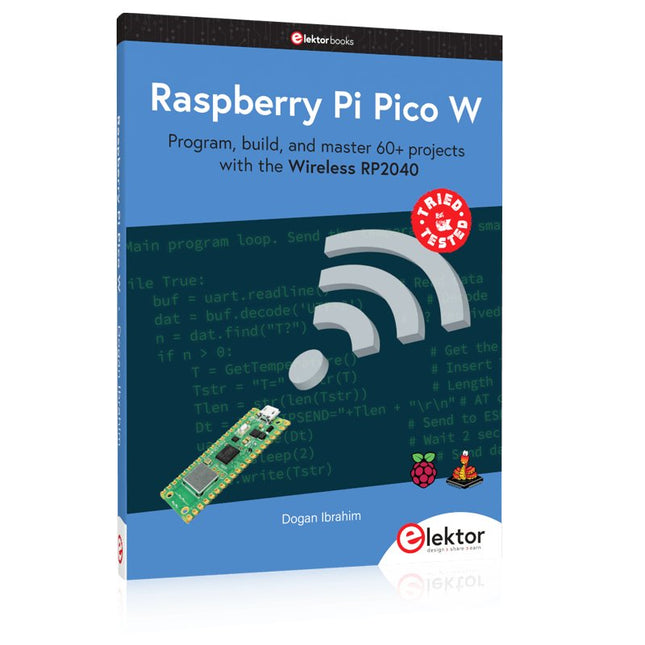
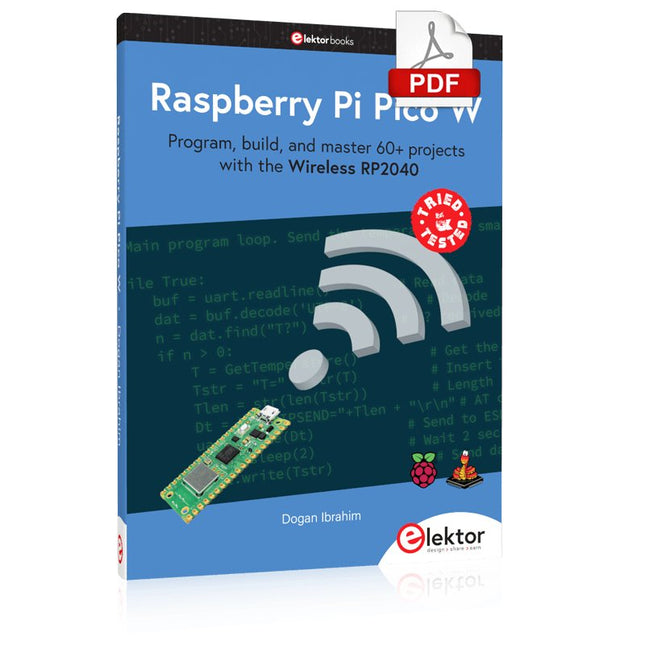
Program, build, and master 60+ projects with the Wireless RP2040
The Raspberry Pi Pico and Pico W are based on the fast, efficient, and low-cost dual-core ARM Cortex M0+ RP2040 microcontroller chip running at up to 133 MHz and sporting 264 KB of SRAM and 2 MB of Flash memory. Besides spacious memory, the Pico and Pico W offer many GPIO pins, and popular peripheral interface modules like ADC, SPI, I²C, UART, PWM, timing modules, a hardware debug interface, and an internal temperature sensor.
The Raspberry Pi Pico W additionally includes an on-board Infineon CYW43439 Bluetooth and Wi-Fi chipset. At the time of writing this book, the Bluetooth firmware was not yet available. Wi-Fi is however fully supported at 2.4 GHz using the 802.11b/g/n protocols.
This book is an introduction to using the Raspberry Pi Pico W in conjunction with the MicroPython programming language. The Thonny development environment (IDE) is used in all of the 60+ working and tested projects covering the following topics:
Installing the MicroPython on Raspberry Pi Pico using a Raspberry Pi or a PC
Timer interrupts and external interrupts
Analogue-to-digital converter (ADC) projects
Using the internal temperature sensor and external sensor chips
Using the internal temperature sensor and external temperature sensor chips
Datalogging projects
PWM, UART, I²C, and SPI projects
Using Bluetooth, WiFi, and apps to communicate with smartphones
Digital-to-analogue converter (DAC) projects
All projects are tried & tested. They can be implemented on both the Raspberry Pi Pico and Raspberry Pi Pico W, although the Wi-Fi-based subjects will run on the Pico W only. Basic programming and electronics experience are required to follow the projects. Brief descriptions, block diagrams, detailed circuit diagrams, and full MicroPython program listings are given for all projects.
Program, build, and master 60+ projects with the Wireless RP2040
The Raspberry Pi Pico and Pico W are based on the fast, efficient, and low-cost dual-core ARM Cortex M0+ RP2040 microcontroller chip running at up to 133 MHz and sporting 264 KB of SRAM and 2 MB of Flash memory. Besides spacious memory, the Pico and Pico W offer many GPIO pins, and popular peripheral interface modules like ADC, SPI, I²C, UART, PWM, timing modules, a hardware debug interface, and an internal temperature sensor.
The Raspberry Pi Pico W additionally includes an on-board Infineon CYW43439 Bluetooth and Wi-Fi chipset. At the time of writing this book, the Bluetooth firmware was not yet available. Wi-Fi is however fully supported at 2.4 GHz using the 802.11b/g/n protocols.
This book is an introduction to using the Raspberry Pi Pico W in conjunction with the MicroPython programming language. The Thonny development environment (IDE) is used in all of the 60+ working and tested projects covering the following topics:
Installing the MicroPython on Raspberry Pi Pico using a Raspberry Pi or a PC
Timer interrupts and external interrupts
Analogue-to-digital converter (ADC) projects
Using the internal temperature sensor and external sensor chips
Using the internal temperature sensor and external temperature sensor chips
Datalogging projects
PWM, UART, I²C, and SPI projects
Using Bluetooth, WiFi, and apps to communicate with smartphones
Digital-to-analogue converter (DAC) projects
All projects are tried & tested. They can be implemented on both the Raspberry Pi Pico and Raspberry Pi Pico W, although the Wi-Fi-based subjects will run on the Pico W only. Basic programming and electronics experience are required to follow the projects. Brief descriptions, block diagrams, detailed circuit diagrams, and full MicroPython program listings are given for all projects.
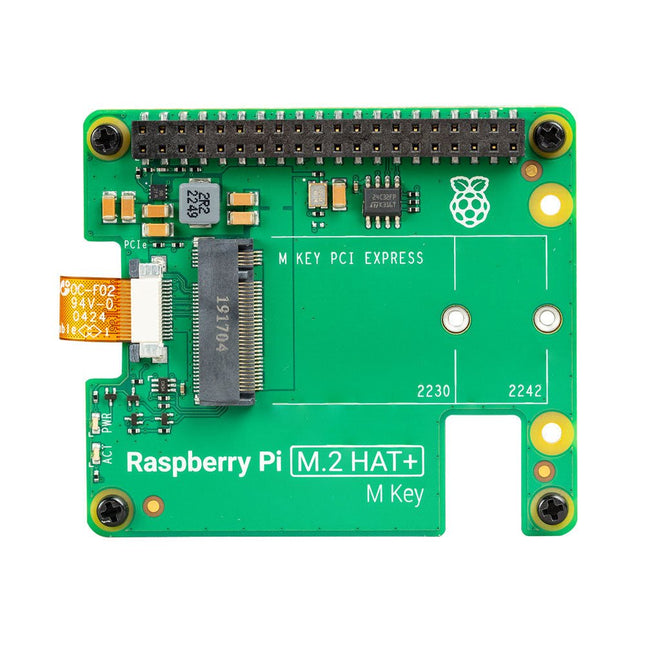
Met de Raspberry Pi M.2 HAT+ kunt u M.2-randapparatuur, zoals NVMe-schijven en AI-versnellers, aansluiten op de PCIe 2.0-interface van Raspberry Pi 5, en ondersteunt snelle (tot 500 MB/s) gegevensoverdracht naar en van NVMe-schijven en andere PCIe-accessoires.
Raspberry Pi M.2 HAT+ ondersteunt apparaten met de M.2 M key edge-connector, in de 2230- en 2242-vormfactoren. Hij kan tot 3 A leveren aan aangesloten M.2-apparaten.
Kenmerken
Ondersteunt single-lane PCIe 2.0-interface (piekoverdrachtssnelheid van 500 MB/s)
Ondersteunt apparaten die de M.2 M Key Edge-connector gebruiken
Ondersteunt apparaten met de 2230- of 2242-vormfactor
Kan tot 3 A leveren aan aangesloten M.2 apparaten
Stroom- en activiteits-LED's
Inbegrepen
1x Raspberry Pi 5 M.2 HAT+
1x Lintkabel
1x GPIO-stapelheader
4x Afstandhouders
8x Schroeven
Downloads
Datasheet
Schematics
Assembly instructions
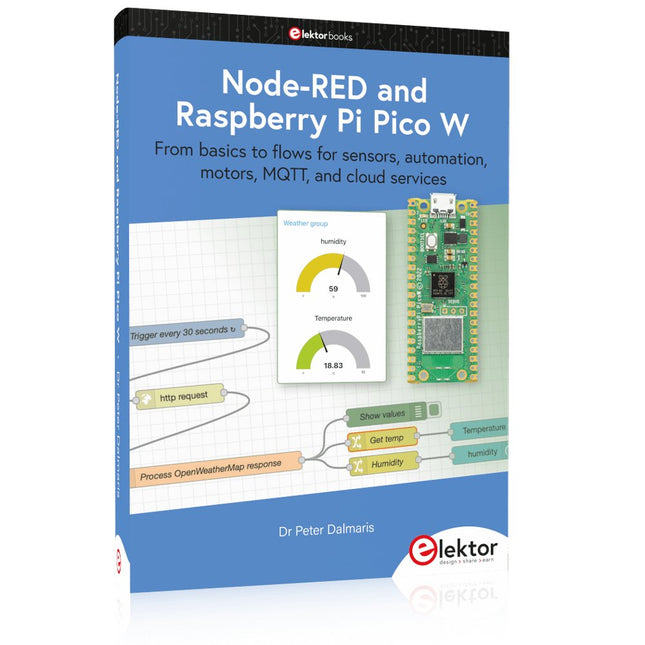
From basics to flows for sensors, automation, motors, MQTT, and cloud services
This book is a learning guide and a reference. Use it to learn Node-RED, Raspberry Pi Pico W, and MicroPython, and add these state-of-the-art tools to your technology toolkit. It will introduce you to virtual machines, Docker, and MySQL in support of IoT projects based on Node-RED and the Raspberry Pi Pico W.
This book combines several elements into a platform that powers the development of modern Internet of Things applications. These elements are a flow-based server, a WiFi-enabled microcontroller, a high-level programming language, and a deployment technology. Combining these elements gives you the tools you need to create automation systems at any scale. From home automation to industrial automation, this book will help you get started.
Node-RED is an open-source flow-based development tool that makes it easy to wire together devices, APIs, and online services. Drag and drop nodes to create a flowchart that turns on your lights at sunset or sends you an email when a sensor detects movement. Raspberry Pi Pico W is a version of the Raspberry Pi Pico with added 802.11n Wi-Fi capability. It is an ideal device for physical computing tasks and an excellent match to the Node-RED.
Quick book facts
Project-based learning approach.
Assumes no prior knowledge of flow-based programming tools.
Learn to use essential infrastructure tools in your projects, such as virtual machines, Docker, MySQL and useful web APIs such as Google Sheets and OpenWeatherMap.
Dozens of mini-projects supported by photographs, wiring schematics, and source code. Get these from the book GitHub repository.
Step-by-step instructions on everything.
All experiments are based on the Raspberry Pi Pico W. A Wi-Fi network is required for all projects.
Hardware (including the Raspberry Pi Pico W) is available as a kit.
Downloads
GitHub
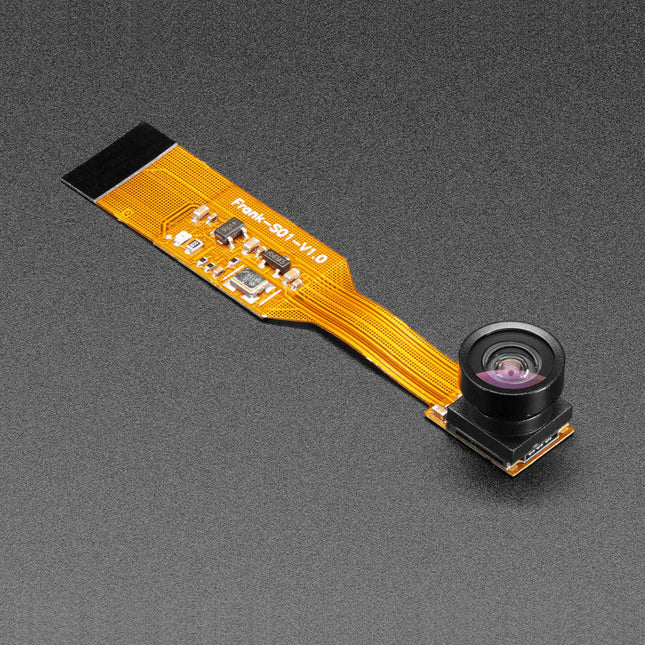
Spookt het in je huis? Of, beter gezegd, ben je ervan overtuigd dat het spookt in je huis, maar heb je het nooit kunnen bewijzen omdat je nooit een camera hebt gehad die geïntegreerd is met je Raspberry Pi Zero, maar toch klein genoeg is om de spoken niet op te merken?Gelukkig is de spionagecamera voor Raspberry Pi Zero kleiner dan een duimnagel met een resolutie die hoog genoeg is om mensen, geesten, of wat het ook is dat je zoekt, te zien. Hij is ongeveer zo groot als een mobiele telefooncamera - de module is slechts 8,6 x 8,6 mm - met slechts een 2' kabel, zodat je een extra compacte en geniepige kleine spioncamera kunt maken. Hij heeft een openingshoek van 160 graden voor een zeer breed/vervormd fisheye effect dat geweldig is voor beveiligingssystemen of om een groot deel van de woonkamer of de weg te bekijken..Net als het Raspberry Pi cameraboard wordt het op je Raspberry Pi Zero v1.3 of Zero W aangesloten via de kleine aansluiting op de rand van het board dicht bij de 'PWR in' aansluiting. Deze interface maakt gebruik van de speciale CSI interface, die speciaal is ontworpen voor interfacing met camera's. De CSI bus kan extreem hoge datasnelheden aan, en transporteert uitsluitend pixelgegevens.De camera is verbonden met de BCM2835 processor op de RPi via de CSI bus, een verbinding met hogere bandbreedte die pixelgegevens van de camera terugvoert naar de processor. Deze bus loopt via de lintkabel waarmee het cameraboard aan de Pi is bevestigd. De lintkabels zijn compatibel met zowel de RPi Zero v1.3 als de RPi Zero W.De sensor zelf heeft een native resolutie van 5 megapixels en heeft een lens met vaste focus aan boord. Hij heeft vergelijkbare specificaties als de originele RPi camera, maar is niet zo high-res als de nieuwe RPi camera v2!Specificaties
Afmetingen cameramodule: 8,6 x 8,6 mm
Diameter lens: 10 mm
Totale lengte: 60 mm
Openingshoek lens: 160 graden
Gewicht: 1,9 g
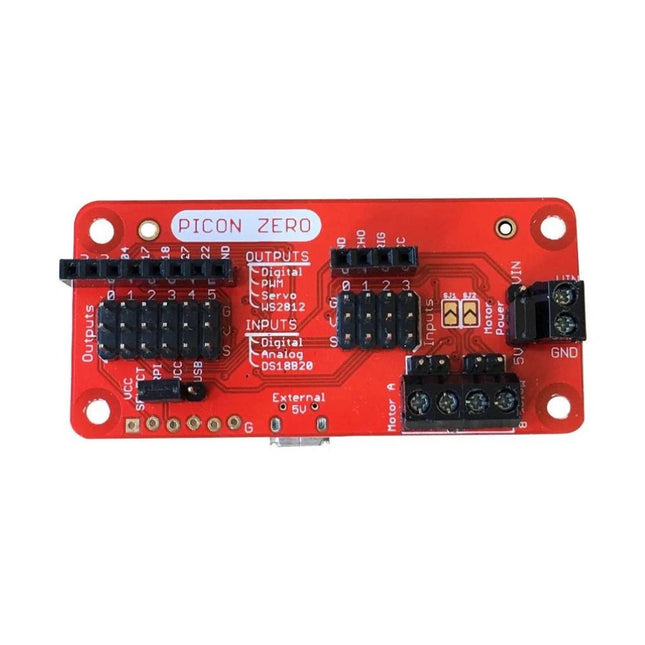
The Picon Zero is an add-on for the Raspberry Pi. It has the same size as a Raspberry Pi Zero, making it ideal to function as a pHat. Of course, it can be used on any other Raspberry Pi via a 40-pin GPIO connector.As well as two full H-Bridge motor drivers, the Picon Zero has several Input/Output pins giving you multiple configuration options. That allows you to easily add outputs or analog inputs to your Raspberry Pi without any complicated software or kernel-specific drivers. At the same time, it opens up 5 GPIO pins from the Raspberry Pi, and it provides the interface for an HC-SR04 ultrasonic distance sensor.The Picon Zero comes with all components, including the headers and screw terminals, fully soldered. Soldering isn't required. You can use it right out of the box.Features
pHat format PCB: 65 mm x 30 mm
Two full H-Bridge motor drivers. Drive up to 1.5 A continuously per channel, at 3 V - 11 V.
Each motor output has both a 2-pin male header and a 2-pin screw terminal.
The motors can be powered from the Picon Zero's 5 V or an external power source (3 V - 11 V).
The Picon Zero's 5 V can be selected to be from the Raspberry Pi's 5 V line, or a USB connector on the Picon Zero. That means that you can effectively have 2 USB battery banks: one to power the servos and motors on the Picon Zero and the other to power the Pi.
4 Inputs that can accept up to 5 V. These inputs can be configured as follows:
Digital inputs
Analog inputs
DS18B20
DHT11
6 Outputs that can drive 5 V and be configured as:
Digital Output
PWM Output
Servo
NeoPixel WS2812
All Inputs and Outputs use GVS 3-pin male headers.
4-pin female header that connects directly to an HC-SR04 ultrasonic distance sensor.
8-pin female header for Ground, 3.3 V, 5 V, and 5 GPIO signals allowing you to add their additional features.
Hardware ConfigurationPicon Zero has two jumpers for setting the hardware configuration. Ensure that you have placed them in the correct position.
JP1 – Board 5 V Selector. This jumper selects where to get the 5 V power from for the Picon Zero Outputs. The options are:
Jumper at the top between RPI and 5 V. The 5 V power for the board is taken from the Raspberry Pi pins on the GPIO connector. Because of the low power output devices and the 5 V motors, all devices can be powered with a single 5 V power input.
Jumper at the bottom between USB and 5 V. The 5 V power is taken from the microUSB connector on the Picon Zero. Useful for higher power output devices, since you can provide extra power through the micro-USB connector on the board
JP2 – Motor Power Selector. This jumper selects where the motors get the power. The two options here are the following:
Jumper at the top between MotorPower and Vin. The motors are driven via the 2-pin screw terminal. The voltage can be between 3 V and 11 V. Useful for motors that require a voltage different from 5 V, or that require more current than is available on either of the USB input connectors
Jumper at the bottom between 5 V and MotorPower. The motors are driven from the board's 5 V.
Raspberry Pi ConfigurationThe Picon Zero is an I²C device. Make sure your Raspberry Pi is set up correctly to use I²C and SMBus:
sudo apt-get install python-smbus python3-smbus python-dev python3-dev
sudo nano /boot/config.txt Add the following lines at the end of the file
dtparam=i2c1=on
dtparam=i2c_arm=on
Press Ctrl-X and use the default prompts to save
sudo reboot
Plugin the Picon Zero onto the Pi and run i2cdetect -y 1If everything goes well, you will see the Picon Zero showing up as address 22 as shown below:
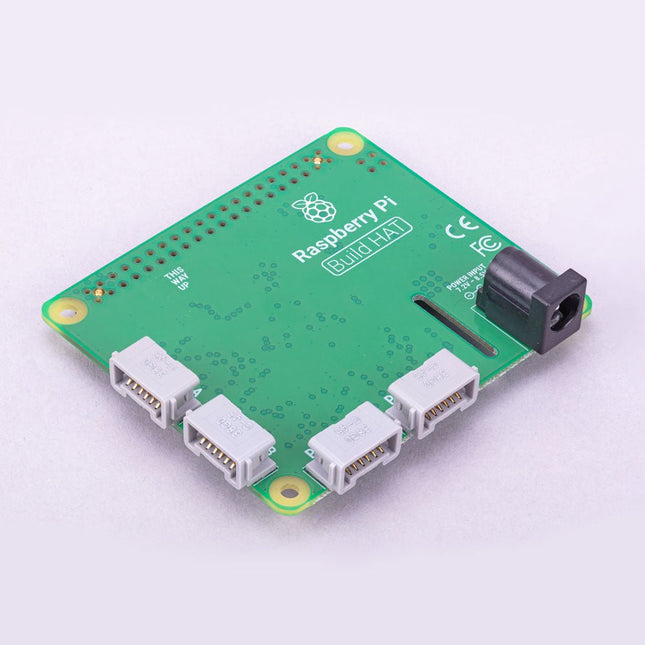
Build robust, intelligent machines that combine Raspberry Pi computing power with LEGO components.The Raspberry Pi Build HAT provides four connectors for LEGO Technic motors and sensors from the SPIKE Portfolio. The available sensors include a distance sensor, a colour sensor, and a versatile force sensor. The angular motors come in a range of sizes and include integrated encoders that can be queried to find their position.The Build HAT fits all Raspberry Pi computers with a 40-pin GPIO header, including?–?with the addition of a ribbon cable or other extension device?—?Raspberry Pi 400. Connected LEGO Technic devices can easily be controlled in Python, alongside standard Raspberry Pi accessories such as a camera module.Features
Controls up to 4 motors and sensors
Powers the Raspberry Pi (when used with a suitable external PSU)
Easy to use from Python on the Raspberry Pi
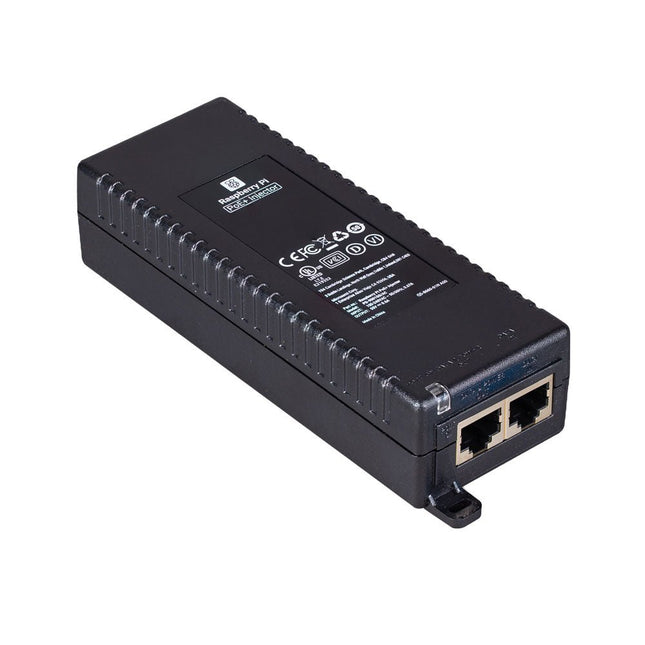
De Raspberry Pi PoE+ Injector voegt Power-over-Ethernet (PoE) functionaliteit toe aan een enkele poort van een niet-PoE Ethernet switch, en levert zowel stroom als data via één Ethernet-kabel. Het biedt een plug-and-play, kosteneffectieve oplossing voor het stapsgewijs introduceren van PoE capaciteit in bestaande Ethernet netwerken.
De PoE+ Injector is een single-port, 30 W apparaat geschikt voor het voeden van apparatuur die voldoet aan de IEEE 802.3af en 802.3at standaarden, inclusief alle generaties Raspberry Pi PoE HAT's. Het ondersteunt netwerk pass-through snelheden van 10/100/1000 Mbps.
Opmerking: Een aparte IEC netsnoer is vereist voor gebruik (niet meegeleverd).
Specificaties
Gegevenssnelheid
10/100/1000 Mbps
Ingangsspanning
100 tot 240 V AC
Uitgangsvermogen
30 W
Uitgangsvermogen op pinnen
4/5 (+), 7/8 (–)
Nominale uitgangsspanning
55 V DC
Gegevensconnectoren
Afgeschermde RJ-45, EIA 568A en 568B
Stroomaansluiting
IEC c13 netvoeding (niet meegeleverd)
Opslagvochtigheid
Maximaal 95%, niet-condenserend
Werkingshoogte
–300 m tot 3000 m
Werkingsomgevingstemperatuur
10°C tot +50°C
Afmetingen
159 x 51,8 x 33,5 mm
Downloads
Datasheet